
Hello Friends, This write-up is all about making a notification system for your Bug Bounty Autom 2021-10-05 20:38:14 Author: hakin9.org(查看原文) 阅读量:89 收藏

Hello Friends, This write-up is all about making a notification system for your Bug Bounty Automation. In this write-up we will learn how to send a notification to our discord server when some task is started or when some task is done!
I will directly demonstrate steps and end result will be like this 👇
For example,
1. suppose this is our script

2. Let’s execute script

3. We got notification on our discord server 😉

So, I think you got the idea about what we are going to learn in this write-up 😌
- Go on your discord application and Click on
Add a server

2. Click on Create My Own
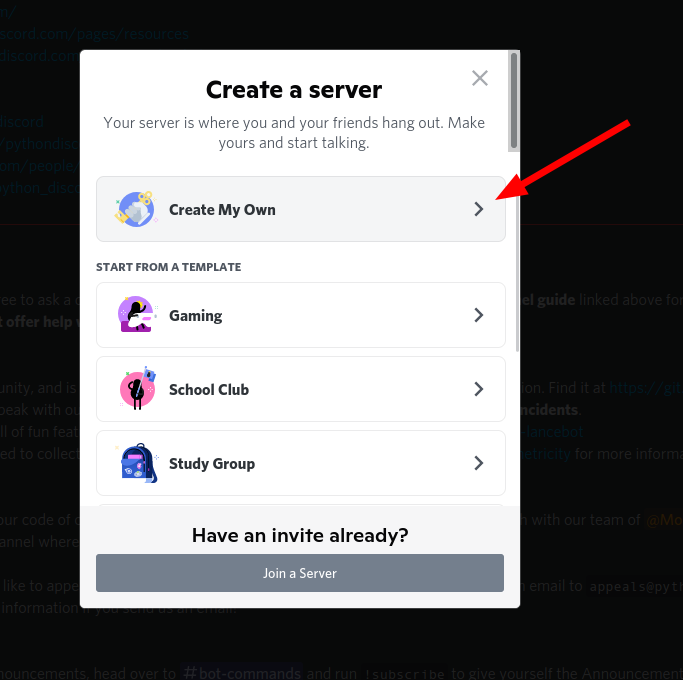
3. Click on For me and my Friends

4. Click on Create
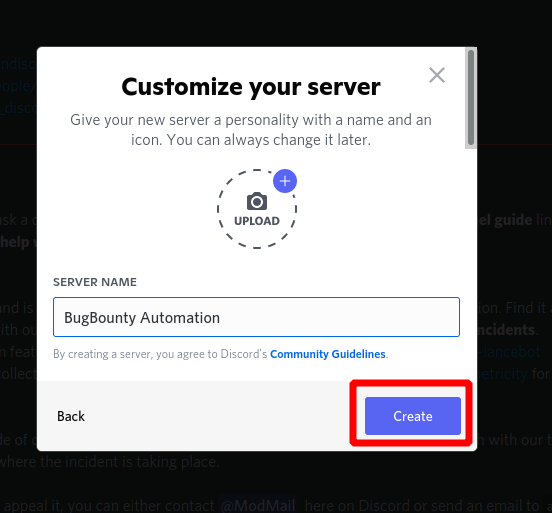
5. You can see now our server is created

6. Click on Create channel

7. Give name to you channel and turn on private Channel then click on next

8. Skip this step
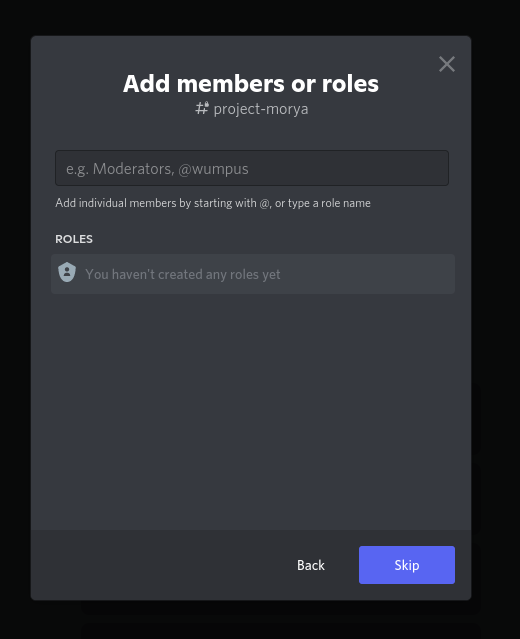
9. You can see our channel is created with the name project-morya

10. Click on edit channel

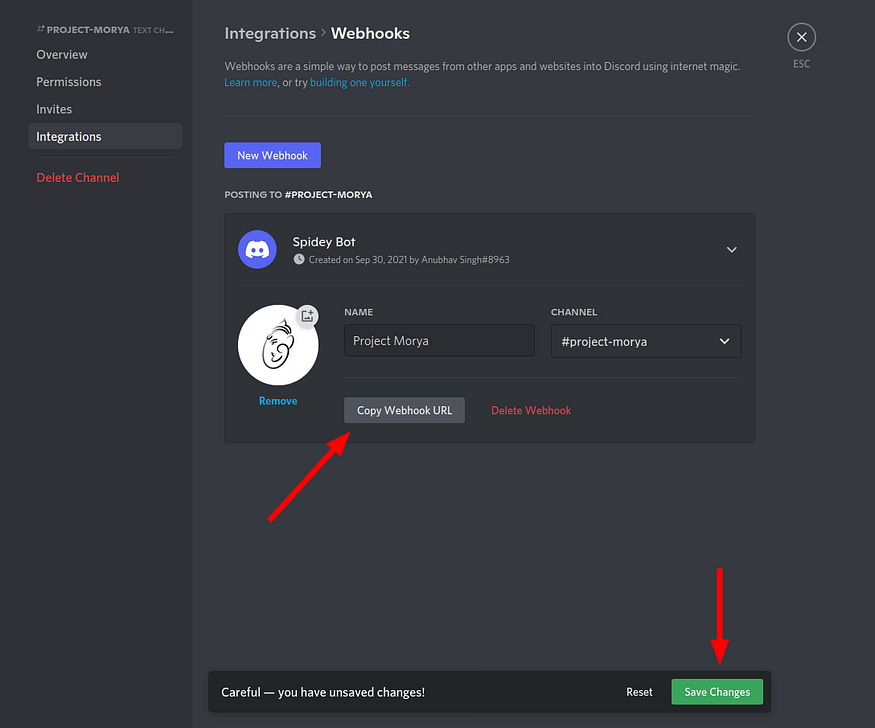
11. Go on integrations and in that click on Create Webhook
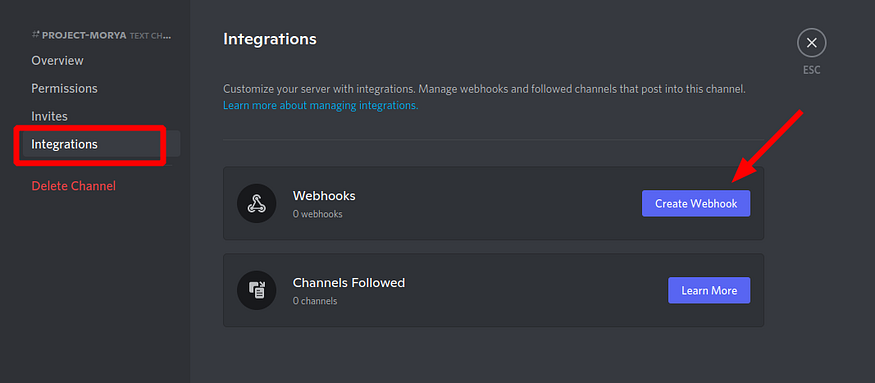
12. Give name, choose channel and you can also add photo to your webhooks

13. Copy Webhook URL and click on save changes
When you paste your webhook url in any text editor ..You will see url like this

16. Now, Install tool named notify on your system. Notify is a Go-based assistance package that enables you to stream the output of several tools (or read from a file) and publish it to a variety of supported platforms.
command : GO111MODULE=on go get -v github.com/projectdiscovery/notify/cmd/notify
In your machine, go to this path $HOME/.config/notify/ and save this file with name provider-config.yaml
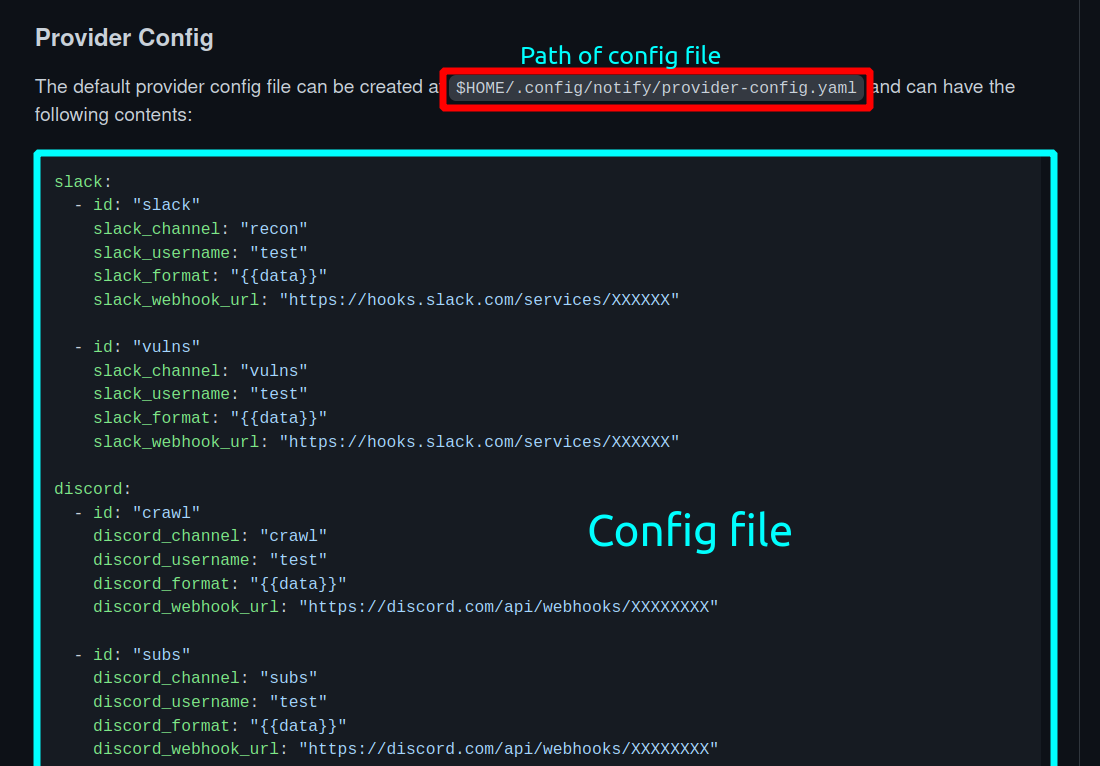
17. Comment out rest of the line except discord
#slack:
#  - id: "slack"
#    slack_channel: "recon"
#    slack_username: "test"
#    slack_format: "{{data}}"
#    slack_webhook_url: "https://hooks.slack.com/services/XXXXXX"#- id: "vulns"
#    slack_channel: "vulns"
#    slack_username: "test"
#    slack_format: "{{data}}"
#    slack_webhook_url: "https://hooks.slack.com/services/XXXXXX"discord:
  - id: "crawl"
    discord_channel: "crawl"
    discord_username: "test"
    discord_format: "{{data}}"
    discord_webhook_url: "https://discord.com/api/webhooks/XXXXXXXX"#- id: "subs"
#    discord_channel: "subs"
#    discord_username: "test"
#    discord_format: "{{data}}"
#    discord_webhook_url: "https://discord.com/api/webhooks/XXXXXXXX"#telegram:
#  - id: "tel"
#    telegram_api_key: "XXXXXXXXXXXX"
#    telegram_chat_id: "XXXXXXXX"
#    telegram_format: "{{data}}"#pushover:
#  - id: "push"
#    pushover_user_key: "XXXX"
#    pushover_api_token: "YYYY"
#    pushover_format: "{{data}}"
#    pushover_devices:
#      - "iphone"#smtp:
#  - id: email
#    smtp_server: mail.example.com
#    smtp_username: [email protected]
#    smtp_password: password
#    from_address: [email protected]
#    smtp_cc:
#      - [email protected]
#    smtp_format: "{{data}}"#custom:
#  - id: webhook
#    custom_webook_url: http://host/api/webhook
#    custom_method: GET
#    custom_format: '{{data}}'
#    custom_headers:
#    Content-Type: application/json
#      X-Api-Key: XXXXX
18. Paste your webhook url
Like this :

19. You are all set now 😀. Let test our notification system
Example 1:
Note : To get notification on your server, You have to just add
| notify -silent

You can see.. I got notification on our server

如有侵权请联系:admin#unsafe.sh