
The Flipper Zero made portable hardware experimentation accessible to a much wider audience. The 2026-11-12 09:1:54 Author: www.mobile-hacker.com(查看原文) 阅读量:1 收藏
The Flipper Zero made portable hardware experimentation accessible to a much wider audience. The KIISU V4BR board takes a different approach to the same idea: keep the familiar Flipper ecosystem, but place it on a thin, credit-card-sized development board.
In this article, I will explain what KIISU is, examine its hardware and supported functions, compare it with Flipper Zero, and discuss several issue I encountered during testing. SAPSAN provided the KIISU V4BR used for this review. The observations and opinions in this article are my own.
What is KIISU?
KIISU V4BR is open-source development board designed by RainWalker. Its purpose is to provide many of the functions – if not all – seen with Flipper Zero in a credit card style format.
The board includes the same interfaces as Flipper Zero such as:
- Sub-GHz radio
- NFC
- 125 kHz RFID
- Infrared
- Bluetooth Low Energy (for pairing with smartphone)
- iButton support
- GPIO connectivity
- A microSD card slot
- Several sensors: Digital accelerometer and compass, Temperature and humidity sensor, and ambient light sensor
- Compatibility with Flipper Zero and selected community firmware
There is one more great thing, it has the same GPIO alignment as Flipper Zero, so you can use the same expansion gadgets, no need to change the pins.
First impressions: thin, wide and minimalistic
My first impression was that the KIISU looks genuinely cool.
Its design is minimalistic and very different from the Flipper. It is significantly flatter, although also wider, because the components are arranged across a board approximately the size of a payment card.
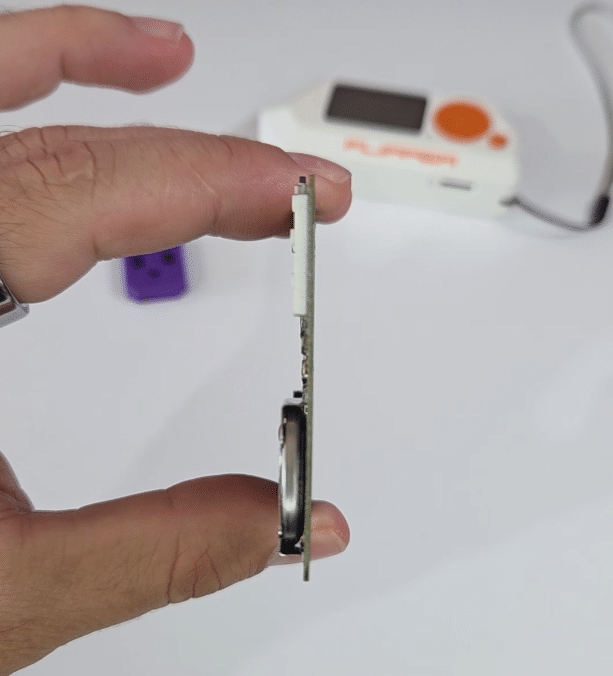
The documented dimensions are 85 × 54 mm, which is close to a conventional credit card. Flipper Zero measures approximately 100.3 × 40.1 × 25.6 mm, so Flipper is narrower but considerably thicker.
The visible electronics give KIISU a maker-oriented look. However, because it is sold as a development board rather than a fully enclosed end-user product, I would not carry it loose in a pocket or bag. A 3D-printed case is a sensible addition. Officially linked community models are available for printing.
3D-printed enclosure
Although the KIISU V4BR is an exposed board, it does not feel fragile. The PCB is reasonably solid, and I did not feel that normal handling would easily damage it. Nevertheless, exposed components, could be more vulnerable when it is carried in a backpack or a pocket and I didn’t want to accidentally damage it.
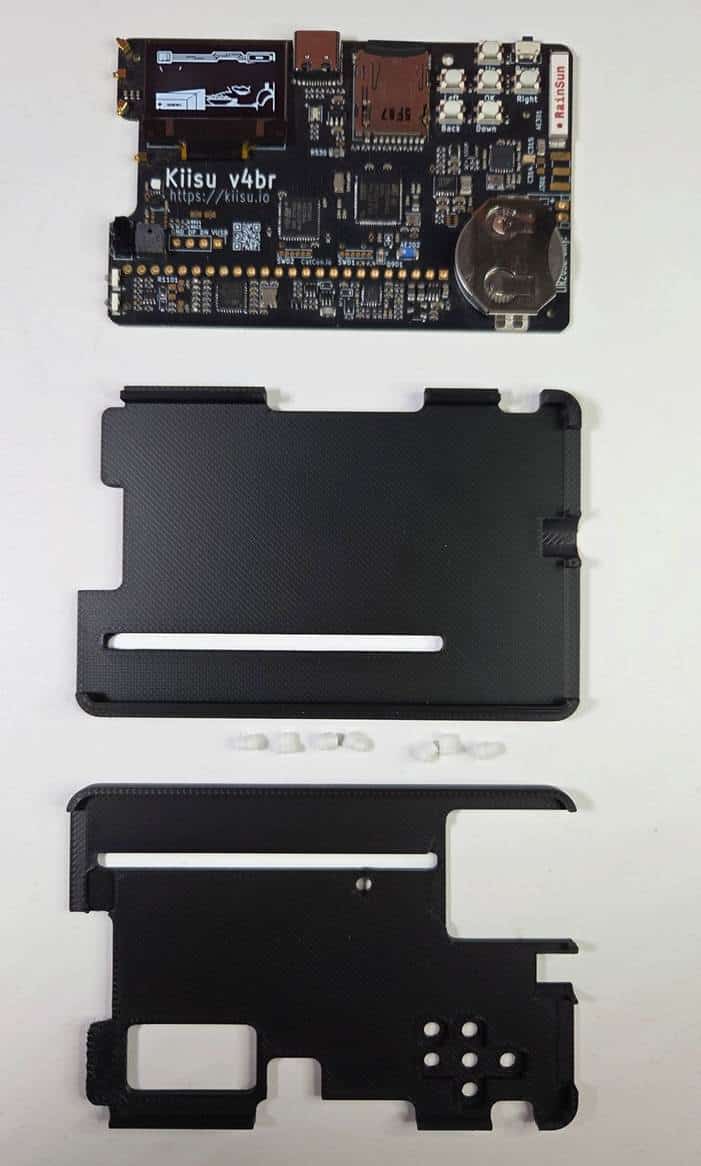
To give the board additional protection, I printed the KIISUV4BCasebyJesusSegnini. The enclosure was designed specifically for the KIISU V4B and does not require screws or print support.
The assembled case keeps it relatively slim while protecting both sides of the PCB. Importantly, it does not prevent access to the main hardware features, such as GPIO and sensors.
What can KIISU do?
KIISU supports most of the technology families that users commonly associate with Flipper Zero.
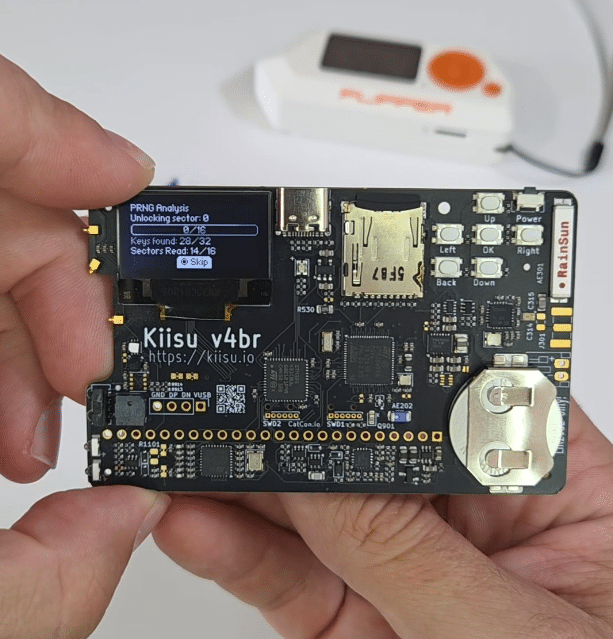
Sub-GHz radio
The onboard CC1101 transceiver can receive and transmit supported signals in several Sub-GHz frequency ranges. SAPSAN lists support for approximately 300–348 MHz, 387–464 MHz and 779–928 MHz, subject to hardware, firmware and regional restrictions.
Typical legitimate uses include:
- Examining signals from your own wireless sensors
- Testing remotes that you own
- Learning how simple radio protocols work
- Developing and debugging compatible Sub-GHz devices
The board includes an internal 433 MHz antenna. A footprint for an external antenna is also available, but installing the required connector may involve soldering.
Radio regulations vary by country. Receiving a signal does not automatically mean that retransmitting it is permitted. Only test systems that you own or have explicit authorization to assess.

NFC
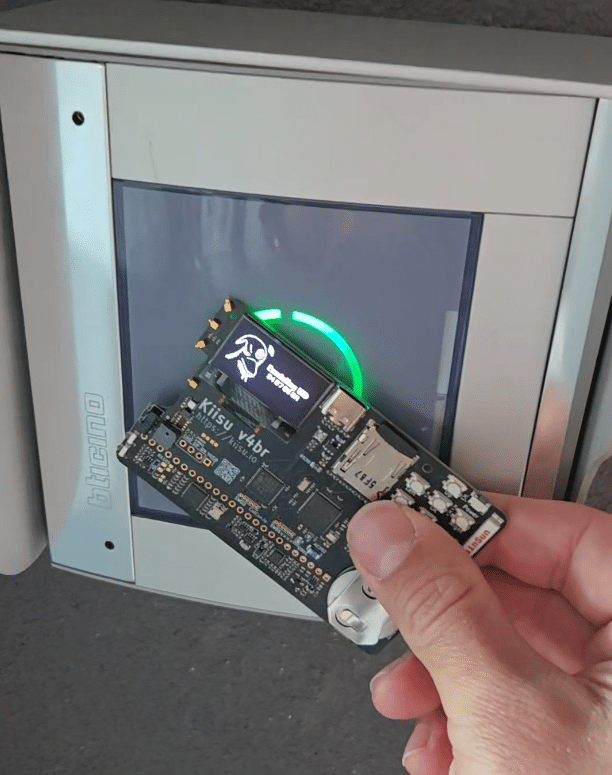
KIISU uses the ST25R3916 NFC transceiver, the same model listed in the official Flipper Zero specifications. It supports common 13.56 MHz technologies including ISO 14443A/B, FeliCa and several MIFARE families, although the precise feature set also depends on the installed firmware.
It can be used to:
- Read supported NFC tags
- Save compatible data
- Emulate supported tags
- Experiment with NFC protocols
- Test your own access-control implementations
125 kHz RFID
The device also includes a built-in 125 kHz RFID reader and emulator. The documented examples include EM4100, HID and supported animal tags.
NFC and low-frequency RFID are not the same technology. They use different frequencies and protocols, which is why KIISU includes separate hardware for each function.
Infrared
The infrared receiver and transmitter can capture and replay supported remote-control signals. This is useful for testing televisions, projectors, air-conditioning units and other equipment that you own.
For beginners, infrared is one of the easiest KIISU features to understand: the device can learn a compatible remote-control command and then reproduce it later.
Bluetooth Low Energy
Bluetooth Low Energy support is provided through the STM32WB55 main MCU. Available Bluetooth features depend on the particular firmware and application being used.
“Bluetooth support” should not be interpreted as universal control over Bluetooth devices. KIISU remains limited by radio standards, supported protocols and the applications implemented in its firmware.
iButton
KIISU supports compatible 1-Wire iButton devices, including Dallas DS1990-type identifiers listed by the retailer. This can be useful when assessing your own legacy access-control systems or experimenting with 1-Wire hardware.
Sensors
The board includes:
- An LSM303AGR accelerometer and magnetometer
- A GXHTC3C temperature and humidity sensor
- An ambient-light sensor
It also contains footprints for user-installed components such as a BME680 environmental sensor and a VL53xxx distance sensor. These optional components are not necessarily fitted to the standard board.
The display: OLED versus Flipper Zero’s LCD
Both KIISU and Flipper Zero use a resolution of 128 × 64 pixels, which helps firmware designed for Flipper’s screen layout work on KIISU. However, the physical display technologies are different.
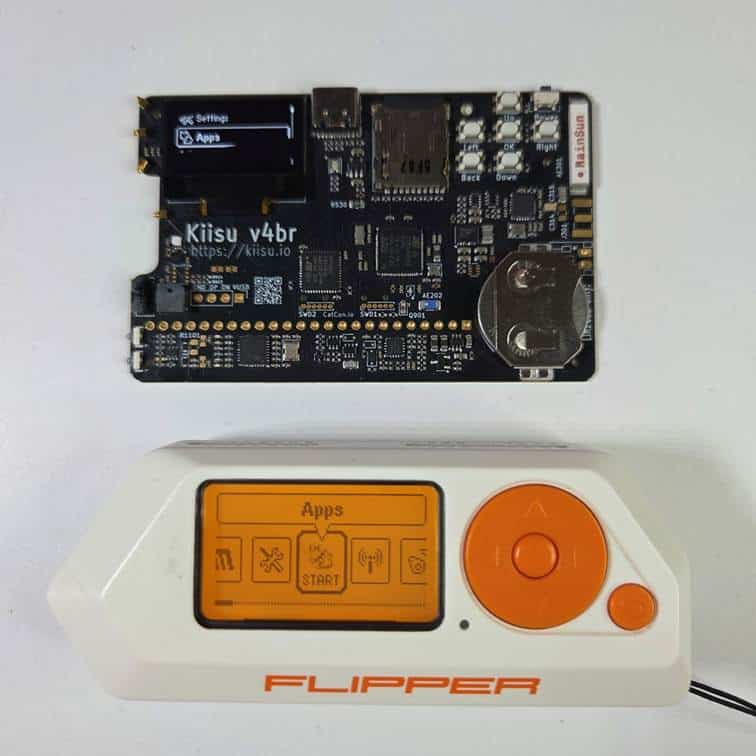
KIISU uses a 128 × 64 SPI OLED with white pixels, while Flipper Zero uses a 128 × 64 monochrome LCD controlled by an ST7567.
The OLED gives KIISU a sharper, high-contrast appearance. White content on a dark background looks clean and modern. Flipper Zero’s display has a more characteristic orange appearance and is integrated into a polished enclosure.
Firmware compatibility
One of KIISU’s strongest selling points is its compatibility with the Flipper Zero software ecosystem.
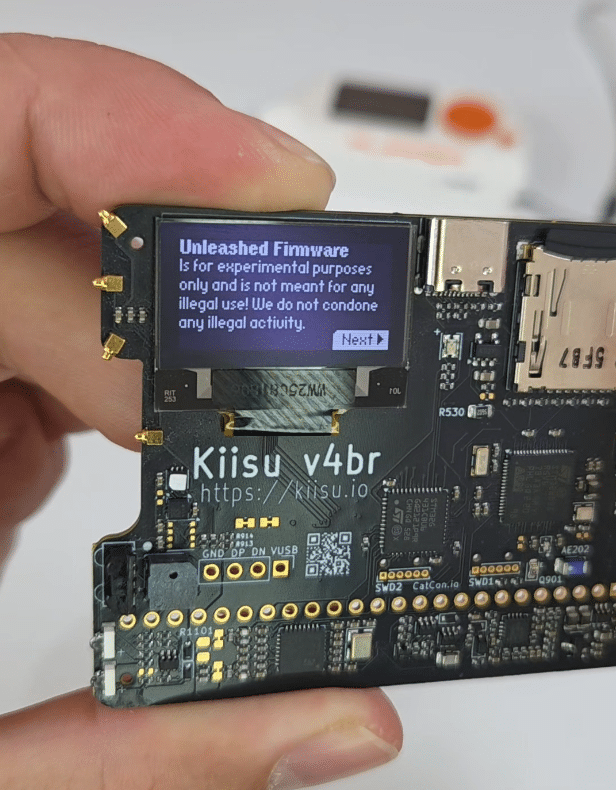
KIISU is compatible with:
- Official KIISU firmware
- Momentum
- Unleashed
- RogueMaster
- Xtreme
For my tests, I flashed the board with Unleashed. The process gave me an interface and application environment familiar from Flipper Zero, which reduces the learning curve for anyone who has already used a Flipper.
However, firmware compatibility does not mean that KIISU is electrically and mechanically identical to Flipper Zero. Applications that rely on very specific Flipper hardware behavior may not work perfectly.
“No Factory Keys Found”: what does it mean?
After startup, my KIISU displays the following warning:
No Factory Keys Found. Secure Enclave is damaged. Some apps will not work.
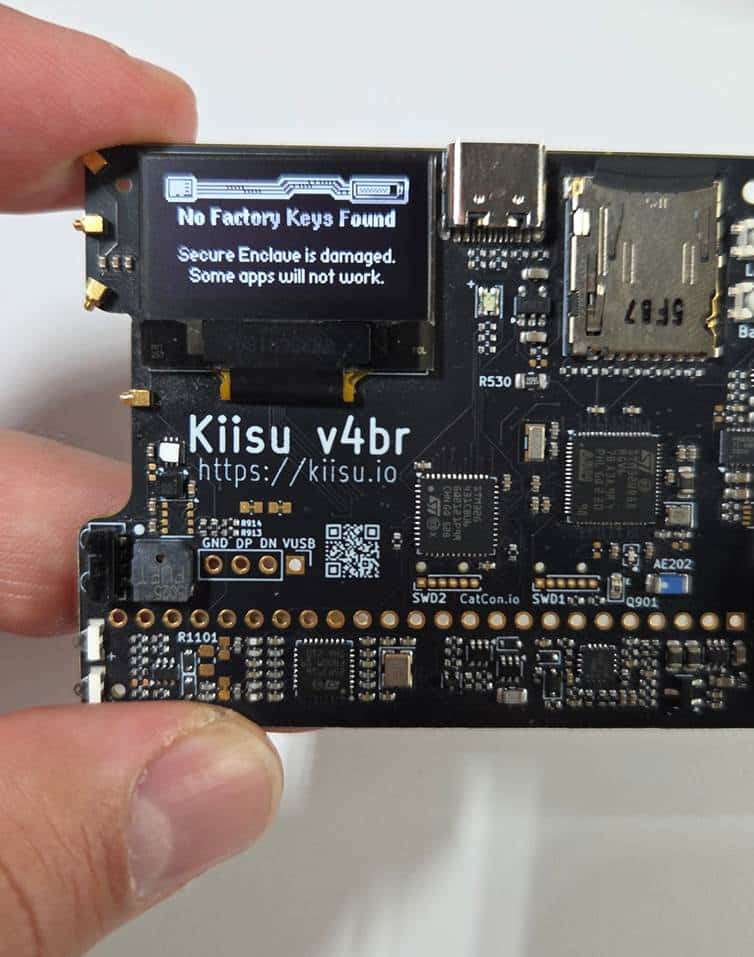
After I acknowledge the message, the device starts and its main functions appear to work normally.
Despite the alarming wording, this does not necessarily indicate that the KIISU hardware is physically damaged. The warning comes from firmware designed for genuine Flipper Zero hardware.
Flipper Zero’s STM32 secure enclave can contain non-extractable factory keys provisioned during manufacturing. Information from the Flipper community indicates that these factory keys are used by particular protected firmware functions. If the expected keys are not present, Flipper-derived firmware reports the enclave as missing or damaged.
KIISU is not a factory-provisioned Flipper Zero, so it may not contain the proprietary keys that the firmware expects to find. The warning is therefore most likely a compatibility consequence of running Flipper-derived firmware on different hardware, rather than proof that KIISU’s microcontroller has suffered physical damage.
Does Flipper Zero GPIO hardware work with KIISU?
The short answer is: many Flipper GPIO accessories should work, but compatibility should still be verified for each board.
KIISU exposes a pin header with a Flipper Zero-compatible pin layout.
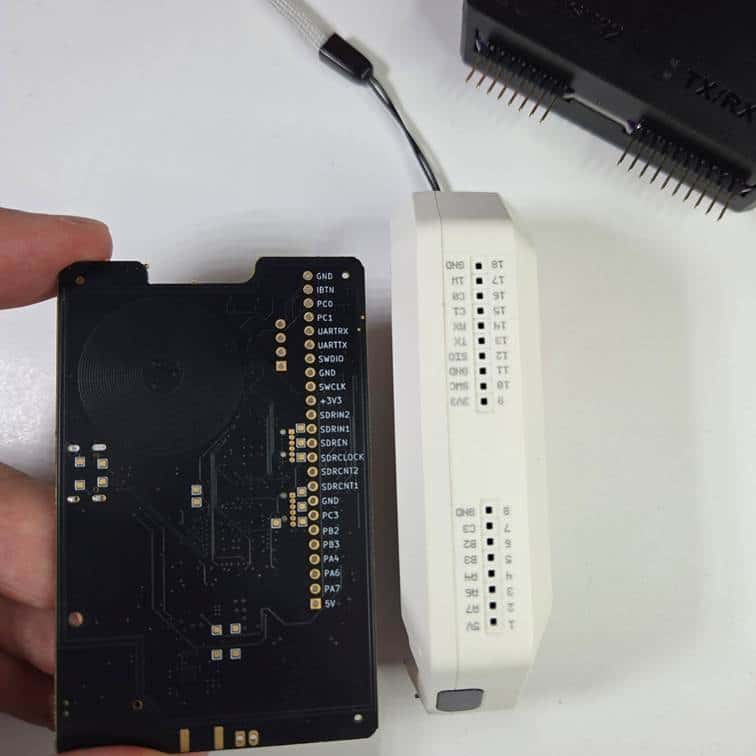
This means that modules designed to connect directly to Flipper Zero can physically connect to KIISU without rewiring, assuming their shape does not collide with KIISU components.
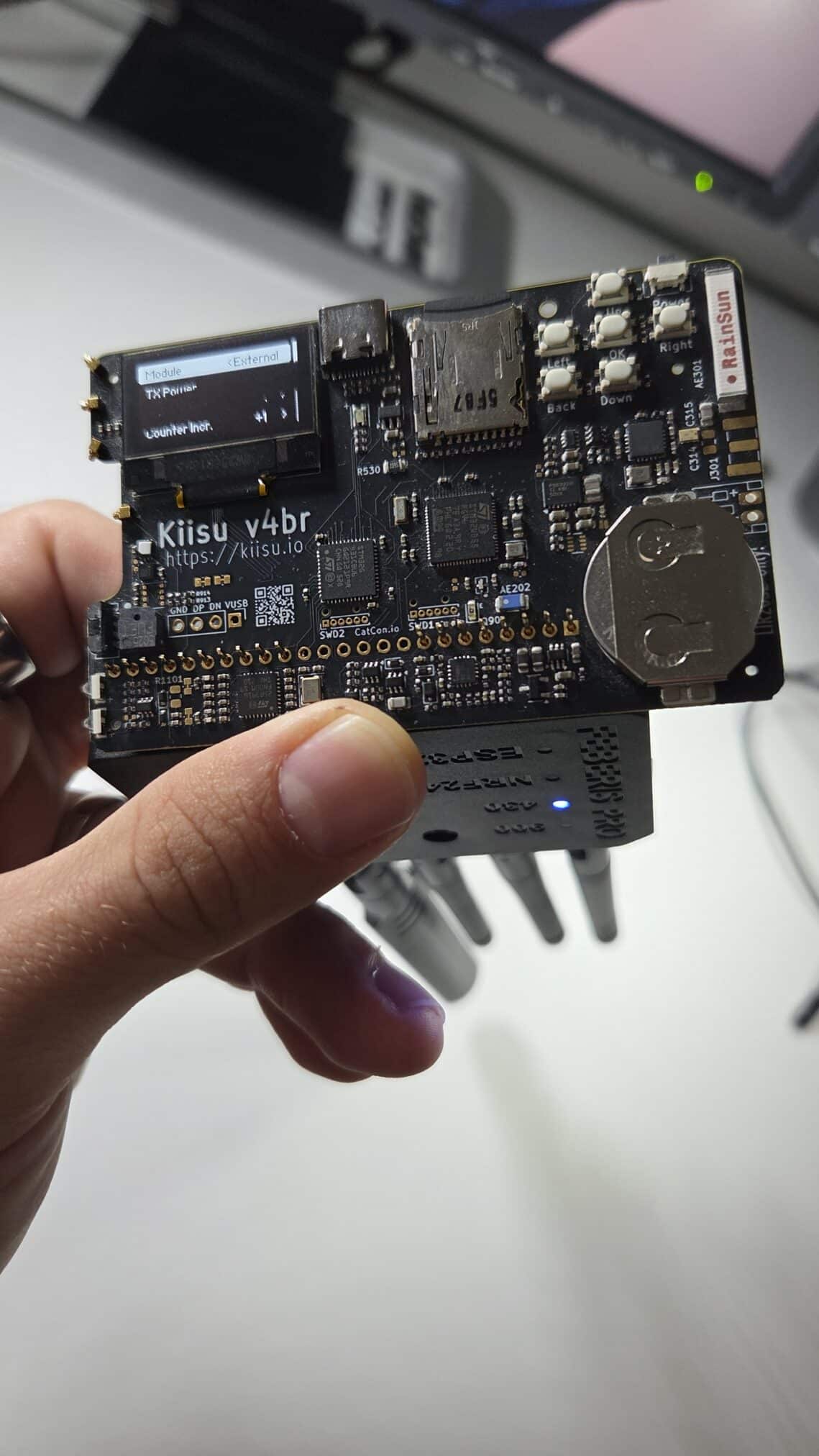
In the picture below, I connected Feberis Pro board that is successfully recognized by KIISU. It is bit tricky, because it doesn’t hold the Feberis, so it is necessary to hold it with the same hand as KIISU.
Battery and power
My package included the battery, and it is rechargeable.
KIISU uses a replaceable LIR2032 rechargeable coin cell and can also be powered through USB-C. The official getting-started guide explicitly warns users not to install a CR2032 or another one. Because the board contains charging circuitry, attempting to charge a non-rechargeable cell can be dangerous.
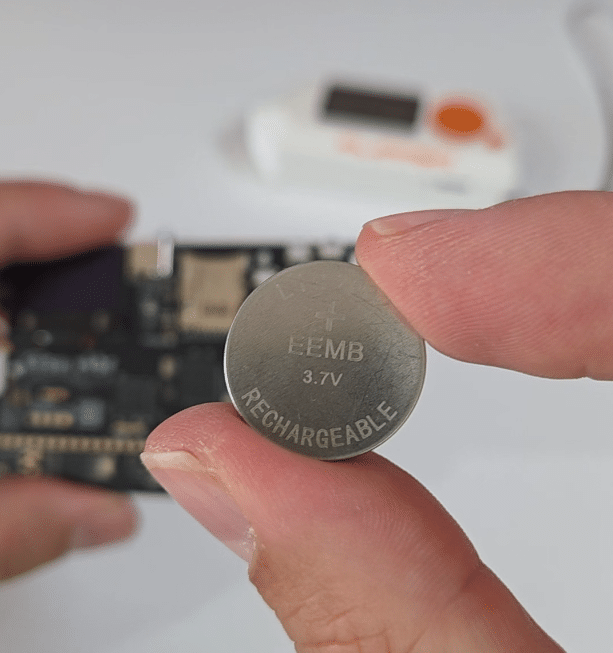
The battery is smaller than Flipper Zero’s internal 2,100 mAh LiPo battery. Flipper Zero is officially rated for up to 28 days of battery life, while KIISU’s smaller cell is better suited to compactness and replacement. Because of that, battery live on KIISU is way lower. There is a feature that should safe the battery live, and if accidentally turned on in backpack, so when board is without any user interaction for more then 30 seconds, red LED starts to blink and then it will turn itself off. This safes the battery, but sometimes might be inconvenient.
KIISU V4BR versus Flipper Zero
| Feature | KIISU V4BR | Flipper Zero |
| Dimensions | Approximately 85 × 54 mm | 100.3 × 40.1 × 25.6 mm |
| Display | 128 × 64 white OLED | 128 × 64 monochrome LCD |
| Main MCU | STM32WB55, up to 80 MHz | STM32WB55, 64 MHz application core |
| Additional MCU | STM32G431, up to 170 MHz | No equivalent auxiliary MCU |
| Sub-GHz | CC1101 | CC1101 |
| NFC | ST25R3916 | ST25R3916 |
| 125 kHz RFID | Yes | Yes |
| Infrared | TX and RX | TX and RX |
| Bluetooth LE | Yes | Yes |
| GPIO | Flipper-compatible layout | Native Flipper 18-position header |
| Battery | Replaceable rechargeable LIR2032 | Internal 2,100 mAh LiPo |
| Enclosure | Not standard; printable cases available | Enclosure included |
| Firmware | KIISU firmware and compatible Flipper forks | Official Flipper firmware and forks |
Where to buy
If you are interested in buying the KIISU, it is available from the Sapsan online shop with worldwide shipping for around 99 Euro.
Conclusion
KIISU V4BR is one of the more interesting Flipper Zero alternatives I have tested. Its appeal does not come from reinventing the concept, but from packaging a familiar set of tools into a remarkably flat, minimalistic and developer-friendly board.
I like how it looks. It is wider than Flipper Zero but significantly flatter, and the exposed-board design gives it a unique technical appearance. It supports familiar Flipper firmware, including the Unleashed firmware I used during testing, and it is cheaper than buying another Flipper Zero. The compatible GPIO layout also means that many existing Flipper accessories can potentially be reused.
如有侵权请联系:admin#unsafe.sh