
Outpainting can turn one AI-generated shot into 16:9, 9:16, and 1:1 without a second render. Here’s 2026-10-8 06:10:32 Author: hackernoon.com(查看原文) 阅读量:1 收藏
Outpainting can turn one AI-generated shot into 16:9, 9:16, and 1:1 without a second render. Here’s when that holds up, and when it doesn’t.
You generate a shot once. Then YouTube wants it in 16:9, the short-form cut wants 9:16, and the thumbnail wants something closer to square. The fastest tool in most people’s kit is still “run the prompt again,” which means paying for the clip a second and third time and hoping the seed, the lighting, and the framing land close enough to match.
AI video outpainting fixes this by generating new pixels around the existing frame instead of cropping into it or regenerating from scratch, which is why reframe tools now ship from Runway, Luma, and Higgsfield as a standard feature rather than a novelty.
That’s the short version. The rest of this is about when the technique holds up, when it doesn’t, and how to stop finding out the hard way.
What Is AI Video Outpainting, and How Is It Different From Cropping?
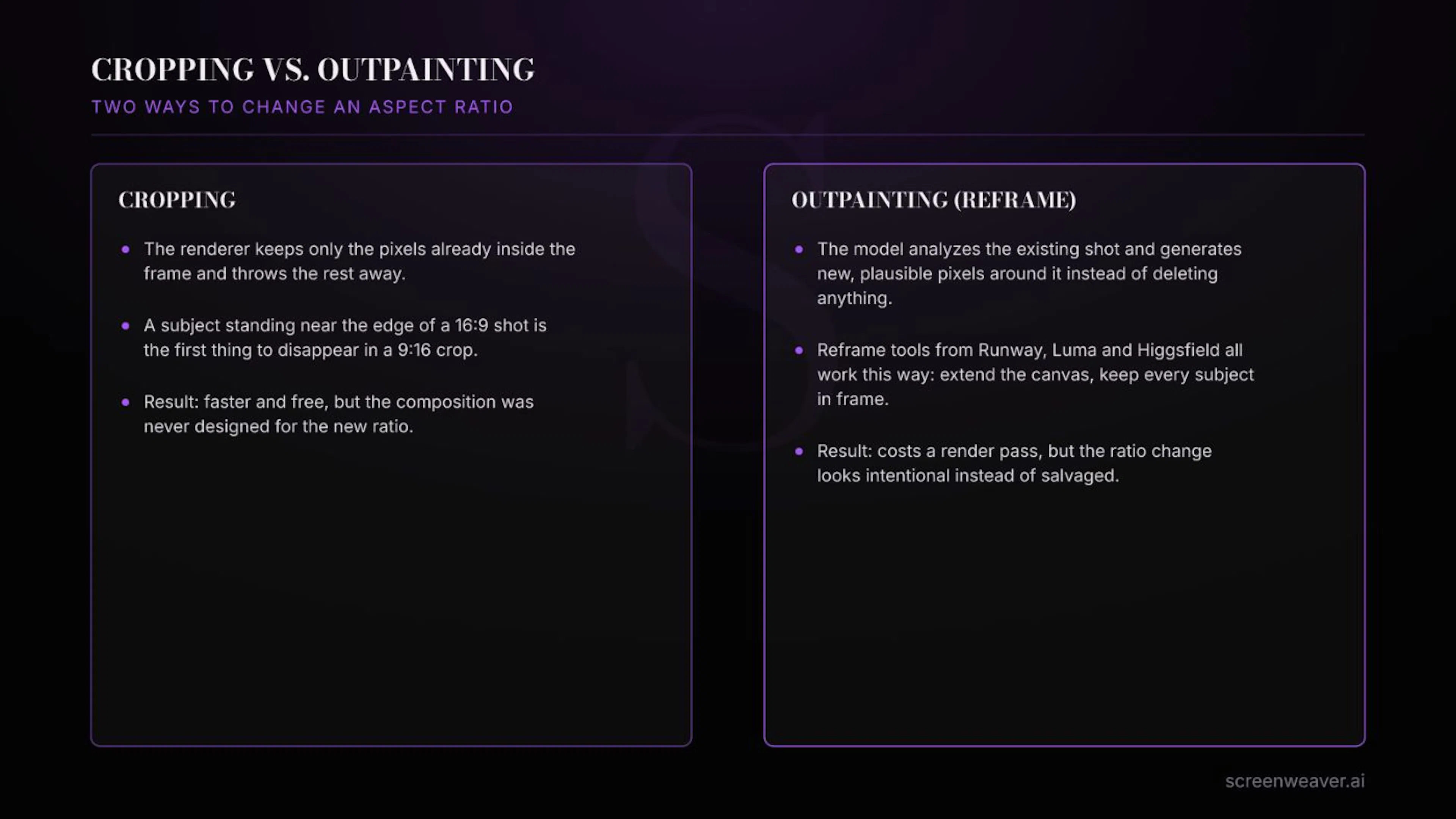
Outpainting is a model looking at the edges of an existing image or video frame and generating new, visually consistent content beyond them. Cropping does the opposite: it throws pixels away.
That difference matters more than it sounds like it should. A 16:9 shot cropped down to 9:16 keeps only the middle third of the frame. If your subject was composed off-center, which is good cinematography and one of the first things any half-decent shot deserves, cropping cuts them out entirely. Outpainting instead extends the sides, top, or bottom of the frame with new background content, so the original subject stays fully in view and the canvas just gets bigger around it.
Runway shipped this first under the name Expand Video, rolling out in November 2024. Luma followed in May 2025 with Reframe, which added the ability to recover framing that had already been cropped out of older footage. Higgsfield’s own Reframe feature arrived in May 2026, built specifically for scenes with more than one subject, where a plain crop is most likely to lose somebody.
Eighteen months, three separate companies, the same conclusion: cropping was never really solving the multi-platform delivery problem. It was just the fastest wrong answer on hand.
Three are worth knowing by name, because they don’t all work the same way underneath.
Runway’s Expand Video generates new canvas around an existing clip and was the first version of this feature to ship, back in late 2024. Luma’s Reframe covers six aspect ratios (9:16, 3:4, 1:1, 4:3, 16:9, 21:9) and works on footage you upload, not only clips Luma generated itself. Higgsfield’s Reframe takes reference images, up to four, to keep the generated background visually consistent with the rest of your project, and it’s built to handle multi-person scenes specifically, where the software has to decide what belongs in frame and what was never meant to be seen.
All three do the same thing underneath: analyze what’s already there, then generate outward from it. None of them are stretching or interpolating existing pixels. They’re generating new ones.
The tool isn’t reconstructing what the camera saw off to the side. It’s generating something plausible enough that nobody watching stops to check.
That distinction is worth sitting with before you use any of these tools on a shot you care about.
When Should You Still Regenerate Instead of Reframe?
Reframing has its own failure modes, and it isn’t always the cheaper option once you count the cleanup.
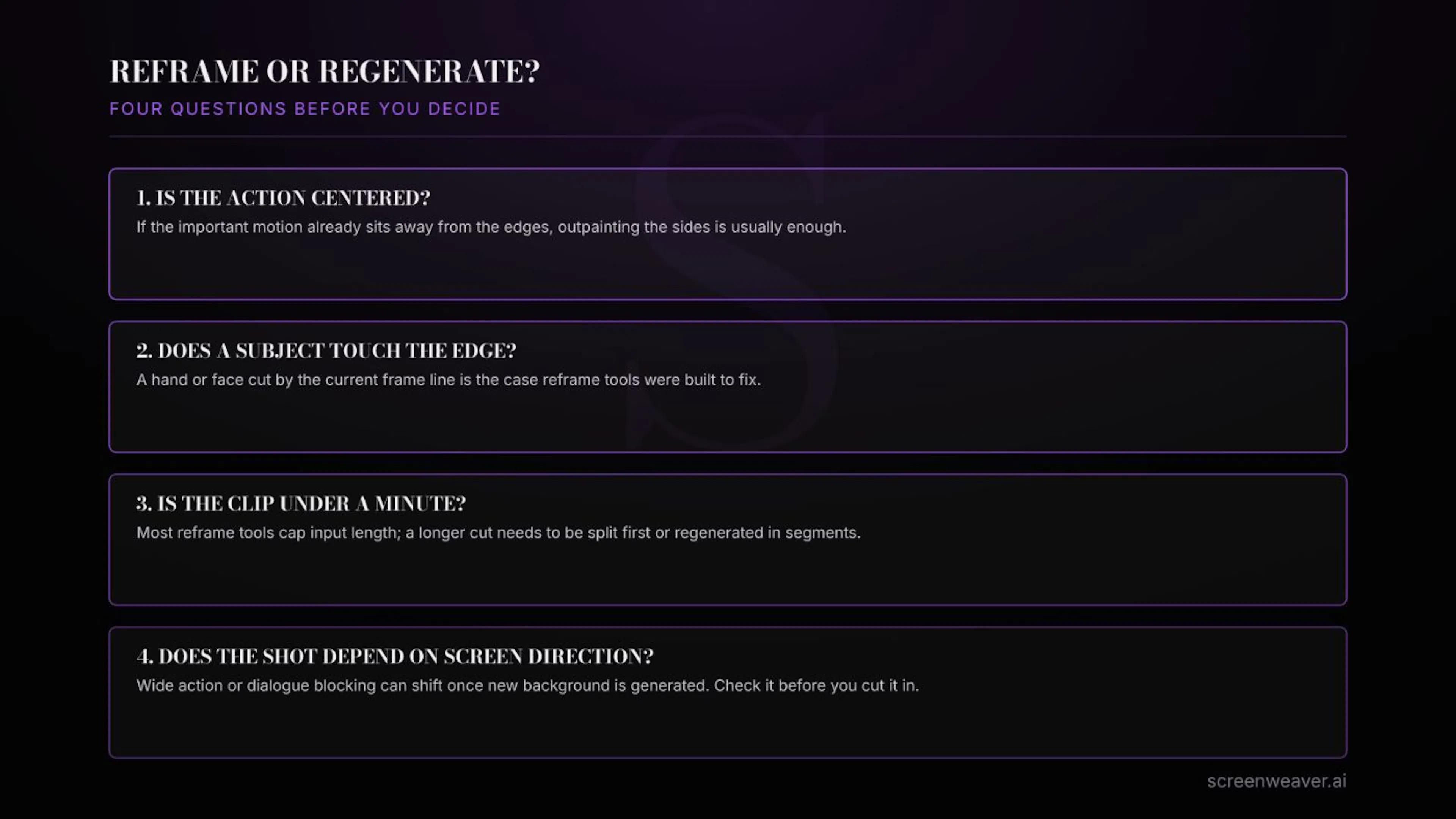
- A subject already touches the edge of the frame. This is the case reframe tools were built for. If a hand or a shoulder is cut off by the current crop, extending the canvas is exactly the fix.
- The clip runs long. Most reframe tools cap input length around a minute. A longer cut needs to be split into segments first, which adds its own continuity risk between the pieces.
- The shot leans on screen direction. If a character is looking or moving toward something specific in the frame, generated background can shift the geometry just enough to break that relationship. Check it before you cut it into the sequence.
- The original composition was centered and static. If nothing important sat near the edges to begin with, outpainting the sides just adds background nobody asked for and a render pass for no real gain.
The honest version of the rule: reframe when the subject is already right and the frame is wrong. Regenerate when the subject itself needs to change. Mix the two up and you’ll either run a full new generation for a problem outpainting would have solved in one pass, or trust a reframe on a shot where the geometry needed to move all along.
How Do You Build Reframing Into an AI Filmmaking Pipeline?
The mistake most people make isn’t choosing the wrong tool. It’s deciding which ratios they need after the shot is already generated.
Decide your delivery ratios before you generate anything. If a shot is going to YouTube in 16:9 and to a vertical cut later, generate at the widest ratio you’ll need and reframe down, not the other way around. Going from wide to narrow gives the model less new area to invent. Going from narrow to wide asks it to build entire new sections of the scene, and that’s where the odds of a visible seam go up.
This is exactly the kind of decision that belongs at the shot list stage, not the export stage. In ScreenWeaver, the aspect ratio for a shot gets set when the shot itself is planned, alongside the reference images and the framing notes, so it isn’t a scramble once the clip already exists. A ratio decided after generation is a ratio decided too late.
Keep your reference images from the same character or prop sheet you already built for consistency, and feed those same references into the reframe pass. A model inventing new background has no reason to match your established palette or set dressing unless you hand it something to match against.
On Lost Garden, the festival cut and the social cutdowns were never going to share one aspect ratio, and regenerating each shot for every ratio would have meant redoing color and lighting decisions that were already locked. Reframing the approved shots instead kept the frames that had already been signed off actually signed off.
Common Mistakes to Avoid
- Reframing before the shot is finished. Lock color, motion, and any dialogue timing first. Reframe a shot you’re still revising and you’ll redo the reframe every time you touch the original.
- Skipping the review pass. Generated background can look fine at a glance and still be wrong in a detail nobody will unsee once they spot it: a light source that doesn’t match, a wall that doesn’t belong to the room. Watch the full clip before it goes anywhere.
- Treating every platform ratio as equally urgent. Reframe the ratios you’re shipping this week, not every ratio you might theoretically need someday.
FAQ
Does outpainting change a video’s resolution?
No. Reframing changes the aspect ratio and canvas size, not the resolution of the original footage. If you also need a higher resolution output, that’s a separate upscaling step.
Can you reframe a clip that already has dialogue or lip sync?
Yes, the audio track isn’t touched. The risk is visual, not audio: if the reframe shifts background elements a character is meant to be reacting to, the performance can stop matching what’s now in frame.
Is reframing cheaper than regenerating?
Usually, since it’s a single pass on an already-approved shot instead of a full new generation with all the same risk of a different result. It stops being cheaper the moment a reframe needs more than one round of fixes, which is the point where regenerating the original with the right ratio in mind might have been faster to begin with.
Most of this only becomes obvious after you’ve paid for the same ten seconds of footage three times in three ratios. Decide the ratio before the generation, not after, and reframing does the rest of the job it was built for.
Three of the tools mentioned above, for reference:
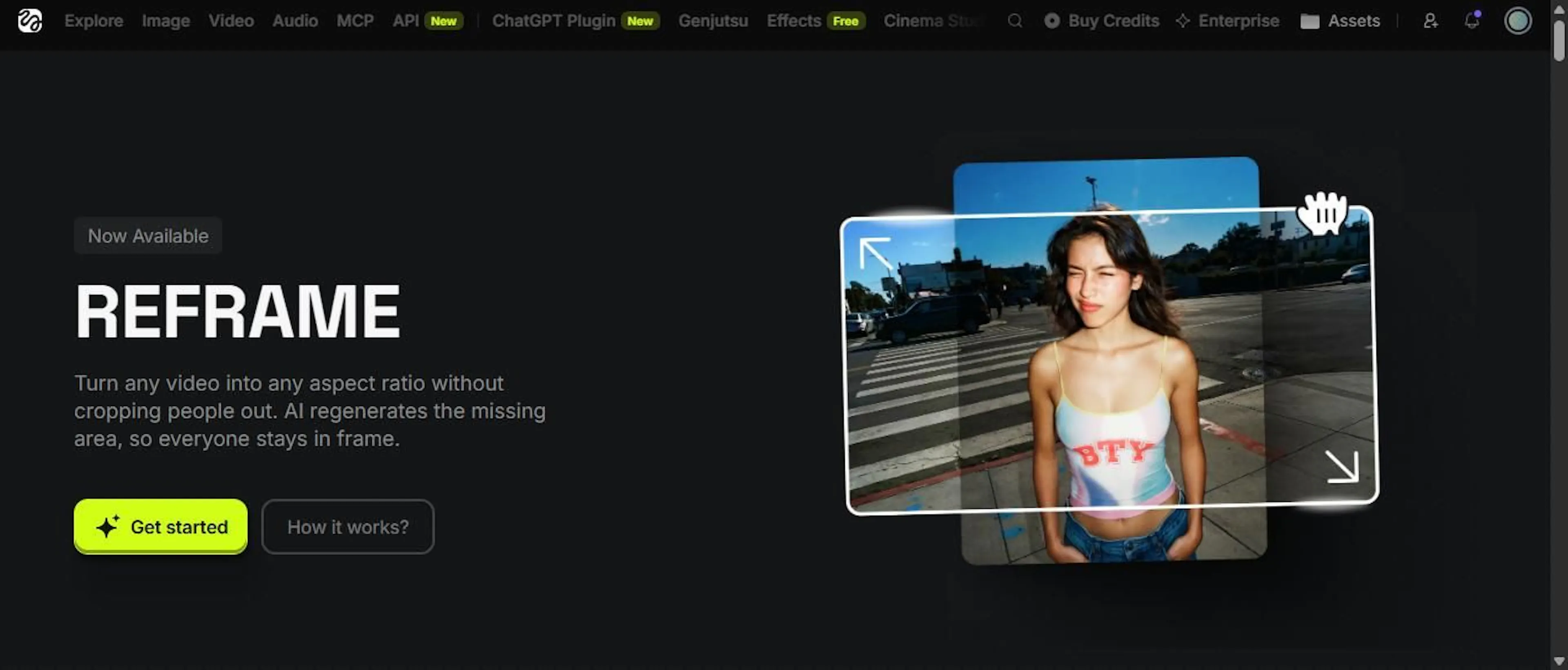 Higgsfield's Reframe tool, screenshot by the author
 Runway's homepage, screenshot by the author
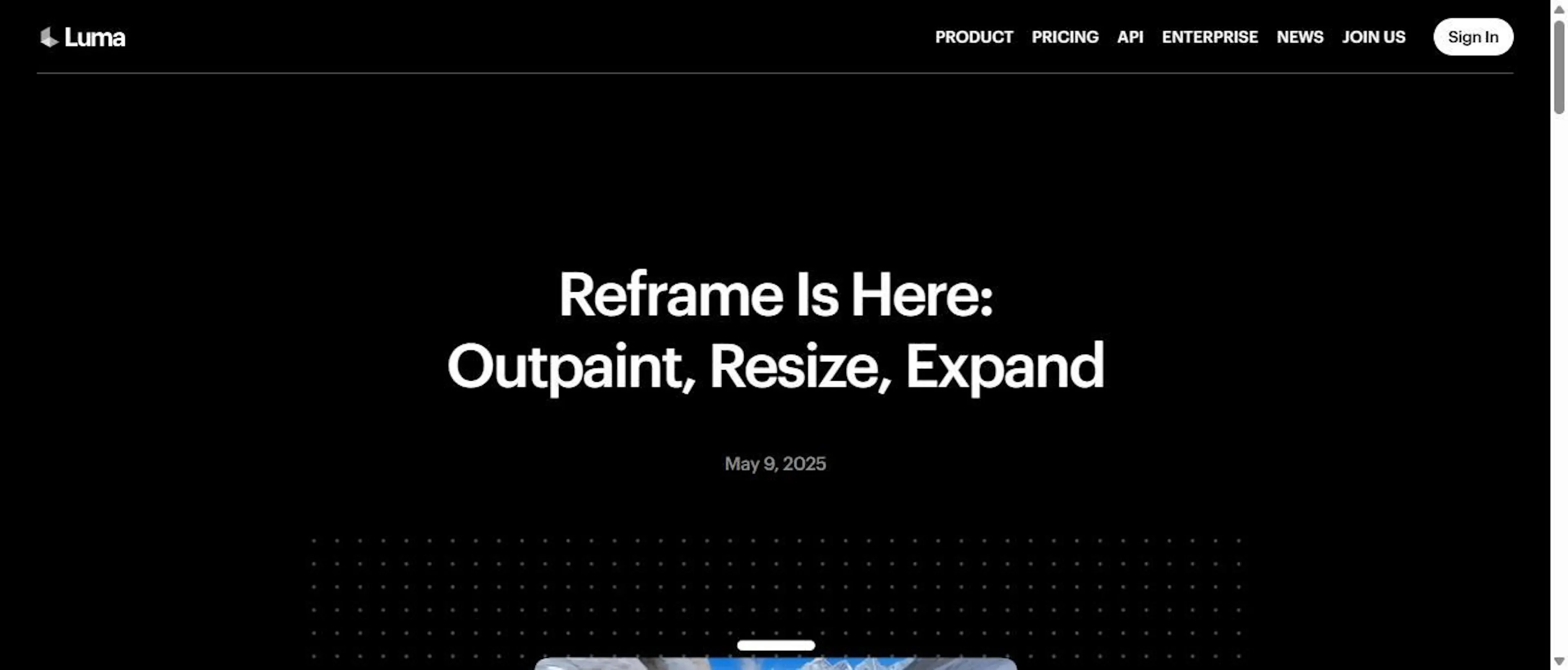 Luma's Reframe changelog page, screenshot by the author
What’s the aspect ratio mismatch that’s cost you the most regenerated clips so far?
如有侵权请联系:admin#unsafe.sh