I'm building an Android app for my mother. She lives in a village; the rest of us live in cities, an 2026-10-2 00:31:28 Author: hackernoon.com(查看原文) 阅读量:19 收藏
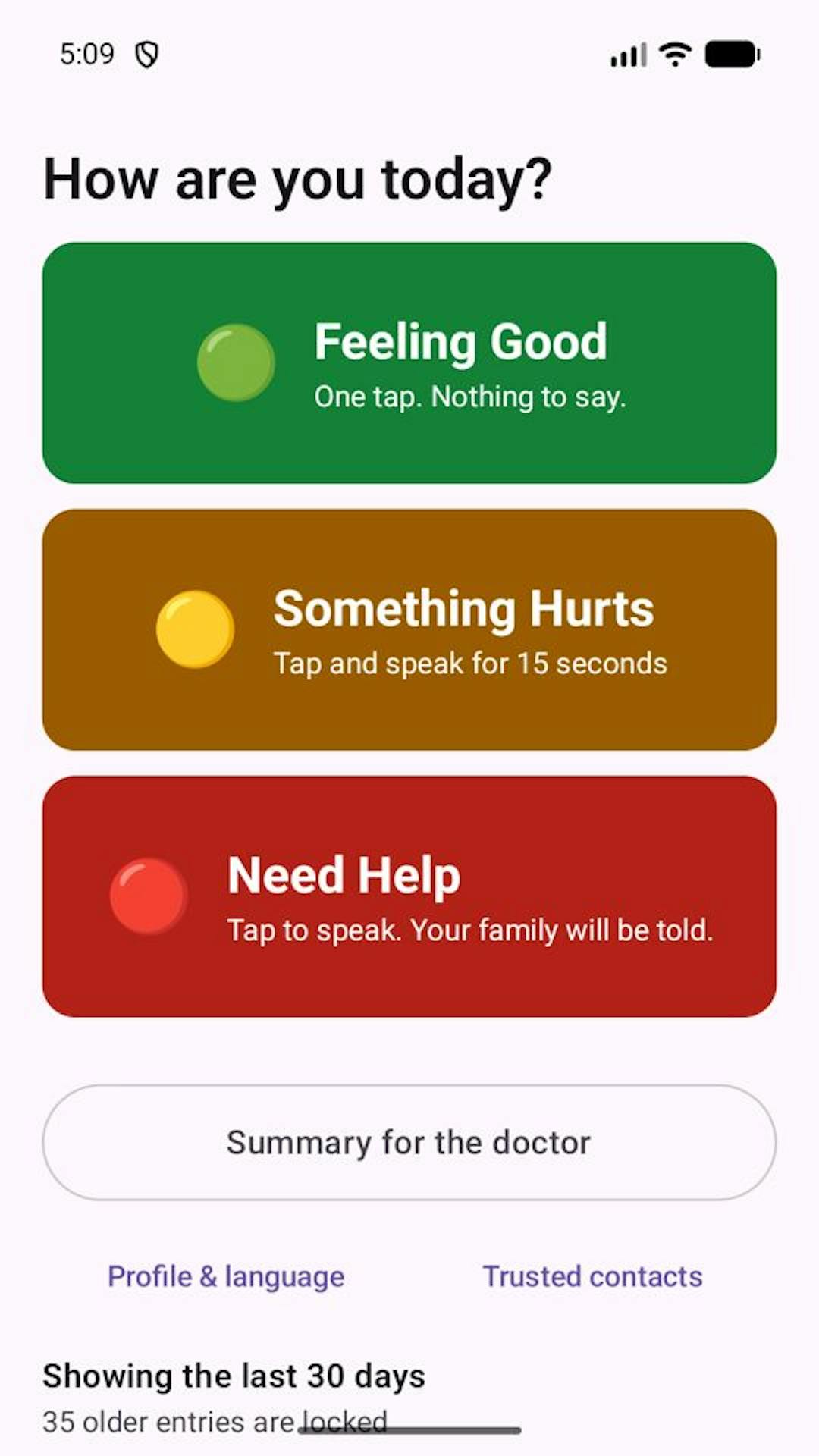
I'm building an Android app for my mother. She lives in a village; the rest of us live in cities, and I wanted a way for her to tell us how she's feeling without typing a word. The app is called CareVocal (internally, CareBridge). It has three big buttons: green for "feeling good", yellow for "something hurts", red for "need help".
The red button is the one I can't get wrong. This is the story of the two times I did.
What the red button is supposed to do
One tap, and three things happen:
- The entry is saved and flagged for her doctor.
- A pre-filled SMS opens, addressed to her trusted contacts, with a fixed alert message and a timestamp. No location. I never collect it.
- The phone dialer opens with the local emergency number already typed in.
She still has to tap "send" and tap "call". That's deliberate: no automatic dialing, and Google Play restricts apps that message people in the background. The app prepares everything, and a human confirms it.
There's a rule I wrote down before I wrote any code: the alert never waits on anything slow. Not transcription, not the network, not the microphone. The person pressing it may be dizzy, frightened, or both.
Bug 1: the dialer wins, the SMS vanishes
I tested on my own phone. I tapped red. The dialer appeared. The SMS never did.
My code did the obvious thing:
context.startActivity(smsIntent)
context.startActivity(dialIntent)
Two intents, two apps, back to back. I'd assumed Android would open the first, then the second would land on top. Instead, the OS's window transition dropped the first switch entirely because the second arrived before the first was up. Only the last one survived.
The "fix" that just moved the bug
The standard advice is to space them out. So I added a pause:
context.startActivity(smsIntent)
delay(500)
context.startActivity(dialIntent)
I configured real trusted contacts this time and tapped red again. The SMS drafted perfectly, addressed to both contacts. And now the dialer never opened.
Here's why. During that half second, the SMS app took the foreground. My app was no longer the foreground app. And Android blocks background apps from launching activities, so my second startActivity was silently refused. No crash, no log I noticed, nothing on screen.
Same design, opposite failure. No delay: the first launch gets dropped. A delay: the second launch gets blocked. There is no delay value that works, because the two calls are racing two different OS mechanisms from two different sides.
Part of the pain was that I only found out because I tested on hardware, in both configurations, with real contacts. An emulator with no contacts had hidden round two completely.
The fix: one call, no gap
The mistake wasn't the wrong delay. It was having a gap at all. Android has a plural version of the call that launches a whole sequence as one operation:
context.startActivities(
    listOfNotNull(
        RedFlowIntents.sms(signal.recipientNumbers, message),
        RedFlowIntents.dialEmergencyNumber(emergencyNumber),
    ).toTypedArray()
)
The last intent in the array ends up on top, so the dialer is what she sees, and the SMS draft is one back-press underneath. listOfNotNull means that if she has no trusted contacts configured, the SMS is simply skipped and she gets the dialer alone, with no error dialog. I decided an error message in the middle of an emergency helps no one.
I verified it on the device both ways: zero contacts gives the dialer only, and two contacts gives an addressed SMS draft plus the pre-filled dialer, with nothing racing.
If you're firing two startActivity calls to different apps in a row, use startActivities. Don't tune a delay. The direction of the race can flip depending on which side of the foreground transition your second call lands on.
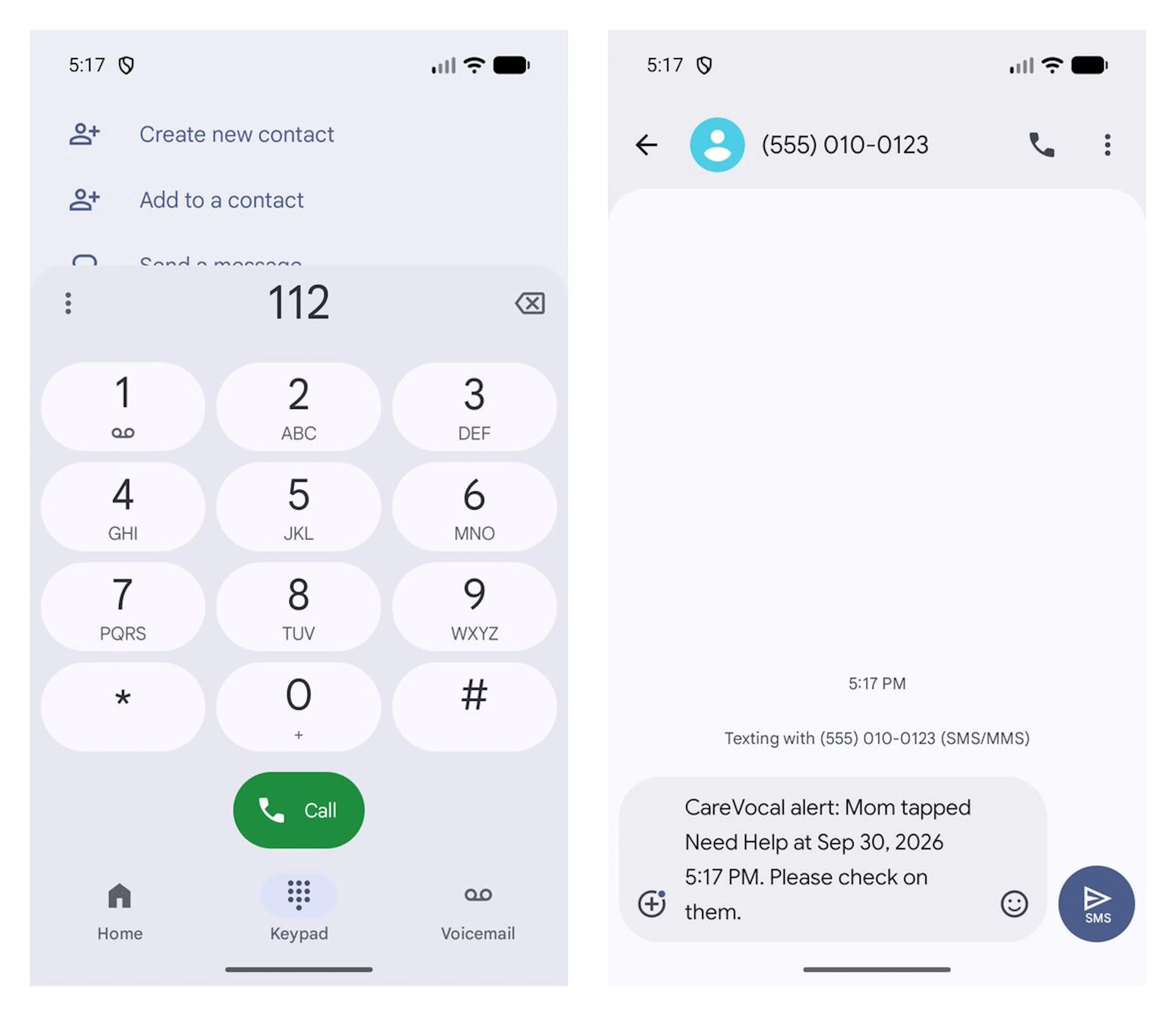 What one tap on Need Help prepares: the emergency dialer with 112 pre-filled (left) and a pre-written SMS to a trusted contact (right). Nothing is sent or dialed until a person taps. (Demo name and fake number.)
The third failure, which wasn't a code bug
The red button also records her voice, so her doctor can later hear what she actually said. Originally, recording started the instant she tapped. Fifteen seconds, automatically.
Then a usability test made the problem obvious. Think about what happens next: she taps red while dizzy, the dialer and SMS screens take over, and she spends the next several seconds, or minutes, in those apps. By the time she's back in mine, the 15-second recording window has run out against silence.
I'd built a perfectly working feature that failed in exactly the situation it existed for.
The fix was to decouple it. The first tap now does only the safe, fast things: save the entry, raise the alert, pre-fill the dialer. Recording starts on a second, deliberate tap on the same red button, once she's back and able to speak. The alert never depends on the recording, and the recording never starts against silence. Even with no microphone permission at all, the first three steps still work, because the alert deliberately doesn't need to know what she said.
If I'd kept the "automatic" version, it would have looked great in a demo and failed in real life.
What I'd tell another builder
- Test the failure path on a real device, with real data. Both bugs were invisible on the setup that didn't match reality.
- If your fix is "add a delay", ask what you're racing. Mine just flipped which side lost.
- Write your never-events down before coding. Mine: never auto-dial, never auto-message, never collect location, never let the alert wait on transcription. Every decision above was easy because the rule was already there.
- Usability bugs don't show up in unit tests. A feature can work and still fail the person it's for.
CareVocal is my Shipaton 2026 entry, built for a real patient, my mother, who is the only reason the red button exists. It only logs and communicates. It never diagnoses, and it never decides anything for her.
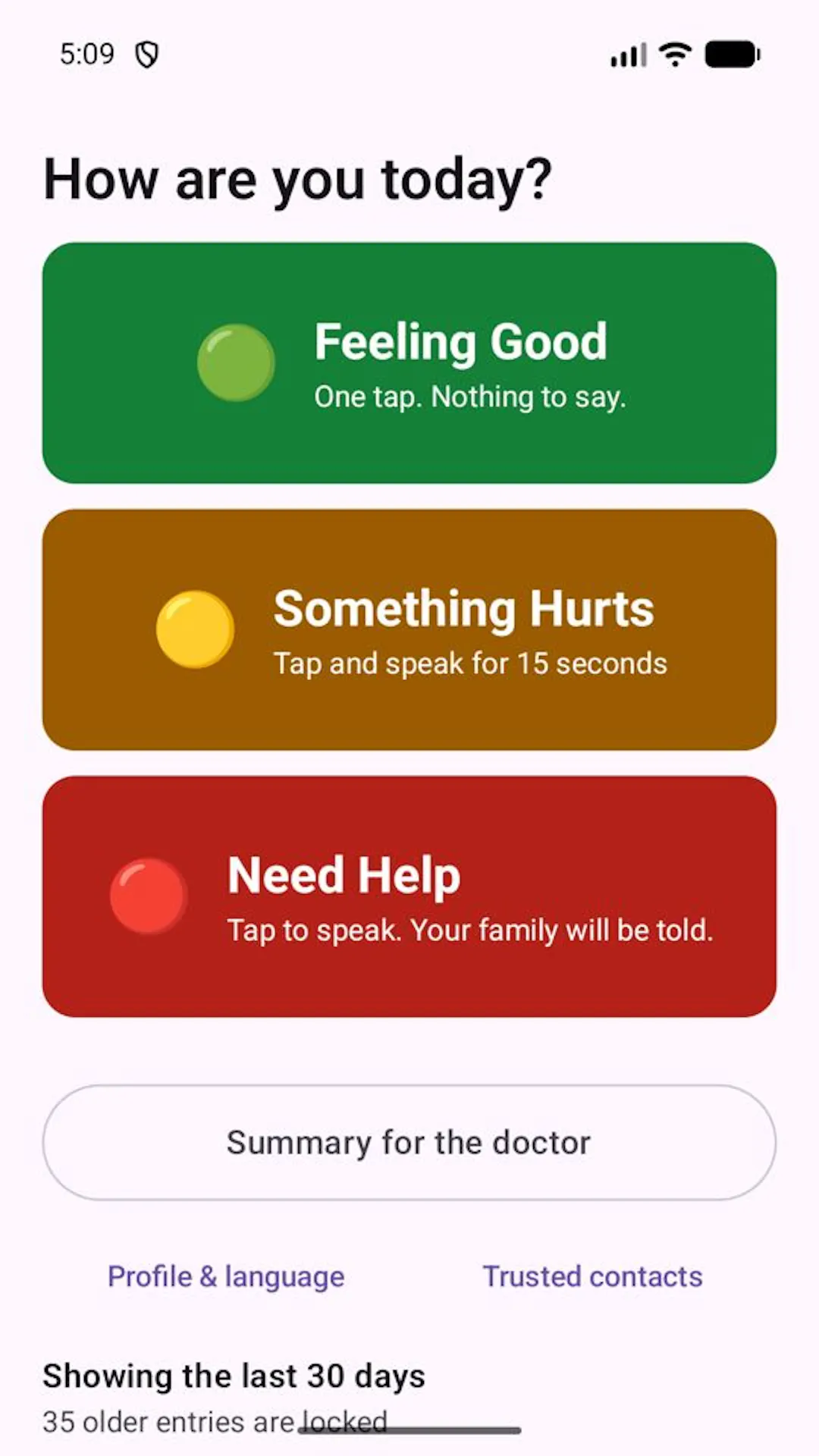 The home screen: green for feeling good, yellow for something hurts, red for need help.
如有侵权请联系:admin#unsafe.sh