
In today’s world of software engineering, proficiency in just one tool is not enough. Broad expertis 2026-9-27 18:12:52 Author: hackernoon.com(查看原文) 阅读量:2 收藏
In today’s world of software engineering, proficiency in just one tool is not enough. Broad expertise in modern tooling is essential. You might be a Senior AQA engineer with 10+ years of Selenium experience, but when the time comes to enter a job search, you may discover a skills gap, one that isn't easily closed. That’s why it is crucial to stay up to date and learn both new tools and approaches, as well as those that have long been established.
Guided by this principle, I recently decided to explore Playwright and found that there aren't many free, customizable "practice environments" available. Most approaches follow the same simple formula: pick any website, open the test framework's documentation, and have fun.
That works only until you run headfirst into flaky tests and endless debugging sessions. This approach is definitely simple, but its efficiency is questionable. Moreover, professional growth requires guidance, feedback, and a sense of progress; without them, most courses get abandoned after the very first lesson.
What’s wrong with e2e testing courses?
- Most courses cost money. I wanted to provide education to those who lack the financial means.
- No one reviews your work. "Write a search test" - okay, done. The test passes (turns green). Is it correct? Who knows? There is no feedback, and without it, the exercise turns into mere reading.
- The course ends right where the real pain begins. Everything is green - congratulations. But the actual work starts after that: why did it fail only in CI? How do you debug it? What are retries for, and how many should you set?
- The examples are written just to make the tests pass, not to reflect production standards. They feature raw selectors,
waitForTimeout(2000), and zero structure. Students learn anti-patterns and carry them over to their jobs.
So I created playwright-chat-lab, a chat web application built with React and TypeScript, which also contains a course consisting of 11 lessons of increasing complexity. The application code and the test framework reside in the same repository. They are updated, broken, and fixed together. This setup is incredibly beneficial for an engineer's professional growth: you can learn both test automation and app building in one place.
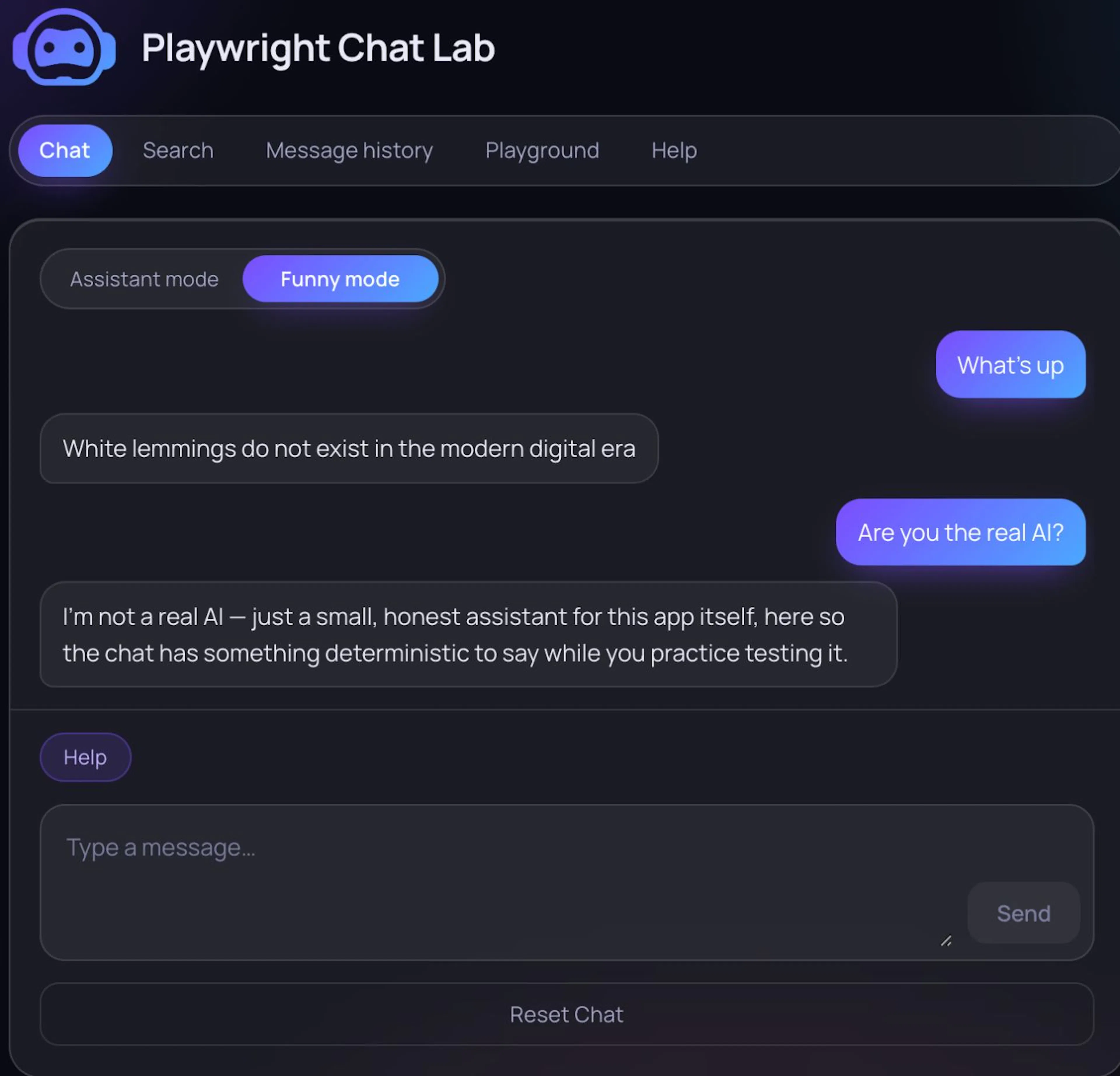 App's main screen
System Requirements
This course is not for complete beginners. You need to know how to write code in JavaScript. Node.js 22 is the version used for the CI build. You’ll also need npm, Git, and any editor that supports TypeScript. One browser is enough:
npx playwright install chromium
No backend, Docker, API keys, or sign-ups are required. Just clone, install dependencies, and run. The application works offline.
How it works
The app features five screens:
- Chat – the main messaging interface, including a loading indicator and a reset button;
- Search – message search within the local history;
- Message history – history organized by day;
- Playground – a collection of widgets: photo, video player, calendar, filter, slider, modal, and drag-and-drop;
- Help – a screen listing issues hidden behind collapsible sections.
Components are equipped with data-testid attributes, and loading/disabled states behave predictably; the app is designed to facilitate writing reliable, scalable tests.
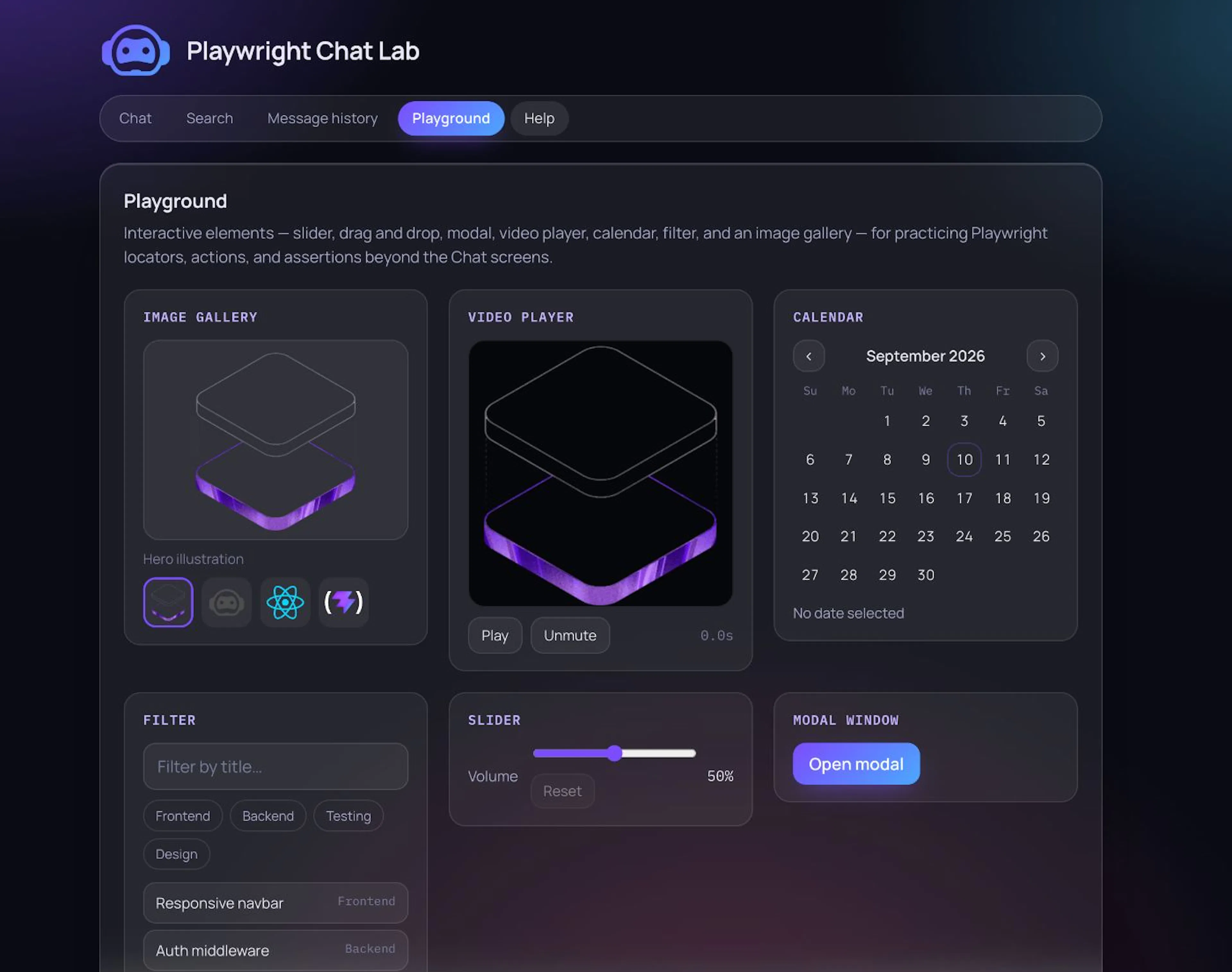 App's playground
Challenges encountered and their solutions
"Funny mode": determinism instead of a backend. People spend their time in messaging apps. That is why I chose a chat interface as the subject for testing. I considered several options, from a real backend to interacting with an LLM, but ruled them out because they required significant financial investment, and I wanted to keep the project free of charge.
"Funny mode" is the default one. Its response is selected from a hardcoded A–Z table based on the first letter of the incoming message.
export function getFunnyReplyContent(userText: string): string {
  const trimmed = userText.trim()
  const match = trimmed.match(/[a-zA-Z]/)

  if (!match) {
    return FUNNY_NO_LETTER_FALLBACK
  }

  return FUNNY_REPLIES_BY_LETTER[match[0].toUpperCase()] ?? FUNNY_NO_LETTER_FALLBACK
}
Thirty lines of code cover several aspects at once:
- zero network calls—the entire lesson runs offline;
- the response is predictable down to the last letter, so you can use
expect(reply).toHaveText('Ducks think breadcrumbs are…'); - you can uncheck the "funny mode" box, which triggers an actual
POST /api/chatrequest—this is required for Lesson 9, where we intercept and use mocks.
The project is actually backend-ready. So, who knows...
Plus, there’s an Easter egg: if you’re a Star Wars fan (especially of Episode III), type "Hello there!" in the chat. Even if you aren't, type it anyway—it’s a good way to test the UI element.
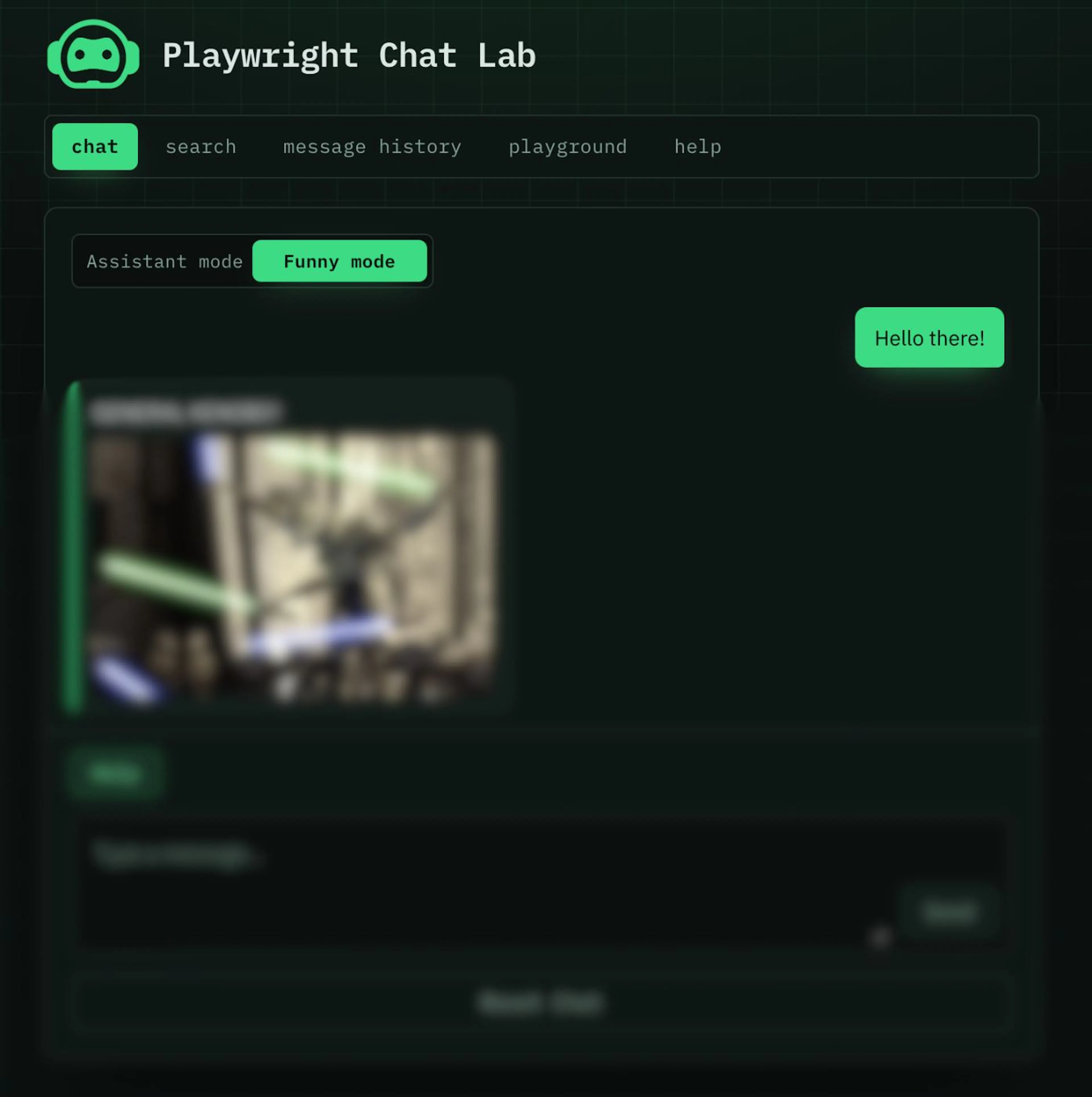 Easter egg
Personal Assistant
Jokes aside, in order to understand the engineering side of things, the chatbot needs to be able to answer questions about its own architecture, such as "How does the reset work?", "What is 'funny mode'?", or "Are you a real AI?"
The assistant only responds to messages containing a question mark. There is also a help suggestion button just above the text input. When the user taps it, they receive a list of questions the bot can answer. This menu is generated from the same list of topics, so any new topic is automatically included in the help section; this ensures there is never a mismatch between "what I can do" and "what I actually answer." It’s a lot like a banking support chat, isn't it?
Course
The course includes 11 lessons of increasing complexity, from test anatomy to CI:
- Getting started
- Locators and actions
- Assertions & auto-waiting
- Forms and input
- Custom widgets
- Hooks and fixtures
- Page Object Model
- Navigation & contexts
- Network interception
- Debugging & visual tools
- CI & parallelism
Each lesson includes a README.md, a demo.spec.ts demo test you can run yourself, and a homework.spec.ts test assignment. There are 61 tests in total across 22 files.
What you will learn
- How to create robust locators;
- use built-in assertion and auto-waiting mechanisms instead of
waitForTimeout; - move repetitive environment setup logic into hooks and fixtures;
- design a scalable Page Object pattern;
- work with multiple tabs, windows, and isolated contexts;
- intercept and mock network requests;
- analyze failed test runs using traces;
- configure test execution in CI (retries, parallelization, artifacts, and execution time management).
What the course doesn't cover
The course focuses on Playwright as a tool rather than on test automation as a whole. Here is what you won't find:
- authentication and
storageState. The application lacks a login function, meaning there is no saved session to reuse across tests; - state setup via API instead of the UI. State is managed within
localStorage; - managing flaky tests as a process;
- Allure integration, external dashboards, or run history across builds;
- containerized execution. There is no Dockerfile or image with pinned browser versions;
- cross-browser testing and screenshot testing.
Even without these elements, the course covers a wide range of Playwright's capabilities.
Here’s what the homework looks like
To illustrate with a concrete example, here is an assignment from Lesson 2.
On the Search screen, you need to send two messages to the chat, find one of them using the search function, verify a couple of text strings, and ensure that clearing the input field brings back the prompt/hint.
A naive solution looks something like this, and it passes (turns green) locally:
const chatInput = page.getByTestId('chat-input')
const sendButton = page.getByTestId('send-button')

await expect(chatInput).toBeEnabled()
await chatInput.fill('Ducks like bread')
await sendButton.click()
await page.waitForTimeout(2000)

const reply = page.locator('.chat-message--assistant').first()
await expect(reply).toHaveText(
  'Ducks think breadcrumbs are cryptocurrency with excellent UX.'
)
In CI, however, it’s flaky—and for two independent reasons at once. First, that two-second wait is a guess, not a proper synchronisation step: on a "cold" runner, the initial response takes longer to arrive, causing the test to fail even though the application isn't actually broken.
Second, while the response is pending, a "Thinking..." placeholder is inserted into the feed with the same .chat-message--assistant class; consequently, .first() faithfully selects that placeholder instead of the actual reply.
The instinctive reaction is to bump the timeout up to five seconds. The test will pass, but the run will be slower, and the underlying issue remains unaddressed.
The solution the lesson is looking for:
const chatInput = page.getByTestId('chat-input')
const sendButton = page.getByTestId('send-button')

await expect(chatInput).toBeEnabled()
await chatInput.fill('Ducks like bread')
await sendButton.click()

// "Thinking..." has its own data-testid="loading-indicator",
// so message-assistant cannot match it.
await expect(page.getByTestId('message-assistant').last())
  .toHaveText('Ducks think breadcrumbs are cryptocurrency with excellent UX.')
It’s a difference of just four lines, but it determines whether the test is flaky or not. These are exactly the kinds of tricks I try to put into the homework assignments.
Reviewing PRs
This is the only reason this project has to exist. Successful learning requires feedback, an outside perspective, and reflection on mistakes. I personally review the work via code review. I aim to provide feedback as quickly as possible while the context is still fresh.
There are no Word documents or email replies. This approach mirrors real-world work as closely as possible. The goal for any engineer is to write code that works in any setup, local or CI. The argument "it works on my machine" is not accepted.
Therefore, the best way to verify students' code is to run their tests in CI. This quality gate is the simplest and most elegant solution for checking assignments: the student opens a PR and triggers their tests in the CI pipeline (GitHub Actions).
How it works: a dedicated e2e.yml workflow listens for PR comments. A comment following the strict format e2e <path/to/spec.ts> triggers the execution of that specific file:
on:
  issue_comment:
    types: [created]

jobs:
  run-spec:
    if: github.event.issue.pull_request != null
    steps:
      - name: Parse comment for "e2e <spec path>"
        run: |
          TRIMMED="$(printf '%s' "$COMMENT_BODY" | sed -e 's/^[[:space:]]*//' -e 's/[[:space:]]*$//')"

          if [[ "$TRIMMED" =~ ^e2e[[:space:]]+([^[:space:]]+)$ ]]; then
            echo "spec=${BASH_REMATCH[1]}" >> "$GITHUB_OUTPUT"
          else
            echo "spec=" >> "$GITHUB_OUTPUT"
          fi
As a result, the student posts a single comment and sees a yellow circle right in their PR, which turns into a green checkmark or a red cross—with a link to the log—after a couple of minutes.
The student is ready for review only if the tests pass, just like in a real SDLC.
If you get stuck
The gate answers one question: green or red. The code review answers the question "is this actually the right approach?"—and that part is up to me.
Issues in the repository are open. They are the primary communication channel.
You can use them in the following cases:
- a concept is unclear or contradicts the documentation;
- the demo won't run or behaves differently than described in the README;
- you have a good idea for a lesson, a Playground widget, or a tricky homework assignment.
If you don’t know what to do in your homework assignment, open a PR with your current progress, even if the build is red. Describe where you got stuck and what you’ve tried so far. Reviewing an unfinished solution is still beneficial.
I usually respond within a few days. This is a non-commercial project, so there isn’t any SLA, but I won't leave you without an answer. Providing feedback is the whole point of the project.
What’s next
Four things are currently missing, but I know how to implement them:
- Cross-browser support. Right now, only Chromium is enabled in the configs, while the other projects are commented out. This was a deliberate choice for the learning phase, but a lesson on the practical differences of WebKit is clearly called for.
- Screenshot tests. Lesson 10 covers traces, UI mode, and the Inspector, but not
toHaveScreenshot(). That requires a disciplined approach to baseline snapshots in CI—a topic worthy of its own lesson. - More "tricky" homeworks. The most useful exercises are those where a naive solution passes locally but is flaky in CI.
- Hard mode. Right now, the application is intentionally test-friendly. Real-world projects are rarely that straightforward.
So, the plan is to add a mode where those same five screens are served with hostile markup: classes like css-1x2y3z that change between builds, div elements with onClick handlers instead of actual buttons, no data-testid attributes, a widget inside an iframe, and variable response latency.
The repository is free and open, and contributions are very welcome.
GitHub: eilinwis/playwright-chat-lab
如有侵权请联系:admin#unsafe.sh