Introduction: AI Without the Integration NightmareFor years, building AI-powered applications mean 2026-9-25 06:37:25 Author: hackernoon.com(查看原文) 阅读量:1 收藏
Introduction: AI Without the Integration Nightmare
For years, building AI-powered applications meant cobbling together a patchwork of specialized systems. You had your relational database for transactions, a vector database for embeddings, a separate service for full-text search, and maybe a graph database for relationships. The data fragmentation was real, and as DBAs, we bore the brunt of it, managing multiple backup strategies, disparate security models, and the inevitable consistency headaches when joining data across systems.
Oracle's answer to this chaos? The converged database approach. Starting with Oracle 23ai, the database engine natively supports VECTOR data types, AI Vector Search, and even natural language querying with the SELECT AI syntax. This isn't a separate AI product bolted onto the side. It is the core Oracle Database engine with AI capabilities built directly into its DNA.
Let me walk you through what this actually means for us DBAs and developers who've been burned by overhyped features before.
1. The VECTOR Data Type: First-Class Citizens in SQL
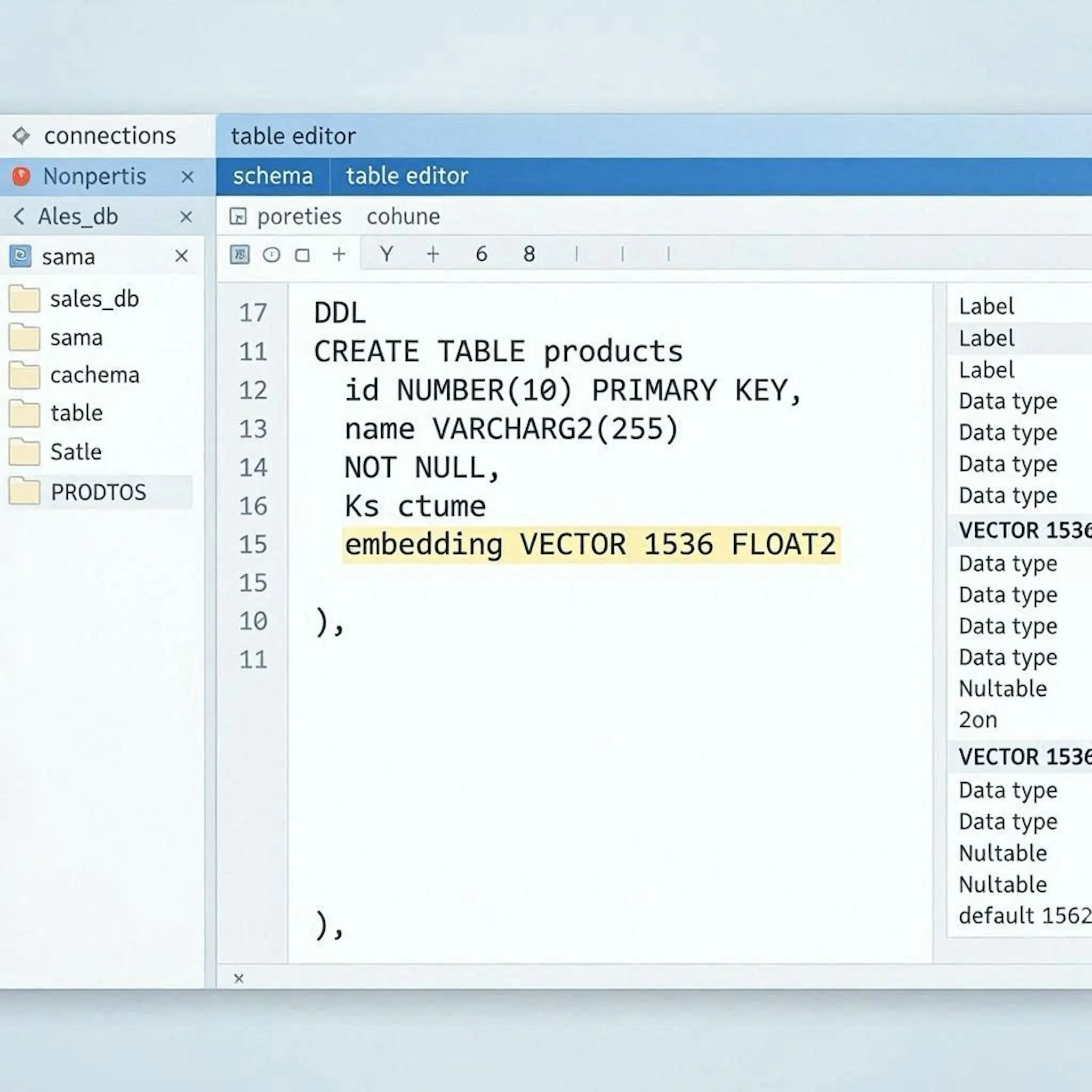
Before Oracle 23ai, storing embeddings was a messy affair, usually involving BLOB or CLOB columns with custom parsing logic. The new native VECTOR data type changes everything.
sql
-- Creating a table with a VECTOR column
CREATE TABLE product_embeddings (
    product_id    NUMBER PRIMARY KEY,
    product_name  VARCHAR2(200),
    category      VARCHAR2(60),
    embedding     VECTOR(1536, FLOAT32)  -- 1536 dimensions, 32-bit floats
);
The engine understands the vector's dimensionality and format intrinsically. This means:
- Storage optimization: Vectors are stored as tightly packed arrays
- Memory alignment: The database leverages SIMD CPU extensions for fast distance calculations
- SQL integration: No more parsing JSON or binary arrays during queries
Supported Vector Formats
INT8(8-bit integers)FLOAT32(32-bit floating point) - most common for embeddingsFLOAT64(64-bit floating point) - higher precision, larger storage- BINARY - one bit per dimension, packed into bytes. Dimension count must be a multiple of 8. Pair it with the HAMMING metric.
There is a second axis that the format list hides. Every VECTOR column is also either DENSE (the default, every dimension physically stored) or SPARSE (only non-zero values stored), declared as a third argument: VECTOR(30522, FLOAT32, SPARSE). One restriction matters operationally: you cannot build an IVF index on SPARSE vectors. HNSW is your only option there.
 Oracle table definition showing native VECTOR data type.
2. Vector Indexes: HNSW and IVF Explained
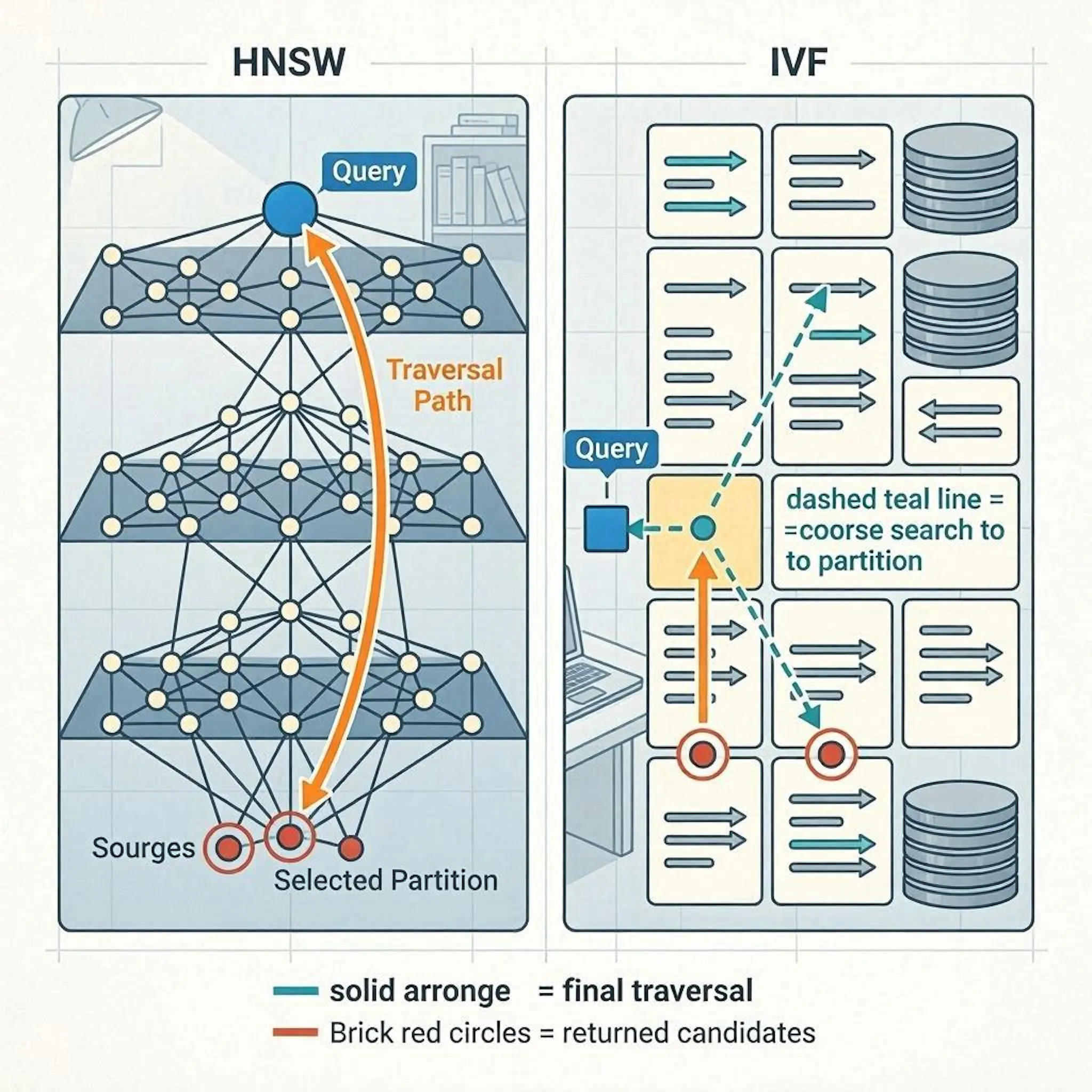
Similarity searches over millions of vectors require specialized indexing. Oracle 23ai supports two types of vector indexes, each with different memory and performance characteristics:
A. HNSW (Hierarchical Navigable Small World) — In-Memory Neighbor Graph
- Fully in-memory: Built entirely in the SGA using the
VECTOR_MEMORY_SIZEpool - Best for: High accuracy, maximum performance, read-heavy workloads
- Trade-off: Memory-hungry; requires careful SGA sizing
- Performance: Logarithmic search complexity (O(log N))
B. IVF (Inverted File Index) - Neighbor Partition
- Disk-based: Built on disk with blocks cached in the buffer cache
- Best for: Massive datasets where memory is constrained
- Trade-off: Slightly lower accuracy, but handles scale gracefully
sql
-- Creating an HNSW vector index (in-memory)
CREATE VECTOR INDEX products_vec_idx
ON product_embeddings (embedding)
ORGANIZATION INMEMORY NEIGHBOR GRAPH
DISTANCE COSINE
WITH TARGET ACCURACY 95;

-- The IVF equivalent: different ORGANIZATION clause, same everything else
CREATE VECTOR INDEX products_ivf_idx
ON product_embeddings (embedding)
ORGANIZATION NEIGHBOR PARTITIONS
DISTANCE COSINE
WITH TARGET ACCURACY 95;
The TARGET ACCURACY parameter is a game-changer. Instead of fiddling with obscure index parameters, you simply tell Oracle your desired recall rate (e.g., 95% accuracy), and the optimizer handles the rest.
 Comparison of HNSW and IVF vector indexing structures in Oracle 23ai
3. Distance Functions and Similarity Queries
Oracle provides native SQL functions for vector similarity search:
sql
-- Find the 10 most similar products using cosine distance
SELECT product_id,
       product_name,
       VECTOR_DISTANCE(embedding, :query_vector, COSINE) AS distance
FROM product_embeddings
ORDER BY distance
FETCH APPROX FIRST 10 ROWS ONLY;
Supported distance metrics:
- COSINE - Best for text embeddings and semantic similarity
- DOT - Optimized for normalized vectors
- EUCLIDEAN - Traditional distance metric
- EUCLIDEAN_SQUARED (also written L2_SQUARED) - same ranking as EUCLIDEAN without the square root, so it is cheaper
- MANHATTAN - L1 distance, occasionally useful for high-dimensional sparse data
- HAMMING - bit differences, the metric to pair with BINARY vectors
Note the APPROX keyword in those queries. On Autonomous Database Serverless it is implied, but everywhere else, leaving it out gives you an exact search: a full scan of the column with your vector index ignored. This is the most common reason a brand new vector index appears to do nothing.
Three more conditions have to hold before the optimizer will touch the index. The distance metric in the query has to match the one in the index DDL. VECTOR_DISTANCE() cannot be wrapped inside another SQL function. And if you left DISTANCE out of the DDL, Oracle defaults the index to COSINE, so a query using EUCLIDEAN, DOT, MANHATTAN or HAMMING will silently skip it. Check with a plan, not with a stopwatch.
The real power comes from combining vector search with traditional relational predicates:
sql
-- Find similar products, but only in the 'Electronics' category
SELECT product_id,
       product_name,
       VECTOR_DISTANCE(embedding, :query_vector, COSINE) AS distance
FROM product_embeddings
WHERE category = 'Electronics'
ORDER BY distance
FETCH APPROX FIRST 10 ROWS ONLY;
This is the converged database promise realized: one SQL statement, multiple data types, full ACID compliance.
4. SELECT AI: Natural Language Queries (Game-Changer or Gimmick?)
This is where Oracle pushes hardest, and where you need to be careful about which release you are actually on. Select AI began life as an Autonomous Database feature. On-premises it arrives with Oracle AI Database 26ai, with a backport to 19c. If you are running 23ai on-premises, treat this section as a preview rather than something you can try this afternoon. With SELECT AI, you can query the database using plain English:
sql
-- Prerequisite: none of this works until a profile exists and is set.
-- The profile holds the provider, the model, the credential and the schema scope.
EXEC DBMS_CLOUD_AI.SET_PROFILE('MY_AI_PROFILE');

-- Natural language query
SELECT AI how many customers in California have not made a purchase in the last 90 days;
Available Actions:
|
Action |
Description |
|---|---|
|
|
Executes the generated SQL and returns results |
|
|
Displays the generated SQL without executing |
|
|
Explains the generated SQL in natural language |
|
|
Executes SQL and returns a natural language narrative |
|
|
Direct chat with the LLM (no database interaction) |
|
|
Summarizes text or large documents |
|
|
Provides feedback to improve SQL generation accuracy |
|
|
Translates prompts to a specified language |
Critical Limitations (Important!):
- Only SELECT statements - No DDL or DML via AI prompts
- LLM hallucinations possible - Not all generated SQL is correct or efficient
- Schema annotation matters - Well-commented schemas yield much better results.
DBA Perspective:
This feature is both exciting and terrifying. Exciting because it lowers the barrier to data access. Terrifying because a poorly prompted query could generate a Cartesian join with full table scans on your 10TB data warehouse.
My take: The showsql and explainsql actions are your best friends. Never run a SELECT AI query in production without reviewing the generated SQL first. Add showprompt to that list when a result looks wrong and you want to see exactly what was sent to the model. The table above covers the actions you will use daily, but it is not the full set: 26ai also exposes agent and embedding.
5. Database-Level AI Embedding Generation
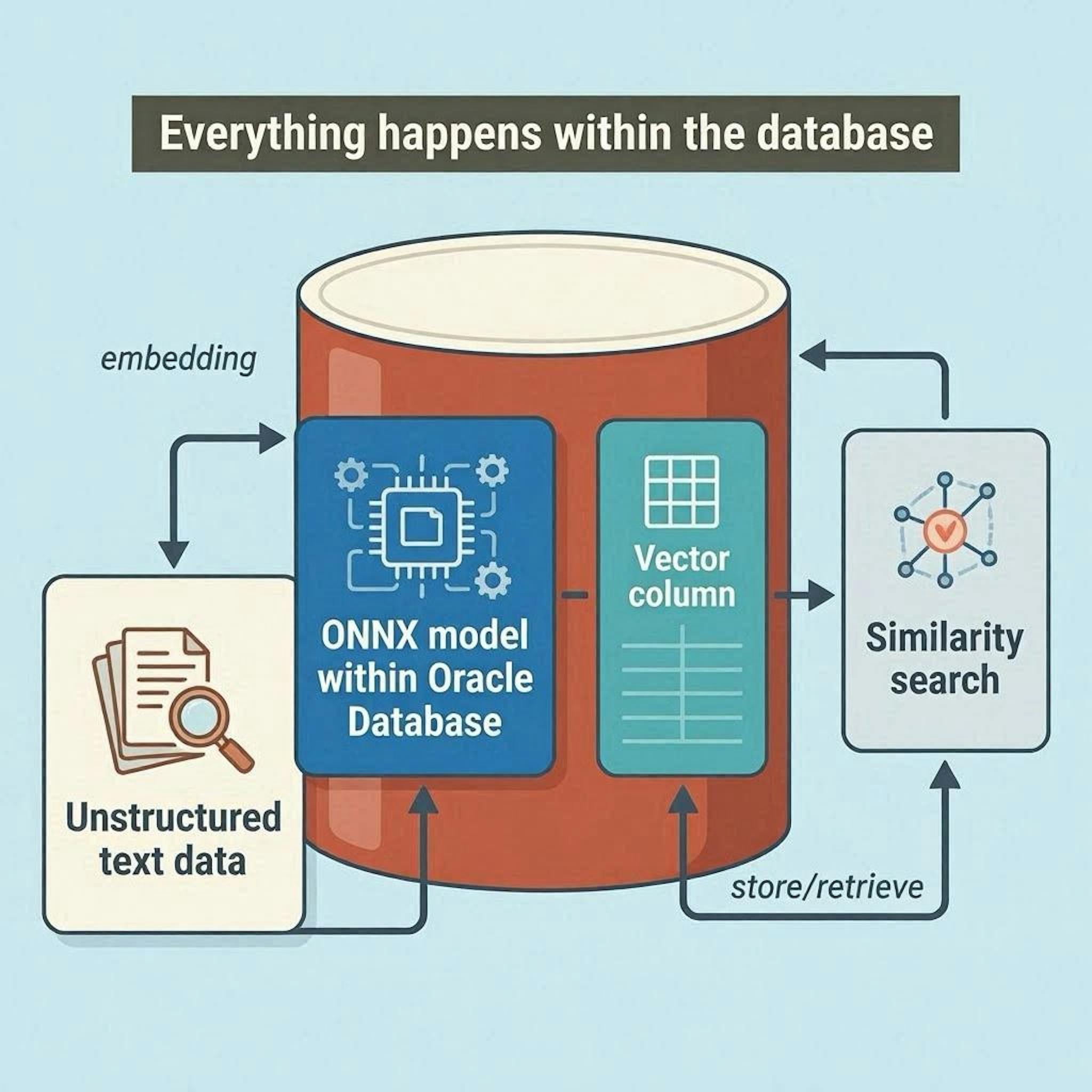
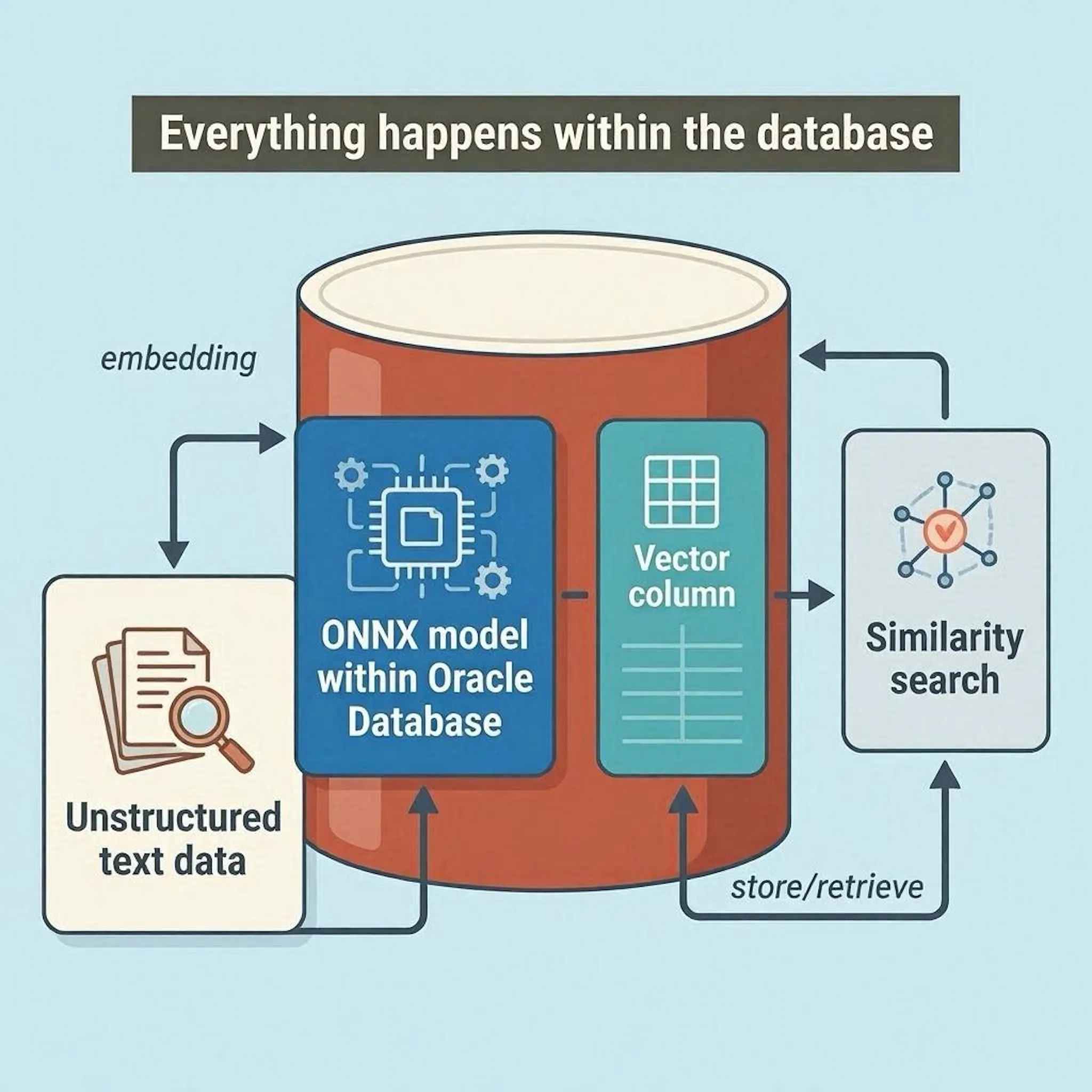
This is the feature that genuinely impressed me. Oracle 23ai allows you to import ONNX-compatible embedding models directly into the database:
sql
-- Import an embedding model directly into Oracle
BEGIN
    DBMS_VECTOR.LOAD_ONNX_MODEL(
        model_name      => 'text_embedding_model',
        model_data      => :model_blob,
        metadata        => JSON('{"function": "embedding", "embeddingOutput":"embedding", "input":{"input":["DATA"]}}')
    );
END;
/
Once imported, you can generate embeddings entirely within the database:
sql
-- Generate embeddings for product descriptions without leaving the database
SELECT product_id,
       product_name,
       VECTOR_EMBEDDING(text_embedding_model USING product_description) AS embedding
FROM products;
Why this matters:
- No external API calls - everything stays inside Oracle
- Reduced latency (no round-trips to external services)
- Unified security model (TDE encryption applies to embeddings too)
- ACID compliance for embedding generation
 End-to-end embedding generation pipeline within Oracle Database 23ai
6. Exadata Optimizations: When Scale Matters
If you're running on Exadata, Exadata System Software 24.1.0 adds AI Smart Scan:
-
Accelerated vector index creation using Exadata’s storage cells
-
Offloaded similarity searches - vector distance calculations pushed to storage.
-
Smart scans on vector indexes (similar to columnar compression scanning)
One caution on sizing: V$INMEMORY_SIZE_ADVICE, new in 26ai, sizes the In-Memory Column Store and tells you nothing about your vector pool. For vector memory, set VECTOR_MEMORY_SIZE and watch actual allocation through V$VECTOR_MEMORY_POOL.
7. The DBA's Reality Check: Memory and Storage
Let's talk about the costs:
|
Factor |
Impact |
|---|---|
|
HNSW Index Memory |
Allocated in SGA via |
|
IVF Index Storage |
Disk-based, but requires careful buffer cache sizing |
|
Embedding Model Storage |
ONNX models are stored in the database and capped at 2 GB per model |
|
Backup/Restore |
All vector data and indexes are backed up natively - no separate vector DB backup. |
My advice: Start with IVF indexes for production workloads unless you have significant spare memory in your SGA. HNSW is phenomenal for performance but can easily starve other database operations if not sized correctly.
8. What Breaks: The Part Nobody Blogs About
Everything above is the part the vendor decks cover. Here is what lands on your pager in month two.
- Truncate a table and every IVF index on it is marked UNUSABLE. It does not rebuild itself, and nothing warns you. If you have a nightly truncate-and-reload, it needs a rebuild step today.
- Accuracy decays under DML. Both index types drift as rows are inserted and updated, and the drift is invisible from the outside. DBMS_VECTOR.INDEX_ACCURACY_QUERY() tells you where you actually sit against the TARGET ACCURACY you asked for. Put it on a schedule the same way you monitor stale statistics.
- Dimensions lock. Once an IVF index exists on a column of N dimensions, you cannot insert a vector of any other dimension. Swapping embedding models mid-life means dropping the index first, which is a very different conversation than swapping an API endpoint.
- Partition maintenance invalidates global vector indexes. Most partition operations mark them unusable and they need a manual rebuild afterwards. Build that into your partition scripts rather than discovering it on a Monday.
- One index type per column. You cannot keep an HNSW and an IVF index side by side on the same column and let the optimizer pick. Choose deliberately.
- Vector indexes are not allowed on IOTs, clusters, global temporary tables, blockchain or immutable tables, or materialized views. Worth checking before you design around one.
None of this makes the feature a bad bet. It makes it a database feature, which means it belongs in your runbook rather than your demo.
Conclusion: Oracle's AI Play Is Real
Oracle's AI Vector Search and native AI capabilities represent the most significant evolution of the Oracle Database since the introduction of RAC. The converged database approach storing relational, JSON, spatial, graph, and now vector data in a single, ACID-compliant system is the future of enterprise data architecture.
For DBAs: This means we're no longer just managing tables and indexes. We're managing embeddings, ONNX models, and vector memory pools. The fundamentals still apply: monitor waits, tune memory, validate execution plans.
For Developers: You can build AI applications with simple SQL. No more orchestrating multiple APIs or managing data synchronization between systems.
The Bottom Line: Oracle 23ai/26ai isn't a science project. It is a production-ready AI-native database. Approach it with the same rigor you apply to any enterprise database, and you'll unlock capabilities that were previously reserved for well-funded AI research labs.
如有侵权请联系:admin#unsafe.sh