
Three shots into the same scene, my AI video tool changed the sun. The wide shot had long gold light 2026-9-15 16:49:57 Author: hackernoon.com(查看原文) 阅读量:21 收藏
Three shots into the same scene, my AI video tool changed the sun. The wide shot had long gold light slanting through the trees. The insert had flat midday light. The close-up on the character’s face read closer to dusk. All three shots came from the same line of the script: EXT. FOREST - DAY. The model wasn’t confused. The prompt was.
A screenplay slugline already contains the location and time-of-day anchor an AI video prompt needs, but the standard format is written to stay vague on purpose, so copying it straight into a prompt is exactly why your AI-generated shots keep disagreeing about what time it is. That’s not a model problem. It’s a translation problem, and it’s fixable before you spend a single generation.
What Is a Slugline, and Why Does an AI Model Care About It?
A slugline, also called a scene heading, is the all-caps line that opens every new scene in a screenplay: INT. or EXT. for interior or exterior, a location name, and a time of day, separated by dashes. EXT. FOREST - DAY. INT. KITCHEN - NIGHT. It has looked the same since the typewriter era, and every screenwriting tool from Final Draft to Scrivener to Celtx still formats it the same way.
For a human crew, that’s plenty. A gaffer reads “DAY” and looks at the call sheet, the location scout, and the weather forecast, then decides the actual lighting plan. A production designer reads “FOREST” and already has reference photos pinned to a board. The slugline is a pointer to information that lives in other people’s heads.
An AI video model has no other people’s heads to pull from. Every generation is answered from the words in the prompt alone, and nothing else. When the prompt is just the slugline, the model has to invent the missing 90% from scratch, differently, every single time.
Why Is the Standard Scene Heading Format Wrong for an AI Prompt?
Because it’s deliberately vague, and that vagueness is a feature for a film crew and a defect for a generation model. Screenwriting format guides are explicit about this: the standard time-of-day options are DAY, NIGHT, SAME, or LATER, and writers are told to avoid exact times in the heading itself. That’s correct craft. A screenplay is a blueprint, not a lighting cue sheet, and a good writer leaves room for a director of photography to make the call on the day.
The slugline was built so a human could fill in the gap. An AI model can’t fill in a gap it can’t see. It just picks something, and it picks something different every time you ask.
The same goes for LOCATION. “FOREST” is a label a human production designer expands into hundreds of specific choices: which trees, how dense, what’s on the ground, how much sky shows through the canopy. Feed a model “FOREST” six times across six shots in the same scene and you’ll get six different forests, because nothing in the prompt told it to reuse the first one.
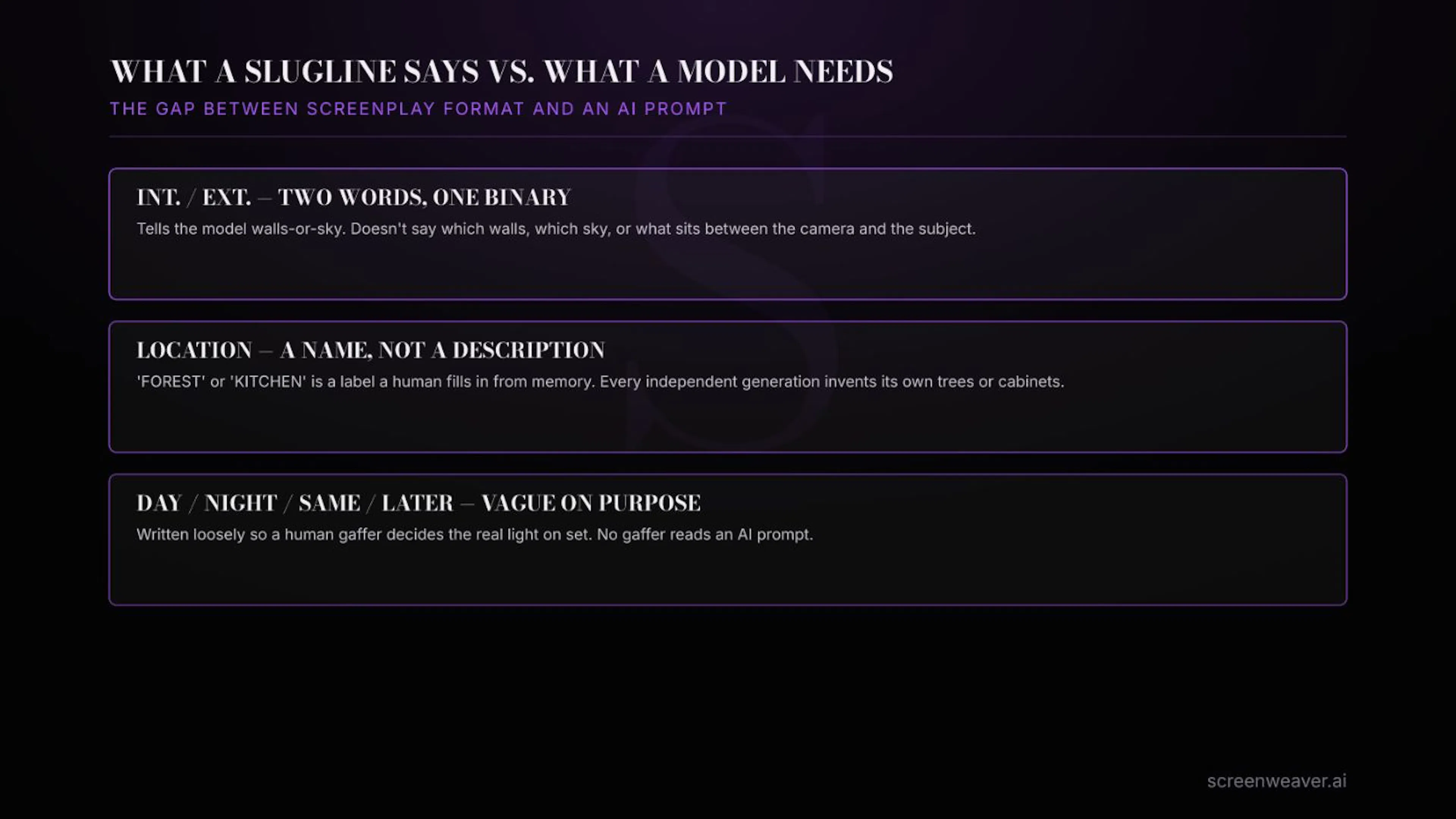 What a standard slugline actually tells an AI video model, versus what it needs
How Do You Turn a Slugline Into an AI Video Prompt Anchor?
You expand it once, before generation starts, and then reuse that expansion for every shot the slugline covers. In practice that means building a short reference card per scene, not per shot:
- Turn the time of day into an actual light description. Not “DAY,” but “low sun camera-left, hard edge light through foliage, warm color temperature.” Not “NIGHT,” but “single practical source, cool blue ambient fill, deep shadow everywhere else.”
- Turn the location name into three or four fixed nouns. Not “FOREST,” but “moss-covered stone path, birch trunks, low fog at ankle height.” Reuse the same nouns in every shot from that slugline.
- Write the card before the first generation, not after the third rejection. The point is to stop guessing shot to shot, not to fix it after the mismatch is already visible.
- Treat the card as locked for the whole scene. If the story needs the light to change, dawn running into full day for instance, that’s a new slugline and a new card, not a silent drift inside the old one.
This is the same discipline good editors already apply to shot lists and continuity notes; it’s just applied one step earlier, at the point where the slugline gets read for the first time. It also happens to answer a question worth asking before you write a single prompt: how many shots does this scene actually need? The old screenwriting rule of thumb is that one page of a properly formatted screenplay runs close to a minute of screen time, though writers at Final Draft have found the real number closer to 55 seconds, with wide variation by genre. It’s not exact, but it’s accurate enough to budget a scene’s shot count before you touch a generation tool, which matters when every generation costs money and every reshoot costs more.
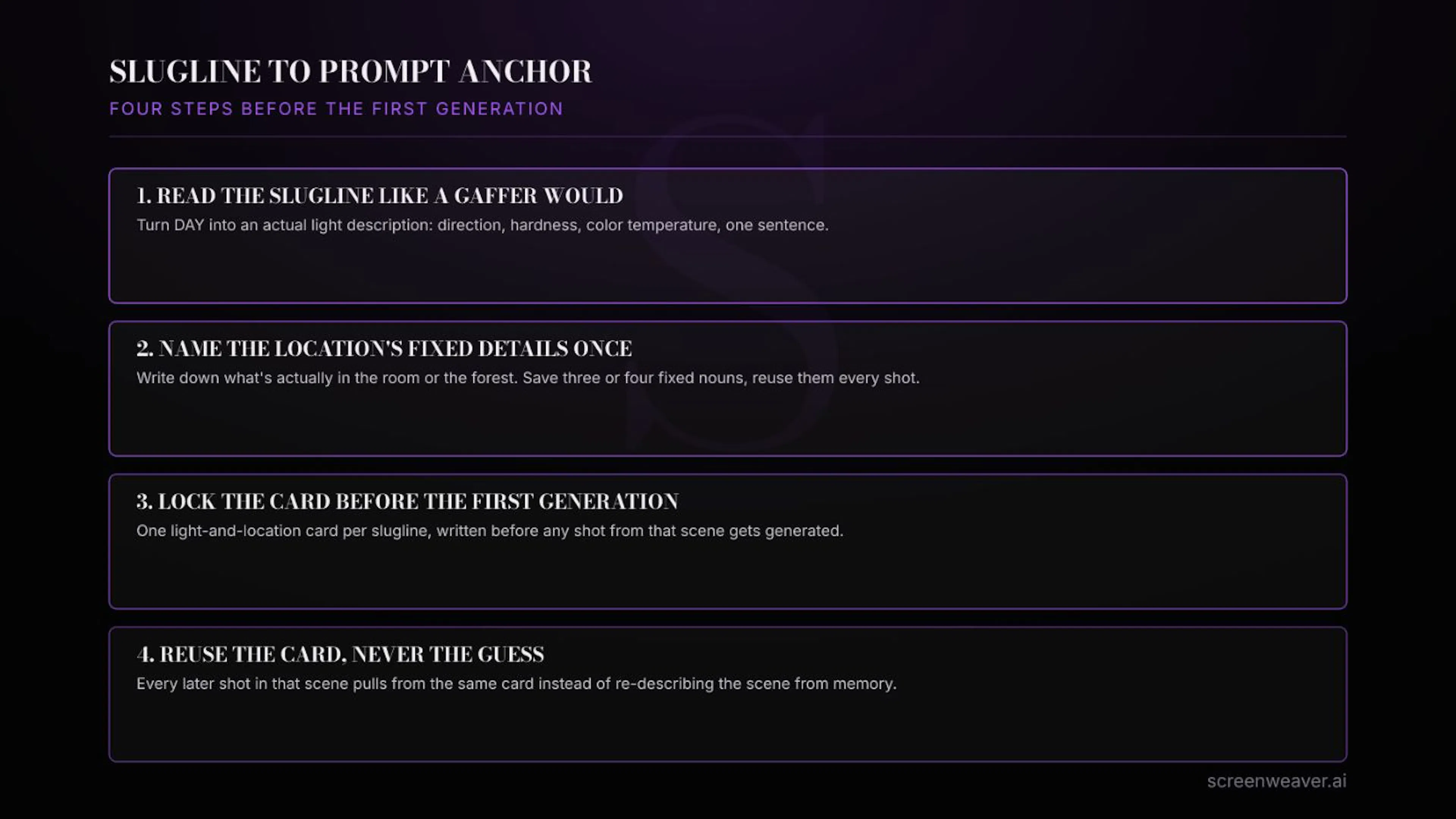 Four steps to build a light-and-location card before generating a single shot
What Goes Wrong When You Skip This Step?
The most common failure isn’t a bad single shot, it’s a scene that reads as several different scenes stitched together. A few patterns show up constantly:
- Reusing “DAY” across a scene that actually spans several story-hours, so early and late shots in the same slugline get generated with contradictory light.
- Treating INT./EXT. as if it defines the actual walls or landscape, when it only defines whether there’s a roof, leaving every architectural detail to be reinvented per shot.
- Writing the light and location description into the prompt from memory each time, instead of pasting the same locked card, which introduces small unintentional drift even when you’re trying to stay consistent.
On Lost Garden, my AI-animated series, this showed up first in a six-shot forest sequence that all came from one slugline. Treating “EXT. FOREST - DAY” as a single locked card, noting exact sun position, haze density, and three fixed background elements, cut the number of shots we had to regenerate for a mismatched sky or an inconsistent tree line by more than half. The fix wasn’t a better model. It was writing down what “DAY” actually meant before asking for the first shot.
This is also the exact gap ScreenWeaver’s shot-planning stage is built to close: it forces a light-and-location card per slugline before any shot from that scene goes to a video model, and carries that card across the whole scene instead of leaving each generation to re-decide it from a bare “DAY.”
Frequently Asked Questions
Do I need special screenwriting software to do this?
No. Any tool that produces a standard slugline works, including free ones. Final Draft, Scrivener, Celtx, and plain text all format the scene heading the same way; the conversion step happens after the slugline exists, not inside the writing software itself.
 Final Draft (finaldraft.com), one of several screenwriting tools that all format sluglines the same way
Does this replace a shot list?
No, it comes before one. A shot list breaks a scene into individual camera setups. The slugline card gives every shot in that list the same light and location facts to build from, so the shot list stops needing to re-solve continuity shot by shot.
What if my script already uses exact times in scene headings, like “6:47 AM”?
Keep it, that’s a stronger starting point than most. But a clock time alone still doesn’t tell a model what quality of light to render, so you still need to translate “6:47 AM” into an actual description: direction, hardness, color.
Does this only matter for scenes with several shots?
It matters most there, since that’s where mismatches become visible, but writing the card is cheap enough to do for every scene, even ones you expect to generate once.
If you’re already turning scripts into shot plans by hand, the sluglines you’ve already written are doing more work than you’re asking of them. Start reading them the way a gaffer would, before the first generation, not after the third mismatch. What’s the last scene where your AI-generated shots disagreed about the time of day, and did you ever trace it back to the slugline itself?
如有侵权请联系:admin#unsafe.sh