Home > Mac administration, macOS > Suppressing the Liquid Glass screen with a configuration pro 2026-9-14 18:2:35 Author: derflounder.wordpress.com(查看原文) 阅读量:30 收藏
Home > Mac administration, macOS > Suppressing the Liquid Glass screen with a configuration profile on macOS Golden Gate
Suppressing the Liquid Glass screen with a configuration profile on macOS Golden Gate
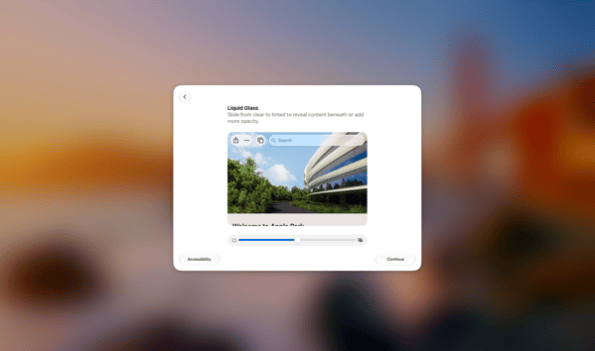
Over the years, Apple has introduced a number of screens which appear the first time you log into a Mac. Among those which appear as of macOS Golden Gate 27.0 is the Liquid Glass screen, which allows you to adjust the Liquid Glass settings.

I have not found a way to suppress this screen using a defaults command, but it is possible to suppress the Liquid Glass screen on macOS Golden Gate using a configuration profile. For more details, please see below the jump.
The relevant preference domain and key values are below:
- Preference domain: com.apple.SetupAssistant.managed
- Key: SkipSetupItems
- Value: LiquidGlass
The profile is available on GitHub via the link below:
https://github.com/rtrouton/profiles/blob/main/SkipLiquidGlassSetup
如有侵权请联系:admin#unsafe.sh