A pure-Python library (built on ctypes) that lets you inspect, modify and search the memory of any 2026-9-3 11:4:21 Author: kitploit.com(查看原文) 阅读量:3 收藏
A pure-Python library (built on ctypes) that lets you inspect, modify and search the memory of any running process in a few lines of Python — Cheat Engine workflows on Windows, Linux and macOS!

Read, write and scan the memory of any process — straight from Python.
One unified API. Three operating systems. No C compiler. No native build step.
Runs on 🪟 Windows · 🐧 Linux · 🍎 macOS — 32-bit and 64-bit.




Tweak a value in a running game · inspect a live program's state · harvest data straight from RAM.
Install
pip install PyMemoryEditor
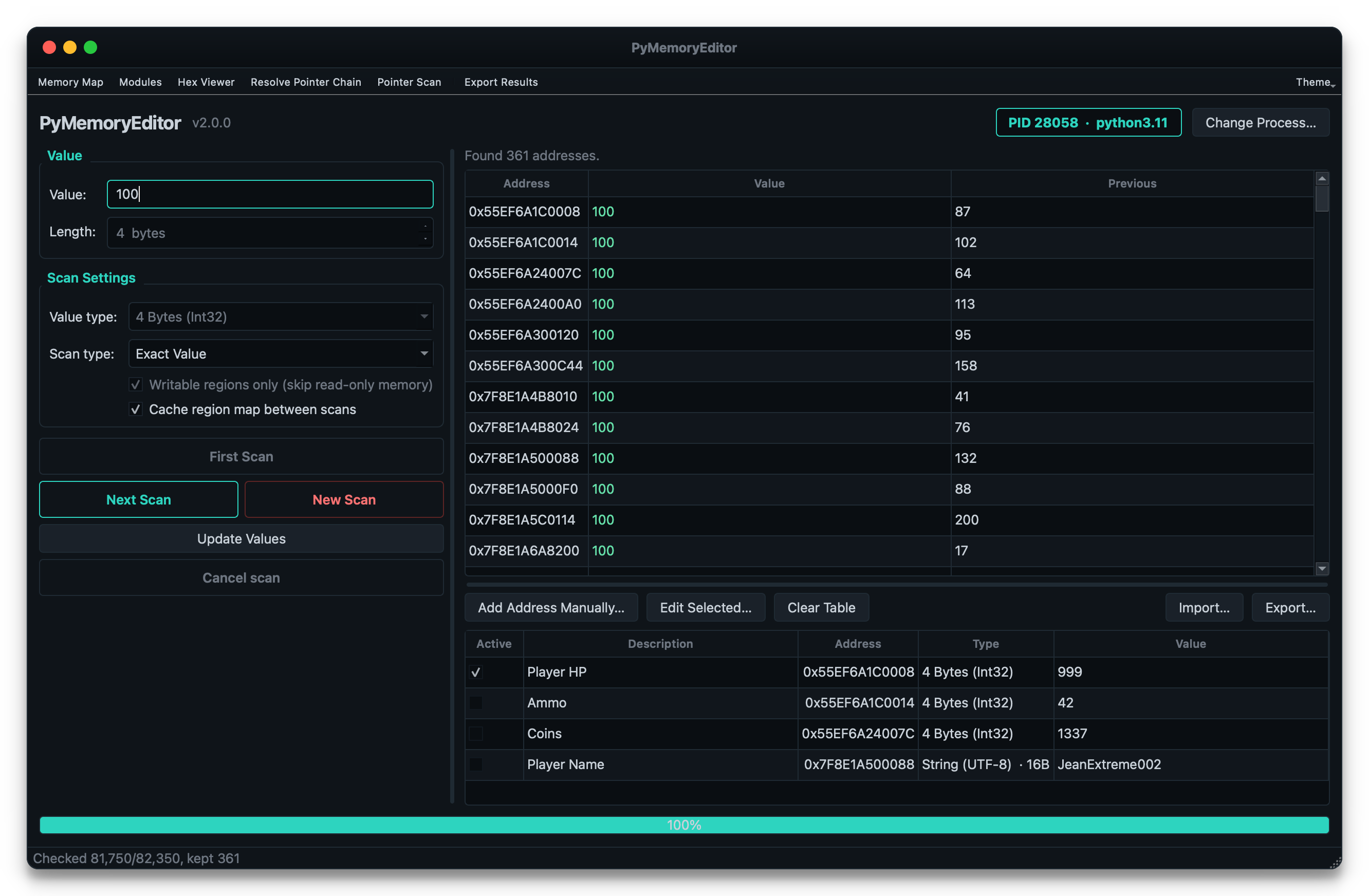
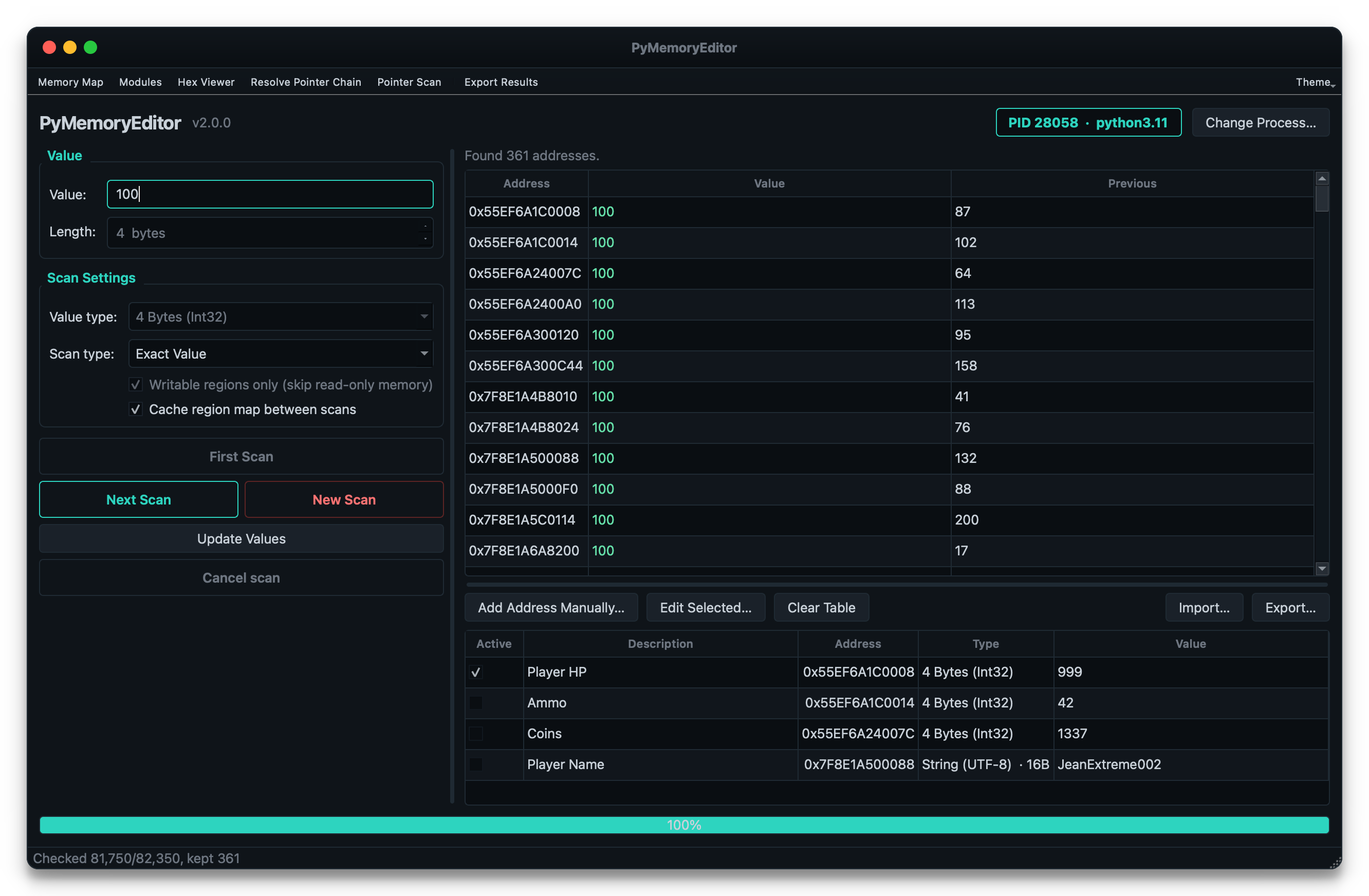
To also install the bundled GUI app (a Cheat Engine-style scanner), use the app extra:
pip install "PyMemoryEditor[app]"
pymemoryeditor
For faster scans on large processes, add the speed extra. It pulls in NumPy
and automatically vectorizes the numeric scan comparison loop — ~10–30× faster on
selective scans:
pip install "PyMemoryEditor[speed]"
📖 Full guide at Read the Docs.
See it in action
from PyMemoryEditor import OpenProcess

with OpenProcess(name="game.exe") as process:

    # Scan the whole process for every address holding the value 100.
    for address in process.search_by_value(int, value=100):
        print(f"Found at 0x{address:X}")

    # Read the current value, then write a new one back.
    current = process.read_int(address)
    process.write_int(address, current + 500)
That's it — read, write or scan another process in three lines, the same way on every platform.
📖 Documentation
Full documentation lives at pymemoryeditor.readthedocs.io — installation, the Cheat Engine workflow, every method and parameter, the GUI app guide, platform notes and troubleshooting.
A quick map of where to go:
What can I build with this?
- 🎮 Game modding & speedrunning tools — the classic Cheat Engine use case.
- 🔬 Debugging & introspection — inspect live state without attaching a debugger.
- 📊 Observability tooling — sample variables in a running process for telemetry.
- 🔐 Security & reverse-engineering research — on systems you own or are authorized to test.
- 🎓 Learning — the bundled app is a great teaching tool for how memory scanning works.
[!NOTE] Responsible use. PyMemoryEditor talks to other processes through OS-level APIs. Only point it at processes you own or have explicit permission to inspect.
🤝 Contributing
Pull requests, bug reports and feature ideas are very welcome. Read
CONTRIBUTING.md for the development setup, test layout and
the small set of platform-specific quirks to be aware of.
If PyMemoryEditor helped your project, please ⭐ the repo — it's the easiest way to support the work and to help others discover the library.
License
Released under the MIT License — free for personal and commercial use.
如有侵权请联系:admin#unsafe.sh