These notes only cover the search parts of Elasticsearch.All searches in this post were run in kib 2018-12-30 14:52:5 Author: bugs.cc(查看原文) 阅读量:1 收藏
These notes only cover the search parts of Elasticsearch.
All searches in this post were run in kibana Dev tools.
Preparation
You need Elasticsearch, kibana, and elasticsearch-analysis-ik installed.
I will not go into the install steps here. (After installing, remember to restart Elasticsearch.)
Once it is back up, open kibana Dev tools, paste the DSL below, and run it:
PUT books
{
"settings": {
"number_of_replicas": 1,
"number_of_shards": 3
},
"mappings": {
"IT": {
"properties": {
"id": {
"type": "long"
},
"title": {
"type": "text",
"analyzer": "ik_max_word"
},
"language": {
"type": "keyword"
},
"author": {
"type": "keyword"
},
"price": {
"type": "double"
},
"year": {
"type": "date",
"format": "yyyy-MM-dd"
},
"description": {
"type": "text",
"analyzer": "ik_max_word"
}
}
}
}
}
After that, save the following as books.json:
{"index":{ "_index": "books", "_type": "IT", "_id": "1" }}
{"id":"1","title":"Java编程思想","language":"java","author":"Bruce Eckel","price":70.20,"publish_time":"2007-10-01","description":"Java学习必读经典,殿堂级著作!赢得了全球程序员的广泛赞誉。"}
{"index":{ "_index": "books", "_type": "IT", "_id": "2" }}
{"id":"2","title":"Java程序性能优化","language":"java","author":"葛一鸣","price":46.50,"publish_time":"2012-08-01","description":"让你的Java程序更快、更稳定。深入剖析软件设计层面、代码层面、JVM虚拟机层面的优化方法"}
{"index":{ "_index": "books", "_type": "IT", "_id": "3" }}
{"id":"3","title":"Python科学计算","language":"python","author":"张若愚","price":81.40,"publish_time":"2016-05-01","description":"零基础学python,光盘中作者独家整合开发winPython运行环境,涵盖了Python各个扩展库"}
{"index":{ "_index": "books", "_type": "IT", "_id": "4" }}
{"id":"4","title":"Python基础教程","language":"python","author":"Helant","price":54.50,"publish_time":"2014-03-01","description":"经典的Python入门教程,层次鲜明,结构严谨,内容翔实"}
{"index":{ "_index": "books", "_type": "IT", "_id": "5" }}
{"id":"5","title":"JavaScript高级程序设计","language":"javascript","author":"Nicholas C. Zakas","price":66.40,"publish_time":"2012-10-01","description":"JavaScript技术经典名著"}
Then import it. If your Elasticsearch version is below 6.0, import books.json with:
curl -XPOST "http://localhost:9200/_bulk?pretty" --data-binary @books.json
If your Elasticsearch version is above 6.0, import with:
curl -H "Content-Type: application/json" -XPOST "http://localhost:9200/_bulk?pretty" --data-binary @books.json
Basic search
Return all documents in an index
GET books/_search
{
"query": {
"match_all": {}
}
}
You can shorten it to:
Find documents whose field contains a given word
Use term to query. A term query is not analyzed; the search term has to match a term in the document exactly. Typical uses: names, places, anything that needs an exact match.
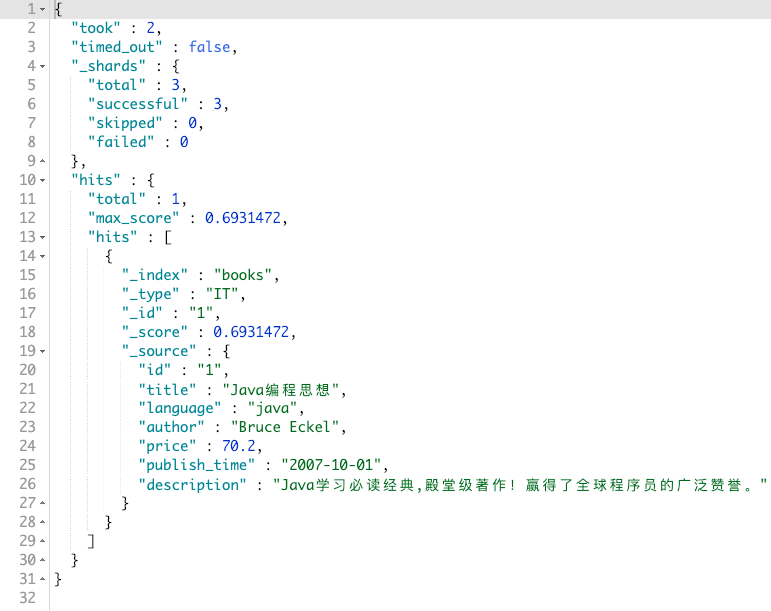
Find books whose title field contains 思想:
GET books/_search
{
"query": {
"term": {
"title": "思想"
}
}
}
The result:
Paginate the results
Sometimes a query returns thousands of hits. That is where pagination comes in.
Pagination has two properties, from and size:
- from: where to start
- size: max number of documents to return
You can think of it as: start at from and return the rest of the documents, then size caps how many you actually get back.
In JS that would look like:
const from = 100 - 1; // arrays start at 0, so subtract one
const size = 10;
const data = [1, 2, 3, ..., 999, 1000];
const fromDate = data.splice(from);
const result = fromData.splice(0, size);
console.log(result) //=> [100, 101, 102, 103, 104, 105, 106, 107, 108, 109]
Limit returned fields
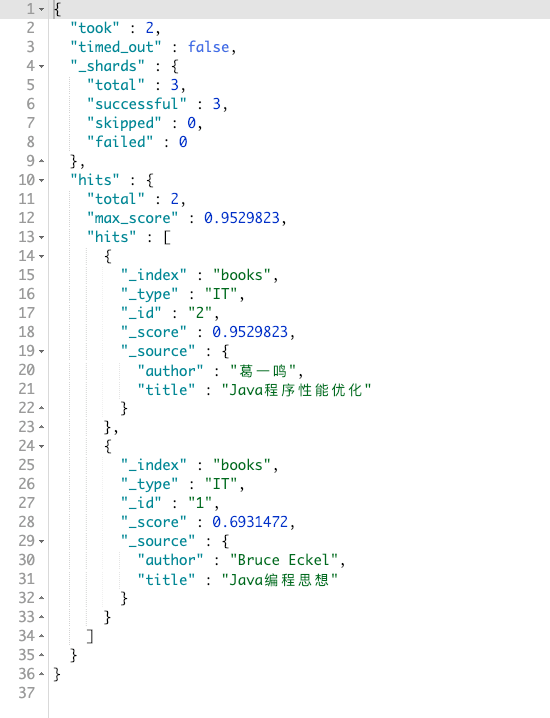
Usually we query to look at a few fields, not every field. By default Elasticsearch returns all fields of a document, which can get in the way. So Elasticsearch provides a way to limit the returned fields. Say I only need title and author:
GET books/_search
{
"_source": ["title", "author"],
"query": {
"term": {
"title": "java"
}
}
}
The result:
Filter by a minimum score
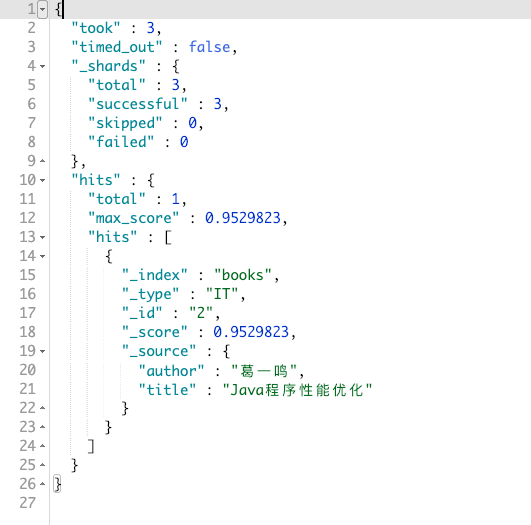
Ordinary Elasticsearch search is relevance-based, and relevance comes from the score. On a fuzzy search, Elasticsearch may return documents that are not that relevant. You can set a minimum score, and documents below that score will not show up.
For example, I want documents whose title contains java, with a score of at least 0.7:
GET books/_search
{
"min_score": 0.7,
"query": {
"term": {
"title": "java"
}
}
}
The result:
Highlight keywords
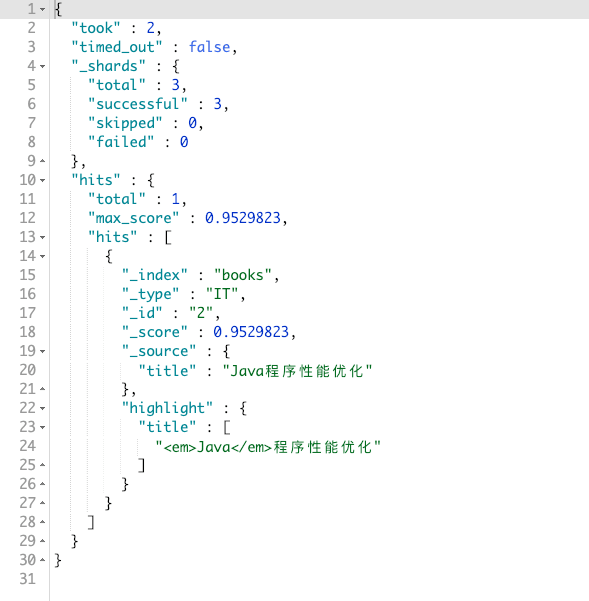
Sometimes we import Elasticsearch results directly into a web page. Then we want keywords highlighted so the user can see more clearly what they searched for. Elasticsearch already has an API for this. Say I want keywords in the results highlighted:
GET books/_search
{
"_source": ["title"],
"min_score": 0.7,
"query": {
"term": {
"title": "java"
}
},
"highlight": {
"fields": {
"title": {}
}
}
}
The result:
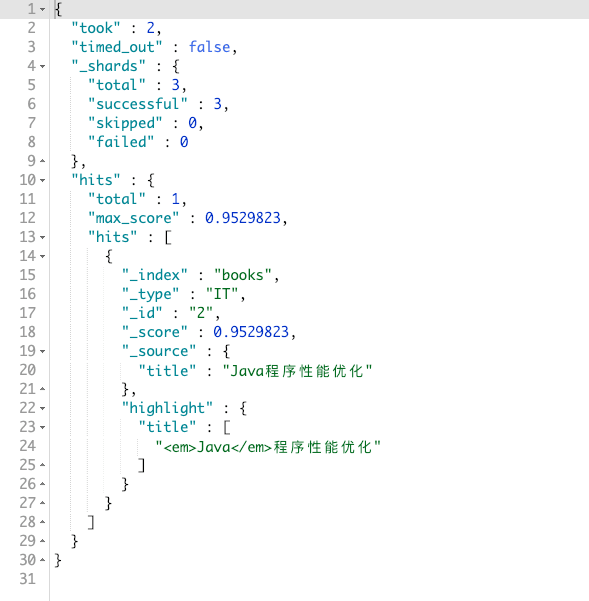
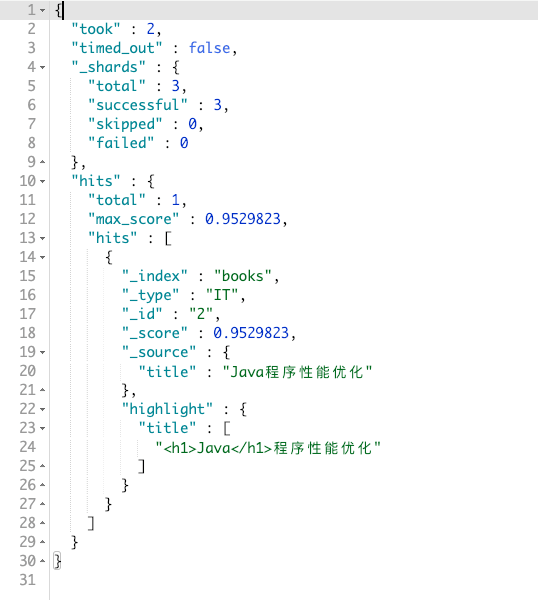
The default tags are <em></em>. To customize them, use pre_tags and post_tags. The full query:
GET books/_search
{
"_source": ["title"],
"min_score": 0.7,
"query": {
"term": {
"title": "java"
}
},
"highlight" : {
"pre_tags" : ["<h1>"],
"post_tags" : ["</h1>"],
"fields" : {
"title" : {}
}
}
}
The result:
Full-text queries
The previous section mostly searched with term, but Elasticsearch has many search methods. This chapter is about those methods and what each one does.
I am skipping common_terms query, query_string query, and simple_query_string query. They are used less often, and they take more explaining. If you want to know more, look them up online. I will not go into them here.
match query
First, a term query:
GET books/_search
{
"_source": ["title", "author"],
"query": {
"term": {
"title": "java编程"
}
}
}
You will see that the result is empty (the data is in the index, though):
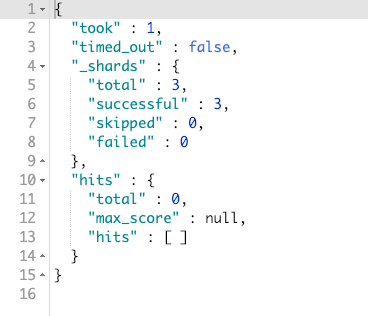
That is because term matches against analyzed terms. The java编程 we just searched is analyzed into java and 编程, so the whole string does not match.
In code:
const keyword = 'java编程';
const data = ['java', '编程'];
const result = data.includes(keyword);
console.log(result) //=> false
Now try swapping term for match:
GET books/_search
{
"_source": ["title", "author"],
"query": {
"match": {
"title": "java编程"
}
}
}
The result:
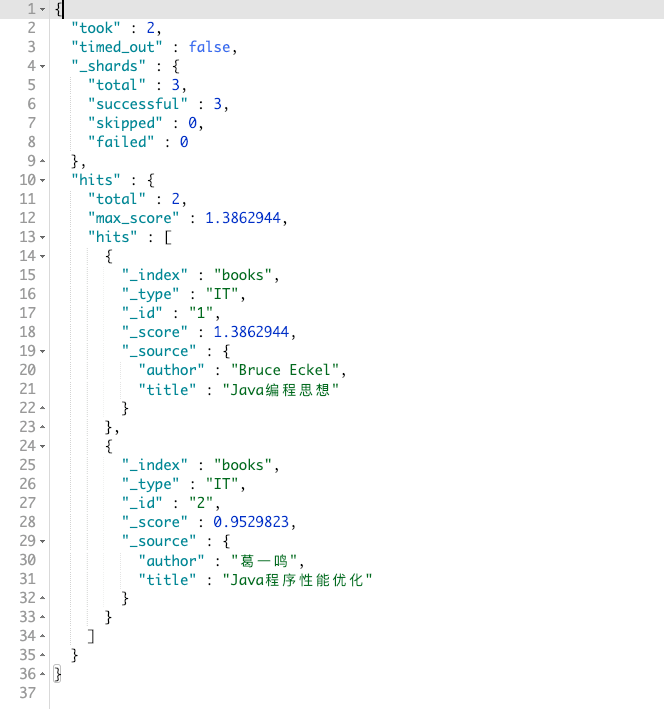
There are hits now. Why two of them?
Because match analyzes your keywords, then matches them against the analyzed terms in the document. If any analyzed term from the document matches any analyzed term from the keyword, the document is returned.
In code:
const data = ['java', '编程', '思想']; // the document's terms after analysis
const keywords = ['java', '编程', '思想']; // the keywords after analysis
const result = (() => {
for (let x = 0; x < data.length; x++) {
const dataItem = data[x];
for (let y = 0; y < keywords.length; y++) {
const keywordItem = keywords[y];
if (dataItem === keywordItem) {
return true;
}
}
}
return false;
})()
What if I only want one hit, and I still have to use match? Is that possible?
Yes. match has an operator property that can do this:
GET books/_search
{
"_source": ["title", "author"],
"query": {
"match": {
"title": {
"query": "java编程",
"operator": "and"
}
}
}
}
The result:
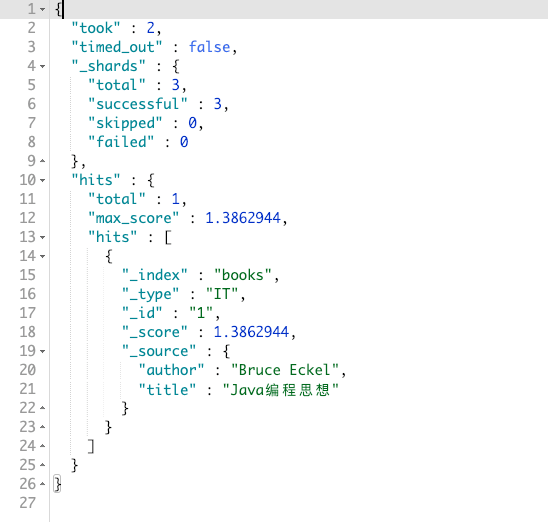
The idea is that operator is and, which tells Elasticsearch that every keyword term must match a term in the document. Miss one and I do not want it.
If operator is or, the result is the same as before.
match_phrase query
You can think of this as match with operator already set to and.
It has two constraints. Both must hold for a document to show up:
- Every analyzed term is in the field, same as
operator: "and" - The order has to match
What does order mean?
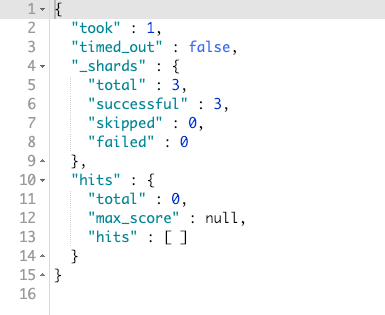
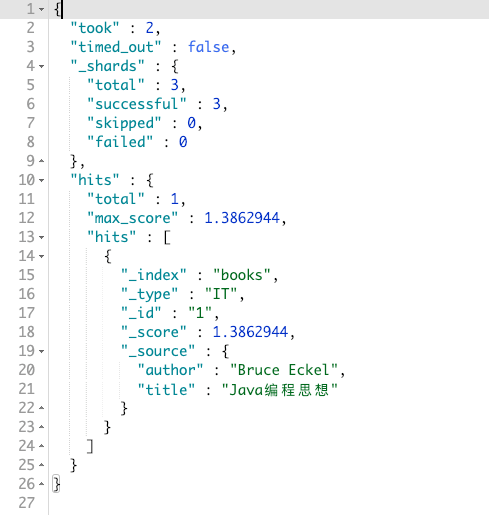
If you use match with 编程java, you still get the same result as above. If you need the order to match, use match_phrase.
Searching 编程java:
Searching java编程:
match_phrase_prefix query
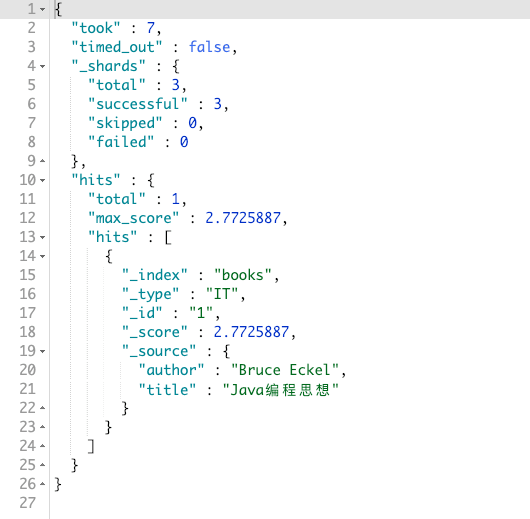
This is similar to match_phrase, except the last term is used as a prefix. Picture a user typing 辣鸡UZ in the search box, and 辣鸡UZI showing up in the dropdown.
First match_phrase_prefix analyzes the input into 辣鸡, finds a document, then checks whether the string after 辣鸡 starts with UZ. If it does, the document is a hit. You can picture a (.*) wildcard stuck on the end, like 辣鸡UZ(.*).
Knowing that, here is a query:
GET books/_search
{
"_source": ["title", "author"],
"query": {
"match_phrase_prefix": {
"title": "java编"
}
}
}
The result:
multi_match query
multi_match is an upgrade of match. It searches multiple fields.
Say I do not want to search only title for java编程; I also want to search description. How?
Elasticsearch already has multi_match for this:
GET books/_search
{
"_source": ["title", "description"],
"query": {
"multi_match": {
"query": "java编程",
"fields": ["title", "description"]
}
}
}
The result:
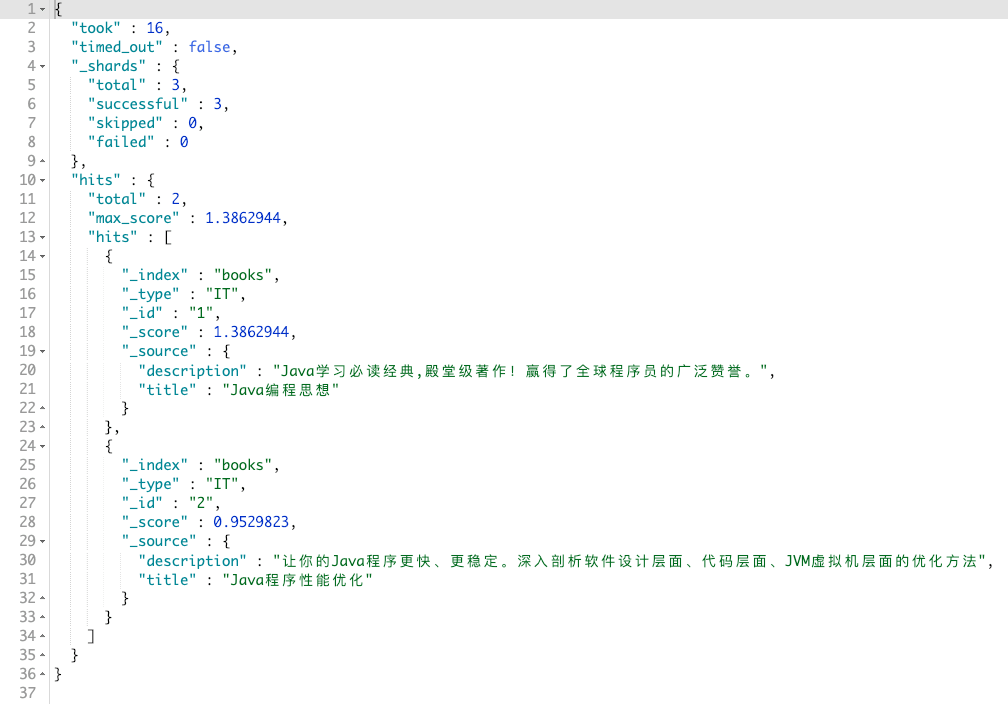
multi_match also supports wildcards. The query above can be written as:
GET books/_search
{
"_source": ["title", "description"],
"query": {
"multi_match": {
"query": "java编程",
"fields": ["title", "*tion"]
}
}
}
Term queries
The previous chapter was full-text queries. This one is term queries. The difference:
- Full-text queries: analyze the query, then match against analyzed terms in the document
- Term queries: do not analyze the query
term query
I already covered this in the first chapter, so I will not go into it again.
terms query
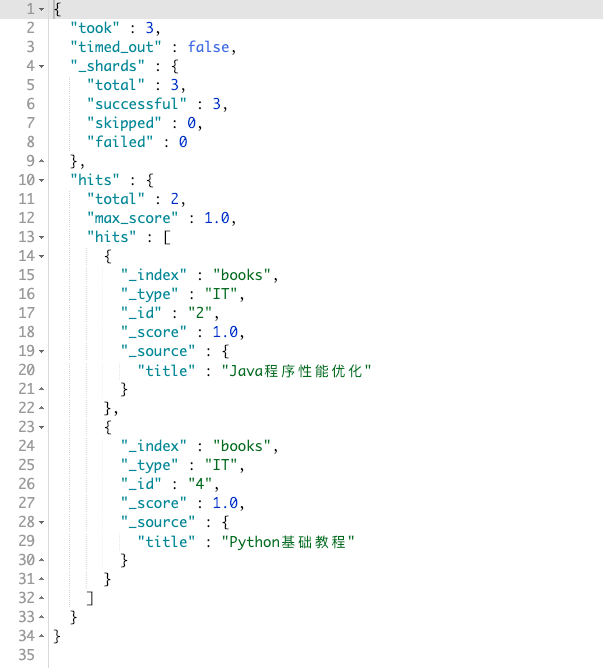
terms is an upgrade of term. It checks whether a field contains any of the given keywords. For example, documents whose title contains 优化 or 基础:
GET books/_search
{
"_source": ["title"],
"query": {
"terms": {
"title": ["优化", "基础"]
}
}
}
The result:
range query
You can guess from the name that range is range matching. It can match number, date, and string (string range queries are a bit special and not used much, so I will skip them).
range supports these parameters:
- gt: greater than
- gte: greater than or equal
- lt: less than
- lte: less than or equal
number range query
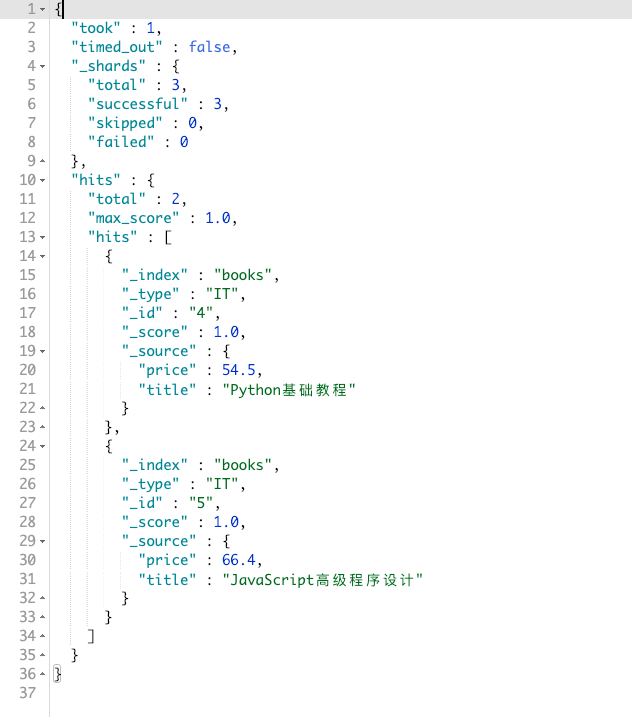
I want books priced below 70 and at least 50. In pseudocode: (price >= 50 && price < 70):
GET books/_search
{
"_source": ["title", "price"],
"query": {
"range": {
"price": {
"gte": 50,
"lt": 70
}
}
}
}
The result:
date range query
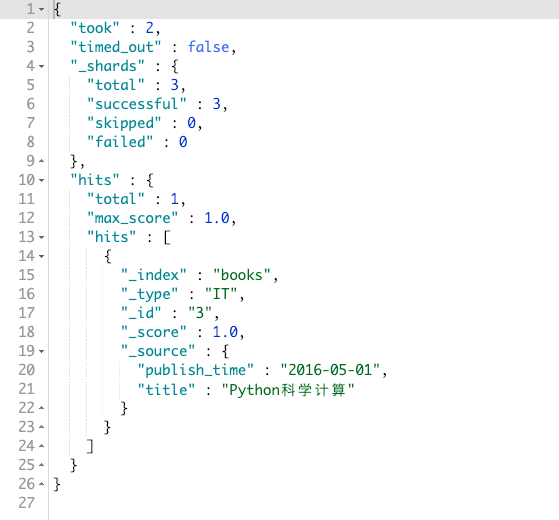
If I want books published between 2016-1-1 and 2016-12-31, the DSL looks like this:
GET books/_search
{
"_source": ["title", "publish_time"],
"query": {
"range": {
"publish_time": {
"gte": "2016-1-1",
"lte": "2016-12-31",
"format": "yyyy-MM-dd"
}
}
}
}
The result:
exists query
Matches documents that have this field. For example, documents that have a title field:
GET books/_search
{
"_source": "title",
"query": {
"exists": {
"field": "title"
}
}
}
The result returns every document. So how do we define “has this field”?
The rules:
{"title": "js"}: exists{"title": ""}: exists{"title": ["js"]}: exists{"title": ["js", null]}: exists (one non-empty value is enough){"title": null}: does not exist{"title": []}does not exist{"title": [null]}does not exist{"foo": "bar"}: does not exist
prefix query
Matches the prefix of analyzed terms in the document. First, a DSL query:
GET books/_search
{
"_source": "description",
"query": {
"prefix": {
"description": "wi"
}
}
}
The result:
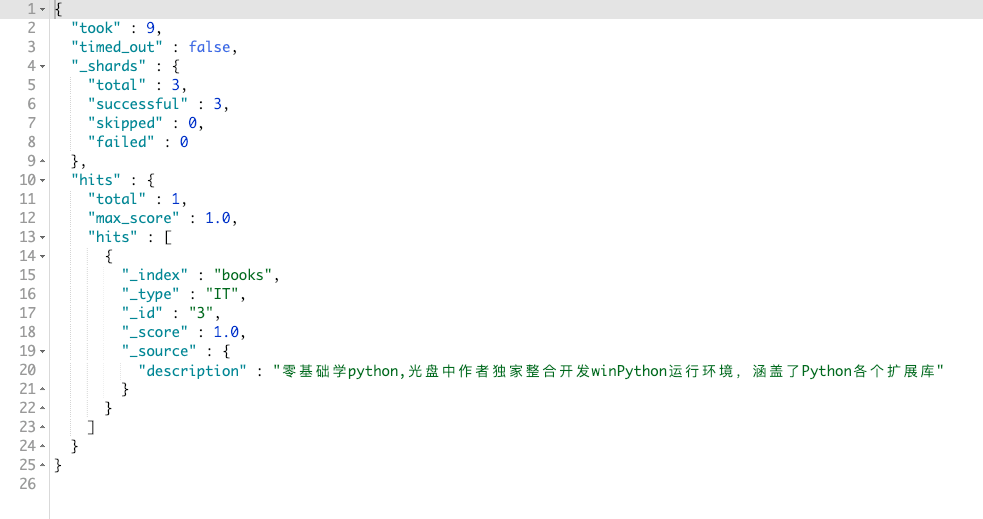
Why can wi match this? Because Elasticsearch analyzes description, and it splits winPython into win Python. Those two are the analyzed terms, and prefix checks whether each term starts with the keyword, like JS startsWith. In code:
const dataItem = ['win', 'python'];
const prefixKeyword = 'wi';
const result = dataItem.some(item => item.startsWith(prefixKeyword));
console.log(result); //=> true
wildcard query
wildcard is a wildcard query. Right now it only supports * and ?:
*: zero or more?: one or more
Note: wildcard does not match the full text. It still analyzes the field, then applies the pattern to each term
For example, documents matching wi*:
GET books/_search
{
"_source": "description",
"query": {
"wildcard": {
"description": "wi*"
}
}
}
The result:
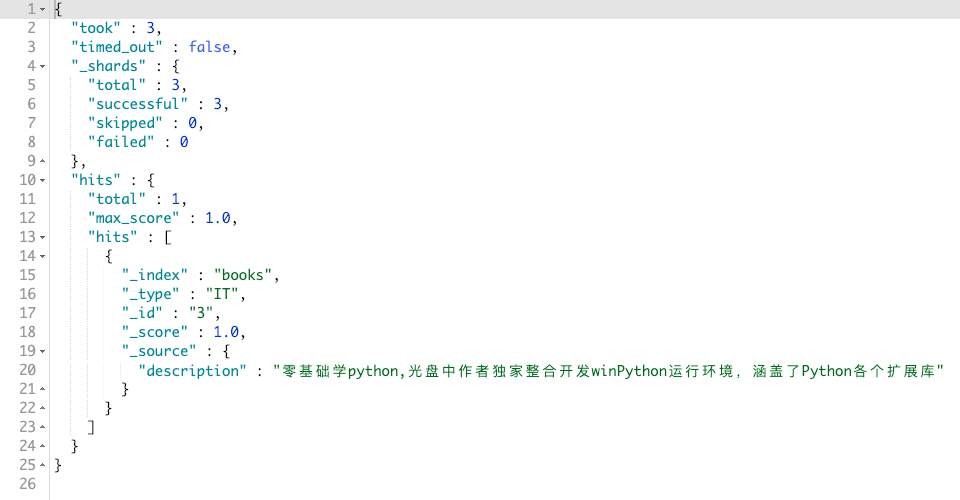
First Elasticsearch analyzes description into win and python. Then wi* is applied to each term. win matches, so it shows up.
If I use win?, there are no hits, because ? means one or more. When it matches win, there is nothing after it, so the result is empty.
regexp query
This is a regular expression query. The idea is the same as wildcard, so I will not go into it here.
fuzzy query
Think of fuzzy as a fuzzy query. If a user mistypes a keyword as javascrpit, fuzzy can still find javascript:
GET books/_search
{
"_source": "description",
"query": {
"fuzzy": {
"description": "javascrpit"
}
}
}
The result:
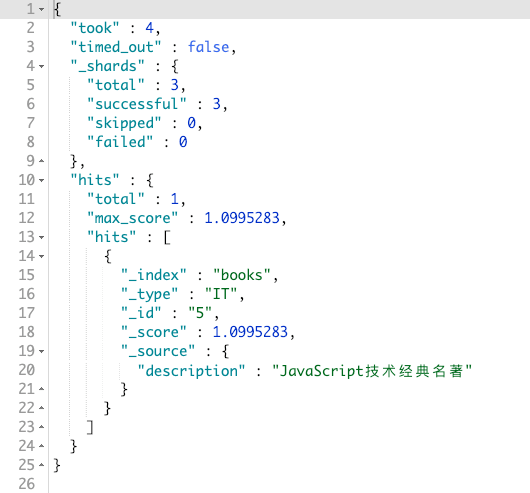
Compound queries
A compound query combines simple queries into a more complex one. It can also control how another query behaves.
constant_score query
Not used much. It scores the documents in the result.
I will not go into it here. If you are interested: [Elasticsearch] 控制相关度 (四) - 忽略 TF/IDF (opens in a new tab)
bool query
This query is pretty important. It provides:
- must: the document must satisfy the queries under
must, likeANDor&& - should: the document may match the queries under
should; it is fine if it does not. LikeORor|| - must_not: the opposite of
must. Must not satisfy the queries undermust_not, like!== - filter: same as
must, but it does not score, so it does not affect_score
Now I want: author (author) is 葛一鸣, title (title) contains java, price (price) must not be above 70 or below 40, and description (description) may or may not contain 虚拟机.
GET books/_search
{
"query": {
"bool": {
"filter": {
"term": {
"author": "葛一鸣"
}
},
"must": [
{
"match": {
"title": "java"
}
}
],
"should": [
{
"match": {
"description": "虚拟机"
}
}
],
"must_not": [
{
"range": {
"price": {
"gt": 70,
"lt": 40
}
}
}
]
}
}
}
The result:
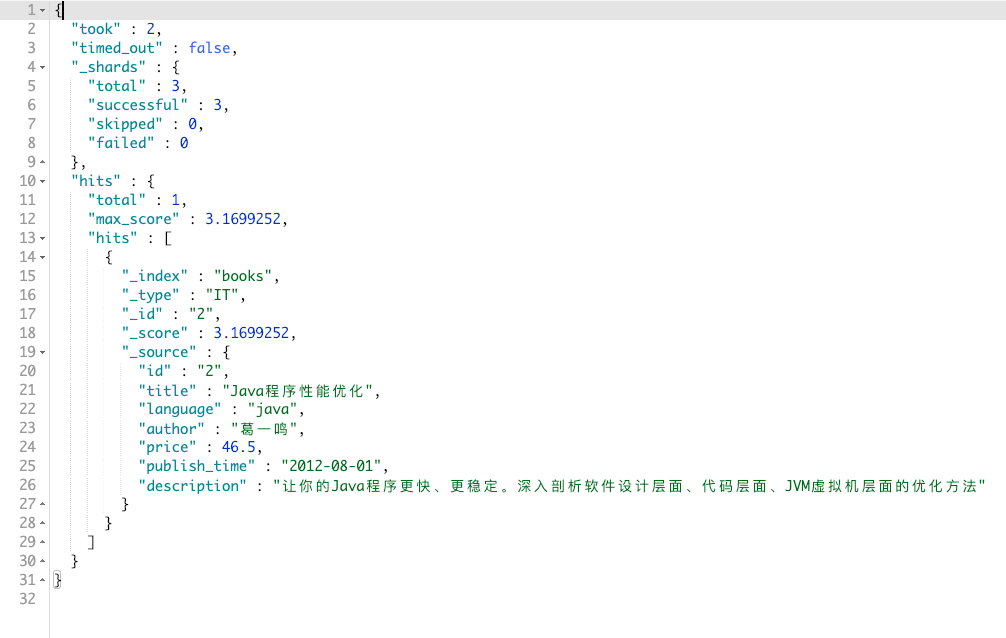
dis_max query, function_score query, boosting query
I will not cover these three. They mainly affect _score, which is the score of the query results. Search online if you are interested.
如有侵权请联系:admin#unsafe.sh