Secure, modern Remote Browser Isolation (RBI) with a clientless experience 2026-8-20 08:37:19 Author: kitploit.com(查看原文) 阅读量:8 收藏
Secure, modern Remote Browser Isolation (RBI) with a clientless experience





🔐 NEW in v18.0.1 — Passkey authentication on macOS: sign in to websites with real passkeys inside your remote browser.
Passkeys are created and stored on your Mac's Secure Enclave and unlocked with Touch ID via the
BrowserBox Passkeys helper —
a small signed & notarized app that BrowserBox prompts you to download when a site requests a passkey. Your keys never leave your device.
💻 Try it in your terminal — access BrowserBox over SSH via KRNL:
ssh krnl.duetbrowser.com
A full text-mode browser demo, no install and no signup. Learn more about KRNL →
🇺🇸 NEWS — USA Edition (v17.7.6), coming July 4, 2026: our most stable BrowserBox yet.
Enhanced streaming stability under co-located and heavy-workload deployments, full suppression of invisible browser prompts that could capture input,
per-user managed browser policy, cross-origin iframe instrumentation (preview) for containers and strict-isolation sites — and 60 FPS streaming re-validated end to end.
🆕 APRIL 2026: Hyper-Frame — the unlimited iframe — is live!
Embed any website, automate remote browsers, and build web-in-web apps. Try the live console →
Windows 98½ Demo: Try BrowserBox with our nostalgic Windows 98½ demo — free 17-minute cloud browser sessions, no signup required.
Cloud API: Purchase minutes and create on-demand cloud browser sessions via REST API.
API Docs · Pricing · Live Demo · Hyper-Frame
Happy Birthday, America the Beautiful 🎉🗽
BrowserBox is a remote browser isolation (RBI) platform. It streams a full, modern browser to any client — 60 FPS, low latency — and runs on Windows, macOS, Linux, and containers. A product key is required for all self-hosted usage.
At a glance:
- Clientless RBI — no plugins, no downloads for end users
- 60 FPS streaming with real responsiveness
- Embeds anywhere via
<hyper-frame>(Hyper-Frame) or<browserbox-webview> - Cloud API for ephemeral sessions, no self-hosting needed
- Works on Windows, macOS, Linux, and containers like Podman, and LXC
- Policy controls, DLP, and audit-friendly workflows
ASCIInema Recordings | Live Demo | Cloud API | Pricing | Current Customer Guide PDF | Support
Official sites: BrowserBox, DOSAYGO, Hyper-Frame, CloudTabs
Notice: Legacy source code removed (March 2026)
When BrowserBox transitioned to a binary distribution model in late 2025, we retained legacy source code in this repository for a six-month period to give existing customers time to migrate. That period is now over and all legacy source has been removed.
Current BrowserBox source is private and proprietary. It diverges significantly from the legacy code that was previously housed here -- by over 1,000 commits -- with extensive bug fixes, security hardening, and performance enhancements that are absent from the legacy codebase and any forks thereof.
Legacy source code may still be visible in third-party forks as a historical curiosity. That code is not open source. Permission is not granted to use that source in your products, to train AI models, or to re-implement BrowserBox functionality from it. These acts violate BrowserBox terms. See LICENSE.md and TRADEMARK.md.
Current source is available to customers above a threshold ACV as part of due diligence, on request. Contact [email protected].
Table of Contents
- Why BrowserBox?
- Key Benefits
- Who Uses It
- Real-World Use Cases
- Core Features
- What's New
- See It In Action
- Supported Network Topologies
- Platform Compatibility
- Install
- Quick Start
- Documentation
- GitHub Actions
- Cloud API
- Embed BrowserBox
- Advanced Usage
- License Compliance & Privacy
- FAQ
- Licensing
- Support
- About DOSAYGO
1. Why BrowserBox?
The web is genuinely dangerous, and standard browsing pushes that risk directly onto your network and your endpoints. BrowserBox flips the model: the browser runs on a server you control, and clients receive a rendered stream — so malware, exploits, and sketchy sites never touch user devices. Security teams get isolation without fighting users over endpoint agents. SaaS builders can embed a full browsing experience into their products without headless brittleness. Regulated organizations get audit trails and DLP controls baked in.
- Threat containment: browser exploits hit the server, not the endpoint
- True clientless access: any modern browser, zero installs for end users
- Embeddable: build web products that include real, live browsing
- Automation-ready: a real browser, not a headless approximation
2. Key Benefits
- Threat isolation: malware, exploits, and bad sites hit the server — not client devices
- Clientless: works in any browser, zero install for end users
- Cross-platform: Windows, macOS, Linux (Debian, Ubuntu, RHEL, CentOS, NixOS), and containers like LXC
- Smooth UX: low-latency rendering, 60 FPS
- Solid CLI and embedding API for builders and integrators
3. Who Uses It
- Security teams — isolate browsing risk from corporate endpoints
- SaaS builders and integrators — embed live browser sessions in products
- IT and ops — access internal web UIs from anywhere, without broad network exposure
- Automation and QA — run real browser workflows without headless fragility
- Regulated orgs — healthcare, finance, government — where audit trails and DLP policies aren't optional
4. Real-World Use Cases
Home Lab: The Always-On Jump Browser
If you run a Synology NAS or any always-on home server, BrowserBox fits in naturally as a private jump browser for your local network. Install it once via CLI, and you've got a streamed Chrome session you can reach from any device — phone, laptop, whatever's in your hand — that can immediately access your router admin panel, IP cameras, smart home hubs, printers, and any other internal web UI that normally requires being on the same LAN.
No port forwarding maze. No VPN just to check one device. You expose a single protected BrowserBox session, secured by token, and everything behind it stays private. Trigger large downloads and they land directly on NAS drives — no extra hops, no cloud middleman. When a site throws a captcha or anti-bot wall, just handle it visually in the remote browser. It's your network. This is how you reach it cleanly.
Enterprise: Secure Remote Browser Gateway
In corporate, government, healthcare, and financial environments, BrowserBox acts as a secure browser gateway deployed inside a protected network. Teams, contractors, and vendors reach internal web applications, intranets, admin panels, and legacy systems — without installing software on their devices or opening broad network access to your infrastructure.
Admins control copy-paste, file uploads and downloads, printing, and keyboard inputs per user or session. DLP policies keep sensitive information contained inside the isolated browser. Every action is auditable. Malware and exploits are contained server-side. Whether you're managing compliance with HIPAA, financial regulations, or government security requirements, the controls are there — and they're not bolted on as an afterthought.
Same core idea, two very different worlds: keep the browser where you can watch it, and stream the view to wherever people actually are.
5. Core Features
- Clientless RBI — access from any modern browser, no install required for end users
- Cross-platform — Windows, macOS, Debian, Ubuntu, RHEL, Rocky Linux, CentOS, NixOS, and containers like LXC
bbxCLI — manage install, licenses, users, run modes, and tunnels from the command line<browserbox-webview>embedding API — drop a live browser session into any web product- Cloud API — purchase minute packs and spin up ephemeral sessions via REST, no self-hosting
- Automation-ready — a real browser; Puppeteer and Playwright integrations coming
- DLP, Tor support, access controls — policy enforcement built in, not bolted on
- 1-click cloud deployment — coming soon
6. What's New
- Passkey authentication on macOS (v18.0.1) — sign in to sites with passkeys from inside your remote browser. The BrowserBox Passkeys helper (signed & notarized) stores keys in the Secure Enclave and unlocks them with Touch ID; BrowserBox offers the download automatically when a site requests a passkey.
- KRNL — BrowserBox over SSH — a text-mode browser in any terminal:
ssh krnl.duetbrowser.comto try it free, or get the KRNL bundle. - Cloud API — purchase minute packs at win9-5.com/pricing and create ephemeral browser sessions via REST. No server to manage.
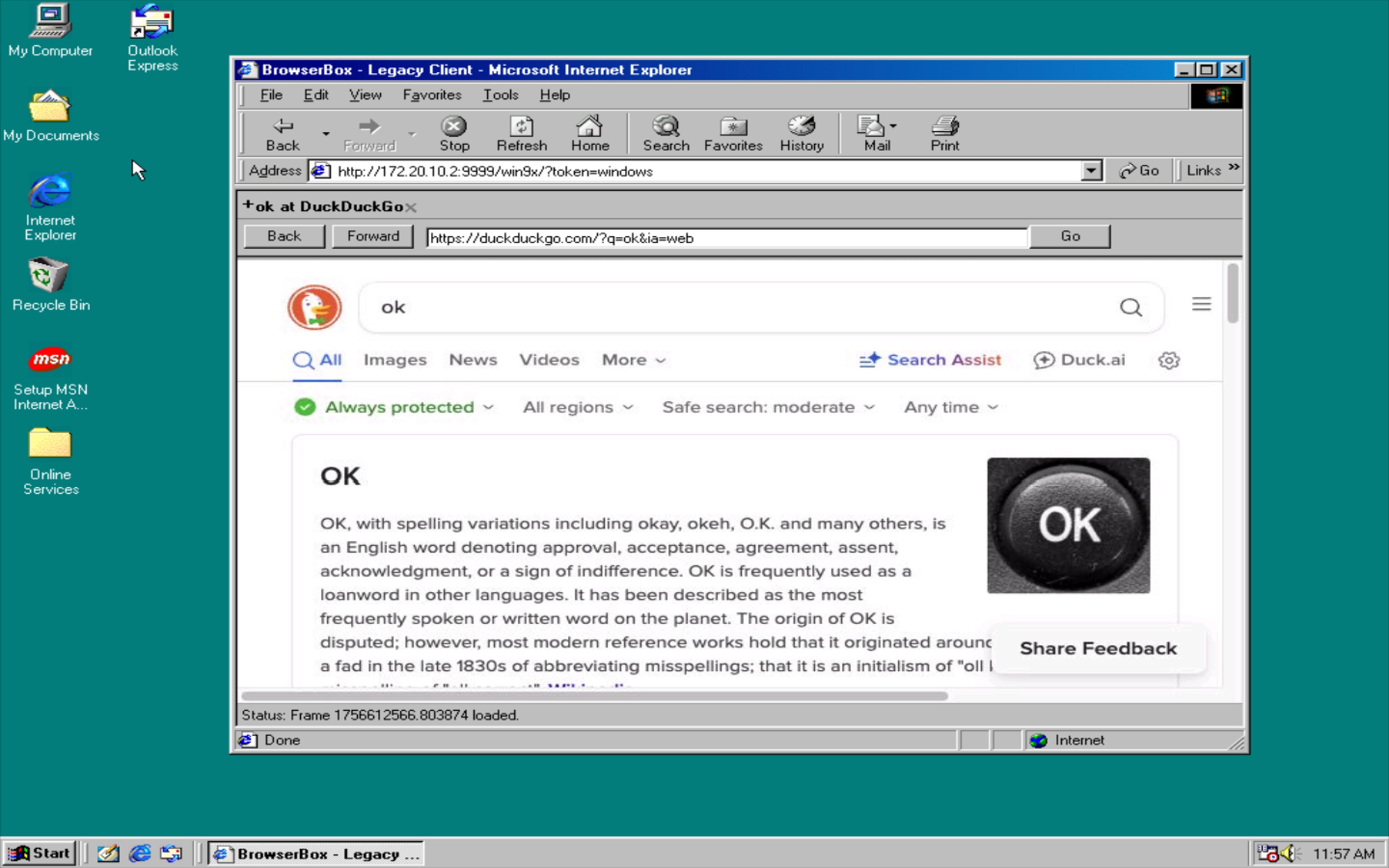
- Windows 98½ Demo — free 17-minute cloud sessions at win9-5.com/demo, no signup.
- Flipbook Recording — record any browsing session as a self-contained static flipbook site. Deploy to Cloudflare Pages with one command.
- Binary release system — BrowserBox now ships as a signed binary. Install with one command, update the same way.
- 60 FPS streaming — real-time, low-latency rendering for a browsing experience that actually feels like a browser.
- Unified install endpoints —
browserbox.io/install.sh(Linux/macOS) andbrowserbox.io/install.ps1(Windows).
7. See It In Action
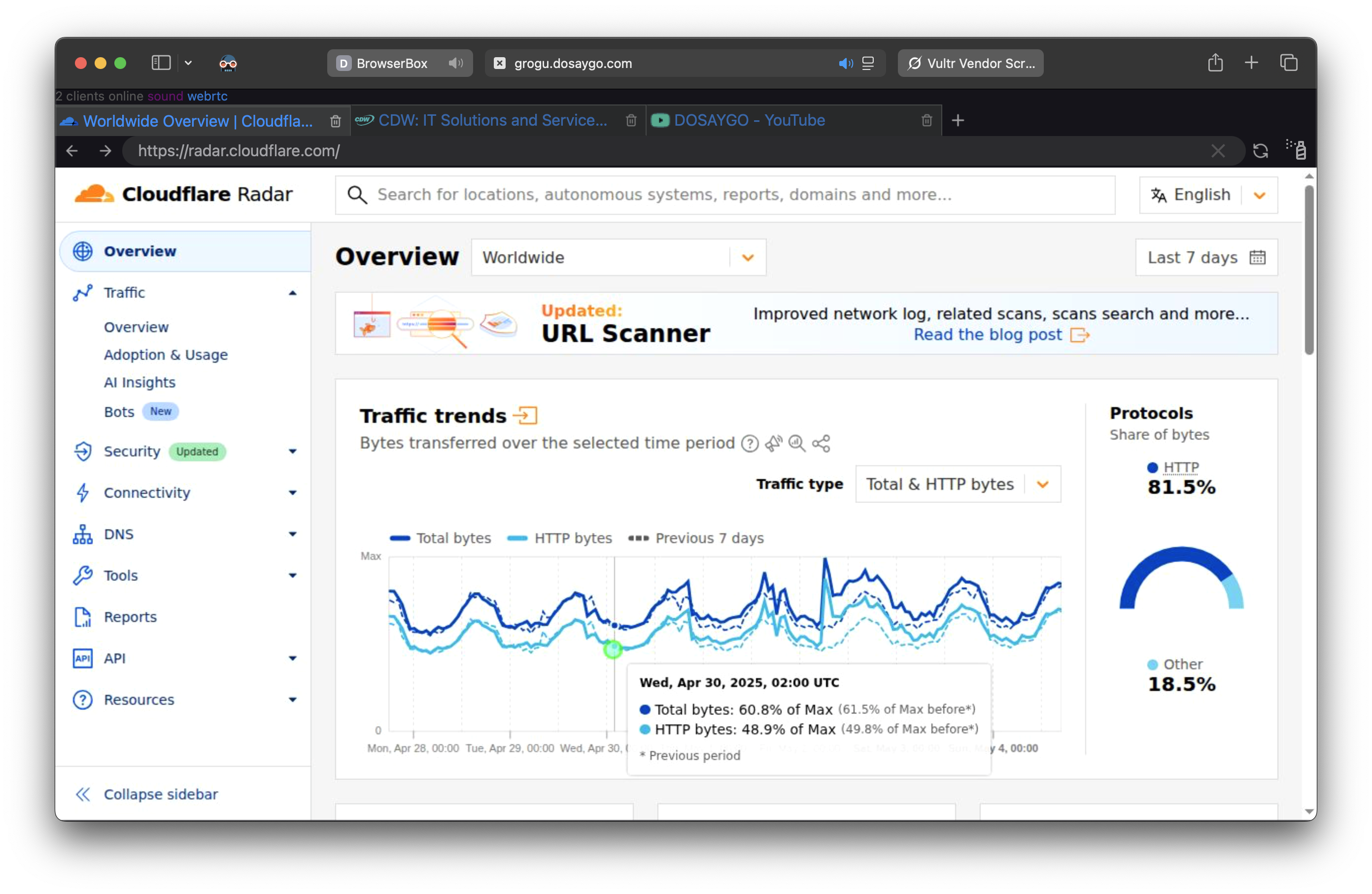 Secure Web Browsing
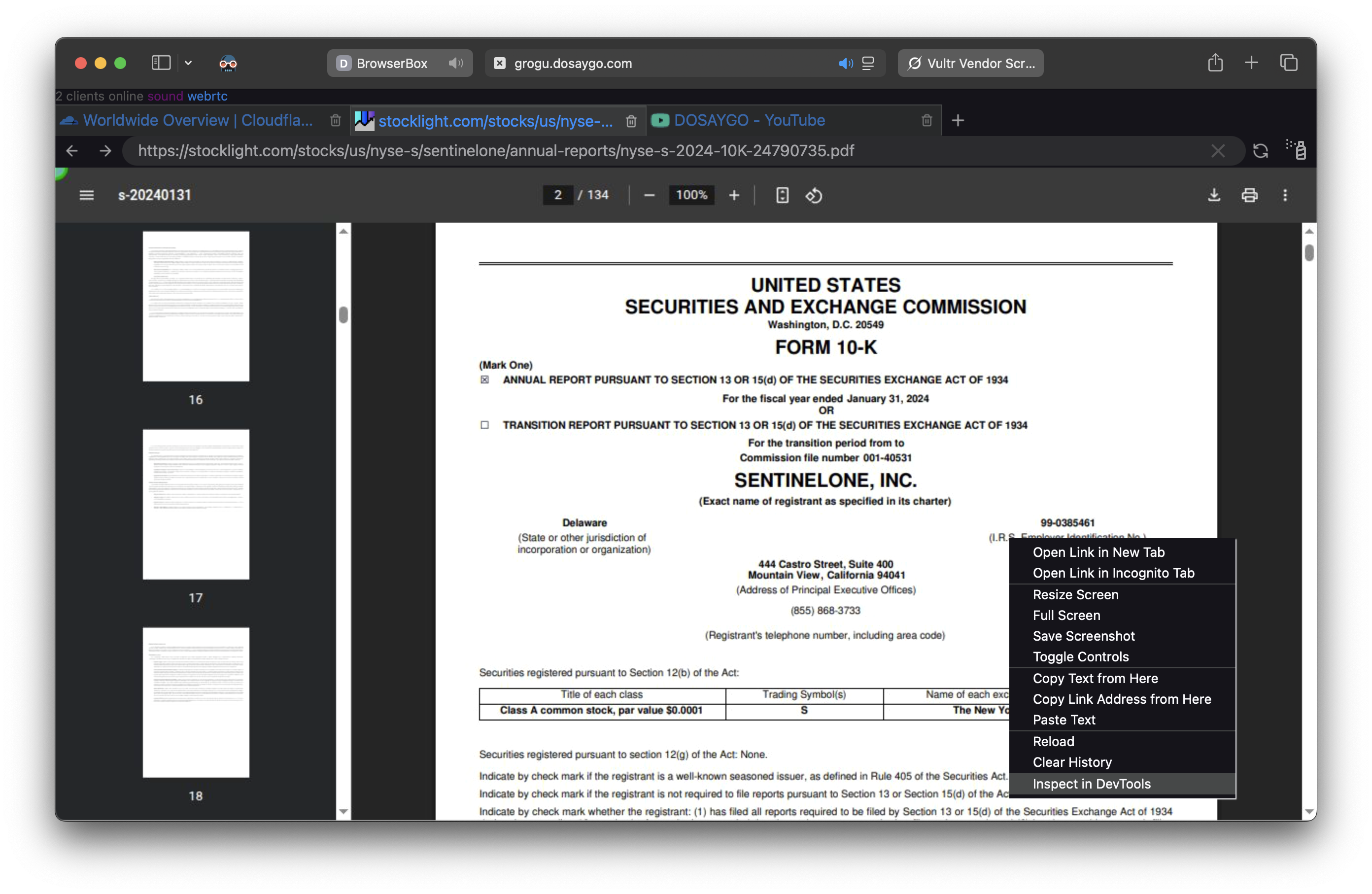
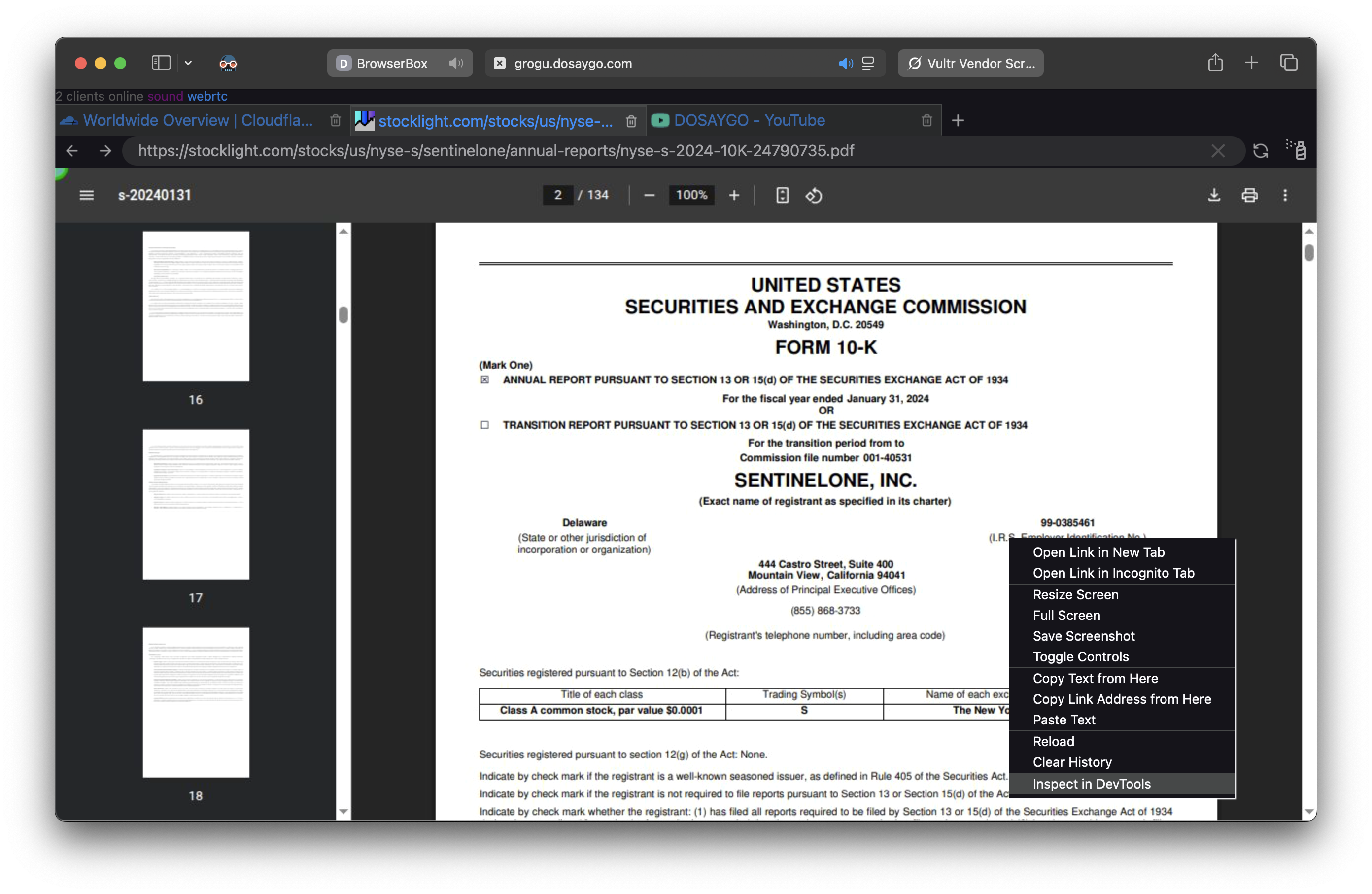 Seamless PDF Viewing
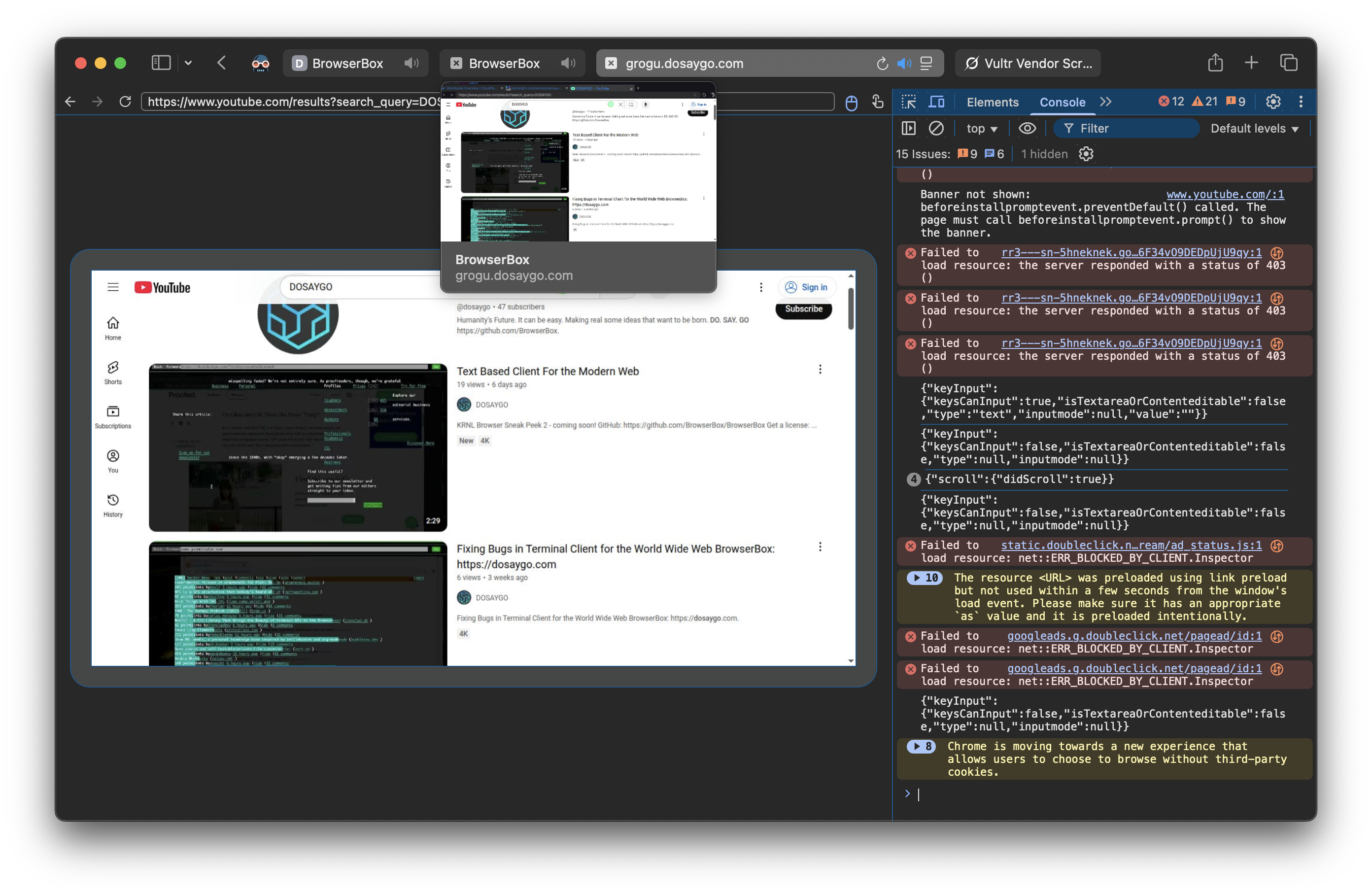 Powerful DevTools
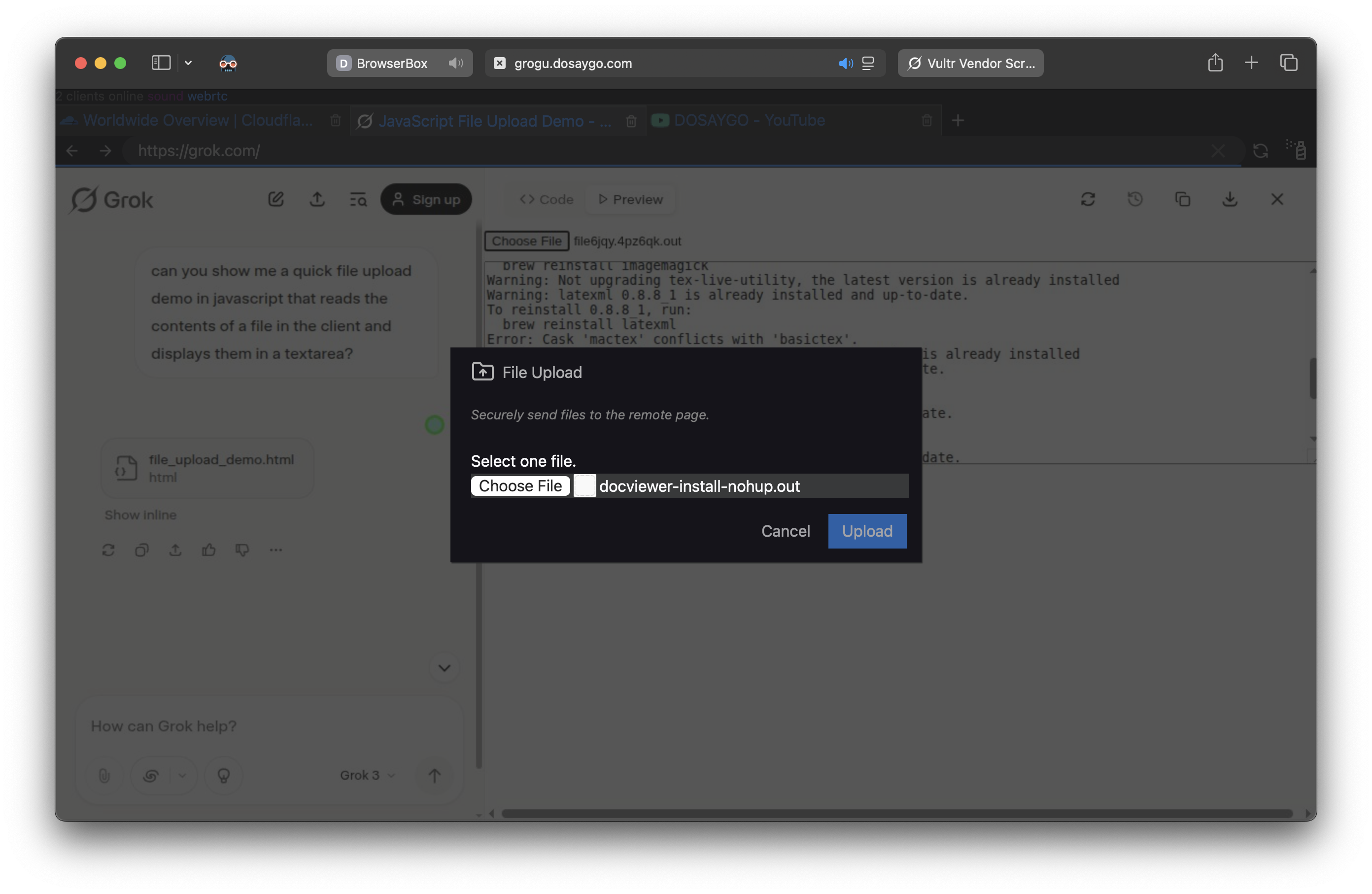 Full Browser Features (File Uploads, etc.)
8. Supported Network Topologies
BrowserBox isn't fussy about how your network is wired. Whether you're behind a corporate NAT, routing through Tor, or running a Cloudflare tunnel for a quick demo, it fits in without requiring you to restructure anything. The table below covers the supported topologies — pick what matches your situation.
| Topology | Description | Public Access? | Key Features & Benefits | OS Support (Ubuntu/macOS/Windows) | Best For |
|---|---|---|---|---|---|
| HTTP Only | Basic unencrypted HTTP connections for quick, lightweight access. | Yes (if exposed) | Simple setup; ideal for internal testing or low-security demos. Supports custom ports (e.g., 8080, 9999, 11111) or standard (80). | ✅ / ✅ / ✅ | Rapid prototyping in trusted networks. |
| HTTP/WS | HTTP with WebSocket support for real-time bidirectional communication. | Yes (if exposed) | Enables interactive apps; pairs with custom/standard ports for flexibility. | ✅ / ✅ / ✅ | Chat apps, live updates, or collaborative tools. |
| HTTPS/WSS/WebRTC | Secure HTTPS with WebSocket Secure and WebRTC for encrypted, peer-to-peer media streaming. | Yes (if exposed) | End-to-end encryption; auto-cert handling; custom/standard ports (443 default). | ✅ / ✅ / ✅ | Video calls, secure file sharing, or real-time collaboration in production. |
| Tor/HTTP | Tor onion service over HTTP for pseudonymous access. | Yes (via .onion) | High privacy; bypasses censorship; slow but reliable. Requires Tor Browser. | ✅ / ✅ / ✅ | Privacy-focused demos or restricted environments. |
| Tor/HTTPS | Secure Tor onion service with HTTPS encryption. | Yes (via .onion) | Adds TLS to Tor for extra security; reliable NAT traversal. | ✅ / ✅ / ✅ | Anonymous secure access in high-threat scenarios. |
| SSH Text Mode (KRNL) | Full text-mode browser rendered in your terminal over plain SSH — no browser or GUI on the client at all. | Yes (any SSH client) | Works from servers, air-gapped jump boxes, and terminals; try it now: ssh krnl.duetbrowser.com. | ✅ / ✅ / ✅ | Terminal-only environments, ops boxes, and minimal-footprint access. |
| SSH Port Forward, HTTP | SSH-based port forwarding tunneling HTTP traffic. | No (private) | Secure, low-latency; forwards to custom/standard ports. Upcoming auto-cert orchestration. | ✅ / ✅ / ✅ | Private homelab access or secure internal routing. |
| SSH Port Forward, HTTPS | SSH forwarding with HTTPS for encrypted tunnels. | No (private) | Combines SSH reliability with TLS; flexible port options. Native enhancements incoming. | ✅ / ✅ / ✅ | Enterprise-grade secure remote sessions. |
| Custom Ports | User-defined ports (e.g., 8080, 9999, 11111) across any protocol. | Varies | Total control; avoids conflicts; integrates with all topologies. | ✅ / ✅ / ✅ | Tailored setups for specialized apps or multi-service hosts. |
| Standard Ports | Default ports (e.g., 80 for HTTP, 443 for HTTPS) for seamless compatibility. | Varies | Plug-and-play; reduces config overhead in standard environments. | ✅ / ✅ / ✅ | Quick deployments matching common infrastructure. |
| Cloudflare Tunnel | HTTPS DNS facade with port relay via Cloudflare's edge network. | Yes (*.trycloudflare.com) | Auto-install; high reliability; great perf. Native bbx cf-run support soon. | ✅ / ✅ / ✅ | Quick public demos with origin privacy. |
| localhost.run | SSH reverse tunnel with HTTPS facade. | Yes (http(s)://…lhr.life) | Zero-config; medium reliability; occasional interstitials. | ✅ / ✅ / ✅ | Free, easy links for casual sharing. |
| ngrok | Port relay with HTTPS and auth token for secure exposure. | Yes (*.ngrok-free.app) | High perf; webhooks ready; free tier limits (1 tunnel). Token required. | ✅ / ✅ / ✅ | Shareable demos and webhook testing. |
| Pinggy | Port relay with HTTPS; may have interstitials. | Yes (*.pinggy.io) | Fair reliability; okay perf. | ✅ / ✅ / ℹ️ (Limited on Windows) | Budget-friendly webhooks and demos. |
| Tailscale | Overlay network for private, LAN-like access. | No (private tailnet) | Very high reliability; low latency. SSH forwarding; token required. Less stable on Windows/VPN. | ✅ / ✅ / ℹ️ (SSH not upstream-supported on Windows) | Private team debugging and access. |
| Tor | Onion routing for pseudonymous, reliable access. | Yes (.onion) | Extremely reliable (but slow); privacy-first. We already have bbx tor-run. | ✅ / ✅ / ✅ | Censorship-resistant, anonymous deployments. |
| Tunnelmole | OSS ngrok-style relay with HTTPS. | Yes (https://…tunnelmole.net/.com) | High reliability; good perf; auto-install. | ✅ / ✅ / ✅ | Open-source demos with easy URLs. |
| ZeroTier | Overlay network for peer-to-peer private access. | No (private network) | LAN-like; very high reliability. Native bbx zt-run support soon. Tokens required; client on access device. | ✅ / ✅ / ✅ | Secure P2P demos in overlays. |
Notes on Flexibility & Power:
- BrowserBox supports mixing and matching topologies — you can run HTTPS with a Cloudflare tunnel on custom ports, or Tor over SSH forwarding. The topology is yours to compose.
- The
bbxCLI handles tunnel setup, cert orchestration, and run modes in one place, so you're not stitching together a dozen separate tools to get a working deployment.
9. Platform Compatibility
BrowserBox runs where real work happens — here's the current support matrix.
[!NOTE] Run
bbx(orbbx installon Windows) to ensure you have the latest version (v13+) with all fixes and features.
*Tails is not supported because Chrome cannot be installed.
†Windows 9x clients are supported via the bbx win9x-run command which outputs the login link for legacy clients (IE 5, IE 6, Netscape). Supported client OSes: Windows 95, 98, 2000, NT. The server still needs to run on a modern system. Modern clients can use the legacy endpoint too, but the experience is understandably retro.
10. Install
Linux & macOS
curl -fsSL https://browserbox.io/install.sh | bash
Windows
irm https://browserbox.io/install.ps1 | iex
For non-interactive full installs, set BBX_INSTALL_HOSTNAME and BBX_INSTALL_EMAIL. Legacy install aliases BBX_HOSTNAME, BBX_EMAIL, and EMAIL remain supported for compatibility.
Via npm
npm i -g @browserbox/browserbox
11. Quick Start
bbx install
bbx certify YOUR_PRODUCT_KEY
bbx setup
bbx run
12. Documentation
13. GitHub Actions
Launch BrowserBox directly on a GitHub Actions runner with BrowserBox/browserbox-action.
- Supports
tunnel: none,cloudflare, andtor - Defaults to a minimal runner footprint with
BBX_MINIMAL_MODE=true - Disables update checks during runner launches with
BBX_NO_UPDATE=true - Requires a BrowserBox license key from browserbox.io
jobs:
  browserbox:
    runs-on: ubuntu-latest
    steps:
      - name: Launch BrowserBox
        id: browserbox
        uses: BrowserBox/browserbox-action@v1
        with:
          license-key: ${{ secrets.BROWSERBOX_LICENSE_KEY }}
          tunnel: cloudflare

      - name: Print login link
        run: echo "${{ steps.browserbox.outputs.login-link }}"
14. Cloud API
Create on-demand ephemeral browser sessions without self-hosting. Purchase minute packs and manage sessions via REST.
curl -X POST https://win9-5.com/api/v1/sessions \
  -H "Authorization: Bearer YOUR_API_KEY" \
  -H "Content-Type: application/json" \
  -d '{"minutes": 15}'
Full API documentation: win9-5.com/api
15. Embed BrowserBox
<script src="https://win9-5.com/browserbox-webview.js" type="module"></script>
<browserbox-webview
  login-link="https://your-instance.com/login/abc123"
  width="1024"
  height="768">
</browserbox-webview>
The <browserbox-webview> element provides a session-host API with namespaced surfaces for tabs, pages, capture, augmentation, selection, and policy-gated capability control.
Install via npm
The embedding element is also published as @browserbox/webview-element for use in bundled apps:
npm i @browserbox/webview-element
import '@browserbox/webview-element';
16. Advanced Usage
- Secure document viewing — open PDFs and sensitive files in the remote browser without ever downloading them to the client device (Linux only)
- Remote DevTools — right-click in any BrowserBox session to access full Chrome DevTools running in the isolated environment
- Tor and SSH tunneling —
bbx tor-runfor anonymous onion-routed access; SSH port forwarding for private, low-latency internal routing
17. Flipbook Recording
BrowserBox can record a browsing session as a flipbook — a self-contained static site of sequential JPEG frames with an interactive JavaScript viewer. Recordings are produced directly from the internal screencast pipeline with negligible overhead.
Quick Start
# Enable recording during setup
bbx setup --flipbook-record ~/my-recording --flipbook-description "Demo walkthrough"

# Run BrowserBox normally
bbx run

# Stop — frames are compiled into a flipbook site and optionally deployed
bbx stop
How It Works
bbx setup --flipbook-record <dir>enables recording by writingBBX_FLIPBOOK_DIRto the BrowserBox config.- At runtime, each screencast frame is captured as a JPEG + JSON metadata pair — zero overhead when recording is off (single boolean check per frame).
- On
bbx stop, the built-inbrowserbox flipbook-generatecommand compiles the raw frames into a complete flipbook static site. - If Cloudflare Wrangler is available, the site is deployed to Cloudflare Pages automatically.
Output
Each recording produces a timestamped directory:
~/my-recording/
  2026-04-14T02-25-00-000Z--2026-04-14T02-30-00-000Z/
    site/
      index.html        # self-contained viewer
      manifest.json     # flipbook v1 manifest
      pages/            # sequential JPEG frames (000000.jpg, 000001.jpg, ...)
      assets/           # viewer.css, viewer.js, sw.js
      meta/             # provenance.json with full per-frame metadata
Multiple runs to the same directory produce separate timestamped subdirectories — each is a standalone flipbook site that can be served with any static file server or deployed to any hosting platform.
Options
| Flag | Description |
|---|---|
--flipbook-record <dir> | Enable recording. Compiled flipbook sites are written here. |
--flipbook-description <text> | Optional description embedded in the manifest and provenance metadata. |
18. License Compliance & Privacy
BrowserBox requires a valid license for all deployments — commercial, non-commercial, and evaluation. Usage data is collected solely for license compliance and operational purposes; it is never sold, never shared with third parties for marketing, and never used to profile users.
[!IMPORTANT] A valid license unlocks all features, ensures ongoing support, and guarantees a secure, compliant solution.
19. FAQ
Q: Can I get an evaluation license? Yes. Apply for a free 7-day trial at browserbox.io. No credit card required to evaluate.
Q: Why is a license required? BrowserBox is commercial software. A license funds continued development, security research, and support. It also gives you a legitimate, supportable deployment — not a fork of old code that diverged 1,000+ commits ago.
Q: Do you offer perpetual licenses? Current licensing is subscription-based. Enterprise arrangements, including perpetual options, are available — contact [email protected].
Q: How does BrowserBox compare to other RBI solutions? Most RBI products are cloud-only, expensive at scale, or require proprietary endpoint agents. BrowserBox runs on your own infrastructure (or ours via Cloud API), works with any client browser, and gives you genuine control over the deployment. It's also the only RBI platform with a Windows 98½ demo, for what that's worth.
Q: What do I receive when I purchase?
A product key that activates bbx, access to all current platform binaries, documentation, and support channels. Enterprise customers above a threshold ACV can request source access for due diligence.
Q: How can I get volume discounts? Contact [email protected] for volume pricing, multi-year agreements, and enterprise terms.
Q: I may have used BrowserBox without a license. How do I become compliant? Reach out to [email protected]. We handle compliance situations directly and without unnecessary drama — the goal is to get you licensed and supported, not to make things difficult.
20. Licensing
BrowserBox is a commercial product. All usage requires a valid license.
- Commercial: Starts at $119/user/year. Purchase
- Non-Commercial: $49/user/year (non-profits, government). Purchase
- Evaluation: Apply for a 7-day trial
- Enterprise / Source Access: [email protected]
21. Support
- API & Technical: [email protected]
- General: [email protected]
- Sales & Licensing: [email protected]
22. About DOSAYGO
DOSAYGO — do, say, go — those are three of the most universal human verbs, after "to be" (which no company has any business telling you what to do with). We're a small team building software that respects the people using it. Our products are BrowserBox (remote browser isolation) and DiskerNet (offline web archives). We don't do buzzwords. We ship things that work. Find us at dosaygo.com.
Ready to get started?
Commercial License · Non-Commercial License · Request a Demo
BrowserBox™ is © 2018-2026 DOSAYGO Corporation USA. All rights reserved.
如有侵权请联系:admin#unsafe.sh