
One of the biggest challenges for every threat hunter is navigating endless alerts, scattered indicators, behavioral evidence, and infrastructural context. Data collection is just the first step – but how do you turn it into findings that lead to proactive protection against malware and phishing?
ANY.RUN Threat Intelligence has the answer.
Threat Intelligence: Thinking Ahead
It doesn’t take much to start a threat hunt. One suspicious indicator or an artifact – and the investigation is launched. But moving from the initial lead to realizing how it can be used to support malware & phishing defenses is often a long journey. Threat Intelligence Lookup changes that.
It’s designed to shorten the path from a suspicious signal to validated findings, ready to be used for proactive security: from testing a hunting hypothesis and uncovering related infrastructure to expanding detection coverage.
ANY.RUN gives threat hunters access to intelligence grounded in real-world threat data from investigations by 16,000+ SOC teams within a single environment, allowing you to:
- search for known observables
- investigate related technical context
- examine malicious behavior and infrastructure
- narrow the results to the evidence relevant to your hunt
Doing this manually across disconnected sources would stretch every step of the investigation, making it easier to miss useful relationships. One day, this might mean missing a critical risk.
To prevent that, ANY.RUN Threat Intelligence helps security teams:
- Investigate threats faster: Move from an initial indicator to relevant context without spending as much time manually correlating fragmented data.
- Build stronger hunting hypotheses: Use behavioral, network, and infrastructure intelligence to validate assumptions and identify additional leads.
- Collect actionable observables: Identify relevant IOCs for retrospective hunting, blocking, enrichment, and further investigation in SIEM, NDR, and other security systems.
- Improve detection coverage: Turn investigation findings into inputs that Detection & Security Engineering teams can use to develop or expand detections.
- Streamline threat hunting workflows: Reduce reliance on individual analysts manually piecing together threat context, helping SOC teams make investigations and handoffs more consistent.
For threat hunters, that means less time assembling context and more time testing hypotheses and uncovering malicious activity. For CISOs and SOC leaders, it means a more repeatable process for turning threat intelligence into security outcomes, from investigation and escalation to detection and response.
The value of threat intelligence is in how quickly your team can turn indicators into evidence, decisions, and better protection.
What does that look like in an actual investigation?
Use Case #1. Finding Infrastructure Shared by Threats
You’ve identified a threat relevant to your organization and are approaching the final stage of the investigation: turning the findings into a set of actionable indicators that can be handed off to the detection & security engineering team.
For that, you need to identify IP addresses and domains associated with VPS or hosting providers that also have a negative reputation. These observables can reveal infrastructure used to support malicious activity and provide additional coverage beyond the indicators that initially led to the threat.
Start with a known threat
Build a query in Threat Intelligence Lookup using a wildcard (*) to capture variations in Suricata messages and find URL activity related to Tycoon2FA without relying on an exact message string:
View Connections tab listing all related domains, IPs, and URLs. It helps you realize which indicators are connected to each other:
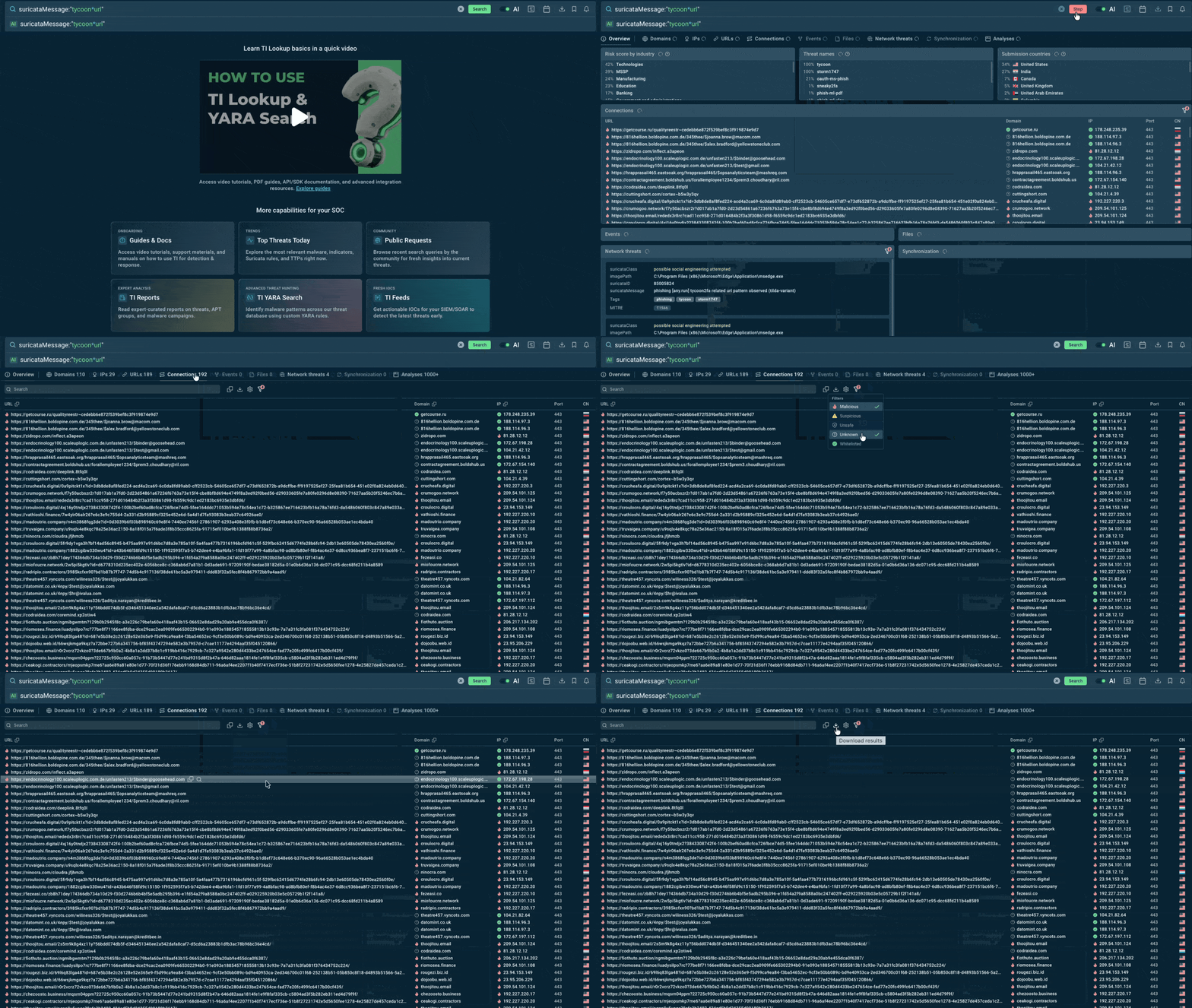
Connections show observable relationships in ANY.RUN data to help you build and validate a hypothesis. Threat Intelligence Lookup
Narrow down the relevant observables
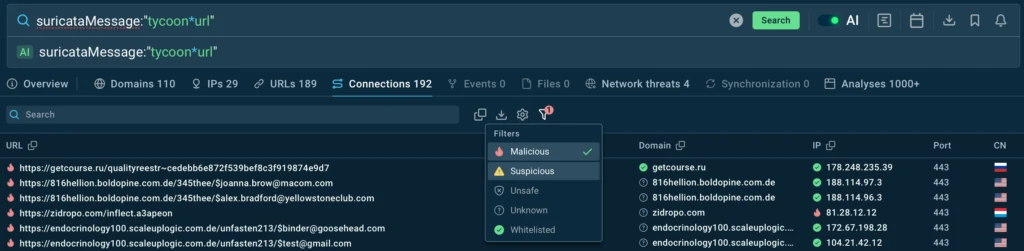
Whitelisted indicators are hidden by default, so the data you see is already pre-filtered to help you maintain focus on more relevant connections. Additionally, you can apply the Malicious filter and export the results as JSON.
Check the underlying infrastructure
If a URL is malicious, but its IP appears benign, this probably means that a shared infrastructure is being used, such as a CDN or reverse proxy. For example:
Cloudflare AS13335 — Captcha Reverse Proxy / Gateway
https://ipinfo[.]io/188[.]114[.]97[.]3
If both the URL and IP are marked malicious, this most likely points to VPS or hosting infrastructure used by threat actors, for example:
HostPapa AS36352 — VPS Service
https://ipinfo[.]io/23[.]94[.]153[.]149
Put the findings to work
The resulting IOC set can be now used for retrospective hunting in SIEM/NDR to identify previous activity involving the same infrastructure, as well as for blocking on perimeter firewalls to reduce the risk of further communication with known suspicious infrastructure.
Use Case #2. Validating Threat Hunting Hypotheses
While working with a TI Report or an Interactive Sandbox analysis session, you notice that after downloading the payload, the malware established a C2 connection over the non-standard port 1337. Based on that, you come up with a hypothesis: all samples with similar behavior may be tied to common infrastructure.
To confirm or disprove this hypothesis, you need to start with a Threat Intelligence Lookup query for the observed behavior, in this case, MITRE T1105 and destination port 1337.
You can use AI-powered search and just list the desired TTP and port number without using proper syntax:

MITRE:”T1105″ AND destinationPort:”1337″
Explore the related infrastructure
In Connections, you can see the number of unique addresses, their reputation, geographic context (in CN tab marking the country of submission), and potential C2 infrastructure:
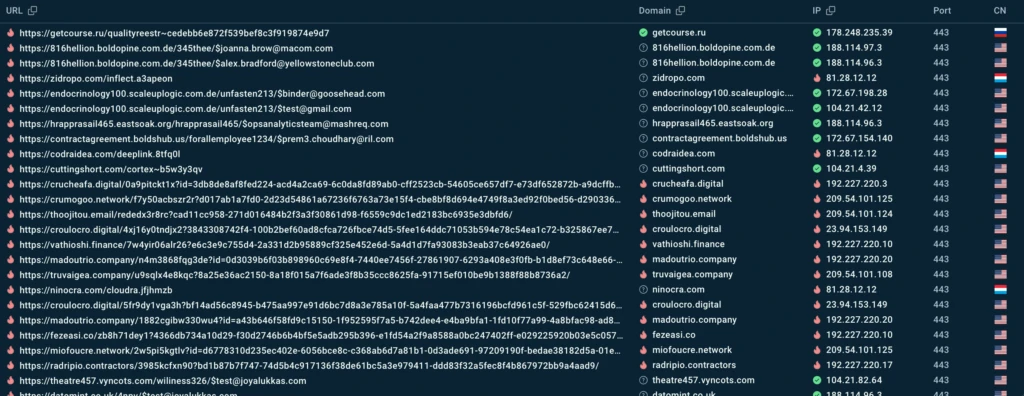
To confirm or disprove the hypothesis, all you need to do is collect network IOCs and check them in your corporate SIEM. From the results, you can make an evidence-based conclusion.
Pivot to Interactive Sandboxing
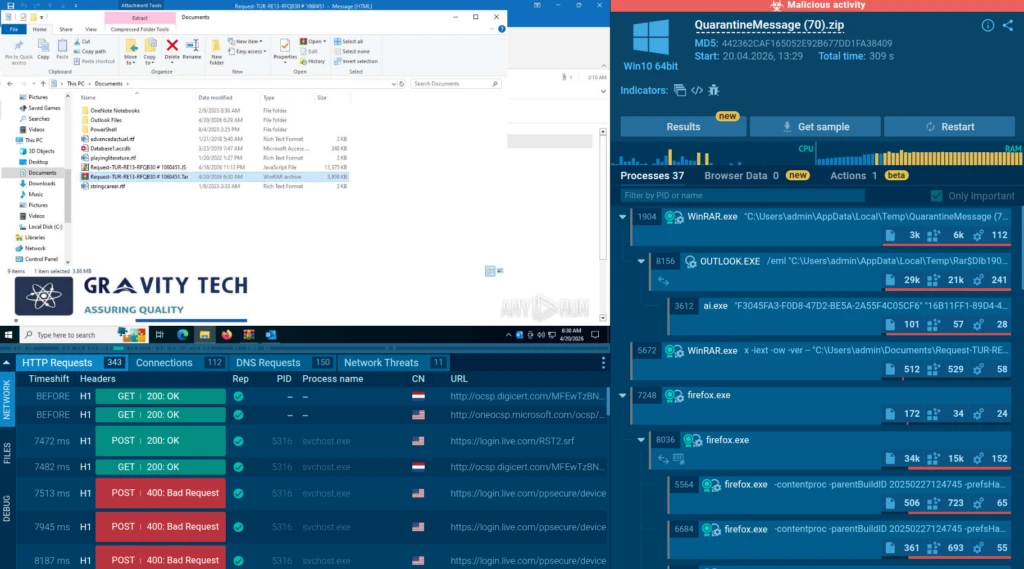
To further validate your hypothesis, open the Analyses tab and review related sandbox sessions. Select a sample to see how the attack unfolds and compare its behavior with the activity you initially observed.
One of the samples in our TI Lookup results leads to a Sandbox analysis of a malicious script delivered via a user-opened ZIP file. Here, we can see the attack unfold — from scheduled-task persistence to system enumeration and potential data exfiltration.
Submitting your findings
If your hypothesis was confirmed, pass the findings and context to the detection & security engineering team to create new detection rules. They will contribute to your organization’s proactive security posture.
Use Case #3. Reverse URL Search Across Domain Patterns
We investigate phishing campaigns. We’re particularly interested in domains related to brands, CTAs, and social engineering elements.
When investigating phishing campaigns, you may need to find domains related to brands, CTAs, and social engineering elements.
You also need to enrich them with context to understand which URLs were observed, which IPs they resolved to, their reputation, and finally, which IOCs can be used to expand detection coverage.
This may sound like a lot, but with TI Lookup, this can be done fast.
Build a query for the required threat, for example, DocuSign-related activity:
And you can check the dedicated Domains, URLs, and IPs tabs to explore related observables.
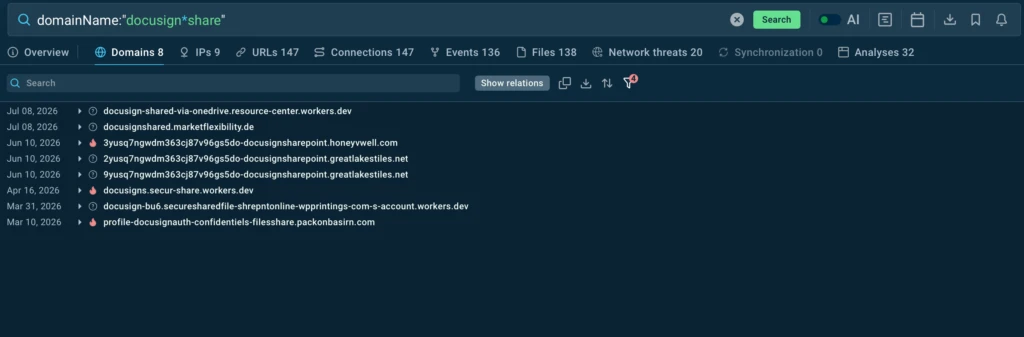
To see connections between them, click Show relations for a full breakdown:
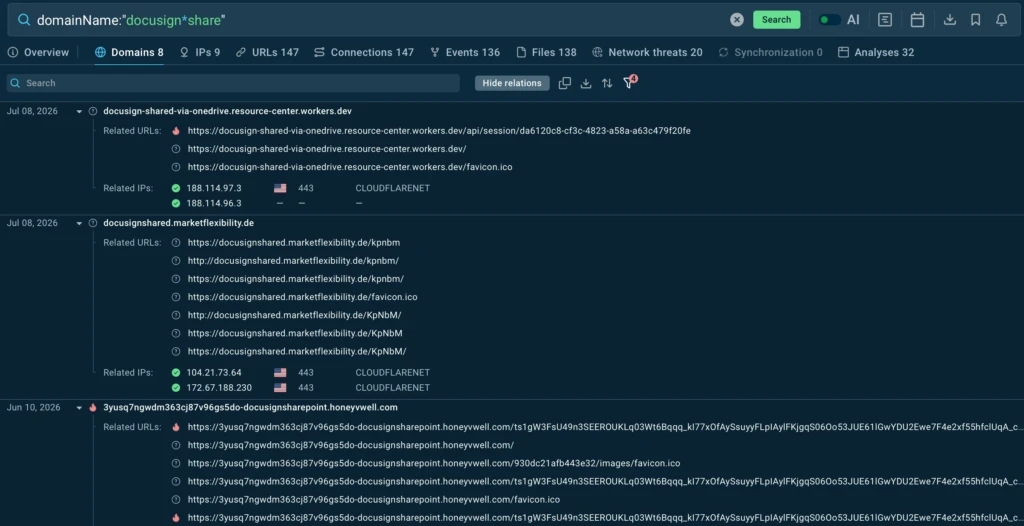
This significantly accelerates the search and analysis of related IOCs by bringing the relevant network context into a single workflow.
Use the relevant IOCs to expand detection coverage and support further investigation of the phishing campaign.
Use Case #4. For DFIR Analysts: Gathering C2 Infrastructure of Mirai
The alert triage team has passed you a confirmed incident related to Mirai. Your goal is to collect additional IOCs, find related URLs and IPs, and determine the scale of the threat.
Once again, you start the investigation with what’s known. Browse the confirmed threat in TI Lookup to find relevant threat intelligence and associated infrastructure:
Narrow down the result by applying the Malicious filter:
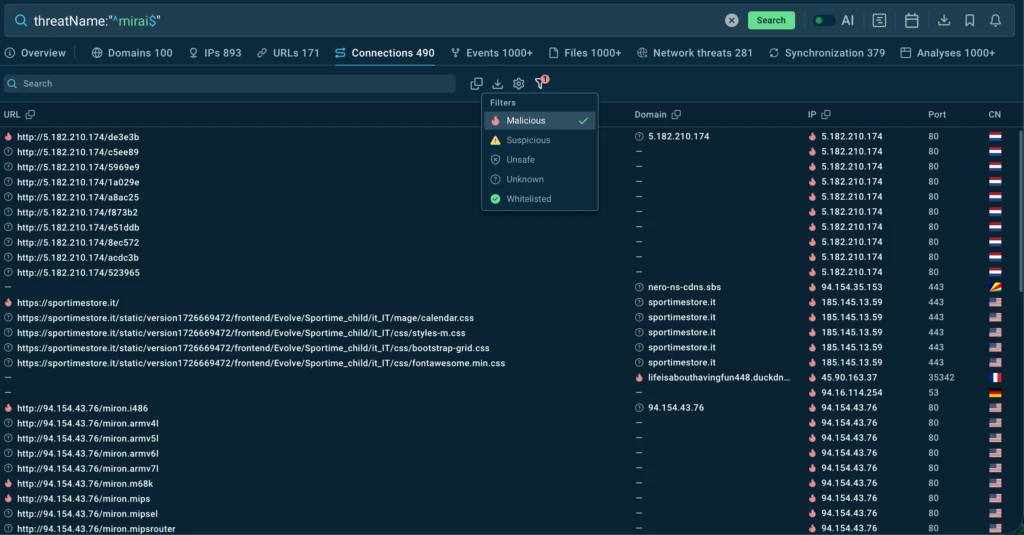
Collect the clean list of observables, including related URLs and IP addresses, and export the results:
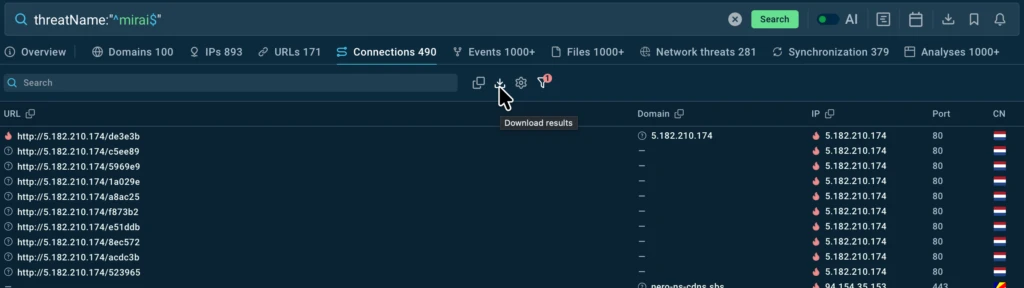
Pass the resulting IOC set to the detection & security engineering team for retrospective hunting and to expand threat detection coverage.
The team now has all data needed to update playbooks and detection rules based on collective threat intelligence from 16K+ SOC teams.
Operational Impact for Security Teams
- Reduce manual investigation effort by spending less time switching between sources and correlating network infrastructure data.
- Move faster from intelligence to action by turning TI findings into observables ready for retrospective hunting, blocking, or handoff to detection & security engineering.
- Make investigations more consistent and repeatable by bringing relationships, reputation data, and filtering into a unified workflow with exportable results.
- Streamline cross-team handoffs by reducing the need to recollect and repackage data between threat hunting, DFIR, and detection engineering teams.
- Increase team throughput by enabling analysts to handle more investigations without a proportional increase in manual effort.
Conclusion
Effective threat intelligence and proactive threat hunting are about turning threat data into action. With ANY.RUN Threat Intelligence, security teams can investigate malware and phishing activity, validatehunting hypotheses, uncover related infrastructure, collect actionable IOCs, and use those findings to strengthen detection and response.
About ANY.RUN
ANY.RUN fits into modern SOC workflows, integrating with existing security processes and supporting operations across teams. This includes safely detonating files and URLs to expose malicious behavior, enriching investigations with broader threat intelligence, and applying continuously updated intelligence to support faster, more informed decisions.
Today, more than 700,000 security professionals and 16,000 organizations use ANY.RUN to accelerate investigations, reduce unnecessary escalations, and strengthen their defenses against evolving malware and phishing threats.
For the latest threat research, real-world attack analysis, and investigation insights, follow ANY.RUN on LinkedIn and X.
FAQ
What is proactive threat hunting?
Proactive threat hunting is the process of searching for threats before they trigger traditional security alerts. It uses threat intelligence, behavioral data, and IOCs to identify potentially malicious activity.
How does ANY.RUN support threat hunting?
ANY.RUN Threat Intelligence helps analysts investigate malware and phishing threats, explore related infrastructure, validate hypotheses, and collect actionable IOCs.
What is ANY.RUN Threat Intelligence Lookup?
Threat Intelligence Lookup is a search solution for investigating threats using indicators, behaviors, network data, and other threat intelligence collected through ANY.RUN.
How can threat intelligence improve malware detection?
Threat intelligence provides additional context around malware behavior, infrastructure, and related observables. Security teams can use these findings to improve detection rules and expand coverage.
Can ANY.RUN help investigate phishing attacks?
Yes. Analysts can use ANY.RUN to investigate phishing URLs, domains, IP addresses, infrastructure, and related indicators to better understand phishing campaigns.
How can IOCs be used in SIEM and NDR?
Relevant IOCs can be checked against SIEM and NDR data for retrospective threat hunting and signs of previous malicious activity. Validated findings can also support new detections and response actions.
How does threat intelligence help SOC teams?
Threat intelligence helps SOC teams reduce manual investigation, validate threats faster, and turn findings into actionable data for detection and response.