
The message looks harmless — a wedding invitation, a shared card, a document someone wants yo 2026-7-3 03:23:59 Author: pixmsecurity.com(查看原文) 阅读量:5 收藏
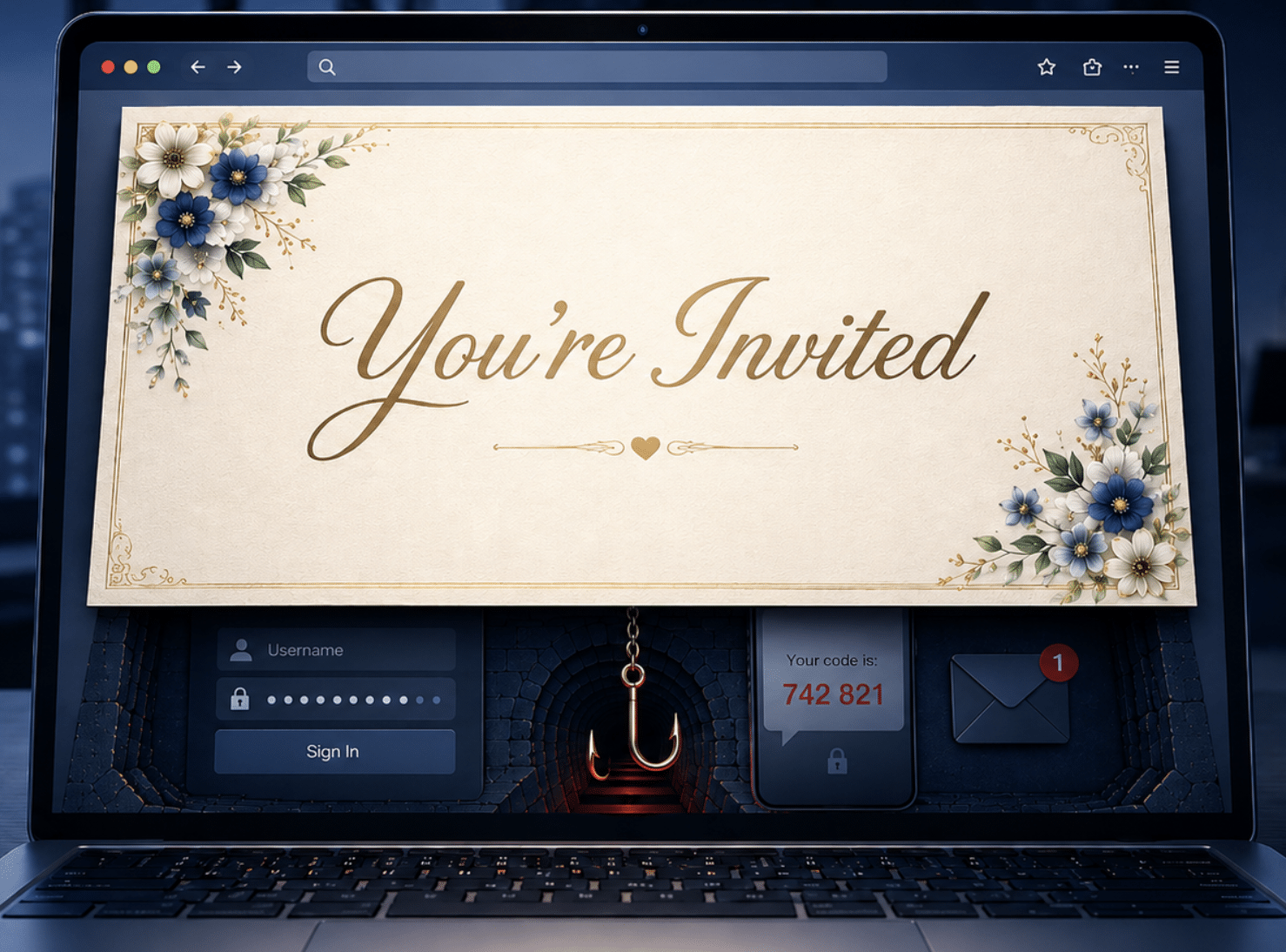
The message looks harmless — a wedding invitation, a shared card, a document someone wants you to see. It’s wedding season after all. Better yet, it arrives from a name you recognize: a colleague, a client, a friend. That is the whole trick. The social-invite phish is engineered to look like the least threatening thing in your inbox, and it is precisely that disguise that carries it past the layered defenses a corporate security team spends its budget on. We have tracked this technique in enterprise browsers continuously for more than two years — from early 2024 through last week — and while the consumer press treats it as a personal-inbox nuisance, what we see is a credential-and-OTP harvester wearing a costume built to flank the enterprise stack.
The lure, in brief
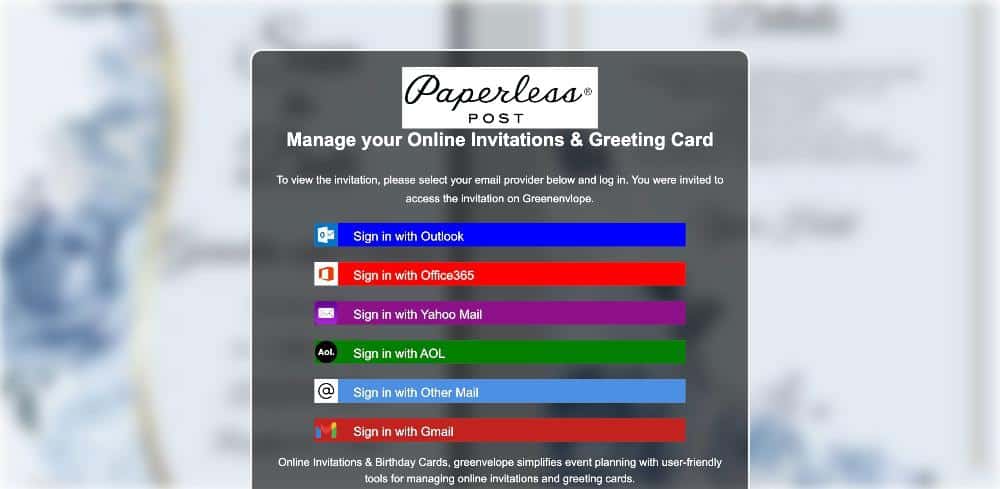
The kit skins itself as a real service — Paperless Post, Punchbowl, Greenvelope, Adobe Document Cloud, Evite — and the wrapper rotates constantly while the machinery underneath stays identical. Click “view invitation” and it asks you to pick your email provider (Outlook, Office 365, Yahoo, AOL, Gmail), then presents a login box. Enter your password and it returns “Incorrect Password” on purpose, farming a clean second attempt. Then it asks for the one-time code “sent to your phone,” sometimes on a five-minute countdown to rush you.
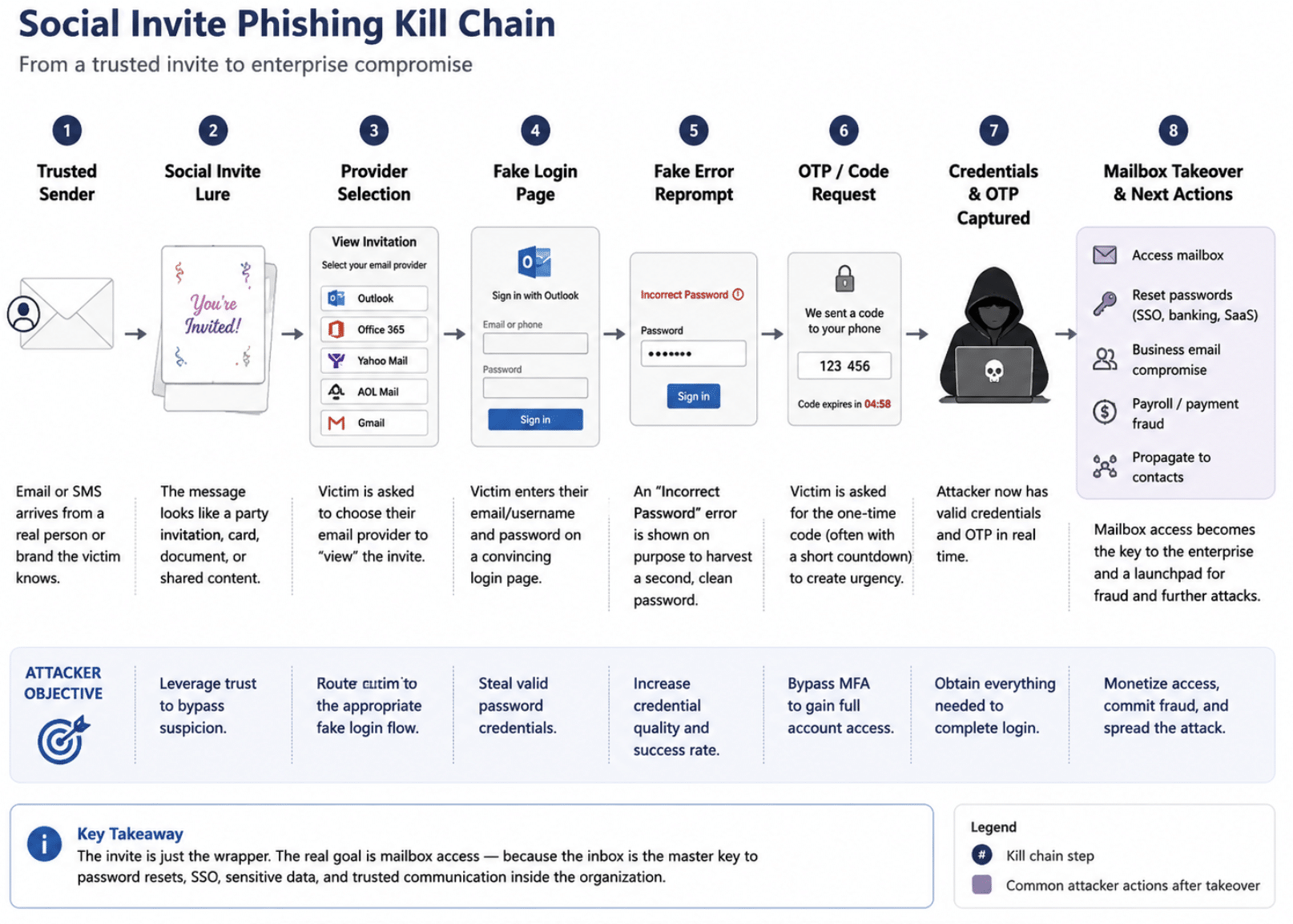
Social invite phishing kill chain
We documented the full mechanics — the multi-provider harvester, the fake-error reprompt, the CAPTCHA concealment — in our recent brief on trusted-infrastructure abuse. This post is about the part that reporting keeps missing: why a scam this simple is a corporate problem.
Why it flanks corporate defense
Most credential phishing gets caught because something in the delivery or the destination looks wrong. The invite lure is built so that nothing does. Layer by layer, the enterprise stack is neutralized:
| Control | Why it fails here |
|---|---|
| SPF / DKIM / DMARC | The mail is genuinely sent from a real, compromised mailbox on a legitimately authenticated domain. Authentication passes because the sender is authentic — it just isn’t the person you think. |
| Secure email gateway / sender reputation | The sender is a known, trusted contact — often a colleague, vendor, or customer already in your address book. Reputation is spotless. |
| URL reputation / blocklists | The landing pages sit on freshly registered, disposable-TLD domains fronted by Cloudflare. No history to score, and the real origin stays hidden behind Cloudflare’s edge. |
| Sandbox / URL detonation | Some variants gate the page behind a genuine Cloudflare “Verify you are human” managed challenge. Automated crawlers and email-security sandboxes cannot solve it, so they never render the phish. |
| Multi-factor authentication | The kit captures the one-time code alongside the password. The OTP step is not an afterthought — it is the feature that walks the stolen login straight past MFA. |
There is one more evasion that has nothing to do with technology: the channel. These lures arrive over SMS and personal webmail as readily as corporate email, and they target consumer providers (Yahoo, AOL, Gmail) right alongside Office 365. So the message frequently reaches the employee on a personal phone or a BYOD device — outside the monitored perimeter entirely, where the gateway and the endpoint agent have no visibility at all. The employee is mentally “at work” on a channel the security team cannot see.
What the attacker actually gets
Nobody is after your RSVP. The email account is the product, because an inbox is the master reset key to everything else and a trusted relay for the next attack. Once an employee’s mailbox is taken:
- Single sign-on falls with it. The “Sign in with Microsoft” option in these kits is a direct line to the corporate tenant — Teams, SharePoint, OneDrive, Azure. One harvested Office 365 login can unlock the estate. Even personal credentials feed credential-stuffing against corporate SSO, since password reuse bridges the two.
- The inbox resets every other password. With mailbox access, an attacker runs “forgot password” flows across banking, payroll, and SaaS. Reporting on this campaign documents victims losing thousands of dollars once their email fell.
- It becomes a beachhead for fraud. Business email compromise, invoice redirection, and payroll/direct-deposit changes all become trivial when the request comes from a real internal address. We have seen this land in an enterprise: a compromised faculty mailbox at a large university was used both to send further invitation lures and, in a related credential theft, to redirect direct-deposit payroll.
- It propagates itself. After harvesting an employee’s login, the attacker uses that hijacked mailbox to push the invite to the victim’s contacts. As one victim’s case documented, scammers “had taken control of her email account and were using it to message her entire contact list.” The next wave, again, comes from a trusted, real sender — now inside your org.
What we see in the data
This is not a flash campaign. In PIXM’s browser telemetry the invitation family has run without interruption since early 2024, cycling through a near-endless supply of throwaway domains — .de, .es, .nl, .vu, .sbs, .cfd, .one, .top — with the hosting increasingly tucked behind trusted infrastructure providers. The brand on the front changes; the harvester behind it does not. The infrastructure is commodity — consistent with a shared, rented invite-phishing kit rather than a single named threat group — and we make no actor attribution here. External trackers reporting on the same wave have catalogued dozens of dedicated phishing domains active since late 2025, and the U.S. FTC issued a consumer alert in May 2026. The honest read: volume is still modest next to legitimate invite traffic, and the real risk is that it is underestimated, not that it is flooding your gateway.
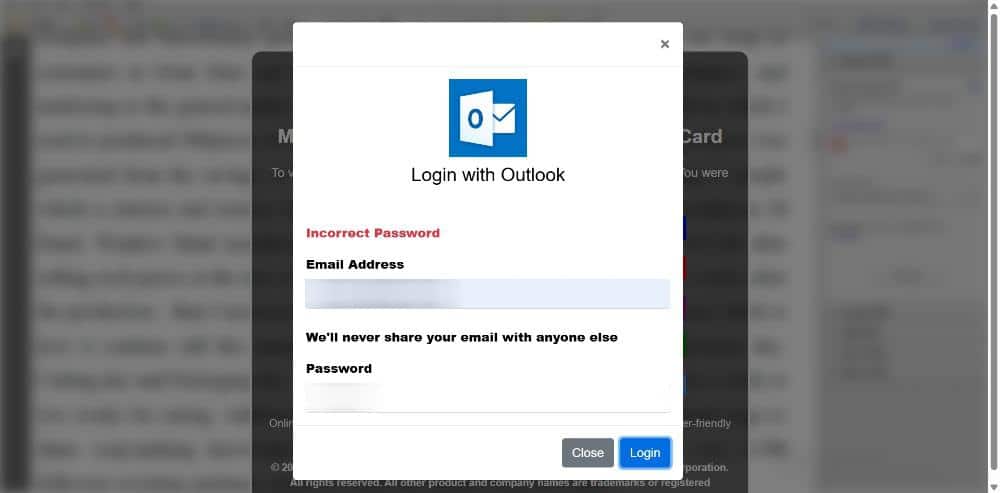
The same kit’s fake “Incorrect Password” error, designed to capture a second, clean password entry.
What to do
- Assume the OTP is a target, not a safeguard. A login that returns “incorrect password” and then asks for a texted code is harvesting both. Move to phishing-resistant MFA — FIDO2 security keys or passkeys — that a fake OTP prompt cannot relay.
- Extend the rule beyond the gateway. A link that reaches an employee by SMS or personal webmail never touched your email controls. Reinforce the one tell that always holds: real invitation and document services never make you log into your email to view a card or file.
- Treat a trusted sender as a claim, not a fact. Delivery from a known contact is exactly what this technique manufactures. Authentication passing is not the same as the person being who you think.
- Judge the page, not the domain. Reputation, TLS, a genuine CAPTCHA, and a cloned login are all trust cues this attack borrows. PIXM’s browser extension uses computer vision to evaluate what a page looks like and how it behaves at the point of click — catching the harvester the moment it renders, regardless of who appeared to send it or where it is hosted.
If you are interested in seeing how PIXM can help prevent attacks like these for your organization, book a demo here: pixmsecurity.com/request-demo/
如有侵权请联系:admin#unsafe.sh