
It didn’t start with an email. The user clicked a Facebook ad — a sponsored post that looked 2026-6-25 15:36:11 Author: pixmsecurity.com(查看原文) 阅读量:2 收藏
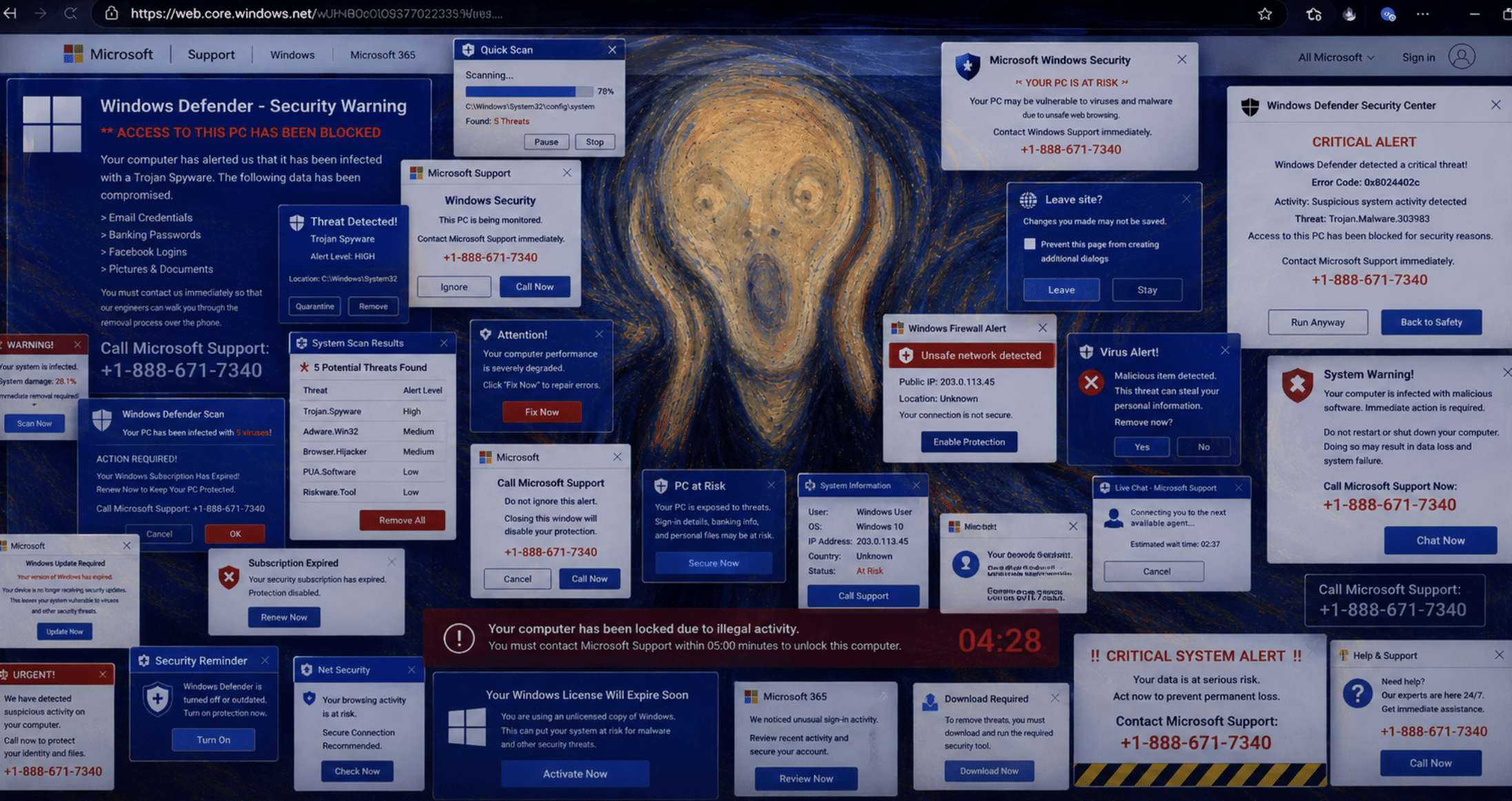
It didn’t start with an email. The user clicked a Facebook ad — a sponsored post that looked routine — and a tab opened to what looked like an official Microsoft Support page. Within seconds the browser locked up: a dialog they couldn’t dismiss, a fake security scan reporting “1,200 threats,” and their own city and IP address staring back at them — “Your device has been blocked due to illegal activity by the State of Ohio. Contact Microsoft Windows Support: +1-888-671-7340.” The page was hosted on Microsoft’s own Azure cloud. It never asked for a password. It didn’t need to.
That single page is a doorway into one of the most damaging scams online. Tech-support fraud cost victims $1.46 billion in 2024 — the third-costliest category of cybercrime the FBI tracks — and it falls hardest on older adults, who shoulder the bulk of those losses, often tens of thousands of dollars at a time. And it’s accelerating: PIXM has recorded a 5x uptick in such scams in 2026 compared to 2025.
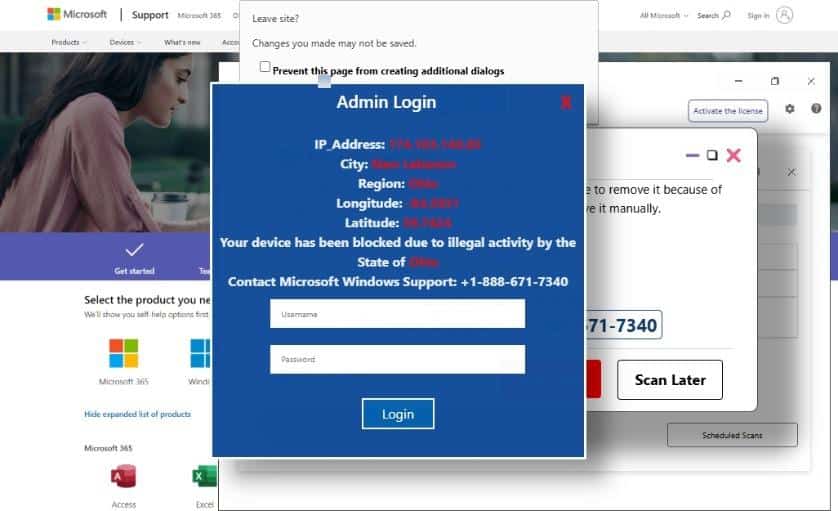
A fake Microsoft Support page: a fake scan, a browser-lock dialog, the visitor’s real geolocation, and a support phone number — all at once.
How it works
The scam uses a series of techniques to produce a feeling of panic in the user. While these vary somewhat across campaigns, they typically include the below sequence.
- The bait. These arrive through paid ads and poisoned search results, not email — Facebook outran Google roughly 3-to-1 in our data. One click is all it takes.
- The lock. The page hijacks the browser — flooded “Leave site?” dialogs, forced fullscreen, a back button that won’t work. The page you can’t close.
- The scare. A fake antivirus scan, a counterfeit Windows Defender “CRITICAL ALERT,” or a wall of kernel-integrity errors — visual theater designed to panic.
- The personal touch. Many pages display the visitor’s real IP, city, and region to make the threat feel specific and aimed at you. The geo-location also serves the user a scam number for a call center in the timezone.
- The exit. Every path leads to a phone number, and increasingly to a fake “Microsoft Support” live-chat window — we saw one on roughly 45% of pages. Call it, and a human in a call center walks the victim toward remote-access software or a payment.
The code behind it is short and unglamorous. The “personal touch,” for instance, takes no hacking at all — the page asks a free location service who you are, then prints your own city and IP into the scare:
fetch("https://ipapi.co/json/")          // ask a free "where am I?" service
  .then(r => r.json())
  .then(d => {                            // then print YOUR city + IP into the threat
    city.textContent   = d.city;
    region.textContent = d.region;
    ip.textContent     = d.ip;
  });

↑ The same code writes your location straight into the threat — the page even names your state to make it feel real and official. (We’ve cropped out the precise IP, city, and coordinates it also displayed.)
The “trap” is just as small. A few lines re-trigger the browser’s “Leave site?” prompt every time you try to close the tab and quietly disable the Back button — so a panicking user feels stuck and reaches for the phone:
window.onbeforeunload = () =>            // re-pop "Leave site?" on every exit attempt
  "Changes you made may not be saved.";
history.pushState(null, "", location.href);
onpopstate = () =>                       // and neutralize the Back button
  history.pushState(null, "", location.href);
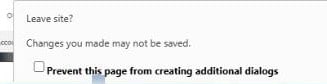
↑ The result: the “Leave site?” dialog that won’t go away. onbeforeunload re-pops it on every attempt to close the tab.
Why trap the tab? The lock does three things at once. It manufactures urgency — every second the alarms blare, it feels like damage is happening right now. It removes the easy way out — you can’t simply close the page and move on, so the only exit on offer is the attacker’s phone number. And it isolates you in the moment, before you can step back, breathe, or ask someone whether any of this is real. The result: panic and only one way out.
So what happens on that call? A “technician” answers and walks the victim through installing a legitimate remote-access tool — AnyDesk, TeamViewer, or UltraViewer — which hands the scammer full control of the machine. From there the usual play is the “refund scam”: the scammer opens the victim’s online banking, fakes an accidental over-refund by editing the page or shuffling money between the victim’s own accounts, then pressures them to send back the “difference” in gift cards, cryptocurrency, or a wire transfer — payment rails chosen because they’re nearly impossible to reverse.
Why it beats traditional defense
The same properties that make it theatrical also make it slippery:
- Reputation says “safe.” The overwhelming majority of the pages we’ve analyzed were hosted on Microsoft’s own Azure infrastructure (
web.core.windows[.]net), complete with valid TLS. Domain-reputation engines see a Microsoft domain and wave it through. - The email gateway never sees it. It’s ad-delivered, so it bypasses email security entirely.
- There’s nothing to scan. No credential form, no malware, no exploit on the page itself — just HTML that looks terrifying. A credential-phishing detector finds no form to flag; antivirus finds no file. The page is, at the HTML level, benign.
It is pure visual social engineering, and the defensive gap sits exactly there: the page is dangerous because of what it looks like, not what it contains.
What to do
If you land on one of these pages, the page itself is theater: the alarms are images, the “scan” is a cartoon, and the “lock” is just a script running inside your browser. On its own it hasn’t installed anything or changed your system, and closing the browser ends it. The real danger starts only if you do what it asks — call the number, or (in some Windows versions) paste a “fix” it hands you into the Run box or PowerShell. That last step actually runs code on your machine, so never do it.
- Don’t engage. Don’t call the number, don’t type anything, and never let “support” connect to your machine remotely.
- Get out of it. Close the tab (Ctrl+W / Cmd+W). If the “Leave site?” prompt keeps reappearing, force-close the whole browser — Task Manager (Ctrl+Shift+Esc) → End task on Windows, or Force Quit (Cmd+Option+Esc) on a Mac — then reopen and decline “restore previous tabs.” A full restart always clears it. Real malware can’t trap a tab like this; a script can, and closing the browser ends the script.
- If you already called, paid, or granted remote access, act fast: disconnect from the internet, uninstall anything you were told to install, run a real Microsoft Defender scan, change passwords for anything sensitive, and call your bank’s real number (from the back of your card) if money changed hands.
For defenders and organizations:
- Stop treating cloud domains as trustworthy.
web.core.windows[.]net,herokuapp[.]com, and similar hosts are attacker-controllable; a Microsoft domain in the URL means nothing here. - Block the observed callback numbers and known browser-locker domains, and watch for ad-referred traffic landing on cloud-storage hosts.
- Detect at the layer where the attack actually lives — the rendered page. Because these scams carry no payload and abuse trusted domains, the only reliable signal is what the page looks like and how it behaves. PIXM’s computer vision flags a fake alert or browser-lock at the point of click, regardless of where it’s hosted or what its domain reputation says.
PIXM’s browser extension uses computer vision to detect phishing pages at the point of click based on what they look like and how they behave — independent of domain reputation. If you are interested in seeing how PIXM can help prevent attacks like these for your organization book demos at pixmsecurity.com/request-demo/.
如有侵权请联系:admin#unsafe.sh