The Flipper Zero was never really about “hacking” other people’s devices; its true value was hel 2026-5-20 20:46:4 Author: www.mobile-hacker.com(查看原文) 阅读量:50 收藏
The Flipper Zero was never really about “hacking” other people’s devices; its true value was helping owners understand how secure their own devices actually are. It allowed enthusiasts to find weak spots and think like a hacker to understand how an attacker might exploit or misuse common tech, like RFID cards, rolling codes, replay attack, bad USB, or remote controls.
But while the Flipper Zero is a fantastic starting point for learning cybersecurity, it has its limits. To do more advanced work, you often have to connect to extra hardware for things like Wi-Fi or stronger radio. This is why the Flipper One is such a massive leap – it isn’t just a sequel; it’s appears to be a full-blown pocket Linux computer.
The Hands-On Reality: It’s Massive
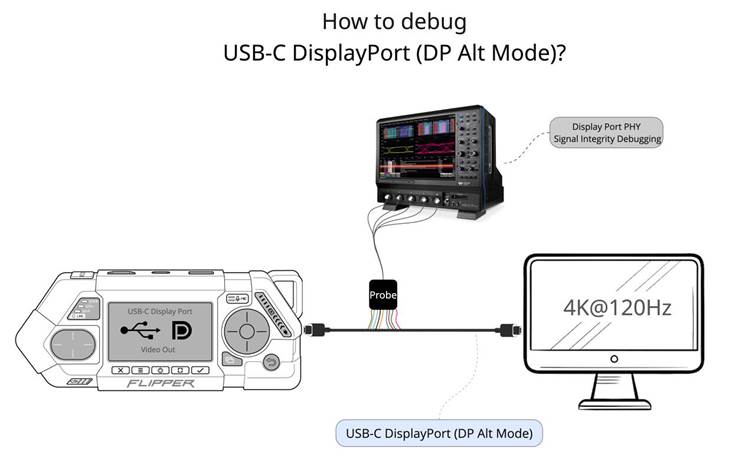
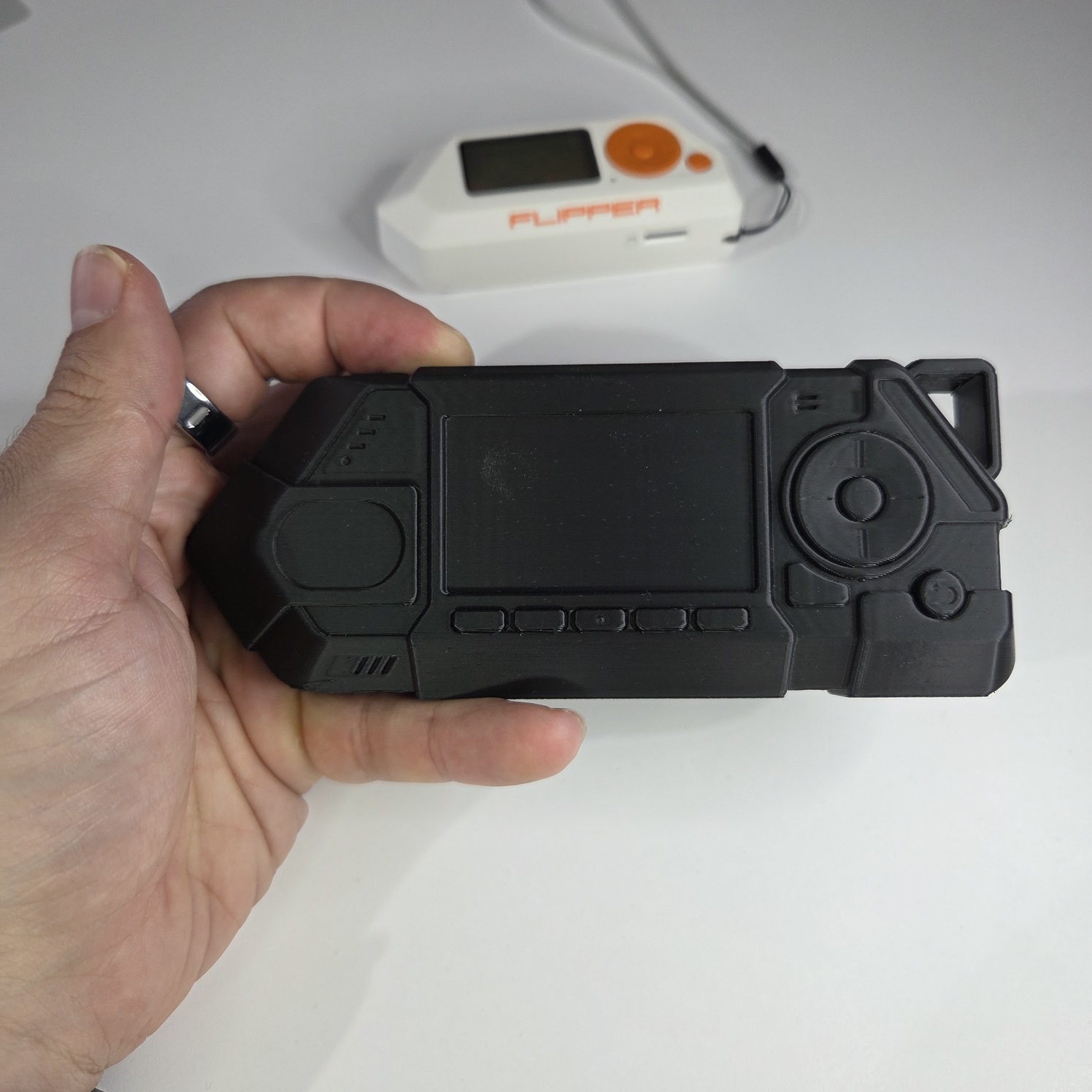
Since Flipper Devices published the full mechanical enclosure files for the Flipper One on GitHub, I couldn’t resist printing a prototype model to see how it actually feels next to the Flipper Zero. After holding the 3D-printed shell, my first takeaway is that the Flipper One is massive—it moves away from the “pocket toy” feel and is more like a chunky smartphone. It’s clearly designed for “field carry” on a lanyard or carabiner rather than just slipping into a jeans pocket.
What’s New in the One?
The One introduces a dual-processor architecture, where a secondary chip handles the interface and buttons while the main octa-core chip runs the heavy Linux workload. You also get much more sophisticated controls, including four function buttons, a dedicated joystick, and a capacitive touchpad with gesture support. Connectivity is a huge leap forward: it has onboard Wi-Fi and Bluetooth, so you don’t need to bolt on extra dev boards.
What is Missing from the Zero?
To avoid the regulatory bans, airport seizures and legal export issues that hit the Zero, the Flipper One removes built-in support for Sub-GHz, NFC, RFID, and Infrared. These radios are now moved to optional plug-in modules.
The Hardware: Flipper Zero vs. Flipper One
The biggest difference is the shift from a simple microcontroller to a full-blown Linux PC. While the Zero was built for simplicity, the One is built for power.
| Feature | Flipper Zero | Flipper One |
| Core Processor | STM32 Microcontroller | Rockchip RK3576 (Octa-core SoC) |
| Secondary MCU | N/A | Raspberry Pi RP2350 (or RP2040) |
| Operating System | Custom Firmware | Debian Linux (Debian 13) |
| Display | 1.4″ Monochrome (128×64) | 2.39″ Color (256×144) |
| Wi-Fi / Bluetooth | Optional (via Dev Board) | Built-in |
| Built-in Radios | Sub-GHz, NFC, RFID, IR | Wi-Fi and Bluetooth only |
| Expansion | GPIO Header | M.2 Key-B Slot + 24-pin GPIO |
| Ports | 1x USB-C | Dual Ethernet, Dual USB-C, USB-A |
| Width | 97.5mm | 152.6mm |
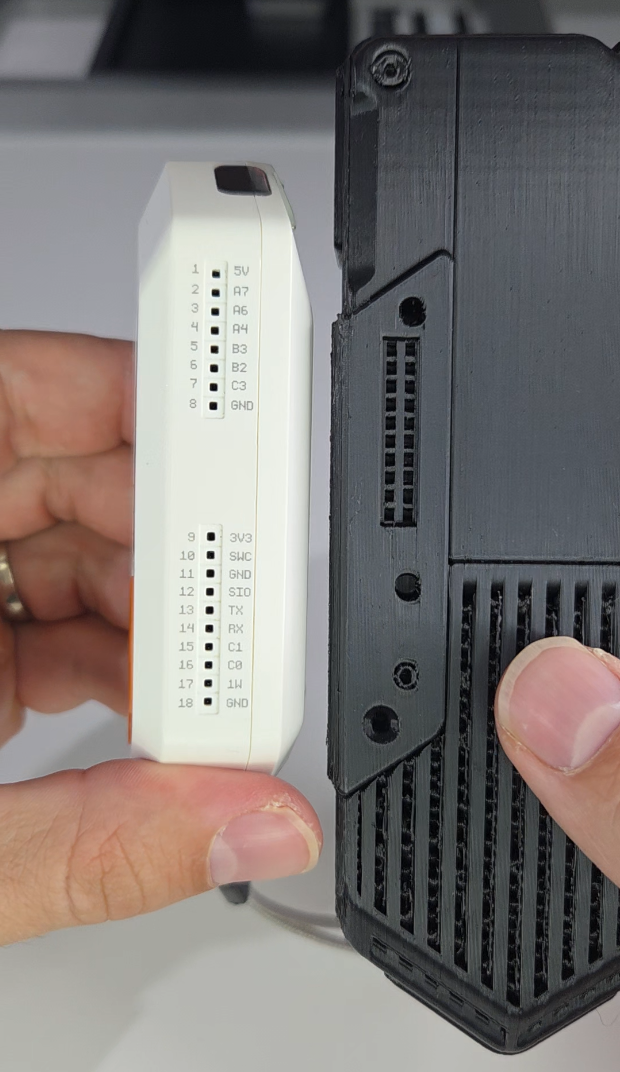
GPIO
The back of the Flipper One features an M.2 expansion port. This allows you to plug in exactly what you need for a specific job—like an LTE modem for cellular testing, an SDR card for radio analysis, or even extra storage. Since Flipper published the 3D files for the back plates, third-party makers can already start designing custom enclosures for their own modules.
The Software: Real Linux Power
The Flipper One runs Debian 13 Linux, which means it can run professional tools like tcpdump and nftables. There are plans for a custom “Flipper OS”—an immutable system similar to SteamOS that uses A/B partitions to ensure the device stays stable even if you’re experimenting with new apps. You could even potentially run a full Kali Linux environment, have SSH access or output your screen to a monitor via DisplayPort over USB-C.
USB‑C DisplayPort: One Cable, Full Desktop
Flipper One supports USB‑C DisplayPort Alt Mode, allowing it to drive an external monitor at up to 4K @ 120 Hz while charging over a single cable—effectively turning it into a portable Linux desktop.
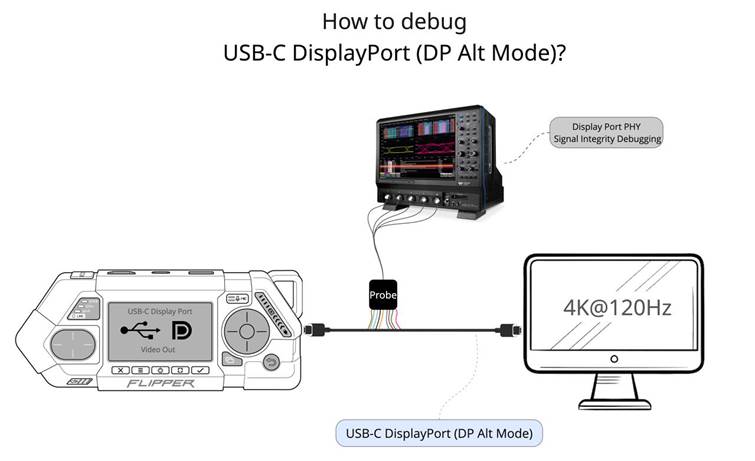
As shared by Flipper founder Pavel Zhovner in a Telegram update, this is a clear sign that the Flipper One is being built as a serious, plug‑in‑any‑monitor computer, not just a handheld gadget.
The Flipper One Mobile Ethernet Bridge
In a video shared on Pavel Zhovner’s Telegram channel, the Flipper One is shown acting as a mobile Ethernet bridge, connecting a wired Ethernet link directly to a smartphone over USB.
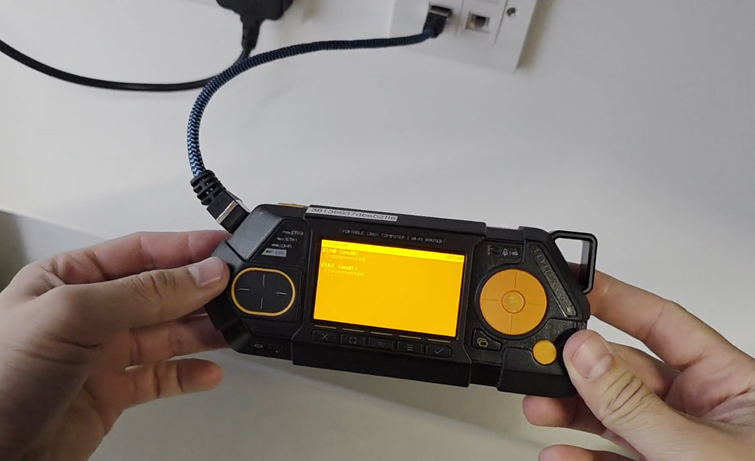
Using a dedicated expansion module, the Flipper One captures a physical Ethernet connection and exposes it to a phone as a USB network interface. This allows the smartphone to access high‑speed, low‑latency internet.

In practice, the Flipper One functions as a compact, multifunction Ethernet adapter, providing stable connectivity to phones or laptops when no traditional network hardware is available.
How Does the Flipper One Compare to the Alternatives?
The Flipper One’s real competition isn’t just the Flipper Zero, but DIY setups like a Raspberry Pi with dongles, small x86 mini‑PCs, or even a Steam Deck repurposed as a Linux machine. Those options can deliver similar or even higher performance, but usually at the cost of extra cables, peripherals, and a setup. The Flipper One stands out by integrating battery power, Linux, GPIO, modular M.2 expansion, and external display support into a single handheld device.
At the same time, its design can also inspire users to build their own cheaper, custom “Flipper‑One‑like” devices—using off‑the‑shelf boards, USB‑C displays, and expansion modules.
Release Date & Price
Right now, the Flipper One is still listed as “experimental” with no official release date. Rumors suggest we might see it as early as Summer 2026, though high memory prices are a major concern for the developers. Expect a price point between $300 and $500.
Stay Updated on Flipper One & Similar Hardware
If devices like the Flipper One interest you, don’t miss future updates. Subscribe to Sapsan’s newsletter to get notified when Flipper One becomes available to order, and to hear about new, similar portable hardware as soon as it’s announced. Subscribe to their newsletter and save up to 12%.
Final Thoughts: Upgrade or Stick With the Zero?
The choice comes down to how much power you actually need.
Why choose the Flipper One:
- Real Linux workstation in your hand
- Built‑in Wi‑Fi and Bluetooth
- Modular M.2 expansion for LTE, SDR, and more
Why stick with the Flipper Zero:
- Simpler and easier to use
- Truly pocket‑sized
- Significantly cheaper, especially without add‑ons
The Flipper One isn’t a replacement—it’s a different class of tool. And that’s exactly the point.
如有侵权请联系:admin#unsafe.sh