
好的,我现在需要帮用户总结这篇文章的内容,控制在100字以内,而且不需要用“文章内容总结”这样的开头。首先,我得通读整篇文章,理解其主要观点。 文章主要讨论了密码重置过程中的安全风险。作者指出,虽然IT团队在登录安全上投入了很多,但密码重置环节往往被忽视,这可能成为攻击者的目标。接着,文章分析了攻击者如何利用密码重置来提升权限,比如通过社会工程学、截获重置令牌等手段。 然后,文章提出了七种加强密码重置安全的方法:多因素认证、强化设备安全、实施强密码策略、教育用户和支持团队、定期审计和监控、实施最小权限原则以及避免基于知识的身份验证。 最后,文章提到了Specops软件提供的解决方案,帮助组织加强密码重置的安全性。 现在,我需要将这些要点浓缩到100字以内。首先强调密码重置的安全性问题,然后提到攻击者的手段和七种防护措施。最后可以简要提到解决方案。 可能的结构是:密码重置环节存在安全隐患,攻击者可能利用这些漏洞提升权限。文章提出了七种防护措施,并推荐使用Specops软件来加强安全性。 检查字数是否在限制内,并确保语言简洁明了。 </think> 文章探讨了密码重置环节的安全隐患及其对特权提升的影响,并提出七种防护措施:多因素认证、强化设备安全、强密码策略、用户教育、审计监控、最小权限原则及避免知识验证。同时推荐使用Specops软件加强安全性。 2026-3-19 14:15:18 Author: www.bleepingcomputer.com(查看原文) 阅读量:9 收藏

While IT teams invest heavily in login security, many don’t apply the same scrutiny to password resets. If the reset path is weaker than the authentication path, it becomes the logical target.
Once an attacker gains a foothold, their next step is resetting credentials tied to more valuable accounts. A poorly protected reset process can allow them to move through a network and assume higher privileges while blending in as a legitimate user.
Understanding the risks behind password resets is crucial, so we look at how attackers use password resets to escalate privileges and identify seven practical ways to close those gaps without slowing your team down.
How attackers escalate privileges through password resets
In many environments, the reset process sits slightly outside the robust controls applied to normal authentication. Rather than trying to break through hardened login defenses, attackers look for reset paths that are easier to manipulate. Common escalation paths include:
Compromised standard accounts: An attacker gains access to a low-privilege user, then explores reset options for higher-value accounts. This is especially dangerous where helpdesk tools or loosely scoped admin rights allow lateral movement.
Helpdesk social engineering: Attackers impersonate employees, claim they’re locked out, and push for urgent resets. Under pressure, inconsistent identity verification can lead to access being handed over.
Reset token interception: If email accounts are compromised, multi-factor authentication (MFA) relies on SMS, or recovery settings are misconfigured, attackers can capture reset links or one-time codes without knowing the original password.
Abuse of over-permissioned admins: Users with broad reset rights can, intentionally or otherwise, change credentials for accounts beyond their role, creating an escalation opportunity.
Seven ways to secure password resets
1. Require MFA
MFA is one of the most effective controls against privilege escalation through password resets. Requiring MFA for reset requests should be a baseline safeguard in any reset workflow. However, not all MFA methods offer the same level of protection. MFA solutions like codes sent via email and SMS aren’t infallible.
For high-value or administrative accounts, phishing-resistant MFA (such as FIDO2 or hardware-backed authentication) provides stronger protection against token interception. It reduces the effectiveness of token interception, SIM swapping, and credential phishing.
2. Strengthen device security
Password resets initiated from unmanaged or unknown devices create unnecessary exposure. Compromised endpoints, personal devices, or sessions originating from unusual locations all increase risk.
Where possible, limit reset approvals to trusted, managed devices and apply device posture checks. Block or step up verification for requests coming from new geographies or high-risk IPs. Identity alone isn’t enough. MFA validates the user’s identity, not the security posture of the device.
3. Enforce strong password policies
Password resets only improve security if the new password is actually strong. Organizations should enforce clear minimum length requirements, block common or breached passwords, and prevent users from recycling old credentials.
Complexity rules can help, but overly rigid requirements lead to predictable patterns and frustrated users. Passphrases alleviate this issue, as they’re harder to crack and easier for employees to remember.
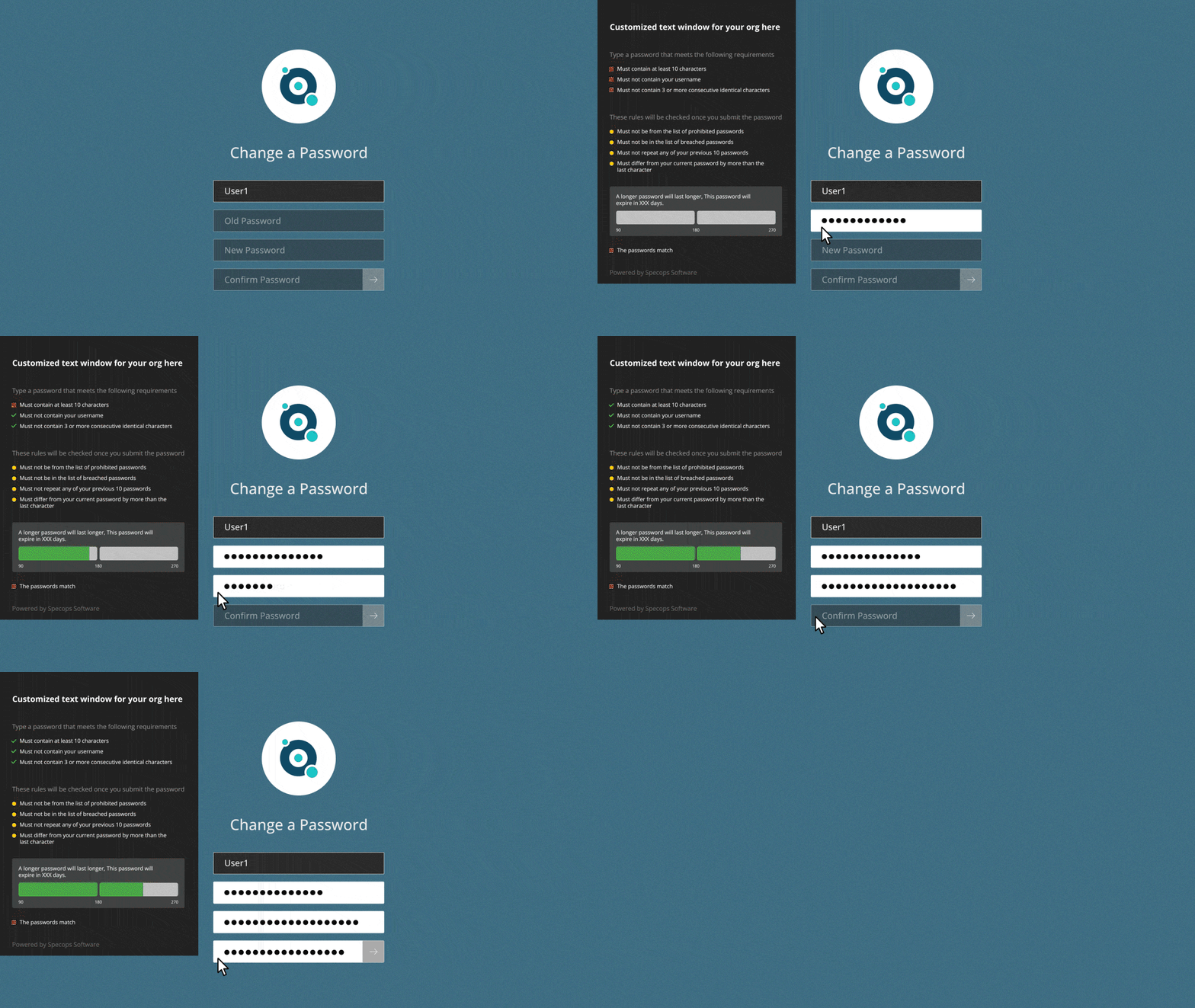
Solutions like Specops Password Policy help organizations apply stronger, more granular password requirements than those available through Microsoft’s native policies. It also continuously blocks more than 5.4 billion known compromised passwords through the Breached Password Protection feature, reducing the chance of attackers abusing legitimate credentials.
4. Educate users and support teams
Password resets are a frequent phishing target because attackers know urgency lowers caution. Train employees to recognize reset scams, suspicious MFA prompts, and unexpected recovery emails.
Helpdesk teams also need consistent identity verification procedures. Even in environments with self-service resets, a rushed approval can quickly become a privilege escalation path.
5. Run regular audits and monitor reset activity
Organizations should log and review reset requests, especially privileged accounts. Teams should monitor and have alerts for unusual patterns such as repeated attempts, out-of-hours activity, or resets coming from unexpected locations.
It’s also important to regularly audit who has permission to reset passwords for others. Overly broad access can create escalation opportunities that go unnoticed until exploited.
6. Implement least privilege
Applying least privilege helps limit escalation by ensuring users, including administrators, only have the permissions required for their role. That includes restricting who can reset passwords for others and separating high-privilege accounts from everyday user activity.
Privileged access should be tightly scoped, time-bound where possible, and regularly reviewed. The fewer opportunities attackers have to jump from one account to another, the harder it is for one reset to escalate into full administrative control.
7. Avoid knowledge-based authentication
Security questions and other “something you know” checks are no longer a reliable way to protect password resets. Answers are easier to guess as people share more information about themselves on social media. Use possession-based verification instead, such as secure MFA prompts or checks tied to trusted devices.
It’s here that Specops’ zero trust access solution Infinipoint helps by binding user identities to trusted devices, ensuring that authentication only succeeds from approved, enrolled devices.
How Specops can help
Securing password resets means protecting the full account lifecycle, from recovery through to ongoing monitoring. We help organizations reduce privilege escalation risk by strengthening reset workflows through Specops uReset.
Remote users can change their password from any location and at any time of day, whether on or off VPN. Multiple authentication options guarantee users can complete resets even if one identity provider is unavailable.

Our identity security products are designed to support IT teams with the expertise needed to keep access secure without adding unnecessary friction.
If you’d like to see how Specops can help secure your password resets, contact us today or book a demo to see our solutions in action.
Sponsored and written by Specops Software.
如有侵权请联系:admin#unsafe.sh