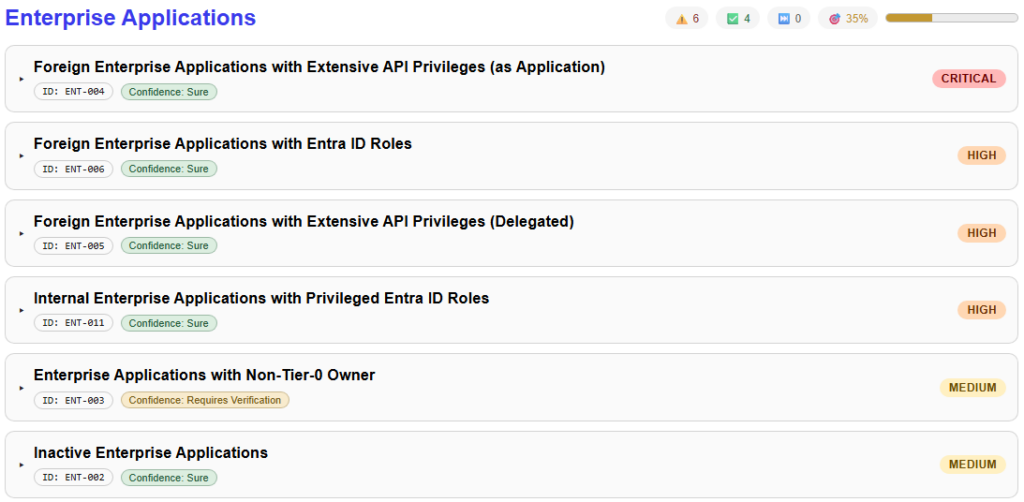
嗯,用户让我帮忙总结一下这篇文章的内容,控制在100个字以内,而且不需要用“文章内容总结”之类的开头。首先,我需要仔细阅读这篇文章,抓住主要信息。 文章主要讲的是EntraFalcon工具的更新,特别是新增的安全发现报告功能。这个报告整合了租户设置和基于对象的检查,生成结构化的安全发现,并且有60多个检查项、图表、过滤和导出功能。 接下来,我需要提取关键点:工具名称、更新内容、新增功能、检查数量、图表和交互性。然后把这些信息浓缩到100字以内,确保语言简洁明了。 可能会遇到的问题是如何在有限的字数内涵盖所有重要信息,比如工具的用途、新增功能的作用以及可用性。可能需要舍弃一些细节,比如具体的检查项或技术细节,以确保整体描述清晰。 最后,检查一下是否符合用户的要求:中文总结、100字以内、直接描述内容。确保没有使用禁止的开头语,并且信息准确无误。 </think> EntraFalcon工具新增安全发现报告功能,整合租户设置和对象检查,生成结构化安全发现并提供63项检查、图表和交互式过滤功能。 2026-3-17 09:34:23 Author: blog.compass-security.com(查看原文) 阅读量:25 收藏
TL;DR: We just released a big update for EntraFalcon. The new Security Findings Report adds an interactive HTML overview to EntraFalcon that consolidates tenant settings and object-based checks into structured security findings. Over 60 checks, graphical charts, filtering, export, and more options are now available.
Get it from: https://github.com/CompassSecurity/EntraFalcon
Following this post, we will publish a small blog series covering common Entra ID security findings that we frequently observe during assessments. The articles will examine specific issues in more detail and explain how they can be identified using EntraFalcon.
In April 2025, we released EntraFalcon, a tool intended to assist the community in reviewing Entra ID environments. Since then, we have used it in numerous security assessments. In parallel, development has continued with regular bug fixes, performance improvements, new features, and extended enumeration capabilities.
The tool is strongly object-focused (users, groups, enterprise applications, etc.) and provides predefined filters to help identify privileged objects and misconfigurations. This approach works well in smaller tenants but can become overwhelming in larger environments. In addition, beyond individual objects, weak configurations in tenant settings (for example, guest invitation settings) were previously not visible within the tool.
The Security Findings Report
We have now released a significant addition since last year’s launch: the Security Findings Report. The goal is to consolidate the collected data into a structured overview that highlights relevant security issues in a more direct and actionable way.
A key aspect of the Security Findings Report is that it builds on EntraFalcon’s detailed object enumeration and the relationships between those objects. This allows checks that go beyond the configuration of individual objects.
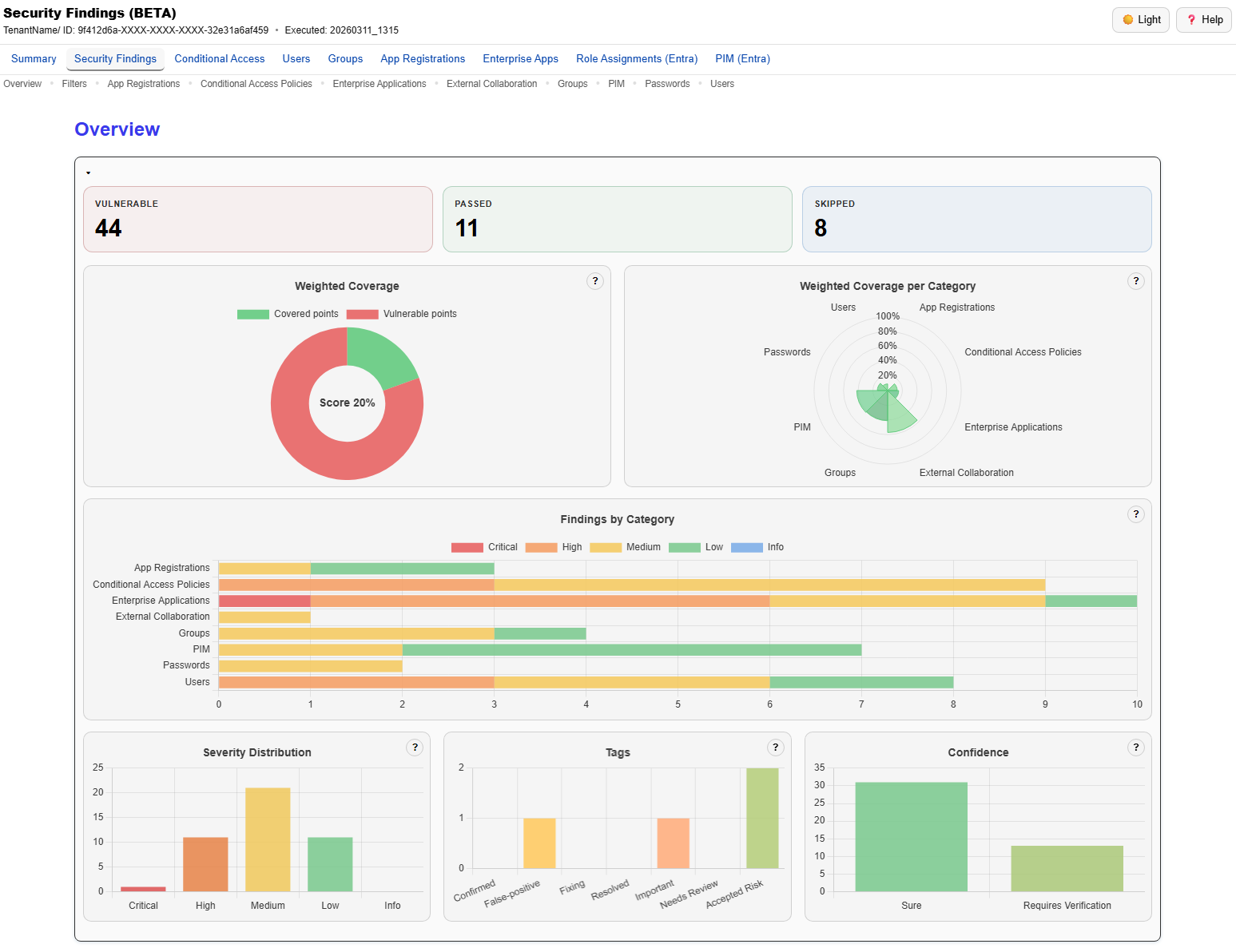
The top section of the report provides a graphical overview of the findings, including severity levels and affected areas. In addition, it offers a weighted score based on the severity of the issues, helping to prioritize remediation efforts. The charts update dynamically based on the applied filters and tags, always reflecting the current state of the remediation process.
Scope of the Checks
Currently, 63 checks are performed. These checks include weak tenant configurations such as:
- Permissive guest invitation settings
- Guest access restriction configurations
- User app consent settings
- Application creation settings
In addition to tenant-wide settings, EntraFalcon evaluates all enumerated objects to identify identities and resources with extensive permissions or risky configurations. This allows identification of issues such as:
- Foreign enterprise applications with dangerous or high API privileges
- Inactive enterprise applications
- Missing or misconfigured Conditional Access policies
- Privileged applications owned by non–tier-0 users
- Managed identities with extensive permissions in Entra ID
- Hybrid users with tier-0 Entra ID roles
- Unprotected high-tier groups
- Dynamic groups with potentially dangerous queries
- Public M365 groups
The implemented checks are not tied to a single external framework. Instead, they are based on our research, practical assessment experience, and what we consider reasonable security best practices observed across real-world environments.
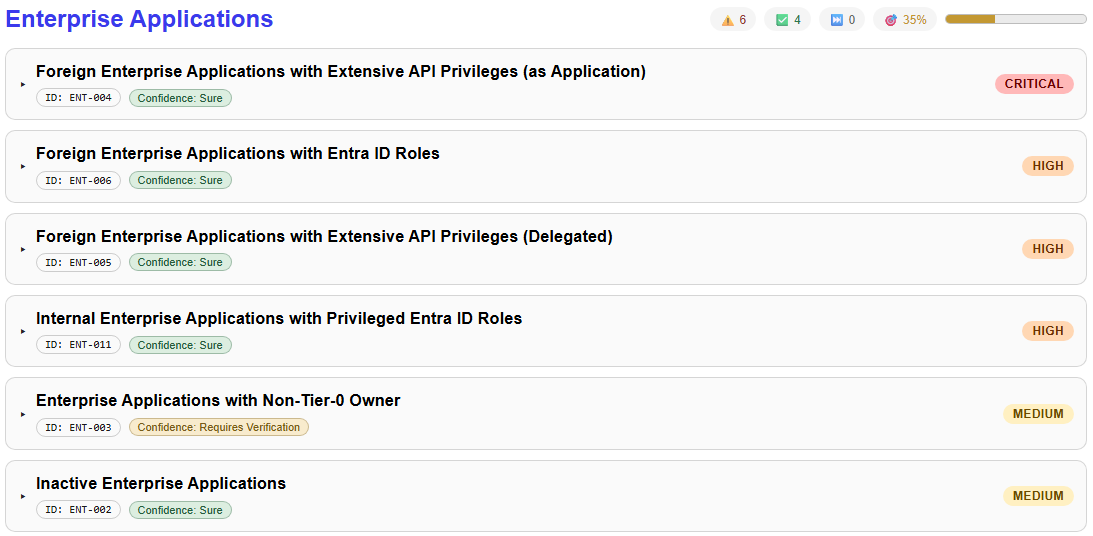
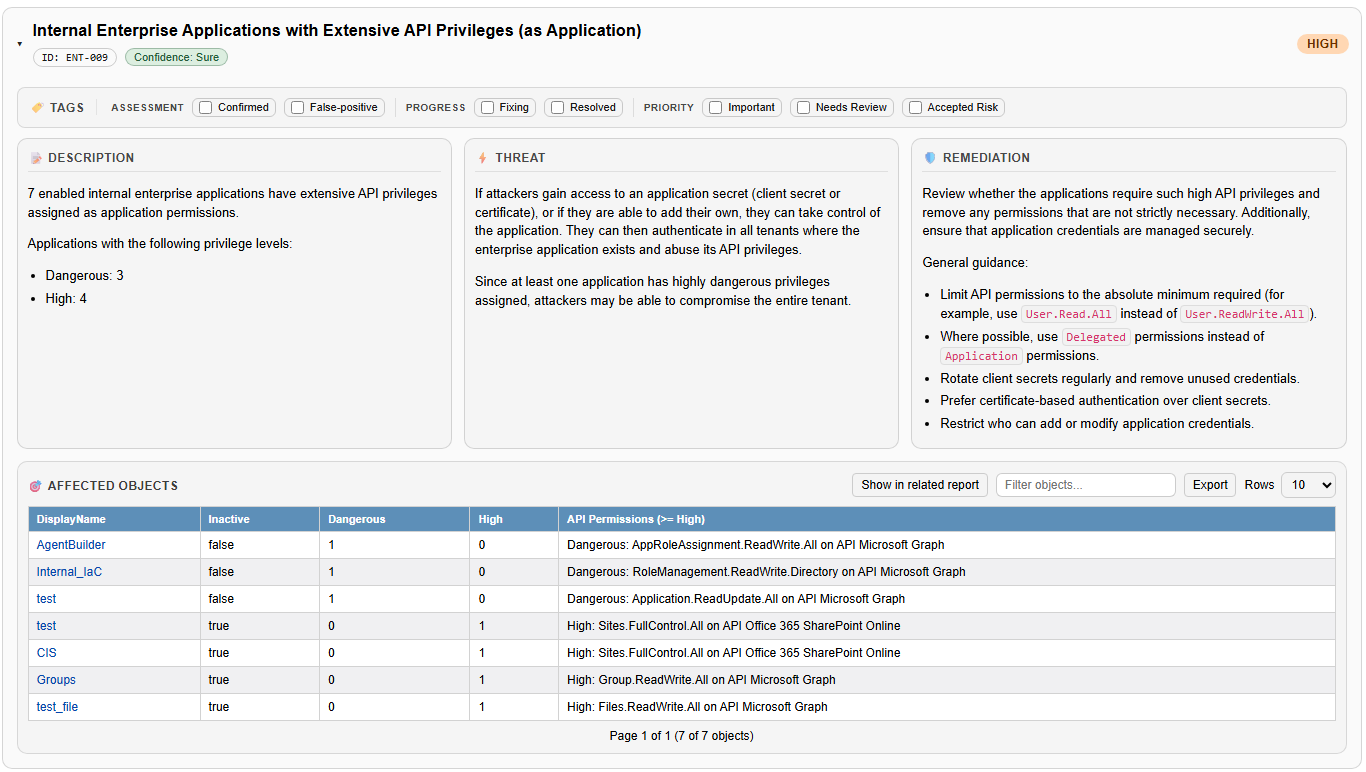
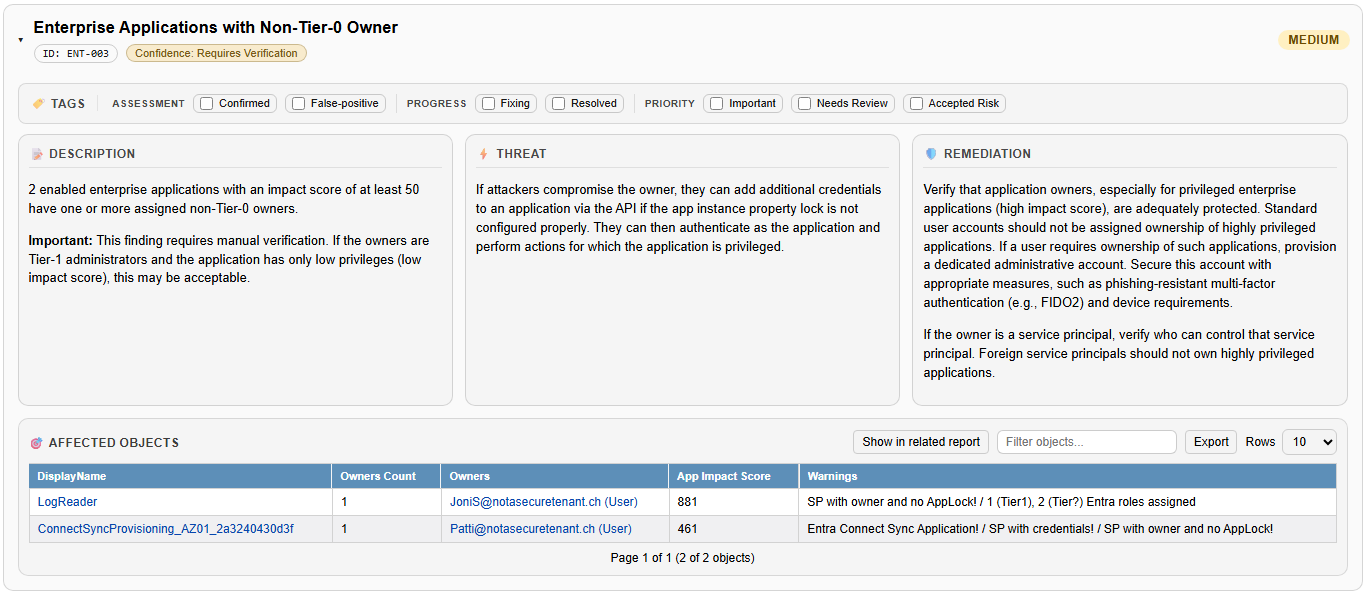
Each finding contains a description of the issue, an explanation of how it could be abused by attackers, and high-level remediation guidance. For findings that affect specific objects, all related objects are listed accordingly. As examples, two findings related to enterprise applications are shown below:
Working With the Report
The filter menu allows filtering, grouping, and searching across findings, and supports exporting the results as JSON, CSV, or PDF.
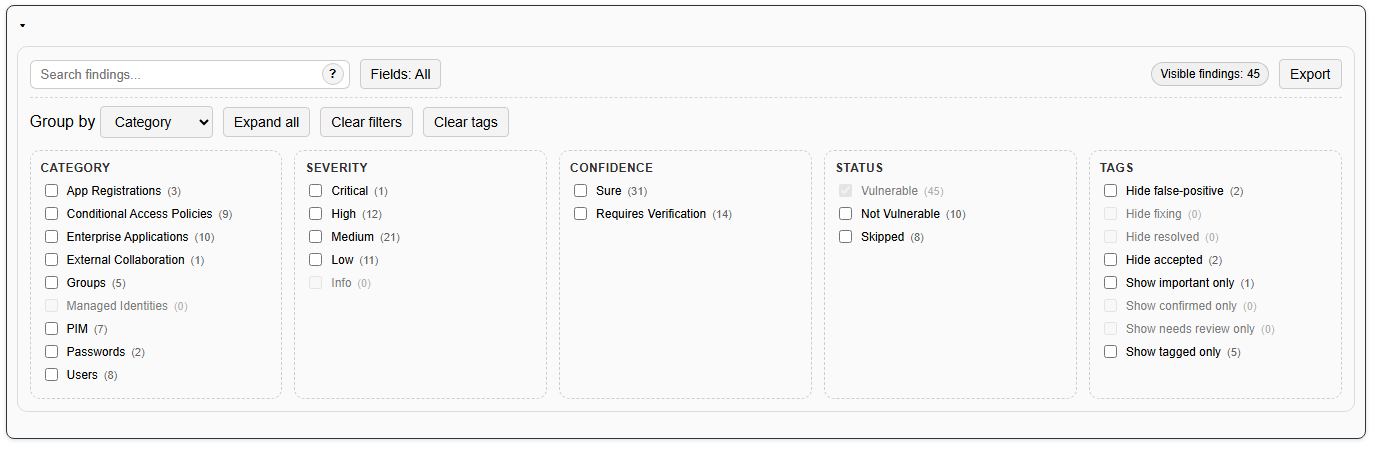
It is also possible to mark findings as false positives, important, fixed, or with similar tags. These attributes can be used during filtering, and come in handy in internal reviews and remediation workflows and are also included in exported results.
How To Get It
The tool and further instructions are available on our GitHub page: https://github.com/CompassSecurity/EntraFalcon
Please note that the Security Findings Report is currently in a beta state. Checks, scoring, and detection logic may evolve over time. The report will continue to improve over the coming months, and feedback is welcome, preferably through GitHub Issues.
如有侵权请联系:admin#unsafe.sh