嗯,用户让我用中文帮他总结一下这篇文章的内容,控制在100个字以内,而且不需要用“文章内容总结”之类的开头,直接写描述。首先,我需要通读整篇文章,抓住主要信息。 文章讲的是一个网络钓鱼活动,利用伪造的Google安全页面来传播恶意软件。这个恶意软件能窃取一次性密码、加密货币钱包地址,并将受害者的浏览器作为代理。攻击者使用了PWA(渐进式网络应用)和社交工程手段来欺骗用户。 PWA可以在浏览器中运行,并像独立应用一样安装。攻击者伪装成Google的安全服务,诱导用户授予权限并安装恶意PWA。这个恶意软件能窃取联系人、GPS数据、剪贴板内容,还能作为网络代理和端口扫描器。 此外,攻击者还诱导用户下载一个Android应用,进一步窃取更多数据。文章最后提醒用户不要相信来自网页的安全检查弹窗或安装请求,并提供了清除恶意软件的步骤。 现在需要把这些信息浓缩到100字以内。重点包括:钓鱼活动、伪造Google页面、PWA传播、窃取信息、代理功能、Android应用威胁以及防范建议。 可能的结构是:描述攻击手段和目的,然后提到相关技术如PWA和社交工程,接着是恶意软件的功能,最后是防范建议。 现在试着组织语言: “网络钓鱼活动利用伪造的Google安全页面传播恶意PWA应用,窃取一次性密码、加密货币地址,并将受害者浏览器作为代理。攻击结合社交工程和技术手段获取权限,在某些情况下还诱导安装恶意Android应用。” 这样大约70字左右,符合要求。 </think> 网络钓鱼活动利用伪造的Google安全页面传播恶意PWA应用,窃取一次性密码、加密货币地址,并将受害者浏览器作为代理。攻击结合社交工程和技术手段获取权限,在某些情况下还诱导安装恶意Android应用。 2026-3-2 20:30:18 Author: www.bleepingcomputer.com(查看原文) 阅读量:5 收藏

A phishing campaign is using a fake Google Account security page to deliver a web-based app capable of stealing one-time passcodes, harvesting cryptocurrency wallet addresses, and proxying attacker traffic through victims’ browsers.
The attack leverages Progressive Web App (PWA) features and social engineering to deceive users into believing they are interacting with a legitimate Google Security web page and inadvertently installing the malware.
PWAs run in the browser and can be installed from a website, just like a standalone regular application, which is displayed in its own window without any visible browser controls.
Victim browser becomes attacker's proxy
The campaign relies on social engineering to obtain the necessary permissions from the user under the guise of a security check and increased protection for devices.
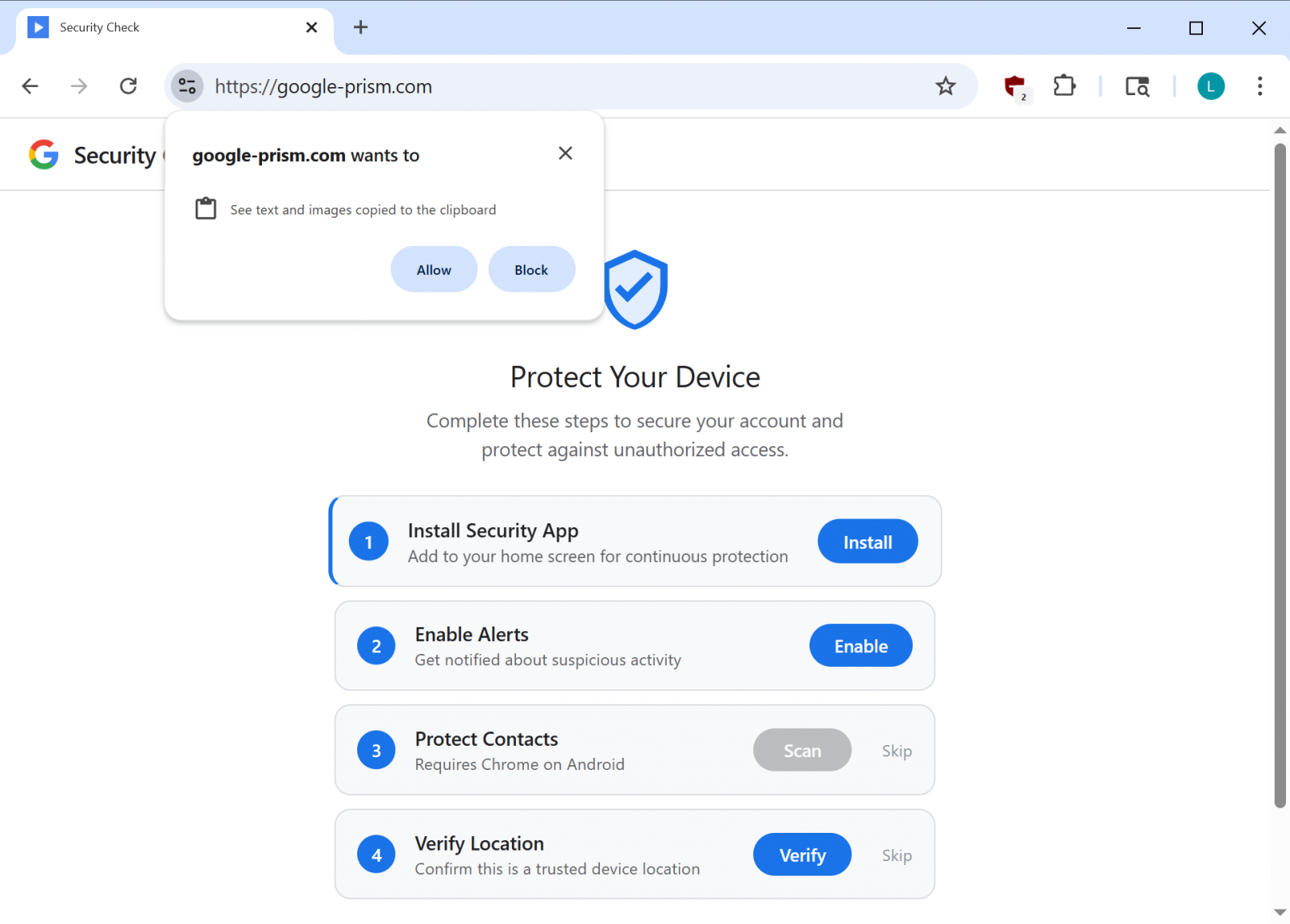
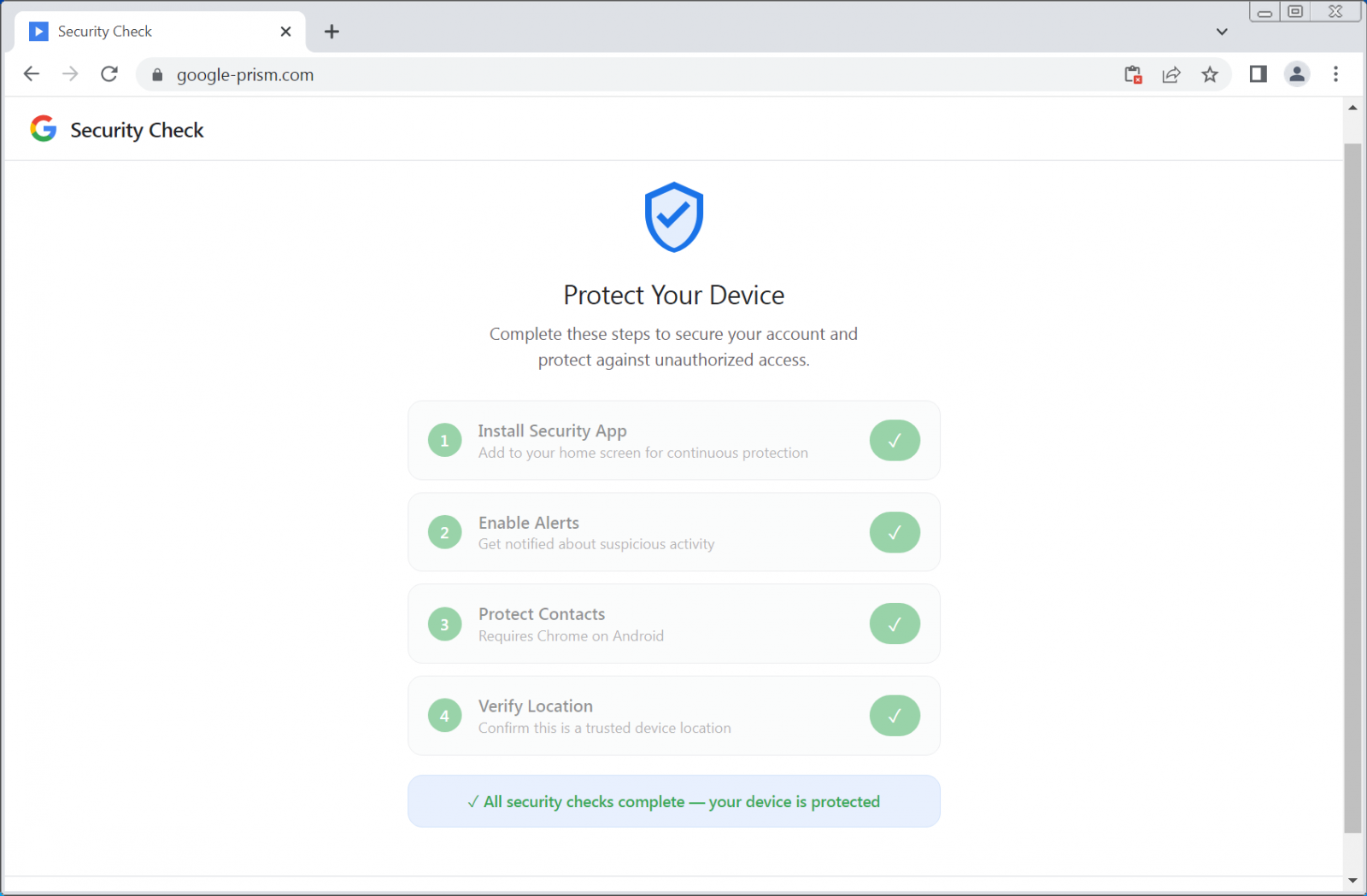
The cybercriminals use the domain google-prism[.]com, which poses as a legitimate security-related service from Google, showing a four-step setup process that includes giving risky permissions and installing a malicious PWA app. In some instances, the site will also promote a companion Android app to "protect" contacts.
According to researchers at cybersecurity company Malwarebytes, the PWA app can exfiltrate contacts, real-time GPS data, and clipboard contents.
Additional functionality observed includes acting as a network proxy and internal port scanner, which allows the attacker to route requests through the victim’s browser and identify live hosts on the network.
The website also requests permissions to access text and images copied to the clipboard, which can occur only when the app is open.
source: BleepingComputer
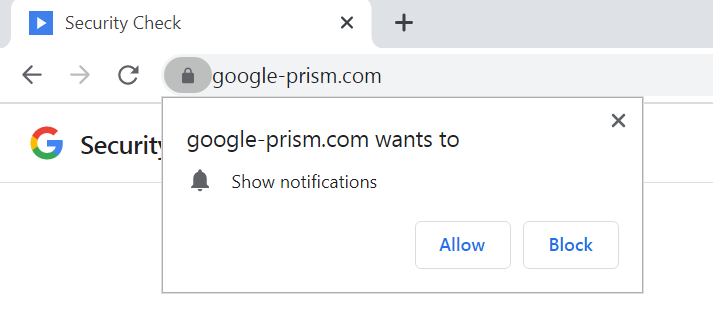
However, the fake website also asks for permission to show notifications, which allows the attacker to push alerts, new tasks, or trigger data exfiltration.
Additionally, the malware uses the WebOTP API on supported browsers in an attempt to intercept SMS verification codes, and checks the /api/heartbeat every 30 seconds for new commands.
As the PWA app can only steal the contents of the clipboard and OTP codes when it is open, notifications can be used to send fake security alerts that prompt the user to open the PWA again.
source: BleepingComputer
Malwarebytes says that the focus is on stealing one-time passwords (OTP) and cryptocurrency wallet addresses, and that the malware also “builds a detailed device fingerprint.”
Another component in the malicious PWA is a service worker that is responsible for push notifications, running tasks from received payloads, and preparing stolen data locally for exfiltration.
The researchers say that the most concerning component is the WebSocket relay that allows the attacker to pass web requests through the browser as if they were on the victim’s network.
“The malware acts as an HTTP proxy, executing fetch requests with whatever method, headers, credentials, and body the attacker specifies, then returns the full response including headers” - Malwarebytes
Because the worker includes a handler for Periodic Background Sync, which allows web apps in Chromium-based browsers to periodically synchronize data in the background, the attacker can connect to a compromised device for as long as the malicious PWA app is installed.
Malware Android companion
Users who choose to activate all the security features for their account also receive an APK file for their Android devices that promises to extend protection to the list of contacts.
source: BleepingComputer
The payload is described as a “critical security update, ”claims to be verified by Google, and requires 33 permissions that include access to SMS texts, call logs, the microphone, contacts, and the accessibility service.
These alone are high-risk permissions that enable data theft, full device compromise, and financial fraud.
The malicious APK file includes multiple components, such as a custom keyboard to capture keystrokes, a notification listener for access to incoming notifications, and a service to intercept credentials filled automatically.
“To enhance persistence, the APK registers as a device administrator (which can complicate uninstallation), sets a boot receiver to execute on startup, and schedules alarms intended to restart components if terminated,” the researchers say.
Malwarebytes observed components that could be used for overlay-based attacks, which indicate plans for potential credential phishing in certain apps.
By combining legitimate browser features with social engineering, the attacker does not need to exploit any vulnerability. Instead, they trick the victim into providing all the needed permissions for malicious activity to occur.
The researchers warn that even if the Android APK is not installed, the web app can collect contacts, intercept one-time passwords, track location, scan internal networks, and proxy traffic through the victim’s device.
Users should be aware that Google does not run security checks through pop-ups on web pages or request any software installation for enhanced protection features. All security tools are available through the Google Account at myaccount.google.com.
To remove the malicious APK file, Malwarebytes recommends users look for a “Security Check” entry in the list of installed apps and prioritize uninstalling it.
If an app called “System Service” with a package name com.device.sync is present and has device administrator access, users should revoke it under Settings > Security > Device admin apps and then uninstall it.
Malwarebytes researchers also provide detailed steps for removing the malicious web app from both Chromium-based Windows, such as Google Chrome and Microsoft Edge, as well as from Safari.
They note that on Firefox and Safari browsers, many of the malicious app’s capabilities are severely restricted, but push notifications still work.

Red Report 2026: Why Ransomware Encryption Dropped 38%
Malware is getting smarter. The Red Report 2026 reveals how new threats use math to detect sandboxes and hide in plain sight.
Download our analysis of 1.1 million malicious samples to uncover the top 10 techniques and see if your security stack is blinded.
如有侵权请联系:admin#unsafe.sh