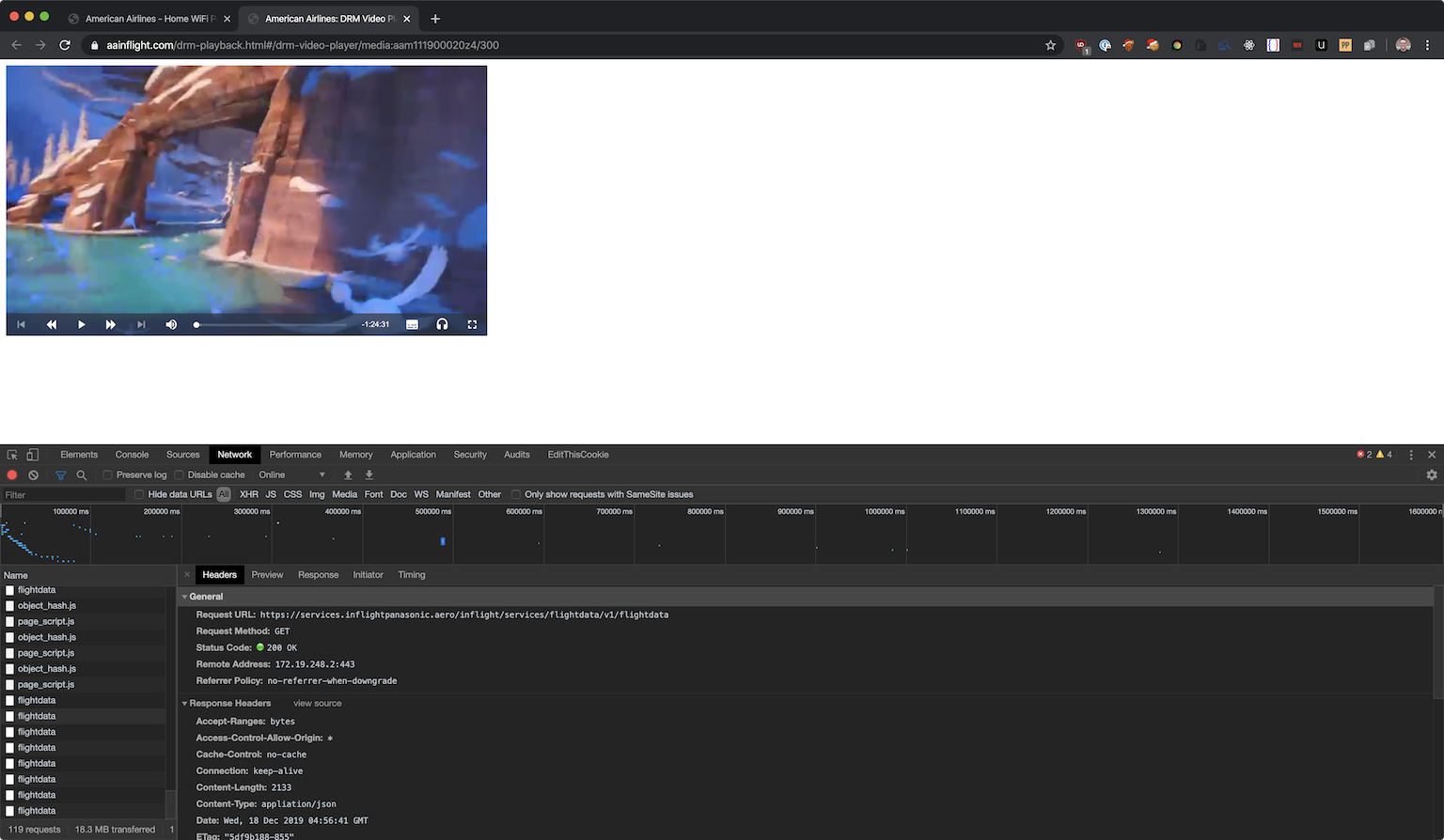
I was on a 7 hour flight to Amsterdam last week and wanted to watch a movie. American Airlines recently transitioned this 767 to have WiFi entertainment options - you connect to their on-board WiFi, and it serves movies and tv shows from a server on board the aircraft.
I thought it would be interesting to reverse their DRM - the url had drm in it, so I assumed it would be a fun little challenge to see if they had rolled their own DRM and how easy it would be to get back the original MP4 stream.
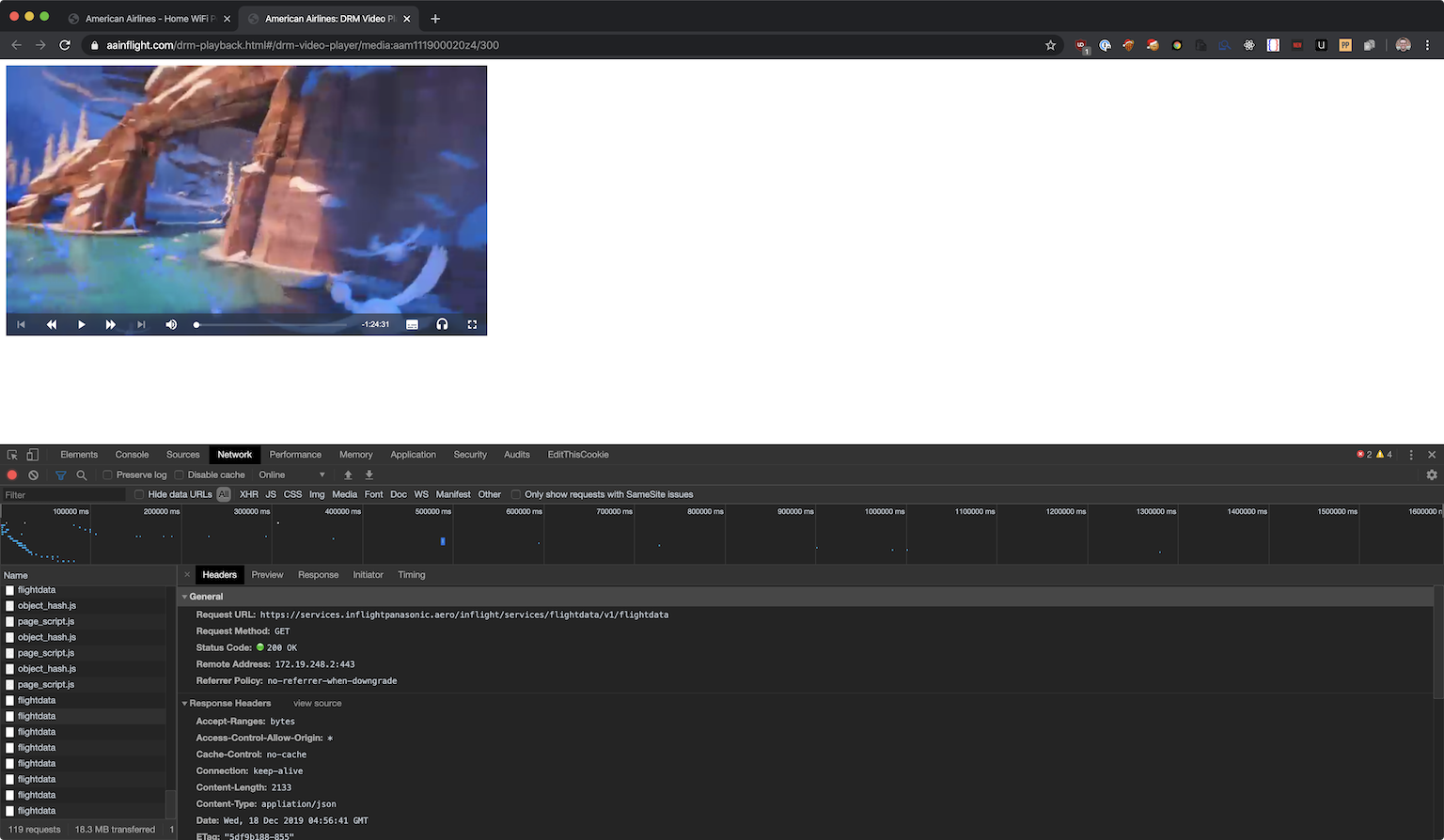
Network requests on movie page
Alas, they were using a fairly typical implementation of Widevine and Shaka player, which wasn't that interesting.
I did notice something pretty interesting while on the video page, though - every 2 seconds it would make a request to https://services.inflightpanasonic.aero/inflight/services/flightdata/v1/flightdata. The page I was on was just a light wrapper around shaka player - no metadata or other information shown.
Looking into the route I saw that it actually returned a whole bunch of information about the flight I was on.
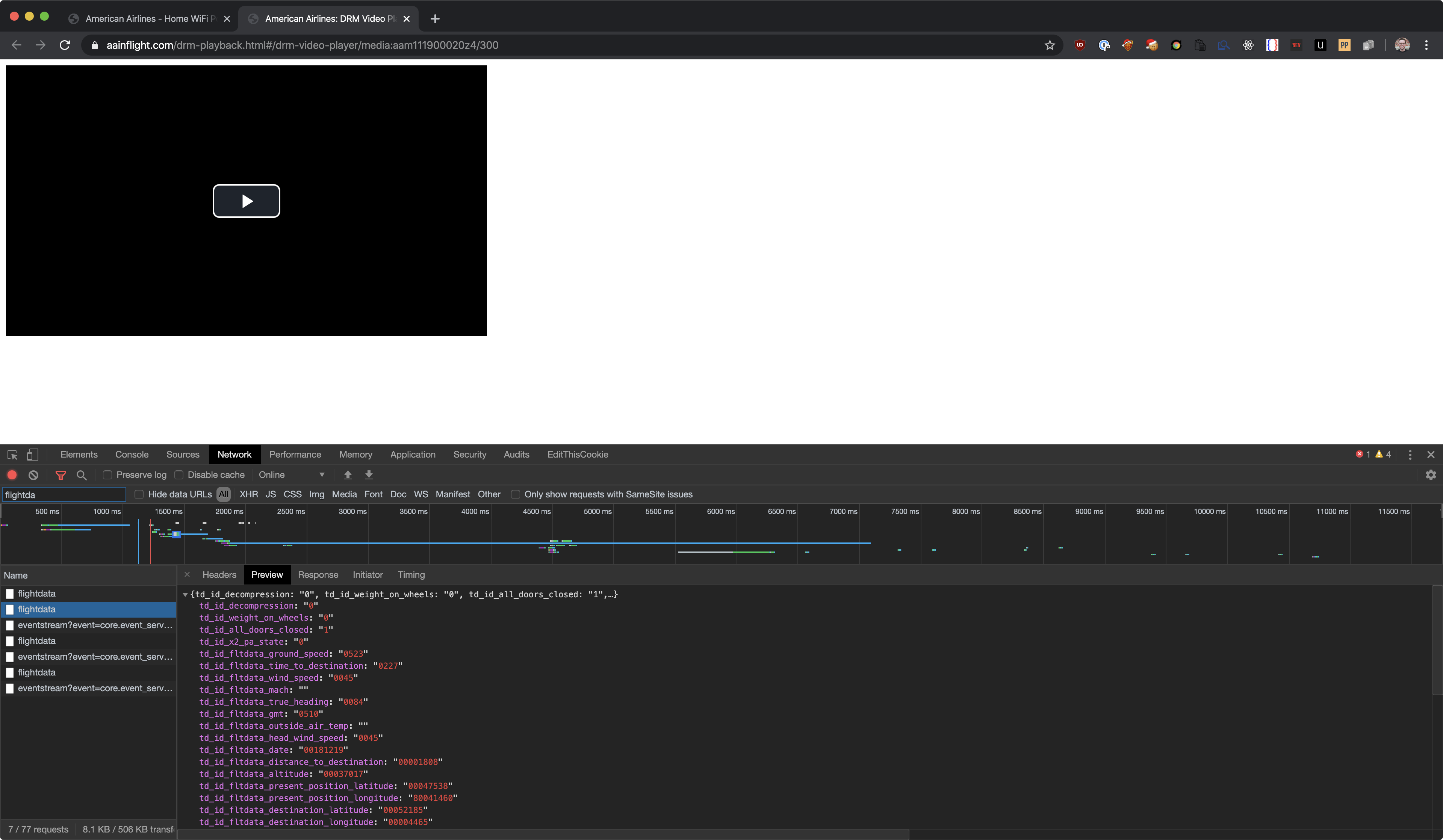
Flight data response from onboard server
This is probably used to fill those tickes at the top of the inflight home page. Only thing was that this response contained way more information than was actually displayed on the homepage.
{
    "td_id_decompression": "0",
    "td_id_weight_on_wheels": "0",
    "td_id_all_doors_closed": "1",
    "td_id_x2_pa_state": "0",
    "td_id_fltdata_ground_speed": "0519",
    "td_id_fltdata_time_to_destination": "0225",
    "td_id_fltdata_wind_speed": "0042",
    "td_id_fltdata_mach": "",
    "td_id_fltdata_true_heading": "0084",
    "td_id_fltdata_gmt": "0512",
    "td_id_fltdata_outside_air_temp": "",
    "td_id_fltdata_head_wind_speed": "0042",
    "td_id_fltdata_date": "00181219",
    "td_id_fltdata_distance_to_destination": "00001787",
    "td_id_fltdata_altitude": "00037017",
    "td_id_fltdata_present_position_latitude": "00047559",
    "td_id_fltdata_present_position_longitude": "80041154",
    "td_id_fltdata_destination_latitude": "00052185",
    "td_id_fltdata_destination_longitude": "00004465",
    "td_id_fltdata_destination_id": "EHAM",
    "td_id_fltdata_departure_id": "KPHL",
    "td_id_fltdata_flight_number": "AAL204",
    "td_id_fltdata_destination_baggage_id": "AMS",
    "td_id_fltdata_departure_baggage_id": "PHL",
    "td_id_airframe_tail_number": "N388AA",
    "td_id_flight_phase": "",
    "td_id_gmt_offset_departure": "80005.00",
    "td_id_gmt_offset_destination": "00001.00",
    "td_id_route_id": "",
    "td_id_fltdata_time_at_origin": "0012",
    "td_id_fltdata_time_at_destination": "0612",
    "td_id_fltdata_distance_from_origin": "1536.32",
    "td_id_fltdata_distance_traveled": "",
    "td_id_fltdata_estimated_arrival_time": "0957",
    "td_id_fltdata_time_at_takeoff": "001812190229",
    "td_id_fltdata_departure_latitude": "00039525",
    "td_id_fltdata_departure_longitude": "80075135",
    "td_id_pdi_fltdata_departure_iata": "",
    "td_id_pdi_fltdata_departure_time_scheduled": "",
    "td_id_pdi_fltdata_arrival_iata": "",
    "td_id_fltdata_wind_direction": "0254",
    "td_id_media_date": "20191218",
    "td_id_extv_channel_listing_version": "1059",
    "disclaimer": "Attn: Data elements such as temperature, flight latitude, flight longitude, etc. are classified as Product Public under the Panasonic Product Data Classification Framework. Information under this classification does not carry any access, labeling, or transmission restrictions. Deliberate or accidental exposure to these types of data elements, does not lead to any adverse impact to aircraft operations or safety."
}
I figured it would be interesting to track this data and see how it changed overtime. How realtime was it? How accurate is it? Is there enough non-public data that it would be considered a security vulnerability to the airline?
I wrote a quick python script to query the data once every second and flush it to disk. I ended up collecting data for around 30 minutes - from 5:12 to 5:41.
import json
import time
from datetime import datetime

import requests

# curl 'https://services.inflightpanasonic.aero/inflight/services/flightdata/v1/flightdata' -H 'Connection: keep-alive' -H 'sec-ch-ua: "Google Chrome 80"' -H 'Origin: https://www.aainflight.com' -H 'Sec-Fetch-Dest: empty' -H 'User-Agent: Mozilla/5.0 (Macintosh; Intel Mac OS X 10_15_1) AppleWebKit/537.36 (KHTML, like Gecko) Chrome/80.0.3987.7 Safari/537.36' -H 'DNT: 1' -H 'Accept: */*' -H 'Sec-Fetch-Site: cross-site' -H 'Sec-Fetch-Mode: cors' -H 'Referer: https://www.aainflight.com/drm-playback.html' -H 'Accept-Language: en-US,en;q=0.9,it;q=0.8,la;q=0.7' -H 'If-None-Match: "5df9b05d-855"' -H 'If-Modified-Since: Wed, 18 Dec 2019 04:51:41 GMT' --compressed

headers = {
    "Connection": "keep-alive",
    "sec-ch-ua": "Google Chrome 80",
    "Origin": "https://www.aainflight.com",
    "Sec-Fetch-Dest": "empty",
    "User-Agent": "Mozilla/5.0 (Macintosh; Intel Mac OS X 10_15_1) AppleWebKit/537.36 (KHTML, like Gecko) Chrome/80.0.3987.7 Safari/537.36",
    "DNT": "1",
    "Accept": "*/*",
    "Sec-Fetch-Site": "cross-site",
    "Sec-Fetch-Mode": "cors",
    "Referer": "https://www.aainflight.com/drm-playback.html",
    "Accept-Language": "en-US,en;q=0.9,it;q=0.8,la;q=0.7",
    "If-None-Match": "5df9b05d-855",
    "If-Modified-Since": "Wed, 18 Dec 2019 04:51:41 GMT",

}


entries = {}
def save(obj):
    with open('flightdata.json', 'w') as out:
        out.write(json.dumps(obj))
        out.close()


while True:
    data = requests.get('https://services.inflightpanasonic.aero/inflight/services/flightdata/v1/flightdata',
                        headers=headers)
    entries[datetime.now().timestamp()] = json.loads(data.text)
    # flush to disk on every request - cheap to do so, and best to not lose data in case the network request fails/json is invalid
    save(entries)
    time.sleep(1)
I then proceeded to fix up the data. I wrote the script above fairly hastily as I wanted to get as much data as possible. I cleaned it up and put it in a presentable format (csv).
Unfortunately I didn't get take off and landing - I only ended up getting data while I was in the air for around an hour before my computer went to sleep.
import csv
import json
from datetime import datetime

data = json.loads(open('flightdata.json').read())

rewritten_objs = []


def key_to_timestamp(key):
    return int(key.replace('.', '')) / (1000000)


for key in data.keys():
    temp = data[key]
    timestamp = key.replace('.', '')
    while len(timestamp) != 16:
        timestamp += '0'
    temp['timestamp'] = timestamp.replace(".", '')
    temp['date'] = datetime.utcfromtimestamp(key_to_timestamp(temp['timestamp'])).strftime('%Y-%m-%d %H:%M:%S')

    rewritten_objs.append(temp)

with open('transformed.json', 'w') as outfile:
    outfile.write(json.dumps(rewritten_objs))
    outfile.close()

f = open('transformed.csv', 'w')

fnames = [
    "timestamp",
    "date",
    "td_id_decompression",
    "td_id_weight_on_wheels",
    "td_id_all_doors_closed",
    "td_id_x2_pa_state",
    "td_id_fltdata_ground_speed",
    "td_id_fltdata_time_to_destination",
    "td_id_fltdata_wind_speed",
    "td_id_fltdata_mach",
    "td_id_fltdata_true_heading",
    "td_id_fltdata_gmt",
    "td_id_fltdata_outside_air_temp",
    "td_id_fltdata_head_wind_speed",
    "td_id_fltdata_date",
    "td_id_fltdata_distance_to_destination",
    "td_id_fltdata_altitude",
    "td_id_fltdata_present_position_latitude",
    "td_id_fltdata_present_position_longitude",
    "td_id_fltdata_destination_latitude",
    "td_id_fltdata_destination_longitude",
    "td_id_fltdata_destination_id",
    "td_id_fltdata_departure_id",
    "td_id_fltdata_flight_number",
    "td_id_fltdata_destination_baggage_id",
    "td_id_fltdata_departure_baggage_id",
    "td_id_airframe_tail_number",
    "td_id_flight_phase",
    "td_id_gmt_offset_departure",
    "td_id_gmt_offset_destination",
    "td_id_route_id",
    "td_id_fltdata_time_at_origin",
    "td_id_fltdata_time_at_destination",
    "td_id_fltdata_distance_from_origin",
    "td_id_fltdata_distance_traveled",
    "td_id_fltdata_estimated_arrival_time",
    "td_id_fltdata_time_at_takeoff",
    "td_id_fltdata_departure_latitude",
    "td_id_fltdata_departure_longitude",
    "td_id_pdi_fltdata_departure_iata",
    "td_id_pdi_fltdata_departure_time_scheduled",
    "td_id_pdi_fltdata_arrival_iata",
    "td_id_fltdata_wind_direction",
    "td_id_media_date",
    "td_id_extv_channel_listing_version",
    "disclaimer"
]
writer = csv.DictWriter(f, fieldnames=fnames)
writer.writeheader()

for entry in rewritten_objs:
    writer.writerow(entry)
Once I had the CSV I could just upload it to google sheets and have it automatically generate some interesting graphs.
Below are some of the graphs from the google sheet with the data.
Altitude
Distance from origin
ETA
Wind Speed
True Heading
Speed
It was pretty funny to see all this information. Looking online it looks like you can also get all this information from flightradar24.com or other public sources, but it was interesting to be able to do it midflight nonetheless.
The disclaimer that was returned with every response was:
Attn: Data elements such as temperature, flight latitude, flight longitude, etc. are classified as Product Public under the Panasonic Product Data Classification Framework. Information under this classification does not carry any access, labeling, or transmission restrictions. Deliberate or accidental exposure to these types of data elements, does not lead to any adverse impact to aircraft operations or safety.
So I don't think there's anything nefarious you can really do with it. You can tell whether the main cabin is decompressed, whether there is weight on the wheels, and whether all doors are closed, but I'm struggling to see a case where these are either dangeorous or that you shouldn't have that info.
One thing I didn't manage to figure out is how the latitude/longitude is formatted.
Right now it looks like this:
    "td_id_fltdata_departure_latitude": "00039525",
    "td_id_fltdata_departure_longitude": "80075135",
I'd assume that to be a latitude of 00.039525 and longitude of 80.075135 but that puts me in the middle of the Indian Ocean (shout out MH370). Changing the assumption that we strip leading 0s from latitude gives us 39.525, which is somewhere over the Xinjiang province in China.
I've never dealt with lat/long being formatted this way, so if you know how to parse it let me know! For context I was flying PHL to AMS, so I was probably somewhere over the Atlantic Ocean.
Update: Thanks to @AndrewBarna on twitter for his detective skills.
It looks like the location lat/lon is dd mm.m with the 8 being a negative or some sort of hemisphere indicator. "00039525" -> 39 + 52.5/60 = 39.875; "80075135" -> -75 + 13.5/60 = -75.225
Here is the decoded "present position" in your sample data https://goo.gl/maps/K1hNuvq72CsQCCfo8
This matches my expected location, based on my flight path and what time it was when I ran the data collection script. Thanks Andrew!
Overall a pretty fun coding excursion when cracking Widevine didn't pan out.