嗯,用户让我用中文总结一篇文章,控制在100字以内,而且不需要特定的开头。首先,我得仔细阅读文章内容,抓住主要信息。 文章讲的是在Android手机上安装Ubuntu到Termux里,然后运行OpenClaw Gateway。用户可以通过WhatsApp、Telegram或Discord与之交流。OpenClaw可以执行各种任务,比如分析APK、打电话、读通知等,利用Termux:API访问硬件功能。 接下来,我需要提取关键点:安装步骤、功能、限制以及支持的设备。然后把这些信息浓缩成100字左右的总结。 可能遇到的问题是如何简洁地表达所有重要信息而不遗漏关键点。比如,安装过程涉及Ubuntu和Node.js,还有通过脚本简化步骤。同时要提到硬件功能和使用限制。 最后,确保语言流畅自然,符合用户的要求。 </think> 文章介绍在Android手机上通过Termux安装Ubuntu并运行OpenClaw Gateway的方法,支持通过WhatsApp、Telegram或Discord与AI代理交互。OpenClaw可执行文件操作、发送短信等任务,并利用Termux:API访问相机、麦克风等功能。文章提供详细安装步骤及脚本简化流程,并说明其硬件功能及限制。 2026-2-11 09:18:42 Author: www.mobile-hacker.com(查看原文) 阅读量:63 收藏

In this post I’ll show you the exact steps I use to run OpenClaw on Android by installing Ubuntu inside Termux (no root), then launching the OpenClaw Gateway and chatting with it from WhatsApp, Telegram, or Discord.
OpenClaw is a self‑hosted agent framework with a Gateway that connects large language models to your chat channels and tools. You can talk to it through WhatsApp, Telegram, Discord (and more) and have it act on your behalf – run tools, read/write files (where allowed), and other “skills.” Historically you may have seen the project or forks referred to as Clawdbot or Moltbot; modern docs and installs use the OpenClaw name.
I use it to analyze APKs I send over WhatsApp, make calls, read notifications, take photos, send SMS, and more via Termux APIs, see the video below.
https://youtube.com/shorts/-p9QmlSh9fY
Termux:API exposes almost every Android hardware feature to the terminal, except of Accessibility services that would allow us to interact with other apps:
- Battery
- Camera
- Microphone
- Notifications & UI
- Wi-Fi / Cell / Telephony
- SMS
- Contacts
- GPS
- Infrared
- Storage
- USB
- Fingerprint
- Audio / Vibration
- TTS
- Torch
- Wallpaper
- Job scheduling
So far, it has limitations, I can’t yet control other apps’ UIs (e.g., reply to Instagram or read calendar). Response time is decent. I’m using Gemini CLI via OAuth (free tier) as my default model path.
I have tested it on OnePlus 7 Pro (Android 10), OnePlus 7T Pro (Android 11). and Pixel 8 (Android 14).
Android phone, Termux, Termux:API apps from F‑Droid (not from Google Play).
I followed Sagar Tamang’s guide and then wrapped all the steps in one script to make it as easy as possible. If you want to read Sagar’s original tutorial first, it’s here: Running OpenClaw Locally on Android: The Bionic Bypass.
Installation steps:
- Install
wgetandopensslto download installation script:pkg install -y wget openssl
- Download and run installer:
wget https://github.com/androidmalware/OpenClaw_Termux/blob/main/install_openclaw_termux.shchmod +x install_openclaw_termux.sh./install_openclaw_termux.sh
What it does: installs Ubuntu via proot-distro, enters Ubuntu, installs Node 22 + OpenClaw, runs openclaw onboard, and starts the Gateway. The process take couple of minutes. The script was generated using Copilot and tested.
The script first starts initialization of OpenClaw, where you select model and service you want to use for sending messages.

Once finished, you may need to Ctrl + C, even when you see Onboarding complete, gateway will be launched. Open browser and http://localhost:18789, see Figure 2 below.
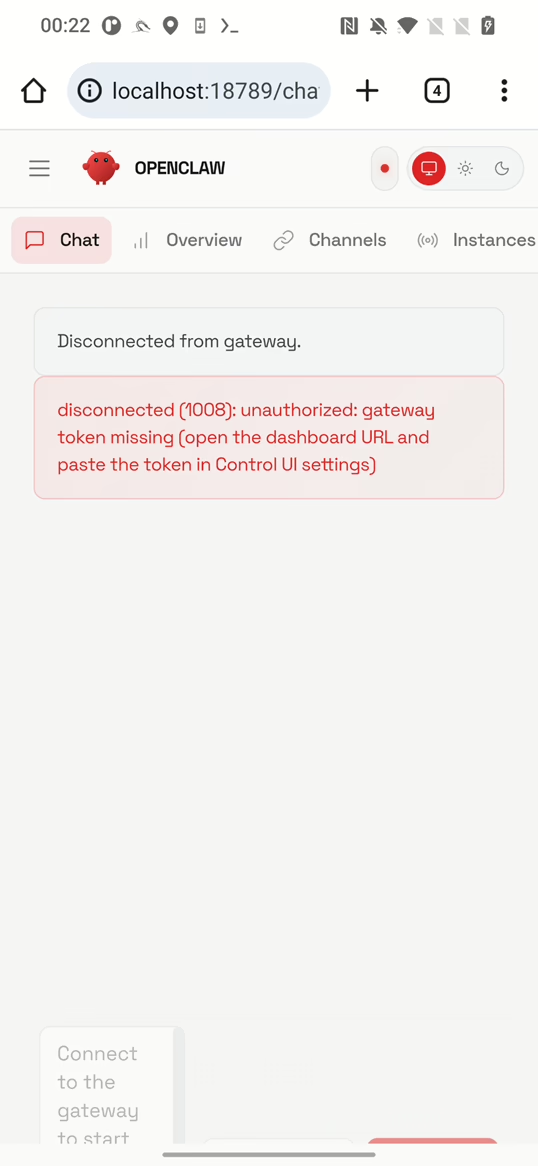
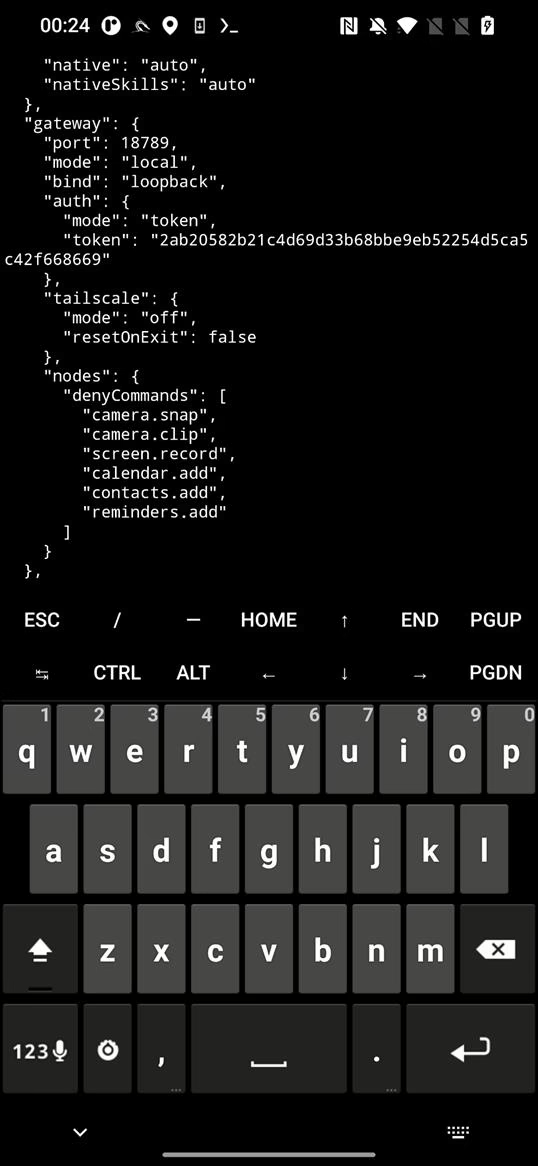
Gateway is disconnected, so first we have to enter gateway token that is stored in openclaw.json. Open new Termux terminal, make sure you are logged in Ubuntu (proot-distro login ubuntu), and display the json using cat ~/.openclaw/openclaw.json. Find the token, and copy it, as displayed in Figure 3 below.

~/.openclaw/openclaw.json filePaste it into Gateway → Overview → Gateway Access → Gateway Token in the web UI and tap on Connect button as in Figure 4.

Your OpenClaw gateway is successfully running on your Android smartphone.
If you need to change initial settings later, re‑run the wizard using openclaw onboard and start the gateway using openclaw gateway –verbose.
Troubleshooting
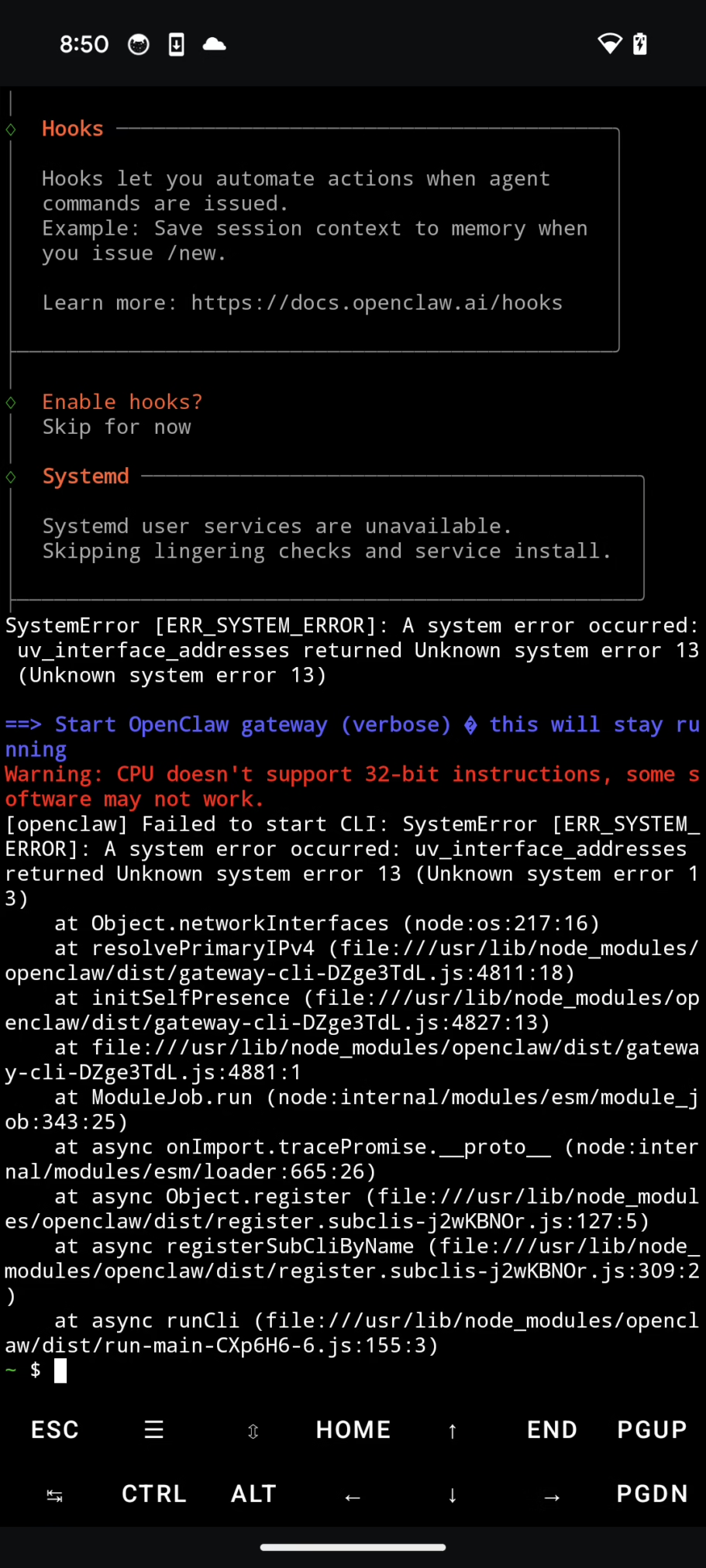
I experienced one error while opening openclaw, see Figure 5. To fix it, I just re-run the gateway by loging into ubuntu (proot-distro login ubuntu) and starting a gateway (openclaw gateway --verbose).
OpenClaw’s wizard can pair your messaging channels so you can text your agent from your pocket:
- WhatsApp: QR‑login flow.
- Telegram: your bot token + pairing.
- Discord: bot token + guild/channel setup.
I use Gemini CLI with Login with Google (OAuth), the docs call out a personal-account free tier (e.g., ~60 req/min, ~1,000/day) and a simple browser login flow. You can also use an API key from Google AI Studio if you prefer.
If you want to use it, you first need to install gemini CLI in ubuntu terminal.
如有侵权请联系:admin#unsafe.sh