好的,我需要帮用户总结这篇文章的内容,控制在100个字以内。首先,我得通读整篇文章,抓住主要信息。 文章主要介绍了一个名为Sapsan Terminal的新在线工具,它利用AI生成针对各种硬件设备的脚本。目标用户是网络安全专业人士和爱好者,特别是那些进行渗透测试的人。这个工具支持15种流行的硬件设备,如Rubber Ducky和Flipper Zero,并提供语法验证和模板功能。此外,文章还提到了免费和付费计划,以及隐私保护措施。 接下来,我需要将这些关键点浓缩到100字以内。要确保涵盖工具的功能、支持的设备、AI生成脚本的优势以及定价计划等主要内容。 可能的结构是:先介绍工具及其用途,然后提到支持的设备和功能,最后简要提及定价和隐私保护。 现在开始组织语言: Sapsan Terminal是一款AI驱动的在线工具,用于为如Rubber Ducky等硬件生成脚本。它支持15种设备,提供语法验证和模板功能,并有免费及付费计划。该平台注重隐私保护,适合渗透测试者使用。 这样大约在60字左右,可以再优化一下: Sapsan Terminal是一款AI驱动的在线工具,用于为如Rubber Ducky等硬件生成脚本。它支持15种设备,提供语法验证、模板功能及免费/付费计划,并注重隐私保护。 这样更简洁明了。 </think> Sapsan Terminal是一款AI驱动的在线工具,用于为如Rubber Ducky等硬件生成脚本。它支持15种设备,提供语法验证、模板功能及免费/付费计划,并注重隐私保护。 2026-2-3 13:4:11 Author: www.mobile-hacker.com(查看原文) 阅读量:57 收藏

Cybersecurity professionals and enthusiasts often rely on scripting to automate tasks and execute penetration tests efficiently. Writing payloads manually for devices like Rubber Ducky, Evil Crow Cable, or Flipper Zero can be time-consuming and error-prone. However, a new online tool called Sapsan Terminal – uses AI to generate scripts tailored for popular hacking hardware.
This tool is designed for penetration testers, red teamers, and ethical hackers who want to streamline payload creation. In this blog, we’ll explore what Sapsan Terminal offers, dive into its features, and test it by generating Rubber Ducky scripts for Kali Nethunter and Evil Crow Cable Wind payloads.
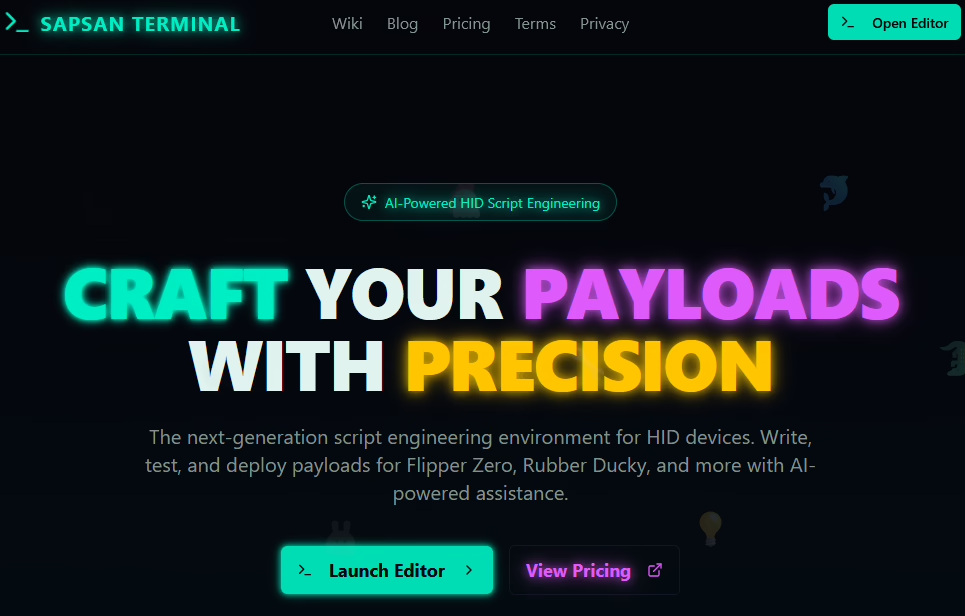
What is Sapsan Terminal?
Sapsan Terminal is an AI-driven online platform that simplifies payload generation for hardware-based attacks. Instead of manually writing scripts, you can describe your goal in plain language, and the AI will produce a ready-to-use script in the correct syntax. In the video below, you can see example of testing Sapsan Terminal AI assistant with the script result.
Key Features
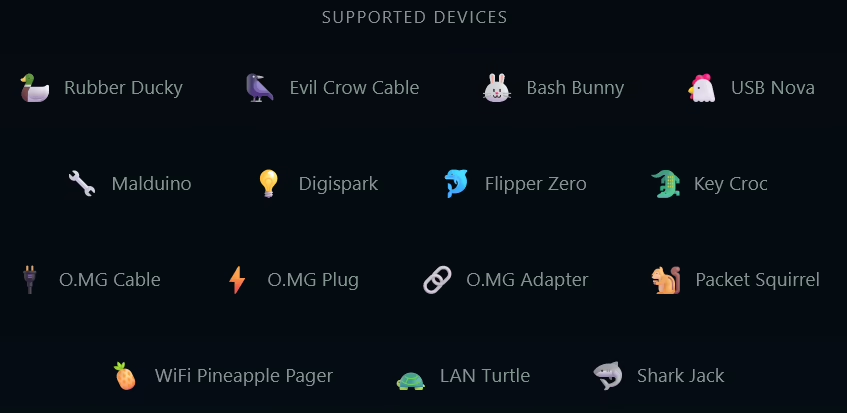
- AI-powered script generation supports 15 devices, see Figure 2.
- Syntax validation to prevent errors.
- Cross-platform payload support (Android, Windows, Linux, macOS, iOS).
- Templates for common attack scenarios.
Templates
This feature is for both beginners and experienced penetration testers because it provides pre-built script templates for common attack scenarios.
Templates, see Figure 3, are ready-to-use payloads contributed and curated by the Sapsan team. These templates cover a wide range of standard use cases, such as:
- Credential harvesting scripts
- Wi-Fi attack payloads
- System information gathering
- Reverse shell setups
- Privilege escalation attempts

Templates save time by providing ready-made payloads for common attack scenarios, while also serving as a learning resource with best practices and commented examples. They allow users to quickly deploy scripts without starting from scratch, and since every template is fully customizable, you can customize them to your specific needs – whether that means adjusting delays, adding obfuscation, or modifying commands for different operating systems.
Supported Devices
Sapsan Terminal offers built-in support for the following 15 popular HID devices:
- Rubber Ducky
- Evil Crow Cable
- Bash Bunny
- USB Nova
- Malduino
- Digispark
- Flipper Zero
- Key Croc
- O.MG Cable
- O.MG Plug
- O.MG Adapter
- Packet Squirrel
- WiFi Pineapple Pager
- LAN Turtle
- Shark Jack
These device integrations make Sapsan Terminal a handy tool for writing and customizing payloads for a wide spectrum of HID-based hardware.
How It Works
Using Sapsan Terminal is straightforward:
- Sign up or Log in to the platform.
- Select your device type, see the list in Figure 4. below. (e.g., Rubber Ducky, Flipper Zero, Evil Crow Cable).

- Describe your payload goal in natural language for AI Assistant.
- Generate and download the script.
The AI ensures the syntax matches the device requirements, saving time and reducing errors.
Testing Sapsan Terminal AI Assistant
I tested two scenarios to see how well the tool performs. Firstly, I used my NetHunter smartphone as RubberDucky and then I got more wild with script for Evil Crow Wind cable.
Rubber Ducky Script for Kali NetHunter
For this test, I selected Rubber Ducky from the device menu and asked the AI assistant to generate a payload that:
- opens Notepad and types “nethunter connected”,
- then opens PowerShell and pings google.com, and
- finally displays the Wi‑Fi password for the currently connected network.

The script worked surprisingly well, considering my input. The only issue was the shell command used to parse the SSID of the currently connected Wi‑Fi network – because the SSID wasn’t parsed correctly, the script couldn’t retrieve the password correctly. I simply asked the AI assistant to fix the SSID parsing step, and it regenerated the script with correct output.

After that tweak, the password retrieval worked as expected, see video below.
There is one more small thing, in some parts of script, it decided to use STRINGLN instead of STRING command, but I changed it manually in script editor since it was only for two rows. When I asked AI Assistant to fix it, it identified the error and resolved the problem.
Evil Crow Cable Wind Payload
Next, I tested Evil Crow Cable Wind by asking the AI assistant to:
- open a fake BSOD page in full-screen in a Windows browser,
- after 5 seconds, open Notepad and type “Evil Crow Cable Wind connected”,
- open terminal and unlock connected Android,
- open rickroll on Android,
- and then after 4 more seconds, open a Rick Roll video in the browser and play it.
This time, I will try more complicated query mixing Windows and Android to see if it can handle it.

Before generating a script, it requested a clarification of operating system this will run against, so I specified Windows and Android, see Figure 9.

I copied the script to Evil Crow Payload Editor, and find out there is one syntax error with Press KEY_LEFT_F11. I asked AI Assistant to fix it, see Figure 10.

The error was fixed. To my surprise, the AI generated a working HID script on the first attempt with only one small error. Script generated explanatory comments, however Wind cable couldn’t recognize them, so I had to remove them before running it. After this small tweak, the payload worked, see the demo below.
Script Encryption and Privacy
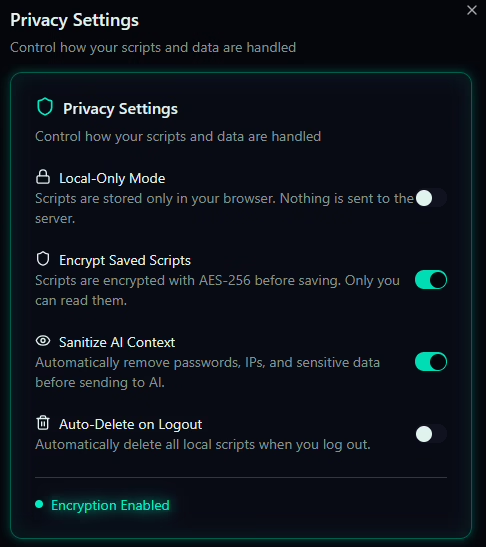
Sapsan Terminal takes privacy and security seriously. According to its privacy policy and terms, all scripts generated through the platform are encrypted during storage and transmission, ensuring that your payloads remain secure. Scripts are not publicly visible to other users unless you explicitly share them via the Community Templates feature. Your chat history with the AI assistant is private and stored securely for your convenience, allowing you to revisit previous sessions without exposing sensitive information. The platform point out that user data is handled in compliance with strict security standards, and you retain full control over whether to delete or keep your scripts and conversations.

Pricing Plans
Sapsan Terminal keeps things flexible when it comes to pricing, making it easy for both hobbyists and full‑time pentesters to jump in. The Free Plan gives you all the basics plus access to HIDra Flash v2.1, the lighter AI assistant. It’s great for beginners or anyone just playing around — it can whip up simple HID payloads, help with basic automation, and handle standard DuckyScript tasks. You still get helpful features like syntax highlighting and basic error fixing, and it works smoothly with the most common devices.
If you decide to go Premium, you unlock HIDra Plus v2, the AI assistant built for more complex and high‑precision script work. This version thinks deeper, builds smarter multi‑step logic, generates more accurate OS‑specific commands, and tailors scripts more tightly to each device. Premium users also get faster responses, better debugging help, more export options, and full access to the community template library and advanced payload examples.

No matter which plan you choose, your scripts stay encrypted and your chat history remains private. But if you’re someone who builds payloads regularly — especially for red teaming or professional research — the Premium tier gives you a noticeably smoother, more capable workflow.

Exclusive Discount: 29% Off Premium
If you’d like to try Sapsan Terminal’s premium features—such as unlimited script generations, advanced AI optimizations, and full access to the community template library—here’s a perk just for you.
Use the coupon code WELCOME5 at checkout to get 29% off your first month, dropping the price from $7 to just $5.
This is a great way to explore everything the platform offers without committing to the full subscription price right away. Feel free to share this code with your readers, colleagues, or fellow cybersecurity enthusiasts who might want to test Sapsan Terminal’s full capabilities.
Conclusion
At the end of the day, Sapsan Terminal is a really fun and genuinely useful tool if you’re into HID payloads, offensive security gadgets, or just experimenting with automation on different devices. It doesn’t overcomplicate things, it helps you learn as you go, and it removes a lot of the annoying trial‑and‑error that usually comes with scripting for hardware like Rubber Ducky, Evil Crow Cable, or Flipper Zero.
What really makes it stand out, though, is the AI assistant. Unlike mainstream models — ChatGPT, Copilot, Grok, and pretty much every “safe by default” AI — Sapsan Terminal’s assistant isn’t censored when it comes to cybersecurity topics. If you ask for a payload, it actually gives you one. If you need debugging help, it actually helps. No vague warnings, no “I can’t assist with that,” just straight answers that make sense for people working in offensive security.
So, if you want something that speeds up your workflow, lets you focus on building rather than fighting the tool, and doesn’t freak out every time you mention PowerShell or HID injection, Sapsan Terminal is absolutely worth checking out. It’s practical, it’s fast, and honestly, it just makes the whole process more enjoyable.
如有侵权请联系:admin#unsafe.sh