嗯,用户让我用中文总结一下这篇文章的内容,控制在100个字以内,而且不需要用“文章内容总结”或者“这篇文章”这样的开头,直接写描述。首先,我需要仔细阅读文章内容,抓住主要信息。 文章主要讲的是微软发布了KB5074105预览累积更新,适用于Windows 11系统。这个更新包括了32项更改,修复了登录、启动和激活等问题。它是一个可选更新,每月末发布,供管理员测试下个月补丁星期二发布的新功能和改进。不过,这个更新不包含安全修复。 具体来说,这个一月的更新解决了Explorer.exe卡死、系统启动停止响应、iSCSI启动失败以及Windows许可证迁移失败等问题。用户可以通过设置中的Windows更新来安装这个更新。 此外,这个更新还扩展了跨设备恢复的功能,支持更多应用和服务的延续使用,并增强了Windows Hello的登录安全功能。微软还简化了更新标题,让信息更易理解。 现在我要把这些要点浓缩到100字以内。首先提到微软发布KB5074105预览更新,修复了登录、启动和激活问题。然后说明这是一个可选的每月更新,包含质量改进但无安全补丁。最后提到新增的功能如跨设备恢复和指纹传感器支持。 确保语言简洁明了,避免使用复杂的术语。检查字数是否在限制内,并调整句子结构以达到最佳效果。 </think> 微软发布KB5074105预览累积更新修复Windows 11登录、启动及激活问题,并新增跨设备恢复功能及指纹传感器支持。此为可选月度质量改进更新。 2026-1-30 12:15:23 Author: www.bleepingcomputer.com(查看原文) 阅读量:0 收藏

Microsoft has released the KB5074105 preview cumulative update for Windows 11 systems, which includes 32 changes, including fixes for sign-in, boot, and activation issues.
KB5074105 is an optional update that delivers updates at the end of each month, allowing admins to test Windows bug fixes, new features, and improvements that will be generally available during next month's Patch Tuesday release.
However, unlike Patch Tuesday cumulative updates, monthly non-security preview updates only roll out quality improvements and do not include security fixes.

With the January 2025 optional update, Microsoft addressed a known issue that caused Explorer.exe to hang during the first login when certain apps were configured as startup apps.
It also fixed a bug that caused the system to stop responding during startup when Windows Boot Manager debugging is enabled, and another bug that triggered iSCSI boot failures with an "Inaccessible Boot Device" error.
Additionally, this month's preview update addresses an issue in which Windows license migrations could fail during upgrades because the PC couldn't register with the Windows Activation server for its digital license.
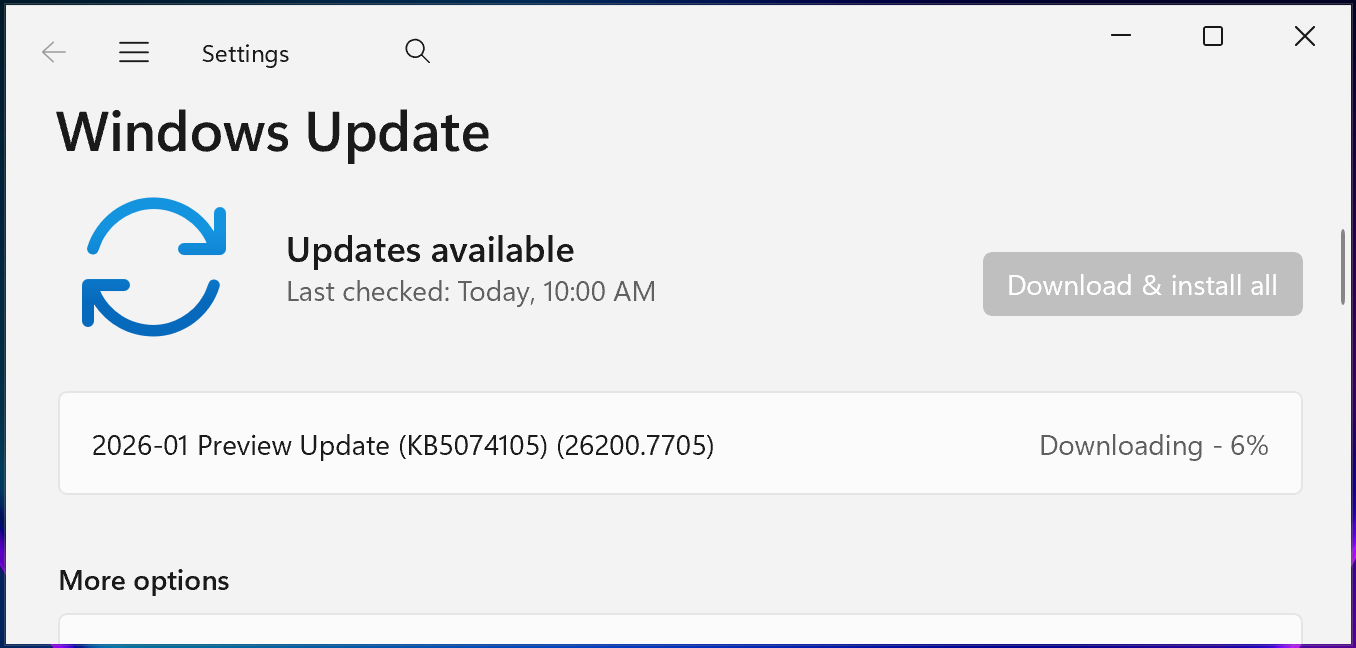
You can install KB5074105 by opening Settings, clicking on Windows Update, and then on 'Check for Updates.' Since this is an optional update, you will be prompted to install it by clicking the 'Download and install' link.
However, you can also manually install this optional cumulative update after downloading it from the Microsoft Update Catalog.
Windows 11 KB5074105 highlights
Once installed, this optional non-security preview update will update Windows 11 25H2 and 24H2 devices to builds 26200.7705 and 26100.7705, respectively.
The January 2026 preview update comes with further improvements and fixes, some of the more important ones highlighted below:
- This update expands the functionality of Cross‑Device Resume. You can continue activities from your Android phone on your PC based on the apps and services you use, including resuming Spotify playback, working in Word, Excel, or PowerPoint, or continuing a browsing session.
- Windows Hello Enhanced Sign-in Security (ESS) now supports peripheral fingerprint sensors. This update extends this more secure sign-in option beyond devices with built-in fingerprint sensors to include desktops and other Windows 11 PCs, including Copilot+ PCs.
- [User Account Control (UAC)] Fixed: This update addresses an issue where your PC might stop responding when attempting to run Windows Terminal elevated from a non-admin account.
- [Graphics] Fixed: This update addresses an issue where certain GPU configurations might have recently experienced a system error related to dxgmms2.sys, resulting in the KERNEL_SECURITY_CHECK_FAILURE error.
- [Windows Sandbox] Fixed: This update addresses an issue that could cause Windows Sandbox to stop responding during startup and display error 0x800705b4.
In a separate message center update, Microsoft added that Windows 11 and Windows Server 2025 updates will get separate identifiers to avoid confusion.
"Starting with the January 2026 security update, Windows Server 2025 has its own KB identifiers and build numbers, separate from Windows 11, versions 24H2 and 25H2," Microsoft said. "This change improves clarity for administrators. Installation and management processes remain the same."
Starting this month, Microsoft has also adopted simplified titles for Windows updates, making update information easier to understand by removing unnecessary technical elements such as platform architecture.

Secrets Security Cheat Sheet: From Sprawl to Control
Whether you're cleaning up old keys or setting guardrails for AI-generated code, this guide helps your team build securely from the start.
Get the cheat sheet and take the guesswork out of secrets management.
如有侵权请联系:admin#unsafe.sh