文章探讨了通过修改Windows注册表中的购买、下载和卸载链接等条目进行恶意攻击的可能性,例如将合法软件的购买链接篡改为指向恶意文件的路径,从而实现持久化或远程控制。 2026-1-3 23:52:8 Author: www.hexacorn.com(查看原文) 阅读量:37 收藏
This post is about GUI-based attacks that are kind uncharted territory, but I did explore it in the past a bit, and since it is a curiosity – is worth exploring a bit more for its potential. It does relate to older software, but bulk analysis give me some confidence that it can be still a fertile ground for persistence research…
Many traditional Windows applications use Windows Registry to store their configuration data. Lots of this data is very uninteresting – who cares about a preservation of a cursor position, your font choice, or even the list of recently opened documents. What is interesting to us is a configuration data that may be leveraged for C2, persistence, lolbin and other malicious activities.
This post is generic in nature, but it covers some interesting exploitable ‘trends’ that can be observed when we analyze a lot of software, in bulk.
Buy/Purchase entries
Lots of software store URLs to Purchase/Buy pages in Registry. These entries are typically created when the software is installed and they are populated with the URLs pointing to software author’s ordering web pages. Many of these URLs are hardcoded in the actual software installers.
We can make a fairly safe assumption that many of these entries, when accessed, are opened via ShellExecute API f.ex. when users clicks the Buy/Purchase buttons/links that are typically present (and often prominent) on a GUI of these ‘trial/free’ versions of the software… As such, changing these Registry entries so they point to local file system and malicious files could allow us to execute a ‘sleeper’ code that could reestablish TA’s presence on the system.
Example Registry entries to look for:
- BuyUrl=
- PurchaseURL=
- RegisterURL=
- RegistrationURL=
- RenewURL=
- UninstallURL=
- UpdaterURL=
- UpdateURL=
- URLDownload=
- URL=
- VersionCheckURL=
- OrderURL=
and many more…
Download entries
Lots of software leverages Registry entries to check if a new version of software is available or to download the latest installer of the software from a hardcoded URL. Changing these entries to ones you control may help to establish another asynchronous persistence mechanism. That is, instead of downloading the latest updated version of the actual software, they may download and execute your payload.
Example Registry entries to look for:
- AssistantDownloadURL=
- CampaignDownloadUrl=
- download=
- DownloadPath=
- DownloadURL=
- IDownload=
- WWWDownload=
and many more…
Uninstall entries
- UninstallPaths=
- UninstallURL=
Dead Software
Lots of software doesn’t last, and their domains expire. Yet many people continue to use the legacy versions of that software that are often programmed to self-update on regular basis. By taking over a dead domain associated with the old software, attackers can manage the self-update process leading to an execution of their code on endpoints still running the old versions of that dead software.
I am not providing examples in this section :).
Demo
This is a basic example of the BUY/ORDER/PURCHASE scenario.
When you install a (randomly chosen) software like Wise Video Converter, and click its Buy Now button:
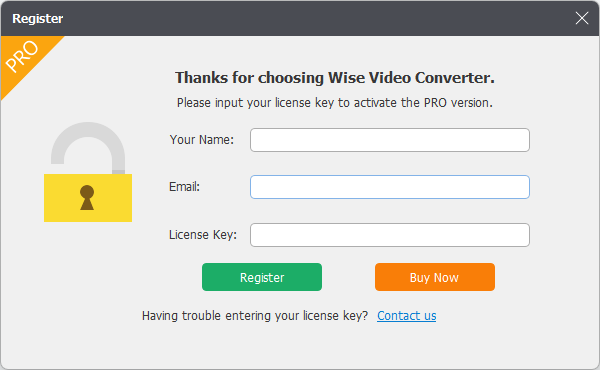
it will go to its Registry settings, and fetch the value of:
HKLM\SOFTWARE\WiseCleaner\Wise Video Converter\OrderUrl
If we change this value to say:
file://c:\WINDOWS\system32\calc.exe
the calculator will be launched anytime someone tries to click the Buy Now button.
It’s simple, it’s stupid, and kinda inefficient, but it is out there. So, let’s document it 🙂
如有侵权请联系:admin#unsafe.sh