
好的,我现在需要帮用户总结一篇文章的内容,控制在100字以内。首先,我得仔细阅读文章内容,理解主要信息。 文章主要讲的是OpenAI对ChatGPT移动版的更新。之前在安卓版中,用户无法选择“Extended Thinking”,现在终于可以了。这意味着用户可以通过ChatGPT Plus订阅来使用更强大的思考功能,获得更详细的回答。同时,桌面版也新增了格式化工具,改善用户体验。 接下来,我需要将这些要点浓缩到100字以内。要注意不使用“文章内容总结”之类的开头,直接描述内容。还要确保信息准确,不遗漏关键点。 可能的结构是:先提到更新的内容,包括安卓版新增的功能和订阅要求;然后提到桌面版的新工具;最后说明这些功能正在逐步推出。 现在试着组织语言:OpenAI更新了ChatGPT移动端,在安卓版中新增了“Extended Thinking”选项,需订阅Plus才能使用;桌面版增加了格式化工具;这些功能正在逐步推出。 检查字数是否在限制内,并确保表达清晰简洁。 </think> OpenAI更新了ChatGPT移动端,在安卓版中新增了“Extended Thinking”选项,并要求订阅Plus才能使用。桌面版增加了格式化工具以改善用户体验。 2025-12-29 15:45:24 Author: www.bleepingcomputer.com(查看原文) 阅读量:5 收藏

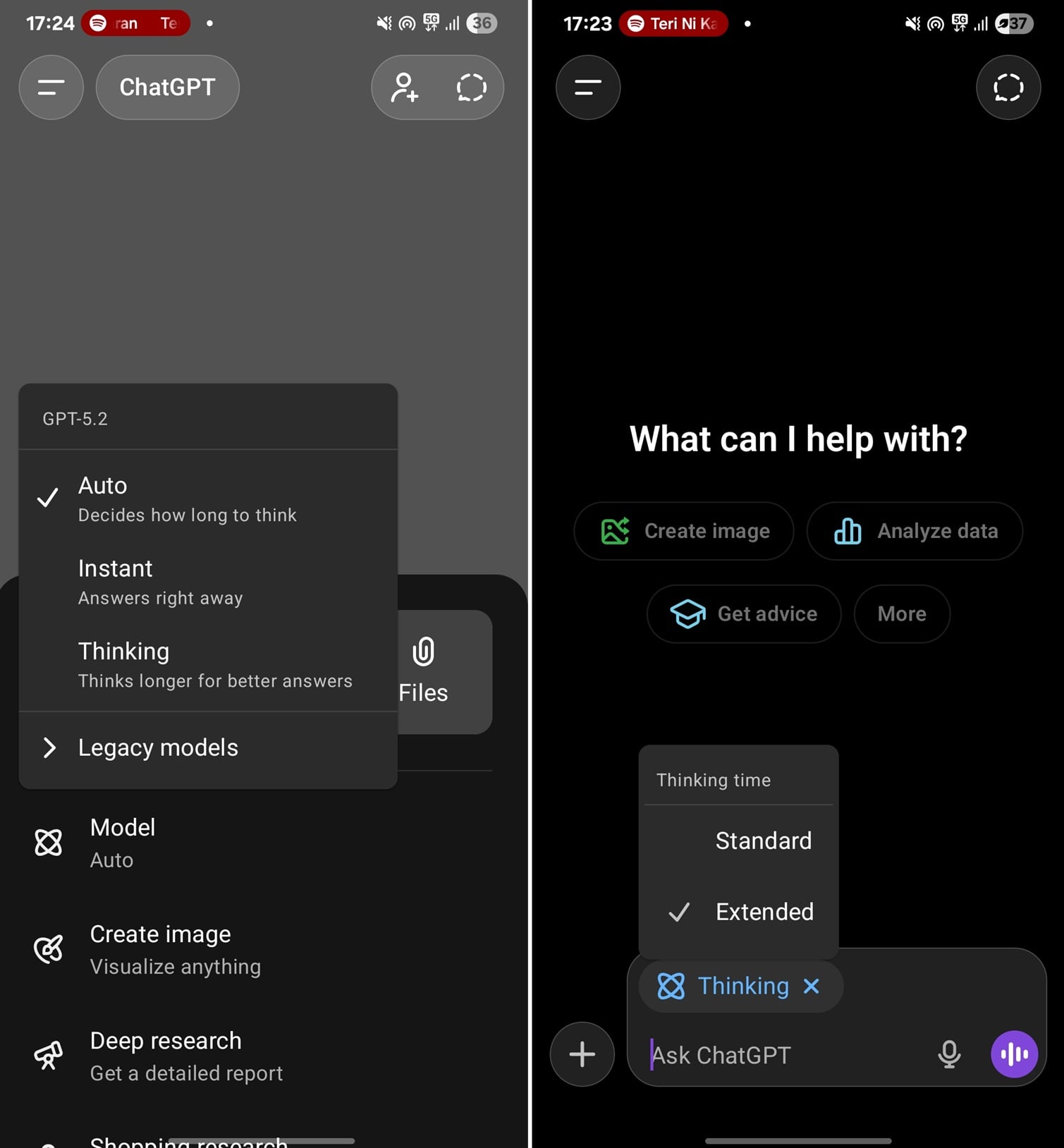
OpenAI is rolling out an update to ChatGPT on mobile that finally allows you to select the Thinking time toggle, also called "juice" of the model.
Up until now, if you toggled Thinking in ChatGPT for Android, it routed your requests through 'Standard' thinking, which uses less compute, and it cannot think for a long time.
On the other hand, if you select Thinking on desktop, you can also toggle between 'Standard thinking" and "Extended Thinking."

Source: BleepingComputer
Extended Thinking has more juice, which means it thinks for a long time and provides better answers when you're working on complex queries.
This toggle shows up only if you pay for ChatGPT Plus. The Go subscription does not let you select the Thinking capacity.
Other improvements are rolling out to GPT
On desktop, OpenAI has rolled out 'formatting blocks,' which tweak GPT's layout to match the UI of the task it is supposed to execute.
Up until now, if you asked GPT to write an email for you, it would show the content of the email in the same way as a typical response.
That does not make GPT worse than any other LLM, but it's not the best experience, and OpenAI wants to fix it with a new feature that automatically adapts the UI.
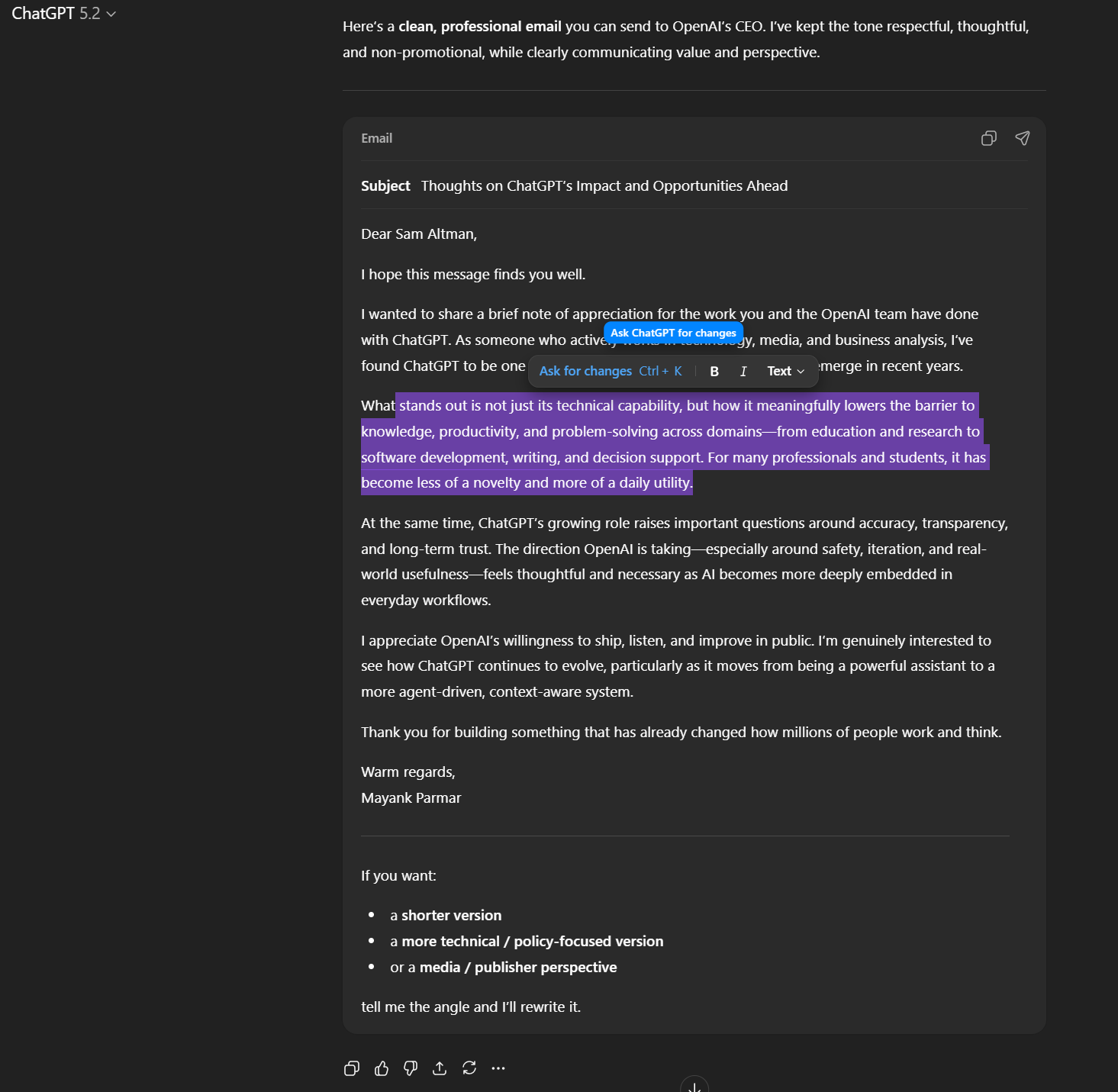
This new “formatting box” is basically a mini editor toolbar that pops up when you highlight text inside ChatGPT’s newer rich-text areas (like the email or writing draft)
All these features are gradually rolling out on ChatGPT.

Break down IAM silos like Bitpanda, KnowBe4, and PathAI
Broken IAM isn't just an IT problem - the impact ripples across your whole business.
This practical guide covers why traditional IAM practices fail to keep up with modern demands, examples of what "good" IAM looks like, and a simple checklist for building a scalable strategy.
如有侵权请联系:admin#unsafe.sh