
Evil Crow Cable Wind is a stealthy tool for red teamers who like to keep things simple and snea 2025-12-1 13:1:53 Author: www.mobile-hacker.com(查看原文) 阅读量:36 收藏

Evil Crow Cable Wind is a stealthy tool for red teamers who like to keep things simple and sneaky.
If you saw it on a desk, you’d think it was just a regular USB charging cable. But the Evil Crow Cable Wind is anything but ordinary.
It’s a tiny hacking implant hidden inside a cable. Plug it into a computer, and it pretends to be a keyboard. Then it starts typing — fast. We’re talking up to 1,000 keystrokes per minute, all automated. No need to touch the keyboard.
This kind of device is known as a Human Interface Device (HID) attack tool. It works like a Rubber Ducky — a popular tool in the hacking world that injects keystrokes to run scripts or commands. However, you can control the Evil Crow Cable Wind remotely from your phone over Wi-Fi.

It was built by Joel Serna Moreno, who’s known for creating practical tools for pentesters and red teamers, such as Evil Crow RF: A Portable Radio Frequency Device. And this one’s especially handy. Whether you’re simulating insider threats, testing physical security, or just want a low-profile way to run payloads, this cable gets the job done — quietly.
From NSA’s $20,000 Cable to Open-Source Tools
Before the Evil Crow Cable Wind, before the O.MG Cable, there was COTTONMOUTH-I — a covert USB cable developed by the NSA as part of its secretive ANT (Advanced Network Technology) Catalog.

COTTONMOUTH-I looked like a regular USB-A cable, but inside was a USB 1.1 hub, a HOWLERMONKEY RF transmitter, and other hardware that allowed it to:
- Implant malware on target machines
- Exfiltrate data wirelessly
- Operate even on air-gapped systems
- Remain completely stealthy
This wasn’t some hobbyist project. It was military-grade espionage tech, and it came with a price tag to match: $20,000 per cable (sold in lots of 50).
It was designed for high-level surveillance, often embedded in keyboards or USB accessories to avoid detection. The goal? Total access, no matter how secure the environment.
The Evolution of Evil Crow Cable
The Evil Crow Cable Wind isn’t the first of its kind. It’s actually the third version of a project that started back in December 2019, when Joel Serna Moreno released the original EvilCrow-Cable.

That first version was a BadUSB cable based on the Attiny85 microcontroller. It could inject keystrokes like a Rubber Ducky, but it had some limitations. It required a wired connection to a host machine and didn’t support remote control. Still, it was a solid, low-cost tool for pentesters who wanted something small and sneaky.
The second version is Evil Crow Cable Pro (released in 2023). It is a BadUSB cable with a hardware keylogger function based on the RP2040 microcontroller, which is programmed/managed via the Arduino IDE and the TinyUSB stack. It can inject keystrokes like a USB Rubber Ducky, store payloads, and save keylogger logs in its internal memory. The device is normally shipped pre-flashed with basic firmware, and its behavior (activating the keylogger, executing payloads, changing VID/PID, etc.) is configured in that firmware.
Fast forward to late 2024, and Joel dropped the Evil Crow Cable Wind — a big step up. This version is built on the ESP32-S3 chip, which brings Wi-Fi into the mix. That means you can now control the cable wirelessly, through a web interface. No more lugging around a laptop just to upload a payload.
Cable Types, Smartphone Setup, and What You Can Do With It
Cable Types
The Evil Crow Cable Wind comes in two main versions:
- USB-A to USB-C: Great for plugging into laptops, desktops.
- USB-C to USB-C: Perfect for modern smartphones, tablets, and newer laptops.
This flexibility means you can use it on a wide range of devices — from a Windows PC to a MacBook, or even an Android phone with USB-C. It’s especially handy for red teamers who want to test mobile endpoints or simulate attacks on different hardware.
How to Connect It to Your Smartphone (Wi-Fi Mode)
Controlling the cable from your phone is surprisingly simple. Here’s how to do it:
- Plug in the cable to a device such as computer or smartphone.
- On your phone, open Wi-Fi settings and create a hotspot using name Evil Crow Cable Wind and password 123456789.
- Re-connect the cable.
- Once connected, open a browser and go to http://cable-wind.local/. If you can’t access web panel, type in IP address of the cable.
- You’ll land on the Evil Crow Cable Wind web interface, where you can manage everything — no app or PC required.
This setup is ideal for quick field tests or when you want to stay mobile.
Inside the Web Interface: What You Can Do
Once you’re in the web panel, here’s what each section does:
- Home: A dashboard showing device status, OS detection results, and quick actions.
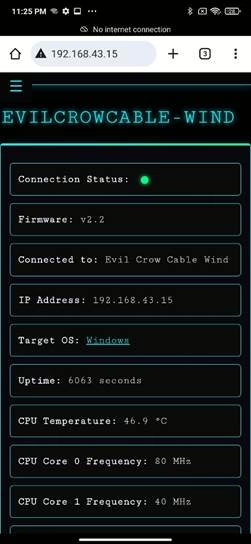
- Payload Editor: Write and test your payloads directly in the browser. It supports syntax highlighting and lets you save scripts on the fly.

- Upload Payload: The Upload Payload page allows you to upload and store payloads in memory.

- List Payloads: View all stored payloads, edit or delete them, and select which one to run.

- AutoExec Payloads: Set a payload to run automatically when the cable is plugged in. You can even configure it to trigger based on the detected OS.
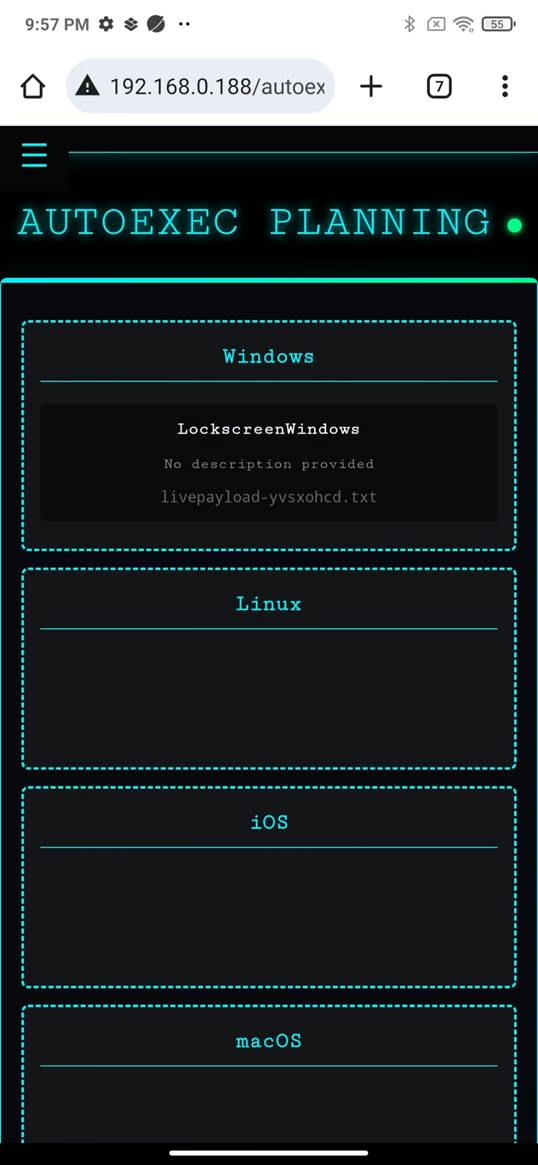
- Config: Manage Wi-Fi settings, keyboard layout, USB configuration and other device preferences. You can also set up backup networks or change the device name.

The project is still open-source and actively maintained, with contributors from the community helping improve features and fix bugs. It’s a great example of how DIY hacking tools can evolve into more polished, flexible gear — without losing their hacker spirit.
Flashing the Firmware Update over HTTP
Evil Crow Cable Wind comes with the firmware already flashed. This step is for updating the firmware from GitHub. You don’t need to compile anything to get the Evil Crow Cable Wind up and running. If you just want to flash the latest firmware and start testing, here’s the easiest way:
- Download the latest firmware.ino.bin file from the releases section on GitHub or from compiled directory.
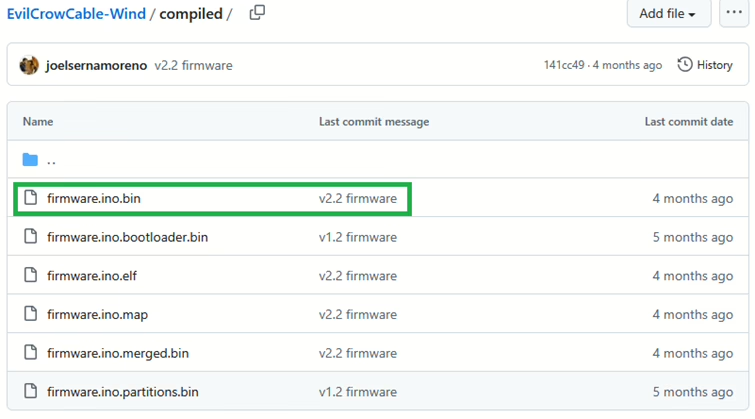
- Connect Evil Crow Cable Wind to computer and to the same Wi-Fi AP.
- Open terminal and flash the firmware using command:
curl -F "[email protected]" cable-wind.local/update

That’s it, firmware was successfully updated.
Remote Shell: Control Without a Network
One of the most underrated features of the Evil Crow Cable Wind is its Remote Shell. It’s a legit way to interact with a target machine even if it’s offline.
Here’s how it works:
- When the cable is plugged into a target device, it emulates a keyboard and executes a payload that establishes a serial connection between the target computer and the cable.
- Additionally, the cable opens a TCP connection (over Wi-Fi) to a client (Python script, Android APK, or an executable) running on the attacker’s machine.
- After the payload finishes executing, the attacker can remotely run system commands on the target computer even if the target is not connected to any network or the Internet.
- The target machine thinks it’s just receiving input via the serial port (commands), but those commands are executed stealthily by the system when they are received.
This is especially useful in air-gapped environments, where the target has no internet access. You don’t need the machine to be online. You don’t need to install anything. You just need the cable to be plugged in and powered.
It’s not a full reverse shell — you won’t get output streamed back like with netcat or Metasploit — but for quick, stealthy interaction, it’s incredibly effective.
Where to Buy It
If you’re ready to get your hands on one, the Evil Crow Cable Wind is available from the Sapsan online store. It ships worldwide and costs around €37 (about $43 USD at the time of writing).
That’s a pretty reasonable price for a tool that combines HID injection, remote control, OS detection, and a built-in shell — all in something that looks like a regular USB cable.
Alternatives: How Evil Crow Cable Wind Stacks Up
The Evil Crow Cable Wind isn’t the only BadUSB tool out there. If you’re exploring options, here are a few others worth knowing about — each with its own strengths and trade-offs.
USB Ninja
The USB Ninja looks like a regular charging cable but hides a wireless-triggered payload system inside. It supports keyboard and mouse emulation, and comes with a ring-shaped remote to trigger attacks.
- Pros:
- Stealthy design
- Works with multiple cable types (USB-A, USB-C, Lightning)
- Cons:
- No web interface or live payload editing
- No OS detection or remote shell
- Price: ~$161 USD
O.MG Cable (Elite)
The O.MG Cable is the most advanced — and most expensive — option. It’s hand-built and packed with features like Wi-Fi triggers, geo-fencing, self-destruct, keylogging, and even air-gap communication.
- Pros:
- Powerful and stealthy
- Supports DuckyScript™, mouse injection, keylogging, and encrypted C2
- Web-based control and mobile support
- Cons:
- High price
- Requires separate programmer for setup
- Price: $180 USD depending on version
Evil Crow Cable Wind
The Evil Crow Cable Wind is a budget-friendly option that still delivers serious functionality. It’s open-source, easy to flash, and includes features like OS detection, AutoExec, and a remote shell — all controllable from your phone.
- Pros:
- Affordable and open-source
- Web interface with live payload editor and syntax checker
- OS detection and AutoExec
- Remote shell access (even without internet)
- Cons:
- No keylogger or geo-fencing
- Price: ~$43 USD
Comparison Table
| Feature | Evil Crow Cable Wind | USB Ninja | O.MG Cable (Elite) |
| Price | ~$43 | ~$161 | $150–$180 |
| Wireless Control | Wi-Fi | RF Remote | Wi-Fi, App |
| Payload Editor | Web-based | No | Web-based |
| OS Detection | ✅ | ❌ | ✅ |
| AutoExec by OS | ✅ | ❌ | ❌ |
| Remote Shell | ✅ | ❌ | ✅ (Elite only) |
| Keylogger | ❌ | ❌ | ✅ (Elite only) |
| Geo-Fencing | ❌ | ❌ | ✅ (Elite only) |
| Self-Destruct | ❌ | ❌ | ✅ |
| Open Source | ✅ | ❌ | ❌ |
Want More Features? Try the USB Army Knife Firmware
If you’re the kind of person who likes to tinker, you’ll be happy to know that the Evil Crow Cable Wind supports alternative firmware — and one of them is USB Army Knife.
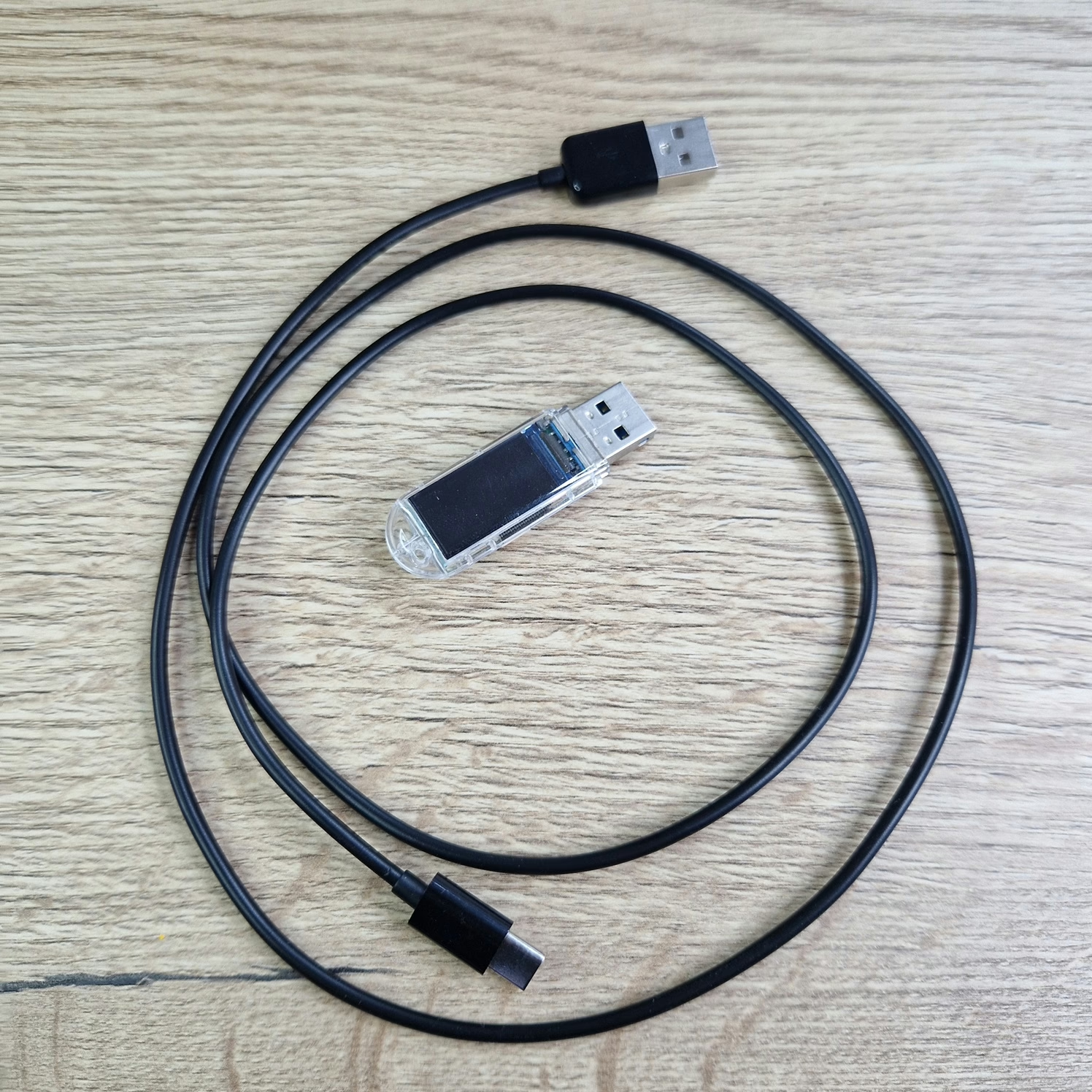
This firmware turns your cable into a multi-tool for physical access attacks, combining HID injection with a whole range of other capabilities. It’s designed for red teamers who want more than just keystroke injection.
Final Thoughts: A Tiny Cable With a Lot of Power
The Evil Crow Cable Wind proves that powerful hacking tools don’t have to be expensive or complicated. For around €37, you get a stealthy, flexible, and open-source BadUSB cable that’s packed with features — from OS detection and AutoExec payloads to a remote shell that works even without internet.
Compared to premium tools like the O.MG Cable, it holds its own surprisingly well. Sure, it doesn’t have keylogging or geo-fencing, but it nails the essentials — and even adds a few tricks of its own, like a syntax checker and web-based control from your phone.
Whether you’re a red teamer, a pentester, or just someone who loves experimenting with hardware, the Evil Crow Cable Wind is a solid addition to your toolkit. It’s affordable, easy to use, and surprisingly versatile for something that looks like a regular charging cable.
如有侵权请联系:admin#unsafe.sh