
There’s a saying I use often, usually as a joke, but it’s often painfully true. Past me hates fu 2025-11-25 13:0:0 Author: securityboulevard.com(查看原文) 阅读量:9 收藏
There’s a saying I use often, usually as a joke, but it’s often painfully true. Past me hates future me. What I mean by that is it seems the person I used to be keeps making choices that annoy the person I am now. The best example is booking that 5am flight, what was I thinking? But while I mean this mostly as a joke, we often don’t do things today that could benefit us in the future. What if we can do things that benefit us now, and in the future. Let’s talk about supply chain security in this context.
The world of supply chain security is more complicated and hard to understand than it’s ever been. There used to be a major supply chain attack or bug every couple of years. Now it seems like we see them every couple of weeks. In the past it was easy for us to mostly ignore long term supply chain problems because it was a problem for our future selves. We can’t really do that anymore, supply chain problems are something that affect present us, and future us. Also past us, but nobody likes them!
There are countless opinions on how to fix our supply chain problems. Everything from “it’s fine” to “ban all open source”. But there is one common thread every possible option has, and that’s understanding what software is in your supply chain. And when we say “software in your supply chain” we really mean all the open source you’re using. So how do we track all the open source we’re using? There are many opinions around this question, but the honest reality at this point is SBOMs (Software Bills of Material) won. So what does this have to do with us in the future?
Let’s tie all the pieces together now. We have a ton of open source. We have all these SBOMs, and we have a supply chain attack that’s going to affect future us. But not the distant future us, it’s the future us in a few weeks. It’s also possible we’re still in the middle of dealing with the last attack.
When any sort of widespread incident happens in the world of security, the first question to ask is “am I affected” I have a blog post I wrote after one of the recent NPM incidents. A Zero-day Incident Response Story from the Watchers on the Wall. I can’t even remember where exactly it falls in the timeline of recent NPM attacks, there have been so many of these things. Most modern infrastructure is pretty complex. Asking the question “am I affected” isn’t as simple as it sounds.
If you have a container image, or a zip file, or a virtual machine that’s running your infrastructure, how do you even start to understand what’s inside? You might dig around and look for a specific filename, maybe something like “log4j.jar”. Sometimes looking for a certain file will work, sometimes it won’t. Did you know JAR files can be inside other JAR files? Now the problem is a lot harder.
It’s also worth noting that if you’re in the middle of a supply chain event, finding all your software and decompressing it isn’t a great use of time. It’s slow and a very error prone task. If you have thousands of artifacts to get through, that’s not going to happen quickly. When we’re in the middle of a security incident, we need the ability to move quickly and answer questions that come up as we learn more details.
Let’s assume you figured out if you are, or aren’t, affected by a supply chain attack, the next question might be “was I ever affected?” Some supply chain problems don’t need a look back in time, but some do. If the problem was a single version of a malicious package that’s 6 hours old, you might not need an inventory of every version of every artifact ever deployed. But one of the challenges we have with these supply chain problems is we don’t know what’s going to happen next. If we need to know every version of every artifact that was deployed for the last two years, can most of us even answer that question?
It’s likely you’re not keeping artifacts laying around. They’re pretty big, but even if you don’t care about space, it can be really hard to keep track of everything. If you deploy once a day, and you have 20 services, that’s a lot of container images. Rather than keep the actual artifacts around taking up space, we can store just the metadata from those artifacts.
How can SBOMs help with this? SBOMs are just documents. One document per artifact. There are SBOM management systems that can help wrangle all these documents. While we’ve not yet solved the problem of storing a large number of software artifacts easily and efficiently. We have solved the problem of storing a large number of structured documents and making the data searchable.
The searchable angle is a pretty big deal. Even if you do have millions of stored container images, good luck searching through those. If you have a store of all your SBOMs, which would represent all the software you currently and have ever cared about, searching through that data is extremely fast and easy. We know how to search through structured data.
Keep in mind that generating and collecting SBOMs is just the first step in a supply chain journey. But no journey can start without the first step. It’s also never been easier to start creating and storing SBOMs. We can benefit from the data right now. There’s a paper from the OpenSSF titled Improving Risk Management Decisions with SBOM Data that captures many of these use cases.
Fundamentally it’s an investment for our future selves who will need to know what all the software components are. It’s common for most solutions to either help present us or future us, but not both. When we start using an SBOM, why not both?
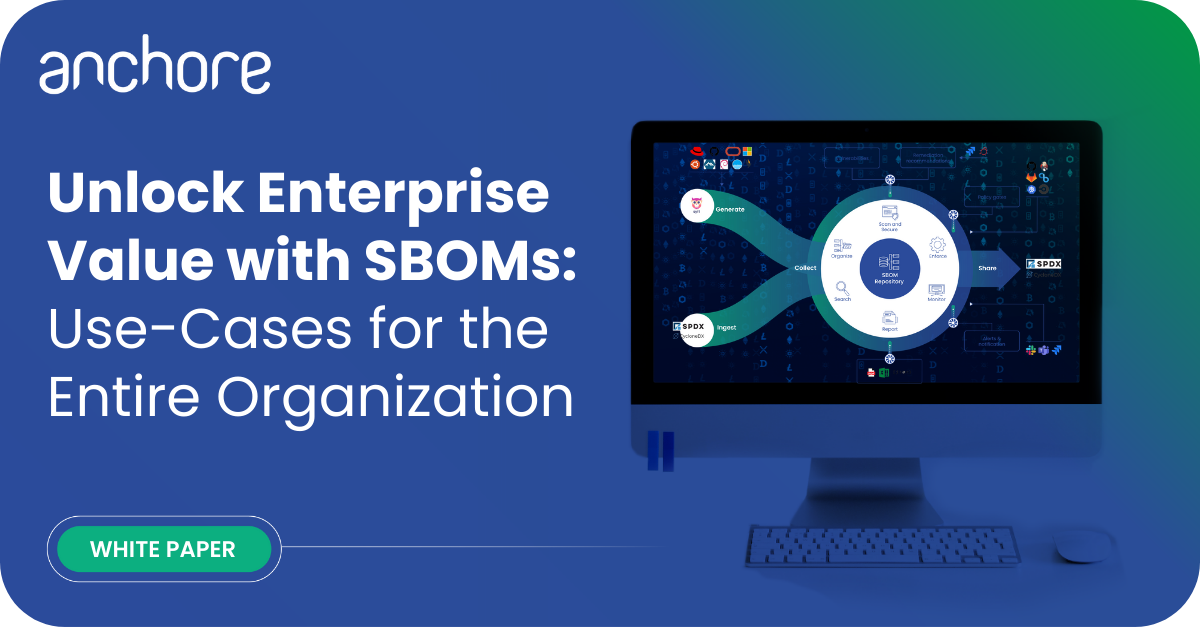
Explore SBOM use-cases for almost any department of the enterprise and learn how to unlock enterprise value to make the most of your software supply chain.
The post SBOM is an investment in the future appeared first on Anchore.
*** This is a Security Bloggers Network syndicated blog from Anchore authored by Josh Bressers. Read the original post at: https://anchore.com/blog/sbom-is-an-investment-in-the-future/
如有侵权请联系:admin#unsafe.sh