嗯,用户让我总结这篇文章的内容,控制在100字以内,而且不需要用“文章内容总结”之类的开头。首先,我得通读一下文章,抓住主要信息。 文章讲的是Windows的开始菜单在2021年以来的首次重大 redesign,将在11月11日的Patch Tuesday更新中推出。主要变化包括开始菜单现在可以滚动,所有应用直接显示在主页,不再需要跳转到其他页面。新增了分类视图,默认情况下应用按类型分组,常用应用排在前面。还有网格视图,保持A到Z顺序但布局更宽。菜单会根据屏幕大小调整尺寸,在大屏幕上显示更多内容,在小屏幕上则更紧凑。用户还可以关闭推荐功能。 另外,文章提到虽然新界面是升级,但对低分辨率屏幕来说可能占用了太多空间,并建议微软允许自定义分类。最后,新界面将在未来几年内逐步推出。 总结的时候要涵盖主要变化:滚动功能、分类视图、网格视图、自适应布局、关闭推荐选项以及可能的问题和未来的改进。同时要简洁明了,控制在100字以内。 可能的结构是:开始菜单 redesign,新增滚动、分类视图、网格布局、自适应设计和关闭推荐功能,并提到低分辨率问题和未来改进。 </think> Windows 开始菜单迎来 2021 年以来首次重大 redesign,新增滚动功能、分类视图和网格布局,并支持自适应屏幕尺寸,默认启用分类视图。用户可关闭推荐功能以减少干扰。新界面将于 2025 年 11 月推出,默认未启用。 2025-11-9 23:45:19 Author: www.bleepingcomputer.com(查看原文) 阅读量:7 收藏
The Windows Start menu is getting its first major redesign since 2021 and will be rolled out to everyone with the November 11 Patch Tuesday update.
The Start menu is now scrollable, so you can move through your apps in one place.
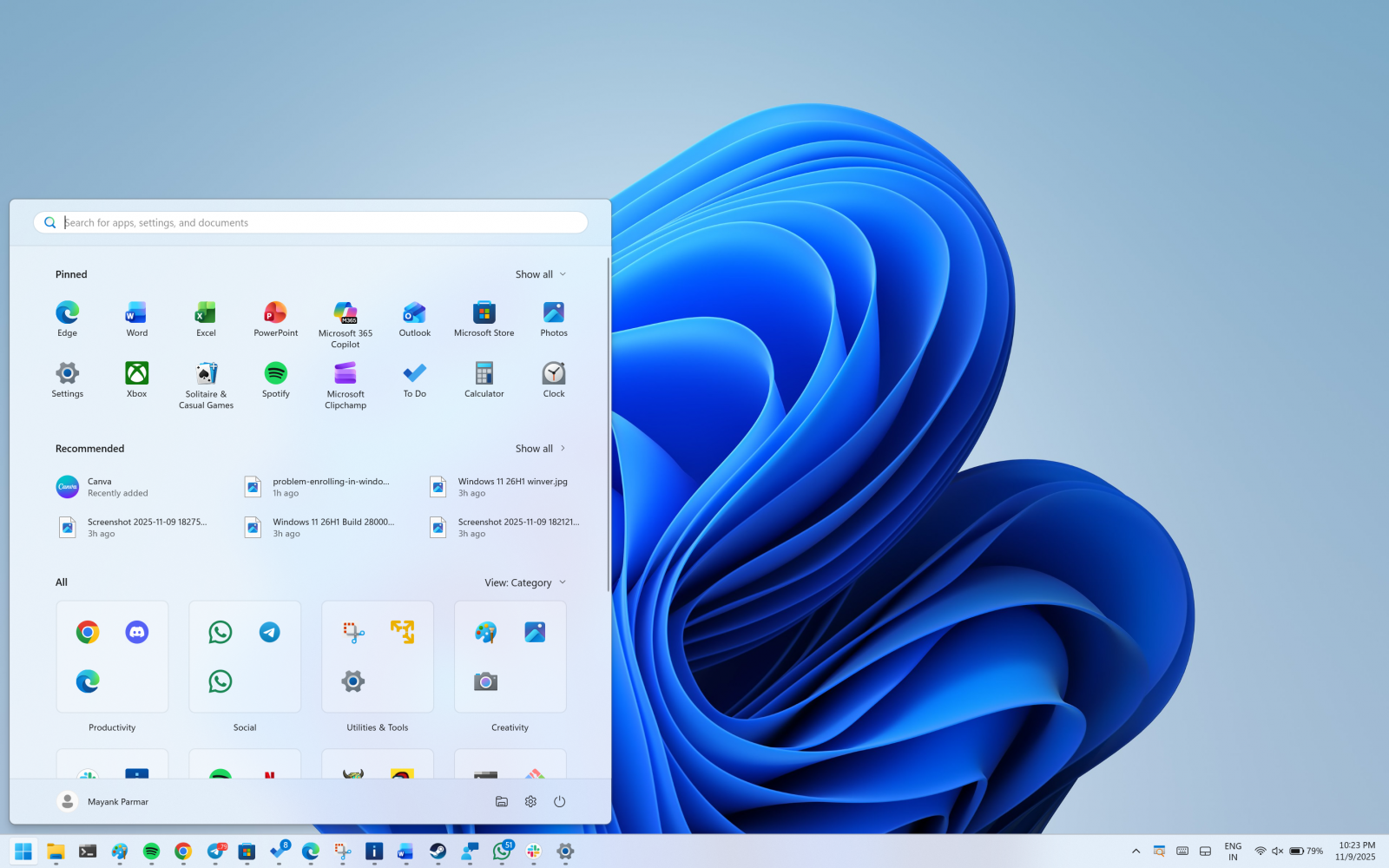
This means the “All” section sits on the main screen, and you do not need to jump to a separate page.

Right now, when you open Start, you need to click on All apps to find the list of installed apps.
Now, you've the “All" section on the homepage.
The Start menu has two UIs for the All apps list
By default, Microsoft has categorised view enabled by default, which groups by app type. It moves your most used ones to the top of each group.
The categories are created locally and maintained using a local JSON file.
A category is created when it has at least three apps. If a group is smaller, those apps stay in “Other.”

Finally, we have a grid view, which keeps the classic A to Z order, but it has a wider layout so you can scan more apps at once.
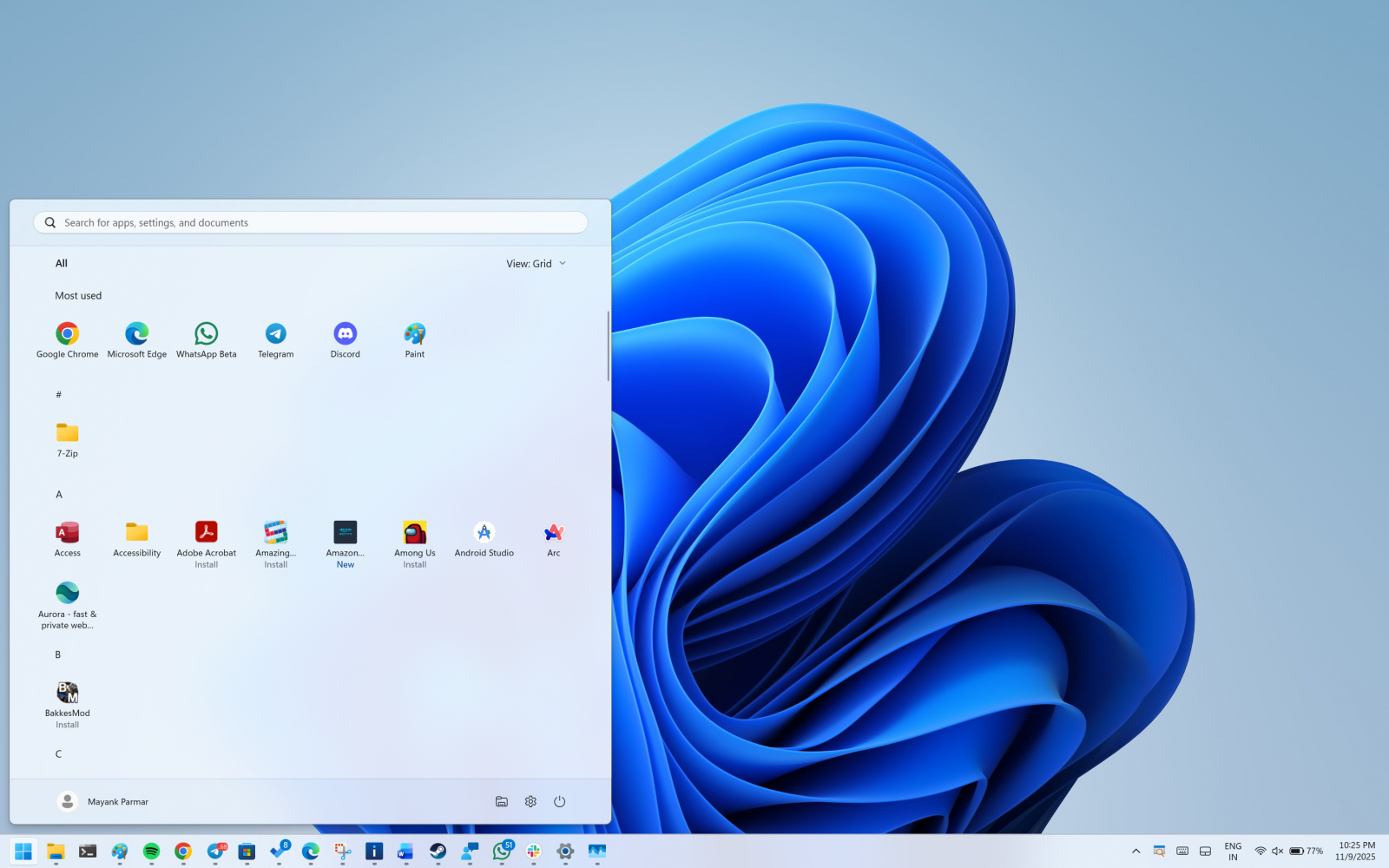
Windows remembers the view you last used, but after the update, it will default to the categories view unless you change it.
The new Start menu UI is adaptive
The menu also grows or shrinks to fit your screen. On bigger screens, you see a larger Start menu by default. That can show eight columns of pinned apps, six recommendations, and four columns in the “All” categories.
On smaller screens, you will see six columns of pinned apps, four recommendations, and three columns in the “All” categories.
If you only pin a few apps, the Pinned area collapses to one row, and other parts move up.
You can now remove the Recommended feed
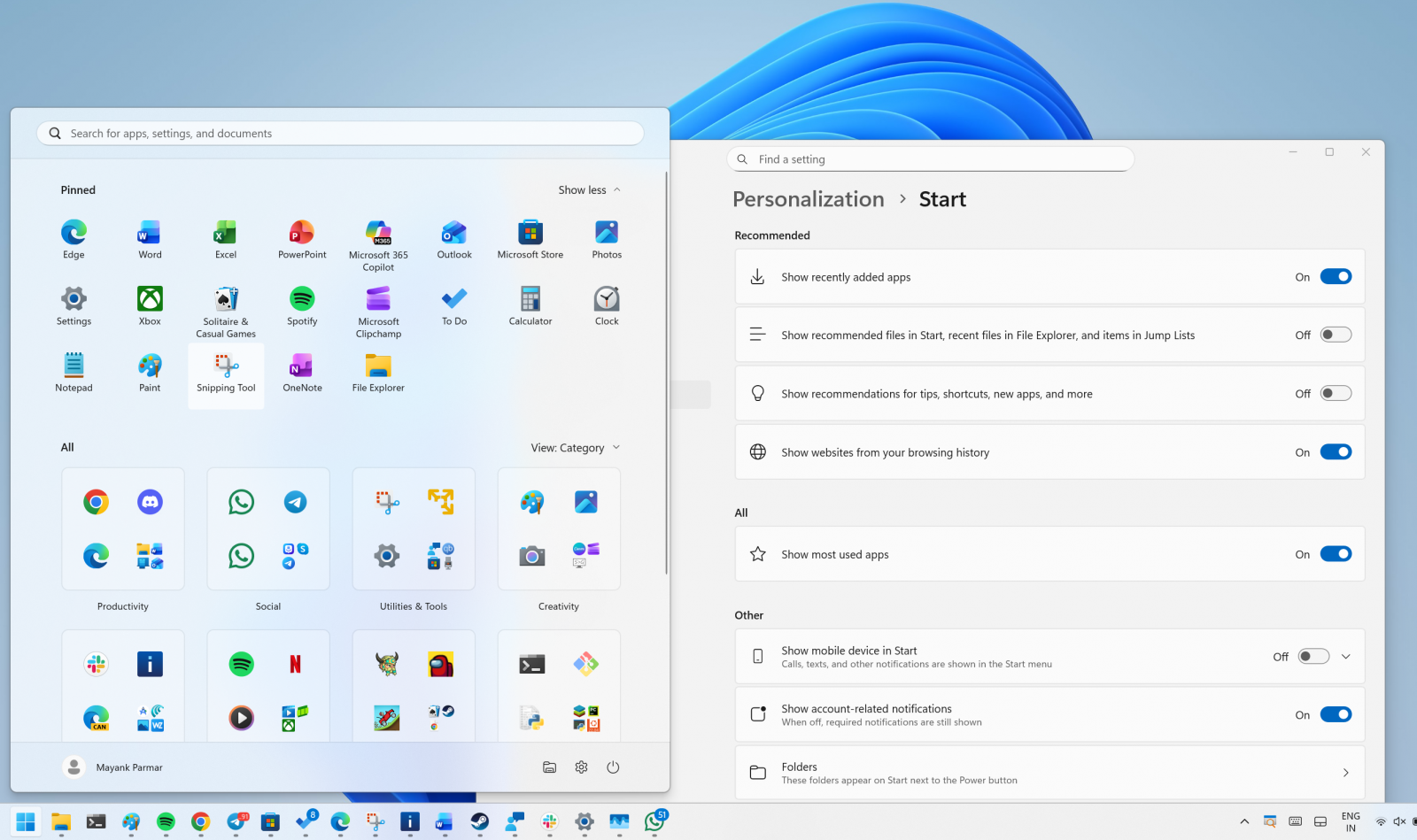
If you do not want recommendations, open Settings, then Personalization, then Start, and turn off the toggles for recently added apps, recommended files, websites from your history, and tips.
When there are no recommendations, that section hides itself, so you see more of your installed apps.
The new Start menu is better, but it needs these two fixes
The new Start menu is a much-needed upgrade, but at the same time, it covers almost 60-70% of the screen on PCs with low resolution.
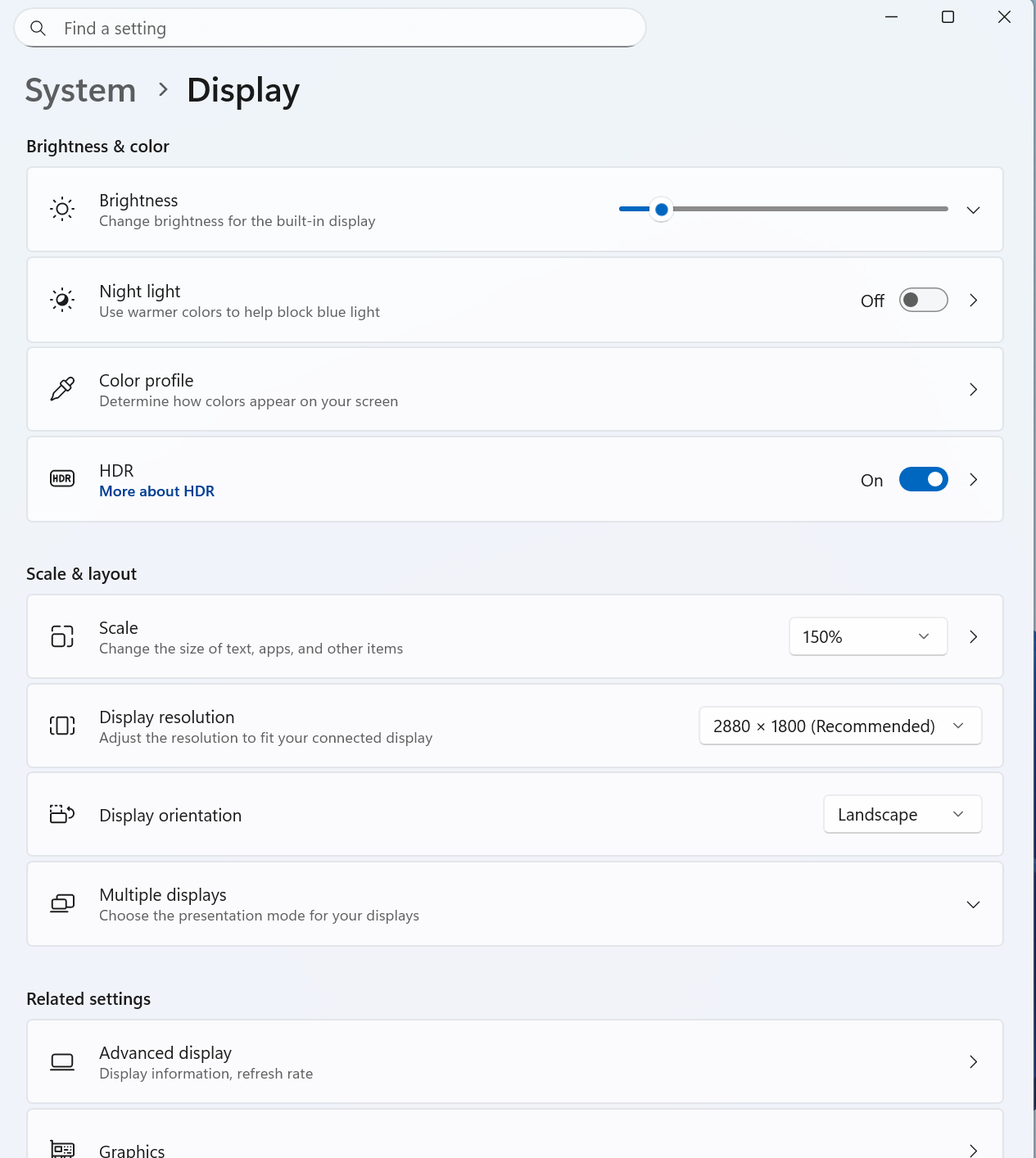
If you run into Start menu UI issues, I recommend lowering the scale settings from Settings > System > Display.
Second, Microsoft should allow you to create your own categories.
Most of my apps are grouped under the "Other" category because I do not have three similar apps that qualify Microsoft's criteria.
However, it's likely the customisation controls will eventually improve.
How to get the new Start menu
As mentioned at the outset, this new Start menu UI begins rolling out with the November 2025 Patch Tuesday, and the rollout is expected to be completed in a few years.
This new Start UI is included in Build 26200.7019 and 26100.7019 or newer, but it won't be turned on by default.

Secrets Security Cheat Sheet: From Sprawl to Control
Whether you're cleaning up old keys or setting guardrails for AI-generated code, this guide helps your team build securely from the start.
Get the cheat sheet and take the guesswork out of secrets management.
如有侵权请联系:admin#unsafe.sh