嗯,用户让我总结一下这篇文章的内容,控制在100字以内,而且不需要用“文章内容总结”或者“这篇文章”这样的开头。我得先仔细读一遍文章,理解主要信息。 文章讲的是微软商店在网页端新增了一个功能,可以创建一个多应用安装包。用户可以在Windows 11上一次性安装多个应用,而不需要一个一个下载。这个功能类似于第三方工具Ninite。具体来说,用户可以进入微软商店的网页版,选择需要的应用,然后生成一个安装包,下载后就能批量安装了。 不过,文章里也提到一些限制。比如一次只能下载16个应用,避免服务器过载。而且目前这个功能只在网页版可用,Windows 11的应用版可能还不支持。另外,可选的应用只有64个精选应用,并不是所有微软商店里的应用都能选。 用户的需求是让别人快速了解文章内容,所以总结的时候要抓住重点:新功能、如何使用、优点以及限制。控制在100字以内的话,需要简洁明了地表达这些信息。 现在开始组织语言:微软商店网页版新增批量安装功能,用户可一次性下载和安装多个应用,类似Ninite工具。支持最多16个应用同时下载,并生成安装包。但目前仅限于精选的64款应用,并且只能通过网页版使用。 这样应该符合要求了。 </think> 微软商店网页版新增批量安装功能,允许用户一次性下载和安装多个应用程序,并生成一个安装包。该功能支持同时下载最多16个应用,并通过执行文件后台安装所有选定应用。目前该功能仅适用于精选的64款应用,并且只能通过微软商店网页端使用。 2025-11-5 17:30:20 Author: www.bleepingcomputer.com(查看原文) 阅读量:5 收藏
The Microsoft Store on the web now lets you create a multi-app install package on Windows 11 that installs multiple applications from a single installer.
This means you can now install multiple apps simultaneously without having to download each one manually.
The experience is similar to that of the third-party app Ninite, a package manager that lets you install multiple apps at once.

How does Microsoft Store's multi-app install work?
Previously, if you opened the Store on the web or in Windows 11, you had to go to the product page for each app to start the installation.
While that works, it's not the best experience when you're setting up a new PC.
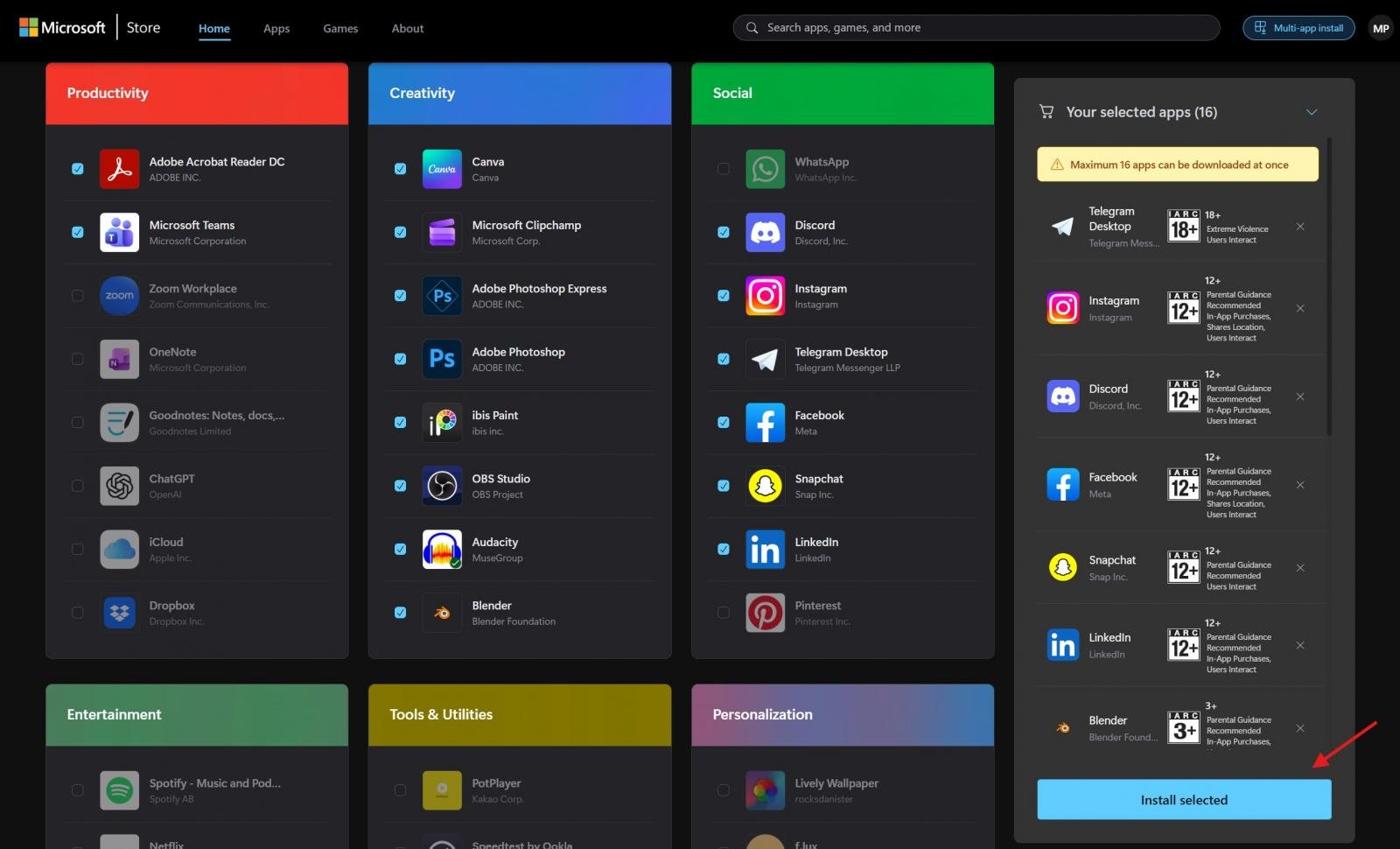
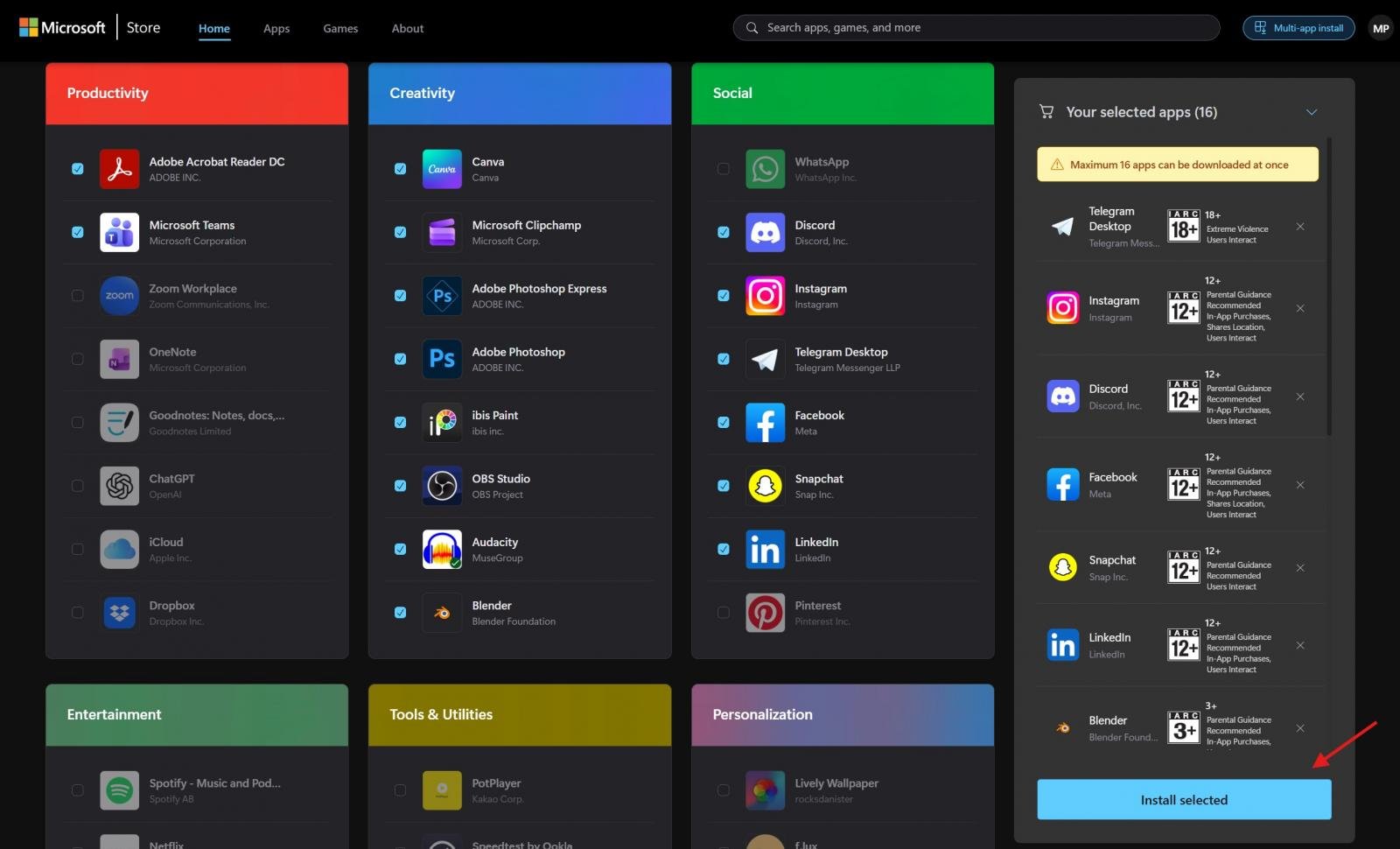
With multi-app install support, you can now head to the Store on the web, select the apps you need, and create a package that downloads and installs the selected apps from the Store.
Source: BleepingComputer
As spotted on X, this feature quietly went live for the Microsoft Store web earlier this week.
To use Store multi-app install, open the Store web, select apps, and click on "Install selected." Only 16 apps can be downloaded at once to avoid overwhelming the Store servers.
Source: BleepingComputer
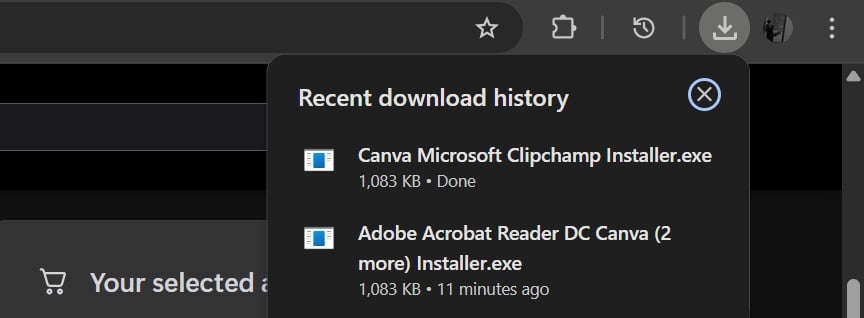
After selecting "Install selected", the Store web will download an executable that installs all your apps in the background.
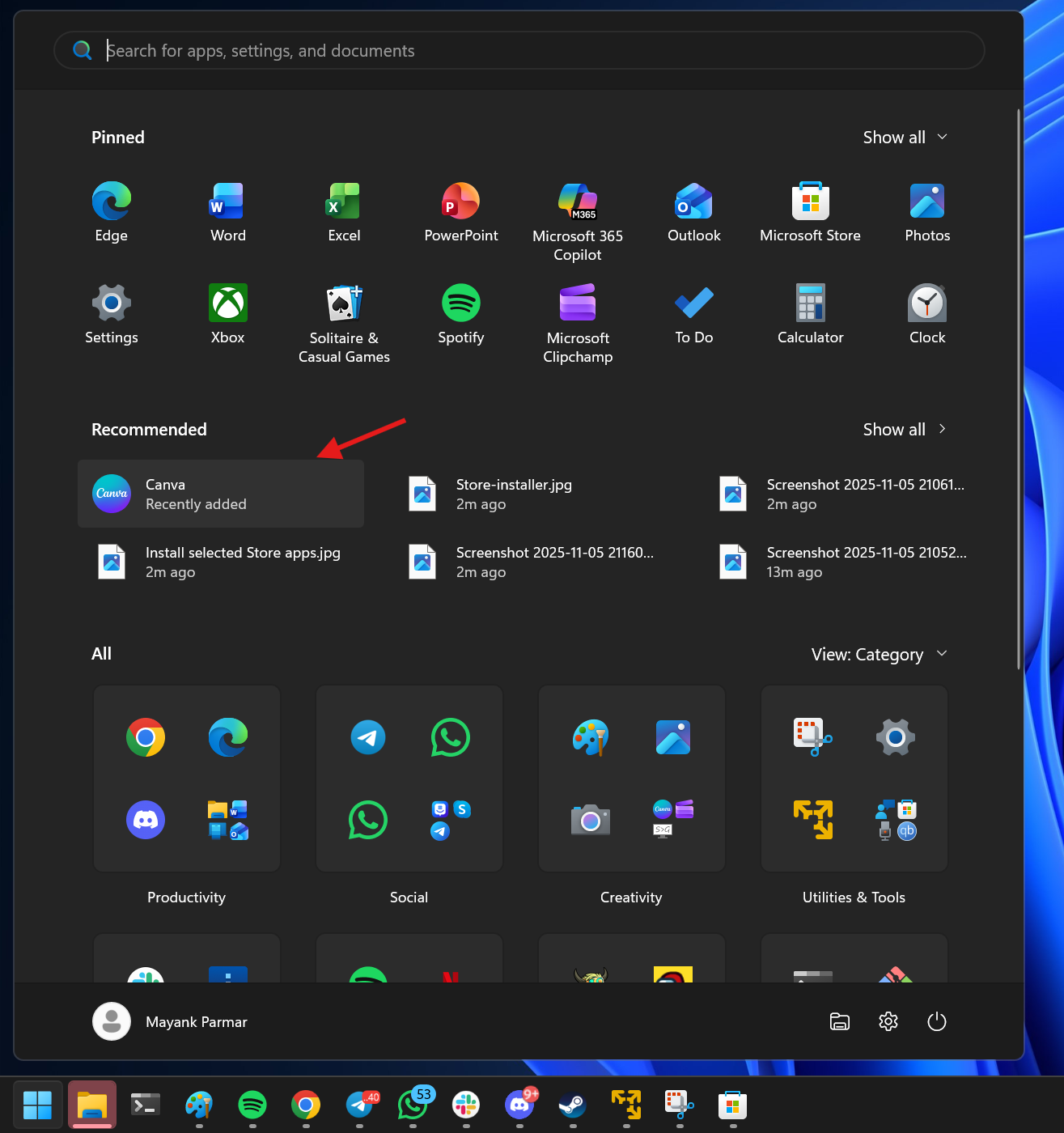
Source: BleepingComputer
In our tests, we observed that it doesn't work in the Store app on Windows 11, but only in the Store on the web.
Also, the multi-app install feature is not yet ready for the masses, because we noticed that you could only select from a list of 64 curated apps.
BleepingComputer contacted Microsoft to see if they plan to extend this feature to allow selecting any app from the Microsoft Store.
The 2026 CISO Budget Benchmark
It's budget season! Over 300 CISOs and security leaders have shared how they're planning, spending, and prioritizing for the year ahead. This report compiles their insights, allowing readers to benchmark strategies, identify emerging trends, and compare their priorities as they head into 2026.
Learn how top leaders are turning investment into measurable impact.
如有侵权请联系:admin#unsafe.sh