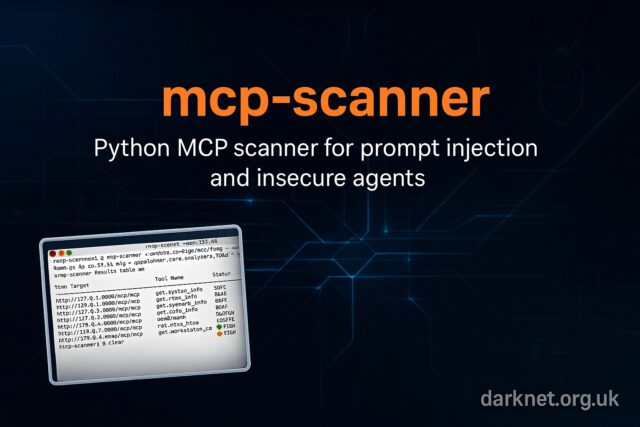
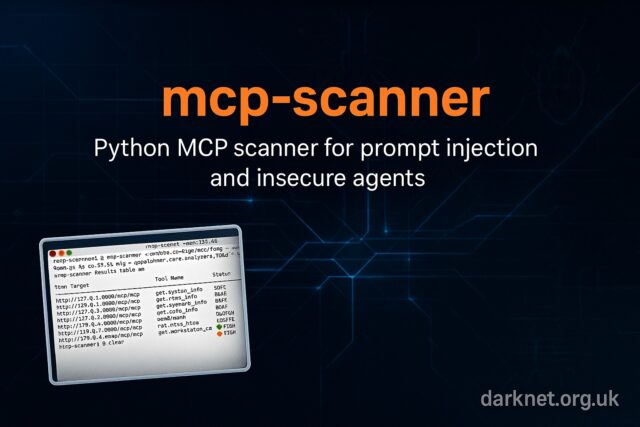
mcp-scanner is an open-source Python tool that scans Model Context Protocol (MCP) servers and agent tooling for prompt injection, jailbreaks, and insecure tool patterns. It uses deterministic YARA-style checks and a large language model (LLM) judge to classify risky prompts. The project also integrates with Cisco’s AI Defense Inspect API.
Overview
MCP endpoints expose a new attack surface: agent frameworks that consume untrusted prompt templates or tool descriptors. mcp-scanner audits these points automatically. It scans local codebases or live endpoints, flags weak prompt handling and open tool hooks, and ranks risk with an LLM judge. For red teams, it provides quick reconnaissance; for defenders, it enforces secure-prompt hygiene before release.
Unlike traditional web scanners, mcp-scanner understands agent semantics. You can extend findings by chaining it with proven recon and fuzzing tools already covered on Darknet, such as Burp Suite, OWASP ZAP, and techniques in the fuzzing archive.
Features
- Three scanning engines: deterministic signature matching, an LLM-as-judge for contextual triage, and Cisco AI Defense Inspect API integration that enriches analysis.
- Two operation modes: a command-line scanner for ad hoc checks, or a REST API server for automation pipelines.
- Authentication aware: accepts explicit auth parameters and OAuth tokens to test protected MCP endpoints safely.
- Custom rules: extend or tune YARA-style signatures for your own engagement scope.
- Structured reports: outputs JSON and text summaries that feed straight into ticketing or continuous-monitoring systems.
Installation
To install from Source:
git clone https://github.com/cisco-ai-defense/mcp-scanner cd mcp-scanner # Install with uv (recommended) uv venv -p <Python version less than or equal to 3.13> /path/to/your/choice/of/venv/directory source /path/to/your/choice/of/venv/directory/bin/activate uv pip install . # Or install in development mode uv pip install -e . |
To install directly from PyPI:
uv venv -p <Python version less than or equal to 3.13> /path/to/your/choice/of/venv/directory source /path/to/your/choice/of/venv/directory/bin/activate uv pip install cisco-ai-mcp-scanner |
Environment Configuration
Set the required environment variables before running scans. These examples come from the official repository and show the typical configuration for Cisco AI Defense and LLM integrations:
|
1 2 3 4 5 6 7 8 9 10 11 12 13 14 15 16 17 18 19 20 21 22 23 24 25 26 27 28 29 |
# Cisco AI Defense API (optional) export MCP_SCANNER_API_KEY="your_cisco_api_key" export MCP_SCANNER_ENDPOINT="https://us.api.inspect.aidefense.security.cisco.com/api/v1" # AWS Bedrock Claude with AWS credentials (profile) export AWS_PROFILE="your-profile" export AWS_REGION="us-east-1" export MCP_SCANNER_LLM_MODEL="bedrock/anthropic.claude-sonnet-4-5-20250929-v2:0" # Any AWS Bedrock supported model # AWS Bedrock Claude with API key (Bearer token) export MCP_SCANNER_LLM_API_KEY="bedrock-api-key-..." # Generated via Amazon Bedrock -> API Keys export AWS_REGION="us-east-1" export MCP_SCANNER_LLM_MODEL="bedrock/us.anthropic.claude-sonnet-4-5-20250929-v2:0" # Any AWS Bedrock supported model # LLM Provider API Key (required for LLM analyzer) export MCP_SCANNER_LLM_API_KEY="your_llm_api_key" # OpenAI # LLM Model Configuration (optional - defaults provided) export MCP_SCANNER_LLM_MODEL="gpt-4o" # Any LiteLLM-supported model export MCP_SCANNER_LLM_BASE_URL="https://api.openai.com/v1" # Custom LLM endpoint export MCP_SCANNER_LLM_API_VERSION="2024-02-01" # API version (if required) # For Azure OpenAI (example) export MCP_SCANNER_LLM_BASE_URL="https://your-resource.openai.azure.com/" export MCP_SCANNER_LLM_API_VERSION="2024-02-01" export MCP_SCANNER_LLM_MODEL="azure/gpt-4" # For Extended Thinking Models (longer timeout) export MCP_SCANNER_LLM_TIMEOUT=300 |
Adjust these values to match your environment or local LLM endpoint before running mcp-scan. The tool supports OpenAI, Azure OpenAI, AWS Bedrock, and local backends such as Ollama or vLLM.
Usage
mcp-scanner can run interactively or as a background service. Typical workflow:
- Set authentication and environment variables for your LLM or AI Defense endpoint.
- Run a quick scan on a target MCP server or local repository.
- Enable the LLM judge to refine results and reduce noise.
- Export results as JSON for triage or dashboards.
Example command pattern:
# YARA-only scan of all servers defined in well-known config locations mcp-scanner --scan-known-configs --analyzers yara --format summary # Detailed output mcp-scanner --scan-known-configs --analyzers yara --detailed |
Attack Scenario
Goal: identify insecure prompts and exposed tool hooks within an organisation’s MCP deployment.
- Enumerate likely MCP endpoints from DNS, repositories, or cloud inventories.
- Confirm MCP metadata endpoints are reachable.
- Run mcp-scanner in signature mode first; flag prompts that use unescaped variables or direct system calls.
- Enable the LLM judge to prioritise the highest-risk templates and descriptors.
- Re-create validated findings in a controlled lab to demonstrate exploitability and remediation steps.
Red Team Relevance
During reconnaissance, mcp-scanner lets you test MCP endpoints for weak prompt handling before deeper exploitation. It shortens discovery time and feeds actionable data to tooling like AIPentestKit and PyRIT, both previously covered on Darknet. Each flagged prompt can reveal an injection or agent abuse vector worth exploring further.
Detection and Mitigation
- Monitor: look for repeated prompt patterns and template variable injection in logs.
- Restrict: enforce authentication and allow-lists for agent tool descriptors.
- Sanitise: validate prompt templates and strip unsafe tokens before execution.
- Integrate: add mcp-scanner into your CI/CD and MCP deployment checks, similar to how ZAP or Burp are embedded in web application testing pipelines.
Comparison
Versus web scanners: mcp-scanner focuses on prompt and tool semantics; generic HTTP scanners miss these issues.
Versus manual code review: signature and LLM engines automate the drudge work, but human review still validates exploitability.
Versus classic proxy tools: ZAP and Burp remain essential for transport-layer testing; mcp-scanner complements them by covering agent logic.
Conclusion
mcp-scanner provides a fast, automated way to surface prompt injection and insecure tool patterns across MCP servers and agent frameworks. It belongs in the same reconnaissance toolkit as your proxies and fuzzers. The rise of agentic systems makes this an urgent addition to every red-team and AppSec workflow.
You can read more or download mcp-scanner here: https://github.com/cisco-ai-defense/mcp-scanner