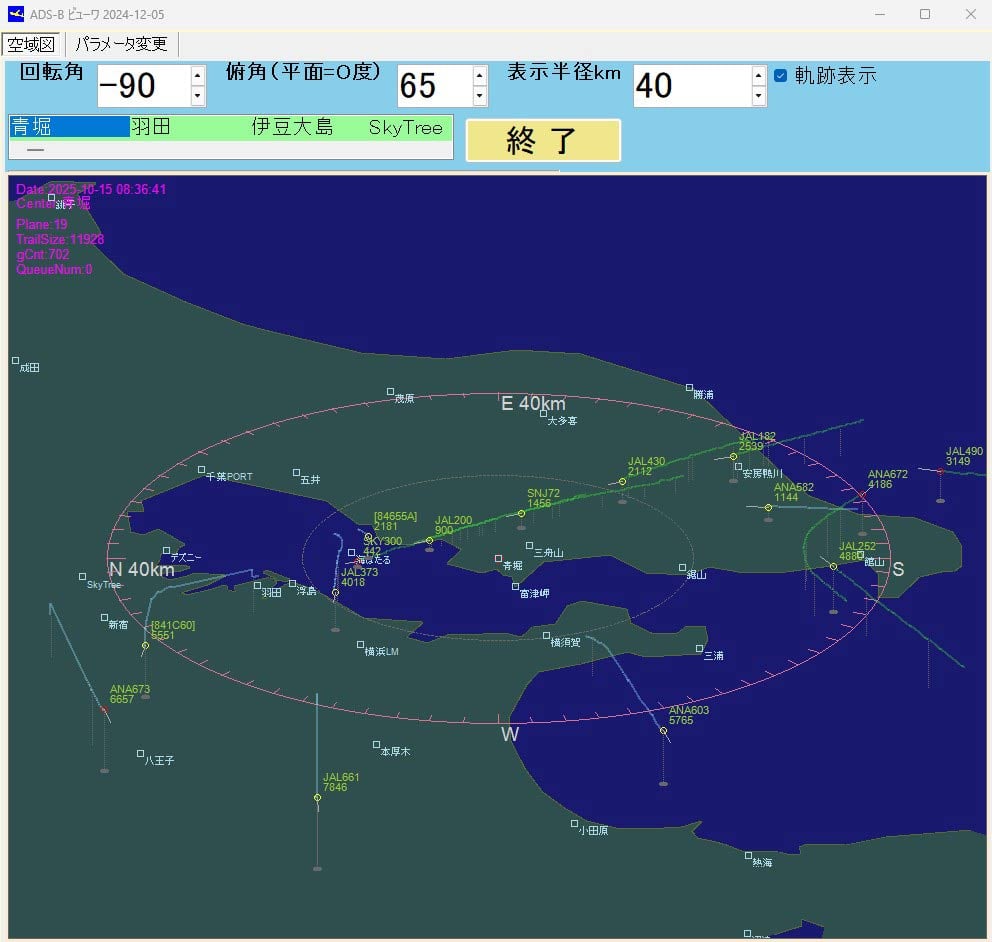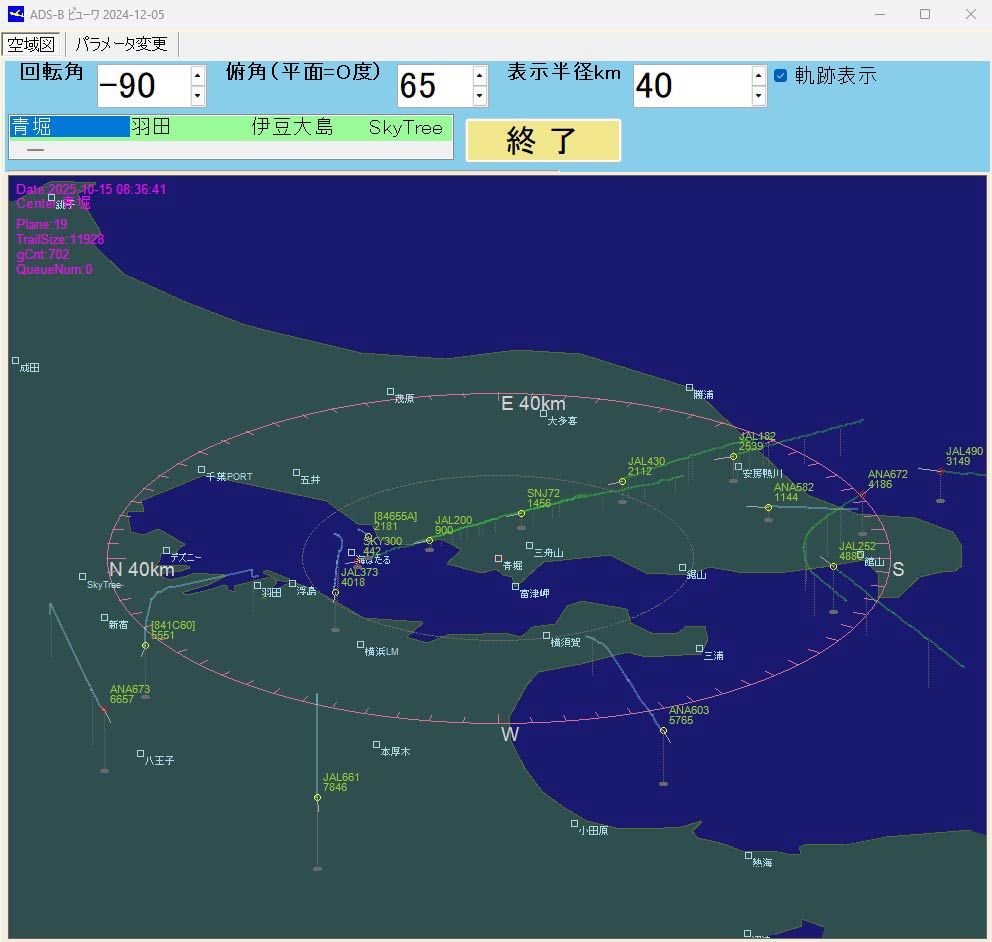
Thank you to Kazuya for submitting an aircraft tracking app that he's created for use with RTL-SDR dongles and dump1090. The program currently exists only as Visual C++ code and is documented in Japanese, so it may be somewhat niche and intended for advanced users to try out. Kazuya writes:
I live near Tokyo Bay, so I enjoy watching the takeoffs and landings at Haneda Airport.
The unique feature of this app is that it visualizes the descent angle, which is difficult to see on a flat map.
This app has not been available for distribution. If you are an intermediate Visual C++ user, you may be able to rebuild or modify the app.
Topographical and landmark information is in text files, allowing you to customize area information in more detail for your airport.
----
(3) Glide_Path
Can be built independently.Execution Environment
Copy the folder (ADS_GLIDE_PATH) to C:.・When using an ADS antenna
Install the ADSB antenna and driver software on your PC.
(As a mid-way test, you will be able to listen to radio broadcasts on your PC.)
Launch dump1090_with_StdinAPL1.bat to ensure that tmp_ADS_B-0000****.txt is continually generated in C:\ADS_GLIDE_PATH\tmpDataFolder.- Without an ADSB antenna
You can use the data in DemoData (approximately 30 minutes, 6,000 entries) to check the software's operation.
(Procedure) Launch Glide_Path.exe and, on the parameter change screen, set [S001] Demo Mode to 1.
Exit Glide_Path.exe and restart it. The Start Demo button will appear; press it.(4) Stdin_Apl1
Can be built independently.
This is an auxiliary program when using the ADS antenna described above in (3). Stdin_Apl1.exe
This program parses the standard output of dump1090.exe, provided by the ADS antenna manufacturer, into a text file and processes the data so that it can be read by Glide_Path.exe.