
Mac配置
破解软件http://xclient.infohttps://crackzsoft.com/category/mac/https://macw.cn/down. 2019-12-01 23:45:36 Author: ares-x.com(查看原文) 阅读量:132 收藏
破解软件http://xclient.infohttps://crackzsoft.com/category/mac/https://macw.cn/down. 2019-12-01 23:45:36 Author: ares-x.com(查看原文) 阅读量:132 收藏
破解软件
http://xclient.info
https://crackzsoft.com/category/mac/
https://macw.cn/down.php
https://mac-torrent-download.net/
系统配置
包管理器
安装
安装Command Line Tools
xcode-select --install 安装Brew
/usr/bin/ruby -e "$(curl -fsSL https://raw.githubusercontent.com/Homebrew/install/master/install)"换源
Brew源
cd "$(brew --repo)"
git remote set-url origin https://mirrors.ustc.edu.cn/brew.git
软件源
cd "$(brew --repo)/Library/Taps/homebrew/homebrew-core"
git remote set-url origin https://mirrors.ustc.edu.cn/homebrew-core.git
cd "$(brew --repo)"/Library/Taps/homebrew/homebrew-cask
git remote set-url origin https://mirrors.ustc.edu.cn/homebrew-cask.git
Bottles源
echo 'export HOMEBREW_BOTTLE_DOMAIN=https://mirrors.ustc.edu.cn/homebrew-bottles' >> ~/.bash_profile
source ~/.bash_profile
配置zsh后重新执行
echo 'export HOMEBREW_BOTTLE_DOMAIN=https://mirrors.ustc.edu.cn/homebrew-bottles' >> ~/.zshrc
source ~/.zshrc
Shell
切换默认shell
chsh -s /bin/zsh安装oh-my-zsh
sh -c "$(curl -fsSL https://raw.github.com/robbyrussell/oh-my-zsh/master/tools/install.sh)"安装插件
cd ~/.oh-my-zsh/custom/plugins/
git clone https://github.com/zsh-users/zsh-autosuggestions
git clone https://github.com/zsh-users/zsh-syntax-highlighting.git修改配置文件vim ~/.zshrc
plugins=(
    git
    zsh-autosuggestions
    zsh-syntax-highlighting
)
文件尾部添加
source ~/.oh-my-zsh/custom/plugins/zsh-syntax-highlighting/zsh-syntax-highlighting.zsh主题配置
vim ~/.zshrc
修改主题为gnzh
ZSH_THEME="gnzh"使用
https://gist.github.com/Ares-X/52fe7faf9dda8b943c1a7f18654a2dbb#file-gnzh-zsh-theme
替换~/.oh-my-zsh/themes下的gnzh.zsh-theme
重启终端
安全选项
开启允许任何软件来源
sudo spctl --master-disable输入法
启用自然码双拼
defaults write com.apple.inputmethod.CoreChineseEngineFramework shuangpinLayout 5软件
代理工具
- V2rayX
- proxychains4
brew install proxychains-ng
cp /usr/bin/curl /usr/local/bin/
Iterm2
https://iterm2.com/downloads.html
配置
配色:
修改主题为Minimal
下载
https://gist.github.com/Ares-X/52fe7faf9dda8b943c1a7f18654a2dbb#file-default-json
Preferences -> Profiles -> Other Actions -> import JSON profiles
导入完成后 Other Actions -> set as default
然后新建一个Profile 命名为Hotkey
配置快捷呼出

设置Hotkey 为 option+Space
之后可以使用option+空格快捷呼出顶部终端
最终效果:
远程管理软件
OFFICE
虚拟机
- Parallels Desktop
WIN10 LTSC:C:\Windows\SystemApps\Microsoft.Windows.Cortana_cw5n1h2txyewySearchUI.exe 改名为SearchUI.exe.bak
组策略:计算机配置 > 管理模板 > Windows组件 > Windows Defender 防病毒程序 > 关闭Windows Defender 防病毒程序 > 启动 - 彻底关闭SearchUI 和 msmpeng 这两个会自动增加内存占用的进程,之后虚拟机可长期开启内存占用不自动增加*
- VMware Fusion
解压缩
- BetterZip
下载器
- Persepolis Download Manager
编辑器
- vscode
- mweb
监视器
- iStat Menus
顶栏折叠
- Hidden Bar
Finder增强
工具
Burp Suite
打开自动操作
选择应用程序
实用工具 - 运行shell脚本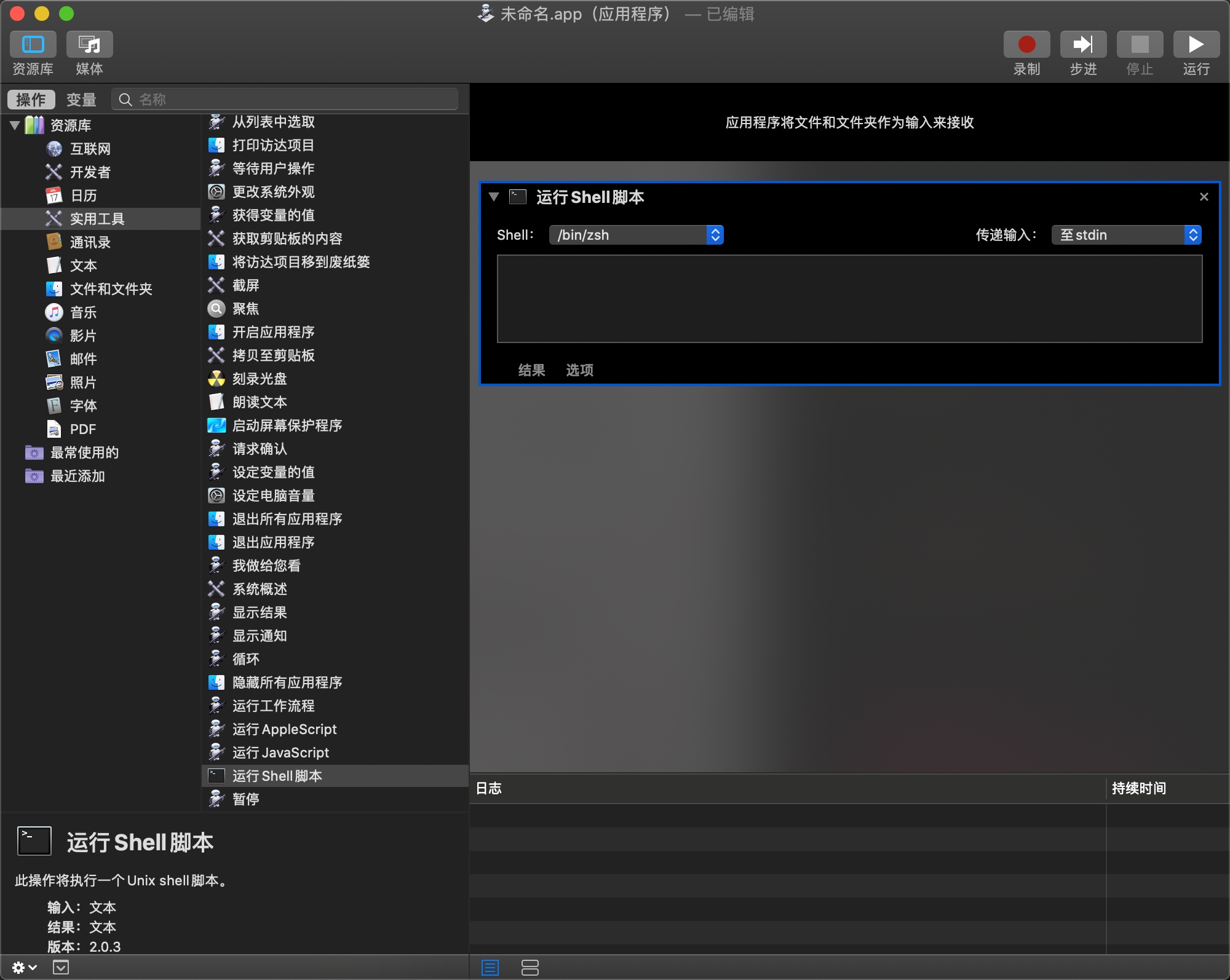
填写脚本代码
cd ~/tools/Burp_Suite_2.0
java -Xdock:icon=./burp_icon.png -noverify -Xbootclasspath/p:burp-loader-keygen-2_1_06.jar -jar burpsuite_pro_v2.1.06.jar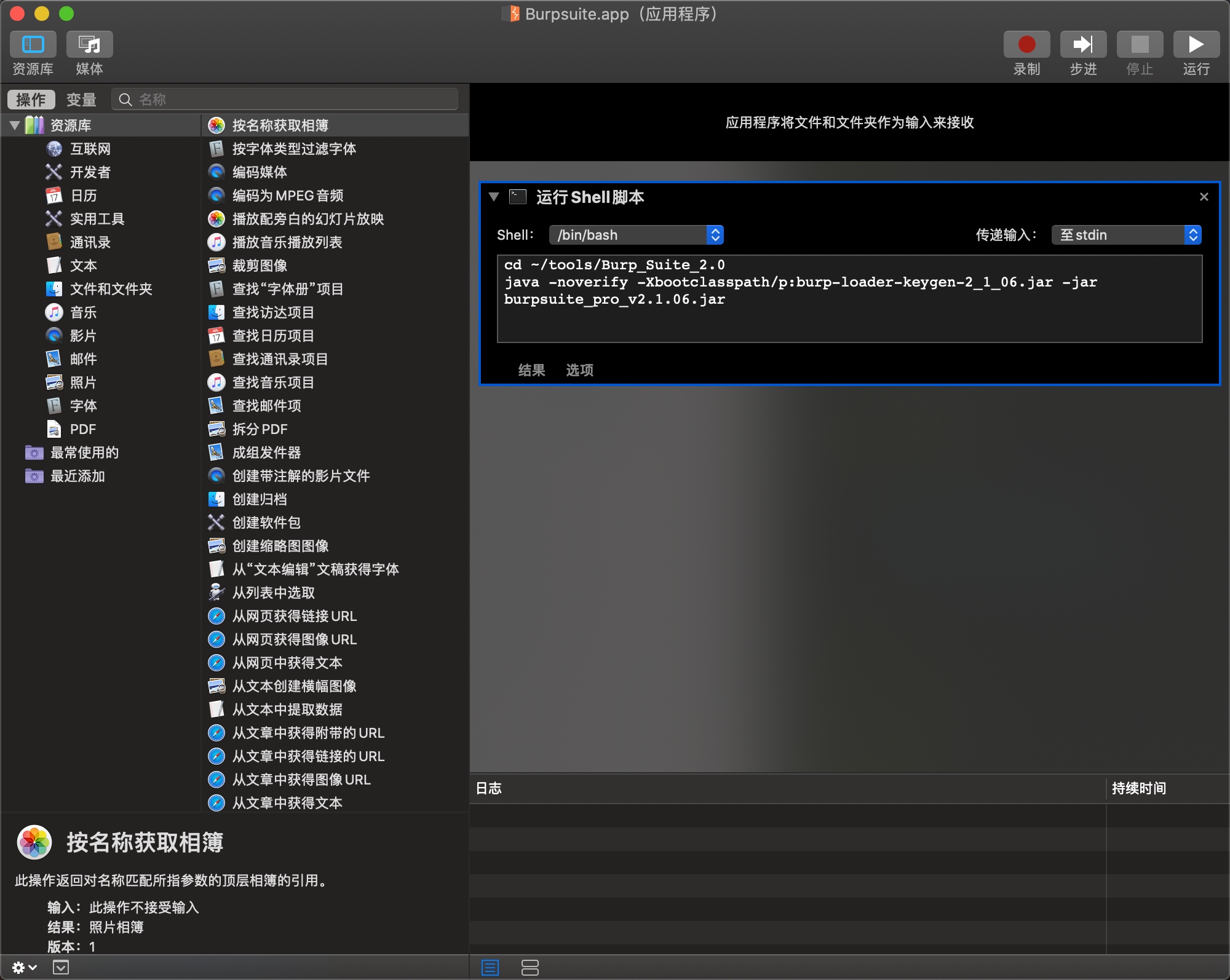
保存为BurpSuite.app
右键保存的文件 显示简介
找张logo拖到图标上替换图标
Behinder
同上
cd ~/tools/Behinder
java -XstartOnFirstThread -jar Behinder.jar
Python
Page View
文章来源: https://ares-x.com/2019/12/01/Mac%E9%85%8D%E7%BD%AE%E8%AE%B0%E5%BD%95/
如有侵权请联系:admin#unsafe.sh
如有侵权请联系:admin#unsafe.sh