
微软发布KB5062554累积更新,适用于Windows 10 22H2和21H2版本。该更新包含7月安全补丁,修复一个零日漏洞和其他136个问题,并引入多项改进。用户可通过系统设置或手动下载安装此强制性更新。 2025-7-8 17:45:25 Author: www.bleepingcomputer.com(查看原文) 阅读量:13 收藏
Microsoft has released the KB5062554 cumulative update for Windows 10 22H2 and Windows 10 21H2, with thirteen new fixes or changes.
The Windows 10 KB5062554 update is mandatory as it contains Microsoft's July 2025 Patch Tuesday security updates, which fix one zero-day vulnerability and 136 other flaws.
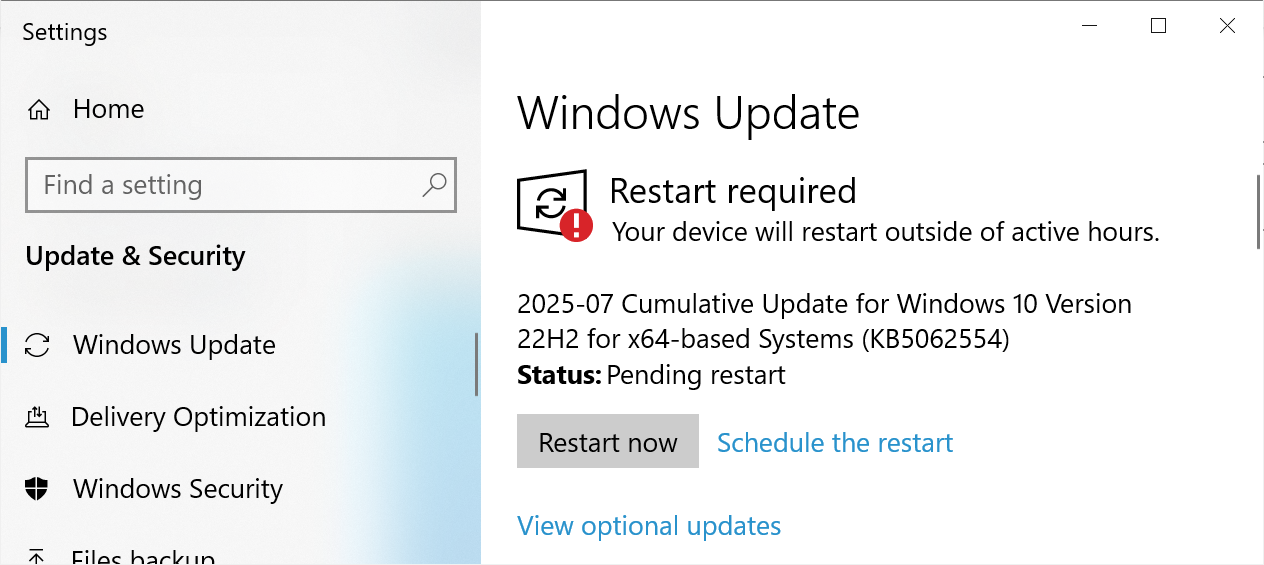
Windows users can install this update by going into Settings, clicking on Windows Update, and manually performing a 'Check for Updates.'
However, as this update is mandatory, it will automatically start installing in Windows once you check for updates. To make this more manageable, you can schedule a time when your computer is restarted to finish the installation.
Source: BleepingComputer
After installing this update, Windows 10 22H2 will be updated to build 19045.6093, and Windows 10 21H2 will be updated to build 19044.6093.
Windows 10 users can also manually download and install the KB5062554 update from the Microsoft Update Catalog.
What's new in Windows 10 KB5062554
As Windows 10 nears the end of its life in October 2025, Microsoft is only focusing on minor bug fixes and improvements to the operating system.
The KB5062554 update includes thirteen fixes and changes that were previously being tested as part of the June preview update.
The changes and fixes are listed below:
- [Mobile Operator Profiles]
- Updated: Country and Operator Settings Asset (COSA) profiles.
- [File Server]
- Fixed: An issue where the system may stop responding when acknowledging an Oplock break request on resources located on SMB shares.
- [Servicing]
- Fixed: An issue where Kiosk devices using the ForceAutoLogon configuration and Shift Override might stop responding with a blue screen after being locked and unlocked by support administrators.
- Change of behavior: Associates HTTP and .pdf file types when setting default browser.
- [WinSaS]
- Fixed: Settings > System > About incorrectly shows version 2009 instead of version 22H2.
- Change of behavior: To maintain DMA compliance in the European Economic Area (EEA), when a new default browser is set, it is automatically pinned to the Taskbar and Start menu.
- [Start Menu]
- Fixed: An issue causing jump lists to disappear from the Start Menu.
- Fixed: An issue where the Start Menu was not starting after installing an update.
- [Print and Peripherals]
- Fixed: An issue affecting the complete removal of unused language packs and Feature on Demand (FOD) packages. This issue led to unnecessary storage use and increased Windows update installation time.
- [Input and Composition]
- Fixed: An issue affecting USB-connected Multi-Function printers with dual protocol interfaces. Scanning failed and prevented the use of the built-in scanning functionality in the operating system.
- [Authentication Platform]
- Fixed: An issue affecting the device registration in Entra ID Windows Account Manager (WAM) plugin.
- [App Platforms and Frameworks]
- Fixed: An issue affecting Component Object Model (COM) functionality on Windows platforms. Remote COM activations were failing with error 0x8001011.
- Updated: The version of the curl tool included in Windows is updated to v8.13.0.
Microsoft states that the only known issue with this update is that NOTO fonts may appear blurry or unclear when displayed at 96 DPI.
"There are reports of blurry or unclear CJK (Chinese, Japanese, Korean) text when displayed at 96 DPI (100% scaling) in Chromium-based browsers such as Microsoft Edge and Google Chrome," explains Microsoft.
As a temporary workaround is to set your display scaling to 125% or 150% to improve text clarity.
A complete list of fixes can be found in the KB5062554 support bulletin and last month's KB5061087 preview update bulletin.

8 Common Threats in 2025
While cloud attacks may be growing more sophisticated, attackers still succeed with surprisingly simple techniques.
Drawing from Wiz's detections across thousands of organizations, this report reveals 8 key techniques used by cloud-fluent threat actors.
如有侵权请联系:admin#unsafe.sh