
文章介绍了三种基于AI的自动化渗透测试框架(Microsoft PyRIT、Bishop Fox Broken Hill 和 PentestGPT),它们结合 AI 和传统渗透测试方法,改变了漏洞发现和利用的方式。PyRIT 提供红队自动化能力,Broken Hill 擅长生成对抗性提示以评估 AI 系统漏洞,而 PentestGPT 则增强了传统渗透测试流程的智能化水平。文章还详细讲解了这些框架的安装配置、实际操作步骤以及性能优化策略,并强调了在实施过程中需注意的安全性和法律合规性要求。 2025-7-1 13:40:21 Author: www.blackmoreops.com(查看原文) 阅读量:17 收藏
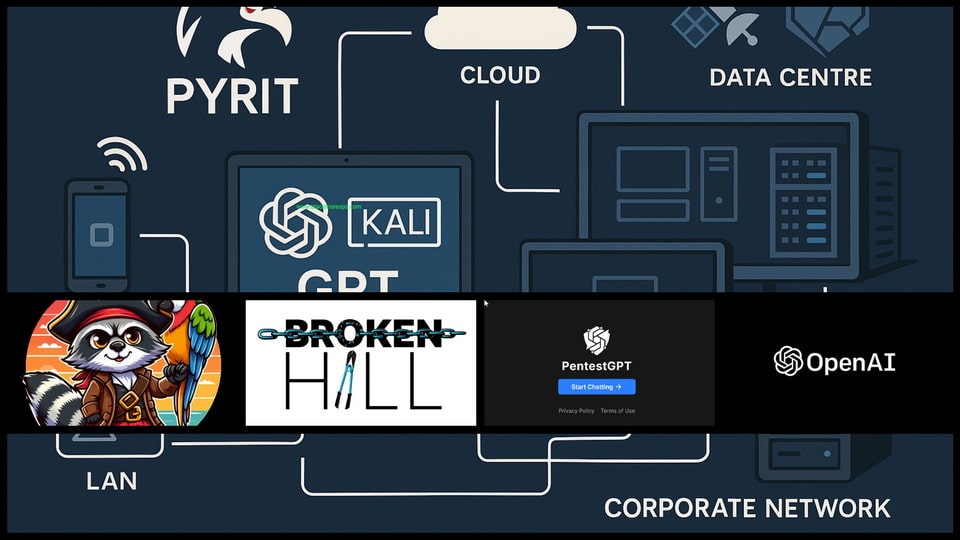
Automated penetration testing with AI represents the cutting edge of security assessment technology, fundamentally changing how security professionals approach vulnerability discovery and exploitation. Three groundbreaking frameworks—Microsoft’s PyRIT, Bishop Fox’s Broken Hill, and PentestGPT—lead this revolution by combining artificial intelligence with traditional penetration testing methodologies to deliver unprecedented automation capabilities.
Successfully implementing automated penetration testing with AI requires careful preparation and specific technical foundations to ensure optimal performance and security.
These AI-powered frameworks automate complex testing scenarios that previously required extensive manual intervention, from initial reconnaissance through post-exploitation activities. The integration of large language models with established security tools creates intelligent systems capable of adapting testing strategies based on discovered vulnerabilities and target system responses. For Security professionals seeking to enhance their testing efficiency and coverage, understanding these automated penetration testing platforms becomes essential. Each framework offers unique advantages and specialised capabilities that complement different assessment scenarios and organisational requirements.
Prerequisites for AI-Powered Penetration Testing
Successfully implementing automated penetration testing with AI requires careful preparation and specific technical foundations to ensure optimal performance and security. Understanding automated penetration testing with AI transforms how security professionals approach comprehensive assessment activities. The combination of PyRIT’s red team automation, Broken Hill’s adversarial capabilities, and PentestGPT’s traditional penetration testing enhancement creates powerful assessment ecosystems that dramatically improve coverage and efficiency.
For teams exploring AI-enhanced social engineering detection, these frameworks provide complementary capabilities that address both technical vulnerabilities and social attack vectors. The integrated approach ensures comprehensive security assessment coverage that addresses modern threat landscapes.
System Requirements:
- Kali Linux 2024.1 or Ubuntu 22.04 LTS
- Minimum 16GB RAM (32GB recommended for complex operations)
- Python 3.9 or higher with virtual environment support
- Docker and Docker Compose for containerised deployments
- Git for version control and framework updates
API Access Requirements:
- OpenAI API key with GPT-4 access (for PyRIT and PentestGPT)
- Azure OpenAI Service account (optional for PyRIT)
- Anthropic Claude API access (optional for Broken Hill)
- Google Cloud API credentials (for certain integrations)
Security and Legal Prerequisites:
- Valid authorisation for all penetration testing activities
- Understanding of automated testing legal implications
- Network isolation capabilities for testing environments
- Comprehensive logging and monitoring systems
- Incident response procedures for automated discoveries
Knowledge Requirements:
- Advanced understanding of penetration testing methodologies
- Experience with API integration and authentication
- Familiarity with containerised application deployment
- Understanding of AI model limitations and responsible usage
Microsoft PyRIT Framework Implementation
Microsoft’s Python Risk Identification Tool (PyRIT) provides comprehensive red team automation capabilities specifically designed for AI system assessment and traditional infrastructure testing.
PyRIT Installation and Configuration
Begin by establishing a secure development environment for PyRIT deployment:
# Create dedicated workspace
mkdir ~/ai-pentest-workspace
cd ~/ai-pentest-workspace

# Clone PyRIT repository
git clone https://github.com/Azure/PyRIT.git
cd PyRIT
Step-by-Step Instructions:
- Open terminal and create a workspace directory with
mkdir ~/ai-pentest-workspace - Navigate to the workspace:
cd ~/ai-pentest-workspace - Clone the PyRIT repository:
git clone https://github.com/Azure/PyRIT.git - You’ll see “Cloning into ‘PyRIT’…” followed by download progress
- Change into the PyRIT directory:
cd PyRIT - List contents with
lsto see folders likedocs/,examples/,pyrit/, andrequirements.txt
Configure Python virtual environment with required dependencies:
python3 -m venv pyrit-env
source pyrit-env/bin/activate
pip install -r requirements.txt
pip install -e .
Step-by-Step Instructions:
- Create virtual environment:
python3 -m venv pyrit-env - Wait for environment creation (30-60 seconds)
- Activate environment:
source pyrit-env/bin/activate - Your prompt will change to show
(pyrit-env)prefix - Install requirements:
pip install -r requirements.txt - Watch package installation progress – this may take 10-15 minutes
- Install PyRIT in development mode:
pip install -e . - Verify installation:
python -c "import pyrit; print('PyRIT installed successfully')"
API Configuration for PyRIT
mkdir ~/.pyrit-config
nano ~/.pyrit-config/settings.yaml
Step-by-Step Instructions:
- Create configuration directory:
mkdir ~/.pyrit-config - Open nano editor:
nano ~/.pyrit-config/settings.yaml - The nano editor opens with a blank file
- Type the YAML configuration exactly as shown below
- Use arrow keys to navigate and make corrections if needed
- The file structure must maintain proper indentation (use spaces, not tabs)
Configure your API credentials and operational parameters:
# PyRIT Configuration File
openai:
  api_key: "your-openai-api-key"
  model: "gpt-4"
  max_tokens: 4096
  temperature: 0.3

azure_openai:
  endpoint: "https://your-instance.openai.azure.com"
  api_key: "your-azure-key"
  deployment_name: "gpt-4"

logging:
  level: "INFO"
  file_path: "~/.pyrit-config/pyrit.log"

security:
  rate_limit: 60
  timeout: 30
  max_retries: 3
Completing Configuration:
- After typing the configuration, press
Ctrl+Xto exit nano - Nano asks “Save modified buffer?” – type ‘Y’ and press Enter
- Confirm filename by pressing Enter when prompted
- Return to command prompt indicates successful file creation
Set appropriate file permissions to protect sensitive credentials:
chmod 600 ~/.pyrit-config/settings.yaml
You Might Be Interested In
PyRIT Practical Implementation
Launch PyRIT with basic target assessment capabilities:
from pyrit import RedTeamOrchestrator
from pyrit.prompt_target import AzureOpenAITarget
from pyrit.score import SelfAskGptClassifier

# Initialize target system
target = AzureOpenAITarget(
    deployment_name="gpt-4",
    endpoint="https://your-instance.openai.azure.com",
    api_key="your-api-key"
)

# Configure scoring system
scorer = SelfAskGptClassifier(api_key="your-api-key")

# Create orchestrator
orchestrator = RedTeamOrchestrator(
    prompt_target=target,
    red_teaming_chat=target,
    scorer=scorer
)
Step-by-Step Instructions:
- Open Python interactive shell:
python3 - Import required PyRIT modules (copy each import line exactly)
- If imports fail, ensure PyRIT virtual environment is activated
- Create target system object with your API credentials
- Configure scoring system for assessment evaluation
- Initialize orchestrator object – this may take 30-60 seconds
- Successful creation shows object memory addresses and no error messages
Execute automated red team assessment:
# Launch automated assessment
results = orchestrator.run_attack_strategy(
    target_description="Web application assessment",
    attack_strategy="comprehensive_scan",
    max_iterations=50
)

# Display results
for result in results:
    print(f"Attack: {result.attack}")
    print(f"Response: {result.response}")
    print(f"Score: {result.score}")
    print("-" * 50)
Step-by-Step Instructions:
- Copy the results assignment code into your Python session
- Press Enter to execute – assessment will begin automatically
- Monitor progress as PyRIT displays “Running iteration X of 50” messages
- Assessment typically takes 15-30 minutes depending on complexity
- Results appear as structured output with attack vectors and responses
- Copy the display loop code to view detailed results
- Each iteration shows attack attempts, target responses, and risk scores
- Higher scores (closer to 1.0) indicate more successful attack attempts
Bishop Fox Broken Hill Framework
Bishop Fox’s Broken Hill framework specialises in AI red teaming with particular strengths in adversarial prompt generation and AI system vulnerability assessment.
Broken Hill Installation Process
Download and configure the Broken Hill framework:
cd ~/ai-pentest-workspace
git clone https://github.com/BishopFox/BrokenHill.git
cd BrokenHill
Step-by-Step Instructions:
- Navigate to your workspace:
cd ~/ai-pentest-workspace - Clone Broken Hill repository:
git clone https://github.com/BishopFox/BrokenHill.git - Git will display “Cloning into ‘BrokenHill’…” with progress information
- Change to Broken Hill directory:
cd BrokenHill - List contents with
lsto see files likeREADME.md,requirements.txt, and Python scripts - The repository includes documentation, example configurations, and attack modules
Create isolated environment for Broken Hill:
python3 -m venv broken-hill-env
source broken-hill-env/bin/activate
pip install -r requirements.txt
Step-by-Step Instructions:
- Create virtual environment:
python3 -m venv broken-hill-env - Wait for environment creation (30-60 seconds)
- Activate environment:
source broken-hill-env/bin/activate - Your prompt changes to show
(broken-hill-env)prefix - Install dependencies:
pip install -r requirements.txt - Installation includes adversarial ML libraries and security testing components
- Watch for successful installation messages for each package
- Process may take 10-15 minutes depending on system and connection speed
Broken Hill Configuration
Configure Broken Hill for your testing environment:
cp config/default_config.json config/custom_config.json
nano config/custom_config.json
Step-by-Step Instructions:
- Copy default configuration:
cp config/default_config.json config/custom_config.json - Open configuration file:
nano config/custom_config.json - Nano editor opens showing JSON structure with default values
- Modify API keys and configuration parameters as needed
- Ensure JSON syntax remains valid (proper quotes and brackets)
- Save and exit: Press
Ctrl+X, then ‘Y’, then Enter
Customise configuration parameters:
{
  "api_providers": {
    "openai": {
      "api_key": "your-openai-key",
      "model": "gpt-4",
      "base_url": "https://api.openai.com/v1"
    },
    "anthropic": {
      "api_key": "your-anthropic-key",
      "model": "claude-3-opus-20240229"
    }
  },
  "attack_parameters": {
    "max_iterations": 100,
    "success_threshold": 0.8,
    "timeout_seconds": 60
  },
  "logging": {
    "level": "DEBUG",
    "output_directory": "./logs/"
  }
}
Configuration Completion:
- Verify JSON syntax with:
python -m json.tool config/custom_config.json - If valid, you’ll see formatted JSON output
- If invalid, fix syntax errors before proceeding
- Test configuration:
python broken_hill.py --config config/custom_config.json --help
Advanced Broken Hill Operations
Execute specialised AI red team attacks:
python broken_hill.py --attack-type jailbreak \
                     --target-model gpt-4 \
                     --iterations 50 \
                     --output results/jailbreak_assessment.json
Step-by-Step Instructions:
- Ensure you’re in the BrokenHill directory and virtual environment is active
- Create results directory:
mkdir -p results - Copy the command above into your terminal (use backslash for line continuation)
- Press Enter to execute the jailbreak assessment
- Monitor output showing attack generation progress
- You’ll see “Generating attack X of 50” messages
- Each attack attempt displays success/failure status
- Progress indicators show completion percentages for different attack phases
- Final results save to the specified JSON file
- Review results:
cat results/jailbreak_assessment.json | head -20
For professionals implementing Kali GPT workflows, Broken Hill provides excellent complementary capabilities for comprehensive AI system assessment. The framework’s adversarial prompt generation helps identify vulnerabilities that traditional testing methods might miss.
PentestGPT Framework Implementation
PentestGPT bridges traditional penetration testing methodologies with modern AI capabilities, offering familiar workflows enhanced with intelligent automation.
PentestGPT Setup and Configuration
Install PentestGPT with comprehensive dependency management:
cd ~/ai-pentest-workspace
git clone https://github.com/GreyDGL/PentestGPT.git
cd PentestGPT
Step-by-Step Instructions:
- Navigate to workspace:
cd ~/ai-pentest-workspace - Clone PentestGPT repository:
git clone https://github.com/GreyDGL/PentestGPT.git - Git displays cloning progress with repository size information
- Change to PentestGPT directory:
cd PentestGPT - Examine repository structure:
ls -lato see files and directories - Review documentation:
cat README.md | head -20for setup overview
Configure the testing environment:
python3 -m venv pentestgpt-env
source pentestgpt-env/bin/activate
pip install -r requirements.txt
Step-by-Step Instructions:
- Create virtual environment:
python3 -m venv pentestgpt-env - Activate environment:
source pentestgpt-env/bin/activate - Verify activation by checking for
(pentestgpt-env)in your prompt - Install dependencies:
pip install -r requirements.txt - Installation includes security-focused Python packages
- Watch for successful installation confirmations
- Verify installation:
python -c "import openai; print('Dependencies installed')" - If errors occur, check Python version compatibility (requires 3.8+)
PentestGPT Operational Configuration
Create comprehensive configuration for penetration testing operations:
cp config.ini.template config.ini
nano config.ini
Step-by-Step Instructions:
- Copy template configuration:
cp config.ini.template config.ini - Open configuration file:
nano config.ini - Nano editor opens with template showing configuration sections
- Modify values according to your environment and requirements
- Pay attention to target scope and exclusion settings for safety
Configure operational parameters:
[API]
openai_key = your-openai-api-key
model = gpt-4
max_tokens = 2048
temperature = 0.1

[PENTEST]
target_scope = 192.168.1.0/24
excluded_hosts = 192.168.1.1,192.168.1.254
scan_intensity = normal
timeout = 300

[REPORTING]
output_format = json,html,pdf
template_directory = ./templates/
auto_generate = true

[LOGGING]
log_level = INFO
log_file = pentestgpt.log
verbose_mode = true
Configuration Completion:
- Save configuration: Press
Ctrl+X, then ‘Y’, then Enter - Verify configuration syntax:
python -c "import configparser; c = configparser.ConfigParser(); c.read('config.ini'); print('Config valid')" - Test basic functionality:
python pentestgpt.py --help - Review available options and commands in the help output
Practical PentestGPT Assessment
Launch comprehensive automated penetration testing:
python pentestgpt.py --mode interactive --config config.ini
Step-by-Step Instructions:
- Ensure you’re in the PentestGPT directory with virtual environment active
- Launch PentestGPT:
python pentestgpt.py --mode interactive --config config.ini - The interface launches showing available modules and current configuration
- You’ll see a prompt like “PentestGPT>” indicating ready state
- Type
helpto see available commands and options - The interface displays module categories like scan, exploit, and reporting
Execute automated reconnaissance and exploitation:
PentestGPT> scan --target 192.168.1.100 --comprehensive
PentestGPT> exploit --auto --target 192.168.1.100 --service ssh
PentestGPT> generate-report --format html --output assessment_results.html
Step-by-Step Execution Instructions:
- Reconnaissance Phase:
- Type:
scan --target 192.168.1.100 --comprehensive - Press Enter to execute comprehensive target scanning
- Monitor output showing discovered services and vulnerabilities
- Scan progress displays with percentage completion indicators
- Type:
- Exploitation Phase:
- Type:
exploit --auto --target 192.168.1.100 --service ssh - AI selects appropriate exploit modules based on scan results
- Monitor exploitation attempts with success/failure indicators
- Each attempt shows exploit details and target responses
- Type:
- Reporting Phase:
- Type:
generate-report --format html --output assessment_results.html - Report generation shows progress for different sections
- Completed report saves to specified file location
- Review report: Open
assessment_results.htmlin web browser scan –target 192.168.1.100 –comprehensive
PentestGPT> exploit –auto –target 192.168.1.100 –service ssh
PentestGPT> generate-report –format html –output assessment_results.html
- Type:
The command executes structured output with reconnaissance results, identified vulnerabilities, and exploitation attempts. Progress indicators show real-time status updates with colour-coded success and failure notifications.
Framework Integration and Workflow Optimisation
Combining multiple AI-powered penetration testing frameworks creates powerful assessment capabilities that leverage each tool’s unique strengths whilst maintaining comprehensive coverage.
Multi-Framework Assessment Strategy
Design integrated workflows that utilise framework specialisations:
```bash
#!/bin/bash
# Comprehensive AI Penetration Testing Workflow

echo "Starting Multi-Framework Assessment"

# Phase 1: PyRIT AI System Assessment
source ~/ai-pentest-workspace/PyRIT/pyrit-env/bin/activate
python run_pyrit_assessment.py --target $1 --config comprehensive

# Phase 2: Broken Hill Adversarial Testing
source ~/ai-pentest-workspace/BrokenHill/broken-hill-env/bin/activate
python broken_hill.py --attack-type comprehensive --target $1

# Phase 3: PentestGPT Traditional Assessment
source ~/ai-pentest-workspace/PentestGPT/pentestgpt-env/bin/activate
python pentestgpt.py --mode automated --target $1

echo "Assessment Complete - Generating Unified Report"
Step-by-Step Workflow Instructions:
- Create workflow script:
nano multi_framework_assessment.sh - Copy the bash script content above into the file
- Save and exit nano:
Ctrl+X, then ‘Y’, then Enter - Make script executable:
chmod +x multi_framework_assessment.sh - Execute workflow:
./multi_framework_assessment.sh 192.168.1.100 - Monitor progress as each framework executes in sequence
- Each phase displays completion status and transitions to the next
- Final unified report combines results from all three frameworks
Performance Optimisation Strategies
Implement efficient resource management for concurrent framework operation:
# docker-compose.yml for containerised deployment
version: '3.8'
services:
  pyrit:
    build: ./PyRIT
    environment:
      - OPENAI_API_KEY=${OPENAI_API_KEY}
    volumes:
      - ./results:/app/results

  broken-hill:
    build: ./BrokenHill
    environment:
      - ANTHROPIC_API_KEY=${ANTHROPIC_API_KEY}
    volumes:
      - ./results:/app/results

  pentestgpt:
    build: ./PentestGPT
    environment:
      - OPENAI_API_KEY=${OPENAI_API_KEY}
    volumes:
      - ./results:/app/results
Step-by-Step Docker Setup Instructions:
- Install Docker and Docker Compose on your system
- Create docker-compose.yml file:
nano docker-compose.yml - Copy the YAML configuration above into the file
- Save file:
Ctrl+X, then ‘Y’, then Enter - Create environment file:
nano .env - Add your API keys to .env file:
OPENAI_API_KEY=your-openai-key
ANTHROPIC_API_KEY=your-anthropic-key
- Build containers:
docker-compose build - Start services:
docker-compose up -d - Check service status:
docker-compose ps - View logs:
docker-compose logs [service-name]
Security Considerations and Responsible Implementation
Implementing automated penetration testing with AI requires careful attention to security practices and responsible usage guidelines to prevent unintended consequences.
Data Protection and Privacy
Configure secure data handling for sensitive assessment information:
# Create encrypted storage for assessment data
sudo mkdir /opt/ai-pentest-secure
sudo chown $USER:$USER /opt/ai-pentest-secure
chmod 700 /opt/ai-pentest-secure

# Configure encrypted backup storage
gpg --gen-key
tar -czf - ~/ai-pentest-workspace | gpg --encrypt -r [email protected] > /opt/ai-pentest-secure/backup.tar.gz.gpg
Step-by-Step Security Configuration:
- Create secure directory:
sudo mkdir /opt/ai-pentest-secure - Change ownership:
sudo chown $USER:$USER /opt/ai-pentest-secure - Set restrictive permissions:
chmod 700 /opt/ai-pentest-secure - Generate GPG key:
gpg --gen-key- Follow prompts to create name, email, and passphrase
- Key generation may take several minutes
- Create encrypted backup: Use the tar command with your email address
- Backup process compresses and encrypts your entire workspace
- Verify backup:
ls -la /opt/ai-pentest-secure/to see encrypted file - Test decryption:
gpg --decrypt /opt/ai-pentest-secure/backup.tar.gz.gpg | head -20
Rate Limiting and API Management
Implement responsible API usage to prevent service disruption:
import time
from functools import wraps

def rate_limit(calls_per_minute=60):
    """Rate limiting decorator for API calls"""
    min_interval = 60.0 / calls_per_minute
    last_called = [0.0]

    def decorator(func):
        @wraps(func)
        def wrapper(*args, **kwargs):
            elapsed = time.time() - last_called[0]
            left_to_wait = min_interval - elapsed
            if left_to_wait > 0:
                time.sleep(left_to_wait)
            ret = func(*args, **kwargs)
            last_called[0] = time.time()
            return ret
        return wrapper
    return decorator

@rate_limit(calls_per_minute=30)
def ai_assessment_call(target, payload):
    """Rate-limited AI assessment function"""
    return framework.assess(target, payload)
The Python code syntax highlighting rate limits implementation. Function definitions include clear documentation and proper decorator usage for API protection. The OWASP AI Security and Privacy Guide provides comprehensive guidance on responsible AI implementation in security testing contexts, offering valuable insights for professional deployments.
The OWASP AI Security and Privacy Guide provides comprehensive guidance on responsible AI implementation in security testing contexts, offering valuable insights for professional deployments.
Start with single-framework implementation to understand individual capabilities before progressing to integrated multi-framework workflows. The learning investment pays significant dividends through improved assessment quality, reduced manual effort, and enhanced threat detection capabilities that keep pace with evolving security challenges.
Sources and References
- Microsoft PyRIT Framework – https://github.com/Azure/PyRIT
- Bishop Fox Broken Hill – https://github.com/BishopFox/BrokenHill
- PentestGPT Project – https://github.com/GreyDGL/PentestGPT
- OWASP AI Security and Privacy Guide – https://owasp.org/www-project-ai-security-and-privacy-guide/
- NIST Cybersecurity Framework – https://www.nist.gov/cyberframework
- Azure OpenAI Service Documentation – https://docs.microsoft.com/en-us/azure/cognitive-services/openai/
如有侵权请联系:admin#unsafe.sh