Binary Ninja 5.0 提供了全面的更新,包括增强的 iOS 支持(DYLD 共享缓存和内核缓存)、新的固件分析工具(如 Firmware Ninja)、改进的分析功能(如数组和结构检测、联合类型支持)、增强的调试器性能、新增架构支持以及改进的企业浏览器功能。 2025-4-23 13:33:7 Author: binary.ninja(查看原文) 阅读量:21 收藏

Not enough time to reverse engineer everything you want? The Time Lords are here to help in Binary Ninja 5.0 Gallifrey! With major features across the board from huge analysis improvements, fantastic iOS support, many new firmware-specific features, and more, this major version has something for everyone.
- iOS
- Firmware
- Analysis
- Debugger
- Shellcode Compiler Open Sourced
- New Architectures
- Enterprise Browser Improvements
- Other Notables
- Open Source Contributions
- Everything Else
iOS
Better support for reverse engineering iOS has been a major focus of the 5.0 release. Between major improvements to DYLD Shared Cache integration, architecture/lifting fixes, and the new Kernel Shared Cache support, Binary Ninja 5.0 is a great choice for all your iOS reverse engineering needs.
DYLD Shared Cache
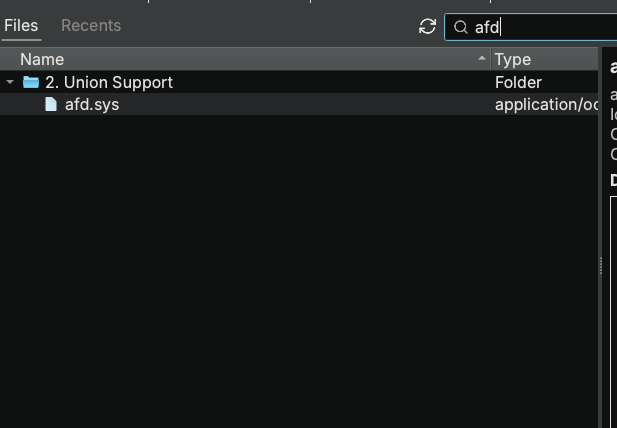
Thanks to the efforts of both the team at Vector 35 and a number of incredibly helpful community members, the DYLD Shared Cache integration has seen some major improvements. We’re pleased that, after all this work, DYLD Shared Cache support is no longer considered in an alpha state, but is now a first-class feature!
The most noticeable improvement is the performance. On hardware that previously took four and a half minutes to do initial analysis in Binary Ninja 4.2, it now only takes fifteen seconds in 5.0!
- The UI has been improved
- The image and symbols lists can be sorted
- You can select “Load Selected Image and Dependencies” from the context menu in the Images tab, and skip manually walking dependency trees
- DYLD Shared Caches can now be loaded from a Project
- Analysis has been improved
- iOS 16 Symbol Cache files are now processed and many more symbol names are now displayed
- Objective-C support is better, with more
objc_msgSendcalls being processed - Symbol names are demangled with LLVM
- Pointers to not-yet-loaded regions are resolved automatically now
- Stability has been improved with a substantial rewrite of the model logic
- The documentation was given a refresh.
Kernel Cache
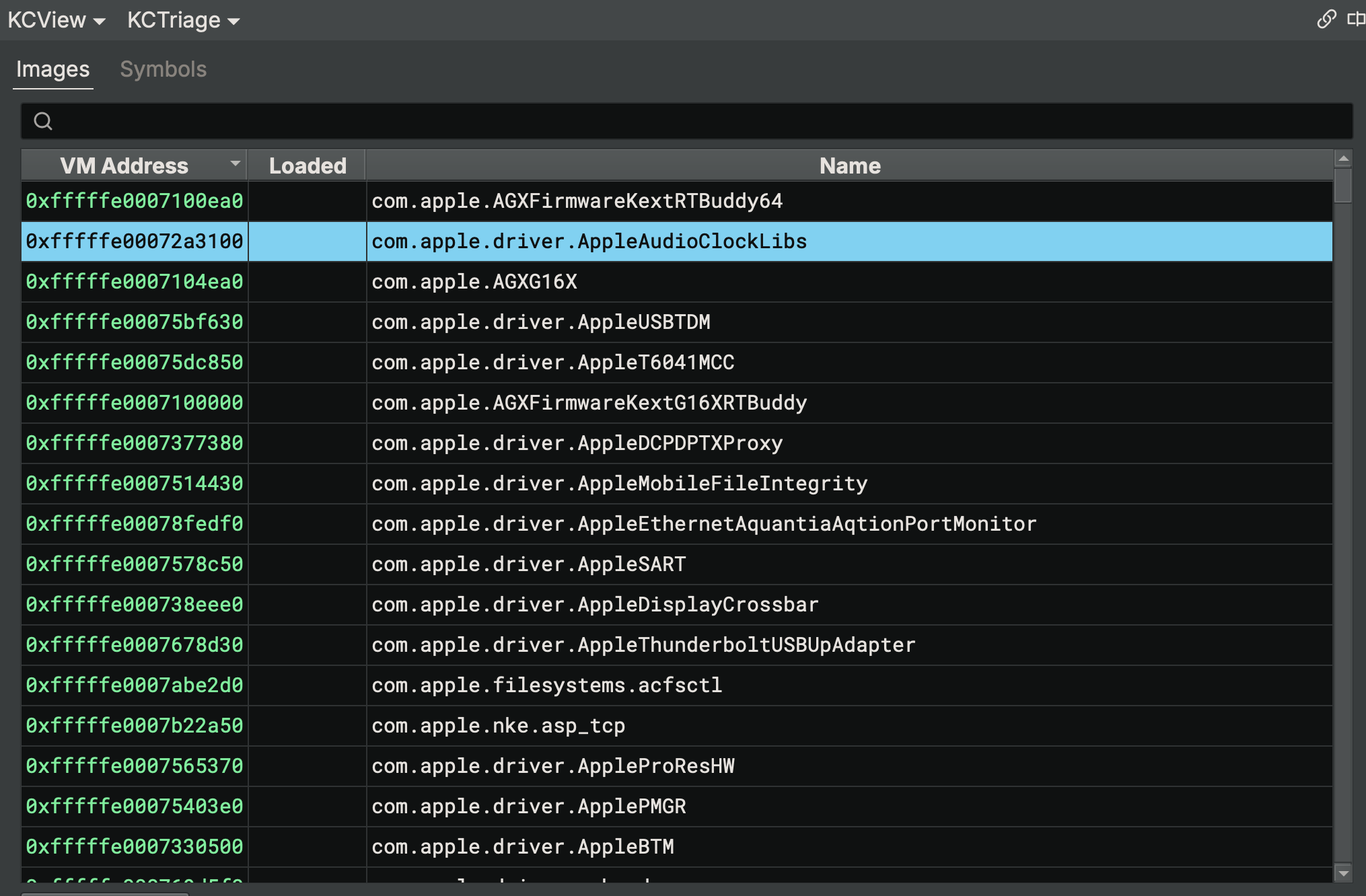
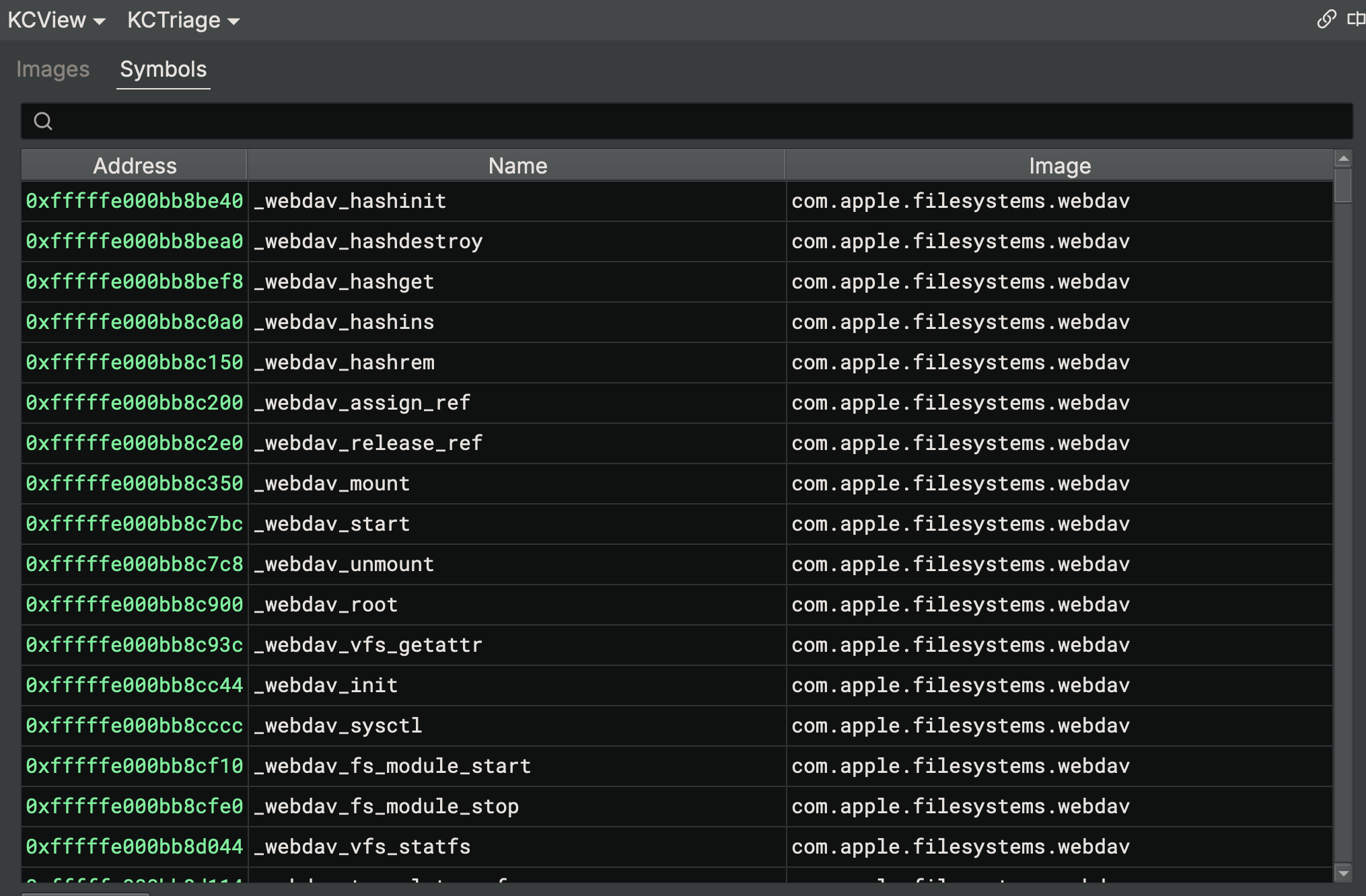
New to Binary Ninja 5.0 is support for the Kernel Cache from iOS and macOS. While newer than the DYLD Shared Cache support, this capability is also open source and quickly improving. Similar features enable you to choose images to load into a shared virtual memory space for cross-image analysis. Named KSCView in the UI, the Kernel Cache view supports both image loading and symbol lookup.
Firmware
There are many improvements in this release for those doing firmware analysis. These include Firmware Ninja (available only in the Ultimate edition), the text format loaders (available in all paid editions), and SVD file loading (available in all editions).
Firmware Ninja (Ultimate Only)
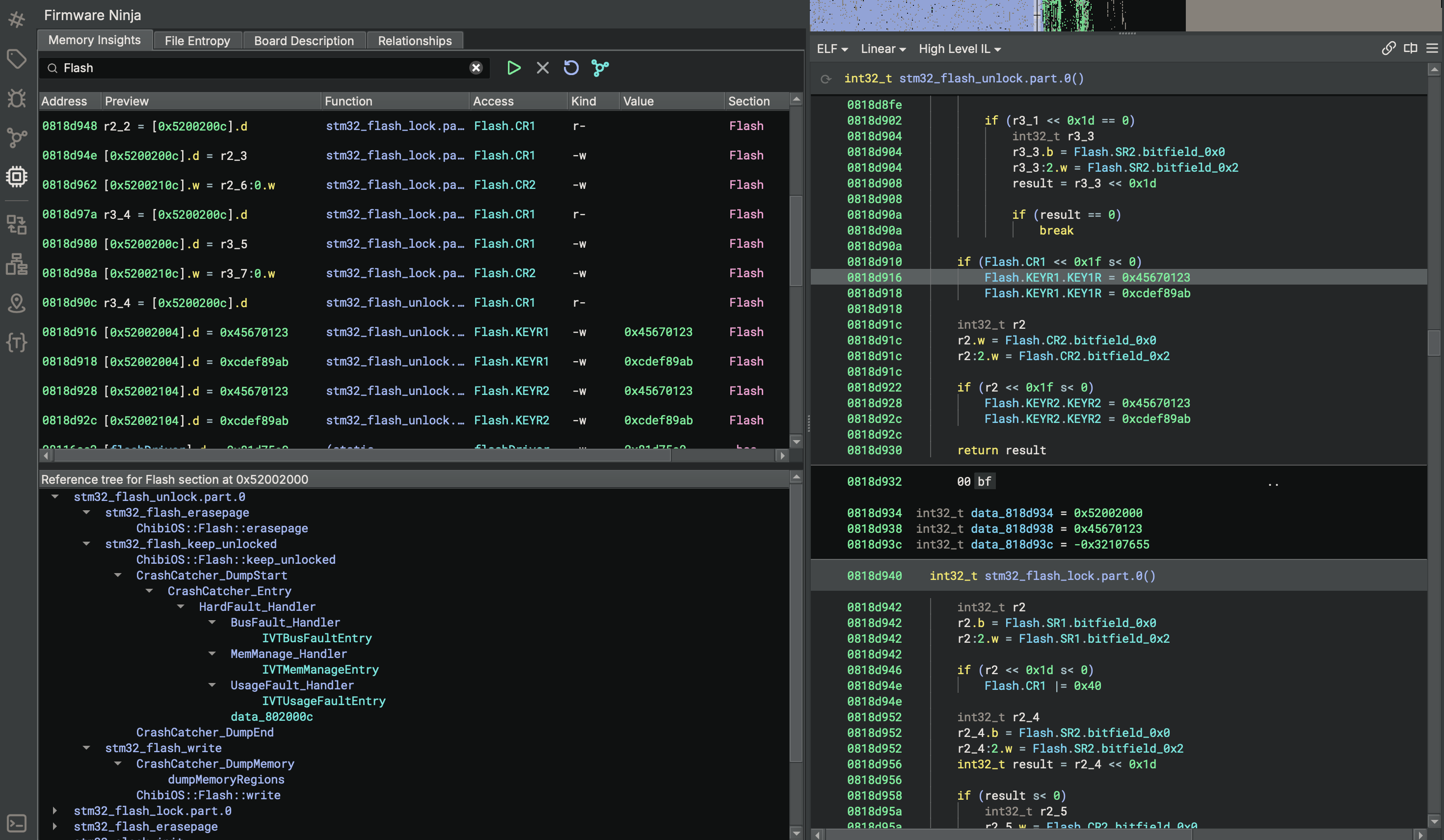
Firmware Ninja includes a number of features designed specifically to enhance analysis of firmware. We recently wrote up a detailed blog post covering these features, but here is a quick summary:
- Entropy based analysis for segments/sections
- Memory insights for identifying patterns unique to firmware, such as loads/stores to external memory, MMIO usage, and others
- A board description database with built-in support for over 1000 microprocessor memory maps, including automatic detection/matching based on memory accesses from memory insights
- Relationship mapping that uses the Project API to automatically associate related endpoints between different binaries (for example, an I2C bus send function in one binary and the receive function in another)
IHEX/TI-TXT/SREC Loader (All paid editions)

Previously a plugin, we’ve re-implemented and integrated support for these various text-encodings commonly seen when dealing with firmware. You should be able to automatically open them and analyze their contents just like any other binary.
In the above screenshot, you can see how loading a .hex file is not only handled, but Binary Ninja also correctly identified the architecture using its automatic architecture prediction!
SVD Loader (All editions)
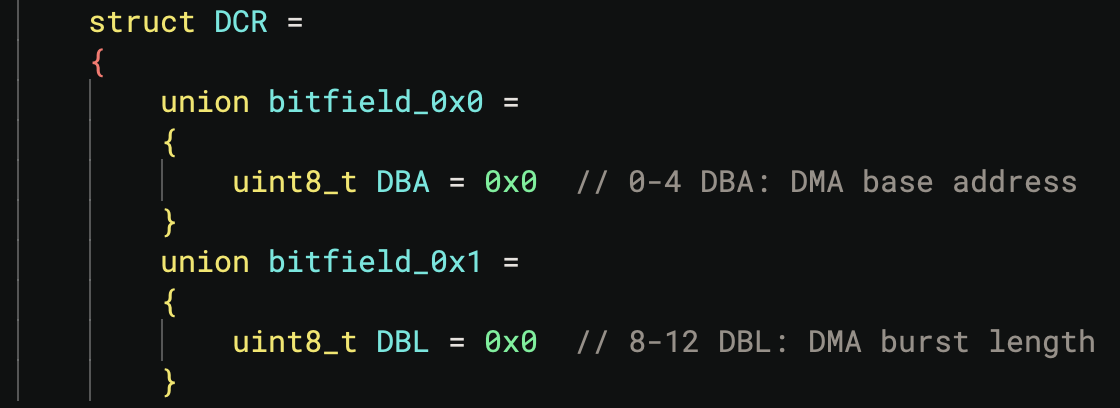
Yet another open source 🦀 plugin, a loader for SVD files is included by default in Binary Ninja. The new first-party feature lets you use the Load SVD file option in the Plugins menu to specify an SVD file containing information about MMIO regions, peripherals, registers, etc. These files can be incredibly useful when reverse engineering software for CPUs that have them.
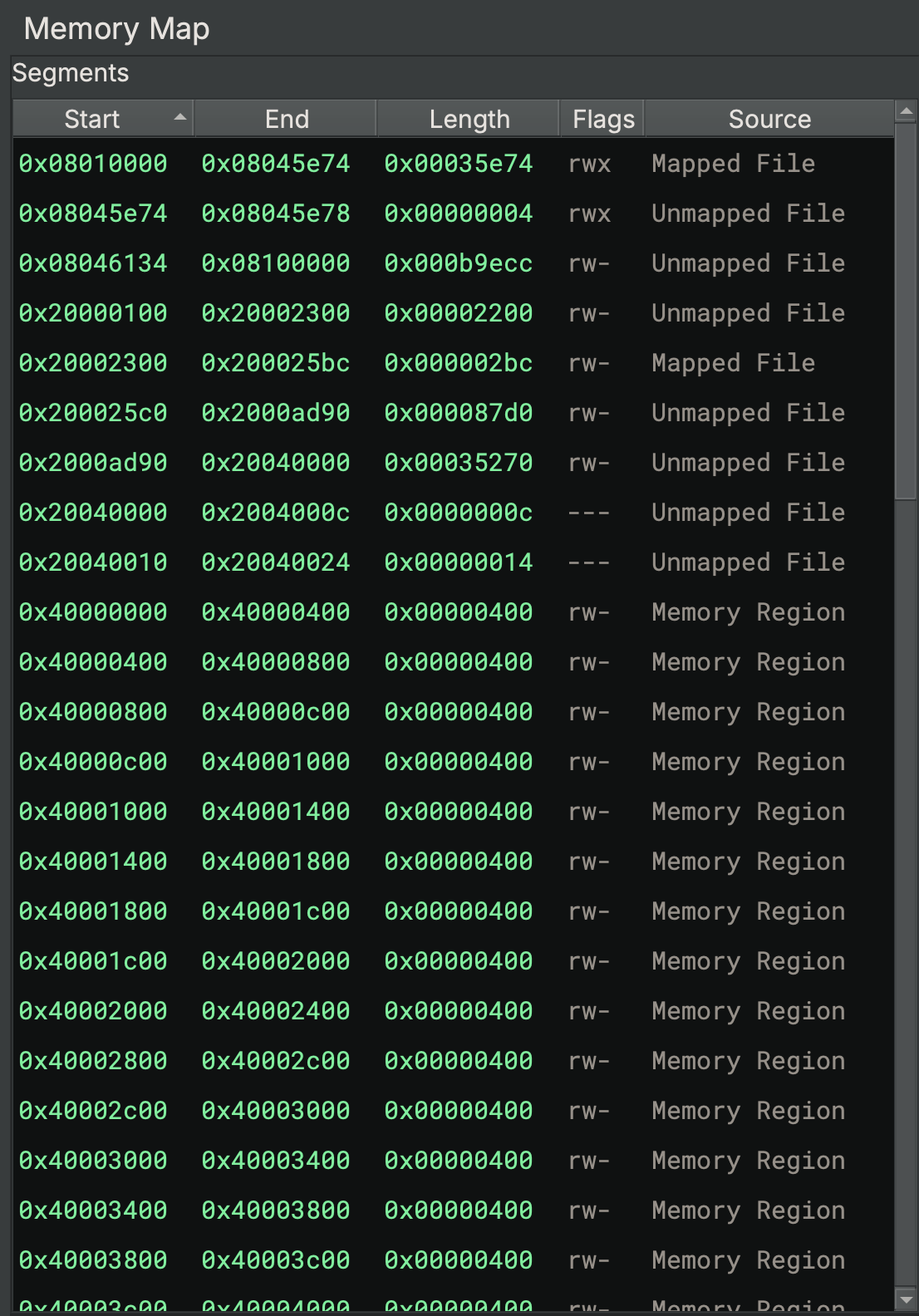
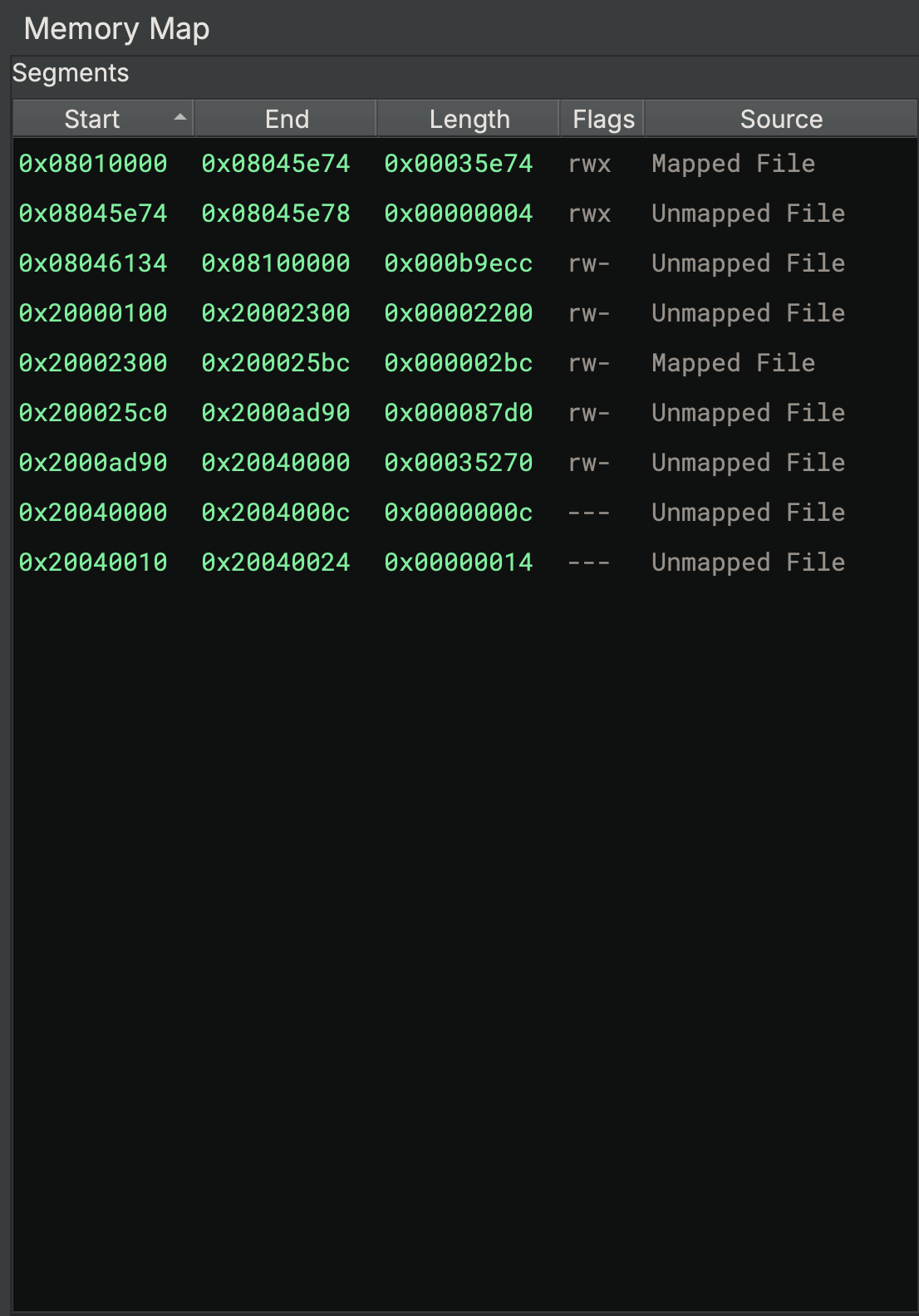
Binary Ninja even supports loading structures and comments from SVD files!
Analysis
Decompilation and analysis weren’t just improved for iOS and Firmware– Binary Ninja 5.0 contains many improvements to decompilation in general. The two most notable improvements include automatic stack array/structure detection and support for union types. The new Itanium RTTI support is also valuable for those doing C++ reverse engineering on non-Windows platforms.
Array and Structure Detection and Propagation
Several of our highest priority feature requests were implemented in Binary Ninja 5.0. One is automatic stack-array creation. When Binary Ninja detects stack array or structure access patterns, it will automatically create appropriate types for the relevant local variables. Prior to 5.0 stack buffers would just show up as void type stack variables. In 5.0 these buffers now show up as arrays and were possible we recover the type of the array as well.


Next, 5.0 also adds the ability to backward type propagate from call sites to the stack variable where they were allocated. The impact of this can’t be understated–its a real game changer especially when coupled a platform that has a nice set of type libraries like Windows.
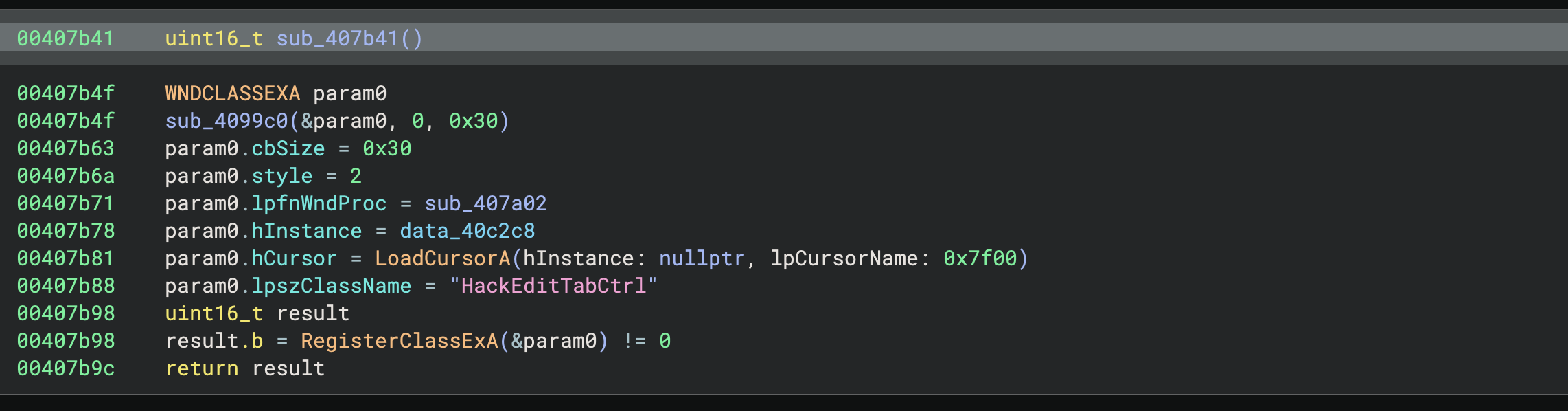
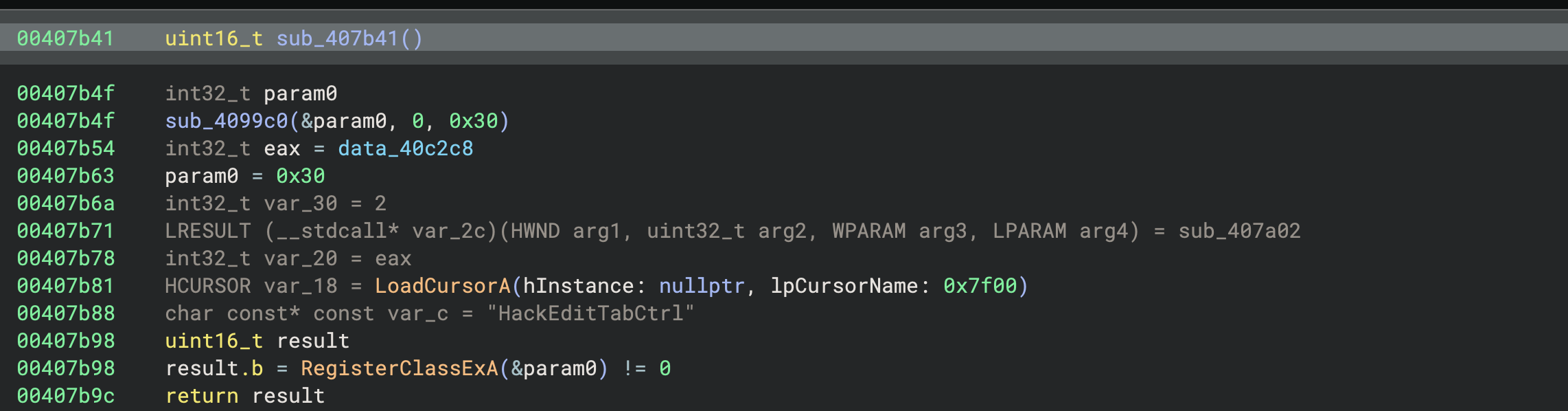
Since this feature is still new, there may still be patterns that aren’t correctly identified. Feel free to let us know if you find samples where we can improve.
Union Type Support
As helpful as support for automatic array and structure creation is, our highest-voted open feature request before Binary Ninja 5.0 was support for union types, and we’re happy to say we’ve added that as well! In fact, this wasn’t just the highest ranked feature request of this release, but the highest ranked feature of all time– a fitting contribution to the 5.0 major version bump!
While there are many contexts in which you may end up working with union types, this is especially helpful for Windows kernel driver reverse engineering as union types are quite common there.
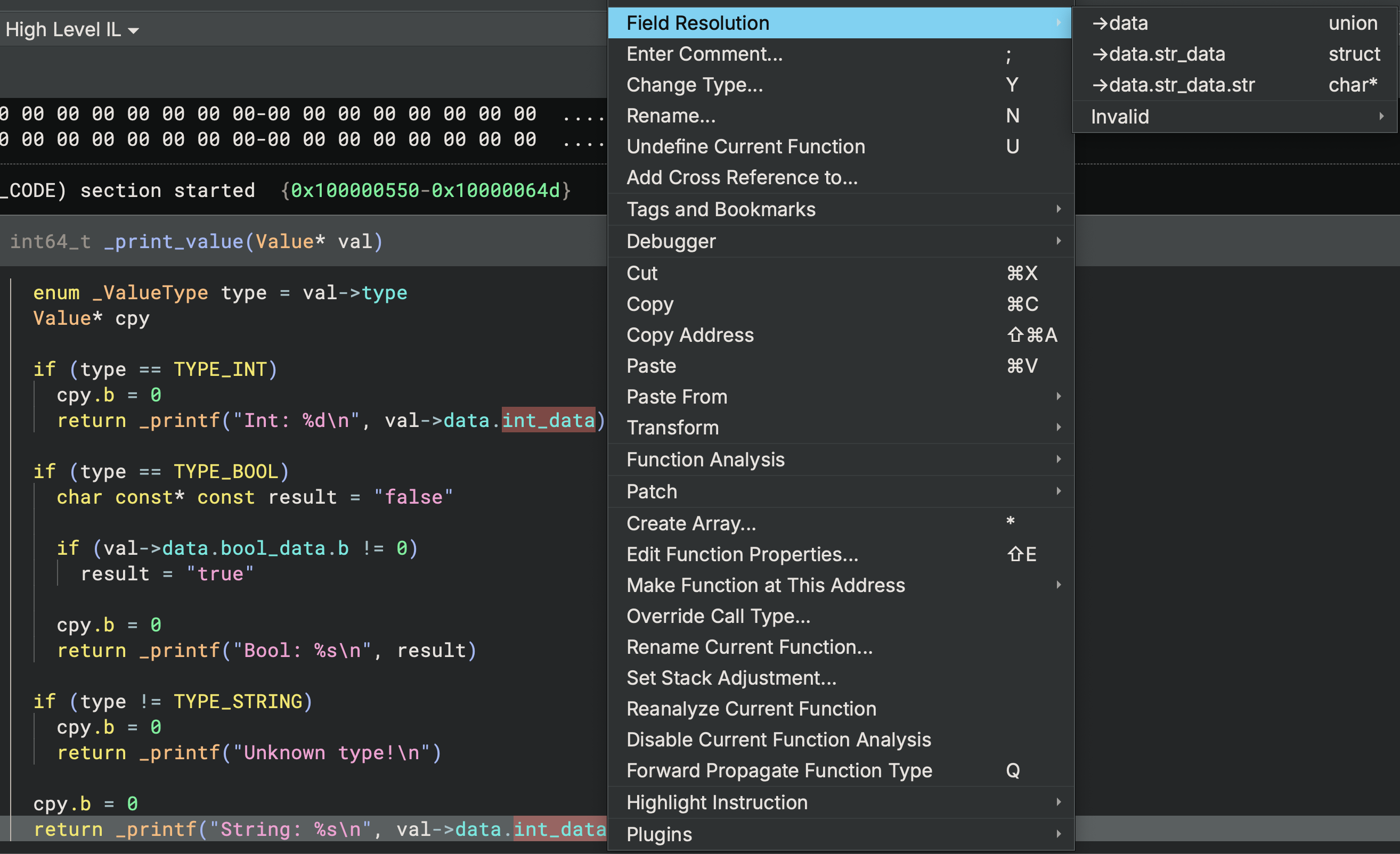
When a union type is applied in analysis, you can choose the appropriate member at each usage by using the Field Resolution right-click context menu. Decompilation from that point forward will use your chosen union member, and you can always switch to another union member for later uses. You can find a longer demonstration of this feature in the documentation.
Itanium RTTI
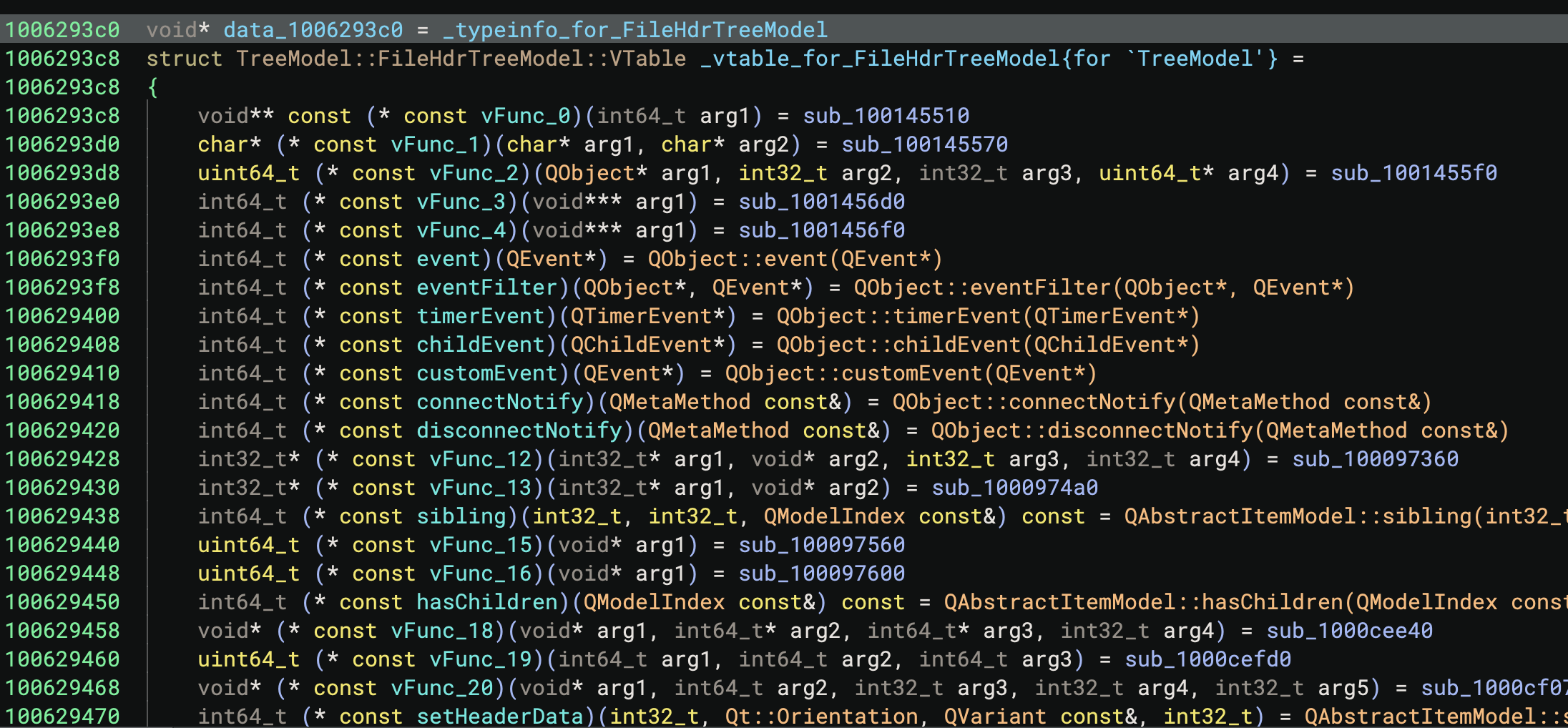
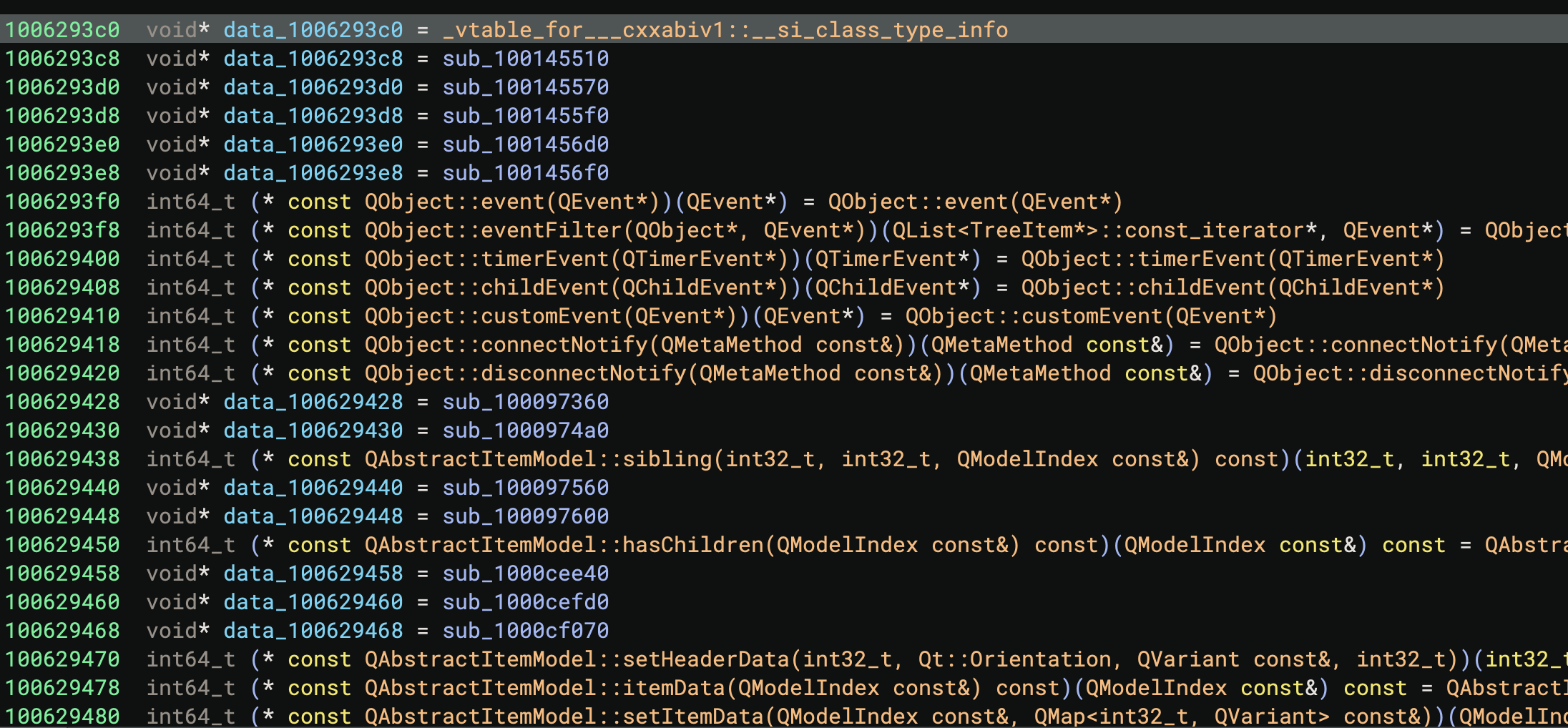
Wait–why would you care about a discontinued CPU? Well, you might care a lot because it turns out that both GCC and Clang use the RTTI format specified in the Itanium ABI for C++ class metadata. While we added support for MSVC RTTI in 4.2, now in 5.0 we support Itanium RTTI as well. Check out the difference this makes in the analysis:
Debugger
The debugger has had a number of improvements during the 5.0 development cycle. We’ve reworked how the adapter settings system works, added multiple new debugger backends, and improved performance by leveraging some new core APIs!
Adapter Settings
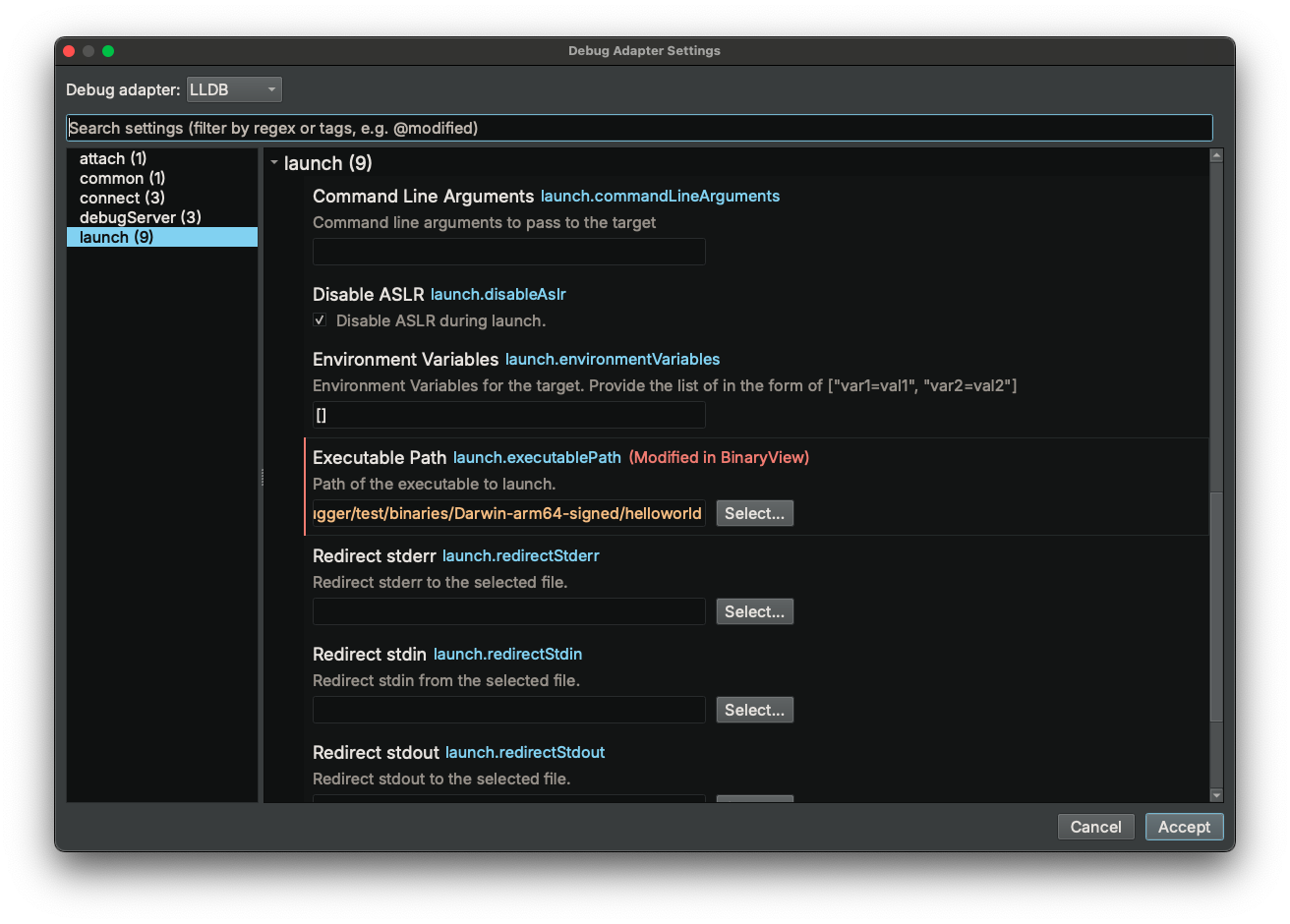
The new Adapter Settings window has a cleaned-up display of all the parameters you have when launching processes in the debugger in Binary Ninja 5.0. Based on our existing Settings page, and opening when you launch a process, this updated window should make it easier than ever to configure your debugging sessions.
Pause During Analysis
We have long been aware that running analysis during debugging may be unnecessary and could seriously drag down performance. In 5.0, we are rolling out a feature that reduces the scope of automatic analysis during debugging. This will limit analysis updates to just the current function, instead of all functions, bringing major performance improvements if you are debugging a large binary. You can control this new behavior with the debugger.holdAnalysis setting.

GDB RSP and More TTD
As big believers in the power of Time-Travel Debugging (TTD), in 5.0 we’ve added support for rr TTD through the newly added GDB RSP debug adapter:
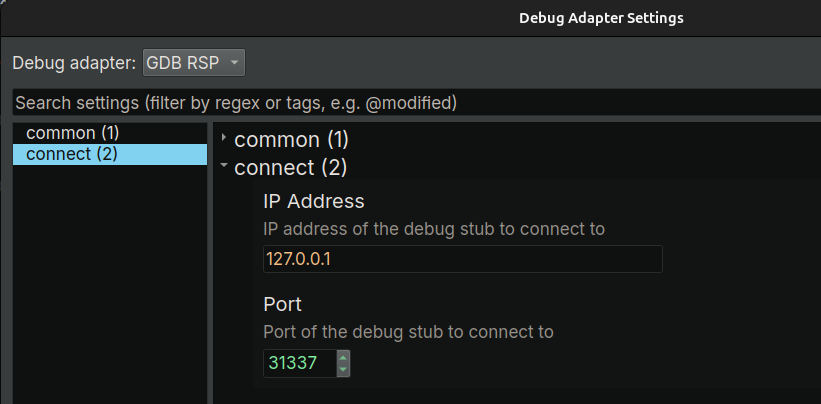
Meanwhile, the GDB RSP adapter brings better support for GDB servers/stubs, including those from QEMU, VMWare, Qiling, etc.
Corellium
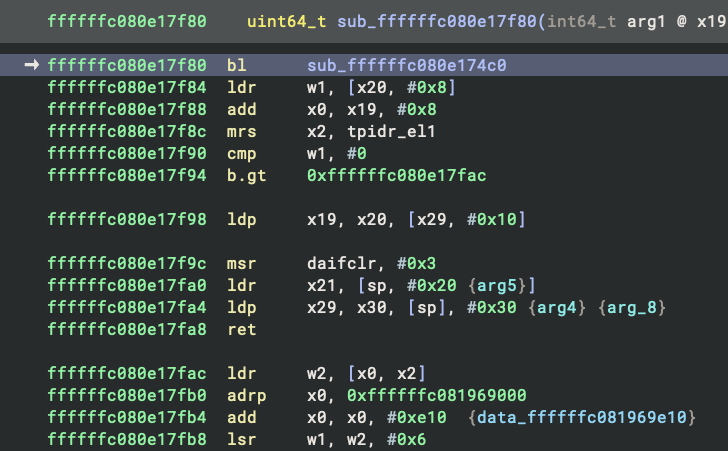
If you analyze mobile apps and use Corellium in your workflow, you can now debug a virtual device using the Correlium debug adapter. This debug adapter understands Corellium’s extensions to the GDB RSP protocol, providing lower latency and a better remote debugging experience, especially when you debug over higher-latency connections.
Shellcode Compiler Open Sourced
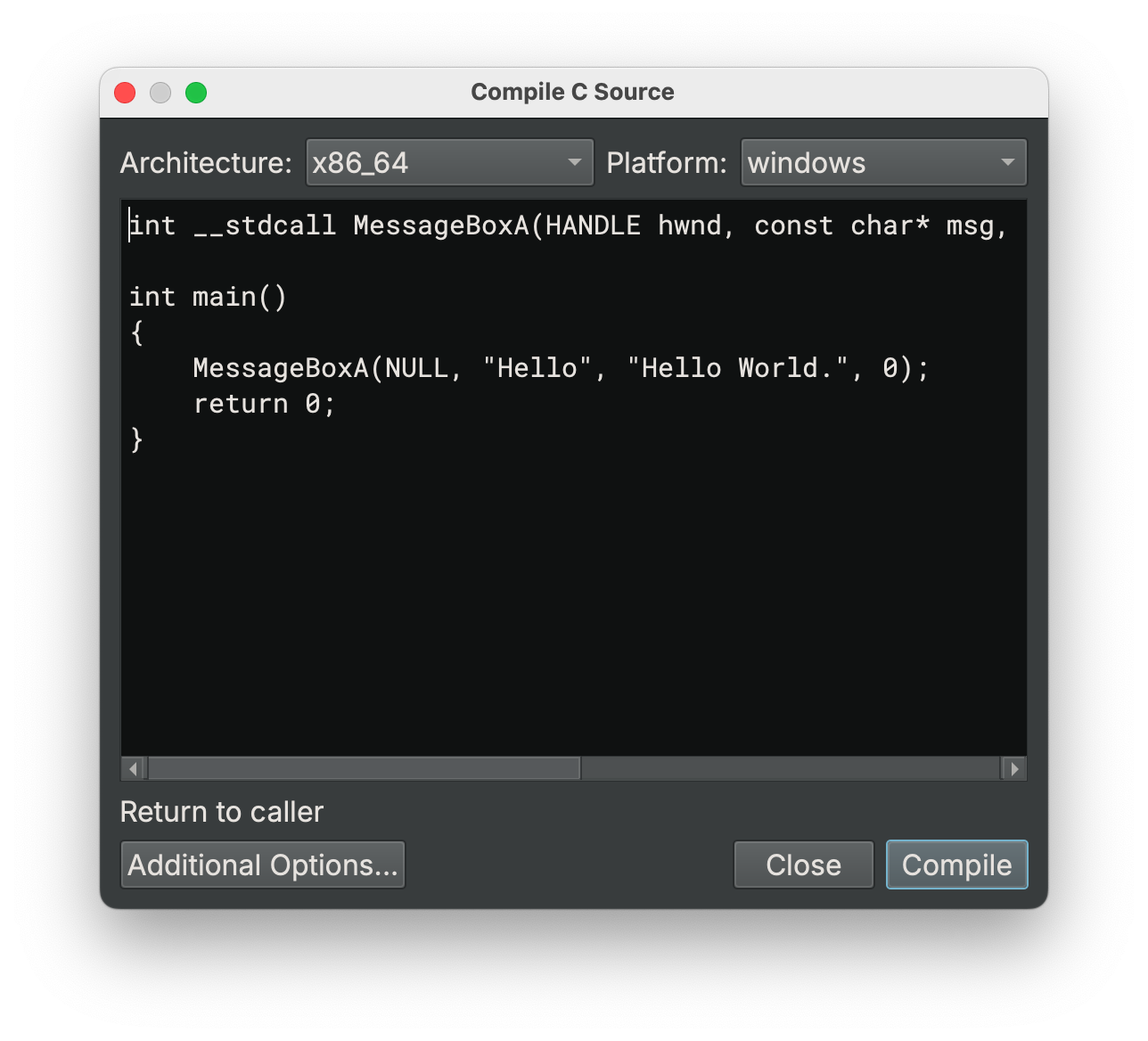
For 5.0, we’ve open sourced one of the oldest components in Binary Ninja: the Shellcode Compiler (SCC)! Responsible for the Compile C Source dialog box, SCC supports a surprising number of architectures and platforms. Unfortunately, we haven’t maintained it much recently, and we felt the best thing to do was to release it to the community as open source. In the future, we are considering replacing SCC as the built-in compiler in Binary Ninja with LLVM, given that its ability to create small position-independent shellcode has improved significantly in the last 10 years. Since we are already including LLVM for both the debugger and Clang integration, utilizing it for other features is “cheap” from an install size perspective.
New Architectures
We’ve added several new architectures with this release! MIPS3 was added to all paid editions and C-SKY ABIv1 was added to Ultimate.
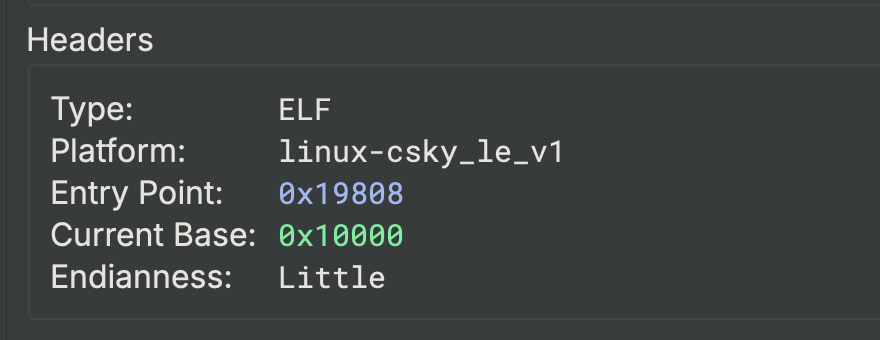
As an added bonus, it turns out that C-SKY ABIv1 is essentially the same architecture as M-CORE (but NOTHING like C-SKY v2 as it happens), so Ultimate users got a two-for-one deal!
Enterprise Browser Improvements
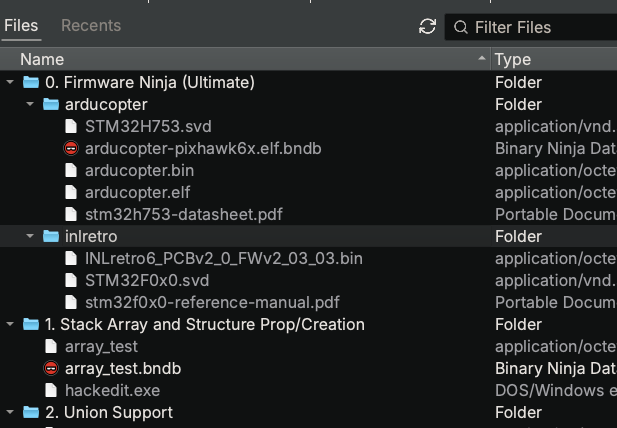
The Enterprise Project Browser got a refresh with a number of new improvements:
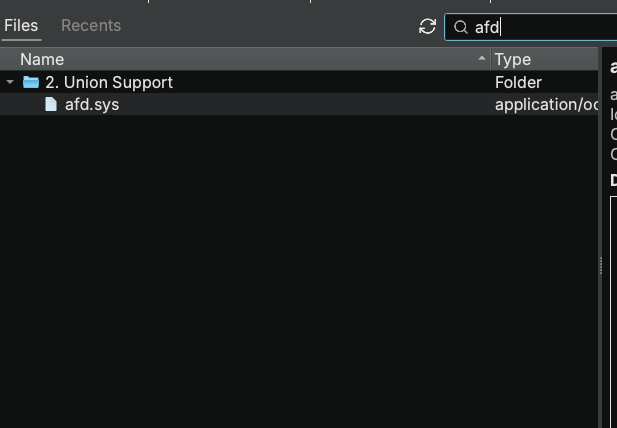
- Search filtering includes descriptions (this feature also works in the Commercial edition on local projects!)
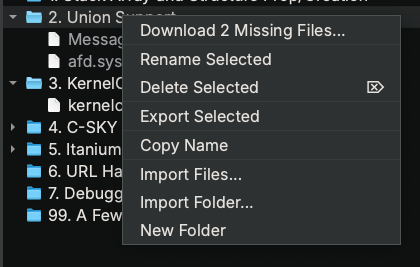
- Download status (easily tell which files are already downloaded locally)
- Bulk download
These quality of life features are already in heavy use internally at Vector 35, so we’re sure our enterprise customers will appreciate them too!
Sidekick 3.1
Sidekick 3.1 was recently released as well! While we haven’t done a full blog post on it yet, it includes key stability improvements and expanded scripting capabilities. In use of decompilation, we fixed errors related to structure recovery, function name formatting, and compatibility with older package dependencies. Name suggestions for data variables and functions are now generated more reliably and persist correctly across sessions, including compatibility fixes for BNDBs saved with older versions of Sidekick.
On the automation side, users can now import/export scripts, run BNQL queries, and orchestrate tool execution within scripts. We have also published a few example Automation Workbench scripts that support file indexing and CVE database search.
Other Notables
Sometimes it’s hard to pick which items make the major feature list in the blog post, and we often end up with features that might not be quite headliners but are still important enough to highlight.
Updated URL handler
One under-appreciated feature of Binary Ninja is its ability to load files with a url handler. While this has enabled opening files at fixed file paths and websites (and you can even include offsets and expressions to automatically navigate to!), prior to 5.0 it wasn’t possible to create URLs for files on Binary Ninja Enterprise servers. In 5.0, when opening a file from an Enterprise project, you can right-click anywhere and use the Copy Location as URL context menu item to create a link that can be used by any other user on the same server to navigate to the same location.
Line Wrapping
It’s hidden away here in the “other” section, but for some people, this might be their favorite change! Very early in the 5.0 release cycle we landed an improvement to how long lines are wrapped in the UI. Ironically, with previous improvements to control flow recovery, type information, and other analysis improvements, the need for this feature has decreased. However, it’s still quite helpful when working on a smaller screen, as the wrapping adapts to your available space much more intelligently.
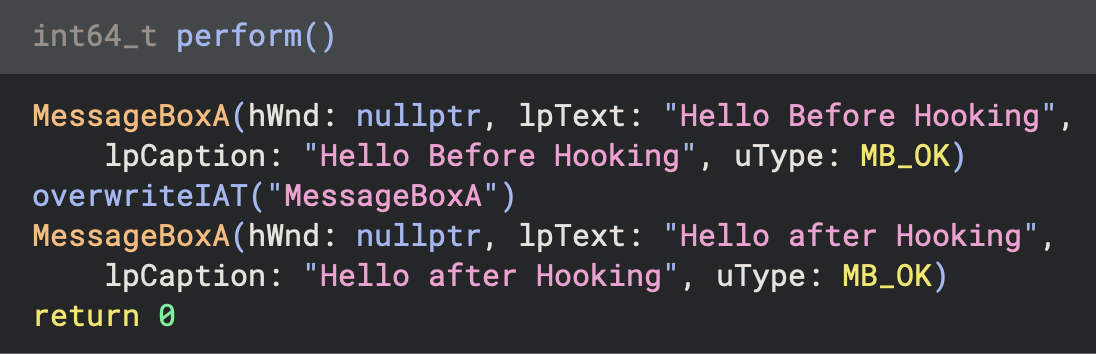
This wrapping is implemented on top of the new line formatter API. The current implementation supports both C and Rust and is open source.
Render Layers
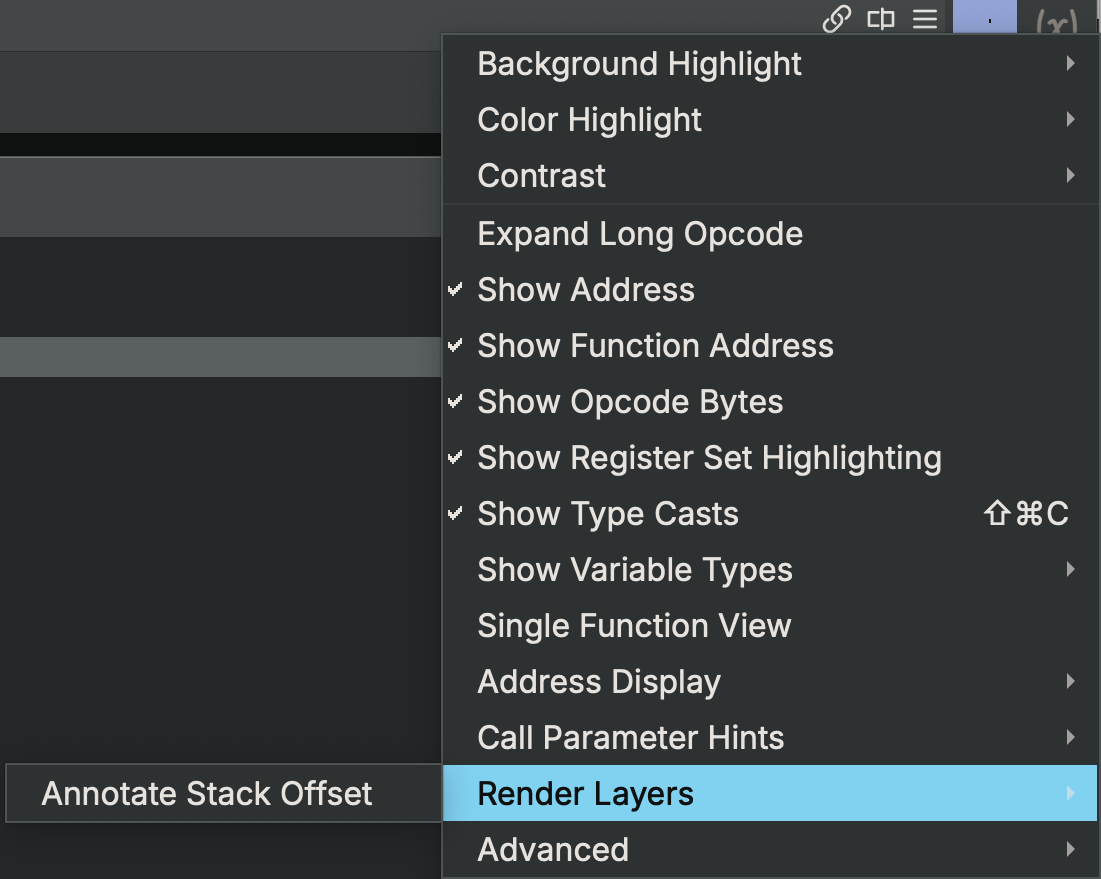
The new Render Layer API opens up many new possibilities to plugin authors. At its core, it is a callback API that allows a plugin to modify how decompilation, disassembly, and ILs are rendered in the UI. This enables a number of useful capabilities:
- Ephemeral Highlighting: The debugger is already using this feature, and other plugins like Lighthouse have long requested this to replace our less-performant highlight APIs.
- Custom Annotations: Want to have your plugin add additional information at any point in analysis? You can now add whatever custom text or lines you like.
An example plugin is included to demonstrate how you can use Render Layers. The example is built and shipped with paid editions of Binary Ninja and can be accessed in the Render Layers submenu in the hamburger menu in the upper-right corner of any graph or linear view.
Customer Portal
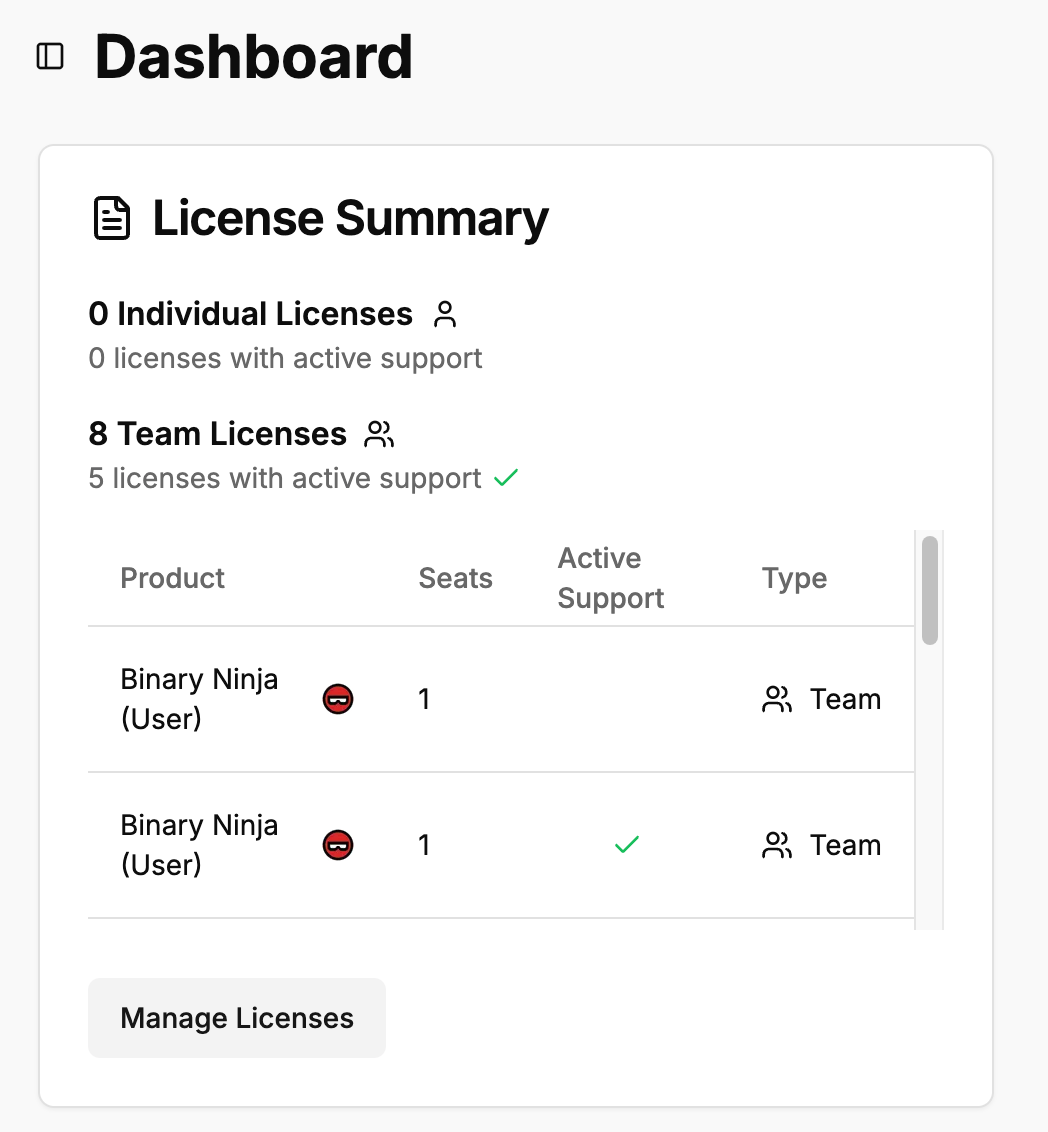
Our new customer portal makes working with your Binary Ninja licenses so much easier. The portal currently allows you to:
- Download current and old installers (even after your support has expired!)
- Download copies of your license files
- Create teams to manage and assign licenses
- Modify your own license email by claiming your license and updating your account
- Upload sample files for support requests (documented in the updated issue template)
- Get more information about releases, trainings, and more from one convenient location
Coming soon, we also plan to add support for co-terming, purchasing, and renewing existing licenses.
Open Source Contributions
This has been the most collaborative release yet! Thanks so much to the many open-source contributors who submitted pull requests during this release. This was the most active release in terms of contributions from the community by a large margin! The following following open source contributors had PRs merged in this release in particular:
- VisualEhrmanntraut [#6276, #6365]
- WeiN76LQh [#6174, #6194, #6197, #6198, #6285, #6455, #6459, #6580, #6517, #6514, #6454, #6297, #6210, #6172, #6657, #6202, #6318)]
- bb010g [#6373]
- bdash [#6192, #6196, #6316, #6322, #6393, #6435, #6565, #6576, #6553, #6437, #6436, #6432, #6409, #6403, #6402, #6392, #6321, #6315, #6184, #6149, #6139, #6129, #6127, #6124]
- droe [#6236]
- ehntoo [#6213, #6185]
- mkrasnitski [#6369, #6324, #6310, #6257]
- themaks [#6358]
- utkonos [#6332]
- SmoothHacker [#6466]
- ltlly [#6352]
- nullableVoidPtr [#6331]
- cyberkaida [#6256]
- jeanmicheldeva [#6064, #6078]
- v1X3Q0 [#6013]
We appreciate your work!
With those more visible features out of the way, here’s a more detailed list of other features, improvements, and fixes included with 5.0:
UI
- Feature: Action to pull all types from attached type archive
- Feature: Add search/filter on Import from BNDB
- Feature: Add setting to disable automatic analysis updates after Python commands
- Feature: Add visual feedback for binary search mode detection in the find dialog
- Feature: Strings View needs a way to sort the table
- Feature: Support showing the address in linear view as raw file offset
- Feature: Create strings using
aon an exact selection - Feature: The Create Tag dialog optionally lets you specify extra information
- Improvement: “Run Script” should remember its last directory
- Improvement: “Selection\Save To” should default to the directory the file or database is in
- Improvement: “Set Stack Adjustment” dialog has confusing default text
- Improvement: “See details” text added for more information when type parsing fails
- Improvement: Patching bytes should refresh the view automatically
- Improvement: Find dialog should not trim the input string by default
- Improvement: Linear view should refresh when segments or sections change
- Improvement: Memory Map widget should update analysis after segments or sections change
- Improvement: Omit the _ptr prefix for structure fields when running “Make Pointer”
- Improvement: Symbols sidebar filter does not have placeholder text
- Improvement: Tags UI has various bugs and performance issues
- Improvement: The horizontal header in the find dialog doesn’t fill available width
- Improvement: The Type editor search field should default to search type and member names
- Improvement: Triage view import table filter also matches on the type library column
- Improvement: “Copy Raw Symbol” action and context menu added to the symbol list
- Improvement: Tags UI performance refactor including avoiding blocking the UI with large numbers of tags
- Improvement: Tags List Tree View has a “collapse all” option
- Improvement: When searching HLIL text/const, the UI remains responsive
- Improvement: New “Collapse All” menu option on Tags
- Fix: Crash in the keybindings view
- Fix:
Ato make a string on an existing datavar sometimes produced incorrect results - Fix: Address token alignment breaks with inlined functions
- Fix: Broken MLIL translator debug report
- Fix: Cannot copy entries from the History
- Fix: Changing a variable name does not refresh the display in linear view when analysis hold is in effect
- Fix: Crash when interacting with the type change popup due to type archive loading
- Fix: Creating a new function in the linear view while the analysis hold is set does not update the linear view display
- Fix: Creating wide string with Shift-A creates a 1-char wstring unless a null byte before the first wchar is selected
- Fix: Creating wide string with Shift-A truncates the string without including the last null byte
- Fix: Cross reference population UI freezes with many references
- Fix: Double-clicking a tag in the tags view does not navigate to its address during analysis
- Fix: Double-clicking content of a user tag does not navigate
- Fix: Dragging to change selection is very laggy for anything but small binaries
- Fix: Find result widget sometimes renders bytes larger than 0x80 as negative numbers
- Fix: Image base changes break view state location restoration
- Fix: Invalid saved view navigated to types view instead
- Fix: Linear View: Switching between IL views and disassembly does not maintain scroll position of the selected instruction
- Fix: Log window doesn’t correctly calculate widget width for certain messages
- Fix: Make Select All (Ctrl+A) work in linear view and select all lines of the current function
- Fix: MemoryMap sections view selection artifacts
- Fix: Navigate to Selection actions will navigate both current and new
- Fix: Navigating to a tag in the sidebar sometimes clears tag selection
- Fix: Navigation sometimes goes to a wrong address
- Fix: Navigation to invalid BinaryView offsets
- Fix: On some platforms, type sizes were truncated in the type viewer UI
- Fix: Preview text rendering in the find dialog is busted when a line has a tag
- Fix: Providing an empty variable name unexpectedly undefines the variable rather than resetting its name
- Fix: Right-click should set focus so the context item being acted on is consistent
- Fix: Tags are not accessible via BinaryView
- Fix: Tags sidebar steals focus
- Fix: Theme change notifications not propagated to SidebarWidgets
- Fix: Ultimate about dialog doesn’t include the URL to renew licenses
- Fix: Undo descriptions for adding a segment are inconsistent
- Fix: Using
Sto create a structure would not reuse an existing name if it existed - Fix: Pointers to functions in data variables correctly renders as code now
- Fix: HLIL Variable declarations missing if they have a positive stack offset
Analysis / Core
- Feature: Forced variable versions feature
- Feature: Generate load settings for all BinaryView open operations and enable PIC rebase setting by default
- Feature: Native support for Intel HEX files
- Feature: Support loading data variables from DWARF that use
DW_OP_addrx - Feature: Support setting a data variable to volatile to prevent the analysis from using its current value
- Improvement: Better handling when opening a SQLite database that isn’t a BNDB
- Improvement: Improved constant pointer promotion resolves some HLIL array access
- Fix: Array index reuse preventing array simplification
- Fix: Automatic rebasing to 0x10000 on raw file causes Base Address Detection accuracy regression
- Fix: Crash when undefining a function
- Fix: DWARF parsing panic
- Fix: Resolve a regression in function identification introduced by refactored garbage collection and linear sweep
- Fix: Rust panic in qualified name simplifier
- Fix: Analysis reverts function back to pure after changing the function type
- Fix: Analysis loop caused by full updates issued to callers for confidence-only changes
- Fix: Can’t resolve function call stack offsets with shared fixup instruction
- Fix: Cannot set the function type using a typedef-ed function type
- Fix: Crash due to stack array detection
- Fix: Crash due to a double free during PDB parsing
- Fix: Crash in
parse_types_from_sourcewith options-x cand--std c99 - Fix: Crash in demangler forming names
- Fix: Crash when creating types from C source
- Fix: Crash when opening the experimental type explorer
- Fix: DataVariable created at invalid BinaryView offsets
- Fix: Demangled function type parameters are resolved incorrectly
- Fix: Do not show nums OR:ed with 0 if any bits are set
- Fix: Excessive memory usage for analysis on Windows
- Fix: Hang when parsing a type string for an unpulled type in an attached type archive in a remote project
- Fix: Incorrect decoding of UTF-16 encoded codepoints in range U+0800–U+FFFF
- Fix: Infinite analysis loop in recursive function
- Fix: Infinite loop in analysis caused by data variable blacklist
- Fix: LLIL SSA lifting error when an intrinsic returns two values which both get used later
- Fix: Missing common values from wincrypt.h
- Fix: Navigating to external binary via FWN relationships leaks BV
- Fix: Non-determinism among multiple function analysis with shared DataVariables
- Fix: On-Demand Function Analysis is triggering time and update count limits
- Fix: Rebase releases analysis hold
- Fix: Some functions compiled with MSVC 2022 17.7.0 cannot be demangled
- Fix: Stack overflow during memory value propagation analysis
- Fix: Suspected memory leak, large amount of RAM is only freed after another file is opened
- Fix: User global pointer value does not persist across save and reload
Binary View
- Feature: Add platform types for KernelCache
- Feature: Add support for SHN_COMMON-relative symbols in ELF view
- Feature: Allow loading a single image from kernelcache
- Feature: Support R_ARM_THM_MOVW_ABS_NC and R_ARM_THM_MOVT_ABS relocations
- Improvement: Analysis of binaries containing Obj-C code is effectively single-threaded
- Improvement: Reduce Mach-O initial open time
- Fix: Crash during MachO loading
- Fix: Crash when loading specific ELF file with DWARF info
- Fix: Ensure BinaryView writes are offset from source data
- Fix: Objective-C metadata parsing
- Fix: Objective-C calls disappearing in MLIL and HLIL
- Fix: PE view overriding default endianness to LE
- Fix: Prevent crash when no macho view plugin is present
- Fix: Regression in .gnu_debugdata parsing
- Fix: Unhandled or incorrect relocation screws up GP value analysis
- Fix: Wrong relocation on C++ ELF binaries when offsets are present
- Improvement:
SharedCache::GetSymbolWithNamenow has its own lookup map - Improvement: Added type annotations for DSC module
- Improvement: Adjusted use of
BeginUndoActions/ForgetUndoActionsduring shared cache analysis - Improvement: DSC analysis for WebCore now supports multi-threaded analysis
- Improvement: DSC analysis now uses multiple threads
- Fix: ‘Cache Info’ tab in DSC Triage view no longer contains editable cells
- Fix: Method symbol resolution for dyld shared cache
- Fix: Auto-analysis no longer freezes when loading a DSC image with nested plugin subflows
- Fix: Bundled shared cache plugin no longer always loads
- Fix: Calls to
___chkstk_darwinnow have a symbol name applied - Fix: Crash in
SymbolTableViewconstructor background thread fixed - Fix: Crash related to
BNForgetUndoActionswhen loading DSC image fixed - Fix: Crash when closing DSCView
- Fix: Crash when loading a different DSC image after closing one fixed
- Fix: Cross-image loads now resolve to symbol names
- Fix: DSC databases must share the same name as the primary DSC file
- Fix: DSC Triage view now behaves consistently when clicking image vs symbol
- Fix: dyld shared cache now opens properly
- Fix: Dyld shared cache now recognized for x86_64h
- Fix: Error when applying slide info
- Fix: Function workflow setting is applied every time a database is loaded
- Fix: Loading a shared cache in a project no longer crashes
- Fix: No hang or crash on shutdown during initial DSC analysis
- Fix: Shared cache loading now recognizes CFString / NSString literals
- Fix: Shared Cache Plugin now configures locally
Architecture / Platforms
- Feature: Implement Arm64
tlbiintrinsic - Feature: Add VxWorks support for Cavium Octeon MIPS64 platform
- Feature: Add enum type for CSFR-associated TriCore intrinsics
- Feature: Implement TriCore
EXTR.Uusing extended register - Feature: Lift AArch64 load/store acquire/release operations as intrinsics
- Fix: Incorrect lifting of register-shifted register instructions in ARM
- Fix:
xabortinstruction terminates control flow in certain conditions - Fix: Arm64 intrinsic integer constants incorrectly become booleans in MLIL
- Fix: ARMv7
VSTMinstruction incorrectly disassembled - Fix: Infinite analysis loop in ARMv7 recursive functions
- Fix: Invalid lifting of
MRSintrinsic specifying the wrong destination register - Fix: MIPS
dsll32immediate operands are 0x20 higher than expected in disassembly - Fix: Platform type errors when loading Windows-ARMv7 platform
- Fix: RISC-V JALR lifting bug when
rd == rs1 - Fix: TriCore 18-bit absolute addressing displacement broken
API
- Deprecation: Deprecated DockHandler and DockWidget UI APIs removed
- Feature: Callbacks for instruction text line processing
- Feature: Add an API to get the stack variable set by an instruction
- Fix: IndexError(“index out of range”) when
is_validhandler is set by a plugin command - Fix:
FormInputField::Addresssets the text box to the wrong value - Fix:
Function.get_low_level_il_atcan throw an exception if the function cannot be analyzed - Fix:
get_open_filename_inputnow allows multi-selection but only returns a single file - Fix:
get_save_filename_inputextension filtering fails on Mac - Fix:
GetConstantsReferencedByInstructionIfAvailablereturns an incorrect value when multiple disassembly instructions get folded into one LLIL instruction - Fix:
HighlightColor.__init__attempts to set a property with no setter - Fix: Compile on current Ubuntu with GCC14 by cherry-picking rapidjson fix
- Fix: Non-determinism in the GetSymbolsByName API
- Fix: Python API:
forget_undo_actionsis only defined on FileMetadata and not on BinaryView - Fix: Rust
inithas no error checking - Fix: Typo in the il_function property
- Fix:
version_switch.pyversion comparison broken (#6204) - Fix: UI plugins compiled for personal/commercial editions have an incompatible ABI with the ultimate edition
- Improvement: Add a
size_t countargument to someBNCustomArchitecture.free*fields - Improvement: Default workflow names changed to make their intended function more obvious
- Improvement: Do not enable plugin commands requiring an IL instruction if the instrIndex in the current UIActionContext is -1
- Improvement: Don’t throw exceptions in specific HLIL APIs
- Improvement: Mark the Rust testing CI as manual trigger only
- Improvement: No reliable way to retrieve the function’s IL without using try/catch
- Improvement: Python API in
lowlevelil.pylacks a method for LLIL_BOOL_TO_INT
Debugger
- Improvement: Bind F4 hotkey to “Run To Here”
- Improvement: Various documentation updates on Python API: 1, 2, build instructions: 3, 4
- Improvement: Use render layer to display the breakpoint/program counter tag and line highlight
- Fix: Ensure the view always navigates to a valid address after debugging
- Fix: Bug in LLDB target recognition: 1, 2
- Fix: Target XML parsing in the GDB RSP debug adapter: 1, 2
- Fix: Bug in reverse step emulation
- Fix: Various issues in the linear view when the analysis is hold: 1, 2
- Fix: Cannot debug file properly if it is downloaded from the enterprise server or a database is moved to a different machine
- Fix: Various crashes: 1, 2, 3, 4, 5, 6, 7
Enterprise
- Fix: Can’t edit project until permissions are pulled
- Fix:
Session::new()in Rust now handles floating licenses properly - Fix: Floating license example is broken
- Improvement: Remote Dialog now indicates which projects already exist on-disk
Documentation / Misc
- Improvement: Added
binaryninjacore-systo the online docs - Improvement: Clarify
get_llil_atvsget_llils_at - Improvement: IDE auto-complete docs now remind users to run the installer script in their virtual environment
- Improvement: Document lack of guard-rails on
set_user_instr_highlightaddresses being in a function - Improvement: Documentation restructured with a new landing page
…plus all of the usual “additional” changes and fixes included in the full list of closed issues! 5.0 contained almost 300 closed issues, our largest release in terms of fixes, improvements and features by a huge margin!
如有侵权请联系:admin#unsafe.sh