zsh 安装与配置,使用 oh-my-zsh 美化SSH终端
传统的 bash 功能比较简陋,且不美观。本文基于 Ubuntu22.04 LTS 系统,安装 zsh,并使用 oh-my-zsh 对终端进行美化。Oh My Zsh 2024-11-29 19:24:46 Author: www.upx8.com(查看原文) 阅读量:26 收藏
传统的 bash 功能比较简陋,且不美观。本文基于 Ubuntu22.04 LTS 系统,安装 zsh,并使用 oh-my-zsh 对终端进行美化。Oh My Zsh 2024-11-29 19:24:46 Author: www.upx8.com(查看原文) 阅读量:26 收藏

传统的 bash 功能比较简陋,且不美观。本文基于 Ubuntu22.04 LTS 系统,安装 zsh,并使用 oh-my-zsh 对终端进行美化。Oh My Zsh 是基于 zsh 命令行的一个扩展工具集,提供了丰富的扩展功能。
1 环境配置
1.1 安装基本工具
设置默认终端为 zsh(注意:不要使用 sudo)。
chsh -s /bin/zsh1.2 安装 oh-my-zsh
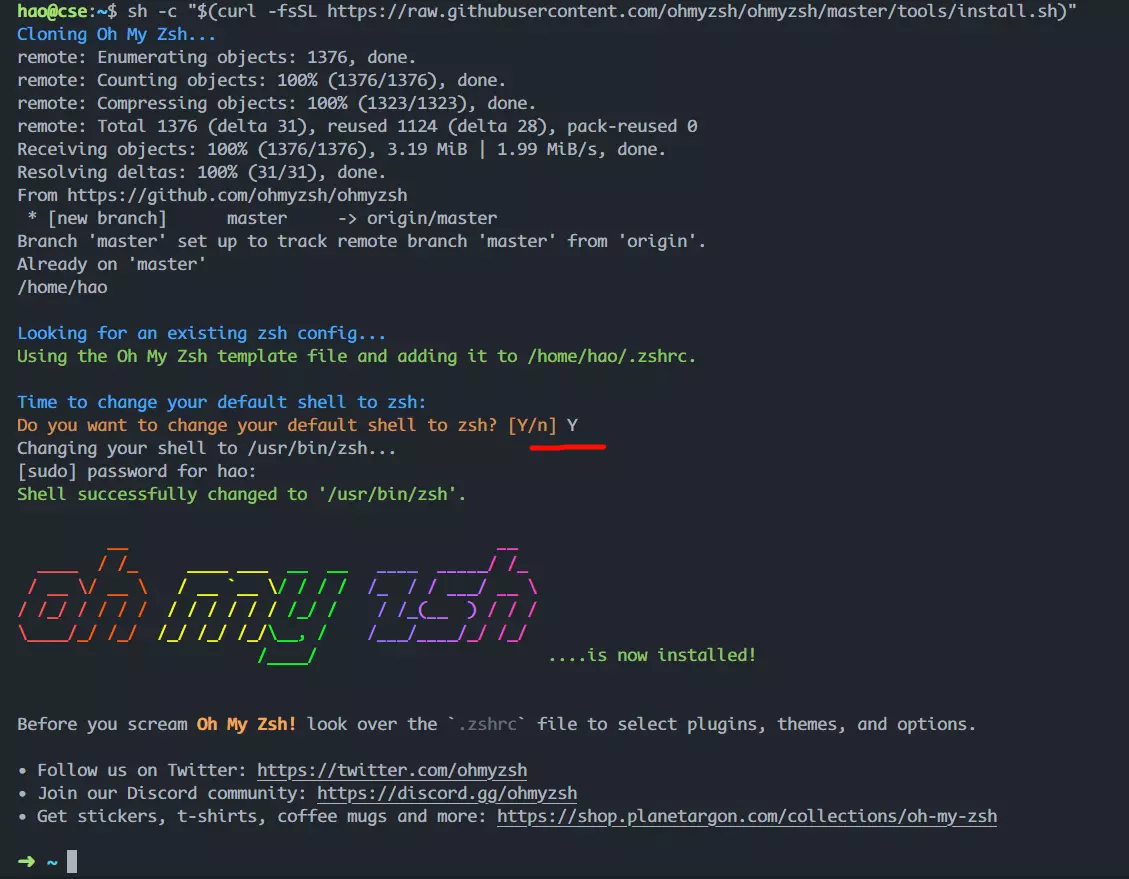
官网:http://ohmyz.sh/。 安装方式任选一个即可。
| Method | Command |
|---|---|
| curl | sh -c "$(curl -fsSL https://install.ohmyz.sh/)" |
| wget | sh -c "$(wget -O- https://install.ohmyz.sh/)" |
| fetch | sh -c "$(fetch -o - https://install.ohmyz.sh/)" |
| 国内curl镜像 | sh -c "$(curl -fsSL https://gitee.com/pocmon/ohmyzsh/raw/master/tools/install.sh)" |
| 国内wget镜像 | sh -c "$(wget -O- https://gitee.com/pocmon/ohmyzsh/raw/master/tools/install.sh)" |
注意:同意使用 Oh-my-zsh 的配置模板覆盖已有的 .zshrc。

1.3 从.bashrc中迁移配置(可选)
如果之前在使用bash时自定义了一些环境变量、别名等,那么在切换到zsh后,你需要手动迁移这些自定义配置。
# 查看bash配置文件,并手动复制自定义配置
cat ~/.bashrc
# 编辑zsh配置文件,并粘贴自定义配置
nano ~/.zshrc
# 启动新的zsh配置
source ~/.zshrcroot用户在执行sudo su命令后,再运行上述代码查看、手动复制、粘贴自定义配置。
2 配置主题
2.1 自定义主题
文章来源: https://www.upx8.com/4486
如有侵权请联系:admin#unsafe.sh
如有侵权请联系:admin#unsafe.sh