
Find authentication (authn) and authorization (authz) security bugs in web application routes:
Web application HTTP route authn and authz bugs are some of the most common security issues found today. These industry standard resources highlight the severity of the issue:
- 2021 OWASP Top 10 #1 - Broken Access Control
- 2021 OWASP Top 10 #7 - Identification and Authentication Failures (formerly Broken Authentication)
- 2023 OWASP API Top 10 #1 - Broken Object Level Authorization
- 2023 OWASP API Top 10 #2 - Broken Authentication
- 2023 OWASP API Top 10 #5 - Broken Function Level Authorization
- 2023 CWE Top 25 #11 - CWE-862: Missing Authorization
- 2023 CWE Top 25 #13 - CWE-287: Improper Authentication
- 2023 CWE Top 25 #20 - CWE-306: Missing Authentication for Critical Function
- 2023 CWE Top 25 #24 - CWE-863: Incorrect Authorization
Supported web frameworks (route-detect IDs in parentheses):
- Python: Django (
django,django-rest-framework), Flask (flask), Sanic (sanic) - PHP: Laravel (
laravel), Symfony (symfony), CakePHP (cakephp) - Ruby: Rails* (
rails), Grape (grape) - Java: JAX-RS (
jax-rs), Spring (spring) - Go: Gorilla (
gorilla), Gin (gin), Chi (chi) - JavaScript/TypeScript: Express (
express), React (react), Angular (angular)
*Rails support is limited. Please see this issue for more information.
Use pip to install route-detect:
$ python -m pip install --upgrade route-detect
You can check that route-detect is installed correctly with the following command:
$ echo 'print(1 == 1)' | semgrep --config $(routes which test-route-detect) -
Scanning 1 file.Findings:
/tmp/stdin
routes.rules.test-route-detect
Found '1 == 1', your route-detect installation is working correctly
1┆ print(1 == 1)
Ran 1 rule on 1 file: 1 finding.
route-detect provides the routes CLI command and uses semgrep to search for routes.
Use the which subcommand to point semgrep at the correct web application rules:
$ semgrep --config $(routes which django) path/to/django/code
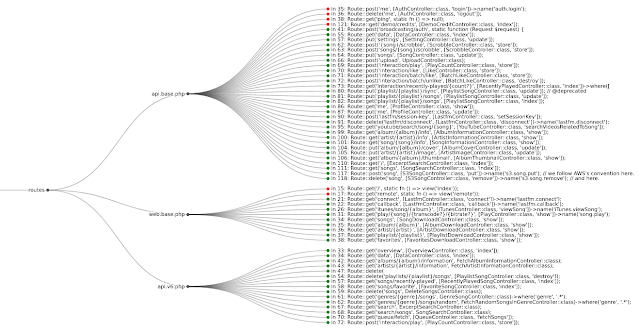
Use the viz subcommand to visualize route information in your browser:
$ semgrep --json --config $(routes which django) --output routes.json path/to/django/code
$ routes viz --browser routes.json
If you're not sure which framework to look for, you can use the special all ID to check everything:
$ semgrep --json --config $(routes which all) --output routes.json path/to/code
If you have custom authn or authz logic, you can copy route-detect's rules:
$ cp $(routes which django) my-django.yml
Then you can modify the rule as necessary and run it like above:
$ semgrep --json --config my-django.yml --output routes.json path/to/django/code
$ routes viz --browser routes.json
route-detect uses poetry for dependency and configuration management.
Before proceeding, install project dependencies with the following command:
$ poetry install --with dev
Linting
Lint all project files with the following command:
$ poetry run pre-commit run --all-files
Testing
Run Python tests with the following command:
$ poetry run pytest --cov
Run Semgrep rule tests with the following command:
$ poetry run semgrep --test --config routes/rules/ tests/test_rules/
