使用github Action自动化部署 Hugo
前言最近由于一直在用的travis-ci出现了迷之bug,加上想尝试一下github action就决定尝试用github action替换travis-ci选用actiongithub现有的acti 2019-12-4 23:58:12 Author: blue-bird1.github.io(查看原文) 阅读量:12 收藏
前言最近由于一直在用的travis-ci出现了迷之bug,加上想尝试一下github action就决定尝试用github action替换travis-ci选用actiongithub现有的acti 2019-12-4 23:58:12 Author: blue-bird1.github.io(查看原文) 阅读量:12 收藏
前言
最近由于一直在用的travis-ci出现了迷之bug,加上想尝试一下github action就决定尝试用github action替换travis-ci
选用action
github现有的action组件可以在这里查看. 如果想要自定义自己仓库的workflow,可以选用里面来进行组合.
不过hugo在github page的workflow,已经有人在这弄好了,
编写workflow
workflow定义是一个位于.github/workflows/的yaml文件.点开仓库的action按钮会出现引导界面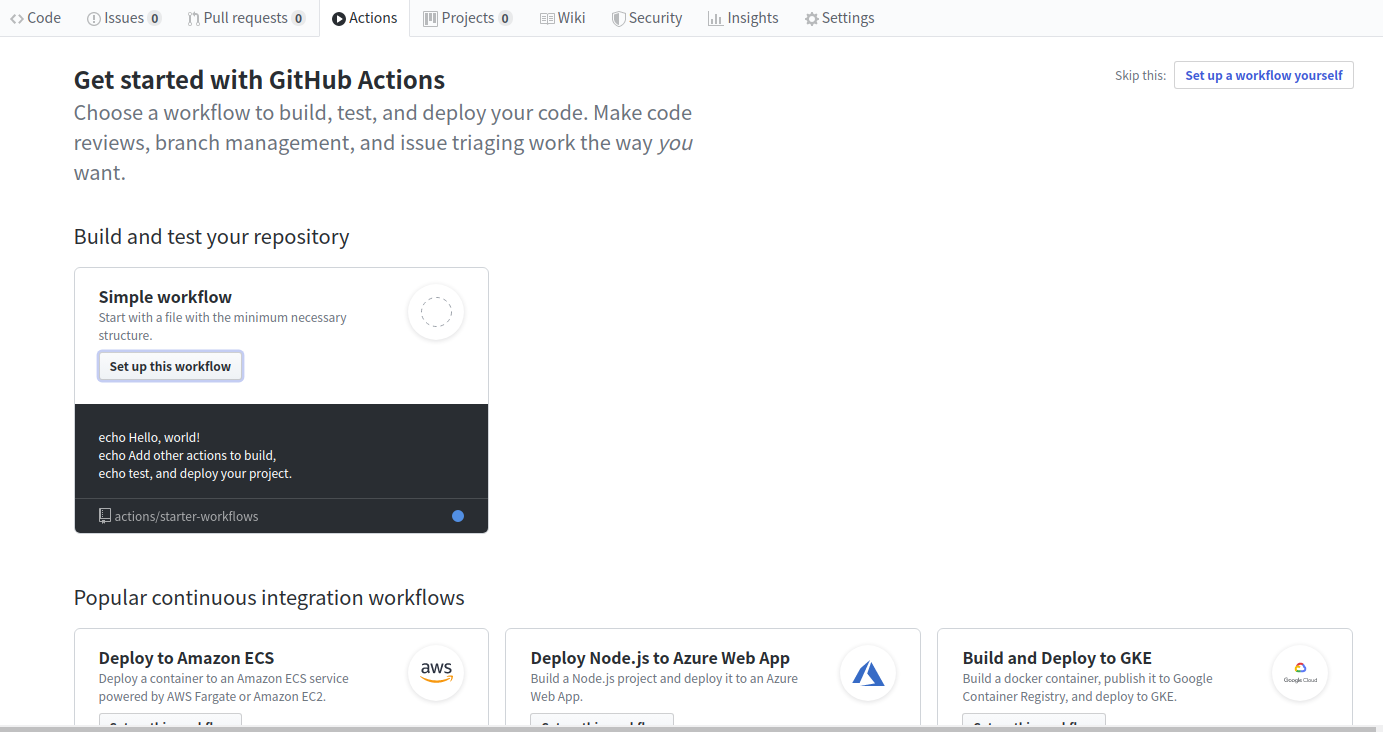
显示一些常用的workflow 但由于我们要用并不在这里面 点击右上角的skip就行.
模板文件
| |
设置secrets
之后需要设置secrets.secrets.ACTIONS_DEPLOY_KEY实际上是你的github Personal access tokens,申请后点击项目的setting,在secrets栏添加一个key名是PERSONAL_TOKEN的secrets即可
文章来源: https://blue-bird1.github.io/posts/github-action-hugo/
如有侵权请联系:admin#unsafe.sh
如有侵权请联系:admin#unsafe.sh